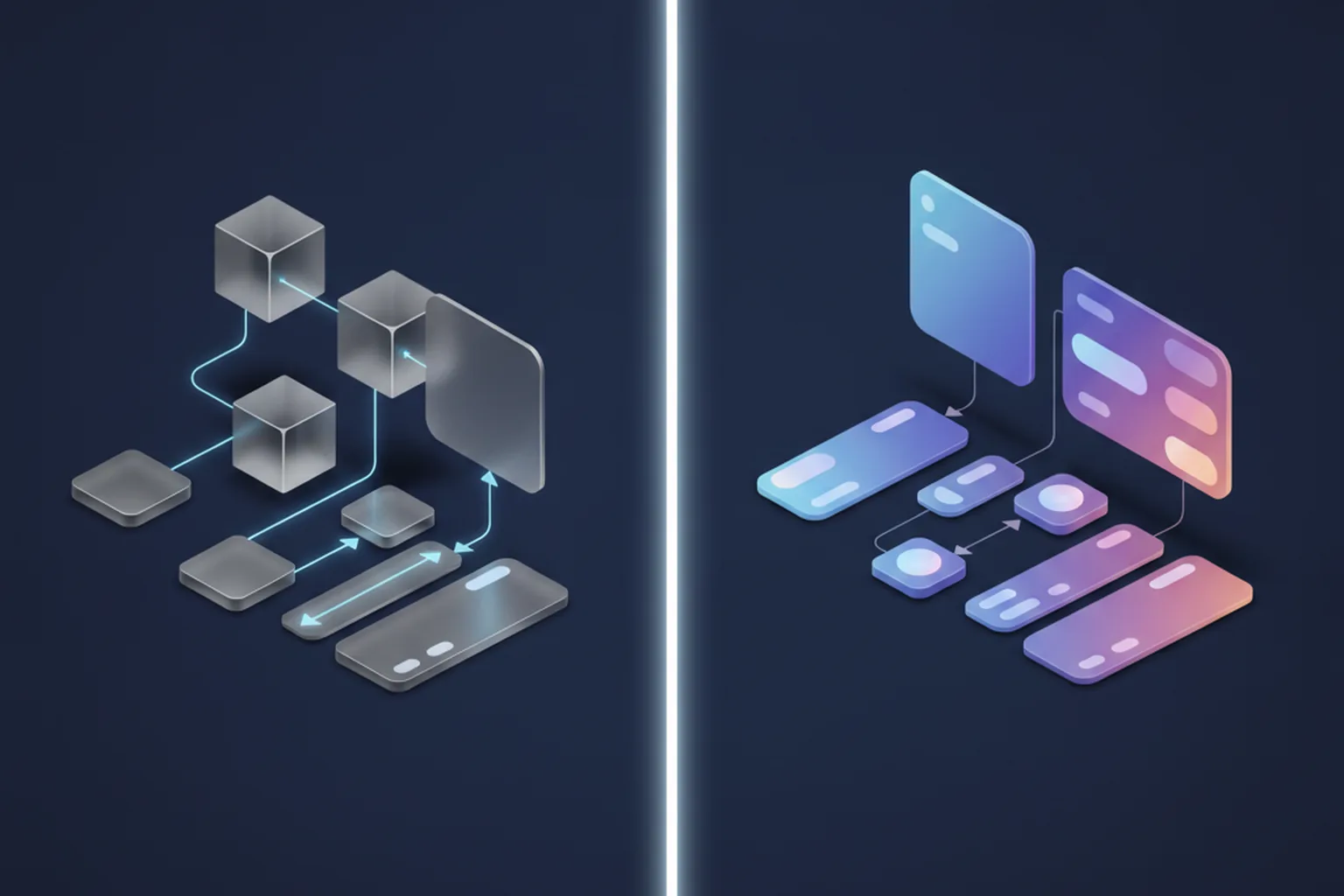
What is included
UX research, user flows and wireframes, UI design, clickable prototypes, usability testing, a design system and developer handoff, for iOS, Android and web.
We research how people use your product, map the flows, design every screen in Figma and test the clickable prototype with real users. Then the same team builds it: our designers sit next to the engineers who ship your mobile apps and web platforms, so the design survives contact with code.
GDPR-aligned · ISO 27001 ready · SOC 2 Type II in progress · HIPAA-capable · CCPA-acknowledged · CET workday with 9 AM–1 PM ET overlap
UI/UX design services turn a product idea or an existing app into screens that people understand on the first try. UX design decides what the product does and in which order: research, user flows, information architecture, wireframes. UI design decides how it looks and feels: layout, type, color, components and motion. You need both, and you need them to agree with what your developers can actually build.
That last part is where most projects lose time. At YuSMP, UI/UX design and development live in one team, so designers check feasibility while they draw and engineers join reviews before a single screen is coded. If you are still shaping the idea, start with a short MVP development scope and design only what the first release needs.
UX research, user flows and wireframes, UI design, clickable prototypes, usability testing, a design system and developer handoff, for iOS, Android and web.
Founders preparing an MVP, SaaS teams fixing onboarding or a dense dashboard, and companies redesigning an app that users find hard to use.
Figma files you own, a tested prototype, a component library with tokens, and specs your developers, or ours, can build from without guessing.
Design and development in one team: fewer handoff gaps, design QA inside sprints, and components that exist in Figma and in code under the same names.
Our UI/UX design services cover the full path from the first user interview to the last pixel check on a release build. You can take the whole path or only the part you are missing.
Stakeholder and user interviews, jobs-to-be-done, personas, customer journey maps and a review of competitor products. The output is a short list of problems worth solving and the evidence behind each one. For new products we run it as part of a discovery phase.
Information architecture, navigation, user flows for every role and low-fidelity wireframes. This is where we argue about structure while changes are still cheap, before anyone spends a day on colors.
Typography, color, iconography, illustration style and states for every screen: empty, loading, error and success. We design in Figma with real content lengths, not lorem ipsum, so nothing breaks when the actual copy arrives.
Clickable prototypes that behave like the app, tested with a small group of people from your audience in each round. We watch where they hesitate, fix it, and test again before development starts.
Design tokens, a component library with variants and usage rules, and a matching set of coded components. One system can serve a mobile app and a web admin at the same time, which keeps a growing product consistent.
A review of an existing app or site against analytics, session recordings and heuristics, with a ranked list of fixes. We can then redesign in stages, so your users never wake up to an unfamiliar product.
Mobile app design services start from the platform rules: Apple's Human Interface Guidelines on iPhone and Material Design 3 on Android. Users carry habits from every other app on their phone, and a design that ignores them feels wrong even when it looks good.
We design one product logic and adapt the details per platform: navigation patterns, system sheets, back behavior, date pickers, haptics and permission prompts.
The choice between native and cross-platform code also affects the design. With Flutter or React Native we lean on one shared component set with platform-specific touches; with native iOS and Android builds we can follow each platform more closely.
Mobile UI/UX design is usually followed by a build on our mobile app development team, though we also hand designs to in-house developers.
Web products put more information on one screen than mobile apps do, so the design work shifts toward hierarchy, tables, filters and roles.
Data-heavy interfaces, role-based views, settings, billing and onboarding that gets a new account to its first useful result. We design tables that stay readable with real data and dashboards that answer one question each. Builds go to our SaaS development and web development teams. See also our notes on B2B SaaS onboarding patterns.
Our ecommerce design services focus on the parts that move revenue: category and product pages, search and filters, cart and checkout, with the mobile checkout designed first rather than squeezed down from desktop. Store builds run on Shopify Plus or Magento, and we design within each platform's constraints.
Chat and agent interfaces need patterns most teams have not designed before: showing what the AI is doing, letting users correct it, citing sources and handling a wrong answer gracefully. We design these together with our AI agent development engineers, who know what the model can and cannot do.
Our UI/UX design process has six steps. Each one ends with something you can review and approve, so you never pay for a month of work you have not seen.
Kickoff with stakeholders, user interviews, analytics review and a look at competitor products. We agree on goals, users and the metrics the design should move. Deliverable: research summary, personas and journey map.
We map every role and every path through the product, including the unhappy ones: errors, cancellations, empty states. Deliverable: sitemap or app map and user flow diagrams.
Grey boxes that show structure and priority without visual polish. Feedback at this stage is fast and cheap to act on. Deliverable: wireframes for key screens and a clickable low-fi prototype.
Visual language, then every screen in high fidelity with all of its states, assembled from the components of a growing design system. Deliverable: hi-fi screens in Figma and an interactive prototype.
Moderated or unmoderated sessions with people from your audience. We fix what they struggle with and retest the changed flows. Deliverable: test report with findings, fixes and before/after screens.
Specs, assets, tokens and annotated flows, walked through with the engineers. During development the designer reviews builds and files visual and UX defects like any other bug. Deliverable: dev-ready Figma file, design system and design QA notes.
How long it takes depends on scope. A focused redesign of a few flows takes weeks; a new product with several roles takes longer, and we often run design one sprint ahead of development so engineers start early. For new products our pricing page explains the paid discovery that fixes the scope before a fixed-price build.
Every UI/UX design project ends with files you own and can hand to any team. The exact set depends on scope; the table shows the full list.
| Deliverable | Format | Who uses it |
|---|---|---|
| Research summary | Document with interview findings and evidence | Founders, product managers |
| Personas & journey map | Figma or FigJam board | Product, marketing, design |
| User flows & app map | Flow diagrams in Figma | Product, engineers, QA |
| Wireframes | Low-fidelity Figma frames | Product team, stakeholders |
| High-fidelity screens | Figma, every screen with all states | Engineers, stakeholders |
| Clickable prototype | Interactive Figma prototype | Test users, investors, sales |
| Design system | Tokens, components, usage rules | Designers and front-end engineers |
| Dev specs & assets | Annotated Figma, exported icons and images | Engineers |
| Usability test report | Findings, video clips, recommended fixes | Product team |
UI UX design and development services from one team remove the gap where most design intent gets lost: the handoff from a design agency to a separate development vendor.
When design and code come from different companies, small things add up. A custom date picker that nobody costed. An animation the framework does not support. Spacing that drifts because the developer measured by eye. Each one becomes a change request or a quiet compromise. In our team the designer and the engineers plan the same sprint, so those questions get answered while the screen is still a wireframe.
This is how we run product engineering engagements, and it is what we mean when we call ourselves a UI/UX app development agency rather than a design studio. If you already have developers, we work the same way with them: shared rituals, shared files, and design QA on their builds.
You can hire UI/UX designers from YuSMP in three ways, depending on whether you need a finished design, a full product team or extra hands for your own designers.
| Model | Best for | Team | How it is billed | What you get |
|---|---|---|---|---|
| Project-based design | A new product, a redesign or a UX audit with a clear scope | UX/UI designer, researcher as needed, a delivery lead | Fixed scope after discovery, milestone payments | Tested prototype, design system and handoff package |
| Design + development team | Products that need design and engineering moving together | Designers and engineers in one dedicated team | Monthly, per team | Shipped releases with design QA in every sprint |
| Dedicated UI/UX designer | In-house teams that need design capacity | A named designer working inside your process via staff augmentation | Monthly, per designer | Designer time under your direction, files in your workspace |
If you want to hire a UX designer for a short, defined task, project-based design is usually cheaper than a monthly seat. If design work never stops on your product, a dedicated designer or a combined team pays off.
The cost of UI/UX design services depends on how much there is to design and how much evidence you need behind it. We quote each project to its scope rather than selling fixed packages.
For a reference point, our dedicated development teams start with a Mini team from $6,900 per month. For new products we recommend a short paid discovery first: it fixes the scope, so the design and build can be quoted at a fixed price. The pricing page explains how we structure engagements.
Choose a UI/UX design agency by the evidence in its process, not by the polish of its portfolio shots. Lists of the top UI/UX design agencies rank studios by reviews and size; this checklist helps you judge whether a UX/UI design agency fits your product.
The same questions work for a UX web design agency or a mobile studio. For the wider vendor decision, read our guide on how to choose a software development company.
We design in Figma: screens, prototypes and the design system all live there, in a workspace you can own.
Figma for UI, components and interactive prototypes; FigJam for journey maps, flows and workshops.
Remote moderated sessions, unmoderated tests, session recordings and the analytics already in your product. Our free App Usability from Figma and Website Usability Check tools show the kind of checks we run.
Contrast and focus-order checks during design, then automated and manual review on the build. Try the Accessibility Scan (WCAG) and AI Design Review on your own product.
These projects started with design and continued into development with the same team. Each case shows the flows, the design system and the built product.
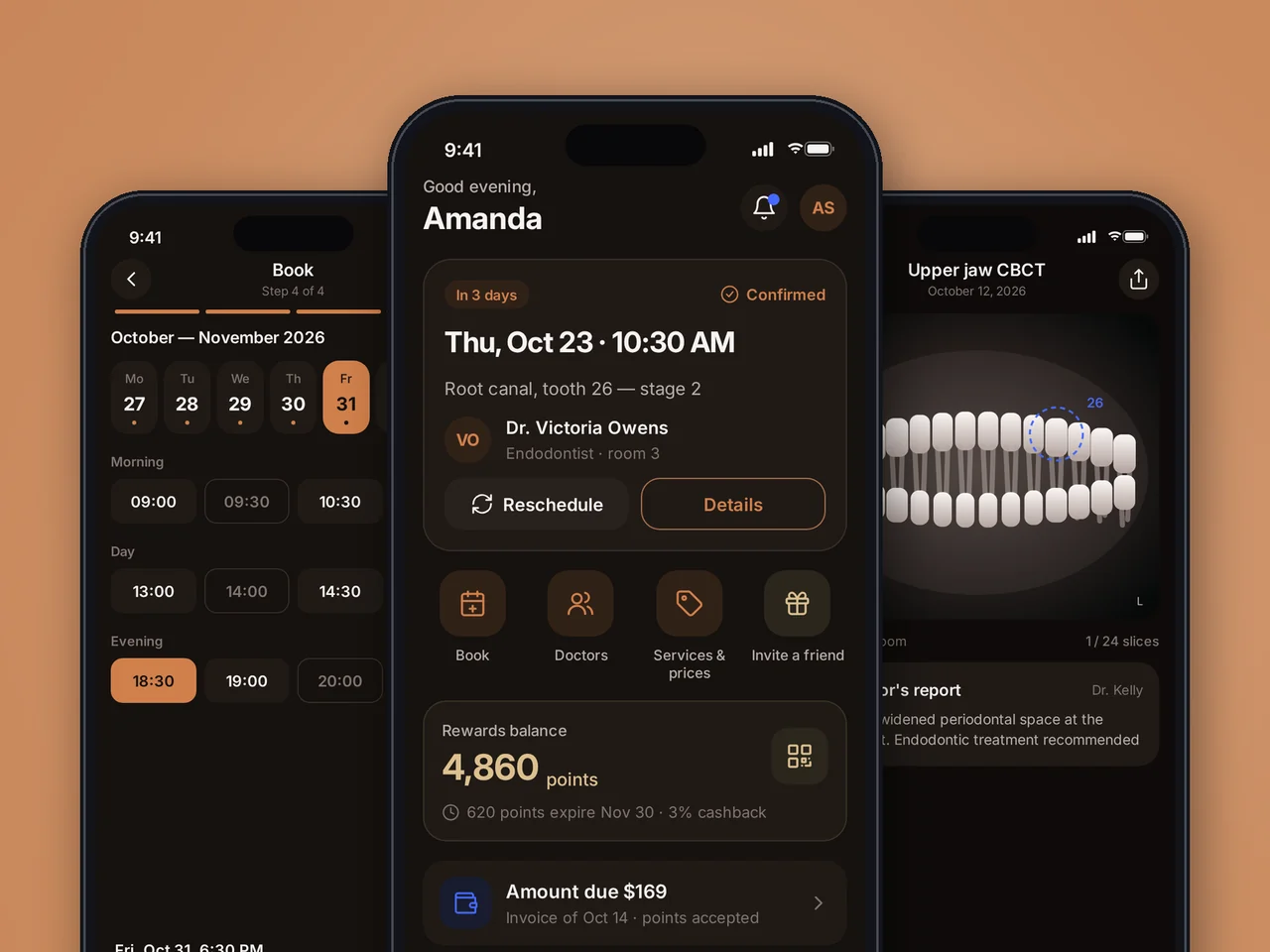
Dental clinic app built from scratch: flow analysis, UX/UI and a design system in Figma for 73 screens, then Flutter apps for iOS and Android.
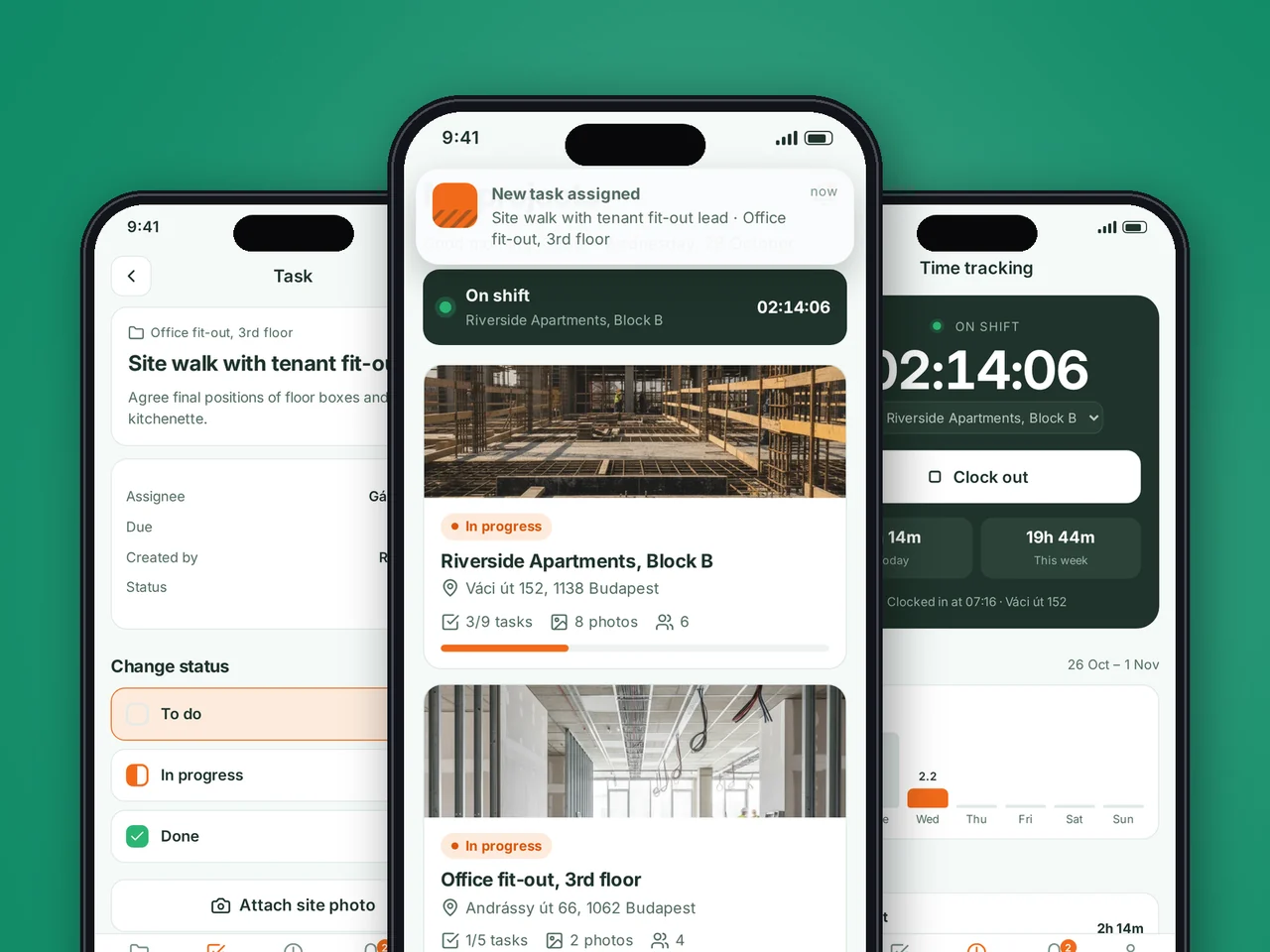
A large, high-contrast crew app and a dense web admin that share one design system with a common palette and statuses.
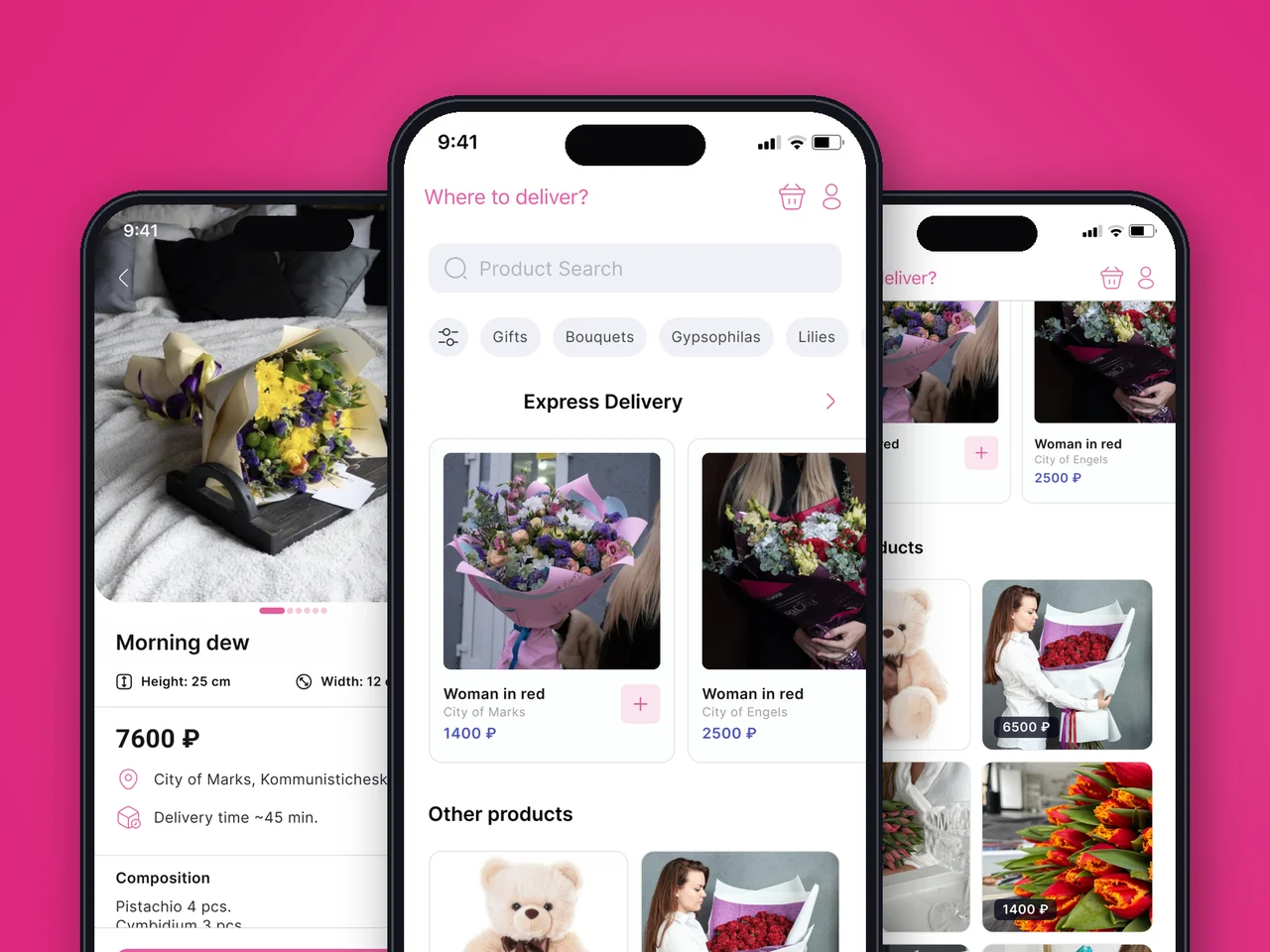
Discovery for a customer app and a florist app: one data model, a 3-step checkout and clickable prototypes ready for development.
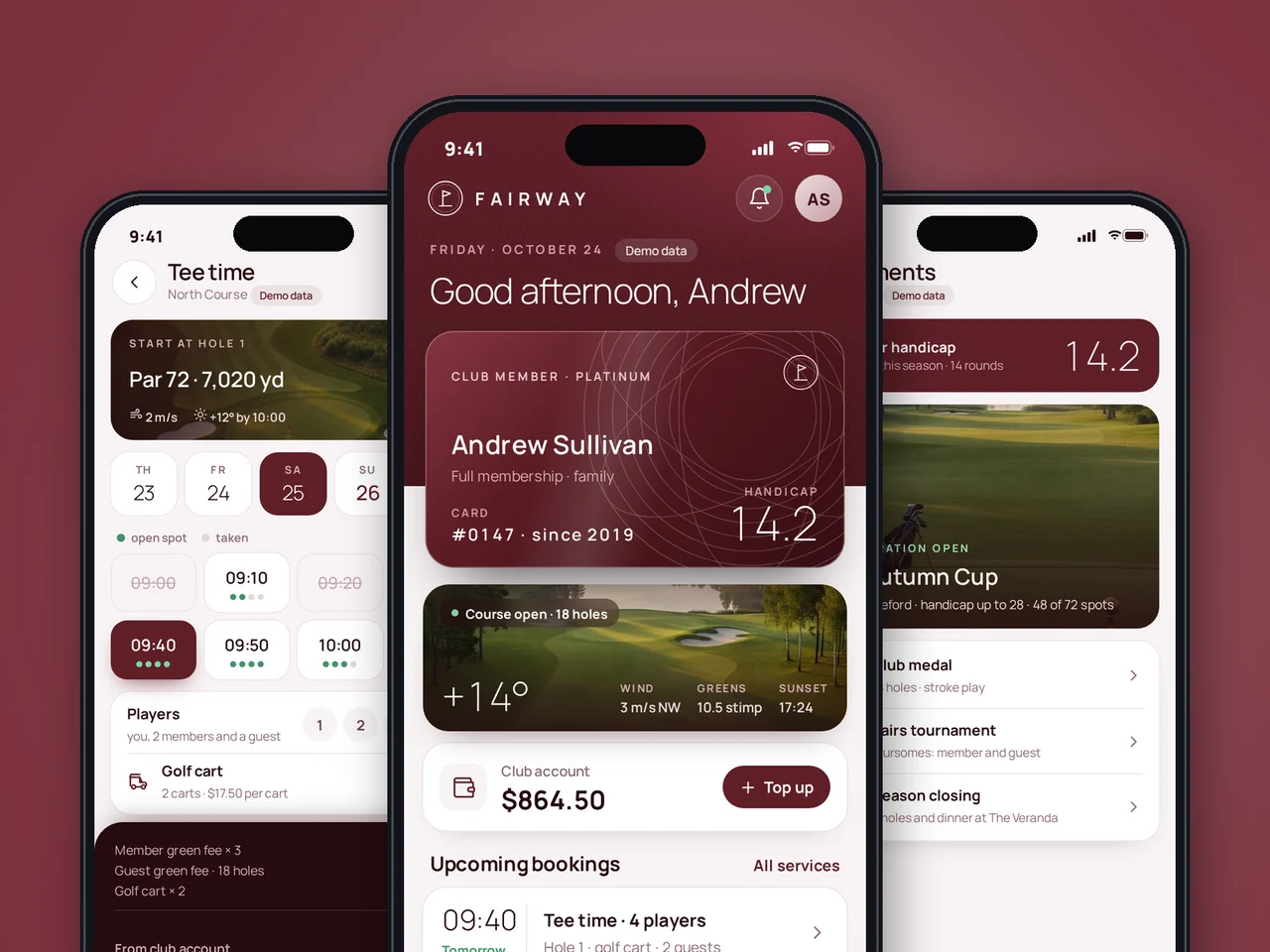
Member app designed in a distinct visual style: member and guest journeys mapped first, the interface assembled from design system components.
Medline covers 73 screens for iOS and Android with a design system in Figma; Sitewise shares one design system between a high-contrast crew app and a dense web admin; FlowDelivery was a discovery phase that produced clickable prototypes for two linked apps. View all case studies →
UI/UX design costs depend on the number of screens and user roles, the platforms, the depth of research and testing, and whether you need a full design system. We do not sell fixed packages: for new products we start with a short paid discovery that fixes the scope, then quote design and development at a fixed price. Ongoing design work can run inside a dedicated team, which starts from $6,900 per month.
A focused redesign of a few key flows takes a few weeks, while a new product with several roles and platforms takes longer. Research and the first wireframes usually come first, and on larger products we keep design one sprint ahead of development so engineers can start before every screen is final. We give a timeline per step after discovery.
Yes, in almost every product. UX design decides structure and flow, UI design decides how each screen looks and behaves, and a gap in either shows up quickly in user feedback. If you already have solid research or a mature design system, we can cover only the missing part. Our article on UX vs UI design explains the difference in detail.
Yes. We start with a UX audit that combines analytics, session recordings and a heuristic review, then rank the problems by impact. The redesign usually ships in stages, starting with the flows that hurt conversion or retention most, so existing users are not confused by a sudden full change.
Yes. UI/UX design and development work in one team at YuSMP: our engineers build mobile apps for iOS and Android, web apps and SaaS platforms from the designs we create together. You can also take the Figma files and design system to your own developers, and we can still run design QA on their builds.
Yes. Through staff augmentation you can hire a UI/UX designer who works inside your process, uses your tools and reports to your product lead. It suits teams with a steady flow of design work. For a one-off redesign or audit, a project-based engagement is usually more cost-effective.
We design with accessibility built in: color contrast, focus order, touch target sizes, readable type at large system font sizes and labels for screen readers. We agree on the target WCAG 2.2 level for your market at the start, then check it in design reviews and again on the built product.
You need one product design with platform-specific details, not two separate designs. A shared design system keeps the flows, content and brand identical, while navigation, system controls and gestures follow Apple's Human Interface Guidelines on iOS and Material Design 3 on Android. With cross-platform frameworks such as Flutter the differences are smaller.
Tell us what you are building or what is not working in your current product. We reply within one business day with questions and a suggested scope.
Notes from our designers and engineers on UX, UI and accessibility.
Share a few details and a senior consultant will reply within one business day.
Email: sales@yusmpgroup.com
Phone: +374 44 871 811
Offices: KAMAR Business Center, Vazgen Sargsyan St. 2, Yerevan, Armenia · Remote — East-Coast US overlap (9 AM–1 PM ET)