

TL;DR — AI software development in one paragraph
AI software development means using artificial intelligence, in 2026 mostly large language models, to help plan, write, test, review and maintain software across the SDLC. Adoption is mainstream. Around 84% of developers use or plan to use AI tools, and they save roughly 3.6 hours a week. But plausible code is not the same as correct code. Only 29% of developers trust what the AI produces, and most spend extra time debugging it. The teams that win treat AI as a fast junior that has to be reviewed, not as an autonomous engineer.
What is AI software development?
AI software development is the practice of using artificial intelligence to help build software across the development life cycle: suggesting and generating code, writing tests, reviewing changes, producing documentation and helping debug. In 2026 that AI is almost always a large language model wired into the code editor and the CI/CD pipeline. Here is the distinction that matters. AI is an assistant embedded in the workflow, not an autonomous system that ships production software on its own.
That framing keeps expectations honest. AI for software development speeds up specific tasks, but a developer still owns the requirements, the architecture, the review and the accountability for what reaches users. It is exactly why disciplined engineering teams, including our own custom software development teams, treat AI as an accelerator inside a proven process rather than a replacement for it. Want the underlying process first? Our software development life cycle guide walks through the phases this article layers AI onto.
Two things share the "AI" label, and it is worth pulling them apart. Using AI to build software, the subject of this guide, is different from building AI features into a product such as a chatbot or a search feature. That second job is a separate discipline; if it is your goal, see our guide to AI integration in enterprise software. Software development and artificial intelligence now overlap in both senses, and conflating them is a common source of confused roadmaps.
Where AI helps across the SDLC
AI touches nearly every phase of the software development life cycle, though it does not help equally everywhere. Its highest-value uses in 2026 are code completion, test generation and code explanation, tasks where the AI proposes and a human verifies in seconds. The lowest-value uses are the ones people demo most: letting AI make architecture decisions or ship unreviewed features. The table below maps where AI actually earns its place, phase by phase.
| SDLC phase | How AI helps | Human still owns |
|---|---|---|
| Planning & requirements | Drafts user stories, clarifies ambiguous requirements, summarises research | Deciding what to build and why |
| Design & architecture | Suggests patterns, compares options, generates boilerplate scaffolding | System design, trade-offs, scale decisions |
| Development | Autocompletes and generates code from natural-language prompts | Correctness, context, integration |
| Testing | Writes unit tests, generates edge cases, drafts test data | What "correct" means; coverage of real risk |
| Code review | Flags bugs, security smells and style issues on every change | Final judgement and approval |
| Documentation | Generates and updates docs, comments and commit messages | Accuracy and intent |
| Maintenance | Explains legacy code, triages incidents, suggests fixes | Root-cause analysis and the fix that ships |
The pattern is consistent. AI is strongest where the task is bounded and a human can check the output in seconds, and weakest where the work requires holding the whole system in your head. So AI and software development pair best when the AI works inside a workflow that already has review and tests, the same workflow described in our custom software development process guide, now with an assistant at each step.

How much are teams actually using AI?
Adoption is now mainstream, and the numbers are not close. The Stack Overflow 2025 Developer Survey puts 84% of developers using or planning to use AI tools in 2026, up from 76% in 2024. JetBrains data lands nearby: regular use among professional developers sits around 85%, with a majority reaching for an AI coding assistant every day. AI in software development is no longer an edge practice. For most engineers it is simply the default working environment.
The productivity picture is real but smaller than the marketing suggests. DX's analysis of more than 135,000 developers found an average saving of about 3.6 hours a week per developer using AI coding tools in 2026, and 76% of developers told Stack Overflow that AI lifts their productivity. The catch sits right next to that figure. Roughly 70% of the same developers say they spend extra time debugging AI-generated code, and only around 30% of AI code suggestions actually get accepted. The net gain is genuine. It comes from clearing routine work, not from AI writing your product for you.
What does AI do well — and where does it break?
AI is excellent at producing plausible code fast and unreliable at producing correct code. Knowing the difference is the core skill of 2026. It shines on bounded, well-trodden problems, then struggles the moment a task needs real context about your system. Here is the honest split:
- Does well: boilerplate and scaffolding, autocompleting familiar patterns, writing unit tests, converting between languages or formats, explaining unfamiliar code, and drafting documentation.
- Does well enough with review: implementing a well-specified function, generating a first-draft component, refactoring a contained module, and proposing fixes for clear bugs.
- Breaks: anything needing whole-system context, novel architecture, security-critical logic, correct handling of your specific edge cases, or a judgement about what not to build. This is where "almost right, but not quite" quietly ships defects.
The failure mode to watch is the confident wrong answer. AI-generated code usually compiles and reads well, which makes a subtle bug harder to catch than an obvious one. It is why the same teams that vibe-code a prototype over a weekend still rebuild it before production, a pattern we cover in detail in our vibe coding in production reality check. The AI gets you to a demo fast. Getting to a maintainable system is still engineering.
AI tool categories for software development
The AI tooling market has settled into a handful of clear categories, and most teams end up using two or three rather than one. The point is not to collect tools. It is to cover the phases where AI pays off, namely completion, testing and review, with tools wired into the editor and the pipeline. The table groups the categories by what they do.
| Category | What it does | Where it runs |
|---|---|---|
| Code completion assistants | Inline suggestions and whole-function generation as you type | The editor / IDE |
| Chat & agent assistants | Natural-language coding, multi-file edits, code explanation and Q&A | Editor sidebar / terminal |
| Test generation | Drafts unit tests and edge cases from existing code | Editor and CI |
| AI code review | Automated review comments on pull requests, bug and security flags | The pipeline / PR gate |
| Documentation & knowledge | Generates docs, answers questions over your codebase | Editor and internal tools |
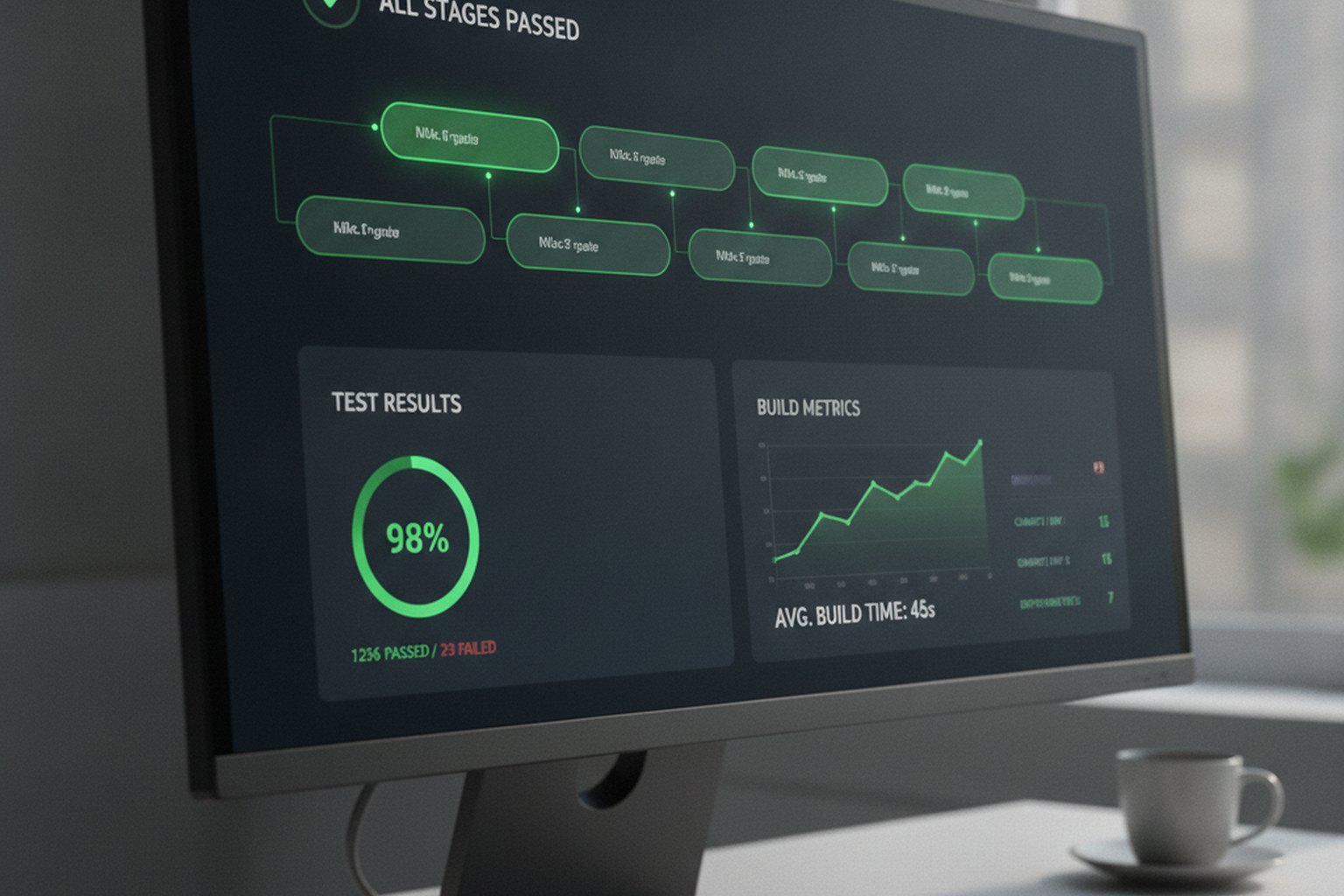
A practical rule: put the assistant where verification is cheap. Completion in the editor is safe because the developer sees every suggestion. An autonomous agent making unattended multi-file changes is riskier, because no one reads the diff until it is already large. The most reliable programmes in 2026 keep AI on the left of the pipeline, helping write and test, and leave the human review gate exactly where it always was.
AI coding tools in 2026: what the market actually uses
Categories describe the landscape; specific tools determine the experience. By mid-2026 the market has visible leaders in each category. GitHub Copilot holds the largest share among code completion assistants, with around 42% of AI-assisted developers using it as their primary tool. Cursor has climbed fastest, reaching roughly 18% share, driven by its multi-file editing and agent modes. The table below maps the most widely adopted tools to the categories above and what each does best in a real engineering workflow.
| Tool | Category | Main strengths in 2026 | Best fit |
|---|---|---|---|
| GitHub Copilot | Completion / Chat | Deep GitHub integration, Copilot Chat, IP protection on Business and Enterprise tiers | Teams on GitHub with compliance requirements |
| Cursor | Completion / Agent | Multi-file context, Composer mode, fast-rising adoption for agentic local edits | Individual developers and small teams |
| Claude Code (Anthropic) | Agent / Chat | Extended context window, strong at reasoning over large codebases, MCP tool integrations | Complex codebases, terminal-first workflows |
| JetBrains AI Assistant | Completion / Chat | Native IntelliJ, Rider and PyCharm integration; on-premises model option available | Java, Kotlin, .NET and Python teams |
| Amazon Q Developer | Completion / Security scan | AWS-native, built-in security scanning, free individual tier | AWS-heavy development teams |
| Devin (Cognition) | Autonomous agent | Full-task execution — plan, code, test, open PR — for well-scoped work items | Teams experimenting with agentic workflows |
Tool selection should follow what you can govern. Enterprise tiers of Copilot and JetBrains AI commit that prompts are not used for model training; consumer tiers of most tools do not make that guarantee. For teams with proprietary code or regulated data, that distinction is not optional. Start with one tool across the team, measure the effect on cycle time and defect rates for 60 days, then decide whether to add a second.
The risks: quality, security, IP and over-reliance
The risks of AI in software development are real, and every one of them is manageable with ordinary engineering discipline. They fall into four buckets:
- Quality. AI-generated code is often "almost right" — it looks correct but hides subtle defects, which is why ~70% of developers report extra debugging time. Mitigation: review every AI change as carefully as a human one, and keep automated tests green.
- Security. Models can reproduce insecure patterns or vulnerable dependencies they learned from public code. Mitigation: keep SAST, dependency scanning and a security review in the pipeline — the same controls in our web app security best practices guide apply unchanged to AI-assisted code.
- Intellectual property & data. Sending proprietary code to an unvetted service can leak it, and generated code can echo licensed material. Mitigation: use enterprise AI tools with clear data-handling and retention terms, and keep sensitive repositories on approved tools only.
- Over-reliance. The quiet risk: teams that accept output they do not understand accumulate code no one can maintain. Mitigation: require that a human can explain any change they merge.
None of these is a reason to avoid AI. They are reasons to keep your existing guardrails. The teams that get burned treat AI as permission to drop review and testing "because the AI already checked it." It did not check anything. It generated it.
How to adopt AI in your development process
Adopt AI the way you would onboard a fast but unaccountable junior developer: give it scoped work, verify everything, and change nothing about your safety net. A workable rollout in 2026 looks like this:
- Start where verification is cheap. Begin with code completion and test generation, where a developer sees and checks each suggestion, before touching autonomous agents.
- Keep every existing gate. Code review, automated tests and security scanning stay exactly where they are. AI adds a contributor; it does not remove a reviewer.
- Pick enterprise tooling with clear data terms. Choose tools that state how prompts and code are stored and used, and restrict sensitive repos to approved tools.
- Require explainability on merge. Anyone merging AI-generated code must be able to explain what it does. If they cannot, it does not merge.
- Measure the real effect. Track cycle time and defect rates, not lines generated. If bugs rise while speed rises, you are shipping faster to a worse place.
- Train the team on the failure mode. The "almost right" answer is the one that costs you; teach reviewers to be most careful with code that looks clean.
Done this way, AI for software development is a steady multiplier on an already-healthy process. Done as a shortcut around review, it is a way to generate technical debt at machine speed. The difference is entirely in the guardrails you keep.
Agentic AI and autonomous coding in 2026
Every tool discussed above is an assistant: it suggests, and a developer accepts, edits or ignores. A separate and fast-moving category, agentic AI, works differently. Agentic systems receive a task description in natural language and carry it through planning, implementation, testing and a pull request with minimal human input in between. Tools like Devin, Claude Code and Cursor’s Composer mode represent this frontier in 2026. The distinction matters because the risk profile changes completely when the feedback loop is longer.
With an assistant, verification happens at the line level: the developer sees every suggestion. With an agent, the output can be a 40-file changeset that arrived autonomously. The value ceiling is higher; so is the blast radius. The honest 2026 position is that agentic AI works reliably on narrow, well-specified tasks and fails unpredictably on anything requiring deep knowledge of your system’s history or non-obvious architectural constraints.
- Where agentic AI earns its place: Generating test suites for existing modules, migrating between library versions with a clear spec, implementing well-defined data transformations, scaffolding boilerplate for a new service that follows an established pattern.
- Where it breaks down: Tasks requiring whole-system context, performance-sensitive paths, security-critical logic, or any decision that can only be made by knowing why a previous design choice was made.
- Governance before deployment: Before any agent can write and commit code without synchronous human review, define what paths it can touch, what triggers automatic escalation to a human, and what the rollback procedure is. A misaligned agent can open a valid-looking pull request that introduces a subtle regression across dozens of files at once.
For most teams in 2026, the right posture on agentic AI is controlled experimentation: a sandboxed project or a non-production branch, a mandatory human review gate on all merges, and 60-day metrics on whether agent output is net-positive before expanding scope. This is the fastest-changing segment of the AI development stack, and the right answer will look different in 2027.
AI development costs and ROI in 2026
AI coding tools are cheap to licence and expensive to govern at scale. Individual licences for leading assistants cost roughly $10–$20 per developer per month; enterprise tiers with data-handling commitments, SSO, audit logging and admin controls run $19–$40 per user per month. A 10-developer team on an enterprise plan spends around $2,400–$4,800 per year on licences — easy to justify if it delivers even half of the 3.6 weekly hours the DX data shows.
| Cost item | Typical range | What it covers |
|---|---|---|
| AI coding assistant (individual) | $10–$20 / dev / month | Completion and chat; prompts may train the model on consumer tiers |
| AI coding assistant (enterprise) | $19–$40 / dev / month | No training on prompts, SSO, audit logs, IP protection |
| AI code review (pipeline gate) | $10–$30 / dev / month | Automated PR comments, bug and security flags on every diff |
| Agentic AI tools | $20–$500+ / seat or usage-based | Wide range; some charge per task rather than per seat |
| Governance and onboarding | 20–40 hours one-time | Approved tool policy, review standards, team training |
The larger investment is not the licence. It is the hidden cost of governance: defining which tools are approved, which repositories stay off cloud AI services, what review standards apply to AI-generated code, and how you measure whether AI is helping or just relocating bugs later in the pipeline. Teams that skip governance tend to see productivity gains disappear into the extra debugging time that affects around 70% of developers using AI tools in 2026.
Measuring ROI correctly means tracking cycle time and defect rate together, not just developer velocity. If your team ships features 20% faster but escapes 30% more bugs to production, the AI investment is net-negative. The teams with the clearest ROI measure time-to-PR, PR cycle time, test coverage trend and post-release defect rate separately — then attribute changes to AI adoption rather than to other sprint variables. That discipline is what turns the productivity headline into a number you can defend to a board or a client.
Will AI replace software developers?
No. AI is not replacing software developers in 2026, and the evidence points the other way. It is very good at generating code for well-scoped tasks and very bad at the parts of the job that carry the value: understanding a business problem, designing a system that survives scale, deciding what not to build, and staying accountable when something breaks at 2 a.m. The falling-trust data, 29% in 2025 against 40% a year earlier, is not the signature of a technology about to make engineers redundant.
What AI does change is the shape of the work. Less time goes to boilerplate and routine implementation, more to review, design and integration, the judgement-heavy parts a machine cannot own. The developers who thrive use AI to move faster through the mechanical work, then spend the reclaimed hours on the parts that genuinely need an engineer. Unsupervised software development by AI is not on the table for production systems. Software development with AI, well governed, is simply how good teams now work.
FAQ
What is AI software development?
AI software development is the use of artificial intelligence — in 2026, mostly large language models — to help build software across the development life cycle: suggesting and generating code, writing and running tests, reviewing changes, producing documentation and helping debug. The AI does not replace the engineering process; it accelerates specific tasks inside it. A developer still owns the requirements, the architecture, the review and the accountability for what ships.
How is AI used in software development?
AI is used at almost every phase of the SDLC: drafting user stories in planning, autocompleting and generating code in development, writing unit tests and edge cases in testing, flagging bugs and security issues in code review, producing documentation, and explaining legacy code during maintenance. The highest-value uses in 2026 are code completion, test generation and code explanation — tasks where the AI proposes and a human verifies quickly.
Will AI replace software developers?
No. AI is good at generating plausible code for well-scoped tasks and bad at the parts of the job that matter most: understanding a business problem, designing for scale, deciding what not to build, and staying accountable when it breaks. Only 29% of developers trust AI output to be accurate, and 66% cite "almost right, but not quite" answers as their biggest frustration. AI changes what developers spend time on rather than removing the need for them.
How many developers use AI tools in 2026?
Most of them. The Stack Overflow 2025 Developer Survey found 84% of developers use or plan to use AI tools in 2026, up from 76% in 2024, and JetBrains data puts regular use among professional developers around 85%, with a majority using an AI coding assistant daily. Adoption is mainstream; the open question is trust and governance, not whether teams use AI.
What are the risks of AI in software development?
The main risks are quality, security, intellectual property and over-reliance. AI code is often "almost right" and hides subtle bugs, so ~70% of developers spend extra time debugging it; it can reproduce insecure patterns or licensed code; and it can leak proprietary code through unvetted services. Over-reliance is the quiet risk. The mitigations are ordinary good engineering: review every change, keep tests and security scanning in the pipeline, and use enterprise tools with clear data terms.
What is the difference between AI software development and generative AI integration?
Using AI to build software, meaning coding assistants, test generators and review tools, is about how your team works. Generative AI integration means building AI features into the product you ship, such as a chatbot or a search feature, and is about what your users get. The skills, tools and risks differ; this guide covers the first, while building AI into a product is a separate discipline with its own architecture and compliance questions.
What are the best AI coding tools in 2026?
GitHub Copilot leads with roughly 42% market share among AI-assisted developers, followed by Cursor at around 18%. For teams that need enterprise data-handling guarantees, Copilot Business or Enterprise, JetBrains AI Assistant and Amazon Q Developer are the main options. Claude Code has strong adoption for large-codebase and terminal-first workflows. Agentic tools like Devin are early-stage for most production teams. Selection should be driven by your governance requirements and the IDEs your team already uses, not by feature-list comparison alone.
How much does it cost to use AI tools in software development?
Individual licences for AI coding assistants cost $10–$20 per developer per month. Enterprise tiers with data-handling protections run $19–$40 per user per month. A 10-developer team on enterprise licences spends roughly $2,400–$4,800 per year on licences alone. The larger cost is governance: defining approved tools, setting review standards for AI-generated code and training the team — typically 20–40 hours of setup time. ROI is best measured by tracking cycle time and defect rate together, not developer velocity alone.
Last updated 16 September 2026. Adoption and productivity figures are drawn from the Stack Overflow 2025 Developer Survey, JetBrains developer research and DX's 2026 analysis of 135,000+ developers, cited as general guidance. The right AI tools and guardrails depend on your stack, risk profile and regulatory scope — treat this as a starting point, not a prescription.