
How do you integrate a payment gateway?
Short answer: Integrate a payment gateway through the provider’s SDK or hosted checkout so raw card data never touches your servers. That is what keeps you at the light PCI-DSS SAQ A level. A basic SDK integration runs $8,000–$25,000 and takes 1–3 weeks; a production build with subscriptions, webhooks, reconciliation and SCA reaches $30,000–$80,000+.
From the outside, payment gateway integration looks simple: capture a card, charge it. The decisions that actually matter sit elsewhere — in compliance scope and the asynchronous edge cases. Here are the essentials:
- One decision dominates: your integration model sets your PCI-DSS scope. Keep card data inside the provider's hosted page or SDK and you stay at the light SAQ A level. Touch raw card data yourself and you jump to SAQ A-EP or SAQ D.
- Default choice: embedded provider fields / SDK (e.g. Stripe Elements, Adyen Drop-in) — card data goes straight to the provider, you keep UI control, PCI scope stays minimal.
- Cost: a basic SDK integration runs $8,000–$25,000; a production integration with subscriptions, saved cards, webhooks, reconciliation and SCA runs $30,000–$80,000+.
- The hard part is asynchronous: webhooks, signature verification, idempotency and reconciliation — not the happy-path charge.
- For EU customers: 3-D Secure / SCA (PSD2) is mandatory for most online card payments.
- Never store raw card data — tokenize through the provider.
Gateway, processor, acquirer: who does what
Three roles sit behind every card payment. Modern providers blur them together, but keeping them straight helps you reason about cost and failure modes.
- Payment gateway — the technical entry point your app talks to. It securely captures payment details and forwards them. This is what you integrate.
- Payment processor — moves the transaction through the card networks (Visa, Mastercard) between the issuing bank and your bank.
- Acquirer — the bank or financial institution that holds your merchant account and receives the funds.
Providers like Stripe, Adyen and Braintree bundle all three into a single API, so as a developer you integrate one service. That bundling is also why per-transaction fees exist: you pay for gateway, processing and acquiring at once. Deeper integration work across systems calls for the same discipline as our API integration services.
Integration models and how they set PCI scope
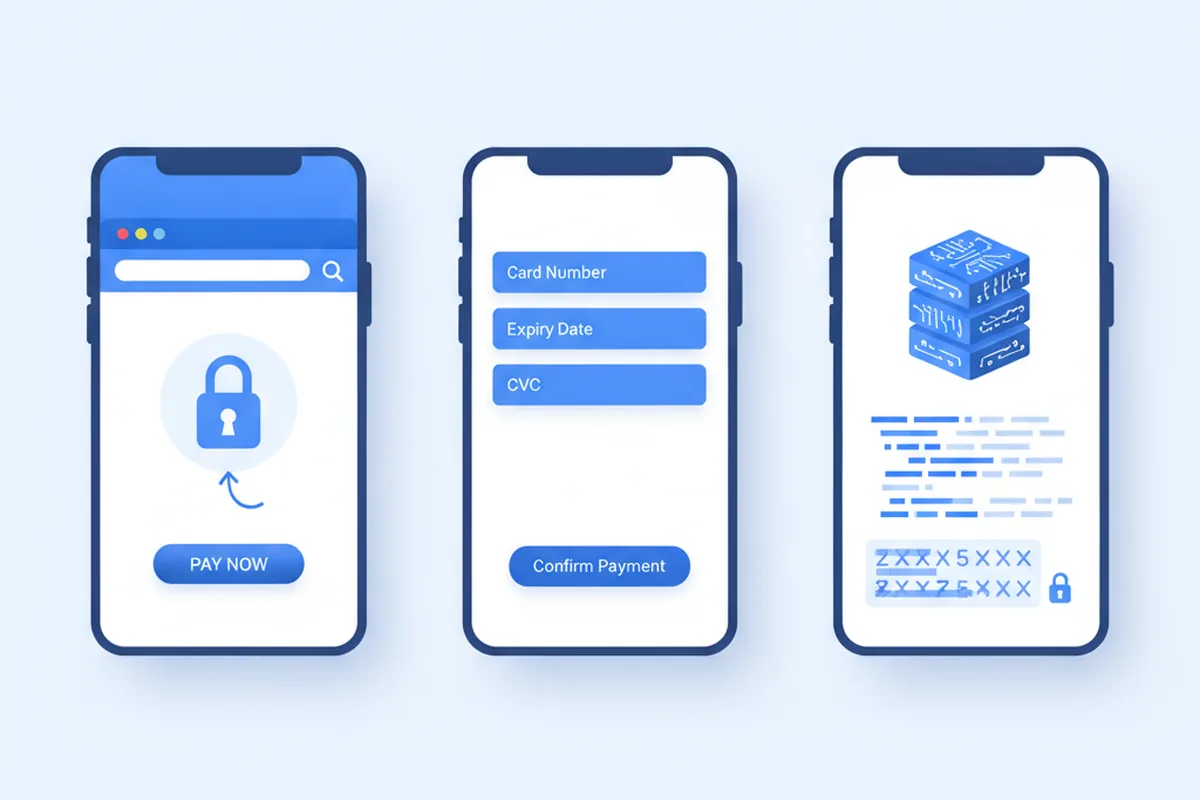
Your integration model decides how much of the PCI-DSS burden you carry, which is why this is the choice to get right before any code is written. There are three of them.
1. Hosted checkout (redirect)
The provider hosts the payment page: the customer leaves your app, pays there, and comes back. Card data never reaches you at all. PCI scope: lowest (SAQ A). The trade-off is control — you get less say over the checkout UI, and the flow now includes a redirect. Good for simple stores and fast launches.
2. Embedded fields / SDK (the default)
The provider's secure input components (Stripe Elements, Adyen Drop-in, Braintree Hosted Fields) render inside your own page or app. Card data travels straight from the browser or device to the provider, and your server only ever receives a token. PCI scope: low (SAQ A in most configurations). You still control the surrounding UI. For almost every web and mobile product, this is the right default.
3. Direct / server-side API
Your backend receives raw card data and passes it on to the provider. PCI scope: maximum (SAQ D / Level 1 audit). Now you own a cardholder data environment, annual assessments, network segmentation and a heavy compliance program. Few products can justify it; some platforms and certain telephony or terminal flows are the genuine exceptions. For most teams, choosing this model is an expensive mistake. Our PCI-DSS software development service exists to keep you in the minimal-scope models by design.
Choosing a payment provider
Once the model is settled, pick the provider against your actual requirements rather than brand familiarity.
- Coverage: the cards and local methods your customers use — SEPA, iDEAL, Bancontact, Apple Pay, Google Pay, and regional wallets. Missing a key local method costs conversions.
- Pricing model: flat-rate (simple, e.g. ~2.9% + fixed fee) vs interchange-plus (cheaper at volume, more complex). Model your real volume before committing.
- Payouts: settlement speed and the currencies you can hold and pay out in.
- Model support: subscriptions, marketplaces/platforms (split payments, connected accounts), and saved cards.
- Developer experience: SDK quality, sandbox, documentation and webhook reliability — this directly affects your build cost.
- Fraud & 3-D Secure tooling: built-in risk scoring and SCA handling.
For US and EU products the usual shortlist is Stripe, Adyen, Braintree and Checkout.com. Stripe leads on developer experience and breadth. Adyen is strong for larger volumes and unified global acquiring. Which one is right depends on your markets, your payment methods, and whether you run a marketplace.
| Provider | Pricing model | Best for | Notable strength |
|---|---|---|---|
| Stripe | ~2.9% + $0.30 flat-rate; interchange-plus at volume | Startups and SaaS prioritising dev velocity | Deepest SDK/API docs and broadest payment-method coverage |
| Adyen | Interchange-plus | Enterprises with high global volume | Unified acquiring across online and in-person on one platform |
| Braintree (PayPal) | ~2.59% + $0.49 flat-rate | Marketplaces needing PayPal and cards in one API | Native PayPal/Venmo plus mature split-payment tooling |
| Checkout.com | Interchange-plus | Enterprises with complex EU/MENA acquiring | Direct acquiring relationships and strong regional coverage |
| Square | ~2.6% + $0.10 in-person / 2.9% + $0.30 online | SMBs blending online and in-person retail | Integrated POS hardware and online checkout on one account |
Pricing shown is indicative of each provider's published flat-rate tier as of 2026 and varies by market, volume and negotiated terms — confirm current rates directly with the provider before budgeting.
Cost and timeline
Two costs matter: the one-time integration build, and the ongoing per-transaction fees.
| Scope | Engineering cost | Timeline |
|---|---|---|
| Basic one-time payments (SDK, refunds, webhooks) | $8k–$25k | 1–3 weeks |
| + Subscriptions, saved cards, multi-currency | $25k–$50k | 4–7 weeks |
| Marketplace / split payments + fraud + full reconciliation | $50k–$80k+ | 8–12 weeks |
Per-transaction fees are separate and provider-set (commonly around 2.9% + a fixed fee on the flat model, lower with interchange-plus at volume). What drives the build cost is the asynchronous edge cases below, not the basic charge.
Step-by-step integration guide
Regardless of provider or integration model, production payment integrations follow the same broad sequence. Working through these eight steps in order prevents the most expensive rework: the kind where a working demo has to be rewritten to handle real-world failures.
- Define requirements before touching the API. List every payment method your customers expect (cards, Apple Pay, Google Pay, SEPA, local wallets), the markets you will serve, whether you need subscriptions or one-time payments, and whether you will operate as a marketplace routing money to third parties. These answers determine your provider, integration model and PCI scope — getting them wrong at this stage is the most expensive mistake.
- Apply for your merchant account and obtain API keys early. Provider onboarding includes KYB (Know Your Business) checks that can take days or weeks. Start the account application the moment you have decided on a provider — do not wait until the integration is built. Obtain separate sandbox and live credential sets and keep live keys out of version control from day one.
- Design your data model around provider events, not UI callbacks. Before writing frontend code, decide how your backend will represent payment state (pending, authorised, captured, failed, refunded, disputed). Map each state to the webhook events your provider emits. This design is the backbone of a correct integration; almost every payment bug traces back to a product that relied on client-side redirects instead.
- Integrate the SDK or hosted checkout on the frontend. Drop in the provider's secure components (Stripe Elements, Adyen Drop-in, Braintree Hosted Fields) so that raw card data never reaches your servers. Your frontend collects a payment method token and hands it to your backend — nothing else. Keep your server out of the card-data path entirely.
- Build and expose your backend payment endpoint. Your backend creates a payment intent (or equivalent), charges the token, and returns a client-side confirmation. Use idempotency keys on every charge request so that retried network calls cannot produce double charges. Return only what the frontend needs to present a result — never expose internal payment IDs or provider response bodies directly.
- Implement webhook handlers before going to sandbox testing. Register your webhook endpoint with the provider and write handlers for every event that affects order state: payment succeeded, payment failed, refund issued, dispute opened. Verify the provider's signature on every incoming request. Acknowledge receipt immediately (return 200) and process the event asynchronously so a slow handler does not time out and cause the provider to retry.
- Test against a structured test matrix, not just the happy path. Run successful payments, declined cards, expired cards, SCA challenges, user cancellations, duplicate submissions, and webhook retries. Test refunds, partial captures, and dispute events. Use the provider's test card numbers and event-injection tools. Document every scenario and its expected outcome. The goal is a test matrix you can re-run before every release, not a one-off check.
- Run a production-readiness review before switching to live credentials. Confirm that live API keys and webhook secrets are in environment variables (not code), that signature verification is active on webhook handlers, that all payment state transitions are logged with order IDs, and that your team has a named person responsible for monitoring payment failures. Switch to live credentials only after this review passes. See the testing and go-live checklist section for the full list.

Tokenization, webhooks, idempotency, reconciliation
The asynchronous plumbing is where a payment integration is actually won or lost.
- Tokenization: the provider's SDK returns a token; your backend stores the token, never the card number. This enables saved cards, subscriptions and one-click checkout while keeping you out of PCI scope.
- Webhooks: the authoritative payment result arrives asynchronously via a signed webhook, not the initial API response. Verify the signature, and never trust a client-side "success" alone.
- Idempotency: use idempotency keys on charge requests and make webhook handlers idempotent — events can be delivered more than once. This prevents duplicate charges and double-fulfilment, the fastest way to lose customer trust.
- Reconciliation: match provider payouts against your own ledger so every transaction is accounted for. A correct ledger turns "did this charge happen?" into a question with a definite answer.
Multi-currency and local payment methods
Currency and payment method support are among the most common reasons a launch in a new market underperforms. Customers who cannot pay in their local currency or with their preferred method do not ask for an alternative — they leave. Getting this right at integration time costs far less than retrofitting it later.

Multi-currency considerations
Most major providers (Stripe, Adyen, Checkout.com) support charging customers in their local currency while settling into your bank account in your home currency. The key decisions are:
- Presentment currency vs settlement currency. You can present prices in EUR, GBP, USD and settle in a single currency, or hold balances in multiple currencies. Multi-currency settlement reduces foreign exchange costs at volume but adds accounting complexity.
- Currency conversion fee. Flat-rate providers typically add a conversion fee (commonly 1–2%) on cross-currency transactions. At high volume, interchange-plus pricing with multi-currency accounts eliminates most of this cost.
- Price localisation. Simply displaying USD amounts to EU customers hurts conversion. Store your product prices per currency and display the localised price at checkout. Stripe Prices and Adyen's product catalogue both support this natively.
- Tax handling. Some providers (Paddle, Lemon Squeezy) act as Merchant of Record, handling VAT, GST and sales tax on your behalf. This is valuable if you sell SaaS to consumers globally but want to avoid managing 50+ tax registrations.
Local payment methods
Cards are not universal. In several major markets, local methods dominate or are mandatory for strong conversion:
| Market | Key local methods | Provider support |
|---|---|---|
| Germany | SEPA Direct Debit, SOFORT, Klarna | Stripe, Adyen, Mollie |
| Netherlands | iDEAL (bank transfer), Klarna | Stripe, Adyen, Mollie |
| Belgium | Bancontact | Stripe, Adyen, Mollie |
| US | Apple Pay, Google Pay, ACH transfer | Stripe, Braintree, Adyen |
| UK | Open Banking (Pay by Bank), Apple Pay | Stripe, Checkout.com, Yapily |
| Global | PayPal, digital wallets (Apple/Google Pay) | Stripe, Adyen, Braintree |
Digital wallets (Apple Pay, Google Pay) deserve special attention: they require HTTPS on your domain, a verified merchant identity file, and proper event handling for the payment sheet, but they deliver meaningfully higher mobile conversion rates — stores enabling Apple Pay and Google Pay typically see conversion gains in the 20–30%+ range over manual card entry, and some A/B tests report up to 2× higher conversion when a wallet is offered as the default option (see Stripe's payment-method conversion testing). Adding wallet support to an existing SDK integration is typically a small incremental effort for a disproportionate conversion gain.
For SEPA Direct Debit, note that the mandate flow differs from card payments: you collect the customer's IBAN and consent before charging. Adyen and Stripe both have mandate objects that handle the legal and notification requirements. This is common for B2B SaaS in Europe where monthly invoices are settled by direct debit rather than card.
Fraud prevention and security controls
Payment card fraud losses reached $33.4 billion worldwide in 2024 and are projected to climb toward $41 billion by 2030, according to the Nilson Report. An integration without active fraud controls is not just a financial risk — a high chargeback ratio (typically above 1%) can result in a provider terminating your merchant account. Fraud prevention needs to be designed in, not bolted on.
Layer your defences
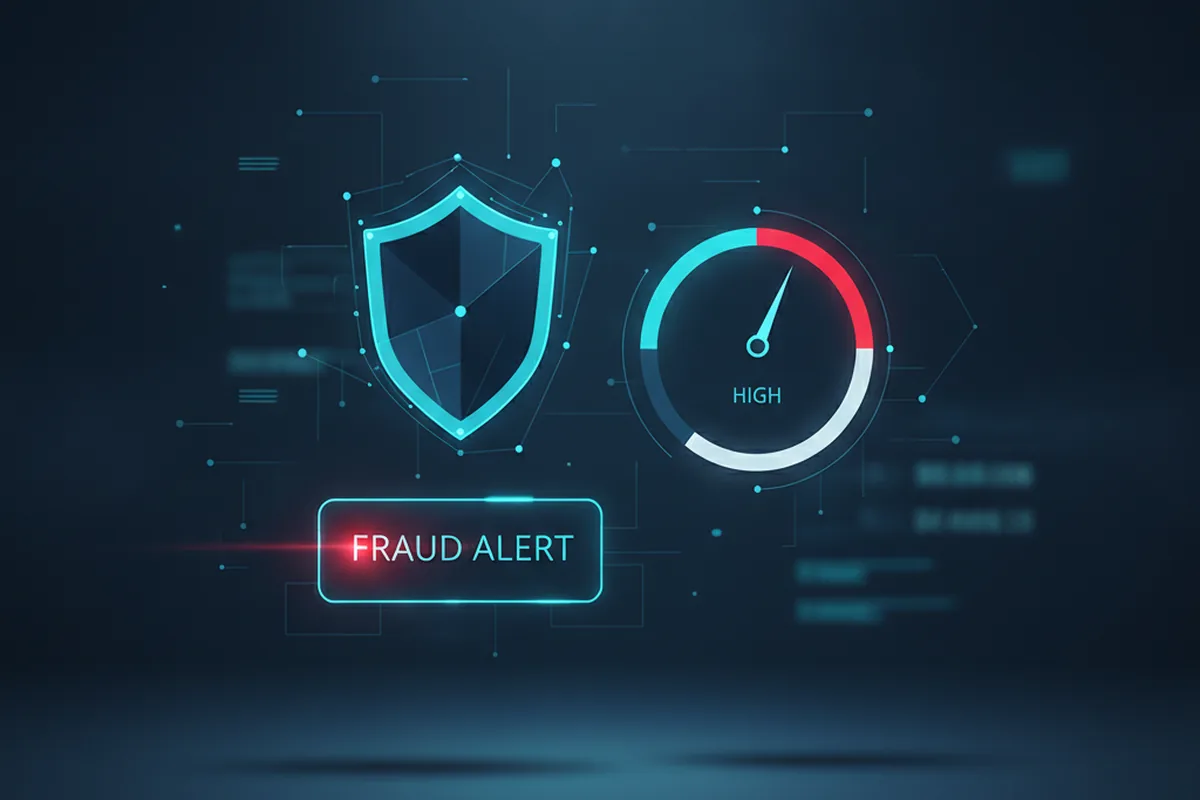
Effective fraud prevention combines several controls at different layers of the transaction:
- Address Verification Service (AVS). Checks that the billing address provided matches the card issuer's records. Most providers run AVS automatically for US cards; configure your rules to flag or decline mismatches. AVS alone is not sufficient for international transactions, where coverage is lower.
- CVV / CVC verification. Require the card security code on every new card entry. Do not store it — it cannot be stored under PCI-DSS rules, and the provider's SDK handles this for you.
- Velocity rules. Block or flag accounts that make unusually many payment attempts in a short window. This catches card-testing attacks, where fraudsters run small test charges to validate stolen card numbers at scale. Configure velocity limits at the card, IP, device and account level.
- Device fingerprinting. Provider SDKs inject a device fingerprint (a combination of browser/device signals) into the payment token. This signal feeds into the provider's machine-learning risk score and helps link fraudulent attempts across multiple cards to the same device.
- Machine-learning risk scoring. Stripe Radar, Adyen RevenueProtect and Braintree's fraud tools all apply ML-based risk scores to every transaction. Review your block rules and thresholds regularly; overly aggressive rules block legitimate customers, while loose rules pass fraud.
- 3-D Secure as a fraud tool. For high-risk transactions, require 3-D Secure even for US-only flows where SCA is not legally mandated. A successful 3DS2 authentication shifts chargeback liability to the issuer, protecting your revenue on those transactions.
Monitoring and incident response
Fraud controls are not set-and-forget. Build operational alerting around:
- Chargeback rate crossing 0.5% (action needed before hitting the 1% threshold that triggers provider review).
- Sudden spikes in declined transactions (often a card-testing attack in progress).
- Unusual geographic patterns in payment attempts relative to your normal customer base.
- Refund rate increases, which can indicate friendly fraud or a UX problem at checkout.
Assign a named owner for payment security monitoring — the team member who will investigate alerts and submit evidence in dispute responses. Most providers have a dispute portal and a response deadline (typically 7–21 days); missing the deadline forfeits the dispute regardless of merit. Our PCI-DSS software development engagements include fraud control configuration as part of the initial build.
3-D Secure and SCA (PSD2)
If you serve EU customers, the EU's PSD2 mandates Strong Customer Authentication (SCA) for most online card payments, satisfied through 3-D Secure (3DS2). That authentication step does double duty: it reduces fraud and shifts liability to the issuer. Modern providers handle the heavy lifting, but your checkout must support the challenge flow (a step-up screen the customer may see). For US-only flows 3-D Secure is optional, though increasingly used for fraud reduction. The compliance backdrop here is the same one covered in our fintech app development guide.
Testing your integration and go-live checklist
A payment integration that passes the happy-path test is nowhere near ready for production. The failures that hurt customers — duplicate charges, lost webhooks, incorrect refund amounts, orders fulfilled without payment — all live in the edge cases. A structured test plan catches them before they reach live customers.
Sandbox test scenarios
Every provider offers test card numbers that simulate specific outcomes. At minimum, run all of the following before touching live credentials:
- Successful payment — basic happy path, order fulfilled.
- Declined card (insufficient funds) — customer shown an appropriate error, order not fulfilled.
- Declined card (stolen card flag) — handled gracefully, no order created.
- Expired card — error message that explains the issue, not a generic failure.
- 3-D Secure challenge — customer presented with authentication step, order fulfilled after success, order not fulfilled after abandonment.
- SCA failure / abandonment — payment not captured, customer returned to cart.
- Webhook delivery with delay — your system waits correctly for the webhook rather than acting on the initial API response.
- Duplicate webhook delivery — your handler is idempotent and does not fulfil the order twice.
- Refund — full and partial — amount correctly reflected in your ledger.
- Dispute / chargeback event — your system receives and logs the dispute webhook, alerting the appropriate team member.
Go-live checklist
Run this checklist before switching to live credentials. Each item represents a category of failure seen in real production integrations.
| Area | Check |
|---|---|
| Credentials | Live API keys and webhook secrets are in environment variables, not hardcoded. Sandbox keys are removed or clearly separated. |
| Webhook security | Signature verification is active. Webhook endpoint returns 200 before processing (async queue). Dead-letter handling and alerting for failed events are configured. |
| Idempotency | Charge requests use idempotency keys. Webhook handlers check for already-processed event IDs before acting. |
| Observability | Every payment state change is logged with the order ID, provider transaction ID, timestamp and user ID. Errors are alerted, not just logged. |
| Reconciliation | Provider payout reports are matched against your ledger daily. Discrepancies trigger an alert. |
| Fraud controls | Radar/RevenueProtect rules reviewed. Velocity limits configured. CVV and AVS requirements set. |
| Operations | Named owner for payment monitoring and dispute responses. Dispute response process documented. On-call runbook for payment outages exists. |
| Compliance | SAQ A (or equivalent) completed or in progress. PCI scope confirmed with the integration model in use. Privacy policy and checkout disclosures updated for new markets. |
Common integration mistakes to avoid
Most payment integration bugs are predictable. These are the five mistakes that appear most often in production integrations, often in products that looked correct in sandbox testing.
1. Trusting the success redirect URL
A customer lands on your /success page after a hosted checkout. Many teams fulfil the order at this point. The redirect is not a payment confirmation — it is a UI signal that can be triggered without a successful payment, fabricated in a URL, or hit twice by a browser refresh. The only reliable confirmation is a signed webhook from the provider. Fulfil on the webhook; use the redirect only to show the customer a "we're processing your payment" screen.
2. Missing idempotency keys on charge requests
Networks are unreliable. If a charge request times out, your backend may retry it. Without an idempotency key, the provider treats the retry as a new transaction and charges the customer twice. All major providers (Stripe, Adyen, Checkout.com) support idempotency keys — send a stable, unique key (typically derived from your internal order ID) on every charge request. The provider will return the same result for any retry with the same key.
3. Processing webhooks synchronously
If your webhook handler does slow work — database writes, external API calls, email sending — it will occasionally time out. The provider interprets a timeout as a failed delivery and retries the webhook, sometimes repeatedly. A synchronous handler that times out triggers duplicate processing. The correct pattern: return 200 immediately, write the raw event to a queue, and process it asynchronously. The queue absorbs spikes and gives you a dead-letter mechanism for events that genuinely fail.
4. Ignoring the failed payment states
Most integrations handle the success path and the immediate decline. What gets missed are the asynchronous failure states: a payment that authorises but fails to capture, a subscription renewal that soft-declines and needs retried, a payment that reverses three days later due to a late network decline. Map every payment state your provider can emit, build transitions between them, and test the failure scenarios explicitly.
5. Not abstracting the provider dependency
Hard-coding Stripe or Adyen method signatures throughout your codebase makes a future provider migration a rewrite rather than a refactor. Wrap your payment logic behind a thin internal interface (a PaymentService or equivalent) that your application code calls. The interface defines operations like chargeCard, refundPayment, createSubscription; the implementation maps those to the specific provider's API. Switching providers later, adding a second provider for redundancy, or building a multi-provider routing layer becomes a matter of swapping implementations rather than touching application logic.
Scoping the work with a partner
Whether you build in-house or with a partner, scope the integration deliberately:
- Decide the integration model (and therefore PCI scope) before writing code.
- List the payment methods and markets up front — they drive provider choice.
- Treat webhooks, idempotency and reconciliation as first-class requirements, not afterthoughts.
- Start provider onboarding/underwriting early; it runs in parallel with engineering.
- Abstract payment logic behind an internal interface so a future provider switch is cheap.
If you are building the surrounding product too, this fits inside the broader custom software development and fintech work we deliver.
FAQ
What is the difference between a payment gateway and a payment processor?
A gateway is the layer your app talks to — it captures payment details and passes them on. A processor moves the money between the cardholder's bank and yours over the card networks. Modern providers (Stripe, Adyen, Braintree) bundle gateway, processing and acquiring into one API, so you integrate a single service.
Does using Stripe or Adyen remove my PCI-DSS obligations?
It reduces them dramatically but not entirely. Keep raw card data within the provider's hosted page or SDK and your obligation typically drops to the light SAQ A self-assessment. Accept card data on your own pages or servers and you move into SAQ A-EP or SAQ D, which are far more demanding.
Which integration model should I choose?
Embedded fields / SDK (Stripe Elements, Adyen Drop-in) is the right default for almost every product: card data goes straight to the provider, PCI scope stays at SAQ A, and you keep UI control. Use hosted checkout for the simplest launch, and direct/server-side only when a specific requirement forces it.
How much does payment gateway integration cost?
A basic SDK integration runs $8,000–$25,000; adding subscriptions, saved cards, multi-currency, marketplace split payments, fraud handling and full reconciliation pushes a production integration to $30,000–$80,000+. Per-transaction provider fees (commonly ~2.9% + a fixed fee) are separate.
What is 3-D Secure and do I need it?
3-D Secure (3DS2) is an authentication step required to satisfy Strong Customer Authentication (SCA) under PSD2 for most online card payments to EU cardholders. If you serve EU customers, your checkout must support it; modern providers handle most of the work. For US-only flows it is optional but increasingly used for fraud reduction.
How do I handle chargebacks and disputes?
A chargeback happens when a cardholder disputes a charge with their bank. Your integration should listen for dispute webhooks, surface them to a named team member, and submit evidence through the provider's dispute portal before the response deadline (typically 7–21 days). Reducing disputes is primarily an operational and fraud-prevention problem: clear billing descriptors, 3-D Secure for high-risk transactions, and well-tuned fraud rules all help. A chargeback rate above 1% can trigger provider review or account suspension — monitor it weekly, not monthly.
Can I switch payment providers later?
Yes, but plan for it from day one. Because saved cards are tokenised to a specific provider, switching requires a token migration — most providers support importing tokens from another via a secure, PCI-compliant process. Abstracting your payment logic behind an internal interface from the start makes a future migration far cheaper than hard-coding a single provider's SDK throughout your codebase. Factor the migration cost into your initial provider evaluation if there is any chance your requirements will change at volume.
How long does it take to integrate a payment gateway?
A basic one-time-payment integration with a modern SDK can be working in 1–3 weeks. A production-grade integration with subscriptions, saved cards, webhooks, reconciliation, refunds, dispute handling, SCA and proper testing typically takes 4–10 weeks. Provider onboarding and underwriting (KYB checks before you can take live payments) run in parallel and can add days to weeks, so start the account application as early as possible — not after engineering is complete.
Last updated 26 September 2026. Cost and fee ranges reflect typical US/EU integrations and vary by provider, model and scope. Compliance and regulatory references are general guidance, not legal advice — consult a Qualified Security Assessor and qualified counsel for your situation. Request a scoped proposal for your specific integration.