

TL;DR — ERP software development in one paragraph
ERP software development services build and integrate an enterprise resource planning system that runs finance, inventory, HR and operations on one shared data model. A custom build fits your exact processes, costs roughly $40,000–$250,000 in 2026, and takes six to eighteen months, usually delivered module by module. Choose custom over off-the-shelf when your operations are a differentiator or need deep integration.
What are ERP software development services?
ERP software development services are the design, build, integration and support work that produces an enterprise resource planning system tailored to how a company actually runs. Instead of buying a pre-packaged suite and bending your processes to fit it, a development team models your finance, inventory, procurement, HR and operations on one platform, builds the modules you use, connects them to your existing tools, migrates your data, and maintains the system after launch. The result is one source of truth for the whole business rather than a patchwork of spreadsheets and disconnected point tools.
These services sit at the heavy end of enterprise delivery, which is why they are usually handled as custom enterprise software development rather than a quick configuration job — the data model, integrations and security all have to hold up under real transaction volume. A capable ERP software development company covers the full scope: discovery and process mapping, system architecture and the data model, module development, integration with your CRM, warehouse or accounting tools, data migration from legacy systems, and ongoing support. If you are weighing a fresh build against extending what you already run, our guide to enterprise software: build vs buy frames that decision before you commit budget.
Key benefits of a custom ERP build
Analyst market-sizing reports disagree on the exact number, but they agree on the direction: estimates for the global ERP software market cluster in the $65–140 billion range by the end of the decade, growing at roughly 9–12% a year as more mid-market companies replace spreadsheets and point tools with a single system. The benefits driving that shift are concrete, not abstract — a custom build changes how a company operates day to day, not just what it runs on.
- Lower total cost over time. No per-seat licence fee that compounds as headcount grows — you pay to build the system once and own it outright.
- Full transparency across departments. Finance, inventory and operations read from the same data model, so a number means the same thing everywhere instead of three slightly different exports.
- Faster planning and reporting. Dashboards pull live from shared data instead of a monthly spreadsheet reconciliation, so a report that took days takes minutes.
- Deep customization. The system encodes your exact workflows, exception handling and industry rules instead of forcing your process to match a vendor's defaults.
- Tighter data security and integrity. One access-controlled system replaces a sprawl of spreadsheets and disconnected tools, each with its own export trail and permission gaps.
- Room to scale. A modular, API-first architecture (see the technology stack below) adds modules, users and locations without a platform migration.
Core ERP modules you can build
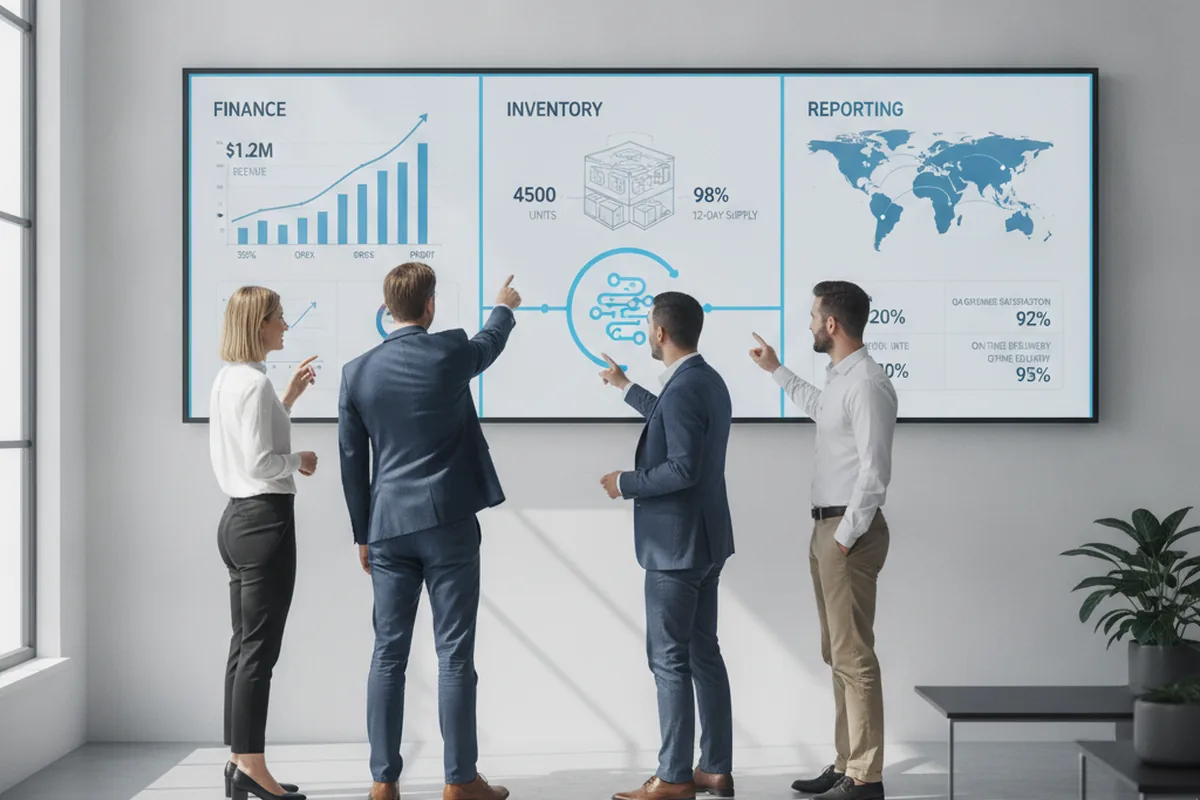
The core ERP modules are finance, inventory and supply chain, procurement, HR, manufacturing, sales and CRM, and business intelligence — and the biggest advantage of a custom build is developing only the ones you use. Finance is the backbone every other module posts to; the rest attach to it and share its data. The table below shows what each module does and the operations it replaces.
| Module | What it does | Replaces |
|---|---|---|
| Finance & accounting | General ledger, AP/AR, multi-currency, tax and financial reporting | Standalone accounting apps and spreadsheets |
| Inventory & supply chain | Stock levels, warehouses, orders, demand and fulfilment | Manual stock sheets and disconnected WMS tools |
| Procurement | Suppliers, purchase orders, approvals and spend control | Email-based purchasing and ad-hoc approvals |
| Human resources | Employee records, payroll, time and leave | Separate HR/payroll systems |
| Manufacturing | Bills of materials, production planning and shop-floor control | Standalone MES and planning spreadsheets |
| Sales & CRM | Quotes, orders, customer records and pipeline | A disconnected CRM synced by export |
| Business intelligence | Dashboards and real-time reporting across all modules | Manual reports stitched from many sources |

Custom vs off-the-shelf ERP: which to choose?
Choose off-the-shelf ERP when your processes are standard and speed matters most; choose custom ERP software development services when your operations are a competitive differentiator or need deep integration with in-house systems. Off-the-shelf suites are faster to start and cheaper up front, but you adapt your business to the product and pay per-seat licensing forever. A custom build costs more initially and you own the roadmap, the data model and the code. The decision usually comes down to how much of your operation the product would force you to work around.
- Pick off-the-shelf when your workflows match industry norms, you need to launch in weeks, and a moderate per-user licence fee is acceptable.
- Pick custom when off-the-shelf forces awkward workarounds, you have a large user base where licensing compounds, or the ERP must integrate tightly with proprietary systems.
- Consider a hybrid — a commercial core with custom modules and integrations around it — when only part of your operation is non-standard.
The decision also has a deployment layer: on-premises hosting suits regulated industries that need data on their own infrastructure, cloud-based ERP is the default for most new builds because it lowers upfront cost and adds elasticity, and a hybrid model — a cloud core with select modules kept on-prem — fits companies mid-migration or bound by data-residency rules. Custom development supports all three; the choice affects the technology stack and cost more than it affects the module set.
This is the same build-versus-buy calculus that governs any major system, and replacing an ageing suite is often the trigger — our legacy system modernization guide covers how to retire an old ERP without freezing the business during the switch.
The ERP software development process
A custom ERP is built in phases, not one pass, and the sequence below is what a disciplined ERP software development company follows. Each phase has a deliverable the next one depends on, and the golden rule is to launch the highest-value module before building the rest. These are the core stages in order.
- Discovery & process mapping. Document how finance, inventory and operations work today, agree the target processes, and define scope and success metrics. Deliverable: a prioritised module plan and requirements.
- Architecture & data model. Design the shared data model, the module boundaries, the integration approach and the security model. Deliverable: a technical architecture the whole system posts to.
- UX & workflow design. Design the screens and workflows for each role, because ERP adoption lives or dies on usability. Deliverable: validated flows for the first modules.
- Agile build. Develop modules iteratively, starting with the highest-value one, with the shared data model in place from day one. Deliverable: working modules, integrated as they land.
- Integration. Connect the ERP to your CRM, warehouse, accounting, e-commerce and other tools via APIs so data flows both ways. Deliverable: a connected system, not an island.
- Data migration. Clean, map and migrate data from legacy systems — the step that most often derails ERP rollouts. Deliverable: verified, reconciled data in the new system.
- QA & UAT. Test functionality, performance under real volume, and security, then run user-acceptance testing with the people who will use it. Deliverable: a signed-off, hardened build.
- Phased go-live & support. Launch module by module, train users, then monitor, patch and iterate. Deliverable: a live system with a support and enhancement loop.

How long does ERP development take?
Most custom ERP builds take six to eighteen months, with the range driven by module count, integration complexity and data-migration effort. A focused system for a small or mid-sized company can reach a first go-live in three to six months; a large enterprise platform spanning manufacturing, supply chain and multiple countries often runs twelve to twenty-four months. In 2026, phased delivery is the norm rather than the exception — teams launch the most critical module first and add the rest in stages, which produces value earlier and keeps rollout risk contained. Treat any single-number timeline with suspicion: the honest answer is a range that narrows once discovery fixes the module scope.
How much do ERP software development services cost in 2026?
Custom ERP software development in 2026 typically costs between $40,000 and $250,000, and complex multi-module or multi-site builds can exceed $500,000. Cost scales with the number of modules, the depth of customisation, integrations, the technology stack and the team's rate. The table below shows the bands seen across 2026 vendor cost studies; treat them as planning ranges, not quotes.
| Build size | Typical 2026 cost | What it covers |
|---|---|---|
| Basic | $10,000–$40,000 | One or two modules, small team, no integrations |
| Mid-tier | $40,000–$120,000 | Several modules and integrations for a growing business |
| Enterprise | $120,000–$500,000+ | Manufacturing, automation and multi-location deployments |
| Deployment model | Cloud $50k–$300k+ / on-prem $150k–$500k+ | Hosting, infrastructure and security posture |
| Annual maintenance | 15–25% of build cost / year | Support, updates, monitoring and enhancements |
The single biggest lever on cost is scope discipline: a phased build that ships one module, proves value and then expands avoids the six-figure overruns that come from trying to launch everything at once. For a deeper look at what drives the numbers on any build, see our custom software development cost breakdown, which applies the same estimation logic to ERP.
Technology stack for ERP development
A modern ERP stack in 2026 favours a modular, API-first architecture over a single monolith, so modules can scale and be replaced independently. The exact tools matter less than the shape: a shared database as the source of truth, service or module boundaries with clean APIs, and a web front end that works on desktop and mobile. Common choices are a relational core such as PostgreSQL, a backend in Java, .NET, Node.js or Python, a React-based front end, and cloud hosting on AWS or Azure with containerised deployment.
- Data layer. A relational database (e.g. PostgreSQL) as the single source of truth, with reporting replicas for BI.
- Backend. Java, .NET, Node.js or Python, structured as modules or services with well-defined APIs.
- Frontend. A responsive web client (commonly React) with role-based screens; mobile access as a first-class experience, not an afterthought.
- Integration. REST or GraphQL APIs and webhooks so the ERP exchanges data with CRM, WMS, e-commerce and accounting tools in real time.
- Infrastructure. Cloud hosting with containers and CI/CD for repeatable, low-risk releases.
Because an ERP only earns its keep once it is connected, integration architecture is often the hardest part — our enterprise system integration guide covers the patterns and pitfalls of wiring an ERP into the rest of your stack.
AI in ERP: what changes in 2026
In 2026 the ERP question is no longer whether a system has AI features but how specialised they are, and that shift is reshaping what buyers expect from a build. Embedded machine learning now drives demand forecasting, anomaly detection in finance, and auto-categorisation of transactions; process automation removes manual data entry between modules that used to need a person to re-key it; low-code workflow builders let business users adapt processes without a developer; and open APIs plus mobile-first access have become table stakes. The practical implication for a custom build is to design for these capabilities from the start rather than bolting them on later.
Adding AI to an ERP typically extends the timeline — a basic integration such as AI-powered analytics adds three to six months, while embedding machine learning for supply-chain optimisation can add twelve to twenty-four months. If AI is on your roadmap, scope it as its own phase and pair it with our generative AI integration services so the models are built into the data model, not stapled to the edge of a finished system.
How to choose an ERP software development company
Choose an ERP software development company on domain fit, integration track record and delivery model, not on headline price. An ERP touches every department, so the wrong partner is expensive in ways a cheap quote hides. Weigh these factors before you sign:
- Industry and ERP experience. Ask for ERP or enterprise builds in your sector — manufacturing, distribution, retail — not just generic software work.
- Integration evidence. Real examples of connecting systems like yours, because integration is where ERP projects most often stall.
- Phased delivery plan. A proposal that launches the highest-value module first, not a single big-bang go-live.
- Data migration approach. A concrete plan for cleaning, mapping and reconciling legacy data early.
- Ownership and support. Clear answers on who owns the code, how change requests are handled, and what post-launch support looks like.
A reliable ERP software development company in the US or EU market will scope a discovery and an MVP module before quoting the whole platform — a partner who quotes the entire system sight unseen is guessing, and you will pay for the guess.
FAQ
What are ERP software development services?
ERP software development services are the design, build, integration and support work that produces an enterprise resource planning system tailored to a company's processes. Rather than configuring a pre-packaged suite, a development team models your finance, inventory, HR, procurement and operations on one data platform, builds the modules you actually use, connects them to existing tools, migrates your data, and maintains the system afterwards. The output is one source of truth for the whole business instead of a patchwork of spreadsheets and point tools.
How much does ERP software development cost in 2026?
Custom ERP software development in 2026 typically costs between $40,000 and $250,000, and complex multi-module or multi-location builds can exceed $500,000. A small one-or-two-module system with no integrations sits around $10,000–$40,000; a mid-sized build with several modules and integrations runs roughly $40,000–$120,000; and an enterprise-grade platform with manufacturing and multi-site support starts near $120,000. Ongoing maintenance and updates usually add 15–25% of the build cost per year, according to 2026 vendor cost studies.
How long does ERP software development take?
Most custom ERP builds take six to eighteen months, depending on module count, integration complexity and data-migration effort. A focused system for a small or mid-sized business can reach a first go-live in three to six months, while a large enterprise platform with manufacturing and multi-country requirements often runs twelve to twenty-four months. Phased delivery — launching the most critical module first and adding the rest in stages — is the dominant 2026 approach because it produces value earlier and lowers rollout risk.
What is custom ERP software development?
Custom ERP software development means building an enterprise resource planning system around your specific processes instead of adapting your processes to an off-the-shelf product. You own the data model, the workflows and the roadmap, so the system encodes the way your business actually runs — the exception handling, the industry rules, the reports that packaged suites force you to work around. It suits companies whose operations are a competitive differentiator, who need deep integration with in-house systems, or who want to avoid per-seat licensing across a large user base.
What are the main ERP modules?
The core ERP modules are finance and accounting, inventory and supply chain, procurement, human resources, manufacturing or production, sales and CRM, and business intelligence. Finance is the backbone that every other module posts to; inventory and supply chain track goods and orders; procurement manages suppliers and purchasing; HR handles people and payroll; manufacturing plans production; CRM connects customer-facing work; and BI turns the shared data into dashboards. A custom build lets you develop only the modules you use and expand later.
How do I choose an ERP software development company?
Choose an ERP software development company on domain fit, integration experience and delivery model rather than price alone. Look for a team that has built ERP or enterprise systems in your industry, can show real integration work with the tools you run, proposes a phased delivery plan instead of a big-bang launch, and is explicit about data migration, security and post-launch support. Ask how they handle change requests and who owns the code, and prefer a partner who scopes an MVP module first over one who quotes the whole platform sight unseen.
What are the benefits of a custom ERP over off-the-shelf software?
A custom ERP lowers total cost over time by removing per-seat licensing, gives every department a single shared data model instead of three slightly different exports, speeds up planning and reporting because dashboards pull from live data, and encodes your exact workflows and exception handling instead of forcing your process to match a vendor's defaults. It also tightens data security by replacing a sprawl of spreadsheets and disconnected tools with one access-controlled system, and a modular, API-first architecture lets you add modules, users and locations later without a platform migration.
Last updated 26 September 2026. Cost, timeline and market-size figures are drawn from 2026 industry ERP cost studies and vendor benchmarks and are cited as general planning guidance. The right modules, stack, cost and timeline depend on your processes, scale and integration scope — treat this as a starting point, not a quote.