


TL;DR: Budget 15–25% of your app’s build cost per year for maintenance — roughly $18,000–$30,000 a year on a $120,000 app. Year one runs higher, at 30–50%, because of the post-launch bug wave, backend scaling and the first OS update. The number scales with complexity, compliance load and cloud infrastructure.
Why do apps need ongoing maintenance?
Ship a mobile app and you have not shipped a finished product — you have taken on a live one. It runs on an operating system that Apple and Google update on their own schedule. Inside the app store, the rules change without much notice. Third-party APIs quietly deprecate the endpoints it depends on. And the data it handles falls under compliance rules that shift year on year.
Leave any one of those layers alone for 12 months and things start to break. Leave them for 24 and the app is a strong candidate for removal from the store. So maintenance belongs in the budget from day one. Teams that treat it that way tend to ship better products and pay less over the life of the app than teams that bolt it on later. That is also why we fold a post-launch retainer into every mobile app development engagement instead of pitching it as an upsell.
Think of this as the post-launch companion to our breakdown of the initial build cost. Still in the planning phase? Read that one first, then come back here for the full picture of what ownership actually costs.
Types of app maintenance
Maintenance is not one kind of work, and sorting the budget by type is the clearest way to see why the bill never reaches zero. Some of it is reactive. Some is scheduled. And some gets forced on you by Apple, Google or a regulator. Five categories cover almost everything you will pay for after launch.
| Type | What it covers | Typical share of annual budget |
|---|---|---|
| Corrective | Fixing bugs, crashes and regressions reported after release | 20–30% |
| Adaptive | Keeping the app compatible with new iOS/Android versions, devices and third-party APIs | 25–35% |
| Perfective | Refining UX, performance and small features based on real usage data | 20–30% |
| Preventive | Refactoring, dependency hygiene, test coverage and monitoring that stop future breakage | 10–20% |
| Emergency | Same-day response to security incidents, outages or store-policy removals | 5–15% |
Most retainers blend all five, and the mix moves over the product’s life. In year one, corrective and perfective work dominate. From year two onward, adaptive and preventive work settle into the steady-state baseline.
The 15-25%/year rule of thumb
Across US and EU development shops, the working benchmark is that ongoing maintenance runs 15–25% of the original build cost per year. That figure has to cover a lot: bug fixes, OS and SDK compatibility updates, security patching, third-party API changes, hosting, monitoring and the small improvements you make along the way.
Where you land in that range depends on complexity:
- Simple apps (static content, basic auth, no real-time features) — closer to 15%.
- Mid-size apps (e-commerce, social features, push notifications, third-party integrations) — 18–22%.
- Enterprise and regulated apps (fintech, healthtech, HIPAA/GDPR-heavy, complex backend) — 22–30% or more, because compliance reviews and security work never stop.
The 15-25% figure is an average for apps in a steady state. Year one is a different story.
Why year one costs more
Outside the original build, the first 12 months after launch are the most expensive stretch in the product’s life. Budget conservatively and year-one maintenance lands at 30–50% of the build cost. Four forces push it there:
- Post-launch bug wave. Real users reveal edge cases no QA suite catches. The first weeks after launch typically generate more bug reports than the entire beta period combined. Fixing them fast is critical for retention and store ratings.
- Backend stabilisation and scaling. Infrastructure sized for beta traffic must be tuned for production load. This means query optimisation, caching layers, CDN configuration and often a significant architecture refactor if the original sizing was conservative.
- First major OS update. Apple releases a major iOS version every September, and Google follows a similar cadence. An app launched in Q1 or Q2 hits a compatibility sprint by Q3, often within months of going live. There is no way around it: build against deprecated APIs and the next store submission gets rejected.
- Feature iteration. Teams learn fast from real usage data. Year one almost always includes a meaningful feature iteration sprint, UI refinements based on analytics, and often a re-think of onboarding after measuring drop-off.
Budget roughly 40% of your build cost for year one, then normalise to 15–25% from year two onward.
What drives maintenance cost
Knowing where the money actually goes is what lets you make smarter trade-offs. Here are the main cost drivers, ordered by how much they typically weigh:
- Cloud hosting and infrastructure — servers, databases, CDN, storage, bandwidth. This is the most predictable line item and scales with your user base.
- Bug fixes and support — triage, reproduction, fix, test, release. Volume spikes after OS updates and major feature launches.
- OS and SDK compatibility — the recurring cost of keeping pace with Apple and Google (see below for detail).
- Third-party API changes — payment processors, mapping providers, social login, analytics SDKs and any other integration you rely on will deprecate, version-bump or change auth flows. Each change requires a code update and release cycle.
- Security updates — dependency audits, CVE patches, certificate renewals, encryption-standard updates. Non-negotiable for any app handling user data.
- Compliance — GDPR and CCPA consent flows change as regulators clarify requirements; HIPAA controls require periodic review; app-store privacy nutrition labels must stay accurate as APIs change.
- App-store policy changes — both Apple and Google update their guidelines 4–6 times per year. Policy changes around privacy, payments and content can require code changes within a 30–90-day window or face removal.
- Analytics and monitoring — tooling costs (Crashlytics, Datadog, Sentry, Firebase) plus the engineering time to act on what they surface.
- UI/UX iteration — minor improvements, A/B tests, accessibility fixes. Often underestimated because each change seems small, but the release overhead (build, test, submit, review) is constant.

Backend and infrastructure
Infrastructure is usually the most predictable slice of the maintenance budget. For a typical mid-size app in 2026, the monthly backend costs break down roughly like this:
- Compute (app servers / containers): $50–$500/month for small to mid-size apps on AWS, GCP or Azure managed services.
- Database: $30–$300/month for a managed PostgreSQL or MySQL instance at typical scale; more for high-availability clusters.
- CDN and storage: $10–$150/month depending on media volume and geographic distribution.
- Push notification services, email, SMS: $20–$200/month for Firebase Cloud Messaging, SendGrid or Twilio at typical B2C volumes.
- Monitoring and error tracking: $30–$200/month for a stack covering crash reporting, APM and log aggregation.
Total infrastructure for a mid-size B2C app: roughly $300–$1,500/month. Enterprise or high-traffic apps can run $5,000–$50,000/month on infrastructure alone before any engineering labour.
The biggest lever here is managed services. Run your own database, cache and queue and each one adds ops overhead. Move them to PaaS — RDS, Cloud SQL, Upstash, Neon — and unpredictable ops time turns into a predictable monthly bill.
Two fixed fees sit outside the infrastructure bill and are easy to forget: the Apple Developer Program membership at $99/year and a one-time $25 Google Play registration. Next to engineering time they are trivial. They are also non-negotiable. Let the Apple membership lapse and every one of your iOS apps drops out of the App Store until you renew.
OS and SDK update cadence
OS updates are the maintenance cost that surprises teams the most. The cadence in 2026:
- iOS: One major version per year (typically September), plus 6–10 point releases. Each major version introduces new APIs, deprecates old ones and often changes permission models. Apps built against deprecated frameworks — UIKit patterns, background modes, privacy manifests — fail App Store review.
- Android: One major version per year (typically Q3), plus quarterly security patches and Play Store policy updates. The fragmentation problem is smaller than it was five years ago but 20–30% of users still run versions two to three years old, which means testing matrices stay wide.
- SDK dependencies: React Native, Flutter, Firebase, Stripe SDK, Google Maps SDK — each ships major versions that drop support for older OS targets. Staying current requires a dependency-hygiene sprint 2–4 times per year.
In practice, the annual iOS major update alone costs 40–120 hours of engineering time per platform for a mid-size app, more if the app uses deprecated APIs or complex native modules. At US/EU blended rates, that is $4,000–$18,000 per year just to stay store-compliant. For cross-platform apps, one fix covers both stores, which is one of the strongest practical arguments for React Native or Flutter.

Monthly budget ranges
The table below shows annual maintenance cost and its monthly equivalent across app sizes, covering engineering labour, infrastructure and tooling. Figures are for US/EU team rates in 2026.
| App size | Typical build cost | Annual maintenance (15-25%) | Monthly equivalent |
|---|---|---|---|
| Simple app Basic auth, static content, 1-2 integrations |
$30k–$60k | $4,500–$12,000 | $375–$1,000 |
| Mid-size app E-commerce, social, push, 4-8 integrations |
$80k–$180k | $12,000–$45,000 | $1,000–$3,750 |
| Enterprise / regulated app Fintech, healthtech, HIPAA/GDPR, high traffic |
$200k+ | $50,000–$150,000+ | $4,200–$12,500+ |
These figures cover a baseline retainer. Push past it if you are running a heavy feature roadmap, an active A/B testing programme, or real-time compliance work such as financial reporting or clinical data handling. For a sense of how timeline relates to cost, see our build-timeline guide.
Maintenance cost by industry and app type
App size sets the baseline, but the vertical an app operates in reshapes the number more than almost anything else. Two mid-size apps with identical build costs can carry very different maintenance bills once you factor in payment-rail integrations, regulatory review or the sheer volume of real-time data they push through the backend.
| Industry / app type | Typical annual maintenance | What pushes it above the baseline |
|---|---|---|
| E-commerce & retail | $15,000–$45,000 | Seasonal traffic spikes, payment gateway updates, catalogue sync, cart-abandonment and personalisation logic |
| FinTech | $30,000–$90,000+ | PCI DSS and KYC/AML reviews, fraud-detection tuning, banking-API version churn, mandatory penetration testing |
| HealthTech | $35,000–$100,000+ | HIPAA audit logging, BAA reviews, EHR/HL7-FHIR integration maintenance, annual risk analysis |
| On-demand & logistics | $20,000–$55,000 | Real-time GPS/mapping SDK costs, driver-app and customer-app parity, surge-pricing and routing-engine tuning |
| Retail & omnichannel | $18,000–$50,000 | In-store/online inventory sync, loyalty-program logic, POS integration updates, omnichannel checkout parity |
| Social & content platforms | $18,000–$50,000 | Media-storage and CDN scaling, moderation tooling, recommendation-feed infrastructure, spam/abuse defences |
| SaaS / B2B platforms | $20,000–$60,000 | Multi-tenant infrastructure, SSO/SCIM integrations, uptime SLAs, enterprise security questionnaires |
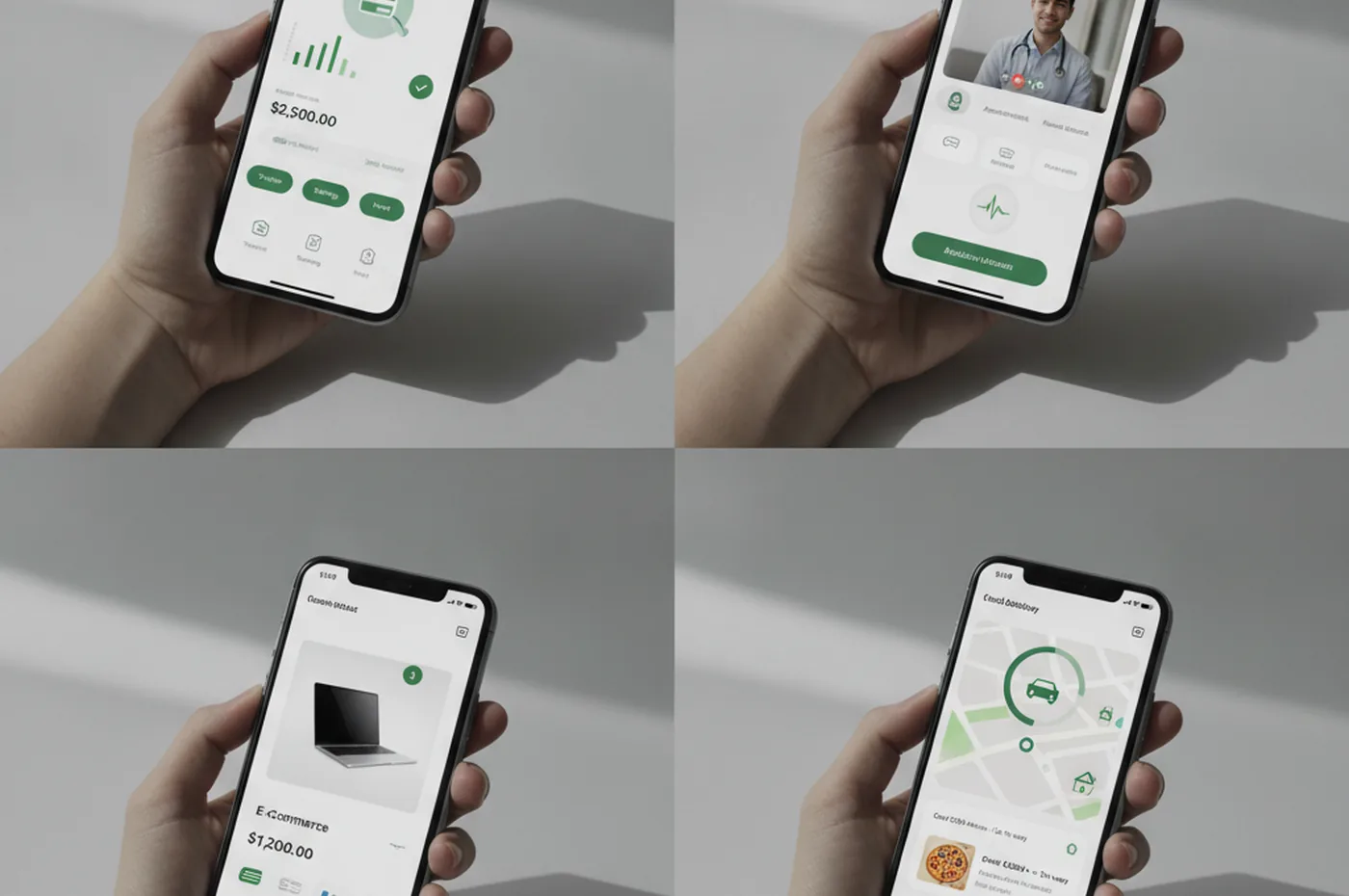
Two patterns hold across almost every vertical: regulated industries (fintech, healthtech) run 1.5–3x the generic mid-size baseline because compliance work never has an off-season, and any app that depends on a third-party data feed — mapping, payments, EHR — inherits that provider’s update cadence whether it wants to or not.
Maintenance cost by region: US, EU & nearshore
The 15–25% rule holds everywhere, but the dollar amount behind that percentage depends heavily on where the engineering hours are billed. For a mid-size app needing roughly 15–25 hours of maintenance work per month, here is how the same scope prices out by team location:
| Team location | Blended hourly rate | Monthly retainer (mid-size app) |
|---|---|---|
| US in-house / agency | $100–$220 | $2,000–$5,500 |
| Western Europe agency | $80–$180 | $1,600–$4,500 |
| Nearshore / Eastern Europe | $35–$70 | $700–$1,750 |
| Offshore (South/Southeast Asia) | $20–$45 | $400–$1,125 |

The gap between US and nearshore rates is real, but it is not free money — overlap hours, communication quality and codebase familiarity matter more for maintenance than for greenfield builds, because a maintenance team has to move fast on OS-update deadlines with no ramp-up time. That is the case for a nearshore team in a workable time-zone overlap over a fully offshore one: you keep most of the cost saving without losing the same-day turnaround an emergency fix needs.
How to reduce maintenance cost
The goal here is not to spend as little as possible on maintenance. It is to get the most product health per dollar. These are the levers that actually move the needle:
- Clean architecture and automated tests. Apps with good test coverage and clear module boundaries are cheaper to update. Every OS compatibility fix on a well-tested codebase is a 4-hour job; on a spaghetti codebase it is a 3-day risk-event. Invest in tests at build time and pay for it for the life of the product.
- Dependency hygiene from day one. Pin critical dependencies, document them, and schedule quarterly update sprints. Catching a breaking change in a routine sprint costs a fraction of reacting to a forced update after a policy deadline.
- CI/CD for every release. Automated build, test and deployment pipelines mean every bug fix and OS update ships without a manual release weekend. The discipline also catches regressions before users do.
- Managed backend services. PaaS for your database, cache and queues converts unpredictable ops incidents into a fixed monthly bill. The ops hours you save pay for the service premium many times over.
- Cross-platform where it makes sense. A React Native or Flutter codebase maintained by one team is structurally cheaper than two native codebases maintained in parallel. See our comparison of cross-platform vs native for when this trade-off is worth making.
- Proactive monitoring, not reactive firefighting. Crash reporters and APM tools catch issues before users churn. The cost of Sentry and Datadog is trivially small compared to the engineering time saved by catching a production incident in minutes instead of days.
- A retainer, not ad-hoc. Ad-hoc billing penalises you for being organised. A fixed monthly retainer with a dedicated team aligns incentives: the team is paid to prevent incidents, not to react to them. It also gives you predictable budgeting and a team that knows your codebase deeply enough to move fast. We offer this for mobile app development clients as a structured post-launch programme.
If security and compliance upkeep is also on your plate, give it its own budget line alongside general maintenance. Security work spikes around regulatory deadlines, and it is rarely predictable enough to fold into a general retainer without an explicit allocation.
In-house, retainer or ad-hoc: a 3-year cost comparison
Before choosing how to staff maintenance, it helps to see what three years actually costs under each model for a mid-size app. The hourly rate on a retainer looks more expensive than an in-house hire — until you factor in salary, benefits, PTO, recruitment and the knowledge-transfer risk if the engineer leaves.
| Model | Annual cost | 3-year total | Best for |
|---|---|---|---|
| In-house engineer(s) | $130k–$220k | $390k–$660k | 1+ FTE of sustained workload; full active roadmap |
| Fixed monthly retainer | $24k–$72k | $72k–$216k | Most mid-size production apps; predictable spend, scale up/down by quarter |
| Ad-hoc / time-and-material | $15k–$60k | $45k–$180k | Stable apps with infrequent, fully predictable changes |
Ad-hoc looks cheapest on paper until an OS deadline arrives and emergency rates (1.5–2.5x standard) kick in alongside a hard submission deadline. A fixed retainer aligns incentives: the team is paid to keep the app healthy, not to react to crises at a premium. We structure our mobile maintenance retainers as fixed monthly engagements for exactly this reason.
AI and automation in app maintenance (2026 update)
AI tooling is changing the unit economics of mobile maintenance faster than any previous technology shift. Two categories of change are measurable today:
- AI-assisted testing. Copilot-style tools generate regression tests, detect visual regressions and flag breaking changes in dependency upgrades automatically. Teams using AI-assisted QA report 30–50% reductions in the time required for a full regression pass after an OS update — the most expensive recurring maintenance task for most apps.
- Predictive monitoring. APM tools with ML anomaly detection identify performance regressions and crash-rate spikes hours before they affect a statistically significant user share. Catching an issue before it trends on store reviews is worth many times the monthly tool cost.
The budget impact: AI tooling adds roughly $300–$800/month to a maintenance stack. Teams that adopt it consistently report 20–40% reductions in reactive engineering time. Net cost over 12 months is usually neutral or slightly negative. The caveat: the tooling requires an engineer who knows how to validate its output. It reduces maintenance effort; it does not replace senior engineering judgment on security-sensitive code, payment flows or complex native modules.
Compliance maintenance cost estimates
Compliance work is the most opaque line in a maintenance budget because costs are regulation-driven, lumpy and not fully predictable year to year. The table below covers the frameworks that affect most US and EU apps:
| Framework | Who it affects | Annual maintenance cost | Main drivers |
|---|---|---|---|
| GDPR | Any app handling EU user data | $5,000–$15,000/year | Consent flow updates, DSAR handling, privacy manifest updates, annual DPA review |
| CCPA / US state privacy | Apps with California (or multi-state) users | $3,000–$10,000/year | Opt-out flows, data deletion, disclosure updates as state laws multiply |
| HIPAA | Healthcare and wellness apps handling PHI | $20,000–$80,000/year | BAA reviews, audit logging, encryption standard updates, annual risk analysis |
| PCI DSS | Apps processing card payments directly | $15,000–$40,000/year | Quarterly vulnerability scans, annual penetration test, tokenisation maintenance, SAQ updates |
| App Store privacy (iOS / Android) | All apps | $1,500–$5,000/year | Privacy nutrition label accuracy, ATT prompt updates, privacy manifest compliance |
These are ongoing annual figures, not initial setup costs. First implementation — first GDPR consent framework, first HIPAA risk analysis, first PCI SAQ — typically runs 3–5x the annual ongoing cost. Budget setup separately in year one, then fold the recurring cost into the steady-state retainer from year two onward. For apps in fintech or healthtech, see our guide to mobile app security and GDPR compliance for a deeper breakdown.
Hidden and unexpected maintenance costs
The budget table above covers predictable retainer work. These costs are harder to anticipate but appear in most apps over a 3-year horizon:
- Technical debt compounding. Apps built without clean architecture cost more to change with every sprint. A fix that takes 4 hours in year one takes 12 hours in year three if debt accrues unchecked. Budgeting 10–20% of annual maintenance for preventive refactoring is almost always cheaper than reacting later.
- Infrastructure scaling jumps. Cloud costs scale predictably — until a usage threshold triggers a redesign. Crossing ~50,000 monthly active users often requires read replicas, a caching layer, CDN tuning and queue separation in a single sprint. Budget $8,000–$30,000 for the redesign separately from the higher ongoing infrastructure bill it produces.
- Third-party pricing drift. SDKs and SaaS integrations that cost $200/month at launch often cost $600/month by year three as usage grows into higher tiers. Model in 15% annual cost drift on your third-party stack when projecting 3-year budgets.
- Security incidents. A production security incident — credential stuffing, API abuse, a zero-day in a dependency — typically costs $20,000–$80,000 to contain for a mid-size app (engineering hours, forensics, user notifications, potential regulatory disclosure). Preventive security spend is reliably cheaper than incident response.
- App store enforcement. Google removed over 1 million apps in Q2 2024 alone. Policy violations around target SDK requirements, privacy manifest gaps or misleading metadata generate forced emergency sprints at 1.5–2.5x standard rates with hard submission deadlines. Staying inside the policy window continuously is a maintenance task, not a one-off.
A worked example
Take a mid-size B2C app with user profiles, e-commerce checkout, push notifications, and integrations with Stripe and a mapping provider. It was built for $120,000. Here is how the maintenance budget shakes out:
- Year one: $40,000–$50,000 (33–42% of build cost). This covers the post-launch bug wave ($8k), backend stabilisation ($6k), the first iOS major update ($8k), early feature iteration ($12k), and infrastructure plus monitoring ($6k/year).
- Year two onward (steady state): $18,000–$30,000/year (15–25%). This breaks down as: annual iOS and Android OS updates ($10k), quarterly dependency sprints ($5k), infrastructure and tooling ($6k), bug fixes and minor improvements ($9k). Monthly: $1,500–$2,500.
Over a 3-year horizon, total cost of ownership for this app is approximately:
- Build: $120,000
- Year 1 maintenance: $45,000
- Year 2 maintenance: $24,000
- Year 3 maintenance: $24,000
- 3-year total: ~$213,000
So the build is 56% of the three-year investment, and maintenance is the other 44%. That balance is the whole argument for judging a mobile app on total cost of ownership rather than build cost alone.
FAQ
How much does it cost to maintain an app per year?
The widely used rule of thumb is 15–25% of the original development cost per year. A $120,000 app therefore costs roughly $18,000–$30,000 per year to keep live, secure and store-compliant. Simple apps can fall below 15%; enterprise apps with heavy compliance, frequent feature work and large cloud infrastructure often exceed 25%.
Why is the first year of maintenance more expensive?
The first year after launch typically runs 30–50% of the build cost rather than the steady-state 15–25%. The reasons: a wave of post-launch bug fixes hits immediately; the backend must be scaled and tuned under real traffic; the first major OS update (iOS or Android) arrives within months; and early feature iteration is fast and frequent as the team learns from real users. Budgeting ~40% of the build cost for year one is conservative and usually right.
What happens if you don’t maintain a mobile app?
A neglected app degrades quickly. Apple and Google release major OS versions annually and several point updates per year; each can break UI elements, APIs or entitlements. Security vulnerabilities go unpatched, creating liability. App stores will reject or remove apps that do not meet current SDK and policy requirements. Users churn when the experience degrades or crashes appear, and negative reviews accumulate. Recovering a neglected app is far more expensive than a steady maintenance retainer.
Is maintenance cheaper for cross-platform apps?
Often yes. A React Native or Flutter codebase means one set of fixes handles both iOS and Android. OS compatibility work, UI adjustments and bug fixes are written once instead of twice. The saving varies: pure UI bugs are cheaper; anything touching platform-specific APIs (camera, Bluetooth, push, payments) still needs per-platform validation. In practice, cross-platform maintenance runs 20–35% cheaper than maintaining two native codebases in parallel.
What is included in a monthly app maintenance retainer?
A typical retainer covers: cloud hosting and infrastructure management; error monitoring and alerting; bug triage and critical-bug fixes; iOS and Android OS and SDK compatibility updates; third-party dependency and security-patch updates; app-store policy reviews and submissions; small UI and content improvements; and a monthly report. Larger retainers add analytics review, A/B testing, performance optimisation and minor feature additions.
How much does compliance add to annual app maintenance cost?
It depends on the framework. GDPR ongoing maintenance runs $5,000–$15,000/year for most apps. HIPAA for healthcare and wellness apps handling PHI runs $20,000–$80,000/year. PCI DSS for apps processing card payments directly adds $15,000–$40,000/year. App Store privacy compliance — keeping privacy manifests, ATT prompts and nutrition labels accurate — adds $1,500–$5,000/year for most apps. Initial setup in year one costs 3–5x the ongoing rate, so budget it separately from the steady-state retainer.
Does it cost more to maintain an iOS app or an Android app?
For two separate native codebases, costs are roughly comparable. iOS tends to generate slightly higher per-update costs because Apple’s review process is more stringent and iOS users rate and review regressions quickly. Android maintenance is complicated by device fragmentation: a larger testing matrix and a longer tail of active OS versions to support. A cross-platform codebase (React Native or Flutter) cuts the combined cost by 25–40%, because one fix covers both stores.
Does maintenance cost vary a lot by industry?
Yes, more than app size alone. A generic mid-size app runs $12,000–$45,000/year, but a fintech app in the same size band runs $30,000–$90,000+ because of PCI DSS reviews, fraud-detection tuning and banking-API churn, and a HealthTech app runs $35,000–$100,000+ because of HIPAA audit logging and EHR integration upkeep. Regulated verticals carry a compliance tax that never has an off-season, while apps depending on a third-party data feed (mapping, payments) inherit that provider’s update cadence.
Last updated 24 September 2026.