

TL;DR — mobile app security & GDPR in one paragraph
Yes — GDPR applies to any mobile app processing EU residents’ data, wherever your company is based, and in 2026 regulators verify it technically by decompiling apps and monitoring traffic. Ship compliantly with privacy by design, granular consent, audited SDKs, TLS and at-rest encryption, ATT and a 72-hour breach plan — how our mobile app development team builds from sprint one.
Why is mobile app security a 2026 board issue?
Three shifts have turned mobile app compliance into a C-suite topic in 2026. Start with enforcement. The European Data Protection Board now aims its coordinated actions squarely at mobile applications: investigators decompile APKs and IPAs, run network monitors against installed apps, and check the technical reality against what each privacy policy discloses. What the policy claims and what the app actually does used to be a theoretical gap. Now it is the main thing regulators measure.
The fines have grown to match. GDPR Article 83 lets regulators impose penalties of up to €20 million or 4% of global annual turnover, whichever is higher. Several of the big 2025 actions went after SDK integrations and ad-ID tracking in particular — the very practices that slip into apps shipped without a compliance review. GDPR fines totalled over €1.2 billion in 2025 alone. Supervisory authorities received 443 personal data breach notifications per day on average — a 22% year-over-year increase. The financial case for proactive compliance has never been clearer.
App stores have tightened their own rules as well. Apple’s Privacy Nutrition Labels ask you to disclose, accurately, every data type your app and its SDKs collect. Declare one thing and collect another, and you risk rejection at review and, more and more often, a referral to the data protection authorities. Google Play’s Data Safety section sets the same bar.
So the retrofit no longer works: you cannot bolt security and privacy on after launch. Both have to be engineered in from sprint one. That is how our mobile app development team works, with security built into delivery instead of reviewed at the end.
| Regulation | Who it covers | Key mobile obligation |
|---|---|---|
| GDPR | Any app processing EU residents’ data, worldwide | Lawful basis, consent, data minimisation, breach notification, DPAs with processors |
| CCPA / CPRA | Apps with California users; revenue or data volume thresholds | Opt-out of sale/sharing, GPC signal, privacy policy, data subject requests |
| ATT (Apple) | All iOS apps performing cross-app tracking | Explicit user consent before accessing IDFA or cross-app tracking |
| GDPR Art. 33 (breach) | All GDPR-covered controllers | Notify supervisory authority within 72 hours of becoming aware |
Privacy and security by design
GDPR Article 25 mandates “data protection by design and by default.” For a mobile app, that is no paperwork exercise. It is an engineering requirement, and it shapes every architectural decision you make.
Data minimisation at design time. Before writing a line of code, map every data point your app will collect and challenge each one: is it necessary for the stated purpose? If a feature works without a user’s precise location, use coarse location or none. If analytics do not require a unique identifier, use aggregate counts. The smallest data surface is also the smallest breach surface.
Pseudonymisation and separation. Where personal data is needed for analytics or testing, pseudonymise it. Store identifiers separately from behavioural data so that a breach of one does not expose the full profile. Hashed user IDs in analytics events, not emails or phone numbers.
Security controls at the architecture layer. Authentication, authorisation, session management and data isolation must be in the architecture before the first feature is built. Bolting on security after launch is expensive; bolting it on after a breach is catastrophic.
Default to privacy. “By default” in Article 25 means that without any action by the user, only the minimum data necessary is processed. Opt-in for optional data processing, not opt-out. Permissions requested on first run that are not immediately needed will be denied by most users and flagged in App Store review.
Storage limitation (Article 5(1)(e)). Personal data may be kept no longer than necessary for the purpose it was collected. Define retention periods per data type at design time — not as a launch-day afterthought. Analytics events: typically 12–24 months. Account data: duration of account plus a brief post-closure window (30–90 days). Legal records: up to seven years in most EU jurisdictions. Implement automated deletion pipelines and test them before launch. Apps that accumulate data indefinitely because nobody defined a schedule are structurally non-compliant from day one.
For apps with health, financial or biometric data — see our HIPAA for health apps guide for the additional layer of technical safeguards required in the US.
Consent and lawful basis
GDPR requires a lawful basis for every processing activity. In most consumer apps, consent (Article 6(1)(a)) is what covers anything beyond the core service: analytics, personalisation, marketing. To count, that consent has to be:
- Freely given — the app must function without the user consenting to optional processing. Blocking access until consent is granted (consent walls) is invalid under EDPB guidance.
- Specific and granular — one checkbox for all tracking is not valid. Analytics, advertising, and third-party sharing each require a separate consent toggle.
- Informed — the user must understand what they are consenting to in plain language, not legal text.
- Unambiguous and active — pre-ticked boxes are not valid. The action must be an affirmative gesture: a tap, a toggle turned on.
- Easily withdrawable — withdrawing consent must be as easy as giving it, available at any time from within the app settings.
A deletion path is not optional either. Under GDPR Article 17 users have the right to erasure, so your app and backend have to delete or anonymise everything tied to a user, on request, within one month. Build that into the data model before launch. Bolting deletion onto a denormalised schema afterwards is one of the costliest compliance fixes we run into.

Data subject access requests (DSARs) in a mobile app
Consent covers the moment data collection starts. GDPR Chapter III governs everything after: the right of access (Article 15), rectification (Article 16), erasure (Article 17, covered above), restriction of processing (Article 18), data portability (Article 20), and objection (Article 21). A mobile app that has never received a DSAR is not necessarily compliant — it may simply not have been tested yet, and the first real request is where gaps surface.
Mobile apps have one structural problem most web forms do not: the requester is often identified only by a device, an install ID, or an anonymous account, not a verified email on file. Verifying that the person asking for the data is the person the data belongs to — without asking for more personal data than you already hold — is itself a data protection exercise. In-app authentication (a logged-in session) is the cleanest path; for anonymous users, match against device-bound identifiers you already store rather than requesting new government ID uploads, which most DPAs consider disproportionate for a low-risk consumer app.
A DSAR fulfilment workflow that actually works end to end looks like this:
- Log the request with a timestamp the moment it arrives — the one-month clock in Article 12(3) starts on receipt, not on review.
- Verify identity using the lowest-friction method that is still reliable: session auth, device-bound match, or a confirmation link to the email on file.
- Discover the data across every system that holds it — not just the primary app database. This includes analytics warehouses, crash-reporting vendors, advertising SDKs, customer-support tools, and backups. The most common DSAR failure we see in audits is a response built only from the app’s own database, omitting everything the third-party SDKs inventoried in the previous section hold.
- Compile and deliver in a structured, commonly used, machine-readable format (JSON or CSV satisfies Article 20’s portability requirement) within one month; a further two-month extension is allowed for complex requests, but only if you notify the user within the first month and explain why.
- Record the fulfilment — what was sent, when, and to whom — in the same breach-and-request register you maintain for Article 33 notifications.
Build a self-service export button in account settings if your user base and engineering budget support it; it removes the manual-fulfilment bottleneck and the risk of missing the one-month deadline during a support backlog. Where that is not feasible yet, a documented manual workflow with an owner and an SLA is the minimum viable version — an unstaffed support inbox is not a fulfilment process.
Data Protection Impact Assessments (DPIAs)
GDPR Article 35 mandates a Data Protection Impact Assessment before you process data “likely to result in a high risk to the rights and freedoms of natural persons.” For mobile apps, several common features trigger this obligation automatically: precise geolocation tracked continuously in the background; behavioural profiling or AI-driven analytics that creates personal profiles; special category data (health, biometric, financial); and apps directed at children. If your product does any of these, a DPIA is not optional — it is a pre-launch legal requirement.
A mobile DPIA typically covers: the purpose and necessity of each processing activity; an assessment of the risks to users’ rights (likelihood and severity); the technical and organisational measures that mitigate those risks; and a residual-risk decision. If residual risk remains high after mitigation, you must consult the relevant supervisory authority before launch.
Critically, a DPIA is a living document, not a one-time pre-launch gate. Each time you add a new SDK, enable a new feature that changes your data flows, or update your AI model training pipeline, the DPIA must be reviewed and updated. Teams that conduct a thorough DPIA at launch and never revisit it are operationally non-compliant the moment they ship the next release.
| Feature / Processing Activity | DPIA Required? | Risk Level |
|---|---|---|
| Continuous background geolocation (precision < 500 m) | Yes | High |
| Behavioural profiling or AI-driven personalisation engine | Yes | High |
| Health, biometric or financial data processing | Yes | High |
| App directed at children (under 16 in most EU states) | Yes | High |
| Standard aggregate analytics (no profiling) | Likely not | Low–medium |
| Crash reporting (no personal data in stack traces) | No | Low |
The third-party SDK problem
A typical production mobile app integrates between 10 and 30 third-party SDKs: analytics (Firebase, Mixpanel, Amplitude), advertising (Meta Audience Network, AdMob), crash reporting (Crashlytics, Sentry), attribution (Adjust, AppsFlyer), customer support (Intercom), and more. Each one is a data processor for which you, as the controller, are legally responsible.
The practical problem is that most SDKs send data to servers you do not control, under terms you may not have read, to countries that may not have an adequacy decision. From GDPR’s perspective, your app is doing all of that — because you included the SDK.
What the 2026 enforcement environment means concretely: regulators are decompiling apps and running network monitors to identify SDKs that transmit data without disclosed lawful basis. Advertising SDKs that collect device fingerprints, precise location, or identifiers without consent have triggered significant fines in the past 18 months. The App Store Privacy Nutrition Label requires you to accurately declare data collected by every SDK you include — not just your own code.
The compliance requirements for third-party SDKs:
- Inventory every SDK. Before launch, enumerate every library in your dependency tree (including transitive dependencies). Tools like Exodus Privacy or manual network analysis will surface what each one actually sends.
- Justify each one. What is the lawful basis for the data it collects? Consent for advertising SDKs; legitimate interest must be balanced against user expectations and will rarely hold for tracking.
- Sign Data Processing Agreements. GDPR Article 28 requires a written DPA with every processor. Most major SDK vendors provide standard DPAs in their developer consoles — sign them and keep records.
- Configure minimisation settings. Major SDKs offer privacy-mode configurations: disable advertising IDs, limit data collection to aggregates, opt out of third-party data sharing. Use them by default.
- Gate on consent. Initialise advertising and tracking SDKs only after the user has consented to the relevant purpose. Defer initialisation, not collection configuration.
- Prune aggressively. If you cannot justify an SDK’s data flows, remove it. A leaner SDK footprint is faster, more secure, and more defensible.
If your app processes health or financial data, the SDK risk is amplified — consider on-device processing where possible. Our article on on-device AI keeps data on device covers this architectural pattern in depth.
Encryption in transit and at rest
GDPR Article 32 explicitly lists encryption as an appropriate technical measure. For mobile apps this translates to two distinct requirements with no meaningful grey area.
Encryption in transit. Every call between the app and your servers must run over TLS 1.2 or higher. iOS and Android both enforce that by default, through App Transport Security (ATS) and Network Security Configuration, but teams punch misconfigured exceptions all the time, so audit them. On sensitive endpoints such as authentication, payment or health data, pin certificates to shut out man-in-the-middle attacks. And never accept a self-signed certificate in a production build.
Encryption at rest. Personal data stored on the device must be encrypted. iOS Keychain and Android Keystore provide hardware-backed secure storage for credentials, tokens and sensitive values — use them. For larger data sets (local databases, cached user records), use SQLCipher or the platform’s encrypted file APIs. Full-device encryption is enabled by default on modern iOS and Android, but you must ensure your app stores sensitive data in locations that are included in the encrypted scope and excluded from iCloud or Android Backup if they contain personal data that should not leave the device.
No secrets in the bundle. API keys, credentials, private keys, and any value that should not be public must never be embedded in the compiled app binary. Decompilation tools can extract hardcoded strings in minutes. Use secure server-side token exchange at runtime, or sealed secrets services. Treat the app bundle as public.
Authentication and token storage. Tokens (JWT, OAuth refresh tokens) must be stored in Keychain (iOS) or EncryptedSharedPreferences / Keystore-backed storage (Android). Never in UserDefaults, SharedPreferences, or local storage. Implement token rotation, short expiry for access tokens, and secure token revocation on logout.

App integrity and anti-tampering protection
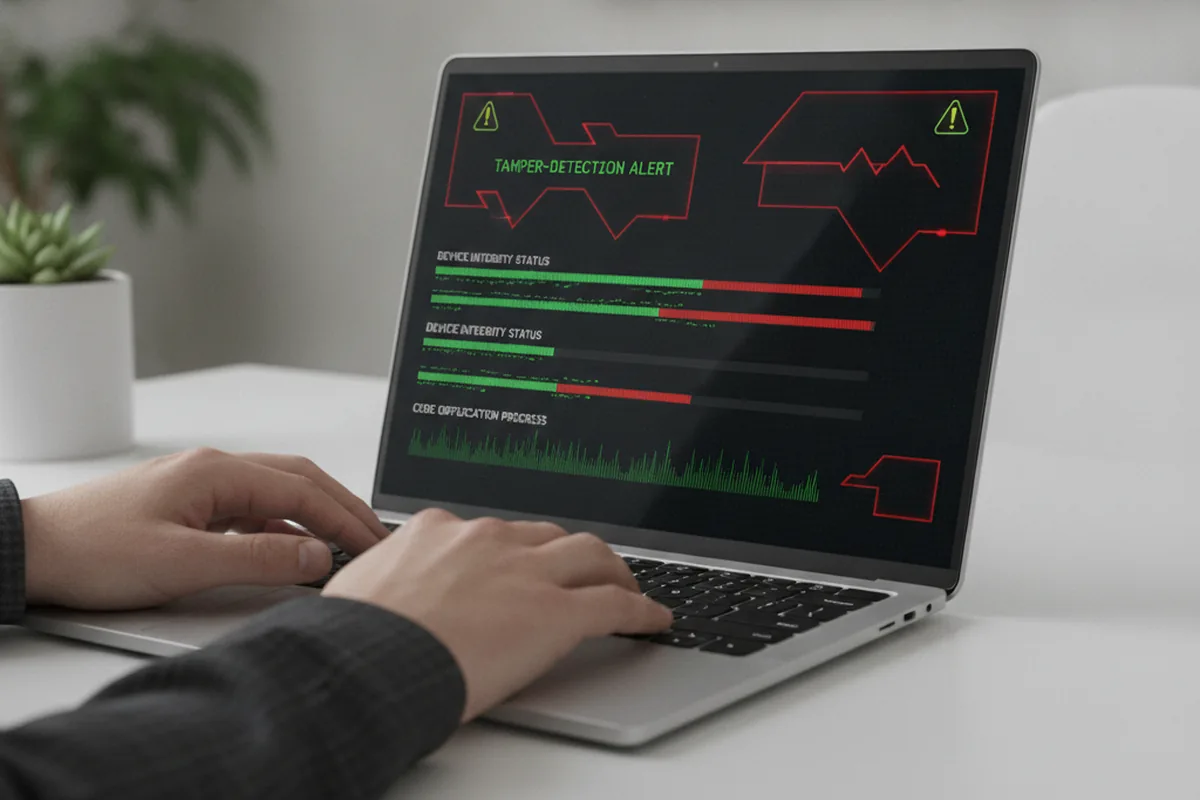
Encryption protects data. It does not protect the app itself from being modified. GDPR Article 32 requires “the ability to ensure the ongoing confidentiality, integrity, availability and resilience” of processing systems — and a mobile binary that can be freely decompiled, patched, and repackaged fails the resilience test regardless of how well the network calls are encrypted. This is a security requirement in its own right, not a GDPR technicality: a tampered build that bypasses your consent screen, disables certificate pinning, or exfiltrates tokens is simultaneously a security incident and a compliance failure.
Baseline app-integrity controls for a 2026 production release:
- Root and jailbreak detection. A rooted or jailbroken device removes the OS-level sandboxing that Keychain/Keystore encryption relies on. Detect it and, for apps handling health, financial or authentication data, restrict or warn rather than silently proceeding as if the device were trusted.
- Anti-debugging and anti-instrumentation. Tools such as Frida can hook into a running app to inspect memory, bypass certificate pinning, or extract secrets at runtime even from a well-encrypted build. Detect active debuggers and known instrumentation frameworks before sensitive operations run.
- Code obfuscation and symbol stripping. Minify and obfuscate on Android (R8/ProGuard) and strip debug symbols on iOS release builds. This does not make reverse engineering impossible, but it raises the cost enough to deter casual extraction of business logic, API endpoints, and embedded configuration.
- Signature and integrity verification. Verify the app’s own signing certificate at runtime and use platform attestation — Google Play Integrity API, Apple DeviceCheck/App Attest — to confirm the binary running on the device is the one you shipped, not a repackaged copy distributed outside official stores.
- Anti-repackaging monitoring. Repackaged apps distributed through third-party stores or sideloading are a known vector for injecting extra tracking SDKs the user never consented to, which makes the original developer’s app the apparent source of an undisclosed data flow. Monitor app stores and unofficial channels for unauthorised copies of your package name.
None of this replaces encryption or consent engineering — it closes the gap between them. A consent flow and TLS pinning that a modified build can silently disable at runtime provide no real protection to the user, whatever the privacy policy says.
App Tracking Transparency and ad IDs
Apple’s App Tracking Transparency (ATT) framework, mandatory since iOS 14.5, requires apps to obtain explicit user permission before accessing the Identifier for Advertisers (IDFA) or performing cross-app tracking — defined as linking user data from your app with user data from other apps, websites, or offline properties for advertising targeting or measurement.
The ATT prompt must be shown before any tracking begins, must include a purpose string explaining why tracking is requested, and cannot be manipulated to coerce users into accepting. Apple reviews purpose strings and has rejected apps for misleading language. If the user declines, the IDFA is zeroed out and cross-app tracking is prohibited. You may use contextual signals and on-device measurement that do not cross the tracking definition, but attribution networks that rely on fingerprinting to circumvent ATT are explicitly prohibited and have been the subject of App Store rejections and regulator referrals.
The opt-in rate for ATT across the industry sits at roughly 25–35% depending on vertical and prompt quality. Your advertising architecture in 2026 must be viable for the majority of users who decline.
On Android, the Advertising ID (GAID) remains available but Google’s Privacy Sandbox for Android introduces attribution APIs that do not share user-level data with advertisers, mirroring the iOS direction. Apps targeting Android 13+ must declare ADID permission and respect the “opt out of ads personalisation” system setting. Handle both flows correctly from the start; do not assume GAID availability.
GDPR treats this differently again. Cross-app tracking for advertising needs explicit consent as its lawful basis, whatever ATT reports, because ATT is a platform control rather than a GDPR consent mechanism. So keep the two flows apart: take the ATT permission from the OS, take a GDPR-valid consent from the user, and start your tracking SDKs only once both come back yes.
App Store compliance: Privacy Labels and Data Safety
Both major app stores now move compliance requirements upstream into the distribution pipeline. Getting a privacy declaration wrong is no longer just a legal problem — it is a launch blocker and, increasingly, an enforcement trigger.
Apple App Store — Privacy Nutrition Labels. Every App Store listing must complete a Privacy Nutrition Label declaration covering every data type collected by your app and its SDKs, how that data is linked to the user’s identity, and whether it is used for tracking. Apple verifies these declarations during review: if your label says you do not collect location data and your network traffic shows otherwise, your app will be rejected. The label covers data from your own code and from every third-party SDK in your bundle — SDK vendors do not submit their own labels. Audit your full dependency tree before submission, update the label whenever you add or remove an SDK, and treat an inaccurate label as the same legal risk as an inaccurate privacy policy. Since 2025, App Store reviewers cross-reference declared data types with App Store Intelligence tooling that analyses network behaviour at review time.
Google Play — Data Safety Section. Google’s equivalent requires you to declare what data you collect and share, whether encryption is applied in transit and at rest, whether users can request deletion of their data, and whether data collection is optional or required for core functionality. The Data Safety form includes a user-deletable data signal that feeds directly into Google’s search and discovery algorithms — accurate declarations improve app visibility in Play search. From 2025, Google has enforcement mechanisms that can remove apps whose declared data practices materially conflict with observed behaviour.
EU AI Act (from August 2026). If your app embeds an AI system — recommendation engine, personalisation model, content moderation, or biometric identification — additional obligations may apply under the EU AI Act. High-risk AI systems (as defined in Annex III) require conformity assessments, technical documentation, human oversight mechanisms, and registration in the EU database before you can place the product on the EU market. General-purpose AI features below the high-risk threshold still require transparency disclosures to users. Audit which of your app’s AI features qualify before your next major release targeting EU users.
US: CCPA/CPRA and state laws
The California Consumer Privacy Act as amended by the CPRA gives California residents rights over their personal data that closely parallel GDPR, with some key differences in how they apply to mobile apps. If your app meets the thresholds (annual gross revenue over $25 million; buying, selling, or receiving personal information of 100,000+ consumers per year; or deriving 50%+ of annual revenue from selling personal information), you must comply.
The headline obligation for mobile is the right to opt out of the “sale or sharing” of personal information, which includes sharing data with advertising networks for cross-context behavioural advertising even without monetary consideration. This means a “Do Not Sell or Share My Personal Information” mechanism must be accessible in your app for California users. The Global Privacy Control (GPC) browser signal must be honoured; an equivalent opt-out signal for mobile apps is being standardised but not yet uniformly required — implement a manual opt-out in settings for now.
Beyond California, 2026 sees comprehensive state privacy laws active in Virginia (VCDPA), Colorado, Connecticut, Utah, Texas, Florida, Montana, Oregon, and several more. The obligations vary, but the core pattern is consistent: transparency, opt-out of targeted advertising, data subject rights (access, deletion, correction), and data processing agreements with service providers. Building a privacy architecture that satisfies GDPR will largely satisfy this state-law landscape — the consent bar is higher in Europe and the structural requirements are similar. Read more on GDPR for US founders selling to the EU for the cross-border compliance strategy.
| GDPR | CCPA / CPRA | |
|---|---|---|
| Default model | Opt-in — consent required before optional processing | Opt-out — processing allowed until the user objects |
| Applies to | Any app processing EU residents’ data, worldwide, no revenue threshold | Apps meeting revenue/data-volume thresholds with California users |
| Core mobile ask | Granular, freely given consent before non-essential SDKs fire | Accessible “Do Not Sell or Share” control and GPC-equivalent honouring |
| Breach notification | 72 hours to the supervisory authority (Art. 33) | No fixed federal clock; “without unreasonable delay” under state breach laws |
| Maximum penalty | €20M or 4% of global annual turnover | $2,500–$7,500 per intentional violation (CPPA enforcement) |
Note that security patching is part of ongoing compliance, not a one-time gate. When a dependency has a CVE, the clock starts immediately — see our companion piece on why security patching is ongoing maintenance, not a launch deliverable.
Breach response (the 72-hour rule)
GDPR Article 33 gives you 72 hours to notify the competent supervisory authority once you become aware of a personal data breach. Read that carefully: the window is not 72 hours from the moment a breach is confirmed or investigated. It runs from the moment you have reasonable grounds to believe one has happened. Awareness starts the clock, not certainty.
For mobile apps, the most common breach scenarios are: server-side database exposures that include app users’ data; authentication token theft (through compromised secrets or insecure storage); third-party SDK breaches where a vendor’s infrastructure is compromised; and unauthorised access to backend APIs due to broken authorisation.
Your breach response plan must be written before it is needed:
- Identify your lead supervisory authority (the DPA in the EU member state where your main establishment is, or where the majority of affected data subjects are if you have no EU establishment).
- Document the nature of the breach, the categories and approximate number of data subjects and records affected, the likely consequences, and the measures taken or planned to address it — this is the required content of the DPA notification under Article 33(3).
- If the breach is likely to result in high risk to the rights and freedoms of individuals (e.g., financial data, health data, authentication credentials), notify affected users directly under Article 34, without undue delay.
- Maintain an internal breach register — even breaches that do not meet the threshold for notification must be documented.
Seventy-two hours is not long. A team that has never rehearsed the drill — scoping the affected data fast, reaching the right DPA, drafting the user notice — will almost certainly blow the deadline. Rehearse it with a tabletop exercise before you launch.
Common GDPR compliance mistakes to avoid
The most expensive compliance failures are not the ones that look like failures at launch — they are the ones that look fine and are not. Based on 2025–2026 EDPB enforcement patterns, the five issues most likely to generate a fine or store removal are:
- Pre-consent SDK firing. Advertising and analytics SDKs initialised on app launch, before the user has interacted with any consent prompt. This is the most common finding in regulator-led network audits and is straightforwardly illegal under the ePrivacy Directive in the EU. Gate every non-essential SDK initialisation behind confirmed consent.
- Consent walls. Requiring users to accept all data processing — including advertising and analytics — before accessing any app functionality. EDPB guidance (confirmed in 2025) is unambiguous: bundled consent for non-essential processing as a condition of access is invalid. The core service must work without consenting to optional processing.
- Inaccurate store privacy declarations. Declaring less data collection than your app actually performs — including what your third-party SDKs collect — is increasingly a store-level enforcement trigger in addition to a GDPR violation. Both Apple and Google now cross-reference store declarations against observed network behaviour during review.
- Missing or non-functional deletion paths. An in-app “delete account” button that submits a request but does not trigger deletion across all systems including downstream processors. Build deletion end-to-end and test it. GDPR Article 17 gives users one month; partial deletion satisfies nobody and is the same legal risk as no deletion path at all.
- No data retention schedule. GDPR Article 5(1)(e) requires storage limitation. Apps that accumulate user data indefinitely — because nobody defined a retention period at design time — are structurally non-compliant. Define retention periods per data type at architecture stage; implement and test automated deletion pipelines before launch.
Pre-launch security and GDPR checklist
Walk this list before you submit to the App Store or Play Store. Each item is a legal or security obligation, not a best-practice suggestion.
- Consent flow implemented — granular, opt-in, freely given; withdrawal as easy as giving; consent state stored and respected by SDK initialisation.
- SDK inventory complete — every SDK identified including transitive dependencies; lawful basis documented for each; DPAs signed with all processors; privacy-mode settings configured.
- Encryption in transit — TLS 1.2+ on all endpoints; no ATS exceptions in production; certificate pinning on sensitive endpoints.
- Encryption at rest — credentials and tokens in Keychain / Keystore; sensitive database content encrypted; no personal data in unencrypted local storage.
- No secrets in the bundle — no API keys, private keys or credentials in the compiled binary; verified by static analysis before submission.
- App integrity controls — root/jailbreak detection, anti-debugging, code obfuscation, and platform attestation (Play Integrity / App Attest) in place before release.
- ATT prompt implemented (iOS) — purpose string reviewed; tracking SDKs initialised only after ATT and GDPR consent both affirmative; fallback architecture for non-consent users.
- Data deletion path — in-app account deletion or deletion request flow that wipes all personal data within one month; tested end-to-end including downstream systems.
- DSAR workflow tested — identity verification, cross-system data discovery, and machine-readable export rehearsed end-to-end, not just documented.
- Privacy policy matches runtime — network traffic audit completed; App Store Privacy Nutrition Label and Play Data Safety form match actual data flows including all SDKs.
- Breach response plan — written; lead DPA identified; notification template drafted; internal breach register in place; tabletop exercise run.
- Least-privilege permissions — only permissions used by a live feature are declared; all permission requests explained with contextual justification at the point of use.
- Secure auth and token storage — short-lived access tokens; refresh token rotation; secure logout (token revocation); no tokens in logs or analytics events.
FAQ
Does GDPR apply to my mobile app?
Yes, if your app processes personal data of EU residents — regardless of where your company is based. GDPR has extraterritorial scope: a US startup whose app is used by anyone in the EU must comply with the full regulation, including lawful basis, consent where required, data subject rights, and breach notification. In 2026 the EDPB’s enforcement focus is on whether your runtime data flows match your disclosed practices.
How many third-party SDKs is too many?
There is no hard legal number, but every SDK is a data processor for which you are legally responsible. A typical app runs 10–30 SDKs covering analytics, ads, crash reporting and attribution. Each must be inventoried, justified under a lawful basis, covered by a Data Processing Agreement, and configured to minimise data collection. Prune aggressively: if you cannot justify an SDK’s data flows, remove it before launch.
What encryption does a mobile app legally need?
GDPR Article 32 requires appropriate technical measures including encryption. In practice: TLS 1.2+ for all network traffic with certificate pinning on sensitive endpoints; encryption at rest for personal data using platform Keychain (iOS) or Keystore (Android); no credentials, API keys or personal data in plain text in the app bundle, SharedPreferences or unprotected files. Health and financial data require the highest protection classification.
What is App Tracking Transparency and is it mandatory?
ATT is Apple’s framework requiring explicit consent before accessing the IDFA or performing cross-app tracking — linking user data from your app with data from other companies’ apps or websites. It is mandatory on iOS: without the ATT prompt, your app cannot perform cross-app tracking, and Apple will reject apps that bypass it. On Android the Advertising ID with Google’s Privacy Sandbox is the equivalent. From a GDPR perspective, ATT and GDPR consent are separate obligations: collect both before initialising tracking SDKs.
What must I do within 72 hours of a mobile data breach?
Under GDPR Article 33, notify the relevant supervisory authority within 72 hours of becoming aware of a breach involving personal data. The notification must describe the nature of the breach, categories and approximate number of affected data subjects, the likely consequences, and the measures taken or proposed. If the breach poses high risk to individuals, also notify affected users directly under Article 34. Maintain an internal breach register for all incidents, even those below the notification threshold.
How do I handle a data subject access request from a mobile app user?
Log the request on receipt — the one-month clock under Article 12(3) starts then, not when you begin work. Verify identity using session auth or a device-bound match rather than requesting new ID documents. Discover the data across every system that holds it, not just your primary app database — analytics vendors, crash reporting, advertising SDKs and backups all count. Compile and deliver in a structured, machine-readable format (JSON or CSV) within one month, or notify the user within that month if you need the two-month complex-request extension. Record the fulfilment in the same register you use for breach notifications.
Do I need anti-tampering protection for GDPR compliance?
GDPR Article 32 requires the “resilience” of processing systems, and a mobile binary that can be freely decompiled, patched or repackaged fails that requirement even with strong encryption. A modified build can disable certificate pinning, bypass the consent screen, or exfiltrate tokens at runtime — making it both a security and a compliance failure. Baseline controls: root/jailbreak detection, anti-debugging (to block tools such as Frida), code obfuscation, and platform attestation (Google Play Integrity API, Apple App Attest) to confirm the running binary is the one you shipped.
Do I need a DPIA for my mobile app?
A Data Protection Impact Assessment is mandatory under GDPR Article 35 if your processing is likely to result in high risk to users’ rights. For mobile apps, clear triggers include: continuous background geolocation (precision under ~500 metres); behavioural profiling or AI-driven personalisation; processing of health, biometric, or financial data; and apps directed at children. If any of these apply, a DPIA is required before launch. The DPIA must also be updated each time you add a new SDK or enable a new data-intensive feature — it is a living document, not a one-time pre-launch checkbox.
How long can I store user data under GDPR?
GDPR’s storage limitation principle (Article 5(1)(e)) requires personal data to be kept no longer than necessary for the purpose it was collected. There is no single universal period: session tokens should rotate within hours or days; usage analytics are typically defensible for 12–24 months; account data for the life of the account plus a brief post-closure window (30–90 days); legal and financial records up to seven years in most EU jurisdictions. Define retention periods per data type in your privacy policy, implement automated deletion pipelines, and test them. Data retained “just in case” without a documented purpose and schedule is a GDPR violation.
Last updated 24 September 2026.