
TL;DR — key facts at a glance
A WMS lives or dies on four modules and one integration: get receiving, putaway, picking and inventory control right, wire them into your ERP, and the rest follows — our warehouse and logistics software development services cover exactly this scope.
- Cost: a single-facility starter WMS runs $150,000–$250,000; a full WMS with ERP integration and real-time inventory runs $250,000–$450,000 for an MVP and $450,000–$850,000 for a production build; a multi-facility or automation-integrated build runs $700,000–$1.4M+.
- Timeline: 4–6 months for a starter WMS; 6–10 months for a full WMS; 10–16 months for a phased multi-facility rollout.
- Four core modules, always: receiving, putaway, picking, inventory control — packing/shipping and labor management are the common fifth and sixth.
- ERP integration is the real work: SAP, Microsoft Dynamics 365 and NetSuite each expose mature APIs — this guide covers the Western ERP landscape for US/EU operators, not 1C.
- Build when your process is your edge: buy a packaged WMS for standard operations; build custom where slotting, wave-picking or automation differentiates you.
What is a WMS, and who needs one
A Warehouse Management System runs everything inside the four walls of a facility: receiving inbound goods, putting them away, picking and packing outbound orders, and keeping an accurate, real-time count of what is on the shelf. It is the operational counterpart to a Transportation Management System (TMS), which plans and executes the movement of goods once they leave the building — our logistics software development guide covers the full landscape. You need a WMS the moment spreadsheets and a paper pick list stop keeping pace with order volume, SKU count or facility size. Our warehouse and logistics software development services outline the delivery models for exactly this problem.
Types of WMS: standalone, cloud, ERP-module or SCM-module
Before scoping modules, decide which of four deployment shapes fits your operation — this decision drives cost, timeline and how much of the "build vs buy" question is even open:
| WMS type | What it is | Best for |
|---|---|---|
| Standalone | A dedicated WMS running independently, synced to your ERP over an API or file-based integration. | Operators whose warehouse process is a competitive differentiator and needs its own release cycle. |
| Cloud-based / SaaS | Multi-tenant, vendor-hosted, usually licensed per seat or per facility, with a narrower customization surface. | Single-facility operators who want to go live in weeks, not months, and can live with standard workflows. |
| ERP module | Warehouse functionality built into SAP EWM, Dynamics 365 SCM or NetSuite WMS, sharing the ERP's data model natively. | Operators already on that ERP who can accept its opinionated workflow in exchange for zero integration risk. |
| Supply-chain-suite module | Warehouse execution as one module inside a broader SCM/TMS suite, sharing planning and visibility data across the chain. | 3PLs and multi-facility networks that need warehouse, transportation and planning data in one place. |
Most custom builds we scope are standalone or a hybrid (standalone core plus an ERP-module shell) — a pure ERP-module build only makes sense when the ERP's stock workflow already matches how the floor actually operates, which is rarer than vendors imply.
Core WMS modules: receiving, putaway, picking, inventory
Every production WMS is built around four modules. Underbuild one and a warehouse is only as fast as its slowest module.
1. Receiving
Receiving checks inbound shipments against purchase orders: quantities, SKUs, condition and, increasingly, lot or serial numbers. A good module flags discrepancies at the dock door, before they become an inventory-accuracy problem weeks later. An ASN (Advance Shipping Notice), often via EDI, pre-populates the expected receipt so staff scan to confirm rather than key in data.
2. Putaway
Putaway decides where received stock goes and directs staff or automation there. Simple systems use fixed locations per SKU; better ones use directed, rules-based putaway that weighs pick velocity and item size to keep fast movers close to pack stations — the same discipline behind route optimization outside the warehouse walls.
3. Picking
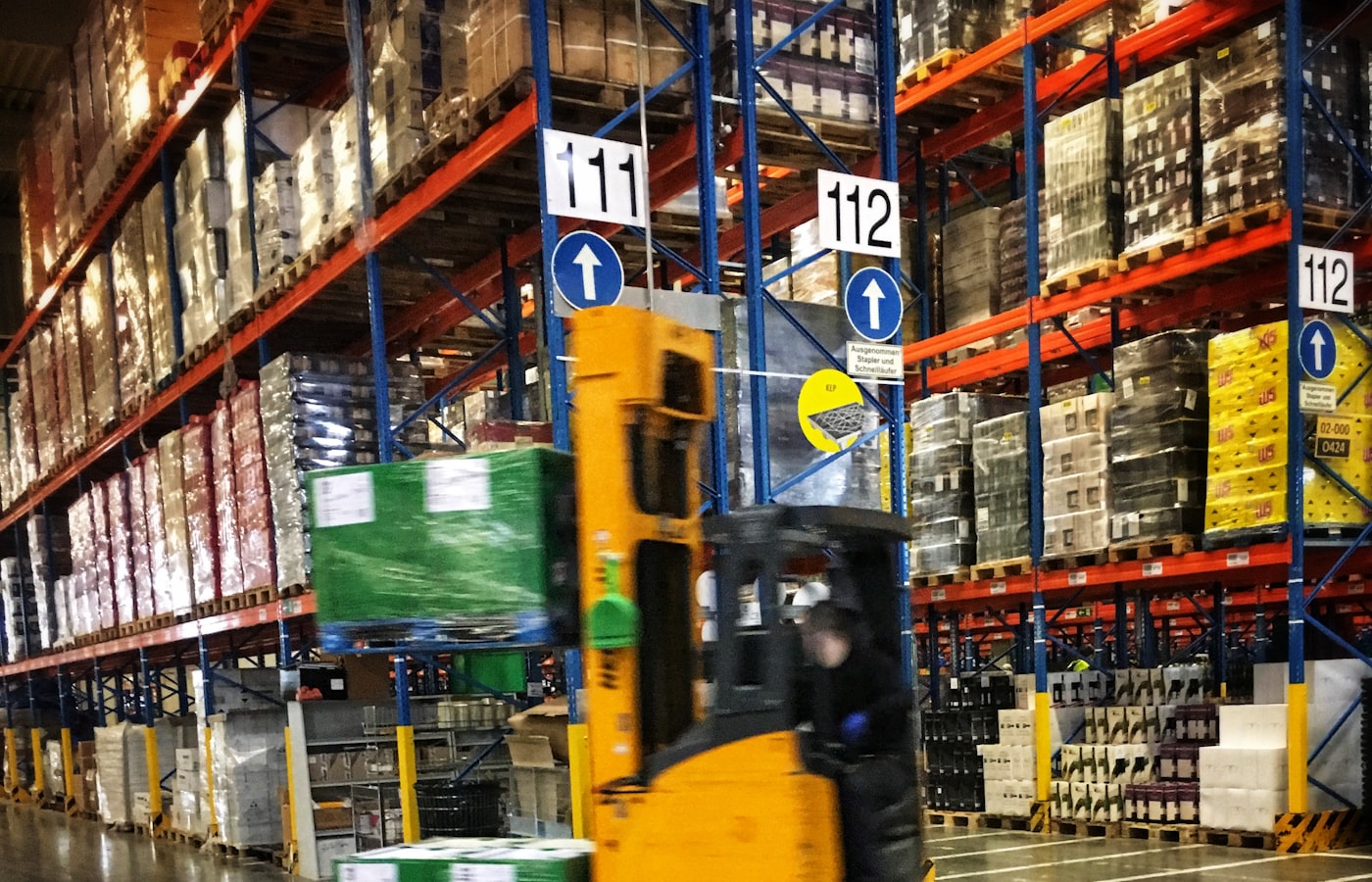
Picking fulfills outbound orders — the most labor-intensive activity in most warehouses, and the module that decides throughput more than any other. Strategies range from single-order picking (simple, slow at scale) to batch, zone and wave picking (faster, harder to train staff on), driving the handheld or voice-picking app that tells staff where to go next.
4. Inventory control
Inventory control is the ledger underneath everything else: a real-time, location-level count that updates the instant a scan happens at receiving, putaway, picking or a cycle count. Cycle counting — continuous, rolling counts of small stock subsets — keeps the ledger honest without a disruptive annual full count. Most operators add a fifth module, packing and shipping, and a sixth, labor management, once the core four are stable.
ERP integration: SAP, Dynamics 365, NetSuite
A WMS that does not talk to your ERP is an island: orders live in one system, physical stock in another, and someone reconciles the gap by hand. Integration is where most of the engineering effort in a WMS project goes, and it should be scoped first. Three ERP systems account for most US/EU integrations — this guide covers the Western ERP landscape, not 1C, a CIS-market system out of scope for the builds we deliver:
- SAP — via IDocs, BAPIs, or the newer SAP API Business Hub (REST/OData). The most common enterprise case, and usually the most involved, since SAP's data model is rigid.
- Microsoft Dynamics 365 (Business Central or Finance & Operations) — OData/REST APIs, comparatively straightforward to integrate, with good sandbox tooling.
- NetSuite — via SuiteTalk (SOAP/REST) or custom RESTlets, common among mid-market operators who outgrew spreadsheets on the platform already.
Whichever ERP you run, the pattern is the same: purchase orders seed expected receipts, sales orders generate pick waves, and confirmed receipts and stock adjustments flow back to keep the ERP's figures honest. Agree field mapping and sync frequency (real-time vs. batch) with your ERP admin before writing integration code — that conversation usually takes longer than the code. See our enterprise system integration guide for the broader pattern.
Beyond ERP: EDI, carriers and marketplaces
ERP is the anchor integration, but rarely the only one. Most WMS builds also need: EDI (856 Advance Ship Notice, 940 warehouse shipping order, 943/944 receipt confirmations) for retailers and 3PLs that trade exclusively over EDI; shipping carrier APIs (UPS, FedEx, freight LTL) for label generation and tracking once packing hands off to shipping; and marketplace/sales-channel feeds (Shopify, Amazon FBA/Seller-Fulfilled) when the warehouse fulfills direct-to-consumer orders alongside wholesale. Scope these alongside the ERP integration, not after — an EDI trading-partner onboarding cycle can rival ERP sandbox setup as a critical-path item.
Architecture and the hardware stack
A WMS is unusual in how much its architecture is dictated by a warehouse floor rather than a browser. The stack that holds up in production:
- Barcode and RFID — barcode scanning (1D/2D) is the workhorse for scan confirmation; RFID adds bulk-read capability for cycle counts and high-value inventory at a higher hardware cost.
- Mobile handheld apps — rugged Android devices (Zebra, Honeywell) that work reliably offline on patchy warehouse Wi-Fi and sync the moment connectivity returns.
- Real-time inventory ledger — every stock movement is an event, not a field update, so the count is a sum of events rather than a mutable row two scanners can race to corrupt.
- The rest of the stack — Node.js, Java or Go backend; PostgreSQL; Redis for active pick waves; React admin console; React Native/native mobile for the handheld app; a WES connection if conveyors, sortation or robotics are in scope.
- Access control and audit trail — role-based permissions (a picker should not be able to edit a received quantity) and an immutable log of who moved or adjusted what, tied to the same event stream that drives the inventory ledger.

Where AI fits in a 2026 WMS build
AI in warehouse software earns its cost when it removes a decision a human was making badly under time pressure, not as a dashboard feature. Four places it pays for itself in a production WMS:
- Demand-driven slotting. Instead of static putaway rules, a model re-ranks storage locations weekly from actual pick velocity and seasonality — the same underlying problem as route optimization, applied inside the four walls.
- Computer-vision cycle counts. A camera on a forklift or drone reads shelf labels and flags count discrepancies continuously, cutting the labor cost of cycle counting without waiting for a scheduled count.
- Predictive maintenance. For facilities with conveyors, sortation or robotics, sensor data predicts a jam or bearing failure before it stops the line — relevant once a WES/WCS layer is in scope.
- Anomaly detection on the inventory ledger. Flagging an unusual adjustment pattern (a location trending toward negative stock, a picker with an outlier error rate) catches shrink and process breakdowns weeks before a full count would.
Treat AI as an addition to the four core modules, not a replacement for getting them right first — a slotting model trained on a receiving process that mis-scans SKUs will just learn to optimize around bad data.
How much a WMS costs to build in 2026
Ranges below assume an integration-complete build by an experienced agency team, consistent with the WMS row in our logistics software cost table ($250k–$450k MVP, $450k–$850k production, 6–10 months) — this table adds the tiers above and below that anchor.
| WMS tier | MVP cost | Production build | Typical timeline |
|---|---|---|---|
| Starter WMS (single facility, core 4 modules) | $150k–$250k | $250k–$400k | 4–6 months |
| Full WMS (ERP integration, real-time inventory, admin console) | $250k–$450k | $450k–$850k | 6–10 months |
| Multi-facility / automation-integrated WMS | $700k–$1M | $1M–$1.4M+ | 10–16 months |
Most of the spread inside each tier comes from two drivers: ERP integration (field mapping, sync architecture, edge cases like partial receipts) and hardware/mobile (offline-capable handheld apps, barcode/RFID device integration). Off-the-shelf "WMS templates" price the screens, not these two — which is why a stock count that drifts from reality shows up later, far more expensive to fix than to build correctly the first time. For general cost drivers beyond WMS specifics, see our custom software development cost guide.
Implementation timeline
A production WMS follows a deliberate sequence — the parts with the longest lead time go first, not last:
- Discovery and ERP scoping (3–4 weeks). Map the four core workflows and request ERP sandbox access immediately — routinely the longest lead time in the project.
- Data model and integration build (4–8 weeks, parallel). Build the event-sourced ledger and ERP integration while scanners and handhelds are procured.
- Core modules (8–14 weeks). Build receiving, putaway, picking and inventory control, tested on the actual devices staff will use.
- Pilot on one facility (6–10 weeks). Run the old process alongside the new system on one facility or zone before a full cutover.
- Hardening and rollout. Fix what the pilot surfaces, cut over at the pilot site, then extend facility by facility.
The parallel-run pilot is the step most often skipped under schedule pressure — and the one that keeps a bad go-live from becoming a warehouse-wide incident.
Build vs buy
Buy a packaged WMS when receiving, putaway and picking are standard and an established product or ERP module covers them. Build when your process — slotting logic, a proprietary wave-picking algorithm, integration depth — is a differentiator packaged software forces you to compromise. Many land on a hybrid: a packaged core plus custom modules for the differentiating workflow. See our custom software vs off-the-shelf comparison.
How to choose a WMS development partner
General software competence does not automatically transfer to warehouse systems.
1. Real ERP integration experience
Ask specifically about SAP, Dynamics 365 or NetSuite — which one, how many integrations, and what broke. A partner who has mapped orders against a real ERP sandbox before will save you months.
2. Hardware and inventory-accuracy fluency
Barcode/RFID integration and offline-capable mobile apps differ from typical CRUD work. Ask for evidence of handheld deployments on real warehouse floors, and how the team has handled concurrent stock updates before — the answer separates teams that understand event-sourced ledgers from ones that will ship a system that drifts under load. Our own logistics app case study covers this exact class of problem for a delivery-and-fulfillment workflow.
3. Engagement model and discovery discipline
A WMS evolves continuously after go-live, so a dedicated development team usually beats a one-off handoff beyond a starter build; our warehouse and logistics software development services describe that relationship. Insist on a paid discovery phase that scopes ERP integration and the pilot plan before a fixed price — our guide on how to choose a software development company covers the full process.
FAQ
How much does it cost to build a warehouse management system in 2026?
$150,000–$250,000 for a single-facility starter WMS MVP; $250,000–$450,000 (MVP) to $450,000–$850,000 (production) for a full WMS with ERP integration; $700,000–$1.4M+ for a multi-facility or automation-integrated build.
How long does it take to implement a WMS?
4–6 months for a starter WMS; 6–10 months for a full WMS with ERP and hardware integrations; 10–16 months for a phased multi-facility rollout. ERP sandbox access and hardware procurement are usually the critical path.
What are the core modules of a warehouse management system?
Receiving, putaway, picking and inventory control — every production WMS needs all four, with packing/shipping and labor management as the common fifth and sixth.
Can a WMS integrate with SAP, Microsoft Dynamics 365 or NetSuite?
Yes — SAP (IDocs, BAPIs, SAP API Business Hub), Dynamics 365 (OData/REST) and NetSuite (SuiteTalk/RESTlets) all expose mature APIs for orders and inventory. This guide covers the Western ERP landscape for US/EU operators; 1C is out of scope.
Do I need a custom WMS if I already have an ERP?
Often not right away. SAP EWM, Dynamics 365 SCM and NetSuite's warehouse module handle standard receiving, putaway and picking well enough for many operators. Build a standalone WMS when your process — wave-picking logic, slotting rules, a non-standard fulfillment flow — is a differentiator the ERP's module forces you to compromise, or when order volume outgrows what the ERP module's workflow was designed for.
What is the difference between a WMS and a WCS or WES?
A WMS decides what should happen (which order to pick next, where to put received stock); a Warehouse Control System (WCS) or Warehouse Execution System (WES) decides how that happens on the floor, orchestrating conveyors, sortation and robotics in real time. Facilities without automation only need a WMS. Once conveyors or robots are in scope, the WMS talks to a WES/WCS layer rather than driving hardware directly — that's the line item behind the "automation-integrated" tier in the cost table above.
Last updated 27 September 2026. Cost and timeline ranges reflect integration-complete agency builds for US and EU operators and vary by scope, facility count, ERP and hardware requirements.