Skip to main
Blog News Contact Get a proposal

Retail · Mobile app

Universal Salesperson: retail staff training app

Universal Salesperson is a mobile app for training and supporting retail chain staff, bringing sales associates, retailers and vendors into one digital space. Staff get the catalog, courses, tests and a direct line to suppliers; retailers track progress; vendors analyze demand.

ClientGadget and electronics distributor
IndustryRetail · corporate training
PlatformsiOS + Android + admin panel
Timeline≈7 months (incl. 1.5 months of pre-project discovery)
Universal Salesperson — Retail · corporate training
Universal SalespersonRetail · corporate training

About the product

Universal Salesperson grew out of a simple observation: a sales associate on the shop floor should know the product better than the customer, yet has neither the place nor the time to learn. We built a product that keeps the entire knowledge base, training and supplier feedback in one mobile app — where staff actually work, not at a corporate PC.

The platform is a multi-sided ecosystem: sellers learn and advise customers, retailers see staff progress and merchandising quality, and vendors get demand analytics straight from the shelf. One app covers three different scenarios without turning into an overloaded corporate portal.

The challenge

The client came to us because retail store staff knew too little about the products they were selling. Employees needed systematic upskilling and quick access to reliable product information to advise customers well.

The goal was a mobile app that would train staff, provide a fast line of communication with the vendor and let users place and track product requests — all at once.

Project highlights

Multi-sided ecosystem: sellers, retailers, vendorsDistinct goals and scenarios for each groupInvestor pitch preparationMarket and competitor analysisDiscovery completed in 1.5 monthsRole model, user stories and design concept

Solution and approach

We started with the role model, because the entire navigation depended on it. Sellers, retailers and vendors see different sections of the same app: sellers get the catalog, training, tests and requests; retailers get team progress and merchandising control; vendors get request analytics and a line to the shelf. Access separation was built into the architecture from the very first screen rather than bolted on as permissions over a finished interface.

We made training mobile and offline-ready: video lessons, the knowledge base and tests are available in store even without a stable connection, and results sync once the connection is back. Content management lives in a separate admin panel, so the client can add courses and update the catalog without developers. We fit all pre-project analysis — competitor research, user stories, the design concept — into a month and a half, so the client could approach investors with a ready pitch.

Product features

01

Roles and access control

A flexible role model covers every participant: the seller (retail chain staff), the retailer (management company) and its employee, the vendor (supplier) and its employee, the system’s chief administrator and their technical assistant. Each role sees its own set of sections and permissions.
02

Product catalog

Sellers have permanent access to a structured product catalog. At any moment they can open detailed information on the item a customer asks about: specifications, key features, current promotions and sales recommendations.

03

Online training and testing

Staff can take product-range training online. A built-in testing module assesses consultants’ knowledge, and results appear in personal profiles where retailers can monitor them.

04

Requests and vendor communication

Sellers can place a product request or ask a vendor representative a question directly in the app. Nothing gets lost, and issues on the shop floor are resolved faster.

05

Merchandising control

Retailers got a tool for monitoring merchandisers online. The system records reports on product displays, planogram compliance and the current state of shelves.

06

Request analytics for vendors

Through their account, vendors see end-customer requests coming in from sellers. This lets them adjust deliveries quickly, spot out-of-stock items and analyze consumer demand in real time.

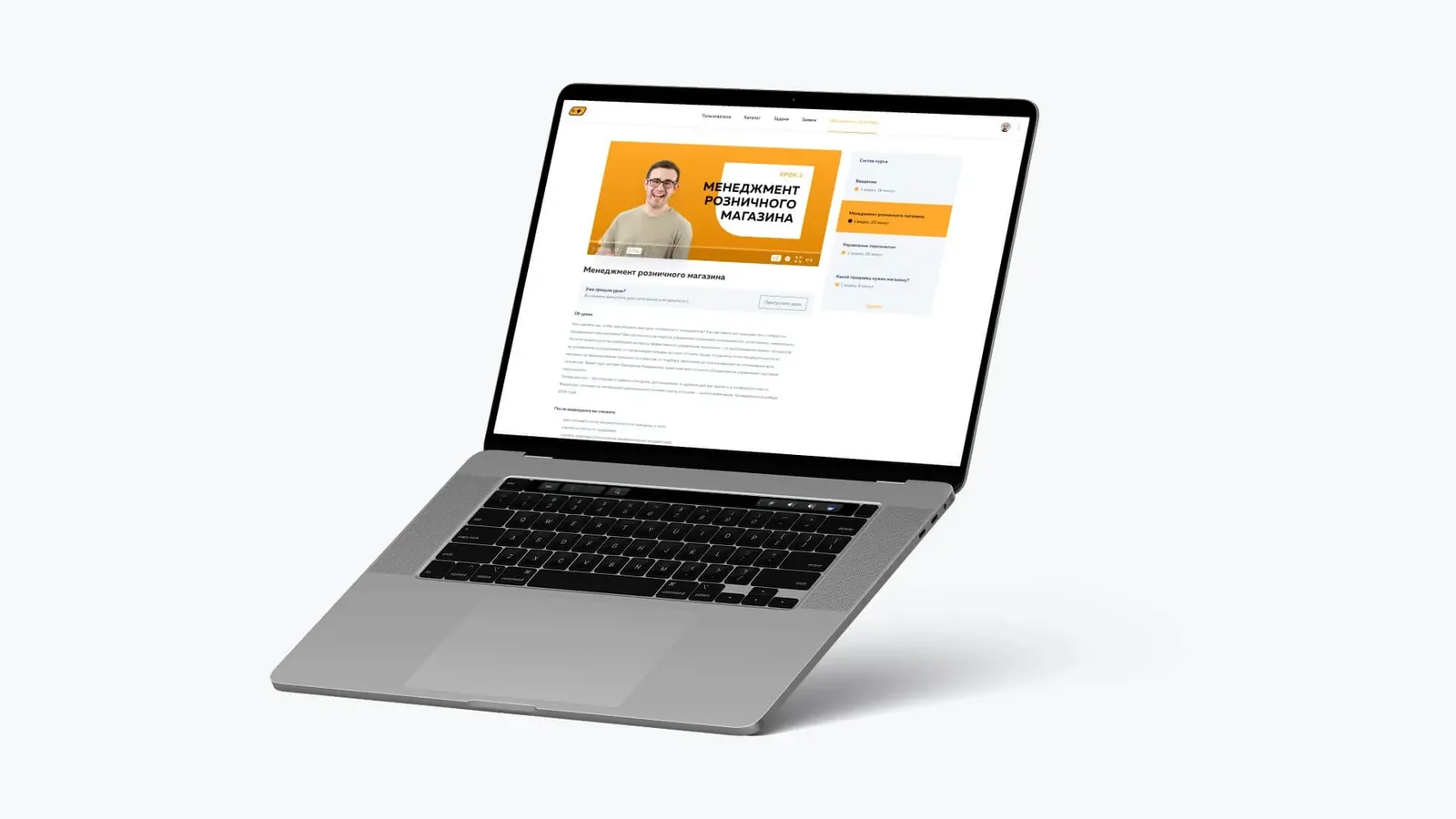
Desktop web version of a training course with lesson player and the admin panel

Web course view and admin panel

Training is available not only on the phone but also in a desktop web version: a full-screen lesson player, an “About the lesson” summary and an “After this video lesson you will be able to” outcome. On the right is the course outline split into modules with their duration and completion marks, so employees see where they left off.

The same interface became the basis of the admin panel with Users, Catalog, Tasks, Requests and Training sections. Through it, the client adds courses and updates the catalog without developers.

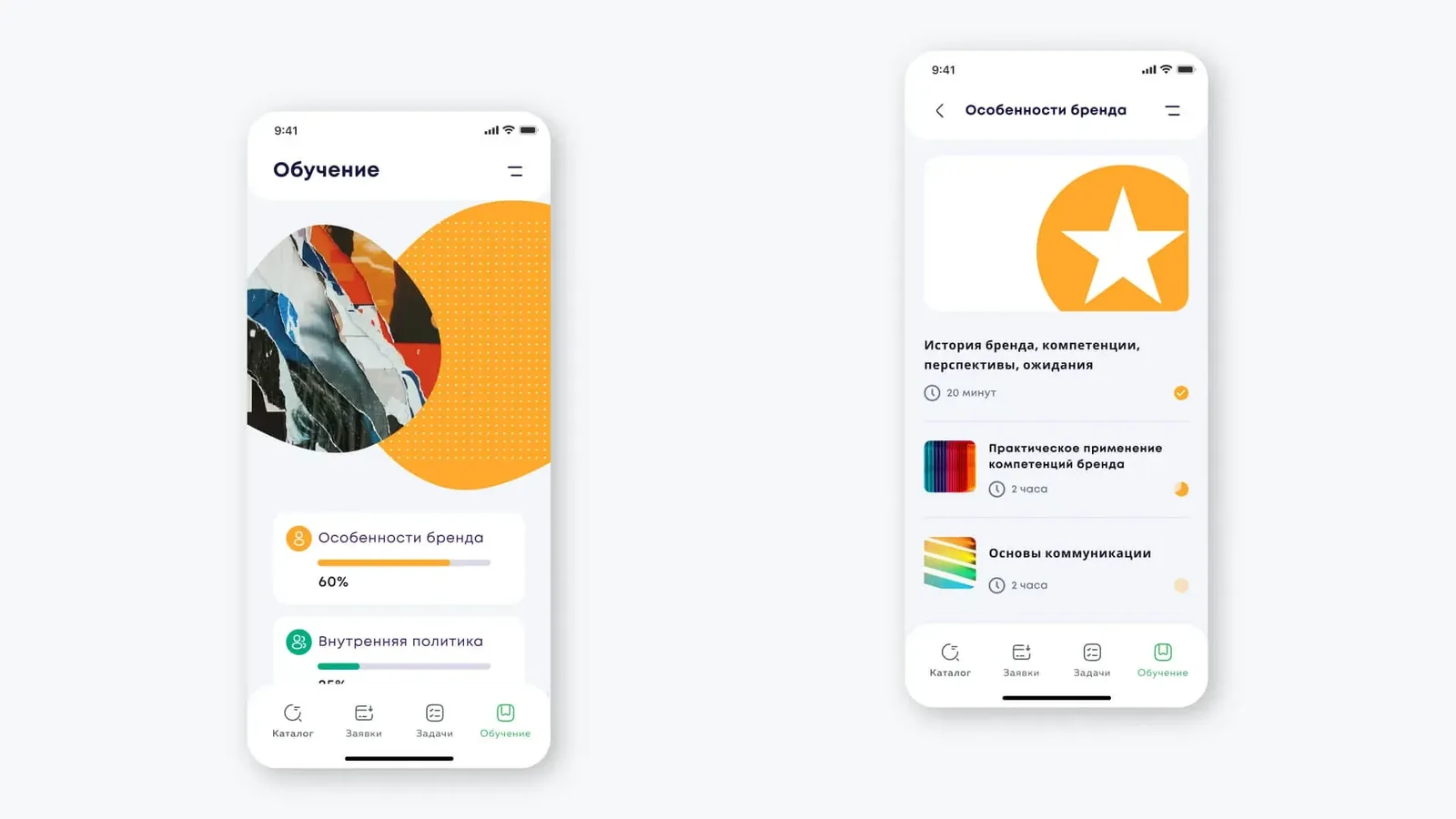
Mobile training screen with course list and progress indicators

Training screen and course progress

The Training section on the phone gathers all of a seller’s courses with a progress indicator: “Brand features” at 60%, “Internal policy” next in line. Employees immediately see what they have mastered and what is left.

Inside a course, modules appear as cards with duration and status: a completed lesson is ticked, one in progress is partially filled. This structure makes training measurable and clear without a separate report.

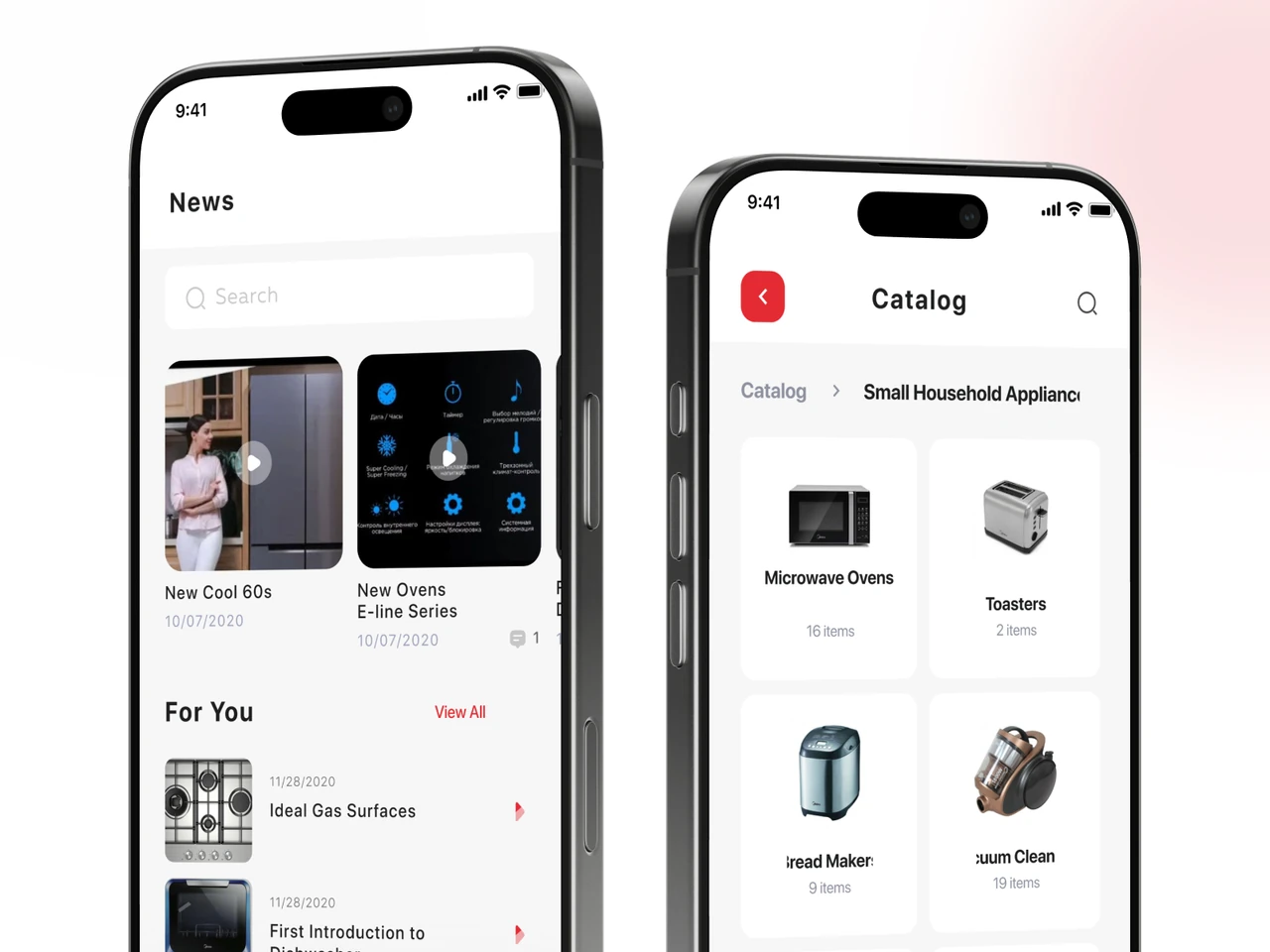
Product catalog with category tiles and bottom navigation bar

Catalog by product category

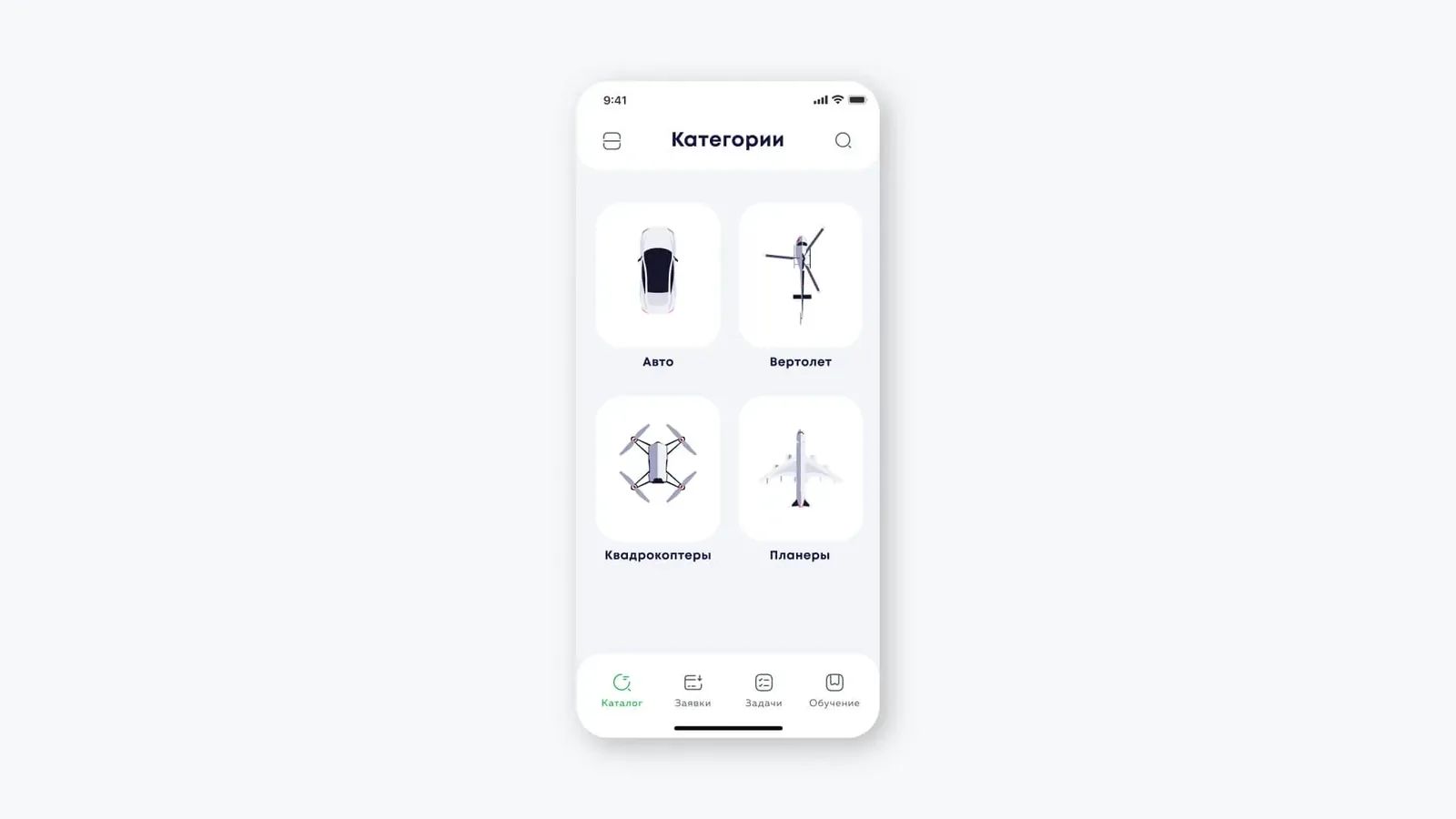
The catalog opens with a grid of categories and clear icons: cars, helicopters, quadcopters, gliders. Tile navigation and a search bar in the header help sellers get to the right product group quickly, right in front of the customer.

The Catalog · Requests · Tasks · Training bottom bar stays the same on every screen, so switching between training, the catalog and requests takes a single tap.

Full-screen landscape video player for a training lesson with speed and subtitle controls

Landscape lesson video player

Lessons play in a full-screen landscape player with the title “Lesson 2. Retail store management”, playback progress and a timecode. Controls are reduced to pause, 2x speed and subtitles (CC).

Speed-up and subtitles were added deliberately: sellers learn in the gaps between customers, where it matters to get through material quickly and not miss the point with the sound off on the shop floor.

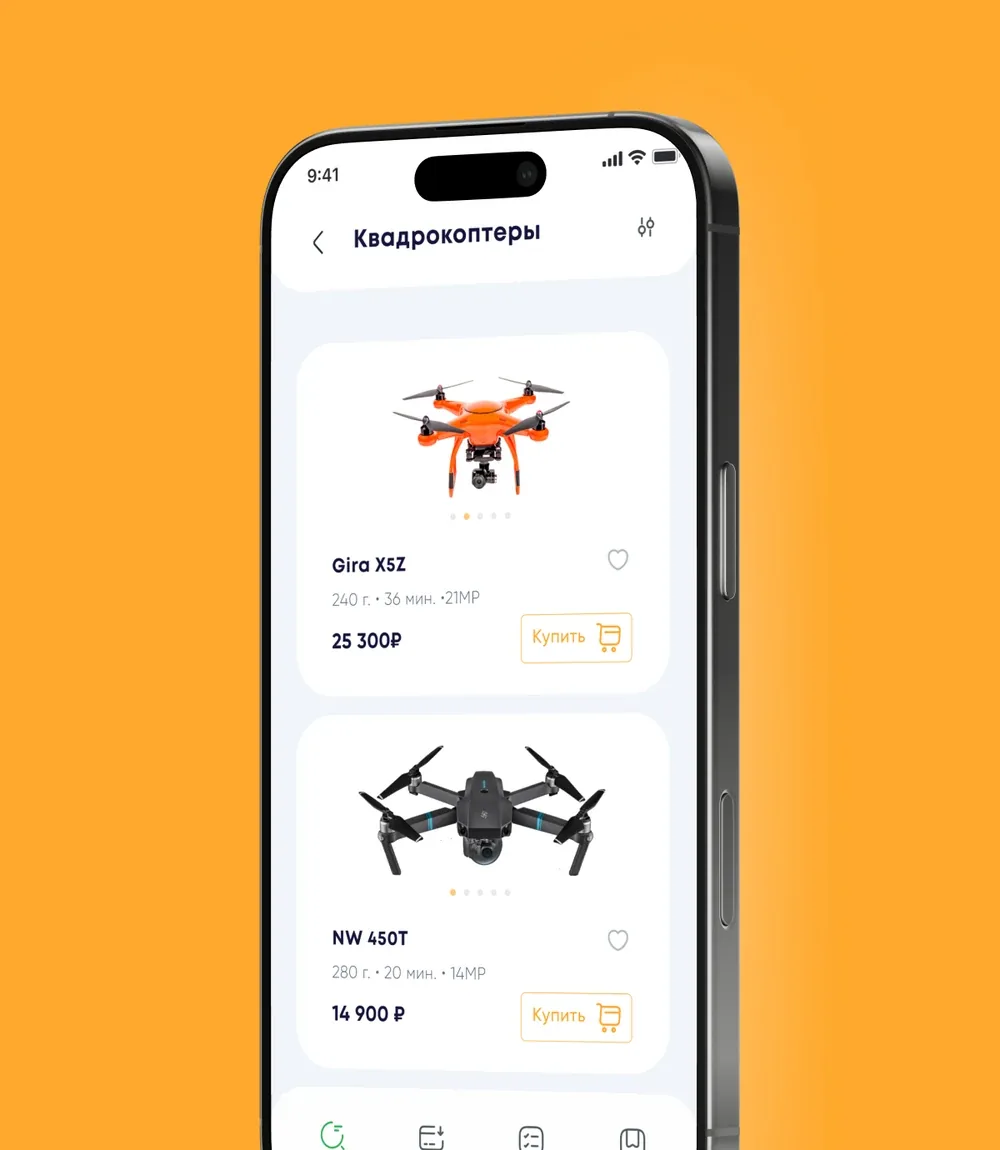
Product list of quadcopters with photos, specifications and prices

Product list with specifications

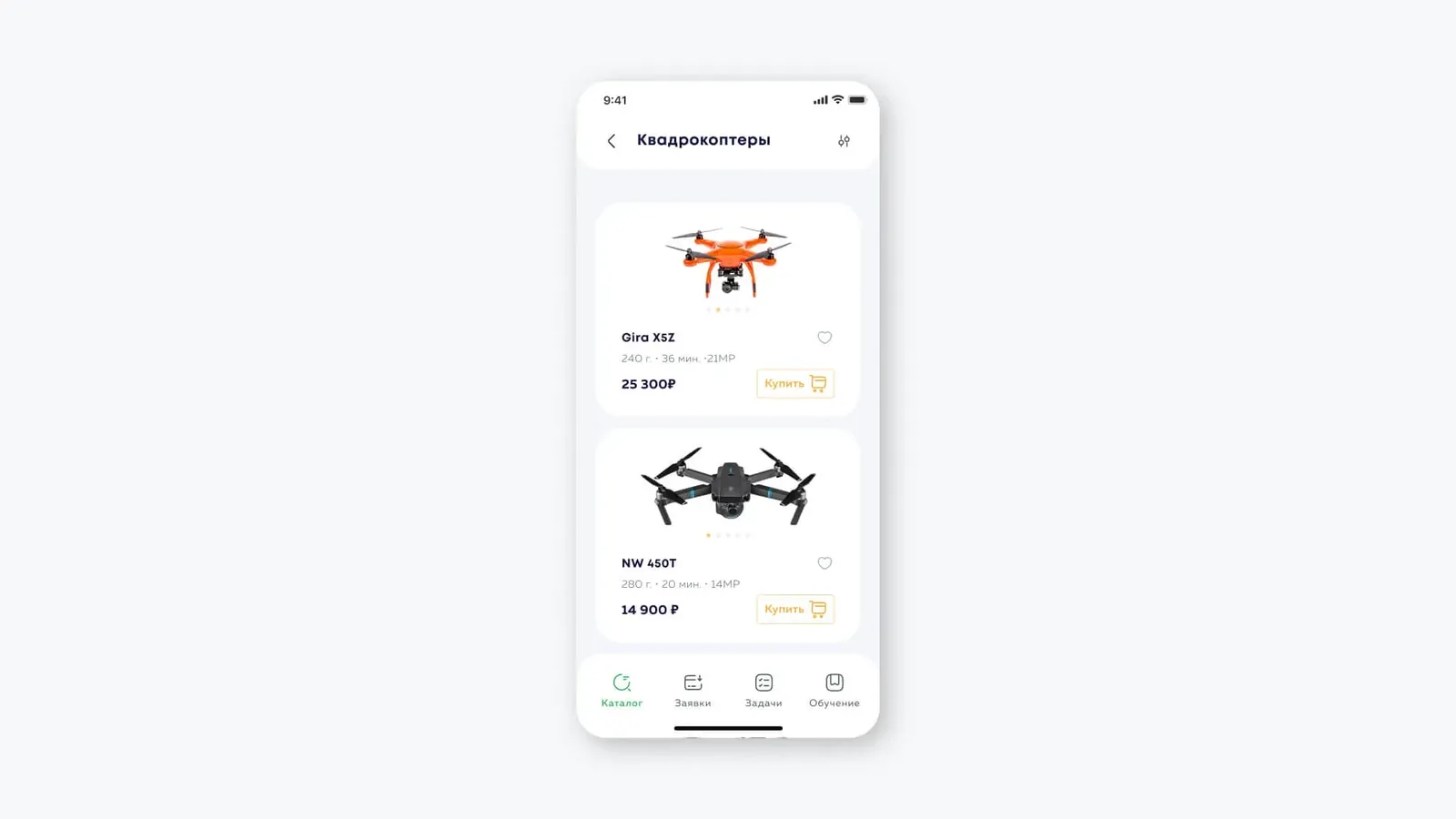
Within a category, products appear as cards with a photo, key specifications and price: Gira X5Z and NW 450T quadcopters with weight, flight time and camera resolution. The Buy and Favorites buttons sit right on the card.

This format gives the seller a ready, to-the-point answer to the customer’s question — without relying on memory or outside sources.

Task calendar with an hourly timeline of meetings and training

Tasks and daily schedule

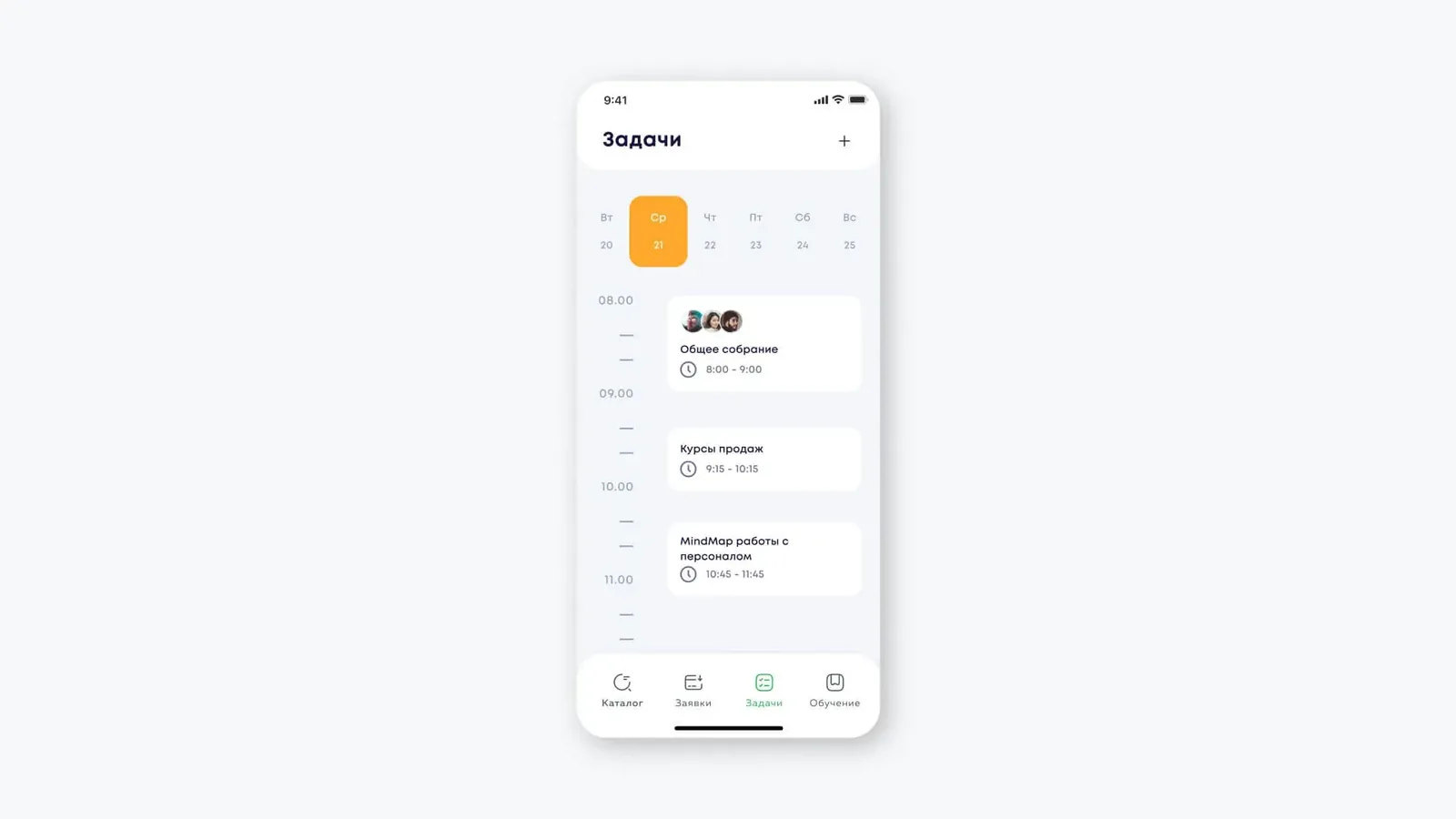
The Tasks section lays out the day on a calendar with an hourly timeline: “General meeting” 8:00–9:00, “Sales courses” 9:15–10:15, “Staff management MindMap”. Meetings pull in participants; training is tied to time slots.

Merchandising assignments and display checklists land here too: employees complete and confirm them in the app, and compliance data goes to the retailer in real time.

Product card for a GoPro camera with price, description and installment block

Product card and installment options

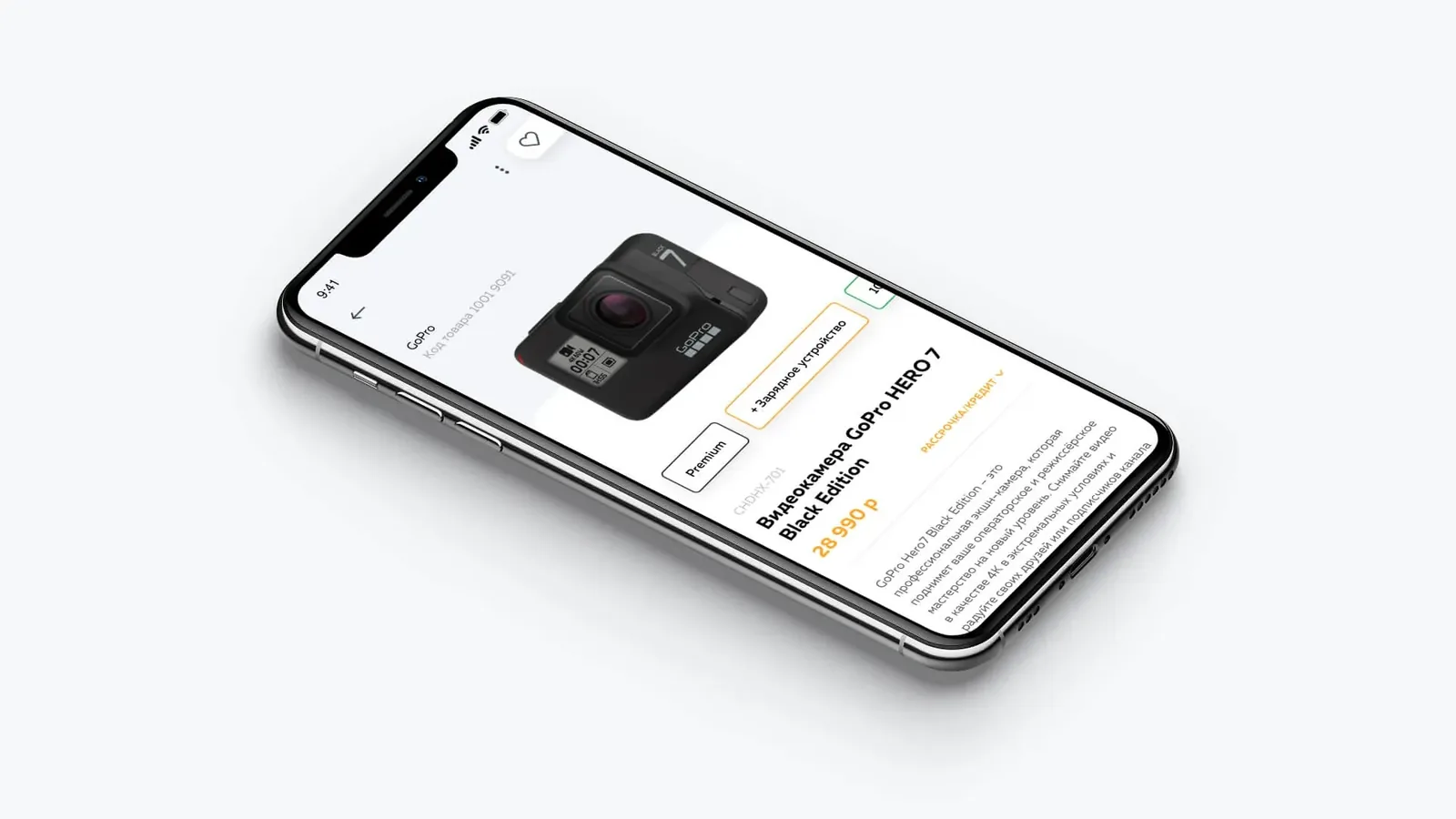
The product card shows full information about the item: a GoPro HERO 7 Black Edition camera with SKU, price, description and a “+ charger” option. A separate Installments / credit block is highlighted.

Specifications, package contents and sales recommendations are here too. Everything works offline: the knowledge base is cached on the device, so a weak connection on the shop floor doesn’t get in the way of advising a customer.

Why a mobile app rather than a corporate portal

Retail sales staff work on the shop floor, not at a PC. A mobile app with offline mode gives access to the knowledge base and tasks exactly where they are needed — while advising a customer or setting up a display. A corporate portal would force staff to switch to a separate device, making it less likely to be used in day-to-day work.

Off-the-shelf LMS platforms (iSpring, Webinar.ru) were considered, but none offered the required integration with the client’s product catalog and merchandising checklists without significant customization.

By the numbers

3sides of the ecosystem: sellers, retailers and vendors in one app
7roles with access control — from seller to administrator
Offlineknowledge base, tests and tasks available without a stable connection
1.5 moof pre-project analysis: competitors, roles, user stories, design concept

Mobile app for Android and iOS with offline mode for stores without a stable internet connection.

A single knowledge base: product specifications, display guidelines, training videos and tests in one interface.

Training analytics: managers see each employee’s progress and module completion statistics.

Project timeline: about 7 months from brief to production launch.

Stack: mobile app (iOS/Android) plus an admin panel for content management and analytics.

Architecture and personal data

The app processes employees’ personal data (authentication, training progress). Data is stored on the client’s servers and is not shared with third parties.

Key sections — the knowledge base, merchandising tasks and tests — work offline; data syncs once the connection is restored.

Employee data is processed under the requirements of the client’s jurisdiction, and access is restricted by role.

Tech stack

SwiftSwiftNative iOSKotlinKotlinNative Android
PHP LaravelPHP LaravelBack end and admin panel

Build a retail training app like this — talk to us

Tell us about your staff, partners and the knowledge they need on the shop floor. We’ll help you shape the role model, run discovery and plan the app from concept to launch.

Book a discovery call

Frequently asked questions

How much does it cost to build a corporate training app for retail?

The cost depends on the number of roles (seller, manager, vendor), the depth of analytics and integrations with the client’s business systems. We provide an exact estimate after analyzing requirements during discovery.

Does the app support offline mode?

Yes — key sections (knowledge base, merchandising tasks, tests) are available without an internet connection. Results sync once the connection is restored.

How is content managed?

The admin panel lets you add and update training materials, publish new tasks and configure the product catalog structure — without involving developers.

How do vendors access analytics?

Each manufacturer or distributor gets a separate profile with access only to data on its own product categories. The client’s management sees consolidated analytics across the entire network.

Can the app be integrated with an existing business system?

Yes — the architecture supports integration with ERP/WMS/PIM systems via API. The scope and depth of integrations are defined at the design stage.

Plan a similar build

Book a discovery call

Get a proposal

Share a few details and a senior consultant will reply within one business day.

Free project estimate — we’ll come back with a plan within 1–2 business days.
  • Requirements review and tech-stack recommendations
  • Estimate of timeline, budget and team composition
  • No commitment — just a clear plan

Email: sales@yusmpgroup.com

Phone: +374 44 871 811

Offices: KAMAR Business Center, Vazgen Sargsyan St. 2, Yerevan, Armenia · Remote — East-Coast US overlap (9 AM–1 PM ET)

— required fields