
What is CI/CD in software development?
CI/CD in software development is a set of practices that automate how code moves from a commit to production. Continuous integration (CI) builds and tests every change as it merges; continuous delivery or deployment (CD) prepares and releases it. Together they let teams ship smaller changes more often, catch bugs early, and make releases predictable and low-risk.
CI/CD in software development stands for continuous integration and continuous delivery (often extended to continuous deployment), and it describes the automated pipeline that carries code from a developer's commit all the way to production. Instead of batching weeks of work into one risky release, teams integrate, test and ship small changes constantly, with automation doing the repetitive work at each step. The result is faster feedback, fewer surprises, and releases that feel routine rather than dangerous.
At scale, this automation is not a nice-to-have — it is the backbone of reliable delivery, which is why a solid pipeline is one of the first things any capable enterprise software development company sets up before writing production code. CI/CD is also the practical engine of DevOps: it turns the culture of "developers and operations shipping together" into a concrete, repeatable process. According to JetBrains' State of Developer Ecosystem research, around 55% of developers now regularly use CI/CD tools, and the wider DevOps market is on track to reach roughly $25.5 billion by 2028 — a sign of how standard these practices have become.
This guide explains what each part of CI/CD means, how a pipeline runs stage by stage, which tools lead in 2026, and the practices — including security — that separate a pipeline that helps from one that just adds noise. It sits alongside our guides to the software development life cycle and software development methodologies, which set the wider context CI/CD plugs into.
CI vs CD: continuous integration, delivery and deployment
The difference between CI and CD is what each one automates: CI automates integrating and testing code, while CD automates releasing it. The confusion usually comes from "CD" meaning two different things — continuous delivery and continuous deployment — so it is worth separating all three terms clearly, because teams often adopt them in this exact order.

- Continuous integration (CI). Every code change is merged into a shared repository frequently and automatically built and tested. An integration bug surfaces in minutes, not during a painful merge weeks later, and the main branch stays in a known-good state.
- Continuous delivery (CD). Every change that passes CI is automatically prepared for release and kept in a deployable state, so a human can push it to production at any time with a single click. The pipeline is fully automated; the final go-live is a deliberate decision.
- Continuous deployment (CD). The same as continuous delivery, but with the last manual gate removed — every change that passes all pipeline stages goes to production automatically, with no human approval step. This demands strong automated tests and observability to be safe.
Most teams start with continuous integration, add continuous delivery once their tests are trustworthy, and reach continuous deployment only when they fully trust their pipeline and monitoring. You do not have to reach automatic deployment to benefit — solid CI plus one-click delivery already removes most release pain. Choosing between delivery and deployment is really a question of how much you trust your safety nets, not a badge of maturity.
Why CI/CD matters
CI/CD matters because it replaces slow, risky, manual releases with fast, repeatable, low-risk ones — and the data backs this up. Teams with mature pipelines deploy far more often while breaking things less, because small automated releases are easier to test, review and roll back than large manual ones. The industry benchmark for this is DORA (DevOps Research and Assessment), whose research consistently shows that high deployment frequency and high stability go together rather than trading off; in 2026 DORA added rework rate as a fifth metric to capture quality more directly.
The concrete payoffs of CI/CD are consistent across teams and worth stating plainly:
- Faster feedback. Automated builds and tests on every commit catch bugs within minutes, when they are cheapest to fix.
- Lower release risk. Shipping small, frequent changes means each release carries less risk, and a bad one is easy to isolate and roll back.
- Higher developer productivity. Engineers stop babysitting manual builds and deployments and spend that time on product work.
- Predictable delivery. Releases become a non-event that can happen any day, instead of a stressful, all-hands ritual.
- Better quality signal. A pipeline that gates on tests, coverage and security keeps quality visible on every change, not just at release time.
There is a 2026 caveat worth naming: AI coding assistants have pushed deployment volumes up sharply, but DORA's latest benchmarks show that without strong tests and review, AI-generated code can raise change-failure rates and technical debt at the same time. That makes a disciplined pipeline more valuable, not less — the automation is what keeps quality attached to speed.
How a CI/CD pipeline works, stage by stage
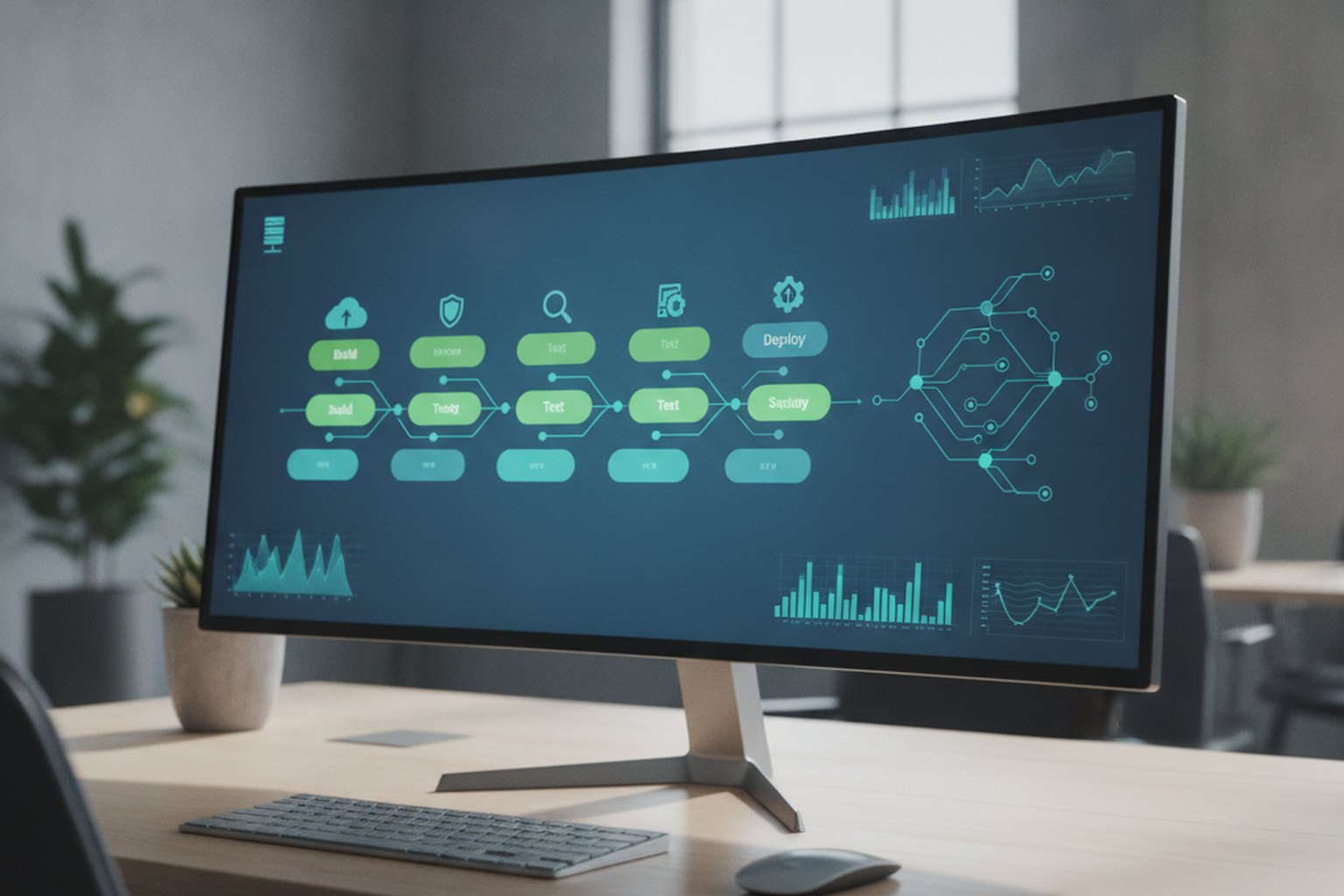
A CI/CD pipeline works by moving each code change through a fixed sequence of automated stages — source, build, test and deploy — where every stage must pass before the next begins. If any stage fails, the pipeline stops and reports back, so broken code never reaches users. This is the mechanism that turns the ideas of integration and delivery into a hands-off, repeatable process.

- Source. A developer commits code to a shared repository. The push (or a merge request) automatically triggers the pipeline — nothing runs by hand.
- Build. The pipeline compiles the code and its dependencies into a runnable artifact, often a container image. A failed build stops everything immediately and tells the author why.
- Test. Automated tests run against the build — unit, integration and often security and quality scans. This is the gate that keeps the main branch releasable; a failing test blocks the change.
- Deploy. A passing build is released — to a staging environment for continuous delivery, or straight to production for continuous deployment — usually behind safe rollout patterns like blue-green or canary releases with automatic rollback.
Around these core stages, mature pipelines add cross-cutting practices: infrastructure defined as version-controlled code, artifacts promoted (not rebuilt) between environments, and observability wired in so a bad deploy triggers an automatic rollback. These same disciplines — automated testing, versioned infrastructure, staged rollout — are exactly what a secure software development life cycle depends on, which is why CI/CD and secure delivery are usually built together.
CI/CD tools compared in 2026
The leading CI/CD tools in 2026 are GitHub Actions, GitLab CI/CD, CircleCI and Jenkins, and the best choice depends mostly on where your code already lives and how much you want to self-manage. There is no single winner — each tool trades ease of use against control and integration depth. The table below summarises the practical differences.
| Tool | Best for | Trade-off |
|---|---|---|
| GitHub Actions | Teams already on GitHub wanting the least friction | Huge marketplace and easy setup; costs and complexity grow with heavy usage |
| GitLab CI/CD | End-to-end visibility in one platform | Built-in security scanning and registry reduce integrations; best when you adopt GitLab fully |
| CircleCI | Raw pipeline speed and test parallelism | Fast, cloud-native builds and smart test splitting; another vendor to manage alongside your repo host |
| Jenkins | Maximum flexibility and self-hosting | Near-infinite plugins and control, at the cost of higher maintenance and setup effort |
Across all of them, the 2026 direction of travel is the same: AI-assisted pipeline authoring, GitOps workflows (managing deploys through Git, now near-standard practice), tighter DevSecOps integration, and Kubernetes-native builds. Choose the tool that fits your existing repository, team size and appetite for operations rather than chasing a feature list — the pipeline discipline matters far more than the badge on it.
CI/CD best practices for 2026
The best practices that make a CI/CD pipeline actually help — rather than just add noise — all come down to keeping changes small, feedback fast and the pipeline trustworthy. A pipeline nobody trusts gets bypassed, so reliability is the real goal. These seven practices consistently separate pipelines that speed teams up from those that slow them down:
- Commit small and often. Frequent, small merges are faster to test and easier to isolate when something breaks. Long-lived branches defeat the point of CI.
- Keep the pipeline fast. If a run takes 40 minutes, people stop waiting for it. Parallelise tests and cache dependencies to keep feedback under roughly ten minutes.
- Fix a red build first. A broken main branch blocks everyone. Treat a failing pipeline as the team's top priority, ahead of new work.
- Shift security left. Run dependency, secret and code scans inside the pipeline on every change, not as a separate audit before release.
- Manage pipelines and infrastructure as code. Version-control your pipeline definitions and infrastructure so environments are reproducible and changes are reviewable.
- Deploy with safe rollout and rollback. Use blue-green or canary releases and automated rollback so a bad deploy is contained in seconds, not hours.
- Measure and improve with DORA. Track deployment frequency, lead time, change-failure rate and recovery time, then tune the pipeline against real numbers instead of opinions.
None of these require a big-bang rollout. The highest-leverage first move is almost always making CI fast and reliable — once developers trust the pipeline, adding delivery, security gates and safer deploys becomes a natural next step rather than a fight.
DevSecOps: how does security fit into CI/CD?
Security fits into CI/CD by being built into the pipeline itself rather than bolted on before release — an approach known as DevSecOps. Instead of a separate security review that happens late and slows everything down, DevSecOps runs automated security checks on every change, so vulnerabilities are caught when they are cheapest to fix. The guiding idea is "shift left": move security testing earlier in the software development life cycle, right next to the code that introduces it.
In practice, a DevSecOps pipeline adds a handful of automated gates to the normal build-and-test flow: dependency scanning to catch vulnerable libraries, static analysis of your own code, secret detection so credentials never reach the repository, and image or container scanning before deployment. Each runs automatically and can fail the pipeline, which means insecure code is stopped by the same mechanism that stops broken code. Notably, adoption still lags the hype — industry surveys in 2026 put fully secure, automated CI/CD at only around 28% of teams — so building security in from the start is a genuine differentiator, not table stakes. For regulated or large-scale software, this is where CI/CD and a secure development life cycle become the same conversation.
GitOps and trunk-based development
GitOps extends CI/CD by making Git the single source of truth for infrastructure and configuration, not just application code. In a GitOps workflow, every environment state — Kubernetes manifests, Helm values, cloud resource definitions — lives in a Git repository. A pull request is the only way to change anything in production. The CI/CD pipeline then applies that state automatically, and a continuous reconciliation loop detects and corrects any drift between what Git says and what the cluster actually runs.
The practical benefits are significant: rollbacks become a git revert, audit trails are free, and environment parity is enforced automatically. Tools like ArgoCD and Flux implement the GitOps reconciliation loop natively; GitHub Actions and GitLab CI/CD both support GitOps workflows out of the box. By 2026, GitOps is near-standard for teams running Kubernetes in production.
Trunk-based development is the branching strategy that makes CI genuinely continuous. The core idea: every developer commits to the main branch (trunk) frequently — multiple times a day, or via short-lived feature branches that merge within a day or two. Long-lived feature branches break the "continuous" in CI because the longer a branch lives, the larger and riskier its eventual merge becomes. Teams that run effective CI almost always use trunk-based development, relying on feature flags to hide incomplete work in production rather than keeping it in a separate branch.
CI/CD for mobile apps and ML workloads
Standard CI/CD pipelines work well for web backends and containerised services, but mobile apps and machine learning workloads introduce constraints that need specific handling.
Mobile CI/CD
Mobile pipelines face two challenges that server-side pipelines do not: build environments are tightly coupled to platform SDKs (Xcode for iOS, Android SDK for Android), and the deployment target is an app store with a human review gate, not an API endpoint you own. A mature mobile CI/CD setup typically includes:
- Dedicated macOS runners (or a service like Bitrise or Codemagic) for iOS builds — you cannot build a signed iOS app on Linux or Windows.
- Automated signing management (Fastlane Match or Xcode Cloud's managed certificates) to prevent "expired certificate on the build server" incidents.
- Over-the-air test distribution via TestFlight (iOS) or Firebase App Distribution (Android) so QA and beta users always have the latest build without a full store release.
- Phased rollouts and staged releases via App Store Connect and Google Play Console as the final CD step — the human review gate means your pipeline ends at "submitted", not "live".
For React Native and Flutter, a single pipeline can build both platforms from shared code, but platform-specific build steps still run in parallel on separate runners. Mobile app development at scale is one of the areas where CI/CD saves the most time — signing, testing and distribution are exactly the kind of repetitive work automation was built for.
ML/AI pipelines and MLOps
Machine learning workloads require a superset of standard CI/CD often called MLOps. The principles are the same — automate, test every change, keep things reproducible — but the artefacts are different: models and datasets alongside code. Key additions to a standard pipeline for ML work include:
- Data quality tests run on every new training batch (schema validation, distribution drift, missing values) before any model training starts.
- Model versioning using a model registry (MLflow, Weights & Biases, or Vertex AI Model Registry) so you can compare, promote and roll back models the same way you version container images.
- Evaluation gates that block promotion if accuracy, latency or fairness metrics fall below a threshold — the equivalent of a failed test suite for ML.
- Canary deployments for models: shadow-routing a fraction of traffic to the new model before full rollout catches silent failures (e.g., a model that is technically correct but behaviorally wrong on a segment of users).
Environment strategy and CI/CD cost control
A CI/CD pipeline is only as reliable as its environments. The standard model — development, staging, production — is a starting point, not a ceiling. Mature teams also add preview or ephemeral environments: temporary, fully-fledged deployment targets spun up for each pull request and destroyed when the PR closes. This means every change gets reviewed against a live environment, not just against a test report, which dramatically reduces the "it works on staging" class of production bugs.
The tradeoff is cost. Ephemeral environments running hundreds of PRs simultaneously can push cloud bills sharply upward. Common controls include:
- Idle shutdown rules: automatically stop preview environments after a period of inactivity (typically 2–4 hours with no traffic).
- Selective preview environments: only spin them up for PRs that touch user-facing code or infrastructure, not pure documentation or config changes.
- Spot or preemptible instances for CI runners and ephemeral environments — if the job can retry, the cost saving (typically 60–70% vs on-demand) is worth the interruption risk.
- Artifact caching: cache build dependencies, Docker layers and test results aggressively so repeat runs pay only for the delta, not the full build.
Measuring and tracking pipeline costs alongside DORA metrics closes the feedback loop: a pipeline that is fast but doubles your cloud bill every quarter is not a success. Most large CI/CD providers now expose per-job cost attribution, making it practical to flag expensive outliers and optimise them incrementally.
Common CI/CD mistakes to avoid
Most CI/CD problems are not tooling failures — they are process mistakes that quietly erode trust in the pipeline until people route around it. Avoid these and you avoid the majority of stalled CI/CD adoptions:
- A slow pipeline. When runs take too long, developers stop waiting and merge on hope. Speed is a feature; protect it.
- Flaky tests. Tests that fail randomly train the team to ignore red builds, which destroys the pipeline's whole purpose. Fix or quarantine them fast.
- Tolerating a broken main branch. Letting a red build sit blocks everyone and normalises failure. A broken pipeline should be the top priority.
- Skipping security until the end. Bolting on a security review before release reintroduces exactly the late, expensive surprises CI/CD is meant to remove.
- No rollback plan. Automating deployment without automated rollback just lets you ship failures faster. Safe rollout and quick recovery are part of the pipeline, not extras.
- Manual steps hiding in the pipeline. A "mostly automated" release with a few manual clicks is where errors and delays live. Automate the whole path or you have not really adopted CI/CD.
FAQ
What is CI/CD in software development?
CI/CD in software development stands for continuous integration and continuous delivery (or continuous deployment). It is a set of practices that automate how code moves from a developer's commit to production — building, testing and releasing every change through an automated pipeline. The goal is to ship smaller changes more often, catch problems early, and make releases predictable and low-risk instead of rare and stressful. CI handles integrating and testing each change; CD handles preparing and shipping it.
What is the difference between CI and CD?
CI (continuous integration) is the practice of automatically building and testing every code change as it merges into a shared repository, so integration problems surface within minutes. CD covers what happens next: continuous delivery keeps every validated change in a ready-to-release state that a human can deploy with one click, while continuous deployment goes one step further and releases every change that passes the pipeline to production automatically, with no manual gate. In short, CI keeps the main branch always working; CD keeps it always shippable — or always shipped.
What is continuous integration in software development?
Continuous integration in software development is the practice of merging code changes into a shared repository frequently — often several times a day — and automatically building and testing each one. Every commit triggers a pipeline that compiles the code and runs the automated test suite, so an integration bug is caught in minutes rather than during a painful merge weeks later. CI keeps the main branch in a known-good, releasable state at all times, which is the foundation everything else in CI/CD is built on.
What is a CI/CD pipeline?
A CI/CD pipeline is an automated workflow that takes code from commit to production through a fixed sequence of stages — typically source, build, test and deploy. Each stage runs automatically and only passes work to the next if it succeeds, so a change is compiled, tested, security-scanned and packaged without manual steps. If any stage fails, the pipeline stops and reports back, so broken code never reaches users. The pipeline is what turns the ideas of continuous integration and delivery into a repeatable, hands-off process.
What are the best CI/CD tools in 2026?
The most widely used CI/CD tools in 2026 are GitHub Actions, GitLab CI/CD, CircleCI and Jenkins. GitHub Actions has become the default for teams already on GitHub thanks to its ease of use and huge marketplace; GitLab CI/CD offers the best end-to-end visibility with built-in security scanning and a container registry; CircleCI is favoured for raw pipeline speed and test parallelism; and Jenkins remains the most flexible self-hosted option at the cost of higher maintenance. The right choice depends on where your code already lives, your team size and how much you want to self-manage.
Is CI/CD part of DevOps?
Yes — CI/CD is the automation engine at the heart of DevOps. DevOps is the broader culture and set of practices that bring development and operations together to deliver software faster and more reliably, and CI/CD pipelines are how that goal is put into practice day to day. When security testing is built into those pipelines from the start, the same approach is called DevSecOps. You can adopt CI/CD without a full DevOps transformation, but mature DevOps always relies on solid CI/CD.
What is GitOps and how does it relate to CI/CD?
GitOps is an operating model that uses Git as the single source of truth for both application code and infrastructure configuration. In a GitOps workflow, every change to the system — including environment config, Kubernetes manifests and deployment parameters — is made through a pull request and version-controlled in Git. CI/CD pipelines then reconcile the live environment to match the state declared in Git. The result is that rollbacks become a Git revert, audit trails are automatic, and drift between environments is caught and corrected continuously. GitOps is now near-standard in Kubernetes-native pipelines and is the direction most modern CI/CD tooling is heading.
What is trunk-based development and why does CI/CD need it?
Trunk-based development is a branching strategy in which all developers commit directly to a single main branch (the trunk) — or use very short-lived feature branches that merge back within a day or two. CI/CD works best with trunk-based development because it ensures the integration step is always recent: if everyone integrates frequently, the automated build and test suite catches conflicts within hours, not weeks. Long-lived feature branches defeat continuous integration by delaying the merge, which means bugs compound and release risk grows. Most teams that successfully adopt CI/CD eventually shift toward trunk-based development, using feature flags to hide incomplete work rather than keeping it in a separate branch.
Last updated 11 September 2026. Adoption figures and benchmarks reflect commonly reported 2026 industry data, including JetBrains' State of Developer Ecosystem research, DORA's DevOps metrics and market projections; they vary by source and team, so treat them as directional. Tool notes describe typical strengths, not endorsements — evaluate against your own stack.