
TL;DR — key facts at a glance
CRM software development is building or deeply customizing customer relationship management software — contacts, sales pipeline, automation and reporting — so it fits how your business actually works. In 2026 a custom CRM costs roughly $20k for a lean MVP up to $150k+ for a full AI-enabled platform, and takes 3–12 months. Build custom when your workflow, scale or industry rules break generic tools; buy and extend Salesforce or HubSpot when they don't.
What is CRM software development?
CRM software development is the design and engineering of customer relationship management software — the systems that store contacts and accounts, track deals through a sales pipeline, log every customer interaction, and automate follow-ups, marketing and support. In practice it takes two forms: building a fully custom CRM from scratch, or deeply customizing and extending an existing platform so it matches how a specific business really operates, instead of forcing the business to bend around generic software.
That second path is the more common one, and it is worth naming early. Many teams never build a CRM engine at all — they adopt a mature platform and shape it to their process through configuration, custom objects and integrations. If your workflow is close to standard, extending HubSpot with HubSpot development services is usually faster and cheaper than building foundations you would otherwise have to maintain forever. The engineering skill in both cases is the same: modeling your customer data and permissions correctly, and connecting the CRM cleanly to the rest of your stack.
The reason CRM software development is its own discipline — rather than "just another app" — is that a CRM is mostly data model, workflow and integration, and those are the parts that are easy to get wrong and expensive to fix later. A CRM sits at the center of sales, marketing and support, so a shaky permissions model or a brittle integration doesn't stay contained; it corrupts reporting, breaks automations and erodes the trust of the exact teams who live in the tool all day. The sections below map what a CRM contains, how to decide whether to build it, and what that costs in 2026.
Types of CRM software
Most CRMs fall into three functional types, and knowing which one you actually need keeps scope honest. Real systems usually blend all three, but one is normally the center of gravity — and that center should be driven by the team whose work the CRM exists to support.
- Operational CRM — the day-to-day workhorse: contact and pipeline management, task automation, and the sales, marketing and service workflows that move a customer from lead to renewal. This is what most people mean by "a CRM."
- Analytical CRM — the reporting and intelligence layer: dashboards, forecasting, segmentation and the customer insights that turn logged activity into decisions. Increasingly this is where AI lead scoring and next-best-action live.
- Collaborative CRM — the shared-context layer that keeps sales, marketing, support and success working from the same customer record, often across regions and channels, so nobody talks to a customer blind.
A second axis matters just as much: horizontal versus vertical. A horizontal CRM serves any industry; a vertical CRM bakes in the objects and rules of one — patient records for healthcare, policies for insurance, properties for real estate. Vertical needs are one of the strongest reasons teams choose custom development, because generic platforms model a "deal" and a "contact" but not a "clinical trial site" or a "loan application."
Custom CRM vs Salesforce or HubSpot: build or buy?
Buy an off-the-shelf CRM when your process is close to standard and you want to be live in weeks; build or heavily customize when your workflow, data model or scale genuinely break what generic tools support. That single trade-off — speed and low upfront cost versus fit and control — sits underneath the entire decision, and getting it wrong in either direction is one of the most expensive mistakes in this space. The table below sets the three realistic options side by side.
| Option | What you get | Best when |
|---|---|---|
| Buy off-the-shelf (HubSpot, Salesforce, Pipedrive) | Live in weeks, vendor-maintained, per-seat licensing | Standard sales/support process; small-to-mid team; speed matters most |
| Buy and customize (extend the platform) | Platform core plus custom objects, automations and integrations | Mostly standard, but with real gaps the platform can be extended to fill |
| Build custom | A CRM that matches your exact data model and workflow, that you own | Unusual process, vertical rules, punishing per-seat costs at scale, or CRM as a competitive edge |
The clearest signals to build rather than buy are these: your process is genuinely unusual and configuration keeps hitting walls; per-seat licensing becomes punitive as headcount grows into the hundreds; you need to own the data model and the roadmap because the CRM is core to how you compete; or industry rules demand a data structure no generic tool models. If none of those apply, buying — and, where needed, extending — is almost always the right call. This is the same buy-or-build calculus we cover for business systems generally in custom software vs off-the-shelf.
There is also a middle path that suits many companies: adopt a platform for the standard 80% and build custom only for the differentiated 20%, wiring the two together through APIs. Salesforce, in particular, is often the hub other systems plug into — our guide to Salesforce integration covers how that connective work is scoped and priced, and the wider enterprise system integration patterns apply whenever a CRM has to talk to billing, ERP or support tools.
Must-have CRM features
Every useful CRM shares the same core feature set, and scope creep usually comes from confusing "nice to have" with this baseline. Start with the essentials below, ship them well, and add advanced modules only once the foundation is in daily use.
- Contact & account management — a clean, de-duplicated record for every person and company, with history attached.
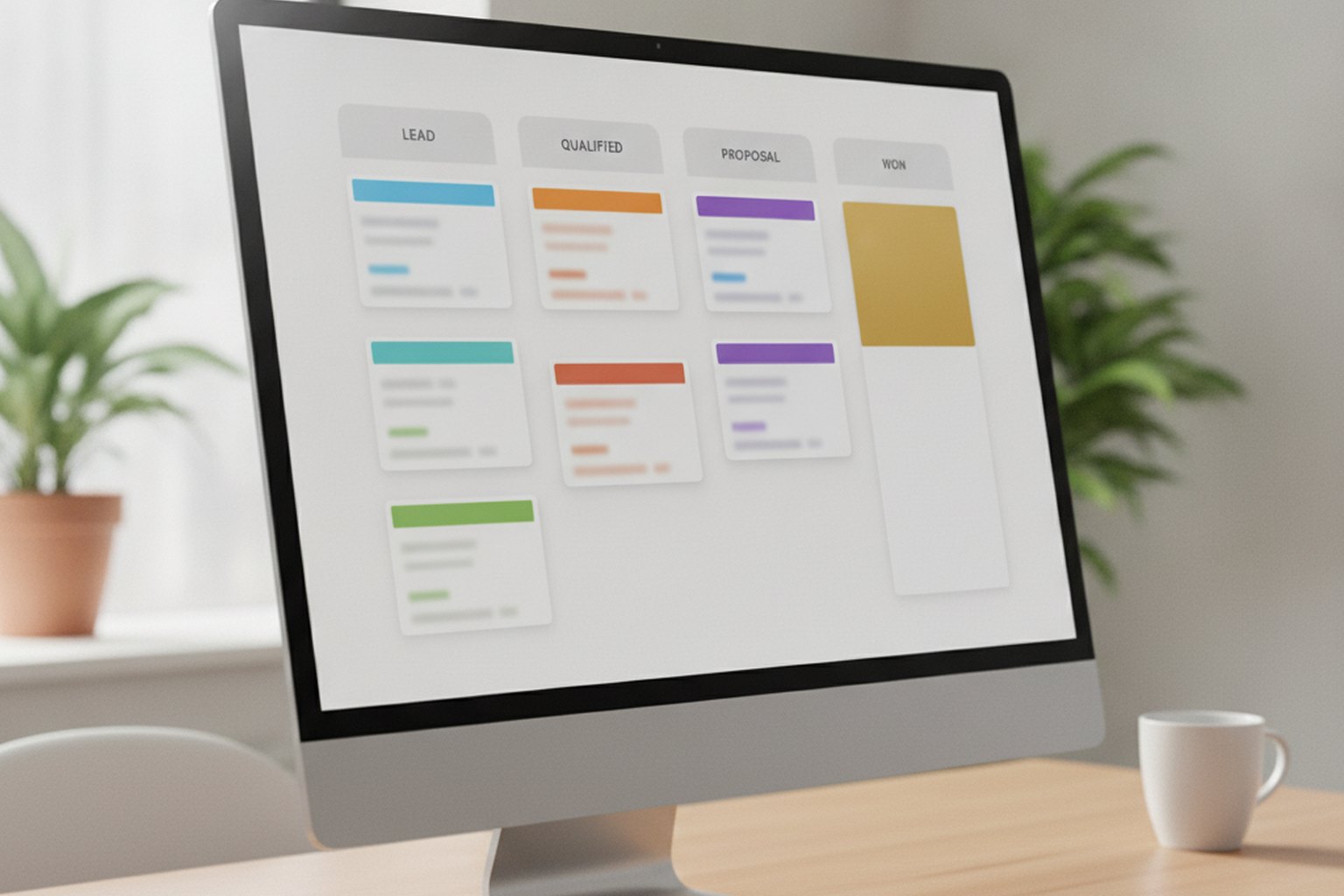
- Sales pipeline & deal tracking — a visual pipeline with configurable stages, so every deal's status is obvious at a glance.
- Activity & interaction logging — calls, emails, meetings and notes captured automatically against the right record.
- Task & workflow automation — reminders, follow-ups and stage-based triggers that stop things falling through the cracks.
- Email & calendar integration — two-way sync so reps work from one place, not five tabs.
- Reporting & dashboards — pipeline, forecast and activity views that leaders actually trust.
- Role-based access control — the permissions model that decides who sees and edits what; the single most under-scoped part of any CRM.
Beyond that baseline, the common advanced modules are lead scoring, marketing automation, a support or ticketing module, quoting and CPQ, and integrations with billing, ERP and support platforms. In 2026, AI features have crossed from optional to expected — 80% of CRM users now use AI capabilities such as automated data entry, lead scoring and next-best-action suggestions, according to 2026 industry surveys. Treat AI as an enhancement layer on top of a clean data model, not a substitute for one; the model quality of any CRM AI is only as good as the underlying records.
The CRM software development process
A custom CRM is built in the same disciplined phases as any serious business system, and skipping the early ones is where most CRM projects quietly fail. The data model and permissions work done in the first weeks determines whether the system is a joy or a liability two years later.
- Discovery & process mapping. Document how sales, marketing and support actually work today — the real workflow, not the org chart — and define the objects, stages and permissions the CRM must model.
- Data model & architecture. Design the core schema (contacts, accounts, deals, activities), the permissions model and the integration boundaries. This is the foundation everything else rests on.
- UX & workflow design. Design screens around the tasks reps do all day; a CRM nobody wants to update is worse than no CRM, because it produces confidently wrong reports.
- Build & integrate. Develop core modules, then wire in email, calendar, billing and support systems — the integrations are usually the hard, underestimated part.
- Data migration. Clean and move existing records from spreadsheets or a legacy CRM; dirty migrations are a top cause of user distrust on day one.
- Rollout, training & iteration. Launch to a pilot team, train users, then refine. Adoption is earned after launch, not assumed at it.
The through-line is that a CRM lives or dies on data quality and adoption, and both are decided by choices made early. Scoping and estimating this work realistically is its own skill; our custom software development cost guide for 2026 shows how experienced teams turn a rough CRM idea into a credible budget and timeline before the build starts.

CRM tech stack in 2026
A modern custom CRM is a data-heavy web application, so the stack looks like any serious SaaS build: a relational database at the core, a typed API layer, and a responsive front end. The exact tools matter less than choosing a boring, well-supported combination your team can maintain for years — a CRM is a decade-long system, not a hackathon project.
- Database — PostgreSQL is the default for CRM: relational integrity for the contact/deal/activity model, plus JSON columns for the custom fields every CRM accumulates.
- Backend — Node.js/TypeScript, Python (Django/FastAPI) or Java are all sound; the priority is a clean API and a strong permissions layer, not the language.
- Frontend — React or Next.js for a fast, table-and-form-heavy interface that reps use all day.
- Multi-tenancy — if you are building CRM as a product for many customers, tenant isolation is an architectural decision to make on day one, not retrofit.
- Cloud & integration — AWS or GCP for hosting, plus a deliberate integration approach (webhooks, an API gateway or an iPaaS) for the many external systems a CRM must reach.
If your CRM is a multi-customer product rather than an internal tool, the tenancy and scaling questions dominate the architecture — our guide to building a multi-tenant SaaS architecture covers the isolation, data-partitioning and noisy-neighbor trade-offs that decide whether the platform scales cleanly or painfully.
CRM integrations that matter most
On most CRM projects, the core contact-and-pipeline screens are the easy part; the integrations are where the real engineering effort — and the real risk — concentrates. A CRM that can't talk cleanly to the rest of the stack just becomes another silo reps have to update by hand, which is exactly the failure mode good CRM software development is meant to prevent.
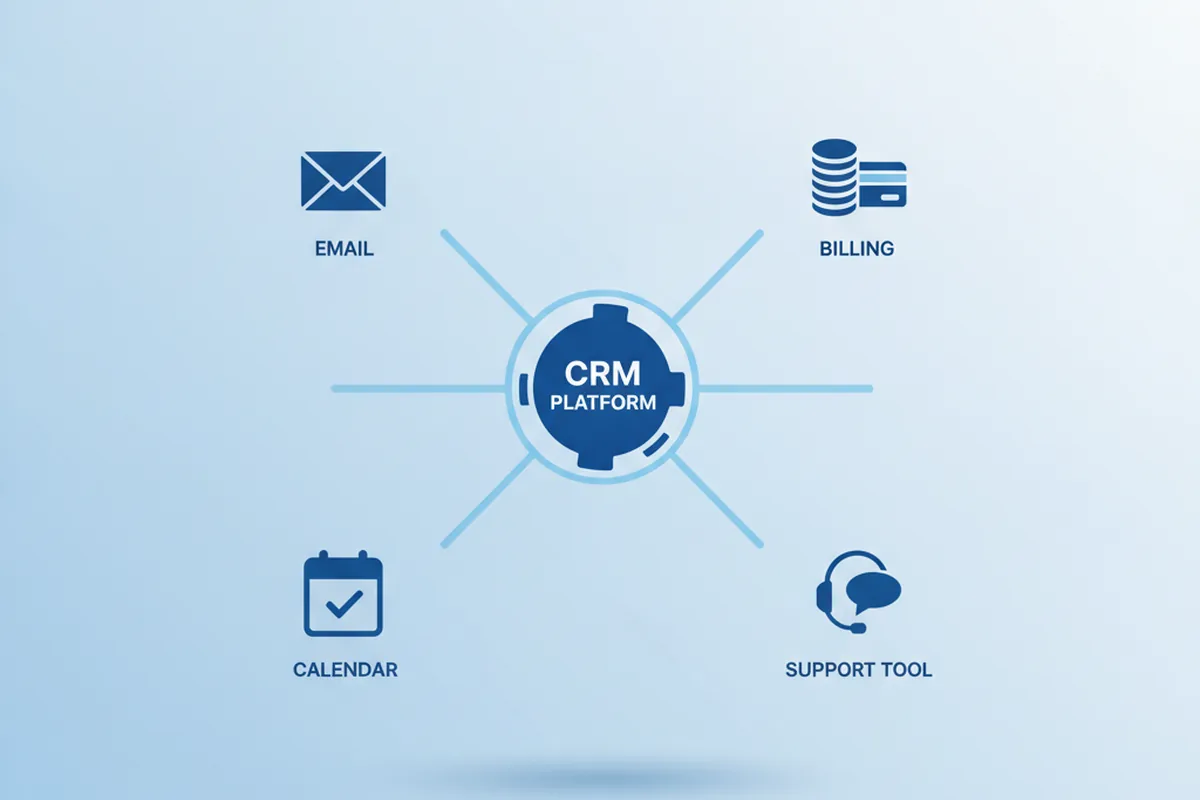
- Email & calendar — two-way sync with Gmail or Outlook so activity is logged automatically instead of copy-pasted; this is usually the first integration reps notice if it breaks.
- Billing & payments — connecting deals won to invoicing and payment systems (Stripe, an ERP) so revenue data doesn't live in two disagreeing places.
- Marketing automation — passing leads and campaign engagement between the CRM and tools like HubSpot or Marketo so sales sees the full funnel, not just the handoff point.
- Support & ticketing — surfacing open tickets from Zendesk or Intercom on the account record, so sales and success aren't blindsided by an unhappy customer.
- Reporting & data warehouse — exporting CRM data into a warehouse or BI tool once leadership needs cross-system reporting the CRM's own dashboards can't produce.
- Identity & SSO — enterprise buyers increasingly require single sign-on (Okta, Azure AD) before they'll roll a CRM out past a pilot team.
How you connect these systems matters as much as which ones you connect. Simple point-to-point integrations are fine for one or two systems, but they multiply into a maintenance burden past that; most teams move to webhooks plus a lightweight API gateway, or an iPaaS layer, once the integration count climbs. The enterprise system integration patterns that apply to any business system apply directly here — scope each integration as its own mini-project with its own testing, not an afterthought bolted onto the CRM build.
How much does CRM software development cost in 2026?
In 2026, custom CRM development runs roughly $20,000 to $150,000-plus, and where a project lands is driven mostly by scope and the team's hourly rate rather than any list price. A lean MVP for one small team is a different animal from a multi-team platform with AI scoring and half a dozen integrations. Independent 2026 pricing analyses put the bands at these levels:
| Scope | Typical 2026 cost | Timeline |
|---|---|---|
| Lean CRM MVP (one team, core features) | $20,000–$30,000 | 3–4 months |
| Mid-scope (automation + integrations) | $35,000–$70,000 | 5–8 months |
| Full platform (AI scoring, deep integrations) | $80,000–$150,000+ | 9–12 months |
| Annual maintenance & support | 15–20% of build cost / year | Ongoing |
The single biggest cost lever is the team's hourly rate: North American firms typically charge $100–$200 an hour, Eastern European firms $40–$80, and teams in Asia $25–$50, so an identical 1,000-hour CRM can cost $40k–$80k or $100k–$180k for the same output depending purely on location. Budget too for the costs that surprise first-time buyers: data migration ($3,000–$15,000 depending on volume and cleanliness), each third-party integration ($1,500–$10,000), training and documentation ($2,000–$8,000), and a 15–20% contingency for scope change. Weigh all of that against off-the-shelf licensing — per-seat CRM fees look cheap at ten users and very different at four hundred, which is exactly when building starts to pay back.
How long does it take to build a CRM?
A custom CRM MVP typically takes 3 to 4 months, a mid-scope system 5 to 8 months, and a large multi-team platform 9 to 12 months or more — the same bands shown in the cost table, because time and money move together on a CRM build. Customizing an existing platform such as Salesforce or HubSpot is usually much faster, often 4 to 12 weeks, because the data model, security and UI already exist and you are configuring and extending rather than laying foundations.
What actually stretches a timeline is rarely the core CRM screens; it is integrations, data migration and permissions. Each external system the CRM must sync with adds real integration and testing time, migrating messy legacy data always takes longer than anyone estimates, and a genuinely fine-grained permissions model is slow to build and slow to verify. The fastest path to a working CRM is to ship a lean MVP for one team first, prove adoption, then expand — not to specify every feature up front and disappear for a year.
Common CRM development risks and how to avoid them
Most CRM projects that go wrong don't fail on the code — they fail on data, permissions and people, and the same handful of risks show up on project after project. Knowing them in advance is cheaper than discovering them after launch.

| Risk | Why it happens | How to avoid it |
|---|---|---|
| Weak permissions & compliance gaps | Role-based access gets scoped as an afterthought, not designed with the data model | Design permissions in the discovery phase, alongside GDPR, SOC 2 or HIPAA requirements the CRM must meet |
| Dirty data migration | Legacy spreadsheets and old CRMs are exported and imported as-is, duplicates and all | Budget real time to de-duplicate and validate records before go-live, not after users complain |
| Underscoped integrations | Each connected system is treated as a small task instead of its own mini-project | Scope, test and budget every integration individually, with a fallback if a third-party API changes |
| Low adoption | Screens are built around the data model instead of how reps actually work day to day | Design UX around daily tasks, pilot with one team, train properly, and iterate after real usage |
| Performance at scale | Reporting queries and record volume that were fine in testing slow down in production | Load-test with realistic data volumes before launch, and index the schema for the reports people actually run |
How to choose a CRM software development company
Choose a CRM software development company on proven CRM delivery, not general software claims — a CRM has specific hard parts, and you want a team that has already solved them on someone else's budget. This checklist separates a partner who will hand you a system your team adopts from one who will learn CRM on your project.
1. Real CRM experience, not just "software"
Ask for comparable CRM projects, named references and specifics: how they modeled data, handled permissions and managed migration. A team that has shipped CRMs will talk fluently about pipeline logic, de-duplication and role-based access — the details that separate a real CRM from a glorified contact list.
2. Honest on build versus buy
Prefer a company that can both build custom and work with Salesforce or HubSpot, because only then is their build-versus-buy advice trustworthy. A vendor who can only build will always recommend building; one who can do both can tell you, credibly, when buying is the smarter call.
3. A concrete, owned deliverable
Insist on a paid discovery that produces a scope, data model and estimate you own outright — usable by any team, including one that isn't theirs. If the only deliverable is a proposal to hire them for the build, you are being sold to, not advised. Our broader guide on how to choose a software development company covers the full vetting process.
4. A plan for adoption, not just delivery
A CRM only creates value if people use it, so ask how the team handles migration, training and post-launch iteration. A partner who talks only about features and not about adoption is optimizing for the wrong outcome — a technically complete CRM that sits empty is a failed CRM.
CRM development trends in 2026
The defining shift in 2026 is that AI has moved from a CRM add-on to the reason many CRM projects happen at all, inside a market that independent analyses size at roughly $126 billion for the year and growing at about 12% annually. For teams commissioning CRM software, three trends matter most:
- AI is now table stakes. Around 83% of companies use AI in their CRM for automation and personalization, and buyers increasingly expect lead scoring, automated data capture and next-best-action out of the box — which raises the bar on data quality, since AI on messy records just automates bad decisions.
- Verticalization. Generic CRM is commoditized, so the growth is in industry-specific systems — CRMs that natively model the objects and compliance rules of healthcare, finance, real estate or logistics rather than bolting them on. This is a major driver of custom development.
- Composable, integration-first CRM. The center of gravity is shifting from one monolith to a hub-and-spoke model — a core platform surrounded by best-of-breed tools connected by APIs — which makes clean integration architecture, not feature count, the real differentiator.
Underneath the trends, the fundamentals are unchanged: a CRM succeeds on data quality, a fit-for-purpose data model and genuine adoption. AI raises the payoff of getting those right and the cost of getting them wrong, which is exactly why thoughtful CRM software development — build or buy — matters more in 2026, not less.
FAQ
What is CRM software development?
CRM software development is the design and engineering of customer relationship management software — systems that store contacts and accounts, track deals through a sales pipeline, log every interaction, and automate follow-ups, marketing and support. It can mean building a fully custom CRM or deeply customizing a platform like Salesforce or HubSpot so it matches how a specific business works, rather than forcing the business to fit generic software.
How much does it cost to build a custom CRM in 2026?
Custom CRM development costs roughly $20,000 to $150,000-plus in 2026: about $20,000–$30,000 for a lean MVP, $35,000–$70,000 for a mid-scope build with automation and integrations, and $80,000–$150,000 or more for a full platform with AI scoring. Hourly rates set the range — $100–$200 in North America, $40–$80 in Eastern Europe, $25–$50 in Asia — and annual maintenance runs 15–20% of the build cost.
Should you build a custom CRM or buy Salesforce or HubSpot?
Buy an off-the-shelf CRM when your sales and support process is fairly standard and you want to be live in weeks. Build or heavily customize when your workflow, data model or industry rules genuinely differ from what generic tools support, when per-seat licensing becomes punitive at scale, or when the CRM is a core competitive advantage. Many teams take a hybrid path: adopt a platform for the standard part and build custom for the differentiated part.
How long does it take to develop a CRM?
A custom CRM MVP typically takes 3 to 4 months, a mid-scope system 5 to 8 months, and a large multi-team platform 9 to 12 months or more. Customizing an existing platform like Salesforce or HubSpot is usually faster — often 4 to 12 weeks — because the core data model, security and UI already exist and you are configuring and extending rather than building foundations.
What features should a CRM have?
A useful CRM needs contact and account management, a visual sales pipeline, activity and interaction logging, task and workflow automation, email and calendar integration, reporting and dashboards, and role-based access control. Teams then add lead scoring, marketing automation, a support or ticketing module, quoting, and integrations with billing, ERP and support tools. In 2026, AI features such as lead scoring and automated data entry have become expected rather than optional.
How do you choose a CRM software development company?
Choose on proven CRM delivery: ask for comparable CRM projects and references, confirm the team understands data modeling, permissions and integration — the hard parts of any CRM — and prefer a company that can both build custom and work with Salesforce or HubSpot, so their build-versus-buy advice is honest. Insist on a paid discovery that yields a concrete scope and estimate you own, and choose transparent pricing over open-ended hourly billing.
What are the biggest risks in CRM software development?
The most common CRM project risks are a weak permissions model scoped as an afterthought, dirty data migrated without cleanup, integrations underscoped as small tasks instead of their own mini-projects, low adoption because screens don't match how reps actually work, and performance problems that only appear once real data volume hits production. All five are avoidable with realistic discovery, a pilot rollout, and load-testing before launch.
Last updated 26 September 2026. Cost, timeline and market figures reflect independent 2026 CRM development pricing analyses and industry surveys for US and EU clients; actual pricing varies by scope, seniority, integrations and location. Figures are general guidance, not a quote — request a scoped proposal for your specific situation.