

TL;DR — Key points in this guide
- Supply chain software development is the engineering of systems that keep physical inventory and digital records in sync across suppliers, carriers and internal systems — integration and data accuracy are the core challenges.
- The six main types are: planning & demand forecasting, procurement, inventory & order management, warehouse management (WMS), transportation management (TMS), and supply chain visibility platforms.
- Custom-built software beats off-the-shelf when you have non-standard workflows, multiple legacy integrations, or data that does not fit a generic model — but it requires a mature data layer first.
- A focused module (inventory + orders) costs $15,000–$90,000 and takes 3–5 months; a full multi-module platform with IoT and analytics runs $200,000–$1,500,000+ and 9–18+ months.
- Integration — ERP, WMS, TMS, carrier APIs, EDI — is consistently the largest and riskiest budget line; treat it as its own workstream from day one.
What is supply chain software development?
Supply chain software development is the practice of designing, building and maintaining software that plans, executes and monitors the flow of goods, information and money from supplier to end customer — spanning demand planning, procurement, inventory, warehousing, transport and end-to-end visibility. Because it must keep physical stock and digital records in sync in real time across many partners, integration and data accuracy are the core engineering problems, not the screens.
Supply chain software development is the engineering of systems that move products and the data about them across a network — forecasting demand, sourcing materials, holding inventory, running warehouses, planning transport and giving everyone a live view of where things are. It is a specialism within custom software development, distinguished not by its languages but by its problem: a supply chain application has to reconcile the physical world (pallets, trucks, shelves) with a digital record that stays correct while dozens of suppliers, carriers and systems change it at once.
That reconciliation is what separates supply chain management software development from ordinary product work. A supply chain never sits still and rarely lives in one company, so the hard parts are integration, data quality and real-time accuracy rather than the user interface. Manufacturers, retailers and distributors increasingly commission a specialist partner for logistics and supply chain software development instead of stretching a generalist team, because the difference between a good and a bad build shows up in inventory accuracy and on-time delivery, not in a demo. The global market reflects the stakes: SCM software is estimated at $36.4 billion in 2026, up from $33.4 billion in 2025, on its way to roughly $56 billion by 2031. Our logistics software cost and stack guide is the broader companion to this article; here we focus on the supply chain layer that sits above transport and warehousing.
Key benefits of custom supply chain software
Purpose-built supply chain software consistently outperforms generic platforms on the metrics that operations and finance care about — because it is designed around your specific network, your SKUs, your carriers and your ERP, rather than a median customer's workflow. The benefits compound over time as the system learns your demand patterns and your team stops working around its limitations.
- Inventory accuracy gains of 15–30%. A single authoritative stock record updated in real time eliminates the phantom inventory and double-selling that plague spreadsheet-and-ERP hybrid operations. Most custom builds hit ≥99% cycle-count accuracy within six months of go-live.
- Demand forecast error reduced by 20–40%. Machine-learning models trained on your own SKU history, seasonality, promotions and external signals outperform the generic algorithms in off-the-shelf planning tools, which must fit every industry's patterns at once.
- Transport cost savings of 8–15%. A TMS layer that knows your carrier contracts, lane volumes and delivery windows can consolidate loads, select the cheapest compliant carrier automatically and flag exceptions before they become chargebacks.
- Faster response to disruption. A control-tower layer built on top of your real data can alert operations to a supplier miss, a weather delay or a demand spike within minutes rather than overnight — and, within guardrails, trigger the approved response automatically.
- Lower total integration cost. Off-the-shelf platforms charge per connector and per API call; a custom integration layer is a capital investment that gets cheaper per partner as the network grows. Every new supplier or carrier becomes configuration rather than a project.
- No per-user or per-transaction licensing. Vendor pricing models that charge by transaction volume or named user are structurally misaligned with growth. Custom software has a predictable support-and-hosting cost that does not spike as you scale.
The main types of supply chain software
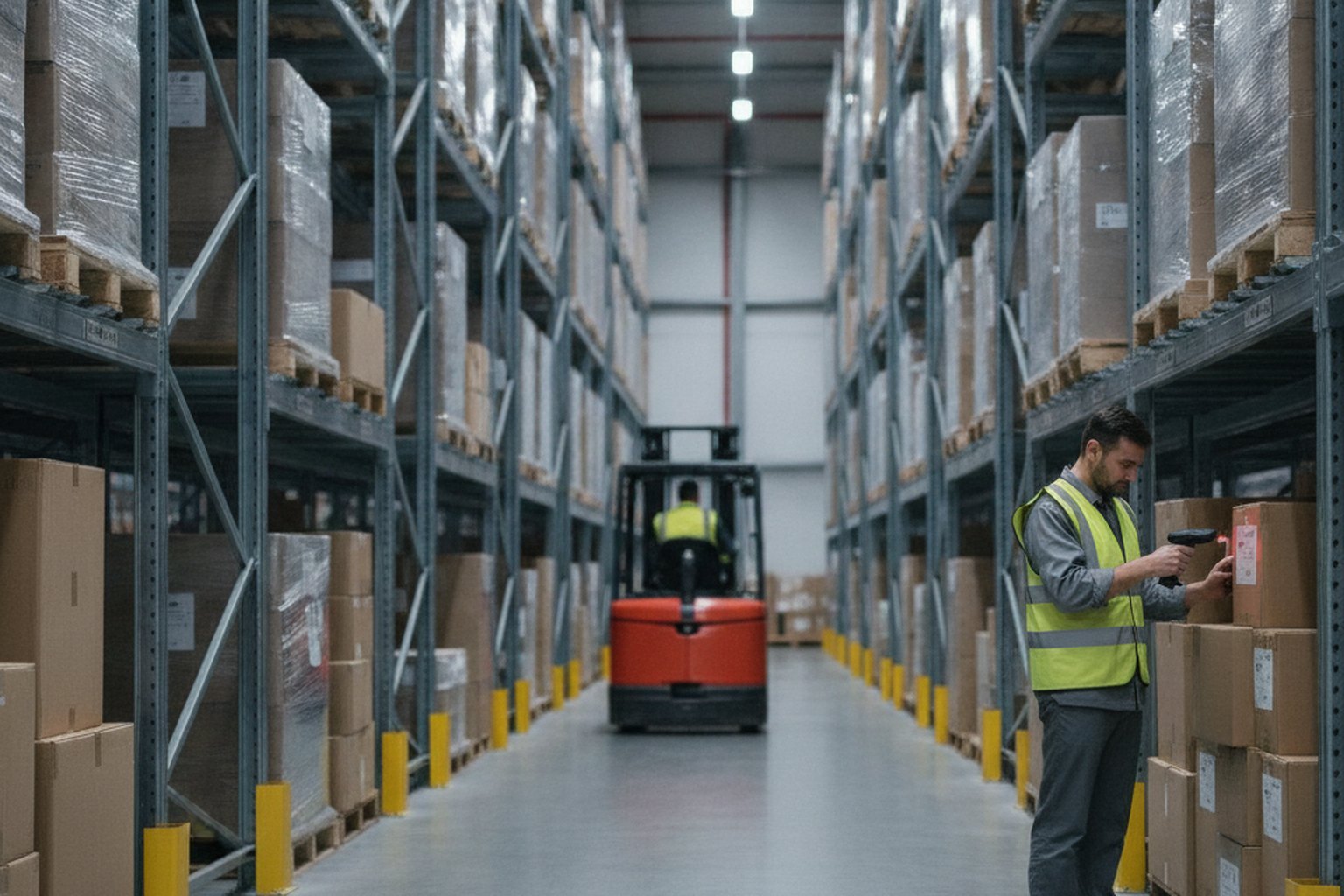
The main types of supply chain software are planning and demand forecasting, procurement and sourcing, inventory and order management, warehouse management, transportation management, supplier management and supply chain visibility. Most real deployments combine several of these on top of an ERP, but it helps to know the categories because each solves a different cost or risk — and the one you build first should follow your biggest pain, not the longest feature list.
| Type of supply chain software | What it does | Primary payoff |
|---|---|---|
| Planning & demand forecasting (SCP) | Demand sensing, S&OP, replenishment, scenario modelling | Fewer stockouts and less excess inventory |
| Procurement & sourcing | Purchase orders, e-sourcing, supplier onboarding, contracts | Lower unit cost and supply risk |
| Inventory & order management | Stock levels, allocation, order orchestration across channels | Accurate promises and working-capital savings |
| Warehouse management (WMS) | Receiving, putaway, picking, packing, cycle counting | Throughput and pick accuracy |
| Transportation management (TMS) | Load planning, routing, carrier tendering, freight settlement | Lower transport spend and on-time delivery |
| Supply chain visibility / control tower | Real-time tracking, exception alerts, cross-network orchestration | Faster response to disruption |
Choosing where to start is the first architectural decision, because it fixes both the integrations you cannot avoid and where the data has to be clean first. A warehouse-heavy operation lives or dies on its WMS build; a transport-heavy one on its TMS and routing engine; and any multi-partner network eventually needs a visibility layer that pulls the others together. Name the type honestly up front, because bolting planning onto an inventory tool built for something else is one of the most expensive redirections in supply chain software application development.
Custom vs off-the-shelf supply chain software: which should you choose?
The build-vs-buy decision in supply chain software is rarely as simple as cost. Off-the-shelf platforms like SAP SCM, Oracle SCM Cloud, Blue Yonder and Kinaxis are mature, fast to activate and carry accumulated best-practice configuration — but their strength is also their constraint: they are designed for a median customer, not for yours. Custom development pays off when your workflow, your data or your integration footprint does not fit that median.
| Dimension | Custom development | Off-the-shelf platform |
|---|---|---|
| Time to first value | 3–9 months (MVP scope) | 1–4 months (standard config) but 6–18 months for enterprise go-live |
| Fit to your workflow | Exact — designed around your processes and data | Approximate — you adapt your workflow to the platform's model |
| Integration flexibility | Unlimited — connect any system via any protocol | Constrained to supported connectors; custom adapters costly |
| Upfront cost | Higher ($50k–$1.5M depending on scope) | Lower upfront; higher licensing over time |
| Ongoing cost | Predictable support + hosting (15–25% of build/yr) | License scales with users, transactions and modules |
| Ownership & lock-in | You own the IP and code outright | Vendor controls roadmap, pricing and end-of-life |
| Best for | Unique workflows, legacy integrations, competitive differentiation | Standard processes, rapid deployment, small teams |
A practical starting point: if your operations run on the same process as every other company in your sector and you can tolerate the vendor's roadmap, a SaaS platform is almost certainly faster to value. If you have more than three legacy system integrations, proprietary data structures, or a workflow that is your competitive edge, the constraint cost of adapting that workflow to an off-the-shelf model often exceeds the build cost within three years. Many mid-market firms start with an off-the-shelf WMS or TMS, then commission custom planning or visibility layers on top once the data exists to train them.
Core features every supply chain system needs
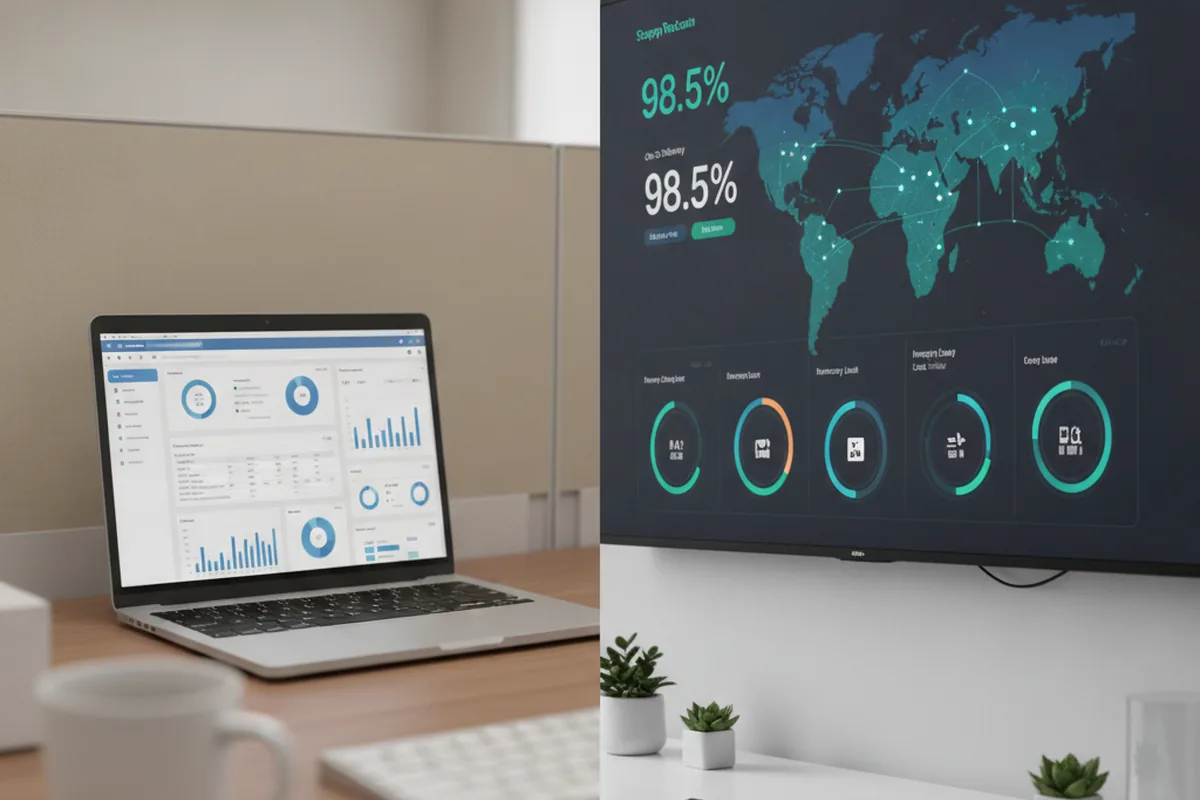
Beyond its headline module, every serious supply chain system shares a common core: the plumbing that keeps data correct, connected and current. These features rarely make the marketing brief, yet they consume much of the budget and are exactly what operations, finance and auditors inspect first.
- A single source of truth for inventory. One authoritative stock record per SKU and location, updated transactionally so two channels never sell the same unit and cycle counts reconcile to the system.
- Master-data management. Clean, deduplicated records for products, suppliers, locations and units of measure — the unglamorous foundation without which forecasting and reporting quietly produce garbage.
- Real-time event capture. Scans, shipments, receipts and status changes recorded as ordered events so inventory, ETAs and dashboards reflect reality within seconds, not overnight.
- Integration and EDI orchestration. A dedicated layer that translates between ERP, WMS, TMS, carrier APIs and partner EDI so onboarding the next supplier or 3PL is configuration, not a project.
- Exception management and alerting. Rules that flag late shipments, low stock, failed integrations and demand spikes as they happen, with clear ownership rather than a buried report.
- Analytics and audit trail. Traceable history of every stock move and order change for recalls, audits and continuous-improvement analysis.
How do you build supply chain software, step by step?
You build supply chain software through a disciplined process that front-loads data mapping and integration rather than leaving them until the end. A well-run build moves through six stages, and the two that generic projects tend to underestimate — data mapping and integration — are the ones that decide whether the system is trusted or quietly worked around.
- Discovery and process mapping. Walk the real order-to-delivery and procure-to-pay flows, define the modules in scope, and inventory every ERP, WMS, carrier and supplier system that must connect. This is where scope, and most future cost, is decided.
- Data model and master-data plan. Design the inventory, product, location and order models and a plan to cleanse and govern master data, because the data layer is the foundation everything else stands on.
- Build in short sprints. Implement the priority module on a proven stack with real-time event handling, so operations sees working software early where it matters most.
- Integrations. Connect the ERP system of record, warehouse and transport systems, carrier and 3PL APIs and partner EDI — usually the longest single dependency in the schedule.
- Testing and data validation. Reconcile the new system against reality with parallel runs, integration tests and inventory-accuracy checks; a supply chain system no one trusts is not finished.
- Rollout and continuous improvement. Launch site by site with training and change management, then tune planning models, alerts and automation as volumes, lanes and suppliers change.
The order matters: teams that treat integration and data as a final phase almost always rebuild parts of the system once real data exposes the gaps, which is slower and dearer than designing for it from the start. Larger rollouts usually run through an enterprise software development practice, because supply chain systems touch finance, operations and external partners at once and need that governance from day one.
The technology stack for supply chain software
The best technology stack for supply chain software prioritises data accuracy, integration and real-time throughput over novelty, which is why the sector leans on mature backends, strong relational databases and event streaming. The exact tools vary, but the shape below is typical of a 2026 build and is deliberately conservative — a stack you can reason about beats a fashionable one you cannot.
| Layer | Common 2026 choices | Why |
|---|---|---|
| Backend | Java, C#, Go, Python | Type safety, mature integration and optimisation libraries |
| Transactional database | PostgreSQL, with PostGIS for geo | ACID guarantees for inventory and orders |
| Event streaming | Apache Kafka | Ordered, replayable stock and shipment events |
| Planning & optimisation | OR-Tools, forecasting and ML libraries | Demand forecasting and routing at scale |
| Frontend | React, TypeScript; handheld/mobile clients | Dashboards plus scanner UX for the floor |
| Cloud & integration | AWS, Azure or GCP; API gateway, EDI/iPaaS | Resilience, scale and clean partner connectivity |
Whatever the specifics, the inventory layer should use exact quantities and transactional updates rather than best-effort counters, treat the stock ledger as the source of truth, and expose every downstream view — analytics, dashboards, partner portals — as a consumer of its events. The teams that get this right keep the write path simple and correct, then build the rich read models on top.

Integrations: ERP, WMS, TMS, EDI and IoT
Integration is the defining challenge of supply chain software, because a supply chain spans many organisations and rarely shares one system. A supply chain platform almost always connects to an ERP as the system of record, to warehouse and transport systems for execution, to carrier and 3PL APIs for rating and tracking, to partner EDI for documents, and increasingly to IoT and telematics for real-time location and condition — and this integration work is usually the largest and riskiest part of the whole project.
- ERP (SAP, Oracle, Microsoft Dynamics, NetSuite). The system of record for finance, purchasing and master data; two-way sync here is non-negotiable and often the hardest integration to get right.
- WMS and TMS. Warehouse and transport execution systems that your planning and visibility layers orchestrate rather than replace, unless you are building those modules yourself.
- Carrier and 3PL APIs. Rating, booking, label generation and track-and-trace across parcel, LTL and freight carriers, plus your logistics partners' platforms.
- EDI (X12, EDIFACT). The document backbone of B2B supply chains — purchase orders (850), advance ship notices (856), invoices (810) — still essential alongside modern REST and GraphQL APIs.
- IoT and telematics. GPS, temperature and condition sensors feeding real-time location and cold-chain data into visibility dashboards and exception alerts.
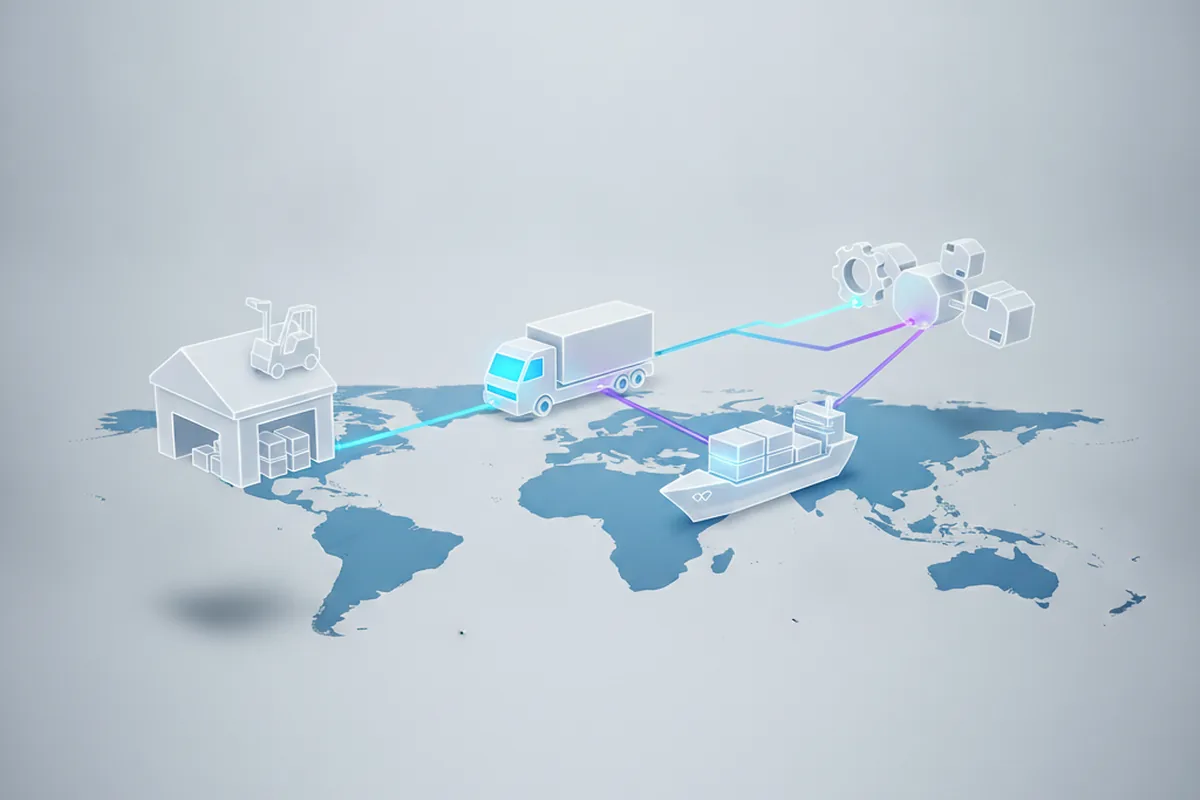
Because onboarding the next supplier or carrier should be configuration rather than a development project, the winning pattern is a dedicated integration layer — an API gateway plus EDI and iPaaS orchestration — that isolates partner quirks from your core. Our EDI integration guide for logistics and enterprise system integration guide go deeper on the formats, standards politics and realistic timelines this involves.
Supply chain risk management: what software must handle
Supply chain risk management (SCRM) has moved from a back-office checklist to a core engineering requirement since the disruptions of the early 2020s. Modern supply chain software must not only execute transactions — it must continuously sense, classify and route the response to risk events across the entire network. Teams that treat risk management as a reporting module bolted on at the end consistently discover, at the worst moment, that the system was designed to record what went wrong rather than prevent it.
The four categories of supply chain risk that custom software is best placed to address are:
- Supplier risk. Concentration risk (too much spend with a single supplier or region), financial health signals from third-party data feeds, lead-time volatility tracked against contract terms, and automated escalation when a supplier misses two consecutive on-time-delivery windows.
- Demand and inventory risk. Unexpected demand spikes or drops detected through continuous demand sensing — not nightly batch — so replenishment, allocation and safety-stock rules adjust before a stockout or overstock materialises.
- Logistics and transit risk. Real-time exception handling on in-transit shipments: delayed carriers, port congestion flags, weather routing events and customs-clearance stalls identified the moment the carrier's API confirms them, not the next morning from a report.
- Compliance and regulatory risk. Product-recall traceability to lot level, import/export document completeness, country-of-origin tracking for tariff calculations, and audit-ready records for food-safety (FSMA), pharmaceutical (DSCSA) or CE/UKCA marking requirements.
| Risk category | Software capability required | Typical signal source |
|---|---|---|
| Supplier concentration | Spend analytics by supplier/region; automated dual-sourcing triggers | Purchase order history, third-party financial data |
| Demand volatility | Continuous demand sensing; safety-stock recalculation on anomalies | POS feeds, order velocity, external market signals |
| In-transit exceptions | Real-time carrier event stream; rule-based exception routing | Carrier APIs, telematics, customs EDI |
| Recall/traceability | Lot-level genealogy from receipt to delivery; one-up/one-down retrieval | WMS scan events, GS1 EPCIS records |
| Regulatory compliance | Document completeness checks; country-of-origin and HTS-code validation | Import/export docs, supplier declarations |

The software architecture implication is clear: risk management works on events, not on reports. Every scan, shipment status change, supplier confirmation and demand signal must flow through an event backbone (Kafka or a cloud-native equivalent) where risk rules run as consumers. A risk module that reads from a nightly batch job will always be a day late — and in supply chain, a day is often the difference between re-routing a load and cancelling a production run.
Mobile applications for supply chain operations
Mobile is not an enhancement to supply chain software — it is how the work gets done on the floor, on the dock and in transit. Warehouse pickers, receiving clerks, drivers and yard managers do not sit at desks; a supply chain system that cannot run on a handheld scanner or a mobile phone is a system that forces paper workarounds to persist alongside your expensive software investment.
The mobile layer in a modern supply chain application spans three distinct environments, each with different requirements:
- Handheld scanner clients (warehouse and receiving). Dedicated mobile computers (Zebra, Honeywell) running native Android with deep barcode and RFID integration. These need to work offline during RF dead zones, sync transactionally on reconnect, and handle one-handed use in gloves. The UX priority is speed and error prevention — a misread scan that ships the wrong unit costs more than the device.
- Driver and field apps (transport execution). iOS and Android apps for drivers to confirm pick-ups and deliveries, capture proof-of-delivery (POD) signatures and photos, log exceptions, and navigate to the next stop. Must run on consumer phones with no specialist hardware, handle intermittent cellular coverage on rural routes, and integrate with carrier APIs for status updates.

- Management dashboards (operations visibility). Responsive web dashboards or native apps giving operations managers, planners and logistics leads a live view of inventory, shipments and exceptions. These can tolerate more connectivity dependency because they are decision-support, not execution-critical — but they must deliver real-time data, not snapshots, to be useful.
The critical mobile architecture requirement is offline-first design for execution clients. A warehouse picker or delivery driver whose app goes down mid-task creates physical disruptions that are hard to undo — a pallet in the wrong location or an unrecorded delivery. Execution apps must store the current task queue locally, accept scans and confirmations offline, and sync atomically when connectivity returns, with conflict resolution that favours the physical event over the system's earlier assumption.
| Mobile client type | Key capability | Must handle offline? | Typical stack |
|---|---|---|---|
| Warehouse scanner | Barcode/RFID scan, putaway, pick, count | Yes — RF dead zones | Native Android (Zebra/Honeywell SDK) |
| Driver / field | POD capture, exception logging, navigation | Yes — rural cellular gaps | React Native or native iOS/Android |
| Management dashboard | Live KPIs, exception queue, shipment map | Tolerant but not critical | React (responsive web) or native app |
The cost implication is real: adding a mobile layer to a supply chain platform typically adds 20–35% to the initial build budget and 6–10 weeks to the timeline, depending on whether you are building a single cross-platform app or separate clients for different device classes. Teams that decide "we'll add mobile later" usually spend more on the retrofit than they would have spent building it in from the start, because the API contracts and offline data model need to be designed in from the first sprint to do it cheaply. Our mobile app development practice covers these patterns in detail for operations-critical clients.
Data migration and legacy system transition
Most supply chain software projects do not start from a blank slate. They start from a spreadsheet network, a legacy ERP module that was never designed for the supply chain scale the business has reached, or a collection of point solutions that no longer talk to each other. The migration from the old state to the new one is often the part of the project that surprises first-time sponsors the most — technically, organisationally and in terms of time.
A supply chain data migration involves three distinct problems, each harder than the last:
- Data extraction and profiling. Getting the data out of the source system in a form you can reason about. Legacy ERPs often store inventory transactions across dozens of tables with implicit relationships, no documentation, and field-level logic that lives in customisation code nobody maintains. The output of this phase is a data inventory and a quality report — what you have, how clean it is, and what has to be fixed before import.
- Data cleansing and transformation. Fixing what the profiling found: duplicate suppliers, inconsistent units of measure, orphaned SKUs, price records that pre-date the last three restructurings, and location codes that refer to warehouses the company no longer operates. This phase typically takes longer than engineering estimates and is the most common reason supply chain go-lives slip — not the software, but the data the software depends on.
- Cutover and parallel running. The period where both the old and new systems run simultaneously and the team reconciles discrepancies daily. Parallel running is expensive (double the transaction volume for operations) but it is the only way to validate data integrity at scale before shutting off the old system. A typical parallel-run period for a mid-size supply chain build is four to eight weeks.
The most important migration decision is the cutover strategy: big-bang (switch everything on a single date) versus phased (one site or module at a time). Big-bang is faster and simpler to communicate but concentrates all risk on a single go-live date. Phased is safer for large networks — a bad go-live at one site does not contaminate the others — but it requires two systems to stay in sync for months, which has its own integration cost. Most supply chain migrations with more than three warehouses or four hundred SKU classes use a phased approach, typically site by site or module by module (inventory first, then transport, then planning).
For teams migrating from a heavily customised ERP, the useful frame is "migrate the data, not the process". The data — historical transactions, master records, open orders — has value and must carry over accurately. The process — the manual steps, the workarounds, the Excel patches — should not be recreated in the new system. The custom build is an opportunity to retire the workarounds, not to digitise them.
Supply chain technology trends in 2026
The biggest shift in supply chain software in 2026 is from systems that report the past to systems that continuously orchestrate the present. Four trends are reshaping what teams commission, and each one raises the bar on the data and integration foundations covered above rather than replacing them.
- Agentic and predictive planning. Forecasting is moving from nightly batch to continuous demand sensing, with models that adapt to live signals and flag exceptions early, cutting forecast error and freeing planners for judgement calls.
- Control towers as decision engines. Visibility platforms integrated with ERP, WMS and TMS are evolving from dashboards into systems that recommend and, within guardrails, automate the response to disruption in real time.
- Digital twins. Continuous simulation of the network lets teams model thousands of what-if scenarios — a supplier outage, a demand spike, a closed lane — and choose a response before the disruption lands.
- Unified planning platforms. Demand, supply and S&OP are converging onto shared data so decisions are synchronised end to end instead of siloed by function.
- Blockchain for provenance. A growing minority of manufacturers and food/pharma distributors add a permissioned blockchain ledger alongside the event backbone for tamper-evident, cross-organisation proof of origin and chain-of-custody — useful for recall response and regulatory audits, but a targeted addition rather than a default requirement for most builds.
The common thread is that none of these pays off without clean master data and solid integration underneath. A control tower fed by inconsistent inventory records simply automates the wrong decision faster. That is why the 2026 advice is unchanged in spirit: earn the intelligence layer by getting the data and connectivity right first, then add the automation on top.
Measuring ROI: KPIs for supply chain software
Without a baseline and a defined set of KPIs, supply chain software projects succeed technically but fail commercially — teams cannot prove value, secure the next budget tranche, or decide whether the next module is worth building. Agree these metrics before go-live, capture the pre-launch baseline, and measure monthly for the first year.
| KPI | What it measures | Typical improvement after a well-built custom system |
|---|---|---|
| Inventory accuracy (%) | % of SKUs with a correct on-hand count vs physical | From ~85–90% to ≥98–99% |
| Forecast accuracy / MAPE | Mean absolute percentage error of demand forecasts | 20–40% reduction in MAPE within 6–12 months |
| Order fill rate (%) | % of orders shipped complete and on time from stock | Typically +5–15 percentage points |
| Inventory turns | Annual revenue ÷ average inventory value | +1–3 turns, releasing working capital |
| Transport cost per unit / per km | Freight spend normalised to volume moved | 8–15% reduction via consolidation and carrier selection |
| Supplier on-time delivery (%) | % of inbound shipments arriving on the agreed date | Improvement varies; visibility drives early exception resolution |
| Exception resolution time | Median time from alert to resolved exception | From hours/days to minutes via automated alerting |
Set the baseline before your first sprint, not after go-live. The teams that cannot demonstrate ROI in month six are almost always the ones that skipped the baseline measurement or chose metrics that the new system cannot actually calculate from its own data. If the system cannot generate a KPI from its own transaction log, add that reporting to the scope before you sign off the build.
How much does supply chain software development cost?
Custom supply chain software typically costs $35,000 to $90,000 for a focused mid-size module in 2026 and $200,000 to $600,000 for an average-complexity platform, while a large-scale system with IoT, real-time visibility and advanced analytics can run $600,000 to $1,500,000 or more. A basic MVP covering inventory and order tracking can start around $15,000 to $30,000. The number is driven by the number of modules, the depth of integration, the amount of master-data cleanup, and the developer rate for your region.
| Product scope | Typical 2026 cost | Build time |
|---|---|---|
| MVP / single module (e.g. inventory + orders) | $15,000–$90,000 | 3–5 months |
| Mid-size platform (multi-module, ERP-integrated) | $200,000–$600,000 | 9–18 months |
| Large-scale system (IoT, visibility, analytics) | $600,000–$1,500,000+ | 18+ months |
Two things reliably move these numbers. Integration is the first: the more ERP, WMS, carrier and EDI connections in scope, the larger the share of the budget it takes — often the single biggest line. Region is the second — senior US engineers command roughly $150 to $200 per hour versus $15 to $55 in offshore regions, which is why cost benchmarking pays off; our software development cost benchmark breaks down the regional ranges. Budget another 15 to 25 percent of the build per year for support, hosting and enhancement, and treat every figure here as a planning range, not a quote — the only accurate number comes from a scoped estimate against your specific modules and integration footprint.
Total cost of ownership: custom vs SaaS over five years
The headline cost comparison — custom build versus off-the-shelf subscription — usually favours SaaS in year one and custom in years three through five. But the exact crossover depends on your user count, transaction volume, integration footprint and how much of a SaaS platform's standard configuration you will actually use. A five-year TCO model is the only honest way to make this decision; a year-one cost comparison routinely sends companies down the wrong path.
The components that shift the TCO balance are:
- Licensing escalation. Enterprise SCM SaaS pricing typically grows 8–15% per year as user counts, transaction volumes and optional modules accumulate. A contract that looks affordable at onboarding can be two to three times the initial cost by year five, particularly if your business has grown and your supplier or carrier network has expanded — both of which drive usage fees upward.
- Customisation costs. No off-the-shelf SCM platform fits a non-standard operation without configuration work and, eventually, customisation. That customisation sits outside the standard product and must be re-validated with every major version upgrade — a recurring cost that does not appear in the initial contract but can match or exceed the licensing cost over a five-year horizon.
- Integration costs (both models). Both custom and SaaS incur integration costs, but the nature differs. Custom software integrates once and the logic is owned outright. SaaS integration is often per-connector, per-call or per-partner, and vendor connector libraries have version-lock issues that resurface at each platform upgrade cycle.
- Support and enhancement (custom software). Custom software's recurring cost is support and hosting — typically 15–25% of the build cost per year — plus incremental enhancements. Unlike SaaS, this cost does not scale with transaction volume: a warehouse processing twice as many orders pays the same support cost.
| Cost category | Custom software (5-yr) | Enterprise SaaS (5-yr) |
|---|---|---|
| Initial build / implementation | $200k–$600k (platform scope) | $50k–$200k implementation |
| Licensing / subscriptions | None | $80k–$400k/yr; escalates |
| Customisation & upgrades | Enhancements at your pace | Ongoing re-validation cost per upgrade |
| Integration | One-time design, owned outright | Per-connector fees; per-partner costs |
| Support & hosting | 15–25% of build/yr, flat | Included in subscription (variable SLA) |
| Typical 5-yr crossover | Ahead of SaaS from yr 3–4 | Lower total in yr 1–2; higher by yr 4–5 |
The five-year crossover point for a mid-market supply chain platform (200–500 users, 3–5 ERP/WMS integrations, moderate transaction volume) typically falls between 30 and 42 months. Below that horizon, SaaS is likely cheaper on a cash basis. Above it — and for any business expecting significant volume or network growth — custom software almost always delivers lower TCO and, critically, zero pricing-power risk from a vendor whose incentives diverge from yours as you grow.
The decision should also account for the option value of ownership: custom software can be extended in any direction your business evolves, sold as a product, or white-labelled. A SaaS subscription cannot. For businesses where the supply chain model is a source of competitive differentiation — retailers with unique replenishment logic, manufacturers with proprietary scheduling, 3PLs with value-added services that platforms cannot configure — the option value of ownership is substantial and never appears in a TCO spreadsheet.
How to choose a supply chain software development company
Choose a supply chain software development company on proof of integrated, in-production delivery, not a portfolio of generic apps — the right partner has shipped software that reconciles real inventory and connects real ERP, WMS and carrier systems. Because a mistake here shows up as lost stock accuracy and missed deliveries rather than a redesign, weigh the following before you sign.
- Domain and integration track record. Ask for concrete evidence of ERP, WMS, TMS, EDI and carrier-API work, and for references from manufacturers, retailers or logistics firms, not just consumer apps.
- Data engineering as standard. Master-data management, data cleansing and real-time event handling should be part of how they work, because that is where supply chain projects are won or lost.
- Operations fluency. A partner who has sat on a warehouse or planning floor will design around real constraints instead of forcing operators to work around a generic engine.
- Clear ownership and exit. You should own all IP and code outright, with documentation and a handover plan so you are never locked in.
- Right-sized model. A senior squad on a fixed scope suits a first module; a dedicated team suits an evolving multi-year platform — match the engagement to your stage.
Whether you build in-house or partner out, insist on a hard scope, a written integration and data plan, and code you own from day one. A good partner for logistics and supply chain software development will quote against a fixed scope, transfer all IP, and build so the working, integrated parts can grow rather than be re-platformed the year after launch.
FAQ
What is supply chain software development?
Supply chain software development is the design, building and maintenance of software that plans, executes and monitors the flow of goods, information and money from supplier to end customer — covering demand planning, procurement, inventory, warehousing, transport and end-to-end visibility. It is a specialism within custom software development because a supply chain product has to reconcile physical inventory with digital records in real time, integrate with ERP, WMS, TMS, carrier and IoT systems, and stay accurate under constant disruption. Most builds either extend an existing ERP or connect several best-of-breed systems into one orchestrated view.
What are the main types of supply chain software?
The main types of supply chain software are supply chain planning and demand forecasting (SCP), procurement and e-sourcing, inventory and order management, warehouse management (WMS), transportation management (TMS), supplier relationship management, and supply chain visibility or control-tower platforms. Most real deployments combine several of these, integrated on top of an ERP. The modules you build first should follow your biggest source of cost or risk — usually inventory accuracy, planning quality or transport spend.
How much does supply chain software development cost in 2026?
Custom supply chain software typically costs $35,000 to $90,000 for a focused mid-size module in 2026, and $200,000 to $600,000 for an average-complexity platform, while a large-scale system with IoT, real-time visibility and advanced analytics can run $600,000 to $1,500,000 or more. A basic MVP covering inventory and order tracking can start around $15,000 to $30,000. US developers charge roughly $150 to $200 per hour versus $15 to $55 in offshore regions, and ongoing support and hosting add about 15 to 25 percent of the build cost per year.
What integrations does supply chain software need?
Supply chain software almost always integrates with an ERP (SAP, Oracle, Microsoft Dynamics or NetSuite) as the system of record, plus warehouse (WMS) and transport (TMS) systems, carrier and 3PL APIs for rating and tracking, EDI document flows (X12, EDIFACT) with trading partners, and increasingly IoT and telematics feeds for real-time location and condition data. Integration is usually the largest and riskiest part of the project, because supply chains span many organisations and legacy formats, so a clean integration layer with API and EDI orchestration is essential.
How long does it take to build supply chain software?
A focused supply chain module — for example inventory or order management — usually takes 3 to 5 months to build in 2026, while a multi-module platform with planning, warehousing, transport and visibility takes 9 to 18 months. Discovery and data mapping add several weeks up front, and integrations with ERP, WMS, carriers and EDI partners are typically the longest single dependency. AI-assisted development has compressed routine coding, but data cleansing, integration testing and change management still take the same human effort.
What is the best technology stack for supply chain software?
There is no single best stack, but supply chain software in 2026 typically pairs a strongly-typed backend such as Java, C#, Go or Python with PostgreSQL for transactional data, an event-streaming backbone like Apache Kafka for real-time inventory and shipment events, and React or TypeScript on the front end. Optimisation engines such as OR-Tools handle planning and routing, and cloud-native deployment on AWS, Azure or GCP provides the resilience and scalability large supply chains need. The priorities are data accuracy, integration and real-time throughput rather than novelty.
Should I build custom supply chain software or buy an off-the-shelf platform?
Custom supply chain software is the better choice when your workflow is non-standard, when you have more than two or three legacy systems to integrate, or when your supply chain data is a competitive advantage. Off-the-shelf platforms like SAP SCM, Oracle SCM Cloud or Blue Yonder are faster to activate and carry years of best-practice configuration, but they require you to adapt your processes to their model and carry per-user or per-transaction licensing costs that compound as you scale. A useful rule of thumb: if your operations are identical to the platform's target customer, buy; if they are not, the constraint cost of working around the platform typically exceeds the build cost within three years.
What KPIs should I track to measure the ROI of supply chain software?
The most reliable KPIs for measuring supply chain software ROI are inventory accuracy (target ≥98–99%), demand forecast error (MAPE — aim for 20–40% reduction), order fill rate (typically +5–15 percentage points after a well-built system), inventory turns (higher turns = less working capital tied up), transport cost per unit (8–15% reduction from load consolidation and carrier selection), and exception resolution time (from hours to minutes via automated alerting). Set a baseline for each metric before your first sprint — teams that skip this step cannot demonstrate value at the six-month review, which risks the follow-on budget.
How do you handle supply chain risk management in custom software?
Effective supply chain risk management in custom software is built on an event-driven architecture that monitors supplier performance, inventory levels, in-transit shipments and compliance signals in real time rather than nightly batches. The key capabilities are: automated supplier scorecards with concentration-risk alerts, continuous demand sensing that triggers safety-stock recalculations when demand signals deviate beyond a set threshold, real-time carrier event processing for in-transit exceptions, and lot-level traceability for recall scenarios. The risk module must consume events from the same Kafka backbone as the rest of the system — a risk dashboard reading from a reporting database is always a day behind the situation it is supposed to prevent.
Do I need a mobile app as part of my supply chain software?
If your operations include a warehouse, a distribution centre or a driver fleet, yes — a mobile execution layer is not optional. Warehouse pickers need handheld scanner clients, drivers need proof-of-delivery apps, and both need offline-first design so a loss of connectivity does not halt physical operations. Management dashboards are more tolerant of connectivity requirements but should be responsive-web or native depending on how frequently managers are working away from a desk. Adding mobile execution typically adds 20–35% to the initial project budget; teams that defer it and retrofit it later almost always spend more, because the API and offline data model need to be designed in from the first sprint.
How long does supply chain data migration take?
Data migration for a mid-size supply chain build typically takes 8–16 weeks of active effort, running in parallel with the software build rather than at the end. The work breaks into three phases: data profiling (2–3 weeks to understand and document the source system), data cleansing and transformation (4–8 weeks to fix duplicate suppliers, inconsistent units of measure and orphaned records), and cutover with parallel running (4–8 weeks where both systems run simultaneously for reconciliation). Teams that skip profiling and cleansing and go straight to loading frequently spend more time on post-go-live data fixes than the original migration would have cost, with the added difficulty that production data is now corrupted.
What is the five-year total cost of ownership for custom supply chain software vs SaaS?
For a mid-market supply chain platform (200–500 users, 3–5 integrations), custom software typically has a higher year-one cost but lower total cost of ownership from year three or four onward. The key dynamics: enterprise SaaS licensing escalates 8–15% per year, integration connectors carry per-partner and per-call fees that grow with your network, and customisation work must be re-validated with each major platform upgrade. Custom software carries a flat support-and-hosting cost (15–25% of build per year) that does not scale with transaction volume. The crossover point for most mid-market builds is 30–42 months; below that horizon SaaS is usually cheaper on a cash basis, above it custom software delivers lower TCO and, critically, no vendor pricing-power risk as you scale.
Last updated 27 September 2026. Cost, timeline and market figures reflect widely reported 2026 US and EU market data and vary by module scope, integration depth and region. Treat the figures as planning ranges, not quotes — ask for a scoped estimate for your specific supply chain software.