Discovery & role mapping
Site walk-through, task and subtask workflow modeling, the four-role permission map, and GDPR + CCPA data-ownership posture for personnel data.

Case study · Construction · Field workforce
How we shipped a construction site-management platform — cross-platform iOS and Android field apps built in Flutter, a React and Laravel admin control panel, photo-verified task acceptance, and automatic site analytics — that pulled task assignment and reporting off paper and gave managers a live picture of every job site, built for construction operations across the United States and the European Union under GDPR and CCPA expectations from day one.
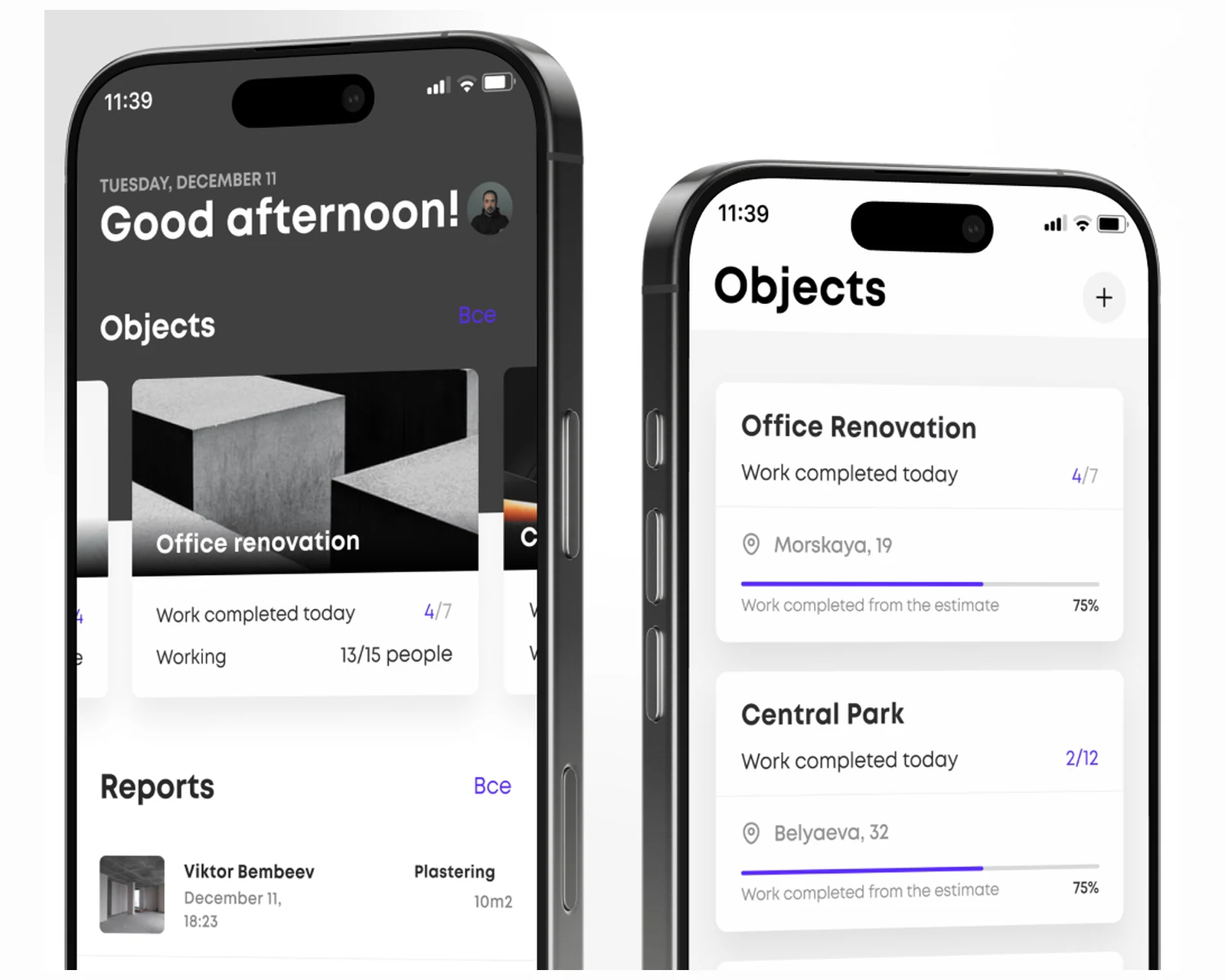
The client ran a growing construction company where the workforce lived on site, not at a desk, and the source of truth was a mix of phone calls, paper reports, and a foreman's word at the end of the day. For construction operations in the United States and the European Union, that model breaks the moment a company runs more than a couple of objects at once: managers cannot delegate tasks cleanly, they cannot see real progress against the plan during the day, and they cannot produce trustworthy reports for any period without chasing people. Workers had no desktop access at all, so any digital solution had to be mobile-first and survive a job site. The brief was to digitize the whole field-to-office loop — assign tasks down to the subtask level, capture photo and video proof of completed work at the source, give every role exactly the view it needs, and turn the raw field data into live analytics on labor and progress. We built the system from first principles at YuSMP Group as a unified platform — cross-platform Flutter field apps, a React and Laravel admin panel, and a photo-verified acceptance flow — engineered with our custom software development practice for the US and EU markets.
A snapshot of what the construction field-workforce build delivered across two mobile platforms and a web control panel in its first production cycle.
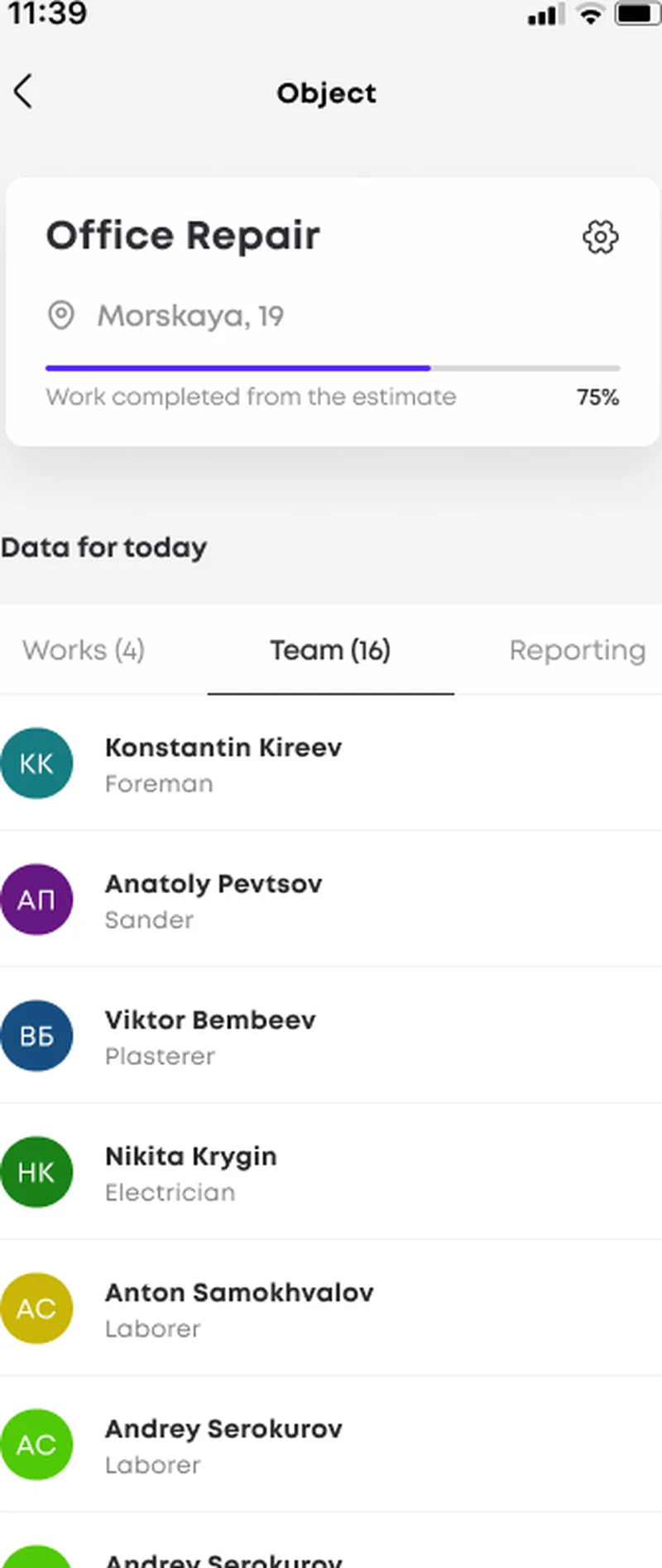
The platform decision dominates every other architectural choice in a field-workforce build. We chose Flutter for the mobile clients because construction crews carry whatever phone they happen to own, and the field app has to run well on both iOS and Android without doubling the engineering team. The core interaction — open an object, see today's works and the team on it, attach a photo, submit for acceptance — must feel identical for every worker regardless of device, and a single Flutter codebase with one design system delivers that consistency far more cheaply than maintaining two parallel native apps. It also keeps the camera-heavy and list-heavy screens fast on the mid-range Android handsets that dominate job sites across the US and EU.
The trade-off most teams underweight is the office side. A field app is only half the product; without a real control plane the data has nowhere to go. We paired the Flutter clients with a React and Laravel admin panel so managers get a true browser-based command center — multi-project oversight, task assignment, role administration, and analytics — while the crews keep a lean mobile tool. Owning both halves meant the photo pipeline, the role model, and the analytics layer were first-class concerns rather than afterthoughts, and the whole stack is open and maintainable for the long run.
| Dimension | Flutter cross-platform (this build) | Two native codebases | Off-the-shelf field tool |
|---|---|---|---|
| iOS + Android parity | Identical UI from one codebase | Two teams, drift over time | Generic, not site-shaped |
| Build & maintenance cost | Single shared team | Roughly doubled effort | License + config tax |
| Photo / video acceptance | Native camera, source-of-truth evidence | Possible, built twice | Often limited or add-on |
| Task / subtask model | Custom to the company's workflow | Custom, double the surface | Fixed templates |
| Role-based access (4 roles) | Modeled end to end | Modeled end to end | Coarse, vendor-defined |
| Data ownership (GDPR / CCPA) | Full ownership and residency control | Full ownership | Vendor-hosted tenancy |
| Site analytics | Auto charts from field reports | Built once on the backend | Varies; often export-only |
Platform references: Flutter documentation, React documentation, Laravel documentation.
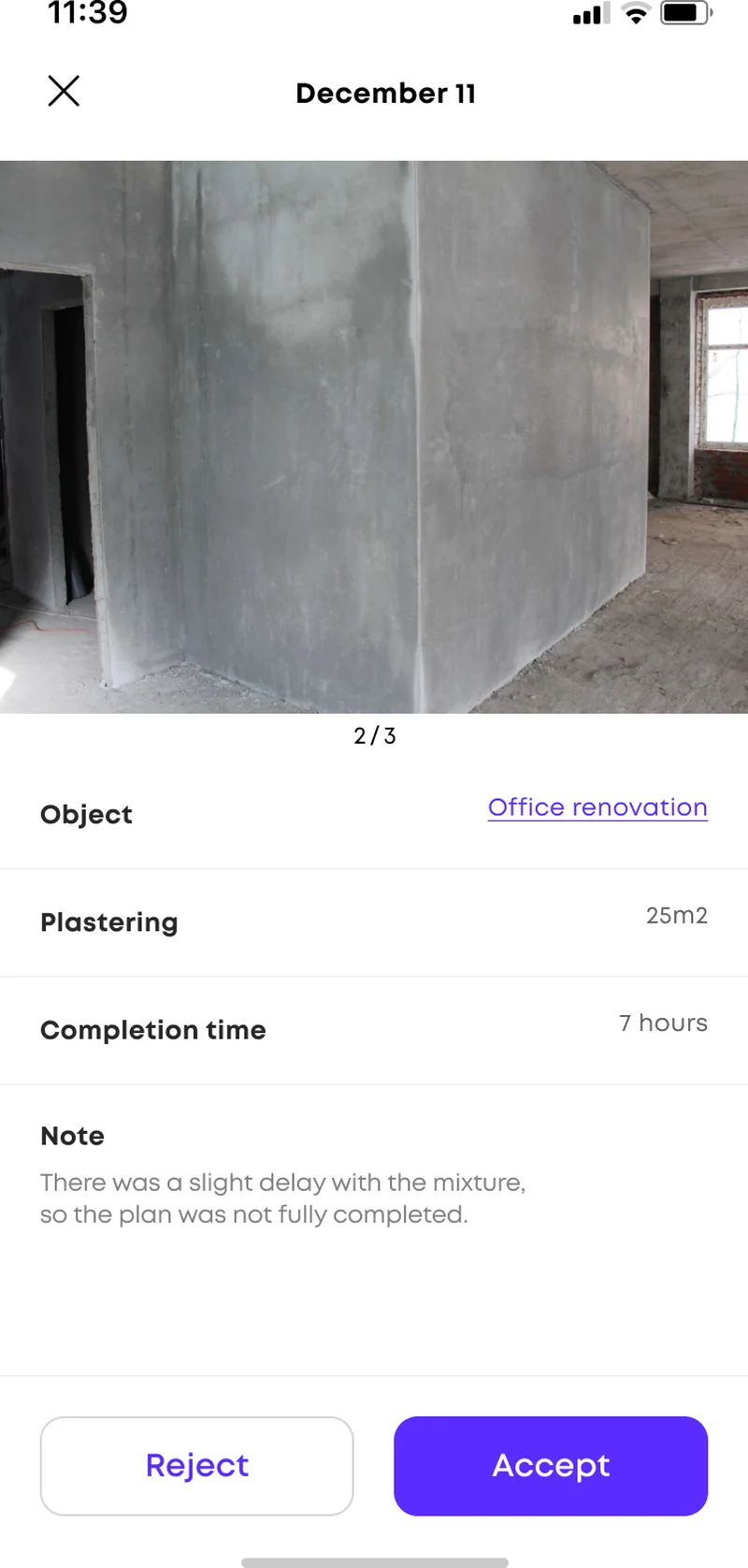
The Flutter clients are the tools workers actually hold on the job site. The whole interaction collapses into a task-first loop: a worker opens an object, sees the works assigned for today, completes one, and attaches photos or short video straight from the phone camera along with the area covered and time spent. A foreman or manager then reviews each submission against the plan and either accepts it or rejects it with a note when something does not match — a slight delay with a mixture, a partially completed wall. Because the evidence is captured at the source and timestamped, the office sees real progress rather than a verbal status, and end-of-day disputes over what was actually done largely disappear.
The screens assume a worker who is outdoors, possibly gloved, and in a hurry: large tap targets, one primary action per screen, and a contents structure organized around objects and their works. Each project carries its own task set, team roster, and photo gallery, so a worker assigned to several sites never confuses one job for another. Both the iOS and Android surfaces ship from the single Flutter codebase as part of our mobile app development practice, which is how iOS and Android stay in lockstep without two separate teams.
The web side is a React control panel backed by a Laravel API, and it is where managers run the company without walking every site. From the browser they create and assign tasks down to the subtask level, monitor status across all active objects in real time, administer the four user roles, and review the reports flowing up from the field. The same field data that a worker submits as a photo and a couple of numbers becomes, on the office side, a structured record of who did what, where, and for how long — across every project at once.
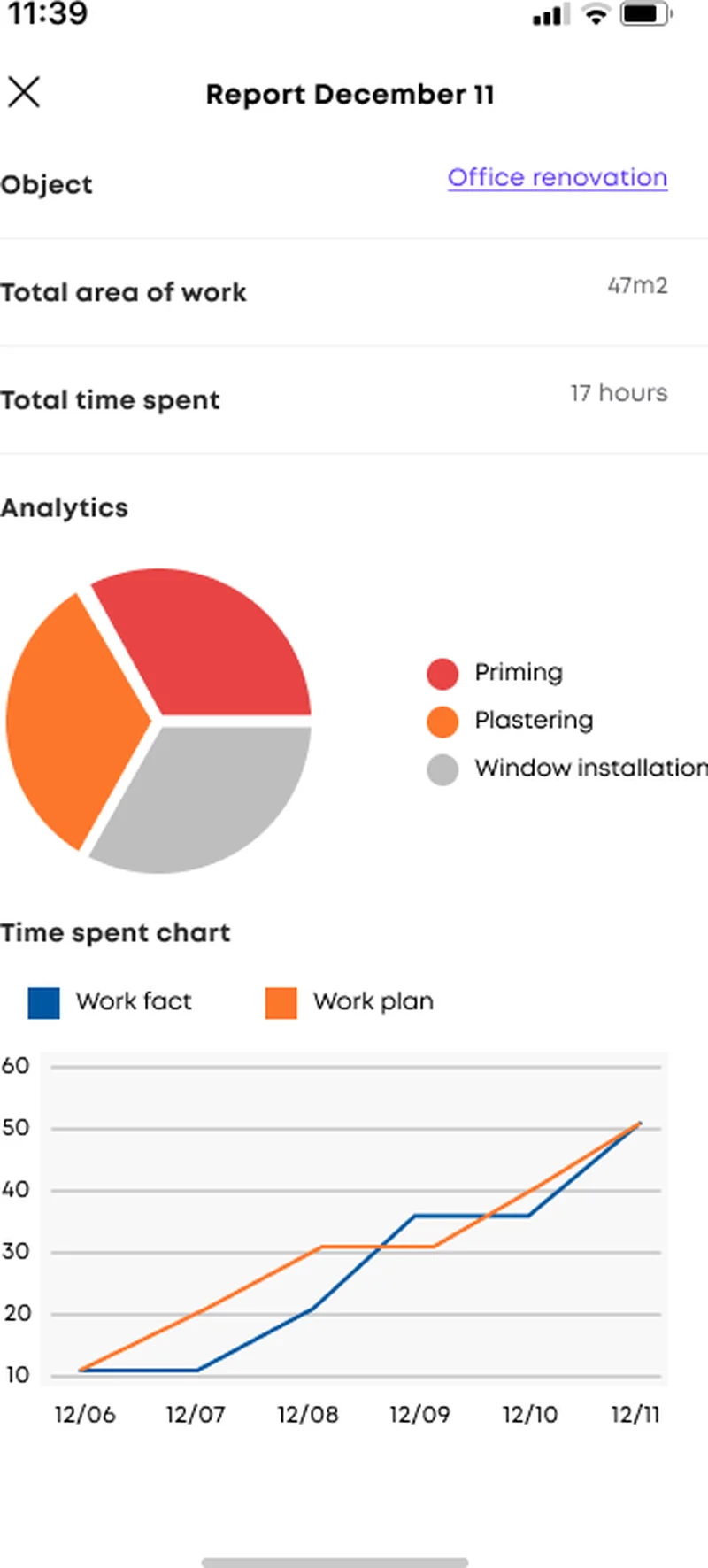
The platform turns that record into analytics automatically. A daily report rolls up total area of work and total time spent, then renders a work-type breakdown as a pie chart and a plan-versus-fact line chart that tracks committed work against what was actually delivered day by day. Managers get the answers that used to require a phone call — is this site on schedule, where is the labor going, which task type is slipping — at a glance. The whole control plane is engineered on our cloud & DevOps foundation so the API, the media pipeline, and the dashboards scale together as the company adds objects and crews.
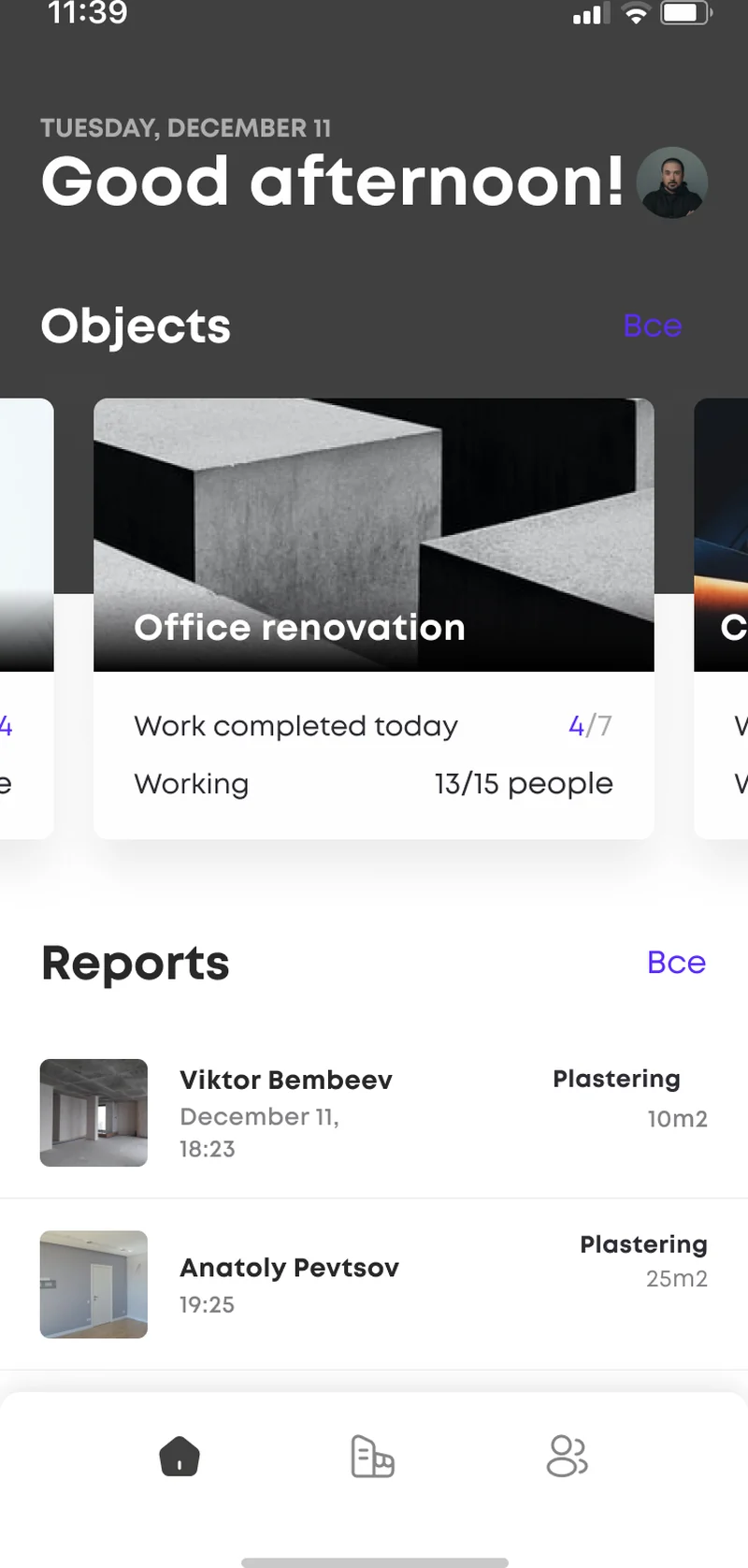
The role model is the backbone that keeps the field app simple and the office in control. Four distinct roles — worker, foreman, project manager, and administrator — each get their own view and permission set. Workers see only their assigned tasks and submit evidence; foremen accept or reject work on their sites; managers assign tasks, monitor progress, and read analytics across projects; administrators manage users and company-wide settings. Scoping every screen and action to a role means a crew member is never overwhelmed by the full control plane, while a manager never has to chase a permission. Expense and overtime entries flow through the same model, so labor cost is recorded against the right person, role, and object from the start.
Because the client owns its own deployment, data ownership and residency are design choices rather than vendor defaults. Operational and personnel data can be pinned to US or EU infrastructure for future data-residency commitments, and the system aligns with GDPR obligations for workers in the European Union and CCPA / CPRA obligations for workers in California and the broader United States — making a future readiness review a documentation exercise rather than an architectural retrofit.
Compliance posture: GDPR-aligned · ISO 27001 ready · SOC 2 Type II in progress · HIPAA-capable · CCPA-acknowledged.
A five-phase build that took the construction company from a paper-and-phone-call operation to a live web and mobile field-workforce platform.
Site walk-through, task and subtask workflow modeling, the four-role permission map, and GDPR + CCPA data-ownership posture for personnel data.
React + Laravel control-panel skeleton, the Flutter app shell, the photo and video evidence pipeline, and the analytics rollup contract.
Flutter iOS and Android field apps, the React web admin panel, task assignment, photo-verified acceptance, and expense and overtime tracking.
Low-connectivity job-site QA, camera and media testing on mid-range Android devices, role-permission audits, and iOS and Android store review.
Role-based onboarding for crews and managers, multi-project go-live, automatic site analytics, and telemetry across US and EU deployments.
Beyond the assign-and-accept core, the platform carries an analytics subsystem that converts raw field submissions into the numbers a construction manager actually runs the business on. Each accepted task contributes its area, time, and work type to a daily report that rolls up total area of work and total time spent per object, then renders a work-type pie chart and a plan-versus-fact line chart that tracks committed work against what was delivered day by day. Because every figure traces back to a timestamped, photo-verified submission, the charts are trusted rather than estimated, and a manager monitoring remotely across the US and EU sees a site slipping before the slip becomes a missed deadline. The subsystem was built with extensibility in mind — adding a new chart, a cost-per-square-meter overlay, or a cross-project comparison view is a configuration change against the analytics service rather than a code release. It is the layer that turns the platform from a digital logbook into an operational planning tool, and it is where the product earns its keep for operations directors who have to commit crews and budgets weeks in advance.
The system shipped as a single English-language build serving construction operations across the United States and the European Union, without a separate codebase per region. It serves teams in California, New York, Texas, Florida, and Washington in the US, and teams in the Netherlands, Germany, France, Ireland, and Sweden in the EU. Because the client owns its own deployment, data-handling practices are aligned with GDPR for workers in the EU and with the US state-privacy patchwork — CCPA / CPRA (California), VCDPA (Virginia), CPA (Colorado), CTDPA (Connecticut), UCPA (Utah), TDPSA (Texas), and Oregon CPA. Role-based access separates worker, foreman, manager, and admin views, and personnel and project data can be pinned to US or EU infrastructure for future data-residency commitments — so regional compliance reduces to honest disclosure and access discipline rather than per-jurisdiction rework.
The platform is built to roll out across EU and US sites in parallel, with each company's web control panel and Flutter field apps provisioned identically and pointed at the same role model. The assign-evidence-accept loop runs the same way in every region, so a multi-site operator gets one consistent picture across geographies. The engineering team behind the build runs a CET workday with East-Coast US overlap (9 AM–1 PM ET) for stand-ups, store-release choreography, and incident response — the window that lets a US operations team and an EU engineering team share four hours of live overlap every day. Data-handling references are documented directly against GDPR obligations and California CCPA obligations.
The active custom software development roadmap for the construction platform includes offline-first photo capture that queues evidence when a job site has no signal, a cost module that turns expense and overtime entries into per-object profitability, and a scheduling overlay that projects crew allocation from the task backlog. A multi-company console for general contractors managing several subcontractor teams is planned for US and EU operators, with the role model already structured for nested organizations. Infrastructure plans include further media-pipeline automation, a continuous data-integrity harness, and regional deployment scaffolded into the cloud & DevOps roadmap.
If you are planning a construction field-workforce app, a site-management platform, or any operations product where field data has to stay trustworthy through photo evidence and role-scoped access for audiences in the US and EU, we have shipped this stack end-to-end and can compress the build timeline meaningfully. The product overview is available at yusmpgroup.ru (web, iOS, and Android), and the engineering team behind it sits inside YuSMP Group. We work fixed-price for well-scoped MVPs and on dedicated development teams for ongoing delivery, with a CET workday and a guaranteed East-Coast US overlap (9 AM–1 PM ET) window for stand-ups, demos, and incident response.
A construction field-workforce MVP covering cross-platform iOS and Android field apps, a web admin panel, task assignment, and photo-verified work acceptance typically costs $70k–$180k. Adding role-based access for multiple user types, expense and overtime tracking, automatic site analytics, and offline photo capture from the job site brings a full-featured product to $200k–$450k. The dominant cost drivers are the photo and video evidence pipeline, the role and permission model, and the analytics layer that turns raw field reports into charts.
Construction crews carry whatever phone they own, so the field app has to run well on both iOS and Android without doubling the team. We chose Flutter so one codebase ships native iOS and Android clients with a single design system, which matters when the core interaction — open a site, see today's tasks, attach a photo, submit for acceptance — must feel identical for every worker. Flutter also keeps the camera, offline capture, and list-heavy screens fast on the mid-range Android devices that dominate job sites in the US and EU.
A worker on site completes a task, attaches photos or short video directly from the phone camera, and records the area covered and time spent. A foreman or manager then reviews each submission against the plan and either accepts or rejects it, with a note attached when there is a discrepancy. Because the evidence is captured at the source and timestamped, the office sees real progress rather than a verbal status, and disputes over what was actually done on a given day largely disappear.
The platform models four distinct roles — typically worker, foreman, project manager, and administrator — each with its own view and permissions. Workers see only their assigned tasks and submit evidence; foremen accept or reject work on their sites; managers assign tasks, monitor progress, and read analytics across projects; administrators manage users and company-wide settings. Scoping every screen and action to a role keeps the field app simple for crews while giving the office the full control plane, and it aligns cleanly with GDPR and CCPA data-access expectations.
A focused construction field-workforce MVP with cross-platform iOS and Android apps, a web admin panel, task assignment, and photo-verified acceptance typically takes 12–18 weeks. Adding role-based access for multiple user types, expense and overtime tracking, automatic analytics, and offline photo capture adds 6–10 weeks. App store review for both platforms and the hardening pass for low-connectivity job sites are frequently underestimated and should be budgeted at 3–5 weeks of dedicated work.
Related cases
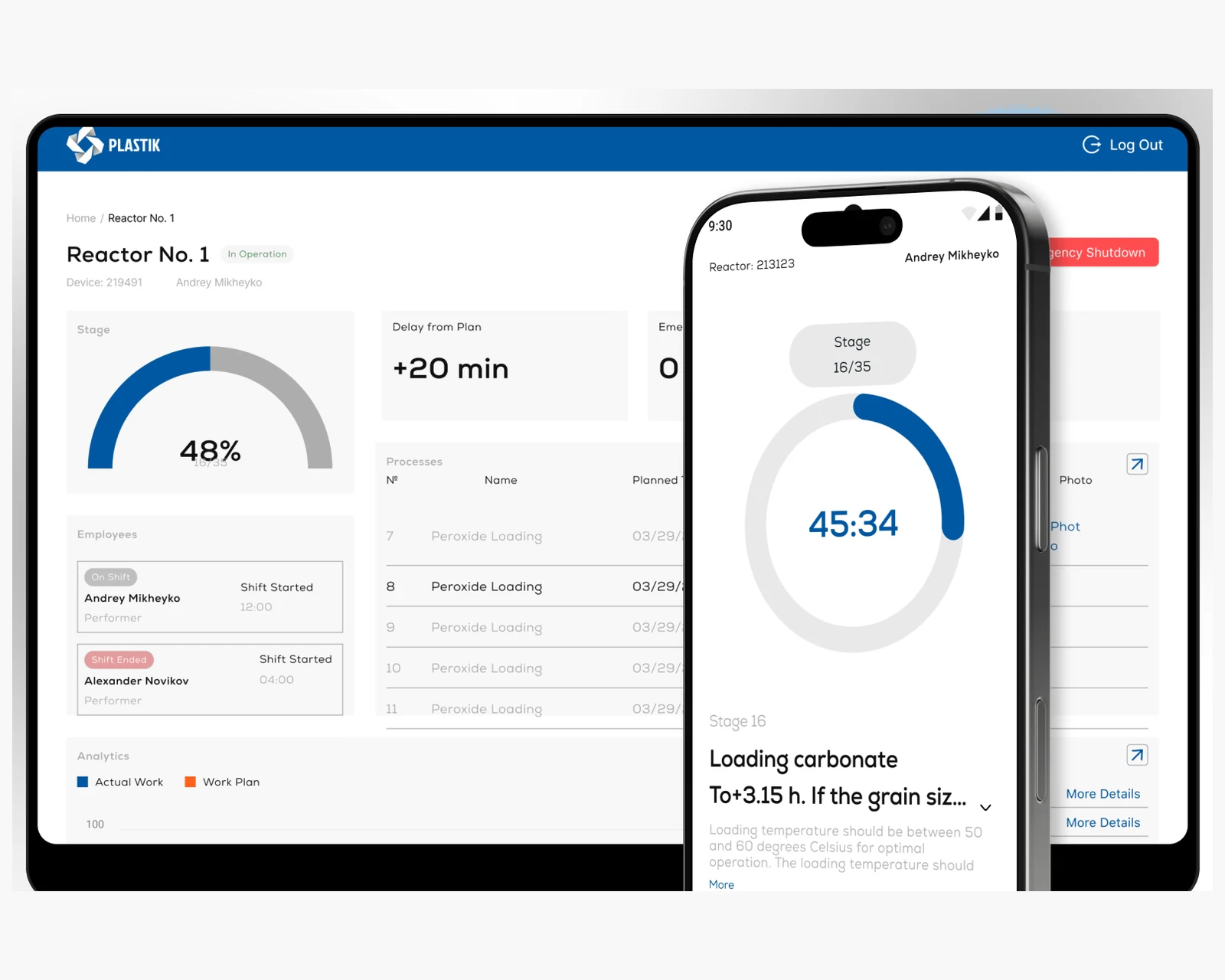
Field-audit tablet app, ops dashboard, and compliance reporting for distributed operations teams across US & EU.
View case →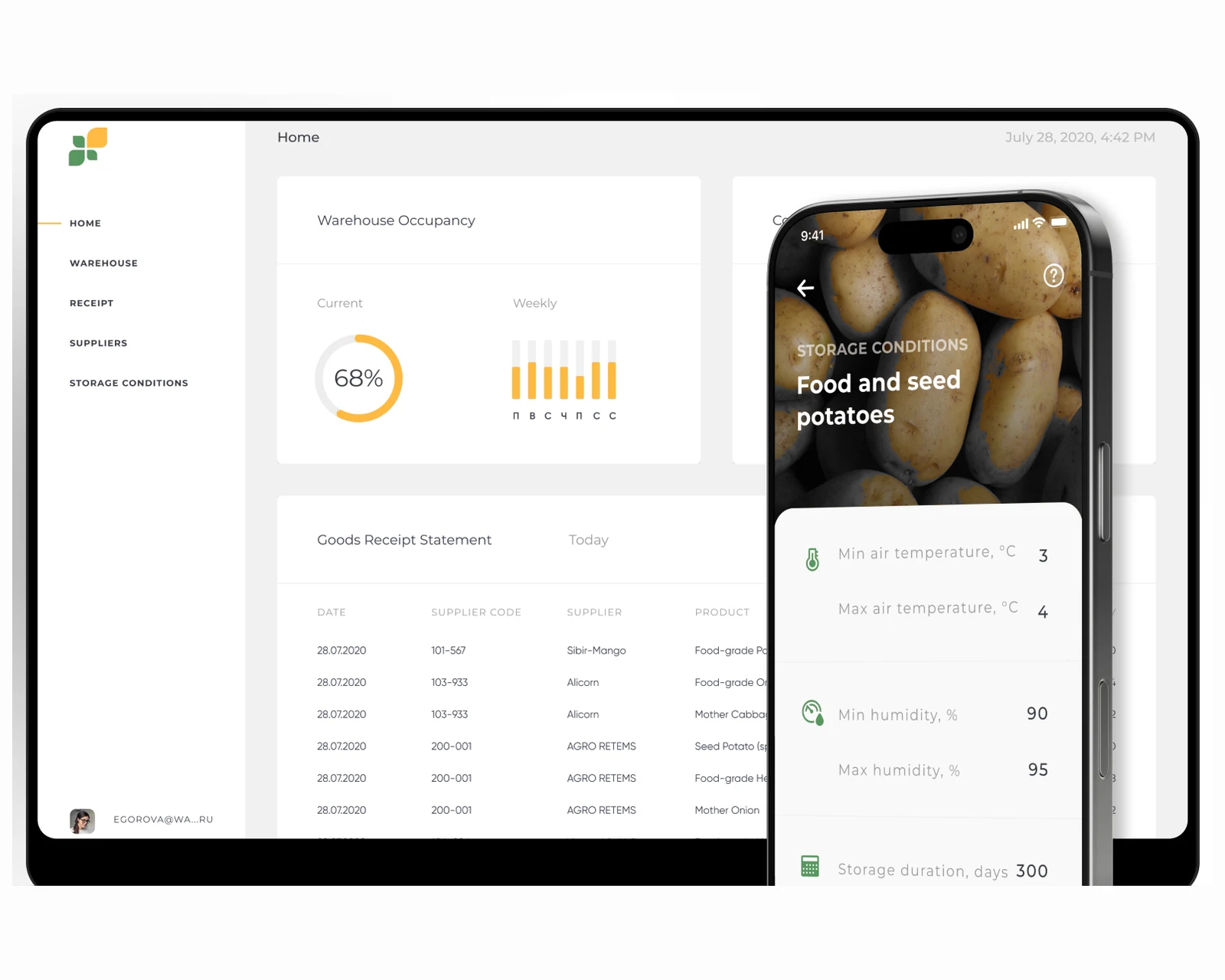
React control plane, native iOS + Android scanners, and offline-first sync for high-volume operations across US & EU.
View case →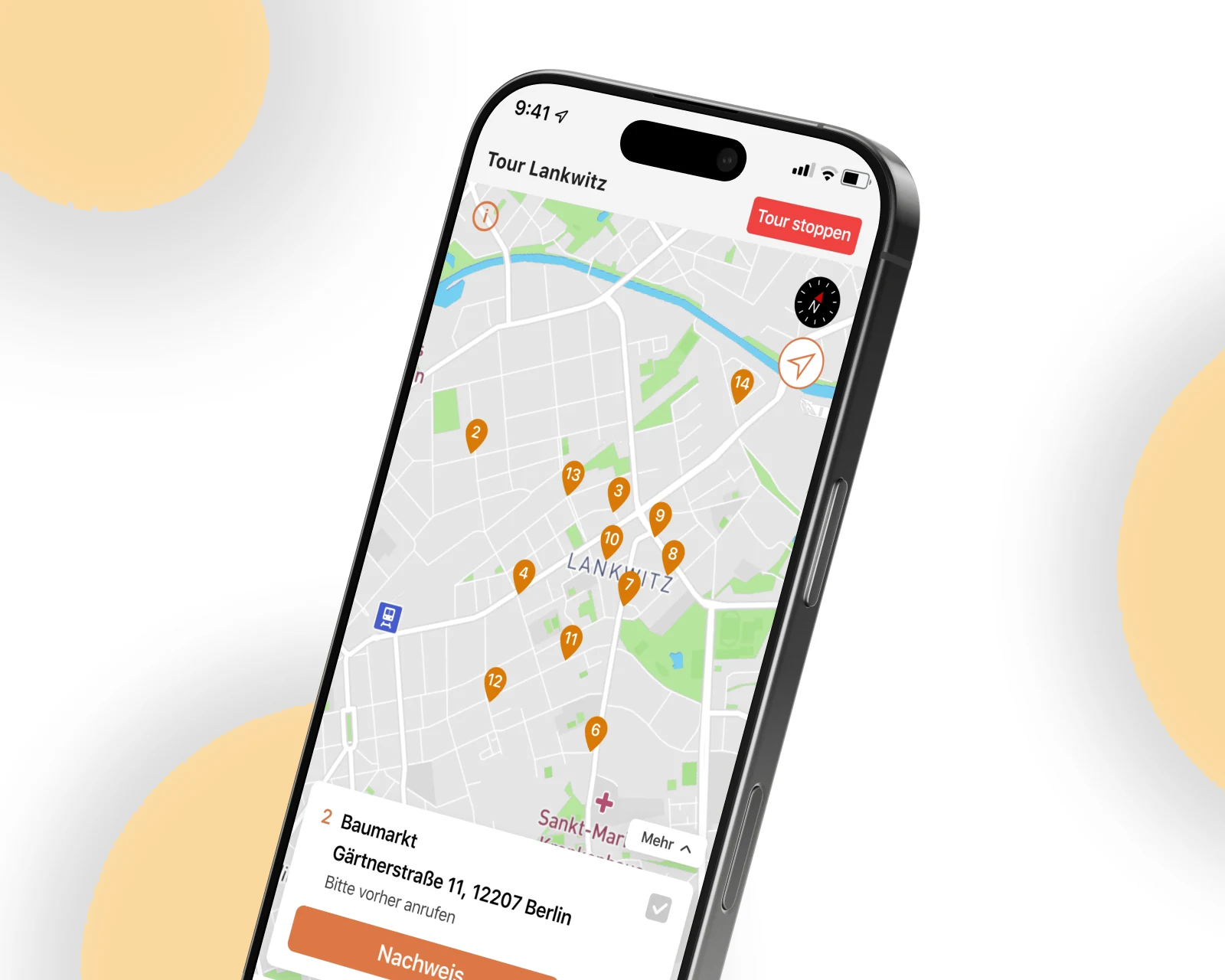
Driver-facing logistics app and routing back office for field crews working across US & EU.
View case →
Native iOS, Android, and cross-platform apps with store-ready release pipelines.
Explore mobile app development →
Custom platforms engineered to your business model, scaling cleanly from MVP to millions of users.
Explore custom software development →
Containerized infrastructure, CI/CD pipelines, and Terraform-managed deployments across US & EU regions.
Explore cloud & DevOps →Share a few details and a senior consultant will reply within one business day.