


TL;DR — Key Takeaways
- HR software manages the full employee lifecycle — hiring, records, payroll, time, benefits, performance and analytics.
- Build custom when HR software is your product, or your integration/compliance needs exceed what any vendor covers; buy SaaS for standard workflows.
- Cost ranges: $30k–$120k (MVP/single module), $150k–$400k (mid-tier HRIS), $400k–$1.2M+ (enterprise HCM with payroll).
- 2026 compliance shift: EU AI Act high-risk obligations and US state AI-hiring laws make explainable, auditable automation mandatory — not optional.
- Key integrations every custom HRIS needs: payroll (ADP/Paychex), ERP (SAP/NetSuite), SSO (Okta/Azure AD), collaboration (Slack/Teams), e-sign (DocuSign).
What is HR software development?
HR software development is the engineering of applications that run the employee lifecycle — recruiting and onboarding, the employee record, payroll and time, benefits, performance and people analytics — so an organisation manages its workforce from one trusted source of data. What makes it a specialism is not the programming languages but the demands placed on it: an HR platform holds names, salaries, health and benefits data, performance notes and, increasingly, algorithmic decisions about people, and all of it is governed by privacy and employment law.
Because of that data, HR software is best treated as a form of enterprise software development, where security, integrations, auditability and compliance are architecture decisions taken on day one rather than features added at the end. When those demands exceed what any SaaS vendor covers, organisations commission custom software development — building an HR system around their specific workforce structure, compliance surface and integration ecosystem. A mishandled payroll field or an unexplained automated rejection is not a cosmetic bug in an HR system — it can trigger a data-protection complaint, a discrimination claim or a failed audit.
This guide walks through the HRIS vs HCM distinction, when custom makes sense, the core modules, the key integrations every modern HR system needs, the 2026 AI and compliance rules that changed the game, ROI metrics you can put in a business case, the tech stack and the real cost — so you know what you are commissioning before you write a brief.
HRIS vs HRMS vs HCM: what is the difference?
An HRIS is the system of record for employee data, an HRMS adds operational modules such as payroll and time, and an HCM suite adds strategic modules such as recruiting, performance, learning and workforce planning. The three terms overlap in the market and are often used interchangeably, but for a build the distinction is concrete: it decides how many modules you are on the hook for and how much of the budget goes into payroll and strategic features. Naming your target category up front keeps the estimate honest.
| Category | What it covers | Typical scope |
|---|---|---|
| HRIS (information system) | Employee records, org structure, benefits enrolment, basic compliance | System of record — the data foundation |
| HRMS (management system) | HRIS plus payroll, time and attendance, and self-service | Operational, day-to-day HR running |
| HCM (human capital management) | HRMS plus recruiting, onboarding, performance, learning, compensation, planning | Strategic, whole-lifecycle platform |
The practical rule is that every HCM is an HRIS, but not every HRIS is an HCM. Most projects that start as "an HRIS" grow HRMS and HCM requirements the moment payroll, self-service or performance reviews come into scope — so decide honestly which one you are building. An HRIS can be a lean system of record, but once payroll and strategic modules are in the plan you are doing HCM-grade HR software development, and the estimate should say so. The same layered logic applies to other business platforms; our ERP software development guide works through it for finance and operations systems.
Should you build custom HR software or buy?
Buy an off-the-shelf HRIS when you need standard HR workflows running fast, and build custom when HR software is your product or your workflow, integrations or compliance needs fall outside what any vendor covers. For most companies, core HR and payroll are commodity functions where buying wins on cost and speed — so the honest default is to buy, and the burden of proof sits with building. Custom HR software development is not automatically better; it is better in specific situations and worse in others.
- Build custom when HR software is your product. HR-tech firms productising a new model — a niche ATS, a payroll engine, a people-analytics platform — need to own the data model, the workflow and the roadmap.
- Build custom when integration and control are strategic. Organisations with unusual workforce structures, heavy integration density or a need to embed HR data in their own platform get more from owning the system than from bending a closed product around it.
- Buy when you need standard workflows now. A company that simply needs employees, payroll and time-off running is usually better served by a vendor than by a multi-month build.
- Weigh the ongoing burden. Custom means security, maintenance and keeping pace with changing employment and AI law become yours — a multi-year commitment, not a launch-day cost.
The honest test is whether the HR software is core intellectual property or a commodity utility, and the numbers back it up: first-year total cost of ownership for either path typically runs 1.5 to 2.5 times the sticker or the build estimate once implementation, integrations and change management are counted (HiBob and industry TCO analyses, 2026). If it is IP, custom pays for itself in differentiation; if it is a utility, buying and integrating is usually cheaper and faster. Our enterprise build vs buy guide works through the trade-off in more depth.
Core modules of HR software
Every serious HR platform shares a common set of modules beyond its dashboards: the record, the money and the workflows that keep people paid, compliant and supported. These modules rarely lead the pitch, yet they consume most of the budget and are exactly what buyers, auditors and employees judge first. The list below is the baseline a 2026 HR system is expected to cover.
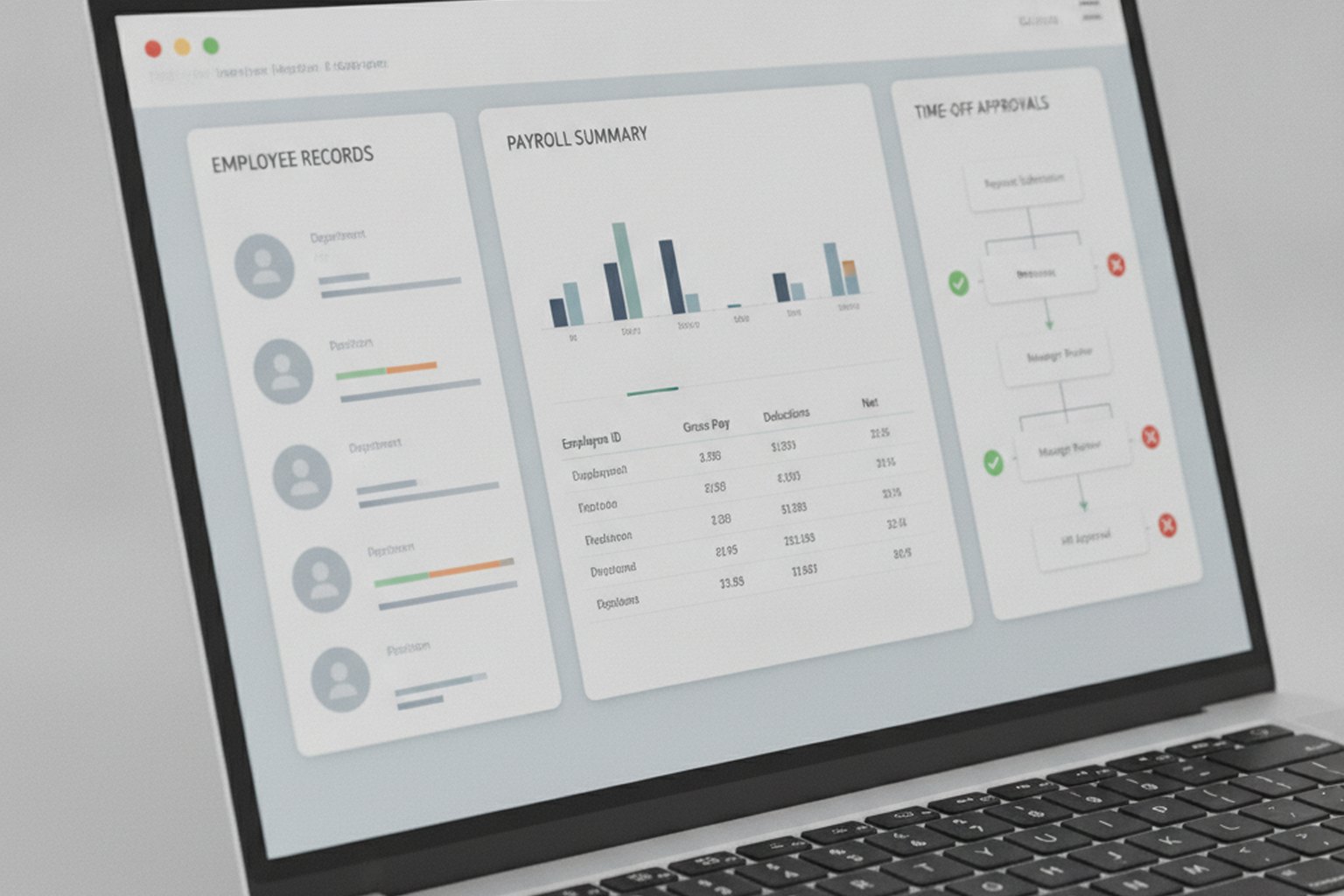
- Core HR and employee records. The single source of truth for profiles, roles, org structure, documents and life events, with role-based access so people see only what they should.
- Payroll and benefits administration. Gross-to-net calculation or payroll-provider integration, tax handling, deductions and benefits enrolment — the module with the least tolerance for error.
- Time, attendance and leave. Scheduling, timesheets, leave requests and approval workflows that feed payroll instead of living in spreadsheets.
- Recruiting and onboarding (ATS). Job posting, applicant tracking, interview scheduling and structured onboarding — the module most affected by 2026 AI-hiring law.
- Performance and learning. Goals, reviews, feedback and training, connecting day-to-day work to development and compensation.
- Employee and manager self-service. Portals and mobile access so staff update details, book leave and view payslips, and managers approve without HR in the middle.
- Workforce analytics and reporting. Headcount, turnover, diversity and cost dashboards, plus the statutory reports employment law requires — increasingly the reason HR software gets funded.
Compliance in 2026: data privacy and AI hiring
HR software must satisfy two stacked demands in 2026: protect employee data under privacy law, and prove that any AI used in hiring is lawful, fair and explainable. This is the layer that changed most since 2024 and the one that most often turns a working HR product into a legal problem, so it belongs in the architecture, not the backlog. The rules below apply directly to what you build.

- Employee-data privacy (GDPR and CCPA/CPRA). GDPR governs workforce data in the EU, and in California the CCPA/CPRA now applies fully to employees, applicants and contractors after the employee-data exemption expired — so HR systems need lawful basis, data-subject rights, retention limits and processor contracts built in.
- EU AI Act — hiring AI is high-risk. The EU AI Act classifies AI used in recruitment, screening, promotion and termination as high-risk, with obligations enforceable from 2 August 2026: risk management, data governance, human oversight, transparency and logging. It applies extraterritorially where outputs are used in the EU (DLA Piper analysis, 2026).
- NYC Local Law 144 — bias audits. Automated employment decision tools used on New York City candidates require an independent bias audit within the past year, a public summary and at least 10 business days' candidate notice, with fines of $500 to $1,500 per violation (NYC DCWP, 2026).
- US state AI-hiring laws. Illinois HB 3773 took effect on 1 January 2026, and Colorado's AI Act (SB 205) adds algorithmic-discrimination duties for high-risk employment AI — a patchwork any US-facing HR product must track.
- EEOC and Title VII. The US EEOC treats algorithmic hiring tools as "selection procedures", so a tool that produces disparate impact without job-relatedness creates discrimination liability — and that liability generally sits with the employer, not the vendor.
- Security assurance (SOC 2). SOC 2 Type II is the de facto trust bar for HR SaaS and overlaps heavily with GDPR and CCPA controls, so build the evidence — access logs, encryption, change control — as you go.
The through-line is that automation in HR is now a regulated act: any AI feature must be auditable, explainable and human-overseen, because the organisation using it carries the legal risk. Design HR software so every algorithmic decision is logged with its inputs and a human can review it, and privacy rights are handled by the data model rather than by manual effort. For the AI-specific obligations in depth, our EU AI Act compliance checklist and, for US firms handling EU workforce data, the GDPR guide for US founders are the companion references.
How to build HR software, step by step
You build HR software through a disciplined process that front-loads the data model, the payroll and compliance rules and the integrations rather than bolting them on later. A well-run build moves through six stages, and the two that generic software tends to underinvest in — discovery of the real HR and payroll rules, and privacy-and-AI compliance design — are the ones that keep an HR system lawful and usable.
- Discovery and workflow mapping. Sit with HR, payroll and IT, define the modules, employee data classes and the jurisdictions in scope, and fix the compliance and integration boundaries. Most future cost is decided here.
- Data model and compliance design. Model the employee record, roles and consent from the start, and design privacy rights, retention and the audit trail — plus any AI oversight — before the screens.
- Secure build in short sprints. Implement core HR, self-service and the priority modules on a proven stack, with access control, encryption and logging designed in and code-reviewed on every merge.
- Integrations. Connect payroll providers, benefits carriers, single sign-on and identity systems over APIs and SCIM — usually the longest single dependency in the schedule.
- Testing, security and audit readiness. Functional and payroll-accuracy testing, a third-party security assessment, and evidence for SOC 2 and any AI bias audits in scope.
- Release and ongoing maintenance. Ship with monitoring, change control and a plan to keep pace with changing employment and AI law, because a live HR system is a continuously supported platform, not a launch-day deliverable.
The order matters: teams that treat compliance and integrations as a final phase almost always rebuild parts of the system to pass an audit or a payroll cutover, which is slower and dearer than designing for them from the start. That is why HR software development services cost more per module than general product work — and why the discovery and data-model stages earn their keep.
Key integrations for custom HR software
Custom HR software lives or dies on its integration ecosystem. A standalone HRIS with no connections to payroll, identity or collaboration tools creates data silos and manual re-entry — the exact problems custom builds are meant to solve. The integrations below are the ones that nearly every serious HR system must cover, and scoping them early prevents the budget surprises that hit teams who treat them as after-thoughts.
| Category | Common platforms / standards | What to connect |
|---|---|---|
| Payroll providers | ADP Workforce Now, Paychex Flex, Gusto, Rippling | Gross-to-net runs, tax filing, direct deposit, YE forms |
| ERP / Finance | SAP S/4HANA, Oracle HCM, NetSuite, QuickBooks | Cost-centre allocation, headcount budgeting, GL posting |
| Identity & SSO | Okta, Azure AD / Entra, Google Workspace via SCIM/OIDC | Automated joiner/mover/leaver lifecycle, least-privilege access |
| Collaboration | Slack (Events API + Webhooks), Microsoft Teams (Bot Framework) | Leave approvals, onboarding nudges, payslip notifications |
| ATS / Job boards | Greenhouse, Lever, LinkedIn Talent Solutions, Indeed API | Candidate pipeline, offer letters, onboarding handoff |
| E-signature | DocuSign, Adobe Sign, HelloSign | Employment contracts, policy acknowledgements, offer letters |
| Benefits carriers | EDI 834/835 or benefits-admin APIs (Maxwell, PlanSource) | Enrolment, qualifying-life-event changes, coverage verification |
| Learning systems (LMS) | Cornerstone, TalentLMS, xAPI/SCORM standard | Training assignment, completion tracking, compliance certs |
Budget 20–30% of total build time specifically for integrations — they are almost always the longest-running dependency in an HR software project, because payroll providers and benefits carriers have their own release cycles, test environments and certification requirements. Standardising on SCIM for identity provisioning and REST/GraphQL for application data significantly reduces the per-integration cost of future connections.
AI and ML in HR software: 2026 trends
AI in HR software moved from experimental to regulated between 2024 and 2026. The EU AI Act's high-risk classification of employment AI (enforceable from 2 August 2026) and the expanding patchwork of US state AI-hiring laws mean that building AI features is now inseparable from building the compliance infrastructure around them. The capabilities below are where leading custom HR systems are investing — and each carries an explicit compliance obligation.
- Resume parsing and skills extraction (NLP). Modern NLP pipelines achieve 90–95% accuracy on structured resume fields and 80–85% on unstructured skills inference, cutting recruiter time-to-review by 60–80%. The model must be audited for demographic bias before deployment under NYC LL 144 and the EU AI Act, and the parsed fields must be explainable — not a black-box vector score.
- Candidate matching and skills-based ranking. Embedding-based matching surfaces candidates by skills overlap rather than keyword hits, reducing the gap between posted requirements and actual job performance. Every ranking output must carry a human-review gate and a documented disparate-impact check (Fairlearn or equivalent) to satisfy EEOC Title VII and EU AI Act Article 9 obligations.
- Predictive turnover and attrition modelling. Gradient-boosting models (XGBoost, LightGBM) trained on tenure, engagement and compensation data achieve 80–85% accuracy in identifying flight-risk employees 60–90 days out, enough for proactive retention conversations. Deloitte's 2025 Workforce Survey pegs global voluntary turnover at 18.4%; a 10-point drop in a 500-person workforce saves roughly $500k in recruiting and onboarding costs (at SHRM's $4,200 average cost-per-hire and industry replacement multiples).
- Intelligent onboarding and learning paths. Recommendation engines (collaborative filtering, content-based) personalise training sequences, improving 90-day new-hire proficiency by 15–25% and reducing time-to-productivity. Learning completions feed back into the skills graph used by the candidate-matching layer.
- Automated schedule and leave optimisation. Constraint-satisfaction and heuristic models balance business coverage, employee preferences and legal working-time rules — particularly valuable for shift-based workforces and multi-country teams with different holiday entitlements.
- People analytics dashboards. LLM-assisted natural-language query layers let HR business partners ask "which departments have the highest 90-day attrition?" without writing SQL, surfacing workforce intelligence that would otherwise require a data analyst. All personal data used in analytics must comply with GDPR purpose-limitation and CCPA data-minimisation principles.
The through-line: every AI module in an HR system must be designed with its audit trail first. Log inputs, model version, output and the human who reviewed the decision. This is not over-engineering — it is the minimum required by the EU AI Act's technical documentation obligations (Annex IV) and the evidence required for an NYC LL 144 bias audit. Our EU AI Act compliance checklist covers the technical requirements in detail.
ROI and business case for custom HR software
A custom HR system is a multi-year capital investment, and the business case needs numbers — not just a list of features. The metrics below are drawn from SHRM benchmarks, Deloitte's 2025 Workforce Survey and HiBob 2026 TCO analyses. Use them as planning inputs, not guarantees: the actual return depends on baseline inefficiency, employee count and how thoroughly the system is adopted.
| Metric | Baseline (manual) | Custom HRIS target | Value driver |
|---|---|---|---|
| HR admin time per employee/month | ~4–6 hours | ~1–2 hours (60–70% reduction) | Self-service + automation frees HR to work strategically |
| Time-to-hire | Industry avg 42 days (SHRM) | Target <30 days | AI screening + integrated ATS eliminate handoff lag |
| Cost-per-hire | $4,200 avg (SHRM 2025) | $2,800–$3,200 (25–35% reduction) | Pipeline automation, internal mobility surfacing |
| Voluntary turnover (500-person company) | 18.4% global avg (Deloitte 2025) | Target 12–15% | Predictive retention + engagement analytics → ~$500k saving |
| Payroll error rate | 1–3% (manual) | Target 0.1–0.5% | Automated gross-to-net, integrated time → fewer corrections |
| Compliance fine avoidance | NYC LL 144: $500–$1,500/violation | $0 (bias audit built in) | Automated bias-audit artefacts eliminate violation exposure |
| ROI payback period | — | 18–36 months (24 months typical) | Depends on employee count, baseline and adoption rate |
First-year total cost of ownership typically runs 1.5 to 2.5 times the build estimate once implementation, integrations, training and change management are counted (HiBob and industry TCO analyses, 2026). The 24-month ROI payback is achievable for a 200–500-employee organisation if: self-service adoption exceeds 80%, AI screening is deployed in the ATS, and predictive turnover modelling is used actively by HR business partners — not just installed. Size matters: for organisations under 150 people, the ROI typically requires payroll savings and compliance-fine avoidance to materialise, not just admin-time reductions alone.
The technology stack for HR software
The best technology stack for HR software prioritises security, correctness and long-term maintainability over novelty, because a payroll-grade system must be supportable and auditable for years. The exact tools vary, but the shape below is typical of a 2026 build and is deliberately conservative — a boring stack you can secure and reason about beats a fashionable one you cannot. The parts that are non-negotiable are identity and provisioning: single sign-on and automated user lifecycle are what make HR software safe at scale.
| Layer | Common 2026 choices | Why |
|---|---|---|
| Backend | Java, C#, Python or Node.js | Mature libraries, a supportable talent pool and strong payroll/date logic |
| System of record | PostgreSQL or SQL Server with append-only audit tables | ACID transactions and a tamper-evident record of every change |
| Identity & provisioning | SSO via SAML/OIDC, SCIM provisioning, RBAC | Least-privilege access and automated joiner/mover/leaver lifecycle |
| Integrations | REST/GraphQL APIs, SFTP for payroll files, webhooks | Standards-based exchange with payroll, benefits and identity systems |
| Frontend | React, TypeScript; native or Flutter on mobile | Accessible, maintainable self-service for staff and managers |
| Cloud & security | AWS, Azure or GCP; encryption, IAM, SIEM, IaC | Repeatable, documented deployments that produce audit evidence |
Whatever the specifics, keep the audit trail append-only, wrap every payroll and record change in a transaction, and expose data through documented APIs rather than a proprietary export. Teams that get this right treat the secured system of record as the source of truth and everything else — dashboards, analytics, notifications — as downstream consumers of its events. Our cloud and DevOps practice sets up the encrypted, monitored infrastructure that HR data requires.
How much does HR software development cost?
Custom HR software development typically costs $30,000 to $120,000 for a single-module or MVP build, $150,000 to $400,000 for a mid-tier custom HRIS with self-service and integrations, and $400,000 to $1,200,000 or more for an enterprise HCM suite with payroll and multi-country support in 2026. The number is driven by whether payroll is in scope, the number of integrations, the compliance surface and the developer rate for your region.
| Product scope | Typical 2026 cost | Build time |
|---|---|---|
| Single module / MVP (e.g. core HR or an ATS) | $30,000–$120,000 | 2–4 months |
| Mid-tier custom HRIS (self-service, integrations) | $150,000–$400,000 | 5–9 months |
| Enterprise HCM suite (payroll, multi-country) | $400,000–$1,200,000+ | 10–24 months |
Two things reliably move these numbers. Payroll is the first: a compliant payroll engine with tax logic and multi-country rules is one of the most expensive modules in HR software, so build only what you need and integrate a payroll provider where you can. Region is the second — senior US engineers command far higher rates ($100–$200 an hour) than equally strong teams in Eastern Europe ($30–$70) or via nearshore delivery, which is why cost benchmarking pays off; our custom software development cost guide breaks the ranges down by project type. Treat every figure here as a planning range, not a quote: the only accurate number comes from a scoped estimate against your specific modules and integrations.
How to choose an HR software development company
Choose an HR software development company on proof of shipped, secure, compliant HR or enterprise systems — not a portfolio of generic apps — because the right partner has delivered payroll-grade software that passed real security assessments and handles employee data lawfully. A mistake here is measured in payroll errors, data-protection complaints and failed audits rather than a redesign, so weigh the following before you sign.
- HR and payroll track record. Ask for concrete work on employee-data systems, payroll or ATS integrations and references from HR clients, not just consumer apps.
- Compliance as standard. GDPR, CCPA, SOC 2 and — where AI features are in scope — bias-audit and EU AI Act experience should be part of how they build, not a paid extra.
- Integration depth. HR software lives or dies on its connections to payroll, benefits, SSO and identity; a partner who has built SCIM and payroll integrations before will hit fewer surprises.
- Ownership of code and data. You should own all IP, source code and the employee-data model outright, with a documented handover.
- Right-sized model. A senior squad on a fixed scope suits a single module; a dedicated team suits an evolving HCM platform — match the engagement to your stage.
Whether you build in-house or partner out, insist on a hard scope, a written compliance and integration plan, and code you own from day one. The right HR software development services quote against a fixed scope, transfer all IP, and build so the secure, working parts grow rather than get rebuilt — the difference between a system that scales through audits and payroll cutovers and one that has to be re-secured the year after launch. That is what we mean when we describe ourselves as an HR software development company you can hand a regulated build to.
FAQ
What is HR software development?
HR software development is the design, building and maintenance of software that manages the employee lifecycle — hiring, records, payroll, time and attendance, benefits, performance and workforce analytics. It is a form of enterprise software development defined less by its screens than by its non-functional requirements: an HR system holds some of a company's most sensitive personal data, so it must be secure, auditable and compliant with data-privacy and employment law. In 2026, rules on AI-driven hiring — the EU AI Act, New York City Local Law 144 and several US state laws — make lawful, explainable automation a baseline requirement rather than an optional feature.
What is the difference between HRIS, HRMS and HCM?
An HRIS (human resource information system) is the system of record for employee data — profiles, roles, org structure, benefits enrolment and basic compliance. An HRMS (human resource management system) adds operational modules such as payroll, time and attendance and self-service. An HCM (human capital management) suite is the broadest platform, adding strategic modules such as recruiting, onboarding, performance, learning, compensation and workforce planning. The rule of thumb is that every HCM is an HRIS, but not every HRIS is an HCM; in the market the terms are often used interchangeably.
How much does HR software development cost in 2026?
Custom HR software development typically costs $30,000 to $120,000 for a single-module or MVP build, $150,000 to $400,000 for a mid-tier custom HRIS with self-service and integrations, and $400,000 to $1,200,000 or more for an enterprise HCM suite with payroll and multi-country support in 2026. Timelines run from about 2 to 4 months for an MVP to 10 to 24 months for an enterprise suite. Payroll and compliance modules, the number of integrations and the developer rate for your region are the biggest cost drivers, and first-year total cost of ownership usually runs 1.5 to 2.5 times the build once implementation and integrations are counted.
What compliance rules apply to HR software in 2026?
HR software must protect employee data under privacy law — GDPR in the EU and, since the employee-data exemption expired, the CCPA/CPRA in California — and meet employment law on payroll, taxes and anti-discrimination. The 2026 shift is regulation of AI in hiring: the EU AI Act treats recruitment and employment AI as high-risk with obligations enforceable from 2 August 2026; New York City Local Law 144 requires an annual independent bias audit and candidate notice for automated employment decision tools; Illinois HB 3773 took effect on 1 January 2026; and the US EEOC treats algorithmic hiring tools as selection procedures under Title VII. Liability for a biased tool generally sits with the employer, so any AI feature must be auditable and explainable.
Should I build custom HR software or buy an off-the-shelf HRIS?
Buy an off-the-shelf HRIS when you need standard HR workflows running fast, and build custom when HR software is your product or your workflow, integrations or compliance needs fall outside what any vendor covers. For most companies, core HR and payroll are commodity functions where buying wins on cost and speed. Building makes sense for HR-tech firms productising a new model, for organisations with unusual workforce structures or heavy integration density, and where owning the data model and roadmap is strategic — provided you have engineering capacity and accept multi-year ownership of maintenance and compliance.
How long does it take to build HR software?
A single-module or MVP HR build usually takes 2 to 4 months in 2026, a mid-tier custom HRIS with self-service and integrations 5 to 9 months, and an enterprise HCM suite with payroll and multi-country support 10 to 24 months. Discovery, data-model design and mapping payroll and compliance rules add several weeks up front, and integrations with payroll providers, benefits carriers, single sign-on and identity systems are typically the longest single dependency in the schedule.
What integrations does custom HR software typically need?
Custom HR software typically integrates with payroll providers (ADP, Paychex, Gusto), ERP systems (SAP S/4HANA, NetSuite, Oracle), accounting software (QuickBooks), collaboration tools (Slack, Microsoft Teams), identity and SSO providers (Okta, Azure AD), applicant tracking systems and job boards, e-signature platforms (DocuSign), video interview tools (HireVue), and benefits carriers via EDI 834 or benefits-admin APIs. Budget 20–30% of total build time for integrations — they are almost always the longest-running dependency in an HR software project, because payroll providers and benefits carriers have their own release cycles and certification requirements.
How does AI improve HR software in 2026?
In 2026, AI improves HR software across several functions: NLP-based resume parsing achieves 90–95% accuracy, cutting recruiter time-to-review by 60–80%; gradient-boosting models predict turnover with 80–85% accuracy 60–90 days out; skills-based candidate matching surfaces non-obvious talent; learning path engines personalise development at scale; and LLM-assisted analytics let HR teams query workforce data in plain English. All AI features used in hiring decisions must comply with EU AI Act high-risk obligations (from 2 August 2026) and NYC Local Law 144 bias-audit requirements — every algorithmic hiring decision must be logged, explainable and human-overseen.
Last updated 11 September 2026. Cost, timeline and compliance figures reflect widely reported 2026 US and EU market data (including GDPR, the CCPA/CPRA, the EU AI Act high-risk employment provisions effective 2 August 2026, NYC Local Law 144, Illinois HB 3773 and US EEOC guidance) and vary by system type, region and integration scope. Treat the figures as planning ranges, not quotes — ask for a scoped estimate for your specific system.
