

What is quality assurance in software development?
Quality assurance in software development is the systematic set of activities that keep software working as intended before it reaches users. QA is broader than testing: it covers reviewing requirements, designing and running tests, tracking defects, and improving the process so bugs do not recur. The aim is to build quality in across the whole development life cycle, not just find bugs at the end.
Quality assurance in software development is the discipline of building software the right way so that defects are prevented, caught early and kept from reaching production. It is wider than the act of testing: quality assurance spans how requirements are agreed, how code is reviewed, how test cases are designed and executed, how defects are logged and verified, and how the team learns from each release so the same problems do not return. Testing is the sharp end of QA — but the process, standards and gates around it are what make quality repeatable rather than lucky.
This distinction matters because quality is cheapest when it is engineered in from the start, not inspected in at the end. A bug caught while a developer is still writing the feature costs minutes; the same bug found in production can cost hours of firefighting plus the trust of the users who hit it. That is why quality assurance is baked into how any serious enterprise software development team works — as a continuous practice woven through delivery, not a final checkpoint bolted on before launch.
This guide explains what QA is and how it differs from testing and quality control, walks through the QA process step by step, breaks down the main types of testing, compares manual and automated approaches, shows where QA sits in the software development life cycle, and covers how to measure quality and the practices that keep it high in 2026.
QA vs QC vs testing: what's the difference?
The difference is one of scope: quality assurance is process-focused and preventive, quality control is product-focused and detective, and testing is the main activity of quality control. They are layers of the same goal, not competing ideas, and teams that blur them tend to over-rely on late testing to catch problems that better process would have prevented.
- Quality assurance (QA). Preventive and process-oriented. QA asks "are we building it the right way?" — defining standards, review steps, entry and exit criteria, and continuous improvement so defects are less likely to be introduced at all.
- Quality control (QC). Detective and product-oriented. QC asks "did we build it right?" — inspecting the actual output against requirements to find where it falls short.
- Testing. The primary technique of QC — executing the software with planned inputs to observe where its behaviour diverges from what is expected, and reporting those defects.
In day-to-day language many teams use "QA" and "testing" interchangeably, and that is fine as shorthand. But the mental model is worth keeping: if the only quality activity you can name is "we test before release", you have QC without QA — and you will keep finding the same classes of defect late, when they are most expensive to fix.
Why quality assurance matters
Quality assurance matters because it moves defect detection earlier, where fixing is cheapest, and protects the two things that are hardest to win back: user trust and delivery speed. The long-standing rule of thumb — reinforced by decades of engineering research — is that the cost of fixing a defect rises sharply the later it is found, from near-trivial during coding to substantial once it is live in front of customers. QA is the mechanism that shifts that discovery left.
In 2026 this has a new edge. With an estimated 53% of code now AI-generated or AI-assisted (Sembi's 2026 Software Quality Pulse report) and 74% of organisations using AI somewhere in their development and testing workflows (McKinsey), far more code is being produced far faster — but volume is not the same as correctness. Industry analysis of AI-accelerated teams repeatedly finds that without strong tests and review, generated code can raise change-failure rates and hidden technical debt. More output makes disciplined quality assurance more valuable, not less.
The concrete payoffs of good QA are consistent across teams:
- Cheaper fixes. Catching a defect in code review or a unit test costs a fraction of catching it in production.
- Protected reputation. Users forgive missing features far more readily than data loss, outages or a checkout that silently fails.
- Predictable releases. When quality is gated continuously, shipping stops being a gamble and becomes routine.
- Faster onboarding of change. A trustworthy test suite lets developers refactor and add features without fear of silent regressions.
- A real quality signal. Tracked defect and coverage data turns "it feels stable" into evidence leaders can act on.
The QA process in software development, step by step
The QA process is a repeatable sequence that runs alongside development rather than after it: review the requirements, plan and design the tests, execute them, track defects to closure, and sign off against clear exit criteria. Each step has an owner and a definition of done, which is what turns "we test sometimes" into a dependable software development QA process.

- Requirements review. QA reads the requirements before any code is written, checking each one is clear, complete and testable. Ambiguous requirements are the cheapest defects to fix — you fix a sentence, not a system.
- Test planning. Decide what to test, to what depth, on which environments and browsers or devices, and what "done" means. Risk drives depth: the checkout and auth paths get far more attention than a rarely used admin screen.
- Test design. Write concrete test cases and data from the requirements — the expected result for each input, including edge cases and error paths, not just the happy path. Decide here what will be automated versus explored by hand.
- Test execution. Run the tests against each build — automated suites in the pipeline, manual and exploratory sessions where judgement matters — and record results against the plan.
- Defect tracking. Log each defect with steps to reproduce, severity and priority, then track it through fix, re-test and closure. Verifying the fix (and that it broke nothing else) is part of the step, not an afterthought.
- Sign-off and retrospective. Release only when the agreed exit criteria are met, then review what escaped and why so the process improves for next time. This feedback loop is what makes QA assurance rather than just control.
On modern teams this loop is continuous, not a phase at the end. Automated tests run on every commit through the CI/CD pipeline, and manual effort concentrates on new, risky or experience-critical areas — so the process above repeats many times per release rather than once.
Types of testing in software development
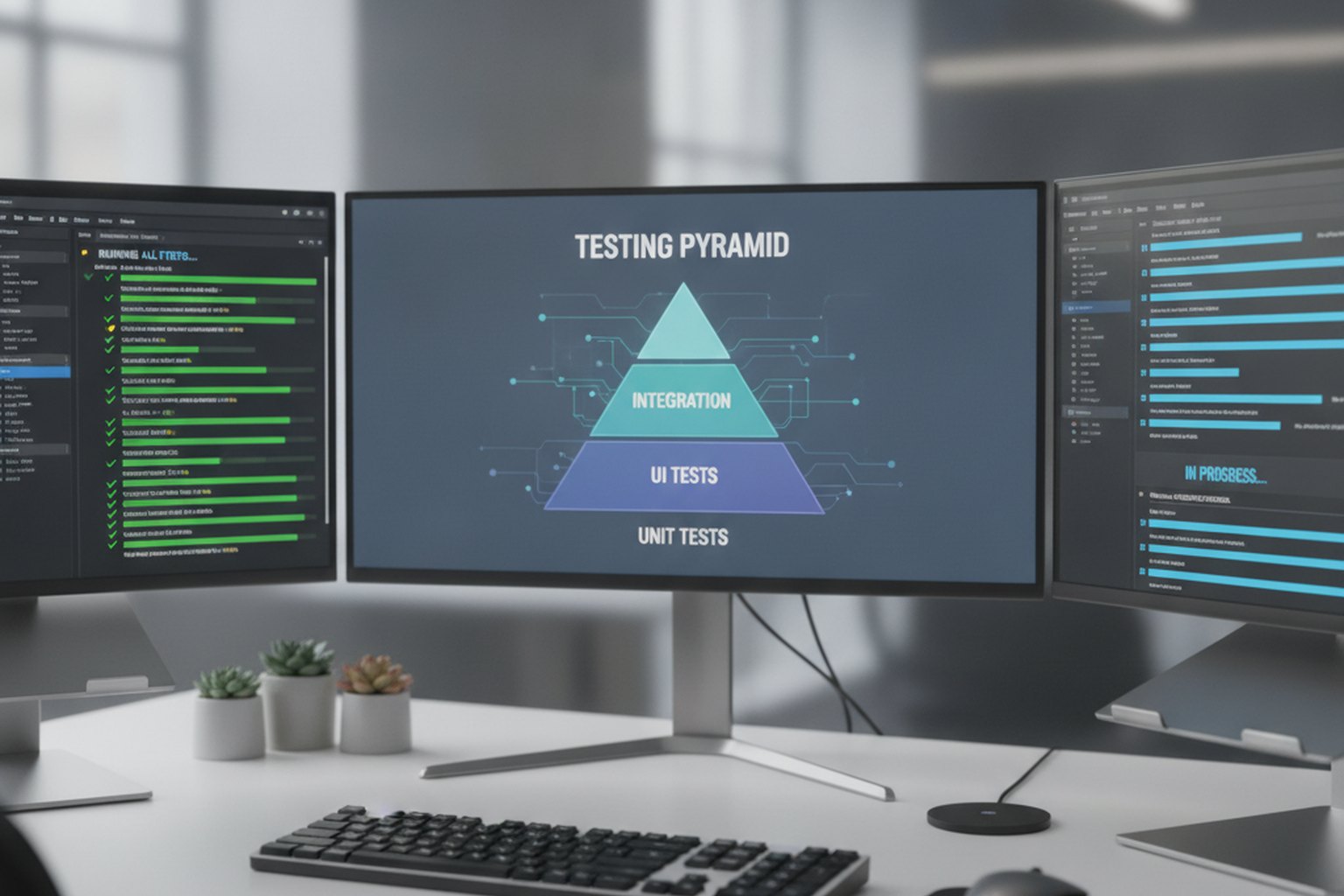
The types of testing in software development fall into two families: functional tests that check the software does what it should, and non-functional tests that check how well it does it — speed, security and usability. Most teams organise the functional levels with the testing pyramid: many fast, cheap unit tests at the base, fewer integration tests in the middle, and a small number of slow end-to-end tests at the top. The table below summarises the main types and when each earns its place.
| Test type | What it checks | When it runs |
|---|---|---|
| Unit testing | A single function or method in isolation | On every commit — the fast base of the pyramid |
| Integration testing | That modules and services work correctly together | After units pass, in the pipeline |
| System testing | The complete application end to end | On a full build in a staging environment |
| Acceptance testing | That it meets business requirements (UAT) | Before release sign-off |
| Smoke testing | That a new build is stable enough to test further | First, as a gate before deeper suites |
| Regression testing | That new changes did not break existing features | On every change, mostly automated |
| Performance testing | Speed and stability under expected and peak load | Before major releases and capacity changes |
| Security testing | Vulnerabilities, weak auth and data exposure | Continuously, shifted left into the pipeline |
| Usability testing | Whether real users can complete key tasks easily | On new flows, with people, not scripts |
No team runs all of these with equal intensity on every change. The point is coverage of risk: automate the functional levels (unit, integration, regression, smoke) so they run constantly and cheaply, schedule the heavier non-functional tests (performance, security) around meaningful releases, and reserve human time for exploratory and usability work where judgement beats a script. Security testing in particular belongs inside the pipeline — the same shift-left logic that drives a secure software development life cycle.
Manual vs automated testing: when to use each
Use automated testing for anything repetitive and stable, and manual testing for anything that needs human judgement — they are complementary, not rivals. Automation gives fast, reliable, always-on coverage of known behaviour; people are irreplaceable for exploring the unknown and judging whether an experience actually feels right. The skill is drawing the line in the right place.
- Automate: unit, integration, regression and smoke tests, and any check that must run on every commit. These are stable, high-volume and unforgiving of human boredom — exactly where machines win.
- Keep manual: exploratory testing, usability and accessibility assessment, visual polish, and brand-new features whose behaviour is still changing too fast to be worth scripting.
A healthy split automates the repeatable core so it runs continuously in CI, then frees QA engineers to spend their time on edge cases and experience — the work that automation cannot do. In 2026, AI-assisted tools increasingly help generate and maintain automated tests, and Gartner projects that 70% of enterprises using AI-powered testing will accelerate their release cycles. But the same industry data carries a warning: adoption is often shallow, with teams generating more tests without improving what those tests actually catch. AI is a force multiplier for a sound strategy, not a substitute for one.
QA tools and standards
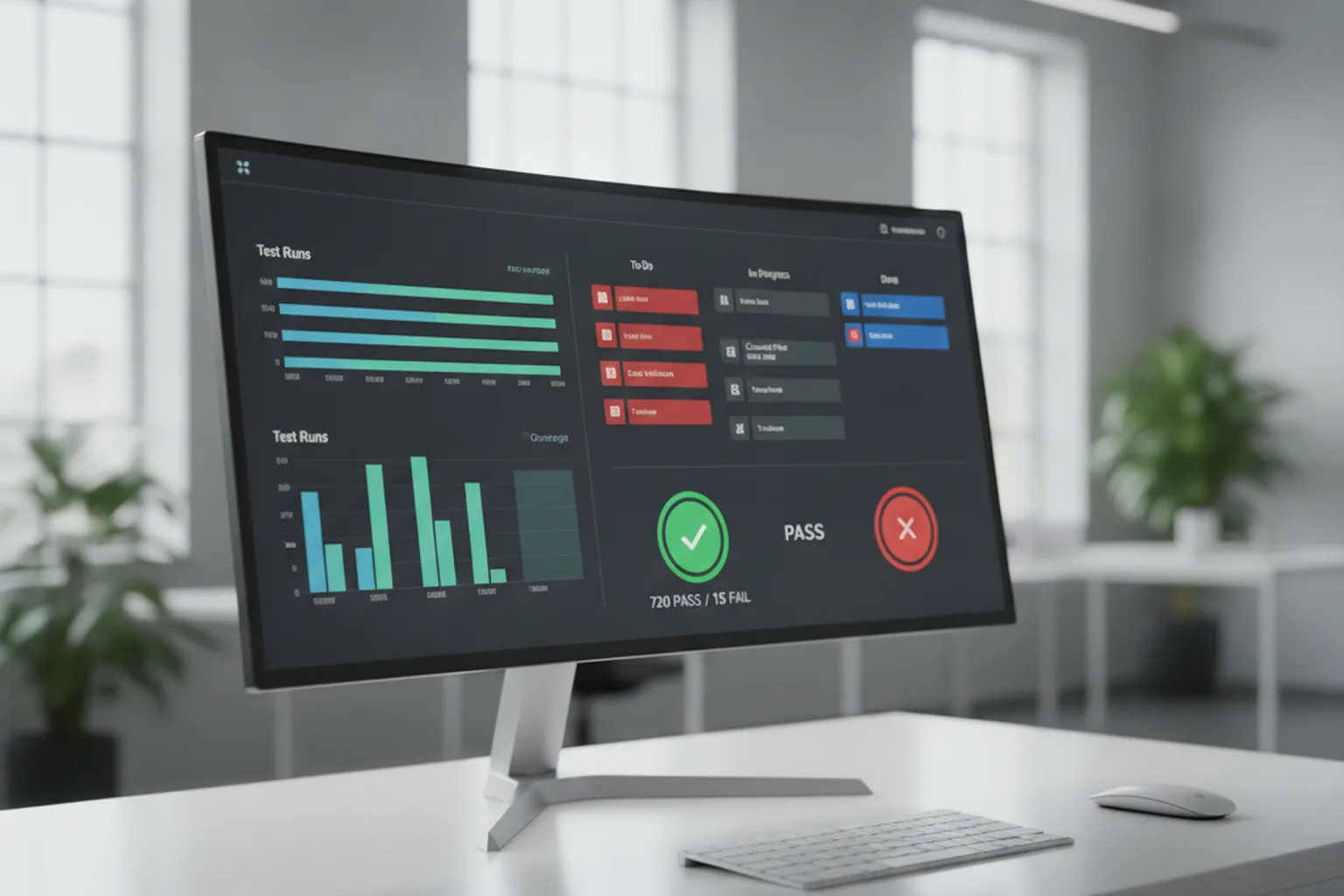
Software QA tools fall into a handful of categories that map onto the process above, and most teams assemble a stack from each rather than buying a single all-in-one platform. Standards give that stack a shared vocabulary — useful when a client, auditor or new hire needs to know what "quality" means on your project without reading your internal wiki.
| Tool category | What it's for | Common examples |
|---|---|---|
| Test management | Organising test cases, plans and traceability to requirements | TestRail, Zephyr, Xray |
| Test automation frameworks | Scripting and running UI, API and unit tests | Playwright, Selenium, Cypress, Jest |
| CI/CD test runners | Executing suites automatically on every commit or merge | GitHub Actions, GitLab CI, Jenkins |
| Static code analysis | Flagging bugs, vulnerabilities and code smells without running the app | SonarQube, ESLint, Semgrep |
| Performance testing | Load, stress and soak testing under simulated traffic | k6, JMeter, Gatling |
| Defect tracking | Logging, prioritising and following bugs through to closure | Jira, Linear, Azure DevOps |
On standards, three references come up most often in enterprise QA conversations:
- ISO/IEC 25010. The quality model most testing standards build on — it defines the quality characteristics (functional suitability, reliability, performance, security, maintainability and more) that "quality" is measured against.
- ISTQB certification. The most widely recognised professional QA/testing certification body; it standardises terminology and technique across the industry, which matters when a team is distributed across countries.
- CMMI. A process-maturity model some enterprise buyers and regulated industries require of vendors — it assesses how disciplined and repeatable an organisation's development and QA process is, not any single test.
None of this is worth adopting for its own sake. Pick the tool categories that match where your risk actually is, and reach for a named standard only when a client, regulator or acquirer asks for one by name — otherwise the process above, run consistently, is what carries the quality.
Where QA fits in the software development life cycle
QA belongs in every phase of the software development life cycle, not a testing phase at the end — the modern shift is to move quality activities as early as possible, an approach called "shift-left". Instead of a QA gate that discovers problems just before release, quality checks start at requirements and continue through design, coding and deployment, so defects are caught closest to where they are introduced.
This is why the industry increasingly talks about "quality engineering" rather than "quality assurance": the responsibility for quality is shared across the whole team and embedded in the pipeline, rather than owned by a separate group that inspects work after the fact. In practice, QA in the software development life cycle looks like requirements being reviewed for testability, developers writing unit tests alongside features, automated suites gating every merge, and security and performance checks running continuously — with a final acceptance pass confirming business fit rather than hunting for basic bugs. It also depends on clear ownership: knowing who tests what is part of getting software development team structure right.
How do you measure software quality?
Measure software quality with a small set of objective metrics tracked over time, not a single score or a gut feeling. Four cover most needs, and each answers a different question about where quality stands and whether it is improving.
- Defect density — defects relative to the size of the code or feature. It shows where problems concentrate so review and testing can focus there.
- Defect escape rate — the share of bugs that reach production versus those caught earlier. This is the truest measure of whether your QA is working: low escape rate means defects are being caught before users are.
- Test coverage — how much of the code the automated tests actually exercise. Treat it as a guardrail, not a target: 90% coverage of trivial code proves little, so read it alongside escape rate.
- Mean time to recovery (MTTR) — how fast you detect and fix a production issue. Because no process catches everything, how quickly you recover is itself a quality metric.
The mistake to avoid is optimising a single number. High coverage with a high escape rate means the tests are exercising the wrong things; fast recovery with rising defect density means you are getting good at firefighting instead of prevention. Read the metrics together, and use the trend rather than any one reading, to steer where QA effort goes next.
QA best practices for 2026
The practices that keep software quality high in 2026 all point the same way: catch problems early, automate the repeatable, and keep humans focused on judgement. None require a big-bang change — each is a step you can take on the next release.
- Test early and continuously. Start QA at requirements and run automated tests on every commit. Late testing is expensive testing.
- Build the testing pyramid. Lean on many fast unit tests, fewer integration tests and a thin layer of end-to-end tests. Inverting the pyramid makes suites slow and flaky.
- Automate the repeatable, explore the rest. Automate regression and smoke checks; reserve human time for exploratory, usability and accessibility work.
- Kill flaky tests fast. A test that fails at random trains the team to ignore red builds, which destroys the value of the whole suite. Fix or quarantine it immediately.
- Shift security left. Run dependency, secret and code scans inside the pipeline on every change rather than as a late audit.
- Use AI testing tools with judgement. Let AI help generate and maintain tests, but review what they cover — more tests are not the goal; catching real risk is.
- Measure and improve. Track escape rate and coverage, review what escaped after each release, and feed that back into the process.
The highest-leverage first move is almost always making your automated tests fast and trustworthy. Once developers believe the suite, everything else — earlier testing, security gates, safer releases — becomes a natural next step rather than a fight.
FAQ
What is quality assurance in software development?
Quality assurance in software development is the systematic set of activities that keep a product working as intended before it reaches users. QA is broader than testing: it covers how requirements are reviewed, how test cases are designed and run, how defects are tracked and fixed, and how the process is improved so the same bugs do not recur. The goal is to build quality in throughout the software development life cycle, not just find bugs at the end. In practice QA combines process (standards, reviews, sign-off gates) with verification (manual and automated testing).
What is the difference between QA, QC and testing?
Quality assurance (QA) is process-focused: it prevents defects by defining how software should be built and verified. Quality control (QC) is product-focused: it detects defects in the finished work through inspection. Testing is the main activity of QC — executing the software to find where it behaves incorrectly. Put simply, QA asks "are we building it the right way?", QC asks "did we build it right?", and testing is how QC answers that question. A mature team does all three; they are layers, not alternatives.
What are the main types of testing in software development?
The main types of testing in software development are unit testing (individual functions in isolation), integration testing (how modules work together), system testing (the whole application end to end), and acceptance testing (does it meet business requirements). Around these sit smoke testing (a quick check that a build is stable enough to test further), regression testing (confirming new changes did not break existing features), and non-functional tests such as performance, security and usability testing. Most teams organise them with the testing pyramid: many fast unit tests at the base, fewer integration tests in the middle, and a few slow end-to-end tests at the top.
What is unit testing in software development?
Unit testing in software development is the practice of testing the smallest pieces of code — usually individual functions or methods — in isolation from the rest of the system. Each unit test feeds a known input to a function and checks that the output is correct, running in milliseconds so hundreds can execute on every commit. Because they are fast, cheap and pinpoint exactly where a fault is, unit tests form the wide base of the testing pyramid and are the first line of defence against regressions. They are typically written by developers alongside the code itself.
What is smoke testing in software development?
Smoke testing in software development is a quick, shallow check that a new build works well enough to justify deeper testing. It runs a handful of critical paths — does the app start, can a user log in, do the core screens load — and if any fail, the build is rejected immediately without wasting a full test cycle on it. The name comes from hardware testing: power it on and see if it smokes. Smoke tests are usually automated and run first in a CI pipeline, acting as a fast gate before the slower, more thorough suites.
What is the difference between manual and automated testing?
Manual testing means a person executes test cases by hand, which is best for exploratory testing, usability and one-off checks where human judgement matters. Automated testing means scripts run the tests, which is best for repetitive, stable checks that must run on every change — unit, integration, regression and smoke tests. The two are complementary: automation gives fast, reliable coverage of known behaviour so people are freed to explore edge cases and assess the experience. Teams automate the repeatable core and keep humans for judgement-heavy work rather than choosing one over the other.
How do you measure software quality?
Software quality is measured with a small set of objective metrics rather than a single score. The most useful are defect density (defects per size of code), defect escape rate (bugs that reach production versus those caught earlier), test coverage (how much of the code the tests exercise), and mean time to recovery (how fast you fix a production issue). Tracked over time, these show whether quality is improving and where it leaks. Coverage is a guardrail, not a goal — high coverage of trivial code proves little, so pair it with escape rate to see if tests are catching what matters.
Last updated 27 September 2026. Adoption figures reflect commonly reported 2026 industry data, including Sembi's Software Quality Pulse report, McKinsey research and Gartner projections; they vary by source and team, so treat them as directional. Tool and practice notes describe typical approaches, not endorsements — evaluate against your own context.