


What is a software development project plan?
A software development project plan is a single document that defines how a software project will be delivered — its scope, requirements, team and roles, milestones and schedule, budget, risks and communication. It turns an agreed idea into a trackable roadmap, with sections for scope, timeline, resources, risk and quality. A good plan is baselined before the build so progress is measured against it, and it usually holds five to twelve outcome-based milestones.
A software development project plan is a single document that sets out how a software project will be delivered — what is being built, by whom, on what timeline, for what budget, and under which risks. It is the reference every stakeholder returns to: engineers use it to know what to build next, managers use it to track progress, and clients use it to see where their money is going. Where an idea or a proposal describes intent, the software development project plan describes execution, converting that intent into a sequence of scoped, owned and scheduled work.
The plan is broader than any one artefact it contains. People often use "project plan" to mean the schedule or the Gantt chart, but a schedule is only the timeline; a real plan also defines scope, requirements, roles, budget, risk, communication and quality. That completeness is why serious delivery — whether run in-house or with a custom software development partner — starts by writing the plan rather than by writing code: the plan is the baseline that every later decision is measured against, and it is far cheaper to change a line in a plan than a module in production.
A project plan for software development is also a living document, not a one-off deliverable. It is written during planning, agreed and baselined before the build, then updated as reality diverges from the forecast — a slipped dependency, a new requirement, a risk that materialised. The version that ships is rarely the version that started; what matters is that changes are deliberate and tracked, so the plan stays an honest picture of the project instead of an optimistic memory of week one.
Why a software development project plan matters
A software development project plan matters because most software projects fail on planning, not on coding. The Standish Group's long-running CHAOS research has for years found only about a third of projects finishing on time, on budget and in scope, and the common root cause is not weak engineering but unclear scope, shifting requirements and unrealistic schedules — exactly the things a plan pins down. A plan does not guarantee success, but its absence reliably invites the failures that planning is designed to prevent.
The clearest thing a plan buys you is control over scope creep. When scope lives only in conversations, every "can we also just add…" quietly expands the project until the budget and timeline no longer mean anything. A written plan with an explicit scope statement — and, just as importantly, an explicit out-of-scope list — turns each new request into a visible change against a baseline, which can be costed and decided rather than absorbed silently. That single discipline prevents a large share of overruns.
A plan also creates a shared source of truth and a baseline to measure against. Without one, "on track" is an opinion; with one, it is a comparison between planned and actual. That makes status reporting honest, makes slippage visible early enough to act on, and gives stakeholders a credible answer to "when will it be done and what will it cost." The estimate inside the plan is only as trustworthy as the analysis behind it, which is why our software project estimation guide pairs naturally with this one — the plan is where a good estimate becomes a commitment.

What to include in a software development project plan
A complete software development project plan includes ten sections, each answering a specific question a stakeholder will ask. Leaving one out is the most common way plans fail — a plan with no risk register or no non-functional requirements looks finished but hides exactly the surprises that derail delivery. The table below is the checklist of what a full plan covers and why each part earns its place.
| Section | What it contains | The question it answers |
|---|---|---|
| Overview & objectives | What the project is, why it exists, measurable success criteria | Why are we doing this and how will we know it worked? |
| Scope & out-of-scope | Explicit boundaries — what is in, and what is deliberately not | What exactly are we building, and what are we not? |
| Requirements | Functional and non-functional requirements, usually as user stories | What must the software actually do, and how well? |
| Methodology | Agile, waterfall or hybrid, and why it fits this project | How will the team work? |
| Team & roles | Who is on the team, their responsibilities and who approves what | Who is responsible and who decides? |
| Milestones & schedule | Task breakdown, dependencies, dates and a milestone timeline | When does each part happen and when is it done? |
| Resources & budget | People, tools, infrastructure and the cost estimate | What does it need and what does it cost? |
| Risk register | Named risks with likelihood, impact and mitigation | What could go wrong and what will we do about it? |
| Communication plan | Meetings, reporting cadence, tools and escalation paths | How does the team stay aligned and raise problems? |
| Quality & release plan | Testing approach, acceptance criteria and how it ships | How do we know it is good enough to release? |
These sections are not equally heavy on every project. A small internal tool can cover scope, requirements and schedule in a couple of pages, while a regulated enterprise platform needs a serious risk register and a detailed quality plan. The discipline is to consider every section, then size it to the project — skipping one because it feels like overhead is how the overhead comes back later as rework.
A software development project plan template
A software development project plan template is a fixed skeleton of the sections above that you reuse on every project so nothing gets forgotten. Its value is consistency: when every plan follows the same shape, plans become comparable, reviews get faster, and a whole section like risk or non-functional requirements can never quietly go missing. The template is a frame to fill in per project — not a document you copy unchanged.
A practical software development project plan template looks like the outline below. Treat each heading as a prompt to answer, keep the answers short and concrete, and delete the guidance notes once filled in.
- 1. Overview & objectives — one paragraph on the product and the problem, plus three to five measurable success criteria.
- 2. Scope & out-of-scope — a bulleted in-scope list and a matching out-of-scope list; the second list prevents more disputes than the first.
- 3. Requirements — prioritised functional requirements as user stories, plus non-functional targets (performance, security, availability).
- 4. Methodology & team — the delivery approach and a table of roles with named owners and approvers.
- 5. Milestone schedule — five to twelve outcome-based milestones with target dates and dependencies.
- 6. Resources & budget — team allocation, tools and infrastructure, and a cost range with assumptions.
- 7. Risk register — a table of risks scored by likelihood and impact, each with an owner and mitigation.
- 8. Communication & reporting — cadence, channels, status format and escalation path.
- 9. Quality & release — testing approach, acceptance criteria and the deployment plan.
As a short worked example, a software development project plan for a customer portal MVP might read: objective — let customers self-serve invoices to cut support tickets by 30%; scope — login, invoice list and download; out of scope — payments and admin tooling; milestones — discovery signed off (week 2), design approved (week 4), MVP feature-complete (week 9), security testing passed (week 11), launch (week 12); top risk — the legacy billing API is undocumented, mitigated with a spike in week one. That single paragraph already carries scope, schedule and risk — the spine of any plan.
How do you write a software development project plan?
You write a software development project plan in a fixed sequence, because each step depends on the one before it — you cannot schedule work you have not scoped, or budget work you have not sized. Software development project planning is therefore ordered, not a fill-in-any-box template exercise. The seven steps below turn an agreed idea into a baselined, buildable plan.
- Confirm goals and success criteria. Agree what the project must achieve and how success is measured, in numbers where possible. Every later trade-off is decided against this.
- Define scope and out-of-scope. Write what is in and, explicitly, what is out. The out-of-scope list is your main defence against scope creep.
- Break down the work and assign owners. Decompose scope into a work breakdown of tasks, and give every task a single accountable owner. Unowned work is unplanned work.
- Sequence into milestones and a schedule. Order the tasks by dependency, group them into five to twelve milestones, and set realistic dates with buffer for the unknowns.
- Plan resources and budget. Allocate people, tools and infrastructure, and turn the effort estimate into a cost range with its assumptions stated.
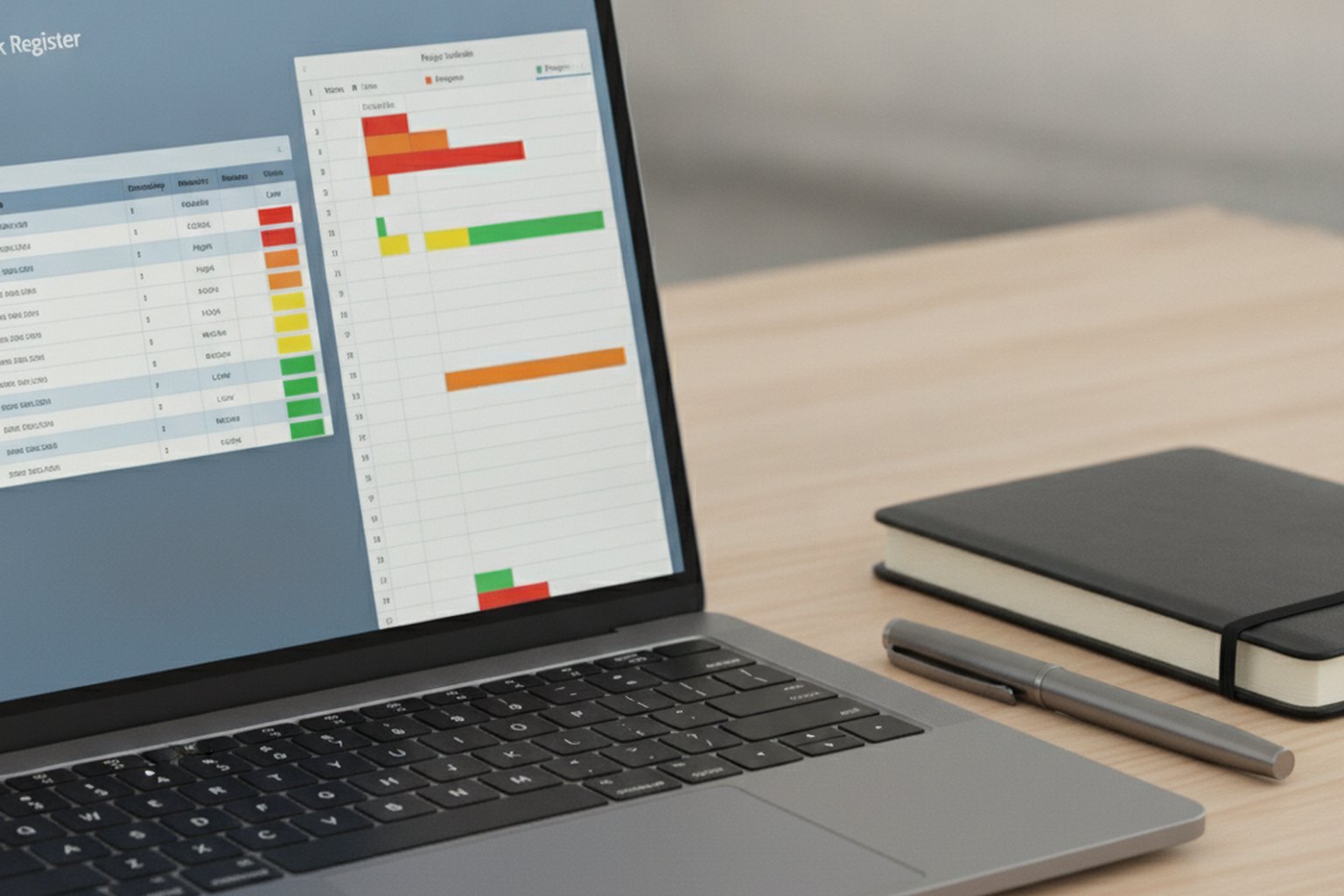
- Build the risk register. Name the technical, commercial and compliance risks, score each, and assign an owner and mitigation to the ones worth tracking.
- Set communication, quality and baseline it. Fix the reporting cadence and the testing and release approach, then review the plan with stakeholders and baseline it so progress is measured against an agreed version.
The final act — baselining — is what separates a plan from a wish. Once stakeholders agree the plan, you freeze that version as the reference and track actuals against it, logging changes deliberately. Planning slots into the wider delivery lifecycle just after discovery and just before the build; for the full arc it sits inside, see our software development life cycle guide, and for the deeper scoping work that feeds a plan, the discovery phase guide.
How to set milestones and a realistic schedule
Set milestones as verifiable outcomes, not dates on a calendar, and aim for five to twelve across the project including launch. A good milestone is something the team can pass or fail — "discovery signed off," "MVP feature-complete," "security testing passed," "production launch" — rather than a vague marker like "development underway." Outcome-based milestones make slippage visible the moment one is missed, which is the whole point of having them.
Build the schedule from the work breakdown, not from the deadline backwards. Wishful scheduling — deciding the launch date first and then squeezing the tasks to fit — is the single most reliable way to overrun, because it hides the work rather than sizing it. Estimate tasks, map their dependencies, and let the realistic critical path tell you the date; if that date is unacceptable, cut scope openly rather than compressing estimates in secret. A Gantt chart or timeline is the usual way to show the result, but the honesty lives in the estimates beneath it.
Finally, schedule buffer where the uncertainty is, not evenly. Concentrate contingency around the risky, poorly-understood work — a new integration, an unproven third-party API — and keep well-known work tight. A schedule with no buffer is a forecast that assumes nothing surprising will happen on a software project, which nothing in the history of software supports.
Planning for risk: the risk register
The risk register is the part of a project plan that lists what could go wrong, how likely and severe it is, and what you will do about it — and it is the section most often skipped and most often regretted. Every software project carries risk in its technology, its dependencies, its people and its market; the register simply makes those risks visible and owned instead of leaving them to surface as mid-build surprises. A plan without a risk register is a plan that assumes everything goes right.
Keep the register lightweight and honest: a short table with the risk, its likelihood, its impact, an owner and a mitigation is enough for most projects. Score likelihood and impact simply — low, medium, high — and focus attention on the high-likelihood, high-impact rows rather than cataloguing every remote possibility. The goal is not a bureaucratic artefact but a live list the team reviews as the project moves and risks either materialise, fade or change.
The most valuable risks to name early are the ones that can force a re-architecture: an undocumented legacy system, an unproven third-party integration, an unclear compliance requirement, or a key dependency owned by someone outside the team. These belong at the top of the register with concrete mitigations — often a small spike or proof of concept in the first week — because catching them in the plan costs an afternoon, while catching them in month three costs a rebuild.
Agile vs waterfall: how the plan changes
Your methodology changes how detailed the plan is up front, but not whether you need one. In a waterfall project the plan is largely fixed at the start — scope, schedule and milestones are defined in detail before the build, because the phases run in sequence. In an agile project the plan is lighter and rolling — scope is a prioritised backlog, the schedule is expressed in sprints and releases, and detail is added just in time — but scope, roles, risk, budget and quality are still planned. Agile replaces the fixed blueprint with a living plan; it does not abolish planning.
Choose the planning style to match the project's certainty. When requirements are well understood and change is costly — a compliance system, a fixed-price contract — a fuller upfront plan fits. When requirements will evolve as users react — a new product, an uncertain market — a rolling agile plan avoids over-specifying work that will change anyway. Most real projects land in a hybrid: a firm plan for scope, budget and milestones, run with agile delivery inside those guardrails. For the trade-offs behind that choice, see our software development methodologies guide, and for the delivery discipline that runs the plan day to day, the software development project management guide.
| Dimension | Waterfall plan | Agile plan |
|---|---|---|
| Scope | Fixed and detailed before the build starts | A prioritised backlog that is re-ordered every sprint |
| Schedule | One end-to-end timeline with sequential phases | A cadence of fixed-length sprints and releases |
| Detail added | Upfront, before work begins | Just in time, sprint by sprint |
| Change handling | Goes through a formal change request against the baseline | Absorbed at the next backlog refinement or sprint boundary |
| Best fit | Fixed-price contracts, regulated or compliance-heavy builds | New products, uncertain markets, evolving requirements |
How AI changes software development project planning
AI tools change how a plan is built and maintained, not whether one exists. Estimation assistants can turn a backlog into a first-pass task breakdown and effort range in minutes instead of a day of workshop time, and planning copilots inside tools like Jira, Linear or Azure DevOps can flag schedule risk — a milestone whose dependent tasks are behind, a sprint that is over-committed — before a human notices the drift. Used this way, AI shortens the mechanical parts of planning: drafting the first schedule, spotting missing tasks, and surfacing risk patterns from past projects' actuals.
What AI does not replace is judgment on scope, budget and risk ownership. A model can suggest a task breakdown from a backlog, but it cannot decide what is genuinely out of scope for this client, size a risk it has no visibility into, or own a mitigation. Treat AI output as a fast first draft of the plan's mechanical sections — schedule, task breakdown, estimate ranges — and keep scope decisions, budget sign-off and the risk register as a human review, because those are the sections a stakeholder will actually hold the team to.

The practical pattern that works in 2026 is AI-assisted, human-approved: generate the first schedule and risk list with AI from the requirements and historical data, then have the team and client review, correct and baseline it. That keeps the speed benefit — plans get drafted faster — without letting an unaccountable model own decisions that carry budget and delivery risk. It is the same discipline we bring to custom software development engagements: AI accelerates the draft, a senior engineer owns the commitment.
Common project plan mistakes
Most weak project plans fail in a handful of predictable ways, and each traces back to treating the plan as paperwork rather than a decision-making tool. Avoid these and a plan earns its keep.
- No out-of-scope list. Defining only what is in scope leaves every "just one more thing" arguable. The out-of-scope list is what makes scope creep visible.
- Scheduling backwards from the deadline. Fitting tasks to a chosen launch date hides the real work and guarantees an overrun. Size the work first, then find the date.
- Skipping the risk register. A plan with no named risks is not lower-risk — it is just blind to the risks it carries until they arrive.
- Confusing the schedule for the plan. A Gantt chart with no scope, budget, roles or risk around it is a calendar, not a plan.
- Writing it once and never updating it. A plan that is not maintained becomes fiction within weeks. Baseline it, then keep it honest as reality changes.
The healthiest sign of a good plan is that it is used — opened in status meetings, updated when scope changes, and referred to when a decision is contested. A plan that is written to win approval and then filed away has done none of the work it exists to do.
FAQ
What is a software development project plan?
A software development project plan is a single document that defines how a software project will be delivered: its goals and scope, the requirements, the team and their responsibilities, the milestones and schedule, the budget and resources, the risks and their mitigations, and how the team will communicate and measure quality. It turns an agreed idea into an executable roadmap that everyone works from. Its purpose is to make scope, timeline and cost explicit before the build, so the project can be tracked against a baseline instead of drifting.
What should a software development project plan include?
A complete software development project plan includes a project overview and objectives, a scope statement with explicit out-of-scope items, requirements or user stories, the development methodology, team structure and roles, a milestone schedule and timeline, a resource and budget plan, a risk register with mitigations, a communication and reporting plan, and a quality and testing approach. Each section answers a specific question a stakeholder will ask, and together they let a project be estimated, approved and tracked.
How do you write a software development project plan?
To write a software development project plan, first confirm the goals and success criteria, then define scope and what is explicitly out of scope. Break the work into a task breakdown, assign owners, and sequence it into milestones with a realistic schedule. Add a resource and budget plan, build a risk register with mitigations, and set the communication and reporting cadence. Finish with a quality and release plan, then review the whole plan with stakeholders and baseline it so progress can be measured against it.
Is there a software development project plan template?
Yes. A reusable software development project plan template has a fixed set of sections: overview and objectives, scope and out-of-scope, requirements, methodology, team and roles, milestone schedule, resources and budget, risk register, communication plan, and quality and release plan. Using the same template on every project keeps plans comparable and stops teams forgetting a section such as risk or non-functional requirements. The template is a skeleton you fill in per project, not a fixed document you copy unchanged.
How many milestones should a software project plan have?
A software project plan should usually have between five and twelve milestones, including the final delivery date. Fewer than five and the plan is too coarse to catch slippage early; many more than twelve and milestones lose meaning and become routine status noise. Good milestones are outcome-based and verifiable — discovery signed off, MVP feature-complete, security testing passed, production launch — rather than vague markers of activity, so each one is a genuine checkpoint the team can pass or fail.
What is the difference between a project plan and a project schedule?
A project schedule is one part of a project plan, not a synonym for it. The schedule is the timeline: tasks, durations, dependencies and dates, often shown as a Gantt chart. The project plan is the wider document that also covers scope, requirements, roles, budget, risk, communication and quality. A schedule tells you when things happen; the plan tells you what is being built, by whom, for how much and under what risks. A schedule without the surrounding plan is a calendar with no context.
Last updated 25 September 2026. Success-rate and overrun figures reflect widely reported industry sources, including the Standish Group CHAOS research, and should be read as directional guidance, not fixed benchmarks. The right depth of plan depends on your project's size, methodology and risk.
