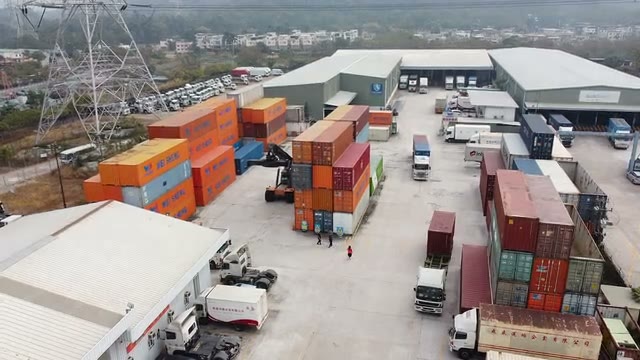

Inventory is where most commerce businesses quietly lose money. IHL Group estimates that inventory distortion — out-of-stocks plus overstocks — cost retailers about $1.77 trillion worldwide in 2025, or roughly 6.5% of global retail sales. About $1.2 trillion of that came from empty shelves and unavailable items, and $572 billion from stock nobody wanted at full price. The cause is rarely a lack of product; it is a lack of accurate, shared, real-time information about the product.
Inventory management software development is how growing brands close that gap when spreadsheets and plug-ins stop scaling. For companies selling across a web store, marketplaces, retail stores and wholesale, the inventory system becomes the core of omnichannel ecommerce development: every order, return, transfer and purchase order changes the same stock numbers, and every channel needs to see the change within seconds.
This guide is written for operations leaders, CTOs and founders in the US and EU who are deciding whether to build. It explains what inventory software does and how it differs from a WMS or ERP, when a custom build beats a subscription tool, which features and integrations matter, how to design the stock architecture, where AI and RFID help in 2026, how a typical project runs, what it costs and how to choose a development partner.
What is inventory management software?
Inventory management software is a system that records how much of each item a business owns, where it is located, what it is committed to and when it should be replenished. It turns every physical and commercial event — a delivery, a sale, a return, a transfer, a count — into a stock movement, so that everyone works from the same numbers.
At its heart is a ledger of quantities by item (SKU) and location. Around that ledger sit purchasing, order reservations, replenishment rules, barcode or RFID capture, reporting and integrations. Inventory software development, whether you extend a platform or build from scratch, is mostly the work of modelling those movements correctly and connecting every system that creates them.
Inventory software vs WMS vs ERP
Inventory software, a warehouse management system and an ERP overlap, but each answers a different question. Confusing them is the most common reason scopes balloon or the wrong product gets bought.
| System | Main question it answers | Typical scope | Who uses it daily |
|---|---|---|---|
| Inventory management software | How much do we have, where, and what is it promised to? | Stock ledger, reservations, channel sync, purchasing, replenishment | Merchandisers, buyers, ecommerce and store managers |
| Warehouse management system (WMS) | How do we move goods inside this building? | Receiving, putaway, bins, picking, packing, labor | Warehouse staff and supervisors |
| ERP | What does it mean for finance and the whole company? | Accounting, inventory valuation, procurement, HR, manufacturing | Finance, procurement, management |
A brand with one warehouse and a web store can often live with inventory features inside its ERP or commerce platform. A brand with several warehouses, stores and marketplaces usually needs a dedicated inventory layer as the commercial source of truth, a warehouse management system inside each larger building, and the ERP for valuation and finance.
When does custom inventory software make sense?
Custom inventory software makes sense when the way you hold, sell and replenish stock is part of your competitive edge, or when generic tools force your team into daily workarounds. If your channels, locations and rules are standard, a subscription tool is usually cheaper and faster.
These are the signals we see most often before a company decides to build:
- Overselling between channels. The same item sells out on the web store and on a marketplace within minutes because sync runs every 15 minutes or hourly.
- Spreadsheets as the real system. Buyers export data from three tools into a spreadsheet to decide what to reorder.
- Unusual item models. Kits and bundles, made-to-order variants, lots and expiry dates, serial numbers, units of measure that change between purchase and sale.
- Many locations with different rules. Stores that ship online orders, consignment stock, dropship suppliers, 3PL warehouses, in-transit containers.
- Subscription cost that scales faster than revenue. Per-order or per-location pricing becomes a meaningful share of margin.
- Integrations held together by plug-ins. Each new channel adds another connector that nobody fully owns.
- Data you cannot get out. Forecasting, finance and BI teams cannot access clean history of movements and reasons.
| Business change | What breaks in a generic tool | What a custom build fixes |
|---|---|---|
| More sales channels | Delayed sync, overselling, manual buffers | Event-driven availability per channel with allocation rules |
| More locations | Flat stock counts, no in-transit or reserved states | Location hierarchy, transfers and stock states |
| Complex products | Kits, lots and serials handled as notes | First-class bundles, lot and serial tracking, expiry rules |
| More approval rules | Email approvals and spreadsheet POs | Workflow, roles and an audit trail inside the system |
If only one or two of these signals apply, start by tuning or extending an existing platform. If four or more apply, the cost of workarounds usually exceeds the cost of a focused build within two to three years. Our broader guide to custom software vs off-the-shelf walks through the same decision for any business system.
Types of inventory management systems
Inventory management systems differ by industry focus, by how stock is counted and by where they run. Deciding these three dimensions early shapes the data model, integrations and cost of the build.
General-purpose vs industry-specific
General-purpose inventory systems cover items, locations, purchasing and sales for any business that sells physical goods. Industry-specific systems add rules that a generic model cannot express without heavy customization:
- Ecommerce and retail: multichannel availability, store fulfilment, buy online pick up in store, returns to any location, seasonal assortments.
- Food, cosmetics and pharma distribution: lots, expiry dates, FEFO (first expired, first out) and recall traceability.
- Healthcare: consigned implants and instruments, serial tracking, par levels in departments.
- Manufacturing: raw materials, work in progress, bills of materials and backflushing.
- Equipment and rental: serialized assets, check-out and check-in, maintenance status.
Perpetual vs periodic inventory
Perpetual inventory updates stock with every transaction, so the system always shows a current number; periodic inventory relies on scheduled physical counts. Almost every modern build is perpetual, combined with cycle counts that check a slice of items every day instead of closing the business for a full annual count.
Cloud vs on-premise
Cloud deployment is the default in 2026 because channels, marketplaces and mobile scanners are all online, and managed databases make high availability affordable. On-premise or hybrid deployment still appears where warehouses must keep working through internet outages, or where company policy requires data to stay in its own data centre; in that case design for offline-first scanning and later synchronisation.
Core features of inventory management software
The core of inventory management software is a reliable stock ledger; every other feature either writes movements into it or reads availability out of it. Start with the features that change stock numbers, and add analytics only after those numbers can be trusted.

| Feature | What it does | Why it matters | MVP? |
|---|---|---|---|
| Real-time stock ledger | Quantities by SKU, location and state (on hand, reserved, in transit, damaged) | One trusted number for every team and channel | Yes |
| Item catalog and variants | SKUs, barcodes (GTIN), variants, units of measure, kits and bundles | Prevents duplicates and mismatched units | Yes |
| Barcode and RFID capture | Mobile scanning for receiving, transfers, counts and returns | Removes typing errors at the source | Barcode yes, RFID later |
| Order reservations and channel sync | Reserves stock at checkout, publishes availability to every channel | Stops overselling and cancelled orders | Yes |
| Purchasing and receiving | Purchase orders, supplier lead times, partial deliveries, discrepancies | Links what you ordered to what arrived | Yes |
| Reorder points and replenishment | Min/max, safety stock and suggested purchase orders | Fewer stockouts with less cash tied up | Rules yes, forecasting later |
| Transfers and multi-location | Moves between warehouses, stores and 3PLs with in-transit state | Stock is visible while it travels | If more than one location |
| Cycle counts and adjustments | Scheduled partial counts, variance approval, reason codes | Keeps accuracy high without shutdowns | Yes |
| Lot, serial and expiry tracking | Traceability by batch or unit, FEFO picking, recalls | Required in food, cosmetics, pharma and electronics | If regulated |
| Returns | Inspection, grading, restock or write-off with reasons | Returned stock is resold faster | Yes for ecommerce |
| Reporting and dashboards | Turnover, days of cover, stockouts, aging, dead stock, accuracy | Shows where cash and sales are lost | Core set |
| Roles, audit trail and APIs | Permissions, who changed what and why, documented APIs and webhooks | Control, compliance and easy integrations | Yes |
Mobile access for stores and warehouses
Mobile access matters because most stock movements happen away from a desk. A rugged Android scanner or a phone app for receiving, counting and transfers is usually the second most important interface after the back office, and it should keep working offline and sync when the connection returns.
Integrations: ERP, ecommerce, POS, WMS and carriers
Integrations are usually the largest and riskiest part of inventory management software development, because every connected system can create or consume stock movements. Map each integration by direction, frequency and owner of truth before writing code.
- Ecommerce platforms (Shopify, Adobe Commerce, BigCommerce, custom storefronts): publish availability, receive orders and returns, ideally through webhooks rather than polling.
- Marketplaces (Amazon, eBay, Walmart, Zalando and others): each has its own listing and inventory APIs, rate limits and rules for channel-specific buffers.
- POS systems: store sales and returns must reduce or increase stock immediately; our guide to POS software development covers the store side.
- ERP and accounting (NetSuite, Microsoft Dynamics 365, SAP Business One, QuickBooks, Xero): valuation, purchase invoices and cost of goods sold. See our ERP software development guide for where the line usually sits.
- WMS and 3PLs: receipts, shipments and adjustments from each building, often as files or EDI messages rather than APIs.
- Suppliers: purchase orders, advance shipping notices and invoices, frequently through EDI 850, 856 and 810 messages.
- Carriers and shipping platforms: labels and tracking, so in-transit stock and delivery dates are visible.
Decide for every data type which system owns the truth. A common split: the inventory system owns available quantities and reservations; the ERP owns item cost and valuation; the commerce platform owns prices and content; the WMS owns bin locations. Two systems that both believe they own stock quantities is the classic cause of drifting numbers.
Architecture: how to build a stock ledger that never oversells
Reliable inventory software is built on an append-only ledger of stock movements, not on a single editable quantity field. Every change is recorded as an event with a reason, and current balances are calculated from those events, so you can always explain why a number is what it is.
The architecture choices below are the ones that decide whether the system stays accurate under load — on Black Friday, during a marketplace promotion or when a store loses its connection:
- Movement ledger plus balance projections. Store immutable movements (received, sold, reserved, released, transferred, adjusted) and maintain balance tables per SKU and location for fast reads.
- Explicit stock states. Separate on hand, reserved, available to promise, in transit, quarantined and damaged. “Available” is calculated, never typed.
- Atomic reservations. Reserve stock in the same database transaction that checks availability, with row-level locking or conditional updates, so two checkouts cannot take the last unit.
- Idempotent integrations. Every incoming order, return or receipt carries a unique key, so retries from webhooks or queues never double-count stock.
- Event-driven channel sync. Publish availability changes to a message queue and push them to channels within seconds, with per-channel buffers and allocation rules.
- Offline-first mobile clients. Scanners queue movements locally and sync with conflict rules when the network returns.
- Reconciliation jobs. Nightly comparisons with channels, the WMS and the ERP catch drift early and create tasks instead of silently overwriting numbers.
A typical 2026 tech stack
A typical stack for custom inventory software pairs a relational database with a message queue and a modern web front end. PostgreSQL handles transactional stock data well; Kafka, RabbitMQ or a managed cloud queue carries events to channels; the back end is usually written in Node.js, Python, Java or .NET; the back office runs on React or a similar framework; scanners use native Android or a cross-platform framework such as Flutter or React Native. Cloud infrastructure on AWS, Azure or Google Cloud with managed databases keeps operations lean. The specific language matters less than transaction safety, observability and a clean integration layer, the same principles that apply to supply chain software development more broadly.
How to develop inventory management software in 8 steps
Developing inventory management software follows eight steps, from discovery to post-launch support, and the first two decide most of the outcome. Teams that rush to screens before mapping stock flows and integrations usually rebuild the core later.

- Discovery and process mapping (3–6 weeks). Walk the real flows in stores and warehouses, list every system that touches stock, collect volumes (SKUs, orders per day, peak load) and agree on measurable goals such as inventory accuracy, stockout rate or order cancellations.
- Requirements and data model (2–4 weeks). Define items, variants, units, locations, stock states and movement types; write the ownership matrix for each integration; prioritise features into MVP and later releases.
- Architecture and UX design (2–4 weeks). Choose the stack, design the ledger and event flows, and prototype the back office and scanner screens with the people who will use them.
- Iterative development (3–8 months). Build in two-week sprints, starting with the ledger, catalog and one channel, then adding purchasing, transfers, counts and further channels. Demo working software every sprint.
- Integrations (in parallel). Connect commerce, marketplaces, POS, ERP, WMS and carriers one at a time, each with idempotency, retries and monitoring.
- Data migration. Clean the item master, deduplicate SKUs, map locations and load opening balances from a fresh physical count rather than from legacy numbers you do not trust.
- Testing and pilot. Run unit, integration and load tests (simulate your peak day at two to three times volume), then pilot with one location or one channel before full rollout.
- Rollout, training and support. Go live in phases, train users with short role-based guides, monitor accuracy and sync latency, and plan regular releases after launch.
Team roles you will need
A typical inventory software team includes a business analyst who understands operations, a solution architect, two to five back-end and front-end developers, a mobile developer if scanners are in scope, a QA engineer, a DevOps engineer part-time and a project manager. On the client side, an operations owner who can make decisions about processes is just as important as any engineer.
AI, RFID and computer vision in 2026: where they actually help
AI helps inventory software most in demand forecasting and replenishment, and only after the underlying stock data is accurate. Forecasts built on wrong on-hand numbers simply automate wrong decisions, so treat AI as a second-phase feature on top of a trusted ledger.
- Demand forecasting. Machine-learning models that combine sales history, seasonality, promotions, prices and external signals usually outperform simple moving averages for items with enough history. For new or slow items, rules and planner judgement still work better.
- Replenishment suggestions. Forecasts turn into suggested purchase orders and transfers that a buyer approves, instead of fully automatic ordering on day one.
- Anomaly detection. Flags unusual adjustments, shrinkage patterns or sync gaps for investigation.
- RFID. Item-level RFID lets staff count a whole store or rack in minutes and is widely used in apparel retail; it requires tagging, readers and careful integration but can raise accuracy dramatically.
- Computer vision. Cameras and shelf-scanning devices detect gaps and misplaced products; useful for large stores and warehouses once the basics work.
- Assistants for planners. Natural-language queries over inventory data (“which SKUs will run out in the North region next week?”) save analysts time when built on governed data.
Which inventory KPIs should the software track?
Inventory software should track accuracy, availability and capital efficiency, because those three groups of metrics show whether the system is actually saving money. Build them into the first release so you can prove the value of the project against the baseline measured in discovery.
| KPI | How it is calculated | What it tells you |
|---|---|---|
| Inventory record accuracy | Counted locations matching the system ÷ locations counted | Whether anyone can trust the numbers |
| Stockout rate | SKU-location-days with zero availability ÷ total SKU-location-days | Sales lost to empty shelves and pages |
| Fill rate | Units shipped complete and on time ÷ units ordered | Customer experience and wholesale compliance |
| Inventory turnover | Cost of goods sold ÷ average inventory value | How fast cash in stock comes back |
| Days of cover | Available units ÷ forecast daily demand | When each item will run out |
| Sell-through rate | Units sold ÷ units received in a period | Whether buys were sized correctly |
| Aged and dead stock | Value of items with no sales in 90, 180 or 365 days | Cash to free up through markdowns or returns to vendor |
| Order cancellation due to stock | Orders cancelled for unavailability ÷ total orders | The direct cost of overselling |
Report KPIs by channel, location and product category, not only as company-wide averages. A 98% average accuracy can hide a single store or 3PL where the numbers are wrong every day, and that is exactly where customers see cancelled orders.
Inventory valuation: FIFO, weighted average and standard cost
Inventory valuation decides what each unit is worth on the balance sheet, and the inventory system must record enough detail for finance to calculate it. FIFO (first in, first out) values stock at the cost of the oldest receipts, weighted average cost blends all receipts, and standard cost uses a planned cost with variances posted separately. LIFO is allowed under US GAAP but not under IFRS, which matters for groups reporting in both the US and the EU. In most architectures the inventory system stores quantities, receipt costs and landed-cost components such as freight and duties, while the ERP performs the official valuation and postings.
How much does inventory management software development cost?
Inventory management software development costs about $40,000–$80,000 for a focused MVP, $90,000–$220,000 for a multichannel mid-market system and from $250,000 to more than $600,000 for an enterprise multi-site platform in 2026. These ranges are YuSMP delivery estimates for nearshore teams, not an industry statistic; your number depends mostly on integrations, locations and data quality.
| Scope | Typical contents | Cost | Timeline |
|---|---|---|---|
| MVP | Ledger, catalog, 1–2 locations, 1 channel, purchasing, barcode app, core reports | $40k–$80k | 3–5 months |
| Mid-market multichannel | Several warehouses and stores, 5–8 integrations, reservations, transfers, returns, replenishment rules | $90k–$220k | 6–9 months |
| Enterprise multi-site | Dozens of locations, lots and serials, forecasting, RFID, complex ERP and EDI, high availability | $250k–$600k+ | 10–16 months |
Published vendor ranges sit in the same band: Itransition cites about $50,000 for small businesses and $80,000–$200,000 for mid-sized companies, while ScienceSoft quotes $90,000–$400,000 for moderately complex systems. The main cost drivers are:
- Number and quality of integrations — a clean REST API costs a fraction of a legacy ERP or file-based EDI link.
- Locations and stock states — each new state (consignment, quarantine, in transit) touches reservations, reports and integrations.
- Item complexity — kits, lots, serials and units of measure add rules across the system.
- Data migration — cleaning a messy item master can take weeks.
- Hardware — scanners, label printers and RFID readers are separate budget lines.
- Forecasting and analytics — data pipelines and models add a phase of their own.
Plan for ongoing cost too: hosting, monitoring, channel API changes and new features typically add 15–20% of the initial build per year in our projects. For hourly rates and pricing models across project types, see our breakdown of custom software development cost in 2026.
Build vs buy: custom vs off-the-shelf inventory tools
Off-the-shelf inventory tools win on speed and upfront cost; custom inventory software wins on fit, control and long-term cost at scale. The right choice depends on how standard your operation is and how much stock accuracy is worth to your margin.
| Criterion | Off-the-shelf SaaS | Extended platform (e.g. Odoo, NetSuite) | Custom build |
|---|---|---|---|
| Time to launch | Weeks | 2–6 months | 3–16 months |
| Upfront cost | Low | Medium | High |
| Fit to unusual processes | Limited | Good, within the platform model | Full |
| Cost at scale | Grows with orders, users or locations | Licences plus maintenance of extensions | Mostly flat; hosting and team |
| Integration control | Vendor connectors only | Platform APIs plus custom modules | Any system, your rules |
| Best for | Small catalogs, few channels | Companies already on that ERP | Multichannel brands where stock is strategic |
Verdict: many growing brands choose a hybrid. They keep the ERP for finance, buy commodity modules such as shipping labels, and build a custom inventory and availability core that every channel reads from. That gives full control where accuracy matters most without rebuilding what the market already does well.
Common pitfalls in inventory software projects
Most inventory software projects that struggle do so because of data, scope and integrations rather than code. Knowing the usual failure points lets you budget for them from the start.
- Treating the project as a feature hunt. Copying every feature from a competitor's tool produces a large system that still does not match your flows. Start from processes and measurable goals.
- Underestimating data migration. Duplicate SKUs, inconsistent units and wrong opening balances undermine trust in week one. Count physically before go-live.
- Building too much too early. Forecasting, RFID and advanced analytics before the ledger is trusted slow down the launch and confuse users.
- Unclear ownership of truth. If the ERP and the inventory system both edit quantities, numbers drift. Write the ownership matrix down.
- Ignoring peak load. A system that works at 500 orders a day can lock up at 20,000. Load-test reservations and channel sync before your peak season.
- Skipping the floor. Scanner screens designed without warehouse and store staff get worked around within weeks.
How to choose an inventory software development partner
The right inventory software development partner has shipped stock-critical systems before and can explain how they prevent overselling, double counting and drift, not just which framework they use. Use this checklist when you compare vendors:
- Relevant delivery experience. Ask for ecommerce, retail or logistics projects with multichannel stock and real integrations, not only dashboards.
- Architecture answers. Ask how they handle concurrent reservations, idempotent webhooks and reconciliation. Vague answers are a warning sign.
- Integration track record. Experience with your specific ERP, marketplaces and, if relevant, EDI. Our guide to EDI integration lists what to check.
- Discovery first. A good partner insists on process mapping before a fixed estimate.
- Phased delivery. Working software every two weeks and a pilot before full rollout.
- Ownership and exit. You own the code, data and documentation, and another team can take over.
- Support after launch. A clear SLA for incidents during peak periods, when stock errors cost the most.
If logistics and transport are a bigger part of your operation than storefronts, our logistics software team covers fleet, 3PL and supply chain systems that connect to the same inventory core.
Frequently asked questions
What is inventory management software development?
Inventory management software development is the process of designing, building and integrating a system that tracks how much stock a business has, where it is and where it is committed. A custom build covers the stock ledger, item and location model, purchasing and replenishment, order reservations, barcode or RFID capture, reporting and integrations with ERP, ecommerce, POS, marketplaces and carriers. It is usually chosen when off-the-shelf tools cannot model the company's channels, locations or rules.
How much does it cost to develop inventory management software?
In our 2026 delivery estimates, a focused single-channel inventory MVP costs about $40,000 to $80,000, a multichannel system for a mid-market brand with several locations and five to eight integrations costs about $90,000 to $220,000, and an enterprise multi-site platform with forecasting, RFID and complex ERP integration starts around $250,000 and can exceed $600,000. Integrations and data migration usually drive cost more than screens.
How long does it take to build an inventory management system?
A focused inventory MVP usually takes three to five months from discovery to launch. A multichannel mid-market system takes about six to nine months, and an enterprise rollout across many sites, with forecasting and phased migration, takes ten to sixteen months. Discovery and integration testing account for a larger share of that time than most teams expect.
What is the difference between inventory management software and a WMS?
Inventory management software answers how much stock you have, where and what it is committed to across all channels and locations, and when to reorder. A warehouse management system (WMS) runs the physical work inside a warehouse: receiving, putaway, bin locations, picking, packing and labor. Many companies need both: the inventory system is the commercial source of truth, while the WMS executes inside each building and reports movements back.
Should I build custom inventory software or buy an off-the-shelf tool?
Buy an off-the-shelf tool when your channels, locations and rules are standard and the subscription stays affordable as you grow. Build custom inventory software when stock is your competitive edge, when you sell across many channels with shared stock, when you have unusual units, kits, lots or serials, or when subscription and integration costs grow faster than revenue. Many companies start hybrid: a custom stock core with bought modules around it.
Which features should inventory management software have?
Core features are a real-time stock ledger by item and location, barcode and RFID capture, purchase orders and receiving, reorder points and replenishment, order reservations and multichannel stock sync, transfers between locations, cycle counts and adjustments, lot, serial and expiry tracking where needed, kits and bundles, returns, role-based access and an audit trail, reporting on turnover and stockouts, and APIs for ERP, ecommerce, POS and accounting.
Published 16 October 2026. Sources: IHL Group, Retail inventory crisis persists despite $172 billion in improvements (September 2025); Fortune Business Insights, Inventory management software market (market estimated at $2.75 billion in 2026, $5.52 billion by 2034); Itransition, Custom inventory management software; ScienceSoft, How to create an inventory system. Cost and timeline ranges are YuSMP delivery estimates.