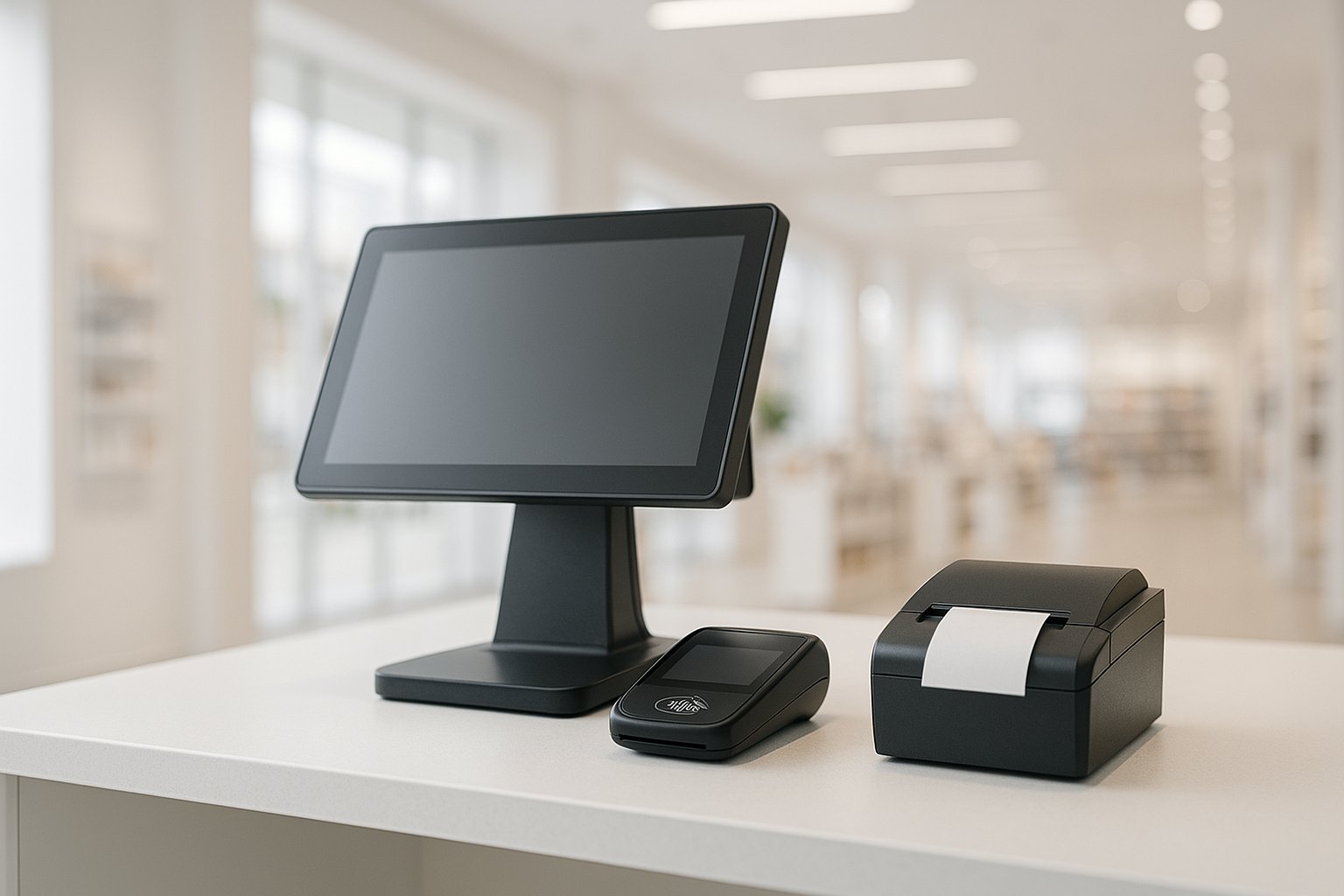

POS software development is the process of building a custom point-of-sale system — checkout, payments, inventory, CRM, and reporting — tailored to a specific retail or hospitality business. Custom POS makes sense when off-the-shelf platforms (Square, Shopify, Lightspeed) cannot accommodate your workflows, integrations, or compliance requirements. The global POS market is valued at $43.32B in 2026 (Fortune Business Insights), growing at ~13% CAGR.
What is POS software development?
POS software development is the practice of designing and building a custom point-of-sale system — the software layer that runs checkout, processes card-present payments, tracks inventory, manages customer relationships, and produces sales reports. Unlike buying a SaaS POS platform, building custom software means owning every layer: the front-of-house terminal UI, the back-office management console, the payment SDK integration, and the data flows that connect to ERP, CRM, and ecommerce systems.
Point-of-sale software is not just a checkout screen. A modern POS is a commerce hub: it captures the transaction, updates inventory in real time, applies loyalty points, reconciles revenue against the accounting system, and — in omnichannel businesses — keeps the in-store and online inventory in sync. The scope of a POS software development project therefore depends heavily on the retail or hospitality vertical, the existing technology stack, and the compliance requirements of the markets where the business operates.
According to Fortune Business Insights, the global POS market is valued at $43.32B in 2026 and is projected to reach $116.26B by 2034 (~13.1% CAGR). Cloud POS adoption is driving most of the growth: the cloud POS segment alone stands at $4.33B in 2026 with a ~15.4% CAGR to 2032 (360iResearch). Per market.us Scoop 2026 data, approximately 72% of POS deployments now run on cloud infrastructure, 61% include mobile POS capability, and 63% sync with a CRM or loyalty platform.
Custom POS software vs off-the-shelf (Square, Shopify, Lightspeed): when to build?
The right choice depends on the complexity and uniqueness of your operations. Off-the-shelf platforms are an excellent starting point: Square, Shopify POS, and Lightspeed cover standard retail and restaurant workflows, handle PCI compliance on your behalf, and can be live in days. For standard businesses with typical transaction volumes, the SaaS model — monthly fee plus per-transaction cost — is usually cheaper than building.
Custom POS development becomes the better option when one or more of the following applies. First, you need deep integration with a proprietary ERP, legacy inventory, or pharmacy/dispensing system that the SaaS platform cannot accommodate. Second, your workflows are genuinely unique — table-management and kitchen routing for a large restaurant group, complex loyalty tiers with promotional rules, or age-verification and dispensary compliance. Third, your transaction volume is high enough that per-transaction fees — typically 2.6%–2.9% on SaaS platforms — exceed the annualised cost of a custom system. As a rough guide, businesses processing $1M+ in annual card volume often find the economics tipping in favour of custom. Fourth, you need offline-first resilience: a self-managed POS that continues operating — including payment capture via store-and-forward — when the internet connection drops, not a cloud-only platform that simply fails.
If you're evaluating this decision for a retail or hospitality business, our guide to custom software vs off-the-shelf covers the full decision framework. For the commerce-specific architecture and technology choices, an ecommerce software development partner with POS experience can model the true build-vs-buy TCO before you commit to either path.
Types of POS software
POS software breaks into six main types, each optimised for a different commerce context. Understanding which type — or combination — your business needs is the first step in scoping a development project.
| Type | Primary use case | Key differentiators |
|---|---|---|
| Retail POS | Brick-and-mortar stores: fashion, electronics, specialty | Barcode scanning, multi-variant inventory, staff permissions |
| Restaurant / hospitality POS | Full-service restaurants, bars, quick-service, hotels | Table management, kitchen display routing, split bills, modifier rules |
| Mobile POS (mPOS) | Markets, pop-ups, delivery drivers, table-side ordering | Tablet/phone + card reader, Bluetooth peripherals, offline mode |
| Cloud POS | Multi-location chains, franchises needing centralised reporting | Real-time inventory sync, remote updates, multi-store dashboard |
| Self-service / kiosk POS | QSR ordering kiosks, cinema ticketing, hotel check-in | Unattended flow, accessibility compliance, hardened hardware |
| Omnichannel / unified-commerce POS | Retailers with both physical and online channels | Unified inventory, BOPIS (buy online, pick up in-store), shared cart |
Many modern point-of-sale development projects combine several types: a retail chain might deploy cloud POS at fixed tills, mPOS on tablets for floor staff, and self-service kiosks at high-traffic entry points — all feeding a unified inventory and reporting layer. If your use case includes self-service terminals specifically, our guide to kiosk software development covers the additional UX, accessibility, and hardware considerations.
Must-have POS features
Regardless of vertical, seven features belong in every production-grade point-of-sale system. Missing any one of them will create operational gaps the team discovers — painfully — after go-live.
- Sales and checkout engine. Transaction processing (item scan, quantity, discount, tax, return), receipt generation (print and email), and configurable tender types (cash, card, gift card, split payment).
- Integrated payment processing. Card-present (chip, contactless/NFC), card-not-present for phone orders, split tender, tip management, and end-of-day settlement. Must connect to at least one acquirer/payment gateway.
- Real-time inventory sync. Stock decrement on sale, reorder alerts, multi-location stock visibility, and — critically for omnichannel — a single inventory ledger shared with the ecommerce backend.
- CRM and loyalty. Customer lookup at checkout, loyalty point accrual and redemption, purchase history, and marketing opt-in. Approximately 63% of POS deployments now include CRM sync (market.us 2026).
- Reporting and analytics. End-of-day sales, product performance, staff sales attribution, shrinkage/wastage tracking, and multi-location roll-up dashboards.
- Multi-store and multi-terminal management. Centralised menu/product catalogue management, per-location pricing, and inter-store stock transfers — essential the moment you operate more than one location.
- Offline mode with store-and-forward. The system must continue accepting cash and recording card-present transactions when internet connectivity is lost, queuing them for sync when the connection restores. This is non-negotiable for any high-availability retail environment.

Payments and compliance: PCI DSS, EMV and tokenization
PCI DSS compliance is mandatory for any system that processes, stores, or transmits cardholder data. PCI DSS v4.0.1 (the current standard, effective March 2024) defines twelve requirements across network security, access control, encryption, and monitoring. The practical implication for POS software development: keep cardholder data out of your application layer entirely.
The standard approach combines three techniques:
- Point-to-point encryption (P2PE). The card reader encrypts the PAN at the moment of card-dip or tap. The encrypted blob passes through your POS software without ever being decrypted in your environment — only the payment processor's hardware security module (HSM) can decrypt it. A validated P2PE solution shrinks your PCI audit scope from the full SAQ D (hundreds of controls) to SAQ P2PE (a handful).
- Tokenization. After a successful transaction, the processor returns a token — a surrogate reference — that replaces the PAN for all downstream use (receipts, returns, loyalty, recurring billing). Tokens are useless to an attacker even if your database is breached.
- EMV compliance. Chip-and-PIN / chip-and-signature and NFC/contactless (EMV Contactless) are required by the major card schemes (Visa, Mastercard) for card-present transactions. Custom POS software must integrate with EMV-certified payment terminals; the terminal's firmware handles the EMV flow, not your application code.
For POS software that handles online or phone orders in addition to in-person (a common requirement for hospitality), the gateway layer also needs to handle 3D Secure 2 (3DS2) for card-not-present. Our payment gateway integration guide covers the full gateway decision in detail.
Key integrations for POS software
A custom POS system rarely stands alone — its value multiplies through integrations with the rest of the business stack. The integrations below cover the most common requirements across retail and hospitality.
- Payment gateways and processors. Stripe Terminal, Adyen, Worldpay, Square (for white-label POS deployments), or a direct acquirer API. The choice affects fee structure, supported geographies, and contactless capability.
- Inventory and warehouse management systems (WMS). Two-way sync: POS decrements stock on sale; WMS updates POS when a new shipment arrives. For omnichannel retailers, this is the most complex integration — see our ecommerce software development guide for the order-management and inventory sync patterns.
- Accounting and ERP. QuickBooks, Xero, SAP, NetSuite, or Microsoft Dynamics for revenue posting, sales tax remittance, and financial reconciliation. Typically a nightly batch feed, though some high-volume retailers require real-time posting.
- CRM and loyalty platforms. Salesforce, HubSpot, or a proprietary loyalty engine for customer profile lookup, points balance, and targeted promotions delivered at the point of checkout.
- Ecommerce and order management. Shopify, Magento, commercetools, or a bespoke OMS for BOPIS fulfilment, unified order history, and shared cart across channels. Omnichannel retention rates are 89% for businesses with unified-commerce POS vs 33% for siloed channel operations (market.us 2026).
Cloud POS vs on-premise architecture in 2026
Cloud POS is now the default architecture for new POS software development projects. Approximately 72% of POS deployments run on cloud infrastructure in 2026, and the cloud POS segment is growing at nearly 15% per year — driven by the operational advantages of centralised management, remote updates, and real-time multi-location inventory.
In a cloud POS architecture, the transaction state is synchronised to the cloud in real time during normal operation. The terminal runs a lightweight local cache for offline resilience — enough to process card-present transactions via store-and-forward for a defined offline window (typically 1–4 hours). All reporting, configuration, and menu management happens through a cloud back-office console accessible from any browser.
On-premise POS — where the POS server runs on hardware in the store — remains relevant in specific contexts: environments with unreliable or expensive connectivity (remote locations, cruise ships, stadiums), high-security regulated environments (defence, certain healthcare), or businesses with an existing on-premise investment they are not yet ready to retire. On-premise carries a higher total cost of ownership (server hardware, local IT support, manual update management) but offers full data sovereignty and zero cloud dependency.
For most retail and hospitality operators in 2026, a cloud-first POS with a robust offline mode covers both operational requirements: real-time visibility under normal conditions, reliable checkout when connectivity fails.

The POS software development process
A well-run point-of-sale software development engagement follows these six phases. Compliance — specifically the payment certification track — starts in phase one, not as a post-build checkbox.
- Discovery and scoping. Map the business workflows (checkout variants, loyalty rules, table/floor layouts for hospitality), define integration requirements, identify the hardware targets (terminal model, card reader type, receipt printer), and confirm PCI scope — which path (P2PE, full SAQ D) applies to this deployment.
- UX and product design. Design the terminal UI, back-office console, and any mobile/tablet surfaces. POS UI must work with gloves, in low-light environments, and under the cognitive load of a busy checkout queue — accessibility and speed are as important as aesthetics.
- Payments and compliance track (runs in parallel with build). Integrate with a PCI-validated P2PE solution and the chosen payment processor. Submit the integration for PA-DSS or P2PE assessment early — certification adds 6–8 weeks and gates the go-live date.
- Core build and integrations. Build the checkout engine, inventory sync, CRM/loyalty integration, offline mode, and back-office reporting. Integrations with ERP and ecommerce OMS typically take longer than the core POS features.
- Hardening, testing, and pilot. Load testing (peak transaction rate), offline failover testing, hardware compatibility testing across all target terminal models, and a controlled pilot deployment at one location before chain-wide rollout.
- Rollout and support. Staged rollout by location or region, staff training materials, and a defined support SLA for production incidents — critical because a POS outage is directly revenue-impacting.

POS tech stack
Modern POS software development uses a combination of web, native mobile, and embedded layers. The right stack depends on the target hardware, offline requirements, and the team's existing expertise.
- Front-of-house terminal UI. React or Vue.js (web-based, works across Android kiosks and browser-based POS terminals); Kotlin or Java for Android-native terminals; Swift/SwiftUI for iOS-based POS (iPad + Stripe Terminal). Web-based terminals are increasingly common — they simplify remote updates and reduce the hardware dependency.
- Back-office console. React or Next.js (browser-based, used by managers for configuration, reporting, and shift management); typically served from the cloud with role-based access control.
- API and business logic layer. Node.js, Python (FastAPI), or Go for the transaction processing API and integration orchestration. GraphQL or REST. The offline sync engine — which manages the local cache and store-and-forward queue — is the most technically complex component.
- Offline sync and local storage. SQLite or a lightweight embedded database on the terminal, with a conflict-resolution strategy for concurrent updates (last-write-wins with server reconciliation is common). IndexedDB for browser-based terminals.
- Payment SDK layer. Stripe Terminal SDK, Adyen Terminal API, or a processor-specific SDK. The SDK handles the EMV transaction flow and P2PE encryption at the hardware level; your POS code calls the SDK and receives a token in response.
- Cloud infrastructure. AWS, GCP, or Azure. Multi-region for high availability; event-driven architecture (Kafka or SQS) for real-time inventory sync across locations.
AI features in modern POS software
By 2026, AI has moved from POS marketing buzzword to a standard line item in scoping conversations — but it belongs on top of a solid core system, not instead of one. The practical, production-proven applications cluster around four areas:
- Demand forecasting and reorder automation. Sales-history models flag low-stock items before they run out and suggest reorder quantities, reducing both stockouts and overstock at the SKU level.
- Fraud and anomaly detection. Transaction-pattern models flag unusual refund sequences, discount abuse, or void patterns at specific terminals or staff logins for manager review — a pattern already common in the payment-processing layer described above.
- Natural-language reporting. Managers query sales, shrinkage, or staff performance in plain language instead of building custom dashboard filters — useful for multi-location operators who don't have a dedicated analyst.
- Personalized upsell and loyalty offers. Checkout-time suggestions and reward redemptions driven by purchase history, rather than static rules, lift average basket size for CRM-connected POS deployments.
None of this changes the core requirements covered earlier in this guide: PCI DSS scope, offline-first checkout, and inventory sync still come first in any scoping conversation. Most teams treat one AI feature — usually demand forecasting or fraud detection — as a defensible v2 addition once the core POS is stable in production, rather than a day-one requirement that delays go-live.

How much does POS software development cost in 2026?
Custom POS software development cost in 2026 depends on scope, hardware targets, number of integrations, and team location. The table below provides directional ranges; treat them as planning anchors, not quotes.
| Scope | Typical range (2026, directional) | What's included |
|---|---|---|
| Single-store MVP | $60,000 – $120,000 | Basic checkout, one payment integration, basic inventory tracking, back-office reporting. No ERP integration. |
| Multi-location retail system | $150,000 – $350,000 | Cloud POS, multi-store inventory sync, CRM/loyalty, accounting integration, offline mode, back-office analytics dashboard. |
| Enterprise omnichannel POS | $400,000 – $900,000+ | Full omnichannel inventory, ERP integration, multi-currency, P2PE compliance track, mPOS + kiosk surfaces, dedicated DevOps and post-launch SLA. |
The largest cost variables beyond scope are (1) the PCI compliance track — P2PE assessment adds $20k–$60k and 2–3 months; (2) ERP integration complexity — a bi-directional SAP or NetSuite integration can add $40k–$100k on its own; and (3) hardware diversity — supporting five different terminal models in a legacy estate multiplies QA and SDK integration cost significantly. Timelines run 3–5 months for a single-store MVP, 6–10 months for multi-location systems, and 12–18 months for enterprise builds including compliance.
How to choose a POS software development company
Choosing the right POS software development company is a high-stakes decision: the POS is the revenue heartbeat of the business, and a poorly executed build creates problems that compound over every transaction. Six criteria separate competent partners from the wrong ones.
- Commerce and payments domain experience. POS is not generic software development — it requires specific knowledge of card-present payment flows, EMV, P2PE, and the quirks of payment terminals. Ask to see prior POS or commerce work, not just a portfolio of web apps.
- PCI DSS and PA-DSS track record. The team should have guided at least one project through a PCI compliance assessment. This is rare enough that it is a meaningful differentiator — most agencies have never touched it.
- Integration capability. ERP, WMS, and ecommerce OMS integrations are technically complex and account for a significant share of cost overruns. Ask for specific integration references, not just a list of logos.
- Offline-first architecture thinking. If the team's instinct is "we'll use a cloud POS and just handle downtime gracefully," probe deeper. Offline-first architecture requires upfront design decisions that cannot be bolted on later without significant rework.
- Hardware expertise. POS software runs on specific hardware. A firm that has only built web software may not have experience managing certificate pinning, EMV terminal SDK integration, Bluetooth peripheral pairing, or the quirks of specific terminal OS builds.
- Post-launch support SLA. A POS outage at 6 PM on a Friday evening in a busy restaurant or retail store is a P0 incident. The development partner should offer production support with a defined response-time SLA — not just a handoff to an internal team after launch.
FAQ
What is a POS software development company?
A POS software development company is a software engineering firm that designs, builds, and maintains custom point-of-sale systems for retail, hospitality, and other commerce verticals. Unlike off-the-shelf POS vendors (Square, Shopify POS, Lightspeed), a POS software development company delivers a bespoke solution tailored to your specific business rules, hardware, integrations, and compliance requirements — including PCI DSS certification support, offline-resilient architecture, and multi-location or omnichannel data flows.
Should I build custom POS software or use Square or Shopify?
Use Square, Shopify POS, or Lightspeed when your operations are standard, your transaction volume is moderate, and you can accept the platform's fee structure and feature constraints. Build custom POS software when you have unique workflows, need deep ERP or inventory integration, operate at a scale where per-transaction fees exceed the build cost, or require offline-first reliability that SaaS platforms cannot guarantee. A rough break-even is typically $500k–$1M in annual GMV through the platform, beyond which custom TCO often wins.
How much does custom POS software development cost in 2026?
Custom POS software development costs in 2026 range from roughly $60,000–$120,000 for a single-store MVP, $150,000–$350,000 for a multi-location retail system with CRM and reporting, and $400,000–$900,000+ for enterprise omnichannel POS with ERP integration and full offline failover. Actual cost depends on scope, compliance requirements, number of integrations, and team location.
Is POS software required to be PCI DSS compliant?
Yes. Any POS software that processes, stores, or transmits cardholder data must comply with PCI DSS (currently version 4.0.1). In practice, most custom POS systems use point-to-point encryption (P2PE) and tokenization to push cardholder data out of scope — only an encrypted token ever touches the software layer, dramatically shrinking the PCI audit scope. Custom POS development should include a compliance track as a first-class workstream from discovery, not an afterthought.
What integrations should POS software support?
Core integrations for POS software include payment gateways and processors (Stripe, Adyen, Worldpay) for card-present and contactless transactions; inventory and warehouse management systems for real-time stock sync; accounting and ERP (QuickBooks, SAP, NetSuite) for revenue reconciliation; CRM and loyalty platforms for customer data and reward redemption; and ecommerce order management systems for unified inventory across physical and online channels. Hospitality POS adds kitchen display systems (KDS) and table management.
How long does it take to build POS software?
A single-store POS MVP takes roughly 3–5 months. A multi-location retail system with full integrations typically takes 6–10 months. An enterprise omnichannel POS can take 12–18 months including compliance certification. The longest variable is usually the PCI compliance certification track — plan at least 6–8 weeks for PA-DSS or P2PE assessment after the codebase is stable.
Does POS software use AI in 2026?
Increasingly, yes, but as an add-on layer rather than a core requirement. The most common production uses are demand forecasting and automated reorder suggestions, transaction-level fraud and anomaly detection, natural-language sales reporting for non-technical managers, and personalized upsell or loyalty offers at checkout. These sit on top of the core POS architecture — PCI compliance, offline-first checkout, and inventory sync still come first in scoping. Most teams add one AI feature as a v2 item once the core system is stable in production, not as a day-one requirement.
Last updated 26 September 2026. Market size and adoption figures cite Fortune Business Insights (global POS market $43.32B 2026), 360iResearch (cloud POS $4.33B 2026, ~15.4% CAGR), and market.us Scoop POS software statistics (cloud ~72%, mPOS ~61%, CRM sync ~63%, omnichannel retention 89% vs 33%); treat all as directional. Cost ranges are based on commonly observed 2026 project patterns for US and EU markets and are not fixed-price commitments. PCI DSS version cited: v4.0.1 (current as of March 2024).