

Software development feature flags (feature toggles) are conditional switches in code that turn functionality on or off at runtime without redeploying. They let teams decouple deployment from release, roll features out gradually to a percentage of users, run A/B tests, and instantly kill a broken feature — making releases faster and far lower-risk.
What are software development feature flags?
Software development feature flags — also called feature toggles or feature switches — are conditional branches in code that control whether a specific piece of functionality is active at runtime. Instead of deploying code to enable a feature, a team simply flips a flag in a configuration file or a feature-management platform, and the system reads that state on every request. The feature is there in the codebase; the flag decides whether users see it.
This pattern is how engineering teams working at scale separate deployment (shipping code to production) from release (making a feature visible to users). Because the two acts are decoupled, teams working with an experienced enterprise software development partner can design a governed flagging system with clear ownership and cleanup rules — shipping continuously while controlling exactly what each user sees at any moment.
According to LaunchDarkly's State of Feature Management research, approximately 89% of engineering organisations now use feature flags in production, and the global feature-management market was estimated at around $1.45 billion in 2024, on a trajectory toward roughly $5.19 billion by 2033. That adoption reflects a simple truth: at the delivery cadences modern teams need, "deploy = release" is too blunt an instrument.
How do feature flags work?
Feature flags work by evaluating a condition at the moment a user triggers a code path, then routing that user to the enabled or disabled behaviour based on the flag's current state. Five steps describe the full lifecycle.
- Define the flag. Create a named flag (e.g.,
new_checkout_flow) in a config file, environment variable, or feature-management platform. Set its default state to off in production. - Wrap the code path. In the application code, wrap the new behaviour with a flag check:
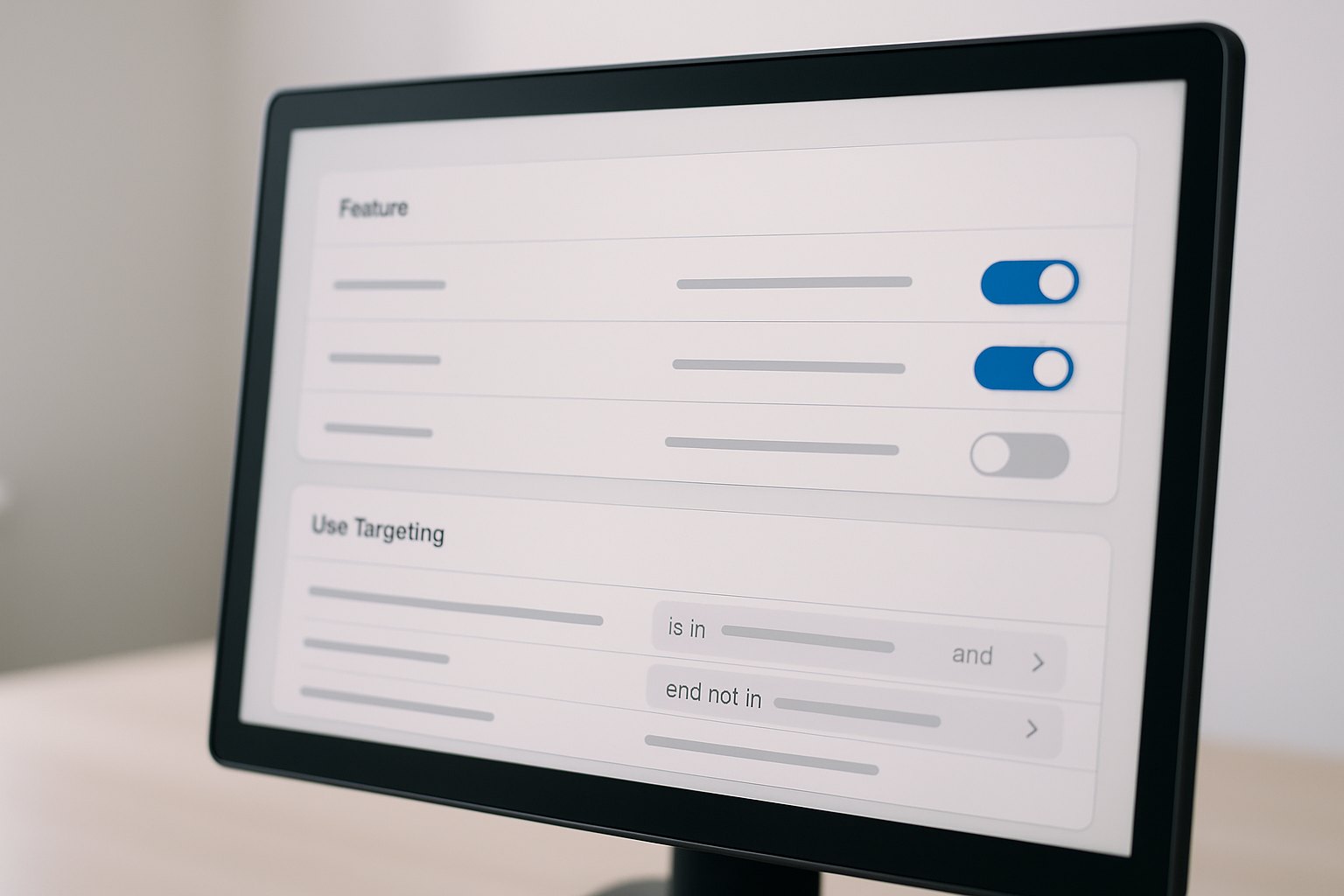
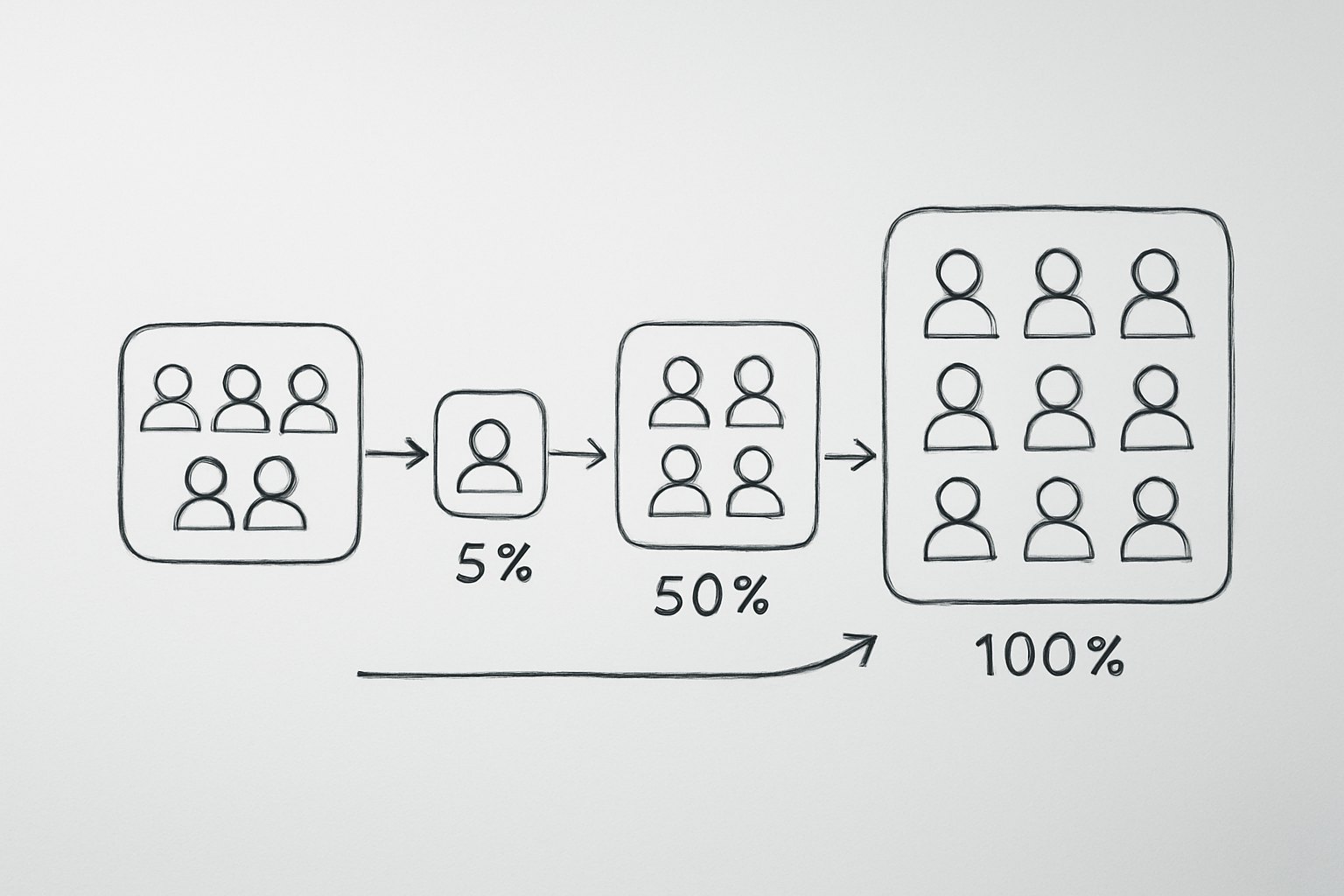
if (flags.isEnabled("new_checkout_flow", user)) { … }. The old behaviour runs when the flag is off. - Configure targeting rules. In the feature-management platform, define who sees the enabled path — internal employees first, then 5% of users, then 50%, then everyone. Rules can target by user ID, segment, geography, plan tier, or any attribute your SDK passes.
- Evaluate at runtime. On each request, the SDK calls the flag service with context about the current user. The service evaluates the targeting rules and returns on or off in milliseconds, often from a locally cached copy to avoid latency.
- Monitor and retire. Once the feature rolls out to 100% of users and stability is confirmed, remove the flag from the code entirely. Leaving it in place is the beginning of flag debt (see the section below).
Where the flag state lives
The flag state can live in a simple config file (a YAML or JSON file checked into the repo) for teams just starting out, or in a dedicated feature-management platform (LaunchDarkly, Unleash, Flagsmith, etc.) for teams that need real-time targeting, percentage rollouts, audit logs and SDK integrations. Config files are zero-cost to start but require a redeploy to change; platforms add operational overhead but make it possible to change a flag in production within seconds, from a UI, without touching code.
What a feature flag check looks like in code
The evaluation call is deliberately small — the SDK does the targeting work, the application code just branches on the result. Two common languages:
// Node.js — LaunchDarkly-style SDK
if (await client.variation("new_checkout_flow", user, false)) {
  return renderNewCheckout();
}
return renderLegacyCheckout();
# Python — Unleash-style SDK
if unleash_client.is_enabled("new_checkout_flow", context=user_context):
return render_new_checkout()
return render_legacy_checkout()Both snippets share the same shape: fetch the flag by name, pass the current user or request context so targeting rules can evaluate, and branch. The SDK caches flag state locally, so this check typically adds sub-millisecond latency, not a network round trip per request.
Types of feature flags
The four main types of feature flags differ by purpose and intended lifespan. Mixing them up — treating a long-lived ops toggle as if it should be cleaned up quickly, or leaving a release toggle in place forever — is one of the most common sources of flag debt.
| Type | Purpose | Lifespan | Example |
|---|---|---|---|
| Release toggle | Hide a work-in-progress feature from users until it is ready | Short-lived (days to weeks) | New payment flow shipped to trunk but invisible to users until QA passes |
| Experiment toggle | A/B test: split traffic to measure which variant performs better | Short to medium (days to weeks) | Button colour variant shown to 50% of users, conversion tracked |
| Ops toggle / kill switch | Circuit breaker: disable a function instantly during a production incident | Long-lived | Disable a third-party recommendation engine when its API is down |
| Permission / entitlement toggle | Gate features by user plan, role or geography | Long-lived | Advanced analytics visible only to Enterprise tier customers |
Release and experiment flags should be removed as soon as their job is done — typically within 30 days of reaching 100% rollout (ConfigCat and GrowthBook both cite this as a 2026 best practice). Ops and permission flags may live indefinitely, but must still have a named owner and a periodic review.
What are feature flags used for?
Feature flags in software development enable a range of release and experimentation patterns that are difficult or impossible without them. The most common use cases in 2026 include the following.
- Progressive rollout. Release a feature to 1% of users, watch error rates and performance metrics, then expand to 10%, 50%, and 100% — automatically or on a human decision. Any anomaly triggers a flag flip back to 0%.
- Canary and ring deployments. A canary release directs a small percentage of real traffic to the new code path before wider exposure; ring deployment extends this to internal employees first, then beta users, then the general population — all controlled by a single flag.
- Trunk-based development. Developers merge to main constantly, wrapping unfinished work behind flags. This eliminates long-lived feature branches and the painful merge conflicts they create, and it keeps the CI/CD pipeline green at all times.
- A/B testing and experimentation. Experiment toggles split traffic between variants and tie flag state to analytics events, so the impact of a product change is measured before it is committed.
- Kill switch for incidents. When a new feature causes a production incident, an ops toggle lets an on-call engineer disable it in seconds from a UI — no hotfix, no emergency deploy, no 2 AM war room.
- Entitlement and plan gating. Permission toggles let a single codebase serve multiple pricing tiers: the advanced export feature exists for everyone, but the flag only enables it for users on the Business plan.
- Dark launches. Run a new code path in production — measuring performance, database load, and correctness — without showing the result to users. The flag routes the request to the new path but shows the old response until confidence is established.
Benefits and trade-offs of feature flags
Feature flags give engineering teams faster, safer releases — but they are not cost-free. Understanding both sides is essential before adopting them at scale.
Benefits:
- Decouple deployment from release. Ship code to production whenever it is ready; decide separately when to expose it to users. This is the core value proposition.
- Instant rollback without redeploying. If a feature causes a problem, flip the flag off. No hotfix, no emergency pipeline, no waiting for CI to pass.
- Targeted rollout and personalisation. Serve different experiences to different segments — beta users, internal teams, specific geographies — with targeting rules, not separate codebases.
- Safer continuous delivery. More than 74% of DevOps teams use feature flags in production precisely because they make high-frequency deploys safe — each release carries less blast radius than a big-bang rollout.
Trade-offs:
- Added conditional complexity. Every flag is a branch. Too many flags create a combinatorial explosion of code paths that is hard to reason about and test.
- Testing both states. A good testing strategy must cover both the enabled and disabled path for every flag, which adds test surface.
- Flag debt. Stale flags that are never cleaned up accumulate into a form of technical debt that slows the team down. This is the biggest operational risk of feature flags (see the Flag Debt section).
- Flag exposure risk. Flags evaluated client-side (in a browser or mobile app) can leak the names and even the logic of unreleased features to anyone inspecting network traffic. Sensitive or security-relevant flags should be evaluated server-side, and flag names should not describe confidential business logic.
The practical rule: flags solve a real release-risk problem, but they require the same discipline as any other abstraction. Introduce them deliberately, assign owners, and build cleanup into the delivery process.
Feature flags vs feature branches
Feature flags and feature branches solve related problems in different places: flags control functionality at runtime on a single trunk; branches isolate code in version control before it is merged.
With feature flags, all code lives in the main branch and ships continuously — the flag decides who sees the feature. With branches, the code is kept separate until the team is ready to merge. Long-lived branches accumulate merge debt: the longer a branch lives, the more diverged it becomes from the main line, and the more painful the eventual merge. Feature flags are how teams practising trunk-based development and modern delivery methodologies avoid this problem entirely — they merge early and often, hiding incomplete work behind a flag.
The practical guidance: use a short-lived feature branch (a day or two) as the working unit of a pull request, then merge it behind a flag. Avoid multi-week or multi-month branches; they are a delivery anti-pattern that flags are designed to replace.
Feature flag best practices
The following seven practices separate teams that benefit from feature flags from those that end up fighting them. Each is drawn from ConfigCat, GrowthBook and Swetrix 2026 guidance and from patterns observed in high-velocity engineering organisations.
- Default new flags to OFF in production. A flag that defaults to ON is a release in disguise — the very thing flags are meant to control. Every new flag starts off, and is turned on deliberately.
- Use a clear naming convention. Include purpose, scope and lifecycle in the flag name:
release_new_checkout_v2,exp_homepage_hero_test,ops_recs_kill_switch. Names should tell anyone on the team what a flag does without reading the code. - Assign one owner and an expiry date per flag. A flag without an owner is a flag that never gets cleaned up. Assign a team or person at creation time and set a target removal date, even if it is tentative.
- Remove release flags within ~30 days of 100% rollout. Once a feature is live for everyone, the release flag is dead weight. Removing it is a planned engineering task, not an afterthought.
- Make flags visible to the whole team; restrict who can edit production. Everyone should be able to see what flags exist and what they do. But the ability to flip a flag in production should be gated — a misplaced toggle can take down a feature instantly.
- Test both flag states in CI. Your engineering best practices should include automated tests for both the enabled and disabled code path on every flag. Untested flag states are silent bugs waiting to surface.
- Audit-log flag changes. Every flag change in production — who changed it, when, and what state it moved to — should be logged. This is essential for incident diagnosis ("was the flag on when the error spiked?") and for compliance in regulated industries.
Managing flag debt: keeping flags out of your technical debt
Flag debt is the technical debt created by feature flags that outlive their purpose. Each stale flag adds two code paths — the enabled and disabled branch — that must be compiled, tested and understood by every engineer who touches that part of the codebase, even when the flag will never be toggled again. Martin Fowler and Octopus Deploy both describe this as one of the most underestimated costs of feature flags in 2026.
The clean-up approach follows a simple cycle:
- Set an expiry date at creation. Release flags get 30 days from 100% rollout; experiment flags get a date tied to the end of the test window. Enter these dates in your flag registry or a Jira ticket.
- Use automated stale-flag detection. Several feature-management platforms (including Unleash and LaunchDarkly) can flag toggles that have not changed state in N days and alert the owner. Enable this.
- Treat cleanup as first-class engineering work. Removing a stale flag is not housekeeping — it is reducing complexity and eliminating maintenance surface. Schedule it in the sprint alongside feature work.
- Review long-lived flags quarterly. Ops and permission toggles may be intentional, but they should still be reviewed: does this flag still serve its purpose? Is the owner still on the team? Could it be replaced by a proper config mechanism?
The benchmark from GrowthBook and ConfigCat 2026 guidance: a healthy codebase removes release flags within 30 days of reaching full rollout. Teams that let this slip past 90 days are accumulating meaningful flag debt.
Feature flags and AI coding agents
In 2026, a growing share of the code wrapped behind a feature flag is written by an AI coding agent rather than a human engineer, and this changes what the flag needs to do. LaunchDarkly and Unleash both now describe patterns for "autonomous releases," where an agent proposes a change, the change ships behind a flag at 0% by default, and a human — or an automated guardrail watching error rates and latency — decides whether to progress the rollout.
The reasoning is the same one that made flags valuable for human-written code, just with a shorter trust radius: an AI agent's code has not been reviewed the way a pull request from a known engineer has, so treating every agent-authored change as if it needs a release toggle, a small initial audience, and an active rollback plan is now a baseline governance practice rather than an edge case. Ops toggles matter even more here — an agent that ships a regression at 2 AM should be killable in seconds by an on-call engineer, without waiting for the agent (or another agent) to write and merge a fix.
For teams working with an enterprise software development partner that builds AI-assisted delivery pipelines, this typically means: every agent-generated pull request that touches user-facing behavior ships behind a flag, targeting starts with internal or synthetic traffic before any real users, and the audit log records which changes were agent-authored so an incident review can separate "a person changed this" from "an agent changed this."

Feature flag management tools in 2026
The right feature flag tool depends on team size, infrastructure preferences, and how much targeting and experimentation complexity you need. The table below covers the leading options in 2026; all are illustrative and not endorsements — evaluate against your own requirements.
| Tool | Type | Best for |
|---|---|---|
| LaunchDarkly | SaaS | Teams that need mature targeting, rich analytics and enterprise compliance; market leader with the broadest SDK coverage |
| Unleash | Open-source / self-host | Teams that need data sovereignty or want to avoid SaaS vendor lock-in; active community, full API |
| Flagsmith | Open-source / cloud | Simple, developer-friendly onboarding; works well for smaller teams moving off config files |
| ConfigCat | SaaS | Affordable and easy to adopt; strong documentation and best-practice guidance |
| Split | SaaS | Teams with a heavy experimentation workload; tight integration between flag state and metric analysis |
| GrowthBook | Open-source / cloud | Feature flags plus A/B testing in one open-source platform; growing fast in the data-warehouse-native space |
The build-vs-buy question is worth naming explicitly. A hard-coded config file or environment variable is a legitimate starting point for a team with two flags and one service — the overhead of a platform is not worth it. The tipping point is usually when you need real-time targeting (changing a flag without a redeploy), percentage rollouts, or audit logs. At that point, a purpose-built tool pays for itself quickly. This decision also connects directly to how you wire flags into your CI/CD pipeline — the two should be designed together.
How to get started with feature flags
Getting started with feature flags for software development does not require a big-bang platform rollout. The path below has worked for many teams moving from binary deploy-to-release cycles to controlled progressive delivery.
- Pick a tool or config approach. For your first flag, a JSON config file or environment variable is enough. If you anticipate needing targeting rules or real-time control within a few months, pick a platform now and avoid migrating later.
- Wrap your first low-risk feature. Choose something small and internal-only: a UI change, a new API endpoint used only by your own team. Get comfortable with the flag lifecycle before wrapping customer-facing revenue paths.
- Set targeting and rollout rules. Enable the feature for internal users first. After a week of stability, expand to 10% of external users. Keep the expansion steps small and the monitoring window long enough to catch slow-burn issues.
- Monitor the flag state actively. Connect flag evaluation events to your observability stack. You want to see error rates, latency and conversion split by flag variant, not just in aggregate.
- Establish a cleanup policy before you have 20 flags. Write down the naming convention, the owner assignment rule, the default expiry per flag type, and the process for removing a flag when it is done. Put it in your engineering handbook now, while there are still only a handful of flags to reason about.
FAQ
What is a feature flag in software development?
A feature flag in software development (also called a feature toggle) is a conditional switch in code that turns a piece of functionality on or off at runtime, without deploying new code. The flag state is read from a config file or feature-management platform, so a team can enable a feature for a specific user segment, roll it out to an increasing percentage of traffic, or instantly disable it if something goes wrong — all without touching the codebase or redeploying.
What are the main types of feature flags?
The four main types are: Release toggles (short-lived, hide work in progress until it is ready for everyone), Experiment toggles (A/B tests that split traffic to measure impact), Ops toggles or kill switches (long-lived circuit breakers for incidents), and Permission or entitlement toggles (gate features by plan, role or geography). Release and experiment flags should be retired quickly; ops and permission flags may be permanent but must still have an owner.
What is the difference between feature flags and feature branches?
Feature flags control functionality at runtime on a single trunk branch; feature branches isolate code in version control before it is merged. With flags, all code lives in the main branch and ships continuously — the flag decides who sees the feature. With branches, the code is kept separate until the team is ready to merge. Flags enable trunk-based development and continuous delivery; branches can create long-lived merge debt. Most modern delivery practices use flags specifically to avoid long-lived branches.
Are feature flags technical debt?
Stale feature flags are a form of technical debt, often called flag debt. Each dead flag adds two code paths — on and off — that both need to be tested and maintained, even when the flag will never be toggled again. The fix is a disciplined cleanup policy: assign an owner and an expiry date to every flag, remove release flags within roughly 30 days of reaching 100% rollout, and use automated tooling to detect stale flags. New flags are not debt; unretired flags are.
What are the best feature flag management tools in 2026?
The leading tools in 2026 are LaunchDarkly (SaaS, market leader, strongest targeting and analytics), Unleash (open-source, self-hostable, strong community), Flagsmith (open-source or cloud, simple onboarding), ConfigCat (SaaS, affordable), Split (SaaS, best for experimentation-heavy teams), and GrowthBook (open-source, combines flags with A/B testing). For simple use cases, a config file works well; a dedicated platform adds real-time targeting, percentage rollouts and audit logs.
When should you remove a feature flag?
A release flag should be removed within roughly 30 days of reaching 100% rollout — at that point the flag serves no purpose but adds two code paths to maintain. An experiment flag should be removed as soon as the test concludes and a winner is chosen. Ops and permission flags may stay longer by design but should still be reviewed periodically. A useful rule: if no one can explain what a flag does or why it still exists, it is ready to be deleted.
How do feature flags relate to AI coding agents?
Feature flags govern AI-agent-authored code the same way they govern human-written code, but with a shorter trust radius: every agent-generated change that touches user-facing behavior should ship behind a release toggle at 0%, start with internal or synthetic traffic rather than real users, and be pairable with an ops toggle so an on-call engineer can kill a regression instantly without waiting on the agent. Some platforms, including LaunchDarkly and Unleash, now describe this pattern as part of "autonomous releases."
Last updated 26 September 2026. Adoption figures and market projections reflect commonly reported 2026 industry data, including LaunchDarkly's State of Feature Management, GrowthBook and ConfigCat 2026 best-practice guidance, and estimates from market research sources; treat them as directional. Tool notes describe typical strengths and are not endorsements — evaluate against your own stack and requirements.