
What is Kanban in software development?
Kanban in software development is a lean, pull-based method for managing software work as a continuous flow rather than in fixed time-boxes. A team visualizes every work item — a feature, a bug, a task — as a card on a Kanban board split into workflow columns, limits how many items can be in progress at once, and pulls the next item only when it has spare capacity. The aim is smooth, predictable flow: shorter lead times, fewer bottlenecks, and a steady stream of releasable work. In one line, what Kanban software development is: managing engineering work by visualizing it, capping work in progress, and optimizing how fast items move from idea to done.
Unlike a sprint-based approach, software development Kanban has no mandatory iterations, estimates or committed scope per cycle. Work flows continuously; priorities can change between one card and the next; and the team improves the process empirically using flow data rather than velocity points. That makes Kanban unusually easy to adopt — you start with the process you already have and improve it — and unusually well suited to work that arrives unpredictably, such as production support, platform and DevOps streams, and mixed feature-plus-maintenance backlogs.
Choosing and tuning a delivery method like this is core to our agile product engineering services: Kanban is one of several ways a product-engineering team can run a build, and the right choice depends on how predictable the work is, how the team is staffed, and how continuously you need to ship. For the wider landscape of options, our guide to software development methodologies compares the linear, iterative and flow-based families side by side, and the agile software development guide frames where Kanban sits within Agile.
One clarification up front, because it frames everything below: Kanban is a method, not merely a board. Sticking a “To Do / Doing / Done” whiteboard on the wall is not Kanban — it is a task list. Real Kanban adds explicit WIP limits, explicit policies for how work moves, and continuous measurement of flow. Without those, you have visualization without the discipline that makes it work.
Where Kanban came from: Toyota to software
Kanban began on the factory floor, not in software. The word is Japanese for “signboard” or “visual card,” and the system was developed at Toyota by engineer Taiichi Ohno in the late 1940s as part of the Toyota Production System and its just-in-time (JIT) manufacturing. Physical kanban cards signalled when a downstream station needed more parts, so production was pulled by real demand instead of pushed by a forecast — the origin of the pull system that still defines Kanban today.
The software adaptation came decades later. David J. Anderson formalized Kanban for knowledge work on a project at Corbis in 2006–2007, building on ideas he had trialled at Microsoft in 2004, and codified it in his 2010 book Kanban: Successful Evolutionary Change for Your Technology Business. The lineage runs on from there: Corey Ladas described the Scrum–Kanban hybrid in Scrumban (2008), Don Reinertsen formalized lean product-development flow (2009), and Jim Benson and Tonianne DeMaria Barry brought the ideas to individuals in Personal Kanban (2011). Kanban is the operational, pull-system practice within the broader lean software development philosophy.
Kanban is a method, not just a board
The Kanban Method is a way of managing and improving work, of which the board is only the most visible part. Anderson framed it deliberately as an evolutionary change approach: you do not reorganize the team, rename roles, or impose a new process overnight. You start with what you already do, make the current workflow visible, add limits and policies, and then improve continuously based on what the flow data tells you. That low-friction, “start where you are” stance is precisely why Kanban is often the easiest Agile method to introduce into a resistant or overloaded team.
The principles and practices of the Kanban Method
The Kanban Method rests on a small set of change-management and service-delivery principles, expressed through six concrete practices. Together they turn a to-do board into a system for managing flow. The principles set the mindset; the practices are what you actually do day to day. This is the heart of the Kanban software development methodology.
Foundational principles (change-management + service-delivery)
Kanban's foundational principles come in two groups. The change-management principles keep adoption low-risk: (1) start with what you do now — respect current roles, responsibilities and process; (2) agree to pursue improvement through incremental, evolutionary change rather than a big-bang reorganization; and (3) encourage acts of leadership at every level, from the newest engineer to the sponsor. The service-delivery principles keep the focus on outcomes: understand and focus on the customer's needs, manage the work and let people self-organize around it, and evolve your policies to improve results. Read together, they say: change gently, measure honestly, and optimize for the flow of value to the customer.
The six core practices
The Kanban Method is operationalized through six practices, and a team is doing real Kanban only when most of them are in place:
- Visualize the work. Put every item on a board with columns that mirror your real workflow, so the whole team can see what is in flight, where, and what is stuck.
- Limit work in progress (WIP). Cap how many items each stage can hold at once, forcing the team to finish work before starting more — the mechanic that makes everything else work.
- Make policies explicit. Write down the rules: what “Ready” means, the definition of done for each column, how items are prioritized, and when something can move.
- Manage flow. Watch how work moves through the system, find where it queues, and act on bottlenecks — the objective is smooth, fast flow, not busy people.
- Implement feedback loops. Run regular cadences — replenishment, daily flow-focused stand-ups, service-delivery and operations reviews — to inspect and steer.
- Improve collaboratively, evolve experimentally. Use models and metrics (and small, reversible experiments) to improve the process together, continuously — the software echo of kaizen.
How a Kanban board works for dev teams
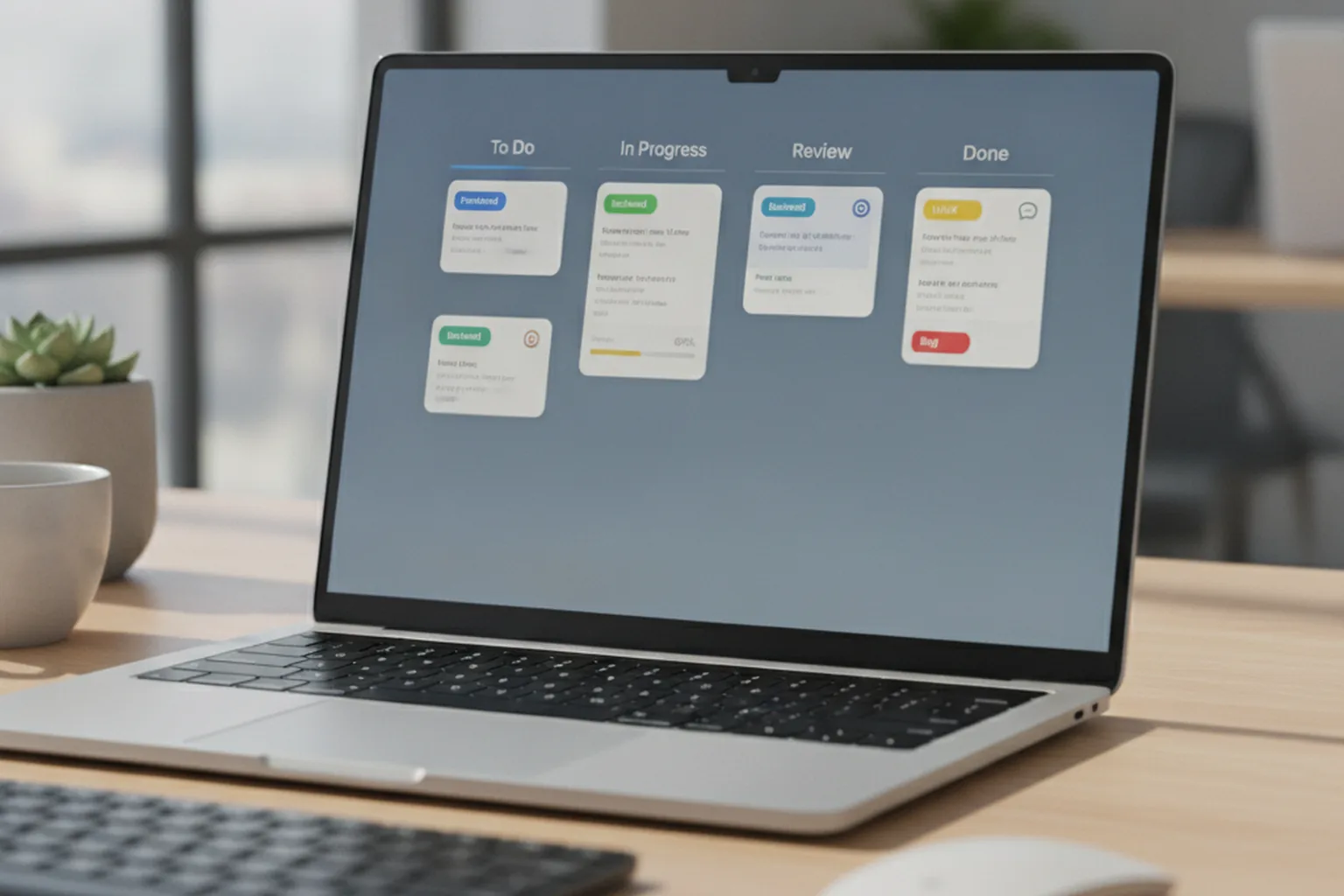
A Kanban board for a dev team is a visual map of your delivery workflow, where each card is a work item and each column is a stage that item passes through. Work enters on the left and is pulled rightward, one stage at a time, until it reaches Done. Because the board mirrors your actual process rather than an idealized one, it makes queues, blockers and overload immediately visible — the first and most important Kanban practice. This is what using Kanban for software development looks like in practice.

Board anatomy: columns, cards, swimlanes
A dev Kanban board has three building blocks: columns, cards and swimlanes. Columns are workflow stages; a typical software board runs something like Backlog → Ready → In Dev → Code Review → Test → Done, and many teams split busy stages into “Doing” and “Done” sub-columns so a finished-but-not-yet-pulled item is visible. Cards represent individual work items and carry the detail that matters — description, assignee, links, blockers, class of service. Swimlanes are horizontal rows that separate types or streams of work, for example an “Expedite” lane for urgent production issues sitting above the normal flow. Each column carries its WIP limit, usually written right in the header.
The pull system in practice
The pull system is the rule that a developer starts new work only when capacity frees up, never because work was handed to them. When an engineer finishes an item in, say, Code Review, they do not immediately grab something from the Backlog; they look upstream and pull the next-highest-priority item that is ready, provided the target column is below its WIP limit. This inversion — capacity pulls work, rather than a plan pushing it — is what keeps the system from overloading. It is the direct descendant of Toyota's just-in-time signal: build (or pull) only what the next stage can actually take.
Board examples: basic vs advanced
Kanban boards scale with the team's maturity. A basic board has three or four columns (To Do → In Progress → Done), a single WIP limit or two, and no swimlanes — ideal for a small team learning the flow. An advanced board models the full value stream with split Doing/Done columns, per-column WIP limits, multiple swimlanes for classes of service, explicit blocked markers, and policies attached to each column. A more advanced pattern still, sometimes called a Heijunka or level-loading board, deliberately mixes work types each period so a team does not spend a whole week only on features and then a whole week only on bugs. Start basic; add structure only when a real problem — an invisible bottleneck, a starved support stream — justifies it.
WIP limits: the engine of Kanban
WIP limits are the single most important mechanic in Kanban, because capping how much work is started is what forces work to be finished. A WIP limit is simply the maximum number of items allowed in a column or stage at one time; when a column is full, no new item can enter until one leaves. That constraint sounds restrictive, but it is the whole point: it stops the team from starting ten things and finishing none, it surfaces bottlenecks the moment they form, and it slashes the hidden tax of context-switching.
How do you set them? A practical starting point is roughly one to two items per developer in each active column, then tune with data. If a column constantly sits at its limit while the next one is empty, the limit downstream (or a skill gap) is the bottleneck; if columns never reach their limit, the limits are too loose to change behaviour. The mathematics behind this is Little's Law: average cycle time equals average work in progress divided by throughput. Hold throughput steady and cut WIP, and cycle time falls proportionally — which is why lowering WIP is the fastest lever for shipping individual items sooner.
A 2026 trend worth watching, framed as emerging rather than proven: several Kanban tool vendors now offer AI-assisted dynamic WIP limits, where the board suggests or adjusts limits based on a team's historical throughput, cycle-time distribution and current capacity. Used carefully these can help teams find the right limit faster, but they are an aid to judgment, not a replacement for it — treat any auto-suggested limit as a hypothesis to validate against your own flow data.
Managing features, bugs, tech debt and spikes
Real dev work is not uniform, and Kanban handles the mix through classes of service — explicit policies that tell the team how to treat different work types. Rather than pretending a critical production bug and a nice-to-have feature deserve identical handling, you name the categories and agree the rules for each. Common classes of service on a software board are:
- Standard. The default: features and improvements pulled in priority order under normal WIP limits.
- Expedite. Urgent items — typically production-impacting bugs — that get an own swimlane, jump the queue, and may temporarily break a WIP limit, on the understanding that only one expedite item runs at a time.
- Fixed date. Work with a hard external deadline (a compliance change, a partner launch) that is scheduled backward from its date.
- Intangible. Technical debt, refactoring and infrastructure work that has no immediate feature payoff but protects future flow — given a reserved capacity slice so it is never perpetually deprioritized.
Two dev-specific work types deserve their own note. Spikes — time-boxed research tasks to reduce uncertainty before committing to a build — belong on the board as their own cards with a strict time limit, so investigation does not silently expand. And technical debt is best treated as an intangible class of service with a standing capacity reservation (say, 15–20% of throughput), which is far more durable than the good intention to “get to it later.” Making these explicit is what stops bugs and debt from being crowded out by the steady pressure of feature work.
Kanban flow metrics that matter
Kanban is measured by flow, not by output volume, and five metrics tell you almost everything about how a system is performing. Where Scrum tracks velocity, Kanban tracks how quickly and predictably work moves — the numbers below are the ones worth watching, and they connect directly to the delivery-focused software development KPIs most engineering leaders already report on. Several also map onto the DORA metrics (notably lead time for changes), which makes Kanban data easy to fold into an existing DevOps scorecard.

| Metric | What it measures | Why it matters |
|---|---|---|
| Lead time | Time from a request being accepted to it being delivered | The customer's-eye view of speed; drives commitments and Service Level Expectations |
| Cycle time | Time from active work starting to the item being done | The team's-eye view of speed; the metric WIP limits most directly improve |
| Throughput | Number of items completed per unit of time (per week, say) | Capacity and delivery rate; feeds forecasting without story-point estimates |
| Work in progress (WIP) | Number of items in flight at any moment | The lever in Little's Law; high WIP is the usual root cause of slow cycle time |
| Cumulative flow diagram (CFD) | Stacked area chart of items in each stage over time | Widening bands reveal bottlenecks and growing queues at a glance |
| Service Level Expectation (SLE) | A probabilistic promise, e.g. “85% of items done within 8 days” | Turns cycle-time data into a forecast stakeholders can rely on |
The practical workflow is: watch cycle time and the CFD week to week, use throughput to forecast, and set an SLE from your cycle-time distribution rather than guessing a due date. A widening band in the CFD is your early warning of a bottleneck; a rising WIP with flat throughput is Little's Law telling you cycle time is about to get worse. According to the Kanban University State of Kanban report, teams cite improved visibility and predictability as the top benefits — and around 87% of respondents rate Kanban as more or much more effective than the method they used before.
Integrating Kanban with CI/CD and code review
Kanban and continuous delivery fit together naturally, because both are pull-based, flow-optimizing systems — Kanban manages the flow of work items, while CI/CD manages the flow of code changes to production. The board's columns can mirror the pipeline: a “Code Review” column maps to the pull-request stage, a “Test” column to the automated test and staging stage, and a “Done” that genuinely means deployed, not merely merged. When the two are aligned, an item's movement on the board and the commit's movement through the pipeline tell the same story.
Two integration patterns matter in practice. First, treat code review as a first-class column with its own WIP limit: unreviewed pull requests are the most common hidden queue in software teams, and a WIP-limited review column forces the team to review before writing more code — often the single biggest cycle-time win available. Second, wire the board to the pipeline so state changes are automatic: a merged PR moves the card, a failed deploy flags it as blocked. This keeps the board honest without manual bookkeeping and lets the CFD reflect real deployment flow. Kanban's flow metrics and the DORA delivery metrics then reinforce each other, giving a DevOps team one coherent view of how fast value reaches production.
Kanban vs Scrum vs Scrumban: which should you use?
The short answer: choose Scrum for a predictable cadence of committed increments, Kanban for continuous flow and interrupt-driven work, and Scrumban when you want Scrum's rhythm without its rigidity. The three are not rivals so much as points on a spectrum of how much structure a team needs, and the right pick depends on how your work actually arrives. Scrum time-boxes work into sprints with fixed roles and ceremonies; Kanban runs a continuous, WIP-limited flow with no prescribed roles; Scrumban keeps the Scrum cadence but replaces sprint commitment with pull and WIP limits.
| Dimension | Scrum | Kanban | Scrumban |
|---|---|---|---|
| Cadence | Fixed sprints (1–4 weeks) | Continuous flow; no sprints | Optional iterations; continuous pull |
| Work assignment | Committed at sprint planning | Pulled as capacity frees up | Pulled, replenished on demand |
| Roles | Product Owner, Scrum Master, Developers | No prescribed roles | Kept lightweight or as needed |
| Key metric | Velocity (story points/sprint) | Cycle time & throughput | Cycle time, throughput, some velocity |
| Change mid-cycle | Discouraged during a sprint | Welcome any time | Welcome; managed by WIP limits |
| Best-fit work | Feature builds with a steady rhythm | Support, DevOps, maintenance, mixed flow | Teams outgrowing sprints but wanting structure |
In practice the choice follows the shape of the work. Teams with unpredictable, interrupt-heavy demand — production support, platform, DevOps, maintenance — usually flow better with Kanban, because a fixed sprint commitment is fiction when a Sev-1 can land at any hour. Teams that benefit from a shared rhythm and clear commitments often prefer Scrum. And a large and growing share of teams land in the middle: the 18th State of Agile report notes a marked shift toward hybrid, context-dependent ways of working, with Scrumban a common destination for teams that keep Scrum's cadence while adopting Kanban's pull and WIP discipline.
How to implement Kanban step by step
Implementing Kanban is deliberately low-risk: because the method says “start with what you do now,” you can roll it out without reorganizing the team or pausing delivery. The Kanban software development process is introduced incrementally, one practice at a time. A practical seven-step playbook:
- Map your current workflow. Walk a real work item from request to release and write down the actual stages it passes through — not the idealized ones. Those stages become your columns.
- Design the board. Turn the mapped stages into columns (for example Backlog → Ready → In Dev → Code Review → Test → Done), split busy stages into Doing/Done, and add a swimlane for expedited work.
- Set initial WIP limits. Start with roughly one to two items per developer per active column. They will be wrong at first — that is fine; they are a starting hypothesis, not a commitment.
- Make policies explicit. Write the rules on the board: the definition of “Ready,” the exit criteria for each column, how items are prioritized, and how classes of service are treated.
- Add flow metrics. Start measuring cycle time, throughput and WIP from day one, and stand up a cumulative flow diagram — you cannot improve flow you cannot see.
- Run feedback cadences. Introduce the Kanban cadences that fit your team: a replenishment meeting to refill Ready, a daily flow-focused stand-up walking the board right to left, and a periodic service-delivery review.
- Improve continuously. Use the metrics to tune WIP limits, attack the biggest bottleneck, and run small reversible experiments — then repeat. Kanban is never “finished”; it is a system you keep tuning.
Because each step layers onto the last, a team can be running credible Kanban within a week or two and refine from there. For a broader view of running delivery this way — cadences, roles and reporting — our guide to software development project management covers the surrounding practices that make flow stick.
Common Kanban pitfalls (and how to avoid them)
Most failed Kanban adoptions fail the same handful of ways, and every one is avoidable. The common thread is treating Kanban as a board rather than a system — visualizing work but skipping the discipline that makes visualization pay off. The pitfalls to watch:
- No WIP limits (the biggest one). A board without WIP limits is just a to-do list; without the cap, work still piles up in progress and nothing gets faster. Set limits from day one, even imperfect ones.
- Over-engineering the board. Twelve columns, six swimlanes and elaborate policies before the team can walk the flow. Start simple; add structure only when a real problem demands it.
- Ignoring the metrics. Running the board but never looking at cycle time or the CFD means bottlenecks stay invisible. Review flow data on a regular cadence, or the data is decoration.
- Treating WIP limits as suggestions. Quietly breaking a limit “just this once” every day defeats the purpose. If a limit is genuinely too tight, change it deliberately with data — do not erode it silently.
- Poor tool and pipeline integration. A board that no one updates because it is disconnected from the code becomes fiction. Wire it to CI/CD so state changes are automatic and the board stays honest.
- Neglecting bugs and tech debt. With no class of service reserving capacity for them, defects and debt get crowded out by features until they force a crisis. Reserve a standing slice of throughput.
Kanban tools for software teams
The board matters less than the discipline behind it, but the right tool removes friction and keeps flow data honest. Software Kanban tools fall into three broad categories, and the right pick depends on how tightly you need the board wired into your pipeline.
- Dev-native trackers. Jira, Azure DevOps Boards and GitHub Projects live where the code already is, so linking a card to a commit, pull request or pipeline run is native rather than bolted on. The natural choice when code-review and CI/CD integration (see above) is the priority, and when the team already tracks issues there.
- Dedicated flow tools. Businessmap (formerly Kanbanize), LeanKit and Kanban Tool are built specifically around WIP limits, cumulative flow diagrams, Service Level Expectations and multi-team portfolio views. They suit teams that want flow metrics and forecasting out of the box, without configuring dashboards on top of a general tracker.
- General-purpose boards. Trello, Asana and monday.com offer a familiar column-and-card interface at low setup cost. They work well for a first Kanban board or for teams outside engineering, but most need add-ons or manual discipline to get real WIP-limit enforcement and flow metrics.
Whichever category you pick, weight the decision toward three things: how directly it connects to your CI/CD pipeline and code review, whether it reports cycle time and a cumulative flow diagram without extra tooling, and whether it can express classes of service (Expedite, Fixed date, Intangible) as swimlanes or card types rather than ad hoc labels. A tool that visualizes work but hides WIP and flow data behind a paid tier is worth avoiding — those two data points are the whole point of running Kanban.
FAQ
What is Kanban in software development?
Kanban in software development is a lean, pull-based method for managing software work as a continuous flow rather than in fixed time-boxes. Teams visualize every work item on a Kanban board split into workflow columns (for example Backlog, Ready, In Dev, Code Review, Test, Done), limit the amount of work in progress in each stage, and pull the next item only when they have capacity. The goal is smooth, predictable flow: shorter lead times, fewer bottlenecks, and continuous delivery. Kanban was adapted for software by David J. Anderson between 2006 and 2007 from Toyota's just-in-time manufacturing system.
Is Kanban an Agile methodology?
Kanban is an Agile method, though it did not originate inside the Agile movement. It shares Agile's core values — deliver value continuously, respond to change, and improve empirically — but instead of fixed iterations it manages a continuous flow of work with explicit WIP limits. The Kanban Method is best described as an evolutionary change-management approach: you start with your existing process and improve it incrementally. In practice most teams treat Kanban as one of the Agile options alongside Scrum, and many blend the two into Scrumban.
What is the Kanban software development process?
The Kanban software development process is a continuous, pull-based cycle. Work items enter a backlog, are pulled into a Ready column when prioritized, then flow left to right through development, code review, testing and release columns on a Kanban board. Each column has a WIP limit that caps how many items can be in progress at once, so the team finishes work before starting new work. Flow metrics — lead time, cycle time and throughput — are tracked continuously, and the team runs regular replenishment and review cadences to reprioritize and improve. There are no fixed sprints; the process runs until a bottleneck or metric signals a change.
What are WIP limits in Kanban?
WIP (work-in-progress) limits are the maximum number of items allowed in a Kanban column or stage at one time. They are the single most important mechanic in Kanban: by capping how much work is started, they force the team to finish in-progress items before pulling new ones. This exposes bottlenecks, reduces context-switching, and shortens cycle time. A common starting point is roughly one to two items per developer per active column, then tuned using flow data. Little's Law explains why they work: average cycle time equals average WIP divided by throughput, so lowering WIP directly shortens cycle time when throughput holds.
What is the difference between Kanban and Scrum?
Scrum organizes work into fixed-length sprints with committed scope, defined roles (Product Owner, Scrum Master, Developers) and ceremonies such as sprint planning and retrospectives. Kanban uses continuous flow with no sprints or prescribed roles: work is pulled as capacity frees up, WIP limits control load, and the board can change at any time. Scrum optimizes for a predictable cadence of releasable increments; Kanban optimizes for fast, smooth flow and is easier to adopt on top of an existing process. Teams with unpredictable, interrupt-driven work often prefer Kanban, while teams that benefit from a fixed rhythm often prefer Scrum — and many combine them as Scrumban.
When should a software team use Kanban?
Use Kanban when work arrives continuously and priorities change often — for example platform and DevOps teams, production support, maintenance, bug-fix streams, and teams handling a mix of features, defects and unplanned requests. Kanban is also the lowest-friction way to introduce flow discipline to a team that resists the ceremony of Scrum, because you start with your current process and add WIP limits and metrics on top. It is a weaker fit when a business genuinely needs a fixed, committed scope per time-box or when cross-team coordination depends on a shared sprint cadence; there, Scrum or a Scrumban hybrid often fits better.
Last updated 26 September 2026. Historical detail follows the Wikipedia entry on Kanban (development) and David J. Anderson, Kanban: Successful Evolutionary Change for Your Technology Business (2010); practices follow the Kanban Method and Atlassian's vendor-neutral Kanban guidance. 2026 adoption and effectiveness figures reference the Kanban University / Businessmap State of Kanban report and the State of Agile survey, and are stated as industry estimates. Tool categories are described generically; treat method and tool choice as a starting point to validate against your own team, work mix and delivery constraints.