

Software development automation is the use of tools, pipelines, scripts and AI agents to perform the repeatable parts of building and running software — so that every commit is built, tested, scanned and deployed the same way, every time, without someone clicking through a checklist. Done well, it shortens the path from idea to production and makes that path boringly predictable. Done badly, it turns a slow, manual process into a fast, broken one.
The stakes rose sharply over the last two years. The 2025 Stack Overflow Developer Survey (published mid-2025, the latest edition as of 2026) found that 84% of developers use or plan to use AI tools, and Google Cloud’s 2025 DORA research put AI use at work at 90% of technology professionals. Teams are automating more of the life cycle than ever, which is why automation is designed into every delivery pipeline in our end-to-end product engineering engagements rather than bolted on after launch.
This guide is deliberately wider than a single practice. If you want the mechanics of one pipeline, our CI/CD in software development guide goes deep on that; here we look at the whole map — which stages to automate, in what order, what to leave to people, and how to show the business it was worth it.
What is software development automation?
Software development automation is the practice of replacing manual, repeatable software development life cycle (SDLC) tasks with code-defined tools and workflows that run consistently on every change. It covers builds, automated tests, code-quality and security checks, infrastructure provisioning, deployments, monitoring and incident response — and, since 2024, AI-assisted drafting of code, tests and documentation.
The defining property is repeatability through code. A deployment described in a pipeline file, an environment defined in Terraform or OpenTofu, a policy written as policy-as-code — each can be reviewed, versioned and rerun. That is what separates SDLC automation from simply “using a tool”: the process itself lives in the repository.
Two families of automation now coexist. Rules-based automation is deterministic: the same input always triggers the same steps (a test suite on every pull request, a canary rollout on every merge to main). AI-driven automation is probabilistic: an agent drafts a test, summarises a pull request or proposes a dependency migration, and a human or a rules-based gate decides whether to accept it. Mature teams use AI to generate candidates and deterministic pipelines to verify them.
A note on terminology, because the phrase is used in two different senses. Automation software development often means building automation products — RPA bots, workflow engines, industrial control software. That is a different job from automating how your own team builds software, and it is covered in the FAQ below. Business-process automation (RPA) likewise targets finance or operations tasks, not the engineering pipeline.
Why does automation in software development matter in 2026?
Automation in software development matters in 2026 because release frequency, security expectations and AI-generated code volume have all grown faster than teams can check by hand. Manual builds, manual regression runs and hand-made deployments were tolerable at one release a month; they break at several releases a day.
Four forces drive it:
- Throughput. Automated pipelines let teams ship small changes often, which lowers the risk of each change and shortens feedback loops.
- Defect cost. A bug caught by a unit test on commit costs minutes; the same bug found in production costs an incident, a hotfix and customer trust.
- Toil. McKinsey has estimated that developers spend more than 30% of their time on routine, manual tasks. Every hour of scripted toil is an hour returned to product work.
- AI adoption. Per the 2025 Stack Overflow survey, 84% of developers use or plan to use AI tools (up from 76% in 2024) and 51% of professional developers use them daily. Google Cloud’s 2025 DORA report, based on roughly 5,000 respondents, found 90% of tech professionals use AI at work, more than 80% report higher productivity, and the median user spends about two hours a day working with AI.
Gartner adds a forward signal: it predicts that up to 40% of enterprise applications will include task-specific AI agents by the end of 2026, up from less than 5% in 2025. More generated code means more code to test, scan and review — which is itself an automation problem.
There is a caveat worth putting up front. DORA’s 2025 research found that AI adoption now correlates positively with delivery throughput but still negatively with delivery stability. The lesson is that automation amplifies the system you already have: with solid tests and review, it speeds you up; without them, it helps you ship defects faster.
What can you automate across the SDLC?
You can automate some part of every SDLC stage, but the share that should be automated varies: builds, tests, scans and deployments can be close to fully automated, while planning, design and review should only be assisted. The table below maps each stage to typical 2026 tooling and to the decisions that stay with people.
| SDLC stage | What to automate | Typical tools in 2026 | Human stays on |
|---|---|---|---|
| Planning & requirements | Ticket triage, templates, duplicate detection, spec drafts | Issue-tracker automation rules, AI assistants | Priorities, scope, trade-offs |
| Design & architecture | Diagram-as-code, API contract linting, architecture fitness checks | OpenAPI linters, ArchUnit-style tests | Architecture decisions |
| Coding | Formatting, linting, scaffolding, first-draft code | Prettier, ESLint, code generators, AI coding assistants | Logic, naming, design intent |
| Code review | PR summaries, static analysis comments, dependency bumps | SonarQube, Dependabot, Renovate, review bots | Approval and merge |
| Testing | Unit, integration, E2E, visual regression, test generation | Jest, pytest, Playwright, Selenium | Test strategy, exploratory testing |
| Security | SAST, DAST, SCA, secrets scanning, SBOM | Semgrep, OWASP ZAP, Trivy, gitleaks | Risk acceptance, threat modelling |
| Build & CI | Compile, package, cache, run checks on every commit | GitHub Actions, GitLab CI, Jenkins | Pipeline design |
| Infrastructure | Provisioning, ephemeral preview environments, policy-as-code | Terraform/OpenTofu, Pulumi, OPA | Capacity and cost decisions |
| Release & deploy | GitOps deploys, canary and blue-green rollouts, feature flags | Argo CD, Flux, flag platforms | Go/no-go for risky launches |
| Monitoring & incidents | Alerting, auto-rollback, runbook automation, AIOps correlation | Prometheus, OpenTelemetry, on-call tooling | Incident command, post-mortems |
| Documentation | API reference, changelogs, release notes | Doc generators, conventional-commit tooling | Guides, onboarding narrative |
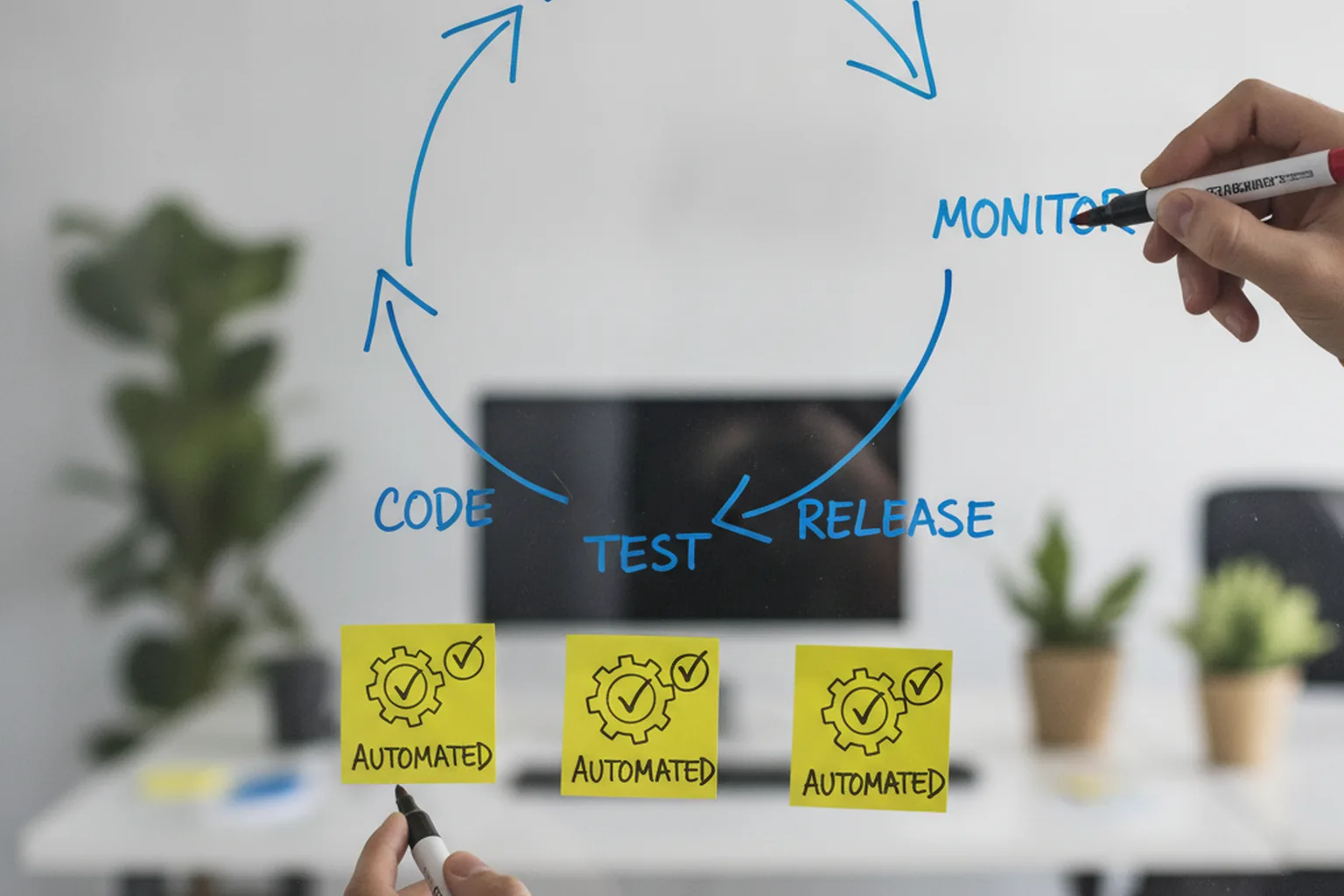
Planning and requirements
Planning automation removes clerical work from the backlog while leaving prioritisation to people. Useful targets are automatic labelling and routing of new tickets, templates that force acceptance criteria into every story, duplicate detection, and AI-drafted first versions of specs that a product manager then edits. Keep the scope decision human: a model can summarise a hundred feature requests, but it cannot own the trade-off between them.
Coding and code review
Coding automation should eliminate every argument a machine can settle: formatters and linters run on save and in CI, generators scaffold new services from a golden template, and AI assistants draft boilerplate, tests and migrations. In review, bots post static-analysis findings, summarise large pull requests and open dependency-update PRs automatically. Our overview of AI tools for software development compares the assistants; the rule that matters here is that the merge button stays with a human reviewer.
Testing and quality assurance
Test automation is the foundation of every other kind of automation, because nothing can be deployed automatically if it cannot be verified automatically. A healthy suite follows the test pyramid: many fast unit tests, fewer integration tests, and a small set of end-to-end tests for critical user journeys, plus visual regression where the UI matters. The discipline behind choosing what to test is covered in our guide to quality assurance in software development.
CI/CD and release
CI/CD automation builds, tests and deploys every change through the same pipeline, so a release becomes a routine event rather than a project. Continuous integration merges and verifies code several times a day; continuous delivery keeps every green build deployable; progressive delivery — canary releases, blue-green deploys and feature flags — separates deploying code from exposing it to users. Pipeline design itself is covered step by step in our CI/CD guide.
Infrastructure and environments
Infrastructure automation defines servers, networks, databases and permissions as code, so environments can be created, reviewed and destroyed on demand. Infrastructure as code (Terraform/OpenTofu or Pulumi) plus GitOps means production changes arrive through pull requests with a full audit trail. Ephemeral preview environments — a full copy of the app per pull request — let reviewers and QA test real behaviour before merge, and policy-as-code blocks non-compliant resources before they exist.
Security and compliance
Security automation, often called DevSecOps, moves checks into the pipeline so vulnerabilities are found at commit time instead of in an annual audit. The standard set is static analysis (SAST), dynamic testing against a running build (DAST), software composition analysis (SCA) for vulnerable dependencies, secrets scanning to stop credentials entering the repository, and a software bill of materials (SBOM) for every release. For regulated products, the pipeline log itself becomes compliance evidence.
Operations and monitoring
Operations automation detects problems and handles the routine fixes before a human is paged. Typical building blocks are alerts on service-level objectives rather than raw metrics, automatic rollback when error rates spike after a deploy, runbook automation that executes known remediation steps, and AIOps tools that correlate noisy alerts into a single incident. People stay in charge of incident command and the post-mortem that prevents a repeat.
Automated software development vs manual work: what changes?
Automated software development changes when defects are found, how consistent releases are and what the cost curve looks like: automation front-loads investment and then makes each additional release almost free, while manual processes stay cheap to start and get more expensive with every release. The comparison below summarises the practical differences.
| Dimension | Manual delivery | Automated delivery |
|---|---|---|
| Cycle time | Days to weeks per release; queues for testers and ops | Minutes to hours from merge to production |
| When defects are found | Late — in a regression phase or in production | Early — on the commit that introduced them |
| Consistency | Depends on who runs the checklist | Identical steps on every run |
| Audit trail | Scattered across chats, tickets and memory | Pipeline logs, commits and approvals, queryable |
| Cost profile | Low setup, cost grows with every release | Upfront build plus upkeep, marginal cost per release near zero |
| Scaling the team | Process knowledge lives in a few people | Process is code; new engineers inherit it |
| Typical failure mode | Skipped step, human error, “works on my machine” | Flaky tests, stale pipelines, over-trusted automation |
The last row matters most. Automation does not remove failure; it changes its shape. Manual processes fail through inconsistency, while automated ones fail through neglect — a pipeline nobody owns, a test suite everyone has learned to re-run until it passes. Budget for maintenance from day one.
What should you not automate?
You should not automate decisions that need judgement, tasks that run too rarely to repay the effort, or processes that are still broken — because automating a broken process only makes it fail faster. Most guides skip this list; in practice it saves more money than any tool choice.
- Product and architecture decisions. Tools can gather options and data; choosing between them involves business context no pipeline has.
- Ambiguous requirements. If the team cannot agree what “done” means, a generated spec or test only encodes the confusion.
- Final security and risk sign-off. Scanners find candidate issues; a person must accept or reject residual risk, especially in regulated industries.
- Low-value, flaky end-to-end UI paths. An unstable E2E test on a rarely used screen costs more trust than it earns; cover it lower in the pyramid or test it manually.
- One-off or rare tasks. A migration you will run once is often cheaper as a reviewed manual runbook than as a generalised tool.
- Exploratory and usability testing. Finding the bug nobody thought to specify is still a human skill.
- Anything without an owner. Automation with no named maintainer decays into noise; if nobody will own it, do not build it.
How to start automating software development: a 6-step plan
The most reliable way of automating software development is to measure first, automate the build and tests before anything else, and then expand one bottleneck at a time while treating the automation itself as production code. These six steps fit into the wider software development life cycle rather than replacing it.
- Map the value stream and measure toil. Walk one change from ticket to production and record every manual step, its duration and how often it happens. The biggest queues and hand-offs are your candidates.
- Baseline DORA metrics. Record deployment frequency, lead time for changes, change failure rate and time to restore service before you change anything, so improvements are provable rather than anecdotal.
- Prioritise by frequency × pain × risk. Score each candidate 1–5 on how often it happens, how painful it is and how risky mistakes are; multiply, and start from the top. A daily manual deploy beats a quarterly report script every time.
- Automate build and test first — the “golden pipeline.” Every commit builds, lints and runs fast tests; every merge produces a versioned artifact. This pipeline is the backbone that every later automation plugs into.
- Expand to infrastructure, security and release. Add infrastructure as code, dependency and secrets scanning, staging deploys, then production release with canary or feature flags and automatic rollback.
- Treat automation as code. Pipelines, scripts and policies live in version control, go through review, have named owners and a deprecation path. Publish a golden-path template so new services start automated by default — the core idea of platform engineering and an internal developer platform.
How do AI agents change software development automation?
AI agents extend software development automation from tasks with fixed rules to tasks that need interpretation — writing a test for new code, summarising a change, migrating an API call pattern across a codebase — but their output is probabilistic, so it has to pass through deterministic checks and human review. The practical model in 2026 is “agents propose, pipelines verify, people decide.”
Where agents help today:
- Generating unit-test candidates for uncovered code paths.
- Summarising pull requests and flagging risky diffs for reviewers.
- Repetitive, well-specified migrations such as framework upgrades or deprecated API replacements.
- Triage: grouping bug reports, drafting incident timelines, proposing likely root causes from logs.
Where they fail is trust. The 2025 Stack Overflow survey found only 33% of developers trust the accuracy of AI output while 46% distrust it; 66% say answers are “almost right, but not quite,” and 45% say debugging AI-generated code is time-consuming. DORA 2025 reports that about 30% of respondents have little or no trust in AI-generated code, and links AI adoption to lower delivery stability. Our analysis of AI in software development in 2026 goes deeper into the productivity data.
Three guardrails make agents safe to put in the pipeline:
- Human-in-the-loop review. Agent output lands as a pull request, never as a direct commit to main.
- Sandboxed permissions. Agents run with least-privilege tokens, no production secrets and no ability to approve their own changes.
- Evaluation suites. Keep a fixed set of tasks with known-good answers and re-run it whenever the model, prompt or tool changes, so quality regressions show up before they reach the codebase.
How much does automation cost and what ROI can you expect?
Automation cost is mostly engineering time — to build the pipelines and to maintain them — plus tool licences and compute; the return comes from hours of manual work removed and from incidents avoided. Because both sides depend on your team and release volume, it is better to calculate your own ROI than to trust a generic benchmark.
The main cost components are:
- Pipeline and test engineering — the initial build, usually the largest item.
- Tool licences — CI minutes, security scanners, test grids, flag platforms, observability.
- Compute — runners, preview environments, test infrastructure.
- Ongoing ownership — fixing flaky tests, upgrading runners, keeping templates current.
Illustrative example (hypothetical inputs, not a benchmark). Take a team of 8 developers, each losing 3 hours a week to manual release steps and regression checks, at a loaded cost of $85 per hour. That is 8 × 3 × $85 × 52 ≈ $106,000 a year of toil. Suppose automating it takes 3–6 engineer-weeks (roughly $10,000–$20,000 at the same rate) and upkeep costs about 15% of the build per year. Even if automation removes only two-thirds of those hours, the payback period is measured in weeks, not years — before counting fewer production incidents. Swap in your own numbers; the formula is what transfers.
Build vs buy is the other lever. Managed CI/CD and SaaS scanners trade a subscription for near-zero maintenance and fast start; self-hosted runners and open-source tools cut licence costs but add operational work. Most teams start on managed services and self-host only where compute costs or data-residency rules justify it. If automation is part of a larger build, it is usually cheapest to design it in from the first sprint, as we do in custom software development projects.
How do you measure the impact of automation?
Measure automation with the four DORA metrics — deployment frequency, lead time for changes, change failure rate and time to restore service — plus a few automation-specific health signals, comparing each against the baseline you recorded before starting. If throughput rises while change failure rate stays flat or falls, automation is working.
- Deployment frequency — how often you ship to production.
- Lead time for changes — time from commit to running in production.
- Change failure rate — share of deployments that cause an incident or rollback.
- Time to restore service — how quickly you recover from a failure.
- Toil hours — manual hours per release, from the value-stream map.
- Flaky-test rate — tests that pass and fail on the same code; above a few percent, trust in the pipeline collapses.
- Pipeline duration — feedback slower than about 10–15 minutes gets ignored or bypassed.
Report these per team and per quarter, not per person. For the full metric set and how to present it to leadership, see our guide to software development KPIs.
Common challenges and how to avoid them
Most automation programmes stall for organisational reasons — unclear ownership, tool sprawl and eroding trust — rather than technical ones, and each has a known fix.
- Tool sprawl and integration gaps. Standardise on one CI platform and a small, documented toolchain; add tools only when they replace something.
- Flaky tests. Quarantine flaky tests automatically, track the rate, and fix or delete them within a set time instead of adding retries.
- Automation debt. Give every pipeline and script an owner and review it like application code; delete automations nobody uses.
- Upfront cost. Start with the highest-scoring bottleneck from your prioritisation matrix and show the DORA improvement before asking for more budget.
- Team resistance and skills gaps. Involve developers in choosing what to automate, and pair platform engineers with product teams during rollout; the culture side is covered in our DevOps in software development guide.
- Pipeline security. Treat CI as production: short-lived credentials, pinned third-party actions, signed artifacts and secrets scanning, because a compromised pipeline is a supply-chain attack.
- Over-trusting AI output. Route every agent change through the same tests, scans and human review as any other change — no fast lane for generated code.
FAQ
What is software development automation?
Software development automation is the practice of using tools, scripts, pipelines and increasingly AI agents to perform repeatable software development life cycle (SDLC) tasks without manual effort. Typical targets are builds, automated tests, code-quality and security scans, infrastructure provisioning, deployments, monitoring and alert handling. The goal is faster, more consistent delivery with fewer human errors, while engineers keep ownership of design, code review and risk decisions.
How is automation used in software development?
Automation in software development is used at every stage of the SDLC: bots triage tickets during planning, formatters, linters and AI assistants speed up coding, test suites run on every commit, CI/CD pipelines build and deploy each change, infrastructure as code provisions environments, security scanners check code and dependencies, and monitoring tools raise alerts or roll back bad releases automatically. The common thread is replacing repetitive, rules-based manual steps with versioned, repeatable code.
What is automated software development — can AI write software on its own?
Automated software development means delivering software with as many repeatable steps as possible handled by machines. In 2026 AI agents can draft code, generate tests, summarise pull requests and run routine migrations, but they cannot reliably build and own production software end to end. The 2025 Stack Overflow survey found only 33% of developers trust AI output accuracy, so humans still own architecture, review, security sign-off and accountability for what ships.
What should a team automate first when automating software development?
When automating software development, start with the build and the automated test suite that runs on every commit, because they are high-frequency, low-judgement tasks that every later automation depends on. Next add deployment to a staging environment, dependency and secrets scanning, and infrastructure as code. Prioritise by frequency multiplied by pain and risk, and baseline DORA metrics first so you can prove the improvement.
How long does it take to automate a CI/CD and testing pipeline?
As a typical range rather than a benchmark, a basic CI pipeline that builds, lints and runs unit tests on every commit takes days to a couple of weeks to set up for a single service. Adding reliable integration tests, staging deploys, security scans and production release automation usually takes several weeks more. Full SDLC automation across many services is incremental and normally rolls out over several quarters, one bottleneck at a time.
Is software development automation the same as RPA?
No. Software development automation targets the engineering process itself — builds, tests, deployments, infrastructure and monitoring. Robotic process automation (RPA) automates business tasks such as data entry or invoice processing by mimicking user actions in existing applications. Automation software development, meanwhile, usually means building automation products such as RPA bots or workflow engines. The three overlap in tooling but solve different problems for different owners.
Does automation replace developers?
No. Automation removes repetitive toil such as manual builds, regression runs and hand-made deployments, which frees developers for design, problem-solving and product work. It also creates new engineering work: pipelines, test suites, infrastructure code and AI guardrails all need owners. Google Cloud DORA 2025 research reports 90% of technology professionals already use AI at work, yet teams still rely on human judgement for architecture, review and risk decisions.
Last updated 29 September 2026. Sources: Stack Overflow Developer Survey 2025 — AI; Google Cloud, 2025 DORA State of AI-assisted Software Development; Gartner press release, 26 August 2025; McKinsey estimate of routine developer time as widely cited in industry analyses. The ROI example uses hypothetical inputs for illustration only. Tool names are examples, not endorsements.