Swift 6 + SwiftUI product work
New features and full apps on Swift 6 strict concurrency, SwiftUI with the Observation framework, NavigationStack with type-safe routes, and Swift Package Manager modules. UIKit interop where SwiftUI is still behind.

Services
Native iOS engineering in Swift and SwiftUI for consumer and B2B products on iPhone, iPad, Apple Watch, and Apple Vision Pro. YuSMP Group runs fixed-scope iOS projects tiered by complexity: an MVP from $3,500 in 4–8 weeks with the core flow and an App Store release, a production app from $5,800, a full product from $9,200, and a complex app from $11,500. App Store-ready builds that pass review on the first submission, ATT handled without losing the funnel, IP transferred to you on day one. CET workday with 9 AM–1 PM ET overlap, GDPR-aligned by default.

GDPR-aligned · ISO 27001 ready · SOC 2 Type II in progress · HIPAA-capable · CCPA-acknowledged · CET workday with 9 AM–1 PM ET overlap
iOS is where US revenue lives and where EU compliance hits hardest. App Store review rejects 35–40 percent of first submissions for the same boring reasons — missing purpose strings, IAP routed through Stripe, account deletion not in-app, App Privacy labels out of sync with the actual SDK. App Tracking Transparency wipes out attribution for teams that bolt it on at the end. The EU DMA opened alternative marketplaces and third-party browser engines but added a new contractual surface. We build iOS apps that ship without these surprises — Swift 6 strict concurrency, SwiftUI + Observation, async/await throughout, and a pre-flight review checklist run against every submission. See it in practice in our Signatory Pro case study.
New features and full apps on Swift 6 strict concurrency, SwiftUI with the Observation framework, NavigationStack with type-safe routes, and Swift Package Manager modules. UIKit interop where SwiftUI is still behind.
Pre-flight checklist against Guidelines 2.x/3.x/4.x/5.x: IAP routing, purpose strings, demo account, in-app account deletion, App Privacy labels in sync with SDKs, sign-in with Apple where required.
App Tracking Transparency with proper pre-prompts and graceful degradation, SKAdNetwork 4 attribution, EU DMA alternative marketplace support, BrowserEngineKit on iOS 17.4+ where the product needs it.
Objective-C to Swift, UIKit to SwiftUI, RxSwift/Combine to async/await, manual layout to Auto Layout/SwiftUI, CocoaPods to SwiftPM. Strangler-pattern migrations that keep shipping every two weeks.
Cold start under 400 ms, scroll at 120 Hz on ProMotion, memory pressure profiling with Instruments, Xcode Organizer metrics review, MetricKit-driven crash prioritisation, energy log audits for background work.
Core ML model packaging, Vision framework, Speech, Translation, Writing Tools integration on iOS 18, Foundation Models framework where eligible, App Intents for Siri and Spotlight.
Week 1: audit existing project (or define scope for a new one), pick deployment target, run an App Store guidelines gap analysis, and write the technical baseline document.
Weeks 2–3: Xcode project, SwiftPM modules, CI on Xcode Cloud or GitHub Actions with Fastlane, TestFlight pipeline, App Store Connect setup, App Privacy labels drafted.
Two-week sprints, TestFlight build every Friday, weekly demo with the founder/PO, MetricKit and Crashlytics review every Monday, App Store Review pre-flight before any submission.
Phased release via App Store Connect, monitor crash-free sessions in the first 48 hours, hotfix path tested, post-launch retrospective, then back to two-week cadence with a real user funnel.
Default for brands shipping an app. From $3,500 all-in for an MVP in 4–8 weeks. Fixed scope, fixed timeline, signed off at the end of discovery, App Store release included.
For a real product, not a demo. From $5,800 for a production app with several features, backend integration, offline persistence and analytics; up to $9,200 for multiple modules, roles, integrations and CI/CD.
For complex apps and long-running work. From $11,500 for payments, offline-first sync, native SDKs, scale and A/B; then continue with the same squad on a rolling backlog, or add staff augmentation.
All engagements include NDA, DPA, and full IP assignment signed before kickoff. CET workday with 9 AM–1 PM ET overlap for US founders.
Most agencies keep the number for a sales call. Below are reference formats for different levels of product complexity — we name the exact quote after a free scope assessment. iOS projects are fixed-scope and all-in, quoted in USD, with no hidden fees and no tool surcharges. You see the line-item budget before any code is written and sign off on it.
MVP
from $3,500
4–8 weeks · core flow
First working iOS app for real users. The core user flow built in Swift and SwiftUI, and an App Store release.
Normal
from $5,800
production app
Several features, backend integration, offline persistence with SwiftData or Core Data, event analytics, and an App Store release.
Optimum
from $9,200
full product
Multiple modules and roles, external integrations, CI/CD on Xcode Cloud or GitHub Actions, and on-device QA across the Apple surfaces you ship.
Advanced
from $11,500
complex app
In-app payments and subscriptions with StoreKit 2, offline-first sync, native SDKs, architecture built to scale, and A/B experimentation.
What moves the number: how many Apple surfaces you ship (iPhone-only vs iPhone + iPad + Apple Watch + Apple Vision Pro — each adds design and QA); the depth of legacy migration (Objective-C→Swift, UIKit→SwiftUI, Combine→async/await, CocoaPods→SwiftPM); how many purpose strings, third-party SDKs and App Privacy labels the submission has to justify; StoreKit and billing complexity (in-app purchases and subscriptions, EU DMA alternative distribution and BrowserEngineKit); and compliance scope (GDPR-aligned by default, HIPAA-capable or PSD2 raises the bar). Apple Developer Program and third-party API fees are billed on your own accounts, so you keep the cost lever. Anything outside the signed scope goes on the post-launch roadmap with sized estimates. Prices are indicative and are fixed in a written quote for your specific scope.
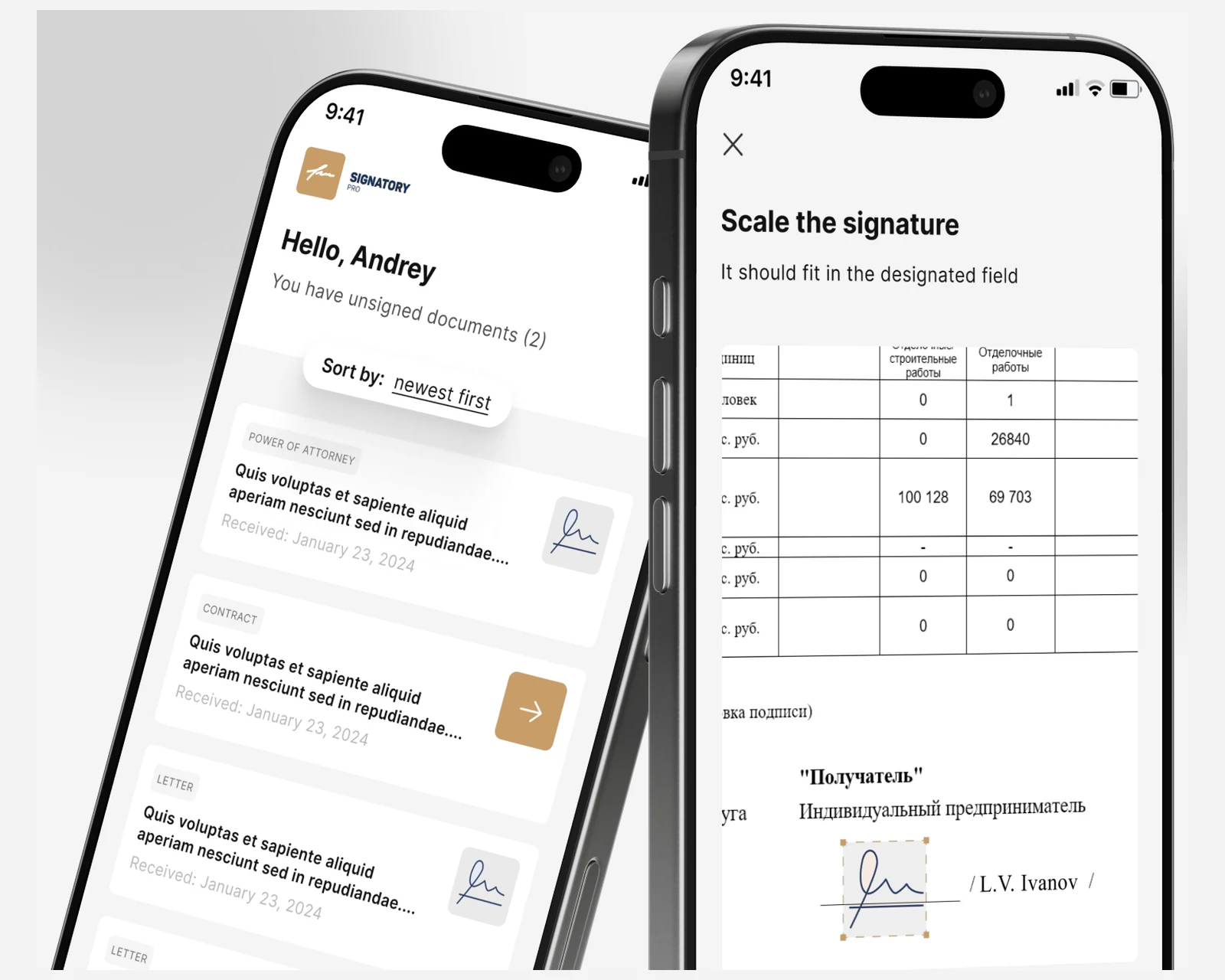
Native iOS and Android e-signature clients with a Symfony + React CRM for a cross-border law firm — KYC onboarding and a defensible evidence trail for US & EU matters.
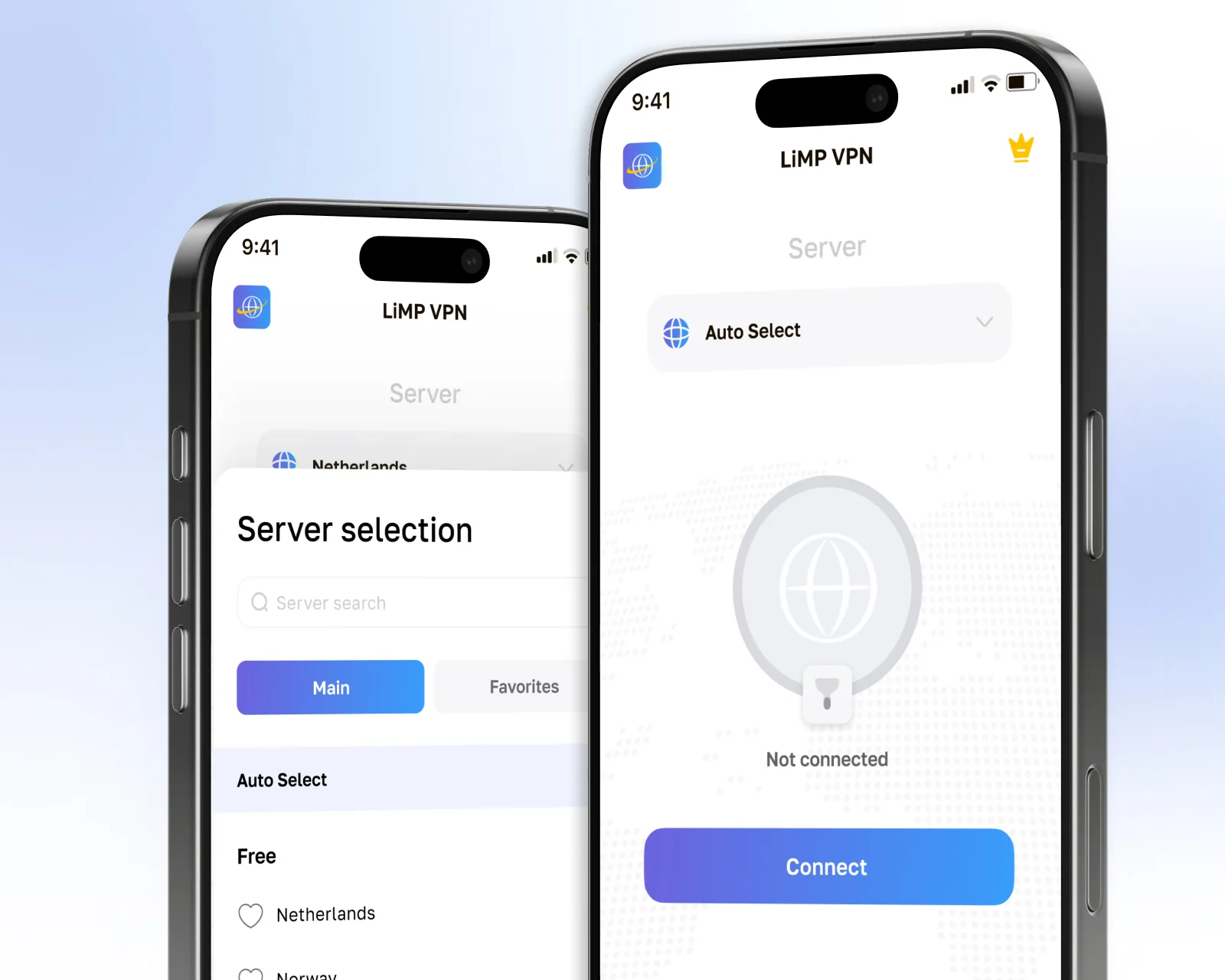
Consumer WireGuard VPN app for iOS and Android with zero-log architecture, launched across the US and EU.
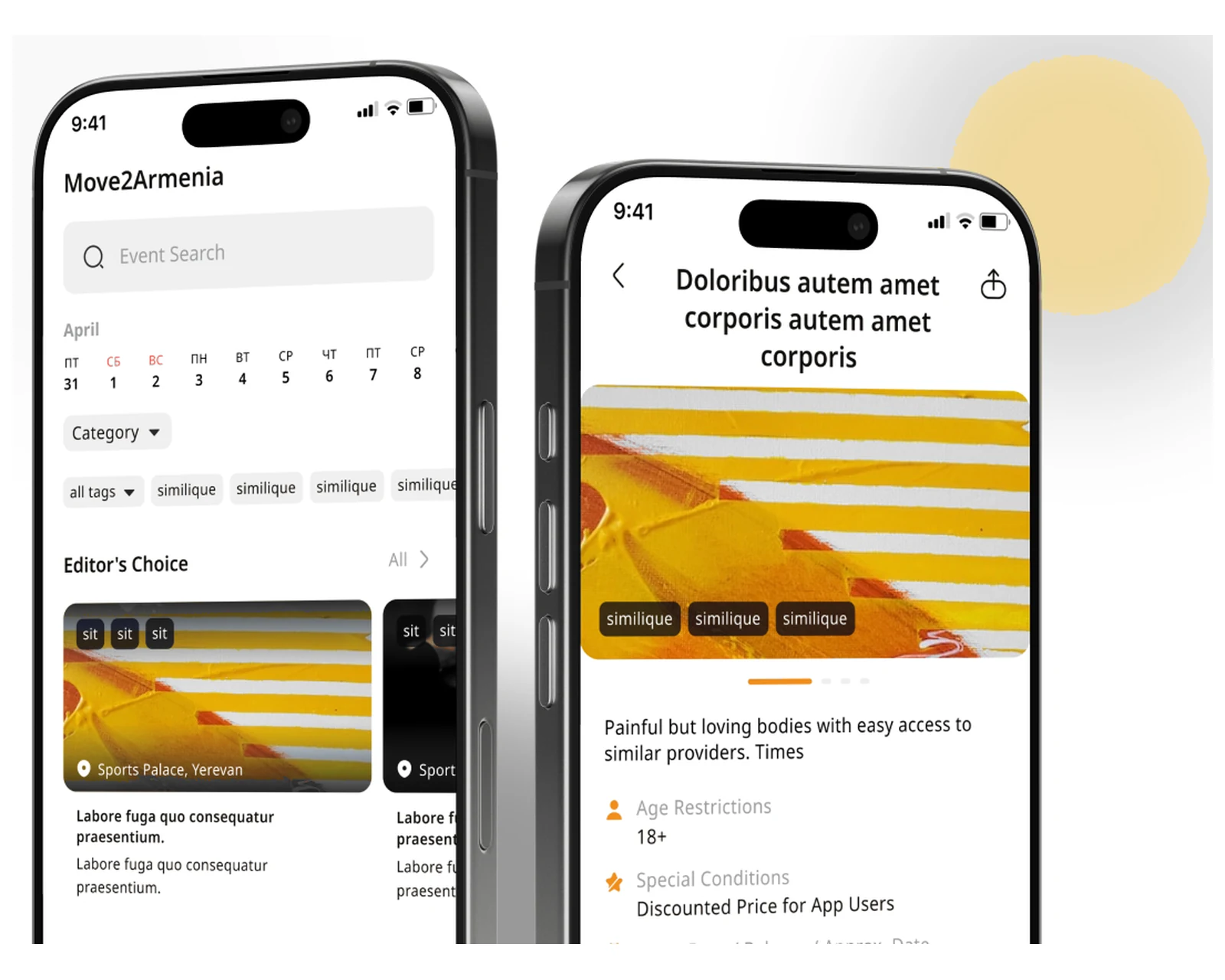
Native events, booking, and ticketing app with QR entry — events discovery for Armenia, engineered to US & EU client standards.
An iOS app is only as safe as its fit with your regulatory and operational reality. We pair native Swift engineering with industry-specific compliance across US & EU markets, and share a codebase and release process with our Android and cross-platform mobile teams when a product ships on both stores.
Secure iOS banking and payment apps with Keychain and Secure Enclave-backed biometric auth, PSD2 SCA flows (Strong Customer Authentication via Face ID / Touch ID), and StoreKit-compliant in-app purchase flows. We wire PII scrubbing into Sentry and Firebase Crashlytics from day one so sensitive financial data never appears in crash reports.
App Privacy labels are filled against the real SDK inventory — not a template — so your submission does not return to you for a nutrition-label mismatch. We have shipped iOS banking apps for US and EU regulated entities and know where PSD2 and CCPA intersect on the client side.
FinTech apps →HIPAA-capable iOS apps built on HealthKit, ResearchKit, and CareKit for patient-facing and clinical-workflow use cases. We design data flows so PHI stays in on-device HealthKit stores or encrypted backends in EU-region infra (eu-central-1 / eu-west-3) — never in crash reports, never in third-party analytics SDKs without explicit DPAs.
ResearchKit consent flows and e-consent screens are validated against IRB-typical review before the first TestFlight build. App Store health-category review guidelines are treated as a pre-flight checklist, not an afterthought — which is why our healthtech submissions clear the first-pass bar above 90 percent of the time.
HealthTech apps →Native iOS e-signature and case-management apps with KYC onboarding, DocuSign-equivalent in-app signing via PDFKit and PKDrawing, and a defensible audit trail for cross-border US & EU matters. Digital signatures are backed by Secure Enclave-generated keys and time-stamped via RFC 3161 compliant TSA endpoints.
The pattern behind our Signatory Pro build: native camera-based document capture, OCR extraction with Vision framework, role-based access for multi-party workflows, and GDPR-compliant data residency for EU clients. In-app account deletion and full data export are built into the core flow, not bolted on before App Store submission.
LegalTech apps →iOS shopping and marketplace apps with StoreKit 2 for in-app purchases and auto-renewable subscriptions, deep link routing via Universal Links, and offline product catalogues backed by SwiftData or Core Data with CloudKit sync. Apple Pay and third-party payment SDKs (Stripe, Adyen) are routed through the correct IAP or checkout flows to satisfy Guideline 3.1.1.
Product discovery UI is built in SwiftUI with smooth scroll performance at 120 Hz on ProMotion displays — confirmed with Instruments frame-render profiling. Push notifications via APNs drive re-engagement without third-party cross-app tracking that would trigger ATT. GDPR consent for analytics is wired separately from ATT to avoid conflating the two consent surfaces.
E-commerce apps →Driver and last-mile iOS apps built on Core Location with significant-location and visit monitoring for battery-efficient continuous tracking, background fetch for route updates, and MapKit overlays for multi-stop route visualisation. Offline persistence with SwiftData survives connectivity gaps in warehouses and rural last-mile routes.
Live in the EU on our xRouten build for a German logistics operator: in-app invoicing, live driver tracking and proof-of-delivery camera capture — all without stopping daily operations during the migration from a legacy Android-only codebase. GDPR location-data handling is designed to the standard the DPA reviewer expects.
Logistics apps →iOS learning apps built with ClassKit for Schoolwork integration, Screen Time API compliance for parental controls, and offline-first content delivery backed by SwiftData so lessons load without a network. Video-based courses use AVFoundation with adaptive bitrate streaming, and interactive exercises use SwiftUI animations with haptic feedback for engagement loops that hold retention.
App Privacy labels for under-13 and under-16 audiences are filled to COPPA and GDPR-K standards — no third-party advertising SDKs, no cross-site tracking, and parental-consent flows built before the first TestFlight build. Apple School Manager compatibility and MDM profile handling are validated against the education deployment guide.
EdTech apps →GDPR-aligned · ISO 27001 ready · SOC 2 Type II in progress · HIPAA-capable · CCPA-acknowledged
Every engineer on the roster has shipped at least three production iOS apps and worked through at least one full Swift major-version migration. No juniors billed at senior rates.
We run a pre-flight checklist against the App Store Review Guidelines and the App Privacy labels before any submission. Our first-pass approval rate is above 90 percent.
GDPR data export and deletion, CCPA Do Not Sell signals, ATT pre-prompts that respect the user, EU DMA marketplace support, and DPAs with every third-party SDK in the bundle.
For regulated products (healthtech, fintech) we run a HIPAA or PSD2 gap assessment in week 1 and design the data flows accordingly — PII never enters crash reports, sensitive data stays in Keychain or Secure Enclave-backed storage.
Our iOS and Android apps had diverged over years of separate development. YuSMP rebuilt a single unified solution with live camera feeds, smart-home device control, and role-based multi-user access. Zero critical defects in the first six months post-launch.
The legacy Android app had years of accumulated debt and no iOS counterpart. YuSMP refactored the existing code, shipped the iOS version, and added live driver tracking and in-app invoicing — all without stopping daily operations for our drivers.
Choosing the right iOS technology stack affects development speed, long-term maintenance, and the platform capabilities available to your app.
SwiftUI is Apple's declarative UI framework that enables 50–70% less code than equivalent UIKit implementations and delivers Live Preview during development. For iOS 16+ deployment targets, SwiftUI has feature parity with UIKit for most use cases. Most production apps today use a hybrid approach, adopting SwiftUI for new screens while maintaining UIKit for established complex views.
UIKit remains necessary for deep customization of navigation patterns, complex collection view layouts, and UI components with no SwiftUI equivalent. The UIHostingController and UIViewRepresentable bridges allow incremental SwiftUI adoption in existing UIKit apps without a full rewrite, letting teams migrate screen by screen over multiple release cycles.
Xcode Cloud is Apple's native CI/CD service integrating directly with App Store Connect, automating TestFlight distribution, screenshots generation, and release submission. It requires no runner management and understands Xcode project structure natively, eliminating the certificate and provisioning profile complexity that plagues macOS GitHub Actions runners.
GitHub Actions with self-hosted macOS runners offers greater flexibility, matrix builds across Xcode versions, and tighter integration with existing DevOps tooling (Fastlane, Danger, SonarQube). For teams already invested in GitHub workflows, Actions typically wins; for Apple-ecosystem-only teams, Xcode Cloud reduces operational complexity significantly.
Native iOS development with Swift excels when deep platform integration is required — Secure Enclave access, HealthKit, ARKit, App Clips, or App Store optimization where binary size and launch performance are critical. Swift's strong type system, ARC memory management, and tight Xcode integration deliver the best debugging and profiling experience for iOS-specific code.
Flutter delivers a consistent cross-platform UI from a single Dart codebase, typically shipping 30–40% faster for standard UI-driven apps. The trade-off is coarser access to platform APIs and a larger initial app size. See our Flutter development service for a detailed side-by-side comparison for your specific use case.
New iOS projects start on Swift 6 with strict concurrency enabled and target iOS 17 as the deployment minimum, with iOS 18 as the build SDK. That covers roughly 92 percent of active US/EU iPhones at time of writing. For B2B apps that must run on legacy fleet devices we drop the floor to iOS 16 and isolate Swift 6 concurrency with @preconcurrency imports. SwiftUI is the default UI layer with UIKit interop where SwiftUI still lacks coverage (camera capture pipelines, advanced PDFKit, custom keyboard input).
We treat App Store Review Guidelines 2.x, 3.x, 4.x and 5.x as a hard pre-flight checklist before every submission. The most common rejection patterns we eliminate: Guideline 4.0 (incomplete metadata, missing demo account), Guideline 2.1 (crash on TestFlight build with reviewer locale), Guideline 3.1.1 (digital goods routed through Stripe instead of IAP), Guideline 5.1.1 (purpose strings missing in Info.plist for camera, photos, contacts, motion), and Guideline 5.1.2 (account deletion not in-app, required since June 2022). We also pre-fill the App Privacy nutrition labels accurately and keep them in sync with the actual SDK behaviour.
App Tracking Transparency (ATT) is mandatory since iOS 14.5 for any cross-app/site tracking via IDFA. We gate IDFA access behind ATTrackingManager.requestTrackingAuthorization, show the pre-prompt only when there is genuine product value, and design the app to function fully when the user declines (US opt-in rates are 25–38 percent). For EU Digital Markets Act compliance we support alternative app marketplaces, third-party browser engines via BrowserEngineKit on iOS 17.4+ in the EU, and the contractor-entitled NFC/contactless payment APIs where the business case requires it.
Default is SwiftUI-first with the Observation framework (iOS 17+) replacing ObservableObject, and UIViewRepresentable bridges where UIKit is still ahead — high-FPS table cells with custom layout, AVFoundation camera UI, PencilKit, and MapKit overlays at scale. We use Swift Concurrency (async/await, actors, structured tasks) instead of Combine for new code; existing Combine pipelines are kept and bridged. Navigation uses NavigationStack with type-safe NavigationPath. The Composable Architecture (TCA) is on offer for teams that want it, but we default to vanilla SwiftUI + Observation for new projects.
GDPR-aligned by design: lawful basis documented per data category, in-app consent flows separate from ATT, granular data export and account deletion (also an App Store requirement since 2022), and DPAs with every third-party SDK. For EU customers we host backend infra in eu-central-1 or eu-west-3, encrypt at rest with AWS KMS or GCP CMEK, and keep PII out of crash reports (Sentry/Firebase Crashlytics PII scrubbing enabled). For CCPA we ship the Do Not Sell/Share signal handling and a CCPA-specific privacy screen for California users detected via region (not IP geolocation, which is unreliable on iOS).
iOS projects are fixed-scope and tiered by product complexity, all-in and quoted in USD. An MVP runs from $3,500 (4–8 weeks) for the first working app with the core flow and an App Store release; a production app from $5,800 with several features, backend integration, offline persistence and analytics; a full product from $9,200 with multiple modules, roles, external integrations, CI/CD and device QA; a complex app from $11,500 with payments, offline-first sync, native SDKs, scale and A/B. The exact number depends on how many Apple surfaces you ship, integration and StoreKit complexity, and compliance scope. You see the line-item budget at the end of discovery and sign off before any code is written. There are no hidden fees and no tool surcharges. Apple Developer Program and third-party API fees are billed on your own accounts.
We prevent rejections rather than recover from them. Before every submission we run a structured pre-flight check against the five most common rejection categories: Guideline 4.0 (incomplete metadata or missing demo account), Guideline 2.1 (crash on a build with the reviewer’s locale or accessibility settings active), Guideline 3.1.1 (digital goods or subscriptions bypassing IAP — typically a Stripe checkout left in a paywall), Guideline 5.1.1 (missing purpose strings in Info.plist for every permission the app uses), and Guideline 5.1.2 (account deletion not available in-app). App Privacy nutrition labels are filled from a live audit of the actual SDK list — not a template — and kept in sync as dependencies change. For ATT we gate IDFA access behind ATTrackingManager.requestTrackingAuthorization, show the custom pre-prompt only when there is genuine product value (US opt-in rates sit at 25–38 percent so a spurious prompt costs you more than it returns), and design every downstream feature to degrade gracefully when the user declines. Our first-pass App Store approval rate sits above 90 percent across the projects we have submitted.
SwiftUI-first with the Observation framework (iOS 17+) is our default for all new projects starting in 2026. The Observation macro replaced ObservableObject, eliminating a large class of unnecessary re-renders. We use NavigationStack with a type-safe NavigationPath for deep-link routing, SwiftData for local persistence (backed by Core Data on older targets), and Swift Concurrency (async/await, actors, structured tasks) throughout — no new Combine code. UIKit stays in the picture for a specific set of cases where SwiftUI is still thin: AVFoundation camera capture pipelines, high-FPS table cells with fully custom layout (Collection View Compositional Layout outperforms LazyVGrid for very large data sets), PencilKit annotation layers, and MapKit overlays with thousands of annotations. We bridge these with UIViewRepresentable and UIViewControllerRepresentable so the SwiftUI navigation graph stays intact. For projects that need it, The Composable Architecture (TCA) is available; otherwise we default to vanilla SwiftUI + Observation, which is leaner and easier to onboard onto.
StoreKit 2 (introduced in iOS 15, now the production standard) replaces the callback-heavy StoreKit 1 with an async/await API and a server-side transaction model that makes receipt validation dramatically simpler. We implement the full purchase flow: product fetching via Product.products(for:), purchase via product.purchase(), transaction listener as an async sequence running from app launch, and a server-side verify endpoint that calls the App Store Server API (the new REST endpoint replacing the legacy verifyReceipt). Subscription state is driven by Transaction.currentEntitlements rather than local receipt parsing. Offer codes, promotional offers, win-back offers (iOS 18), and family sharing are handled where the product requires them. For apps that need a web checkout path alongside IAP — common for SaaS tools that also have a web tier — we implement the EU DMA-compliant link-to-external-website entitlement carefully to avoid a Guideline 3.1.1 rejection. Subscription analytics (conversion, trial-to-paid, churn) are instrumented from day one via RevenueCat or a custom backend, not guessed from App Store Connect aggregate numbers.
Yes. We scope companion Apple Watch apps, iPad-native apps, and Apple Vision Pro experiences as distinct workstreams within the same engagement. Apple Watch apps run on watchOS with SwiftUI and WidgetKit complications; they communicate with the iPhone via WatchConnectivity and run their own independent logic for workout, health, and notification scenarios where the watch must function without the phone. iPad apps get a proper adaptive layout — not a stretched iPhone layout — using SwiftUI’s size class system, NavigationSplitView for multi-column layouts, Stage Manager support, and Apple Pencil input via PencilKit where relevant. Apple Vision Pro apps on visionOS use the same SwiftUI code with volumetric and immersive space extensions. Each additional Apple surface is scoped explicitly at discovery: it adds design and QA work and we size it honestly rather than bundling it into a fixed price that later slips. We test on real devices across the target device matrix, not only in Simulator.
App Privacy labels on the App Store (the “nutrition label” visible on the product page) must accurately reflect every category of data your app and every SDK it ships collect, link to identity, and use for tracking. We start with an automated SDK audit using a privacy manifest scan (Apple mandates PrivacyInfo.xcprivacy files for required-reason APIs from iOS 17) to enumerate every third-party library’s declared data practices. We then map the SDK list to App Privacy categories — Data Used to Track You, Data Linked to You, Data Not Linked to You — and fill the labels against that map, not against a template. Common traps we avoid: analytics SDKs (Firebase, Amplitude, Mixpanel) declare data linked to identity if a User ID is sent; crash reporters (Sentry, Crashlytics) declare performance data; advertising SDKs declare tracking data. If a label category is selected, the corresponding purpose string in Info.plist must be present and the runtime permission must be requested before access. For EU clients, GDPR lawful basis is documented per data category and the consent management platform is wired so ATT and GDPR consent are two separate, sequenced prompts — not combined into one screen that satisfies neither.
Practical guides on iOS development, app costs, and platform strategy for 2026.




Share a few details and a senior consultant will reply within one business day.