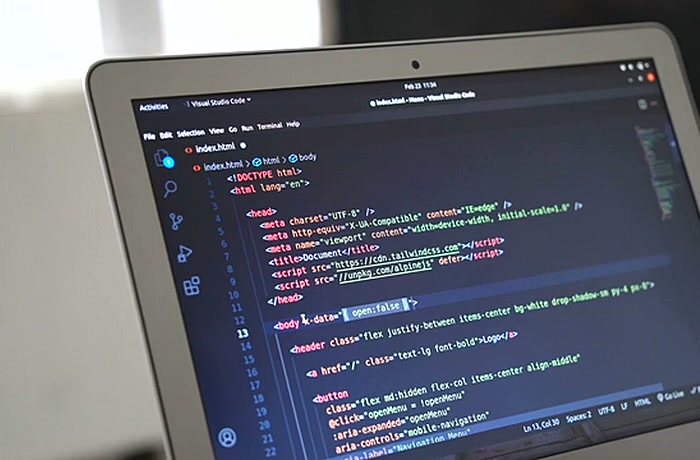

Almost every business system people touch at work today runs in a browser. Banking, CRM, payroll, logistics dashboards, patient portals and the SaaS tools that replaced desktop software all share the same model: the logic lives on servers, the interface loads in a browser, and updates reach every user the moment they are deployed. Building that kind of product is what web software development means.
The term covers far more than a website. A web product has user accounts, permissions, business rules, a database, integrations with payment, identity and analytics services, and a release process that lets it change every week without breaking. That is why companies that need a customer portal, a SaaS platform or an internal tool usually work with a web application development company that combines product design, frontend, backend, cloud and QA in one team, rather than with a studio that only builds marketing sites.
This guide explains what web software is and how it works, the main types of web applications, the eight steps of the web software development process, how to choose an architecture and a 2026 tech stack, which roles you need, what software web development costs and how long it takes, and the best practices and mistakes that decide whether a project ships on time. It is written for founders, CTOs, product owners and operations leaders who are planning a web product.
What is web software development?
Web software development is the process of planning, designing, building, testing, deploying and maintaining software that people use through a web browser instead of installing it on their device. The software runs on servers or in the cloud, the interface runs in the browser, and the two communicate over HTTPS through APIs.
The same discipline is often called web-based software development, web application development or simply software web development. All of these names describe applications with real behavior: a user signs in, enters data, triggers workflows, receives notifications and sees results calculated from a database. Typical examples are customer and partner portals, SaaS products, online marketplaces, booking systems, online banking, learning platforms, admin panels, reporting dashboards and internal workflow tools.
Web software vs a website
A website mainly presents information, while web software lets users complete tasks. A marketing site, a blog or a documentation hub is content-driven and mostly the same for every visitor. Web software is state-driven: every user sees their own data, the system enforces permissions and business rules, and the quality bar includes security, data integrity, performance under load and uptime. The boundary is not always sharp — an online store has both a content layer and a transactional application — but the engineering effort sits overwhelmingly in the application part.
Web software vs desktop software
Web software replaced most desktop business software because it removes installation and update work and runs on any device with a browser. Desktop software still wins for heavy offline work and deep hardware access.
| Factor | Web software | Desktop software |
|---|---|---|
| Access | Any device with a modern browser | Only machines where it is installed |
| Installation and updates | None for users; updates deploy centrally | Installers, version management, IT rollouts |
| Collaboration | Real-time, shared data by default | File-based or via a separate sync service |
| Offline use | Limited unless built as a PWA with local storage | Full |
| Hardware access | Restricted to browser APIs | Full access to files, devices and drivers |
| Data storage and security | Central, controlled by the provider and its cloud | Local, controlled by each user or IT team |
| Typical examples | CRM, SaaS, portals, marketplaces, dashboards | CAD, video editing, specialized industrial tools |
If you are deciding between disciplines and career paths rather than product types, our article on web vs software development compares the two fields side by side.
How does web software work?
Web software works by splitting the product into a client that runs in the browser and a server side that holds the business logic and data, connected by APIs over HTTPS. Every click that needs data becomes a request to the server, which checks permissions, runs the logic, reads or writes the database and returns a response the browser renders.

A typical request in a web product passes through five layers:
- Browser (frontend). HTML, CSS and JavaScript or TypeScript, usually organized with a framework such as React, Vue or Angular, render the interface and handle user input.
- Edge and delivery. A content delivery network serves static files close to the user, terminates TLS, caches responses and filters malicious traffic.
- API and application server (backend). Services written in Node.js, Python, Java, .NET, Go or PHP authenticate the user, apply business rules and orchestrate work.
- Data layer. A relational database such as PostgreSQL stores the system of record; caches, search indexes, queues and object storage handle speed, search, background jobs and files.
- Integrations. Payment providers, identity providers, email and messaging services, CRMs, ERPs and analytics tools connect through their APIs or webhooks.
All of this runs on cloud infrastructure — AWS, Microsoft Azure, Google Cloud or a managed platform — and is deployed through an automated pipeline that tests every change before it reaches production. Monitoring and logging close the loop, so the team sees errors and slow requests before users report them.
Types of web software
Web software comes in a handful of technical types and many business categories, and the right type depends on how interactive the product is, how important search visibility is and whether users need offline or app-like behavior.
| Type | How it works | Best for | Trade-off |
|---|---|---|---|
| Multi-page application (MPA) | Server renders a new page for each navigation | Content-heavy products, stores, simple portals, strong SEO | Less fluid interaction without extra frontend work |
| Single-page application (SPA) | One page loads once; the browser updates views through API calls | Dashboards, admin panels, tools used for hours a day | Weaker SEO and slower first load unless rendered on the server |
| Server-rendered hybrid (SSR/SSG) | Frameworks such as Next.js or Nuxt render on the server, then hydrate in the browser | SaaS with public pages, marketplaces, e-commerce | More complex hosting and caching |
| Progressive web app (PWA) | Web app with a service worker, installability and offline cache | Field teams, retail, markets with unstable connectivity | Limited access to some device features, especially on iOS |
| Static site with dynamic islands | Prebuilt pages with interactive components where needed | Product sites, documentation, calculators | Not suited to heavy transactional logic |
By business purpose, the most common categories of web software are SaaS products sold by subscription, customer and partner portals, marketplaces and booking platforms, e-commerce and B2B ordering systems, internal tools such as CRM, ERP extensions, workflow and approval systems, reporting dashboards and learning platforms. Rendering choices for each are covered in more depth in our comparison of SPA vs SSR for web apps, and offline-first products in our guide to progressive web app development.
Why do businesses choose web-based software?
Businesses choose web-based software because one codebase reaches every user on every device, updates ship instantly, and the total cost of ownership is lower than maintaining installed software or separate native apps for each platform.
- Reach without installation. Users open a link and sign in; there is no app store review, installer or IT rollout.
- Continuous delivery. Fixes and features reach all users the moment they are deployed, so the product can improve weekly.
- One codebase. A responsive web application serves desktop, tablet and mobile users from the same code, which keeps development and maintenance costs down.
- Central data and control. Data lives in one place, permissions and audit logs are enforced centrally and backups are managed by the team, not by each user.
- Easy integration. Web software connects naturally to other cloud services through APIs, so it can replace spreadsheets, email workflows and duplicate data entry.
- Scalable cost. Cloud hosting grows with usage, so a product can start small and scale without upfront hardware investment.
The limits are real too: web software depends on connectivity unless it is built offline-first, browser APIs restrict access to some hardware, and a central system makes security and uptime the provider’s responsibility. When those limits matter, compare options in our guide to web app vs native vs PWA.
The web software development process in 8 steps
The web software development process runs in eight steps — discovery, requirements, UX and UI design, architecture, development, testing, deployment and maintenance — and in modern teams steps four to seven repeat in short iterations rather than happening once.
1. Discovery and goals
Discovery defines the business problem, the users, the success metrics and the constraints before anyone writes code. Typical outputs are user personas, a list of jobs the software must do, a high-level feature map, risks, a rough budget and timeline range, and a decision on what goes into the first release. A two- to four-week paid discovery phase usually costs a small fraction of the build and removes the most expensive mistakes.
2. Requirements and scope
Requirements translate goals into a prioritized backlog of user stories with acceptance criteria, plus non-functional requirements such as performance, availability, security, accessibility and data residency. The scope for the first release should be the smallest set of features that delivers the core value; everything else waits for evidence from real users.
3. UX and UI design
UX and UI design turn the backlog into user flows, wireframes, clickable prototypes and a design system of reusable components. Testing a prototype with five to eight real users before development is one of the cheapest ways to catch wrong assumptions, and a shared component library keeps the interface consistent as the product grows.
4. Architecture and tech stack
Architecture decides how the system is split into components, how data is modeled, how services communicate and where the product will run. The team chooses the frontend and backend frameworks, database, hosting, authentication approach and integration patterns, and documents key decisions so future developers understand why they were made.
5. Development in sprints
Development builds the product in one- or two-week sprints, each ending with working, demonstrable software. Frontend and backend work run in parallel against agreed API contracts, code goes through peer review, and a continuous integration pipeline runs automated tests on every change.
6. Testing and quality assurance
Testing confirms that the software works, stays secure and performs under load. A healthy mix includes unit tests, API and integration tests, end-to-end tests of key user journeys, cross-browser and responsive checks, accessibility audits, security scans and load tests before launch.
7. Deployment and launch
Deployment moves tested code to production through an automated pipeline, ideally via a staging environment that mirrors production. Feature flags, database migration scripts, rollback plans, monitoring dashboards and alerting should all be ready before launch day. Our guide to staging in software development covers how to set up that final gate.
8. Maintenance and iteration
Maintenance keeps web software secure, fast and useful after launch. It includes dependency and security updates, bug fixes, performance tuning, infrastructure cost control, backups and the continuous delivery of new features based on analytics and user feedback. Budget 15–25% of the initial build cost per year for maintenance and support.
Which architecture should web software use?
Most new web software should start as a well-structured modular monolith deployed to managed cloud services, and split into separate services only when team size, scaling needs or release independence clearly justify it.
- Modular monolith. One deployable application with strict internal module boundaries. It is the fastest and cheapest way to reach a first release and remains the right choice for many products for years.
- Microservices. Independent services owned by separate teams, each with its own data. They help large organizations scale development but add network, deployment and observability complexity.
- Serverless and edge functions. Code runs on demand on managed platforms, which suits spiky workloads, APIs and background jobs, but long-running or stateful work needs care.
- Multi-tenant SaaS. One application serves many customer organizations, with tenant isolation designed into the data model, permissions and billing from day one.
The trade-offs are detailed in our guides to monolith vs microservices and web app scalability architecture.
What tech stack is used for web software development in 2026?
In 2026 the most common web software stack is TypeScript with React or Vue in the browser, Node.js or Python on the server, PostgreSQL as the main database and a major cloud provider for hosting. In the 2025 Stack Overflow Developer Survey, Node.js was used by 48.7% of respondents and React by 44.7%, ahead of every other web technology.
| Layer | Common choices in 2026 | When to choose what |
|---|---|---|
| Frontend framework | React, Next.js, Vue, Nuxt, Angular, Svelte | React or Vue for most products; Next.js or Nuxt for public pages and SEO; Angular for large enterprise teams |
| Language | TypeScript | Default for new web projects on both frontend and Node.js backends |
| Backend | Node.js (NestJS, Express), Python (Django, FastAPI), Java (Spring Boot), .NET, Go, PHP (Laravel) | Match the team’s skills and the ecosystem: Python for data and machine learning, Java or .NET for enterprise integration, Go for high-throughput services |
| Database | PostgreSQL, MySQL, MongoDB, Redis | PostgreSQL as the default system of record; Redis for caching and queues; document stores for flexible content |
| Infrastructure | AWS, Azure, Google Cloud, containers, Kubernetes, serverless | Managed services first; Kubernetes once you run many services |
| Delivery | Git, CI/CD pipelines, infrastructure as code, observability tools | Automate builds, tests and deployments from the first sprint |
The best stack is the one your team can build, hire for and maintain for five years, not the newest one. For a decision matrix by product type, see our web app tech stack guide.
Who is on a web software development team?
A typical web software development team for a business product has five to eight people: a product owner, a designer, two to four engineers across frontend and backend, a QA engineer and part-time DevOps and architecture support.
| Role | Responsibility | Typical allocation |
|---|---|---|
| Product owner or manager | Owns priorities, backlog and acceptance of features | Full-time, often on the client side |
| Business analyst | Turns processes and rules into requirements | Part-time, heavier in discovery |
| UX/UI designer | User flows, prototypes, design system | Full-time early, part-time later |
| Frontend engineers | Browser interface, state management, accessibility | 1–2 |
| Backend engineers | APIs, business logic, data model, integrations | 1–2 |
| QA engineer | Test strategy, automation, regression | 1, full- or part-time |
| DevOps or cloud engineer | Infrastructure, CI/CD, monitoring, cost control | Part-time |
| Tech lead or architect | Architecture, code quality, technical decisions | Part-time or combined with a senior engineer role |
Full-stack engineers can cover both frontend and backend on smaller products, but every team needs someone who clearly owns architecture and someone who clearly owns quality.
Testing, security and accessibility
Testing, security and accessibility are where web software most often fails in production, because a browser-based product is exposed to every device, every user and every attacker on the internet from the day it launches.

Testing
Effective testing for web software follows the test pyramid: many fast unit tests, fewer API and integration tests, and a focused set of end-to-end tests for revenue-critical journeys such as sign-up, checkout or approval workflows. Cross-browser and responsive testing on Chrome, Safari, Firefox and Edge, plus real mobile devices, catches layout and behavior differences that automated tests miss.
Security
Web software security starts with design, not with a scan before launch. The baseline in 2026 is strong authentication with multi-factor options or passkeys, role-based access control enforced on the server, encryption in transit and at rest, input validation against injection and cross-site scripting, secure session handling, dependency scanning, secrets kept out of code and regular penetration tests. The OWASP Top 10 is the standard checklist; our guide to web app security best practices walks through each control.
Accessibility and performance
Accessibility is now a legal requirement in many markets: the European Accessibility Act has applied to many digital products and services sold in the EU since 28 June 2025, and WCAG 2.2 level AA is the practical target. Performance matters for both users and search, measured by Core Web Vitals such as Largest Contentful Paint and Interaction to Next Paint. See our guides to web app accessibility and WCAG 2.2 and Core Web Vitals.
How much does web software development cost in 2026?
In 2026 web software development typically costs $40,000–$90,000 for a focused MVP, $80,000–$200,000 for a production-ready portal or SaaS first version, and $200,000–$500,000 or more for complex platforms, when built by a senior nearshore team. US-based teams usually cost 40–60% more for the same scope.
| Product | Typical scope | Cost range (2026) |
|---|---|---|
| Internal tool or MVP | One user role, core workflow, basic admin, 1–2 integrations | $40,000–$90,000 |
| Customer or partner portal | Several roles, permissions, document flows, CRM or ERP integration | $80,000–$200,000 |
| SaaS product v1 | Multi-tenancy, subscriptions and billing, onboarding, analytics | $90,000–$250,000 |
| Marketplace or booking platform | Two-sided flows, payments and payouts, search, reviews, messaging | $150,000–$400,000+ |
| Enterprise web platform | Many integrations, compliance, high availability, complex permissions | $250,000–$800,000+ |
The biggest cost drivers are the number of user roles and workflows, third-party integrations, compliance requirements such as HIPAA, PCI DSS or GDPR, the level of design polish, and the team’s location and seniority. Hosting usually adds a few hundred to a few thousand dollars per month, and maintenance 15–25% of the build cost per year. Ranges are YuSMP Group estimates for 2026; for a line-by-line breakdown, read our guide to custom web app development cost.
How long does web software development take?
Most web software reaches a usable MVP in 10–16 weeks and a production-ready first version in 20–32 weeks in 2026, while enterprise platforms with many integrations take 40–60 weeks or more.
- Discovery and design: 3–6 weeks, partly overlapping with early backend work.
- Core development: 8–20 weeks for an MVP or first version, depending on scope.
- Hardening and launch: 2–4 weeks for regression testing, security review, performance tuning and launch preparation.
- Iteration: continuous after launch, usually in two-week release cycles.
The fastest projects share three traits: a tightly scoped first release, a decision-maker who answers questions within a day, and design and backend work running in parallel. Our article on how long it takes to build a web app breaks the timeline down by phase and product type.
In-house, freelancers or a development company?
Build web software in-house when it is your core long-term product and you can hire a full team; use a development company when you need a complete, experienced team quickly; and use freelancers only for small, well-defined pieces of work.
| Option | Best for | Main advantage | Main risk |
|---|---|---|---|
| In-house team | Core product with a long roadmap | Full control and product knowledge stays inside | Slow and expensive hiring, high fixed cost |
| Freelancers | Small features, prototypes, specialist tasks | Low cost and flexibility | Coordination load, no shared quality ownership, continuity |
| Development company | New products, rebuilds, scaling capacity fast | Ready cross-functional team and proven process | Vendor selection and knowledge transfer need care |
| Hybrid | Companies with a product owner and tech lead in-house | Internal ownership plus external delivery speed | Needs clear roles and shared standards |
Whichever route you take, make sure your company owns the repository, cloud accounts, domain and design files from the first day. Our guide on how to choose a software development company lists the questions to ask a vendor.
Web software development best practices
The practices that most reliably separate successful web software projects from failed ones are small releases, automation, security by design and decisions based on real user data.
- Start with discovery and a narrow first release. Build the smallest version that proves value, then expand based on usage.
- Design mobile-first and responsive. A large share of users will open even business tools on a phone.
- Use a design system and component library. Reusable components keep the interface consistent and speed up every later feature.
- Automate testing and deployment from sprint one. CI/CD with automated tests turns releases from events into routine.
- Treat security and privacy as requirements. Threat-model features, enforce permissions on the server and collect only the personal data you need.
- Measure everything. Product analytics, error tracking and performance monitoring tell you what to fix and build next.
- Document architecture decisions and APIs. Short decision records and up-to-date API documentation make onboarding and vendor changes far cheaper.
Common mistakes in software web development
Most web software projects that overrun their budget fail for avoidable reasons: unclear scope, late testing and decisions that ignore how the product will be operated after launch.
- Skipping discovery. Building before the problem and users are understood leads to rework that costs far more than discovery would have.
- Overloading the first release. Trying to launch every feature at once delays feedback and multiplies risk.
- Over-engineering early. Microservices, multiple databases and custom infrastructure for a product with a few hundred users slow the team down.
- Testing at the end. Bugs found just before launch are the most expensive ones to fix.
- Ignoring cross-browser and accessibility checks. Layouts that break in Safari or on small screens and forms that screen readers cannot use exclude customers and create legal exposure.
- No plan for maintenance. Without budget for updates, dependencies age, security issues pile up and the product becomes harder to change every month.
- Unclear ownership of code and accounts. If a vendor controls the repository or cloud account, switching teams later becomes slow and risky.
Web software development trends in 2026
The trends shaping web software development in 2026 are AI-assisted engineering, AI features inside products, server-first rendering, stronger authentication and accessibility regulation.
- AI-assisted development. Coding assistants and agents now draft code, tests and documentation, which shifts the bottleneck to review, architecture and quality control rather than typing speed.
- AI features in web products. Search, summarization, document processing and in-app assistants are becoming standard features of business web software.
- Server-first rendering and the edge. Frameworks such as Next.js and Nuxt render more on the server and at the edge, improving speed and search visibility.
- Passkeys replacing passwords. Major browsers and platforms support passkeys, making phishing-resistant sign-in practical for mainstream products.
- WebAssembly for heavy workloads. Image, video, CAD and data-processing tasks increasingly run in the browser at near-native speed.
- Regulation as a design input. The European Accessibility Act, GDPR and the EU AI Act push accessibility, privacy and transparency into requirements from the start.
For a hands-on look at where AI-generated code works and where it breaks, see our reality check on vibe coding in production.
FAQ
What is web software development?
Web software development is the process of planning, designing, building, testing, deploying and maintaining software that people use through a web browser instead of installing it on their device. The software runs on servers or in the cloud, the interface runs in the browser, and the two communicate over HTTPS through APIs. Customer portals, SaaS products, marketplaces, online banking and internal business tools are all web software.
Is web software development the same as web development?
Web software development is a subset of web development focused on interactive applications rather than content websites. Web development also covers marketing sites, blogs and landing pages, while software web development means building products with user accounts, business logic, databases, integrations and workflows, which requires software engineering practices such as architecture design, automated testing, CI/CD and security reviews.
How much does web software development cost in 2026?
In 2026 web software development typically costs $40,000 to $90,000 for a focused MVP, $80,000 to $200,000 for a production-ready business portal or SaaS v1, and $200,000 to $500,000 or more for complex platforms such as marketplaces or enterprise systems, when built by a senior nearshore team. Scope, integrations, compliance requirements and the team’s location are the biggest cost drivers, and annual maintenance usually adds 15 to 25 percent of the build cost.
How long does web software development take?
Most web software reaches a usable MVP in 10 to 16 weeks and a production-ready first version in 20 to 32 weeks in 2026. Enterprise platforms with many integrations and compliance requirements take 40 to 60 weeks or more. A clear scope, early discovery and running design and backend work in parallel are the most reliable ways to shorten the timeline.
Which programming languages are used for web software development?
Web software development uses HTML, CSS and JavaScript or TypeScript in the browser, usually with a framework such as React, Vue, Angular or Svelte. On the server, the most common languages are TypeScript with Node.js, Python, Java, C# with .NET, PHP and Go, combined with databases such as PostgreSQL, MySQL, MongoDB and Redis. In the 2025 Stack Overflow Developer Survey, Node.js and React were the two most used web technologies.
Should you build web software or a native mobile app?
Build web software first when your users work mainly on desktops, need access from any device without installation, or when you want one codebase and instant updates. Choose a native mobile app when the product depends on offline use, device hardware such as the camera, Bluetooth or background location, or app store distribution. Many products start as responsive web software or a progressive web app and add native apps once usage proves the need.
How do you choose a web software development company?
Choose a web software development company by checking case studies of comparable web products in production, meeting the engineers who will actually work on your project, reviewing how they handle discovery, testing, security and deployment, confirming that you will own the code, cloud accounts and domain from day one, and starting with a paid discovery phase or short pilot sprint before committing to the full build.
Published 19 October 2026. Sources: Stack Overflow, 2025 Developer Survey — Technology; OWASP, OWASP Top 10; W3C, Web Content Accessibility Guidelines (WCAG) 2.2; European Commission, European Accessibility Act; Kissflow, UXPin, TechTarget and SimplyRem web application development guides (2026). Cost and timeline ranges are YuSMP Group estimates for 2026.