Discovery & user research
Stakeholder interviews, the observer-to-observed model, the vitals to monitor, and the health-data posture for GDPR and CCPA — research that surfaced the need for per-user thresholds. Complete.

Case study · HealthTech · Remote monitoring
How we are building Healthband from scratch — native iOS and Android clients plus a web app that pair with a manufacturer's smart watch, read vitals over Bluetooth, store the full history on a backend source of truth, and turn a raw sensor stream into remote monitoring: an observer-to-observed model for clinicians and families, per-user normal ranges, out-of-range notifications, and AI guidance on deviations. It is engineered so a HealthTech operator can deploy it for audiences across the United States and the European Union with GDPR and CCPA expectations designed in from day one.

The client manufactures smart watches, and the hardware already shipped — but a wristband full of sensors is not yet a product. People whose health needs constant attention, such as older relatives or patients under observation, are rarely next to a clinician or a family member, and raw readings on a watch decide nothing on their own: they have to be collected, stored, interpreted, and escalated the moment they drift. The brief was to build the companion app that turns that sensor stream into a usable system — one that lets a doctor or a relative watch someone remotely, set what "normal" means per person, and be alerted only when it matters. Off-the-shelf fitness trackers fail that test: they log your own activity but cannot let one person monitor another with individual thresholds and real alerts. We build the system from first principles at YuSMP Group as a unified product — native iOS and Android clients, a web app, a wearable-pairing flow, and a backend control plane — with our custom software development practice, engineered so it is ready to serve HealthTech audiences across the US and EU.
A snapshot of what the Healthband build puts in place across three clients and a wearable-facing backend, framed as capability rather than fabricated production metrics — the product is in active development.
The platform decision dominates every other choice in a wearable build. We chose native iOS and Android over a single cross-platform shell because a health-monitoring app lives or dies on the connection to the watch, and that is exactly where native code earns its keep. Direct, reliable access to Bluetooth Low Energy, background refresh, and push keeps readings flowing and alerts firing even when the app is closed — and when a clinician in the United States or a relative in the European Union depends on an out-of-range alert, it has to arrive, not sit in a throttled background queue.
The trade-off most teams underweight is the long tail of phones and OS versions in real households. A cross-platform shell tends to lag native APIs for BLE and background connectivity, and the abstraction leaks exactly where it hurts — during pairing and during the live reading loop. By writing Swift and Kotlin directly, the pairing flow, the background sync, and the offline behavior behave identically across a wide range of devices, and the codebase stays open and maintainable for the manufacturer's long-term roadmap.
| Dimension | Native iOS + Android (this build) | Cross-platform shell | Web-only client |
|---|---|---|---|
| Bluetooth LE device access | First-class native APIs | Lags native, plugin-dependent | Limited / unavailable |
| Background reading & push | Native background refresh + push | Constrained on both OSes | Not while closed |
| Wearable SDK integration | SDK embedded in each client | Bridged, harder to tune | No direct link |
| Live sync fidelity | Backend-mirrored, consistent | Often optimistic only | Depends on device relay |
| Offline behavior | Tuned per platform | Uneven on edges | Needs connectivity |
| Health-data ownership (GDPR / CCPA) | Manufacturer-owned backend | Manufacturer-owned backend | Manufacturer-owned backend |
| Per-user threshold engine | Full, native notifications | Possible, weaker delivery | Email/web push only |
Platform references: Apple Core Bluetooth, Android BLE reference.
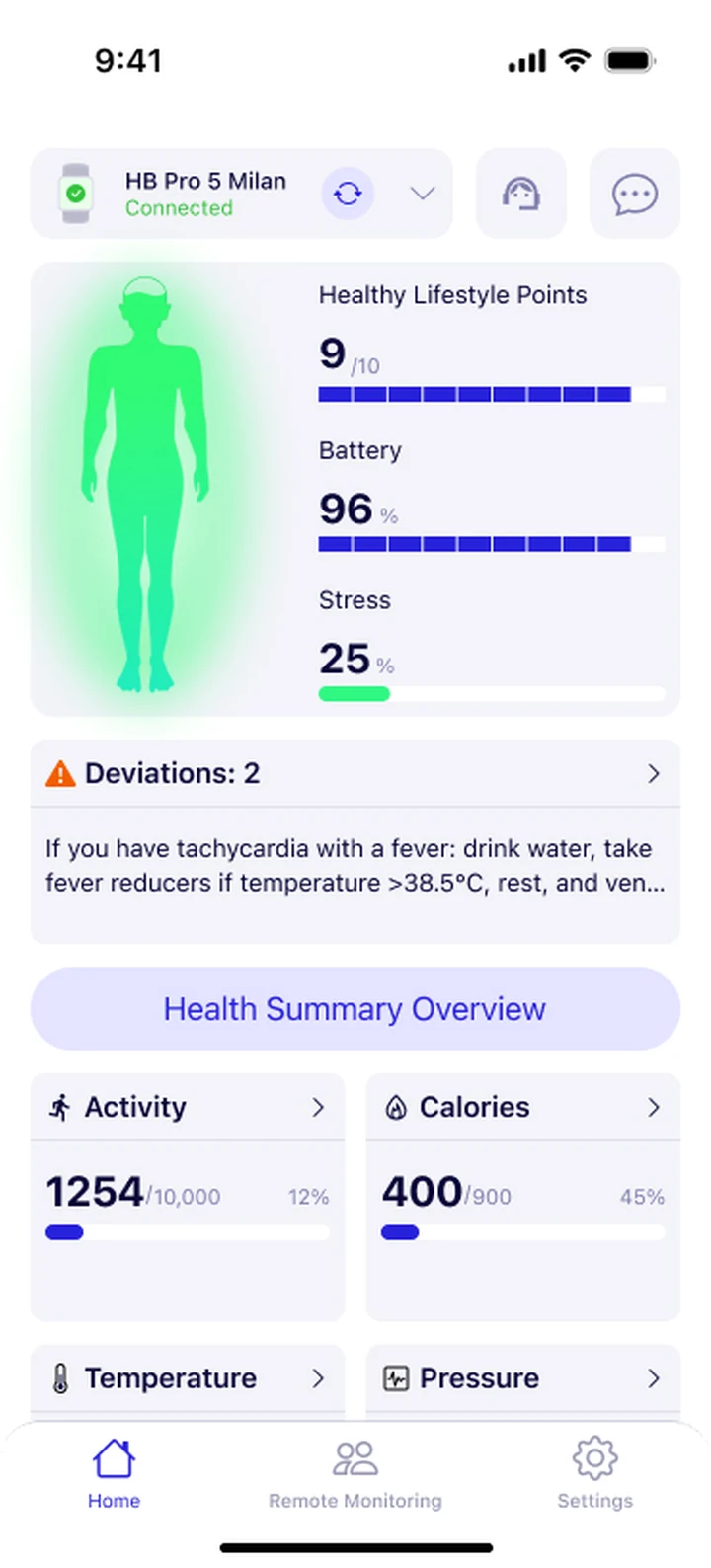
The iOS client is built in Swift and opens on the overview dashboard — the latest vitals read from the paired watch, each with a trend and an honest normal or attention status so the state reads at a glance. Pairing is done in the app: it discovers the watch over Bluetooth Low Energy using the manufacturer's SDK and a guided flow binds it to the account. That setup path is the highest-stakes screen in the product, because a household that cannot get past pairing never sees the value of anything else, so it recovers gracefully from weak signal or a sleeping watch rather than dead-ending the user.
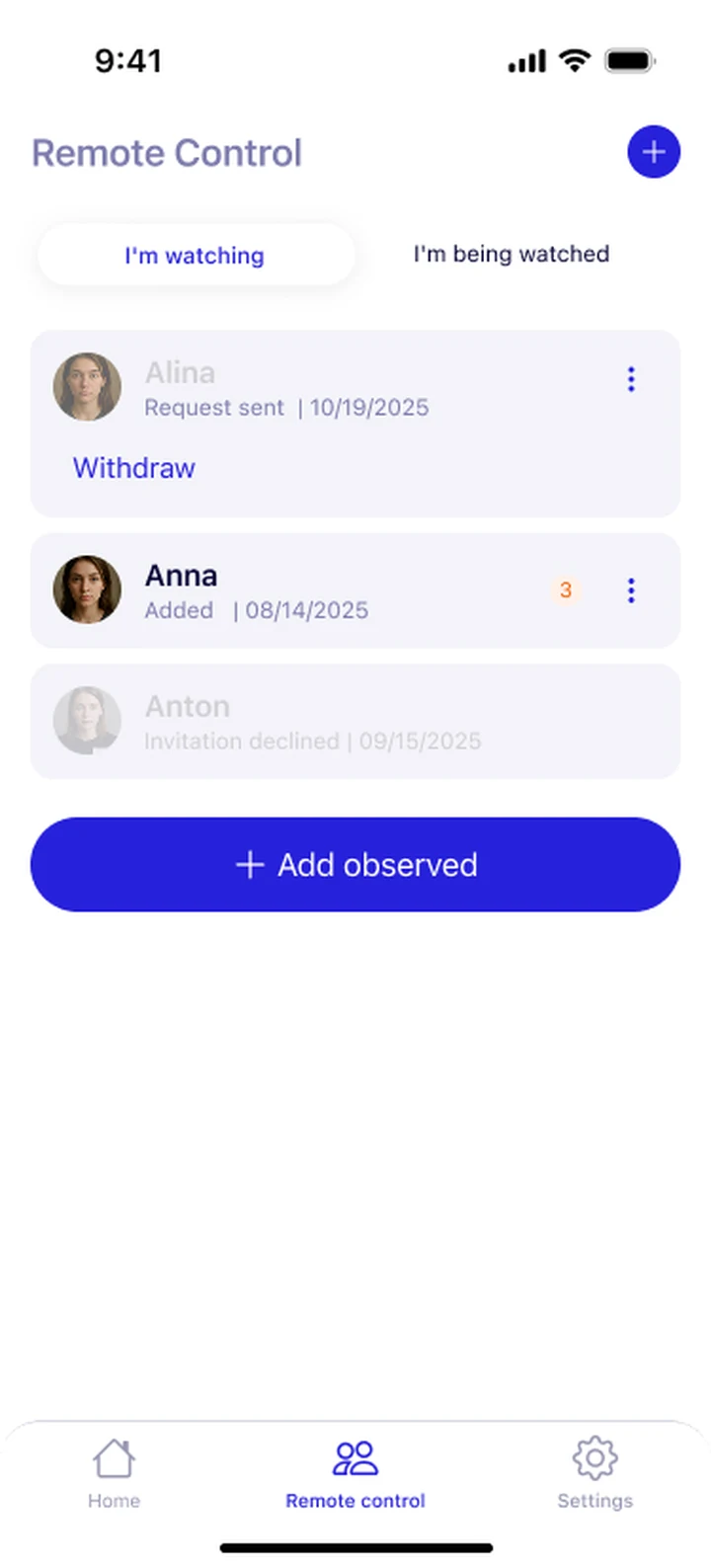
The second surface is the observer view: a clinician or a family member adds a user and watches that person's vitals remotely, with each monitored user summarized and flagged normal or attention. This is the difference from a fitness tracker — one person monitors another. The end-to-end iOS surface ships as part of our mobile app development practice, and the same experience is mirrored to the web client for access from a computer.
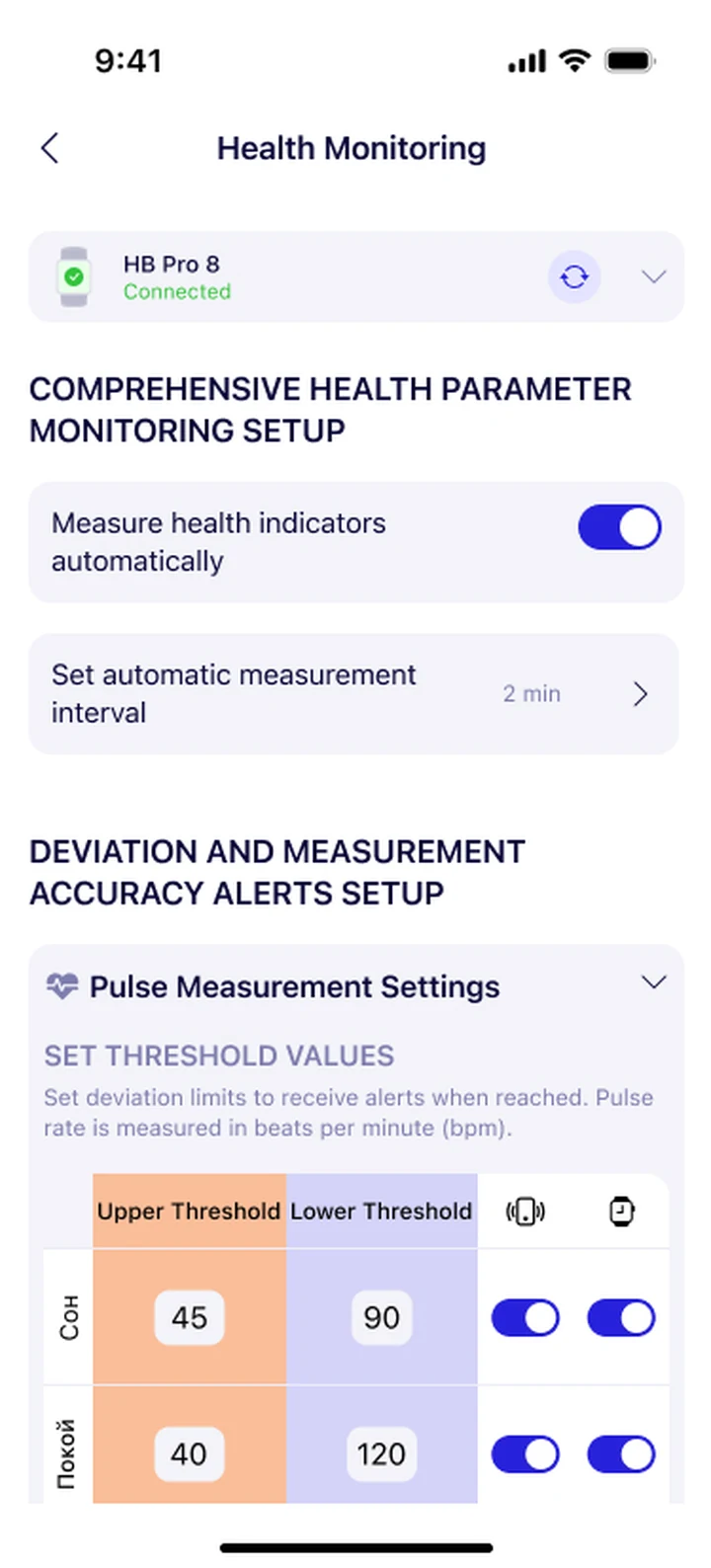
The Android client mirrors the iOS experience in Kotlin so a household on either device family runs the same pair-read-alert loop. The heart of remote monitoring is the threshold engine: for every user and every metric an observer sets an individual normal range — a heart-rate band, an SpO2 floor — and turns notifications on. Because the range is per user rather than a generic default, the system alerts a clinician or a relative only about meaningful deviations. The same engineering team carries iOS and Android in lockstep as part of our iOS and Android engineering practice.
When a reading crosses a boundary the app raises an alert and delivers it both to the observer and to the user, stamped with the time. Delivery has to be trustworthy even when the observer is far from the observed person, so alerts ride native push and are reconciled against backend state rather than an optimistic client guess. The whole control plane is engineered on our cloud & DevOps foundation so the API and the notification workers scale together as the monitored population grows across US and EU deployments.
The backend is the source of truth. Clients talk to it over a secured REST interface on HTTPS with token authentication (JWT); it owns accounts, the observer-to-observed bindings, and the full history of readings, and it mirrors state back to every client so a phone and the web client always agree. The watch holds only the latest data and clears itself automatically — by design the backend, not the wristband, is where health history lives. Because the manufacturer owns this backend rather than renting a third-party health cloud, the vitals the app touches stay under the manufacturer's control.
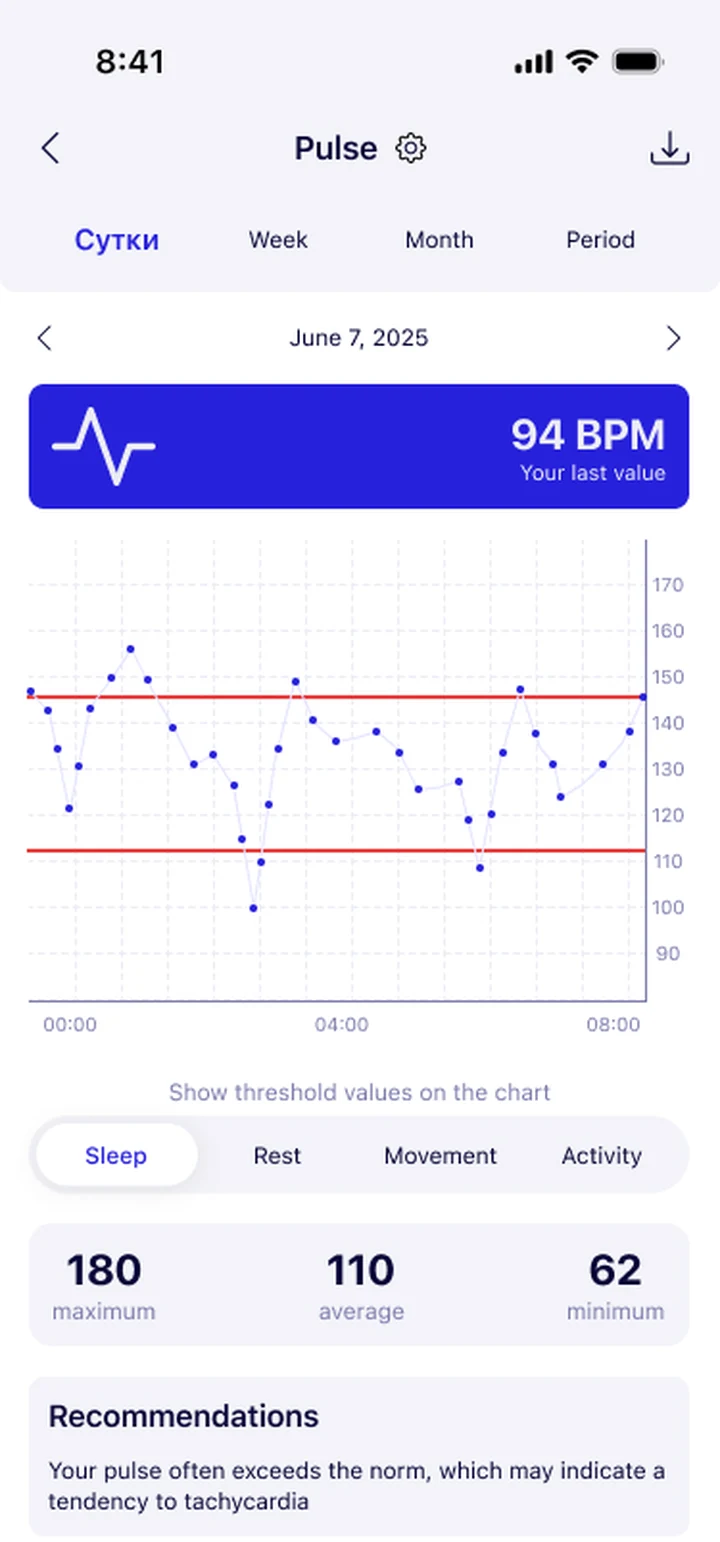
When a reading drifts from a user's normal range, the app shows that user an AI recommendation — what to do now and when to see a doctor — behind an explicit disclaimer that it is informational and does not replace medical advice. That ownership turns compliance into a design choice: operational data can be pinned to US or EU infrastructure for future data-residency commitments, role separation keeps observer, observed, and admin views apart, and the system aligns with GDPR obligations in the European Union and CCPA / CPRA obligations in California and the broader United States — making a future readiness review a documentation exercise rather than a retrofit.
Compliance posture: GDPR-aligned · ISO 27001 ready · SOC 2 Type II in progress · HIPAA-capable · CCPA-acknowledged.
An Agile build that is taking Healthband from a sensors-only watch to a remote-monitoring product ready for the US and EU. Discovery and analytics are complete and development is under way.
Stakeholder interviews, the observer-to-observed model, the vitals to monitor, and the health-data posture for GDPR and CCPA — research that surfaced the need for per-user thresholds. Complete.
The backend source-of-truth model, the REST + JWT contract, the BLE pairing scheme via the manufacturer SDK, and the threshold-and-alert design. Complete.
Swift iOS and Kotlin Android clients plus the web app — overview dashboard, pairing, history and trend, monitored users, thresholds, notifications, and AI guidance. In progress.
Testing against real watch firmware, weak-signal pairing recovery, reading-loop fidelity, notification delivery, and cross-device OS coverage for US and EU users.
Store releases on iOS and Android, the web client, and Agile iteration on thresholds and AI guidance from real usage. Metrics and outcomes added as they mature.
Beyond the raw readings, Healthband carries a thresholds-and-guidance subsystem that is where daily value actually comes from. User research during discovery showed that people rarely want to stare at numbers, so the team made per-user normal ranges first-class — an observer defines what is normal for that specific person and metric — and layered AI guidance on top: when a reading drifts, the user sees a plain recommendation on what to do next and when to seek care, behind an explicit medical disclaimer. That turns a stream of vitals across US and EU households into a few meaningful signals and gives the manufacturer a differentiated, sticky product rather than another step counter. The subsystem is built for extensibility — adding a metric, a new threshold rule, or a future automation is a configuration change against the backend rather than a new app release — and it is the layer that earns Healthband its place as remote monitoring people actually rely on.
Healthband is engineered as a single English-language product that a HealthTech operator can run for households and clinics across the United States and the European Union, without a separate codebase per region. The same native clients and web app bind to the watch on each user's phone, and the pairing and reading paths run the same way in every market — so a manufacturer expanding from one market to the next gets one consistent experience. Because the manufacturer owns its own backend, data-handling is aligned with GDPR for users in the EU and with the US state-privacy patchwork — CCPA / CPRA (California), VCDPA (Virginia), CPA (Colorado), CTDPA (Connecticut), UCPA (Utah), TDPSA (Texas), and Oregon CPA. Role separation keeps observer, observed, and admin views apart, and operational data can be pinned to US or EU infrastructure for future data-residency commitments — so regional compliance reduces to honest disclosure and access discipline rather than per-jurisdiction rework.
The product is structured to roll out across EU and US markets in parallel, serving users in states such as California, New York, and Texas in the US and in countries such as the Netherlands, Germany, France, and Ireland in the EU. The engineering team behind the build runs a CET workday with East-Coast US overlap (9 AM–1 PM ET) for stand-ups, wearable-integration choreography, and incident response — the window that lets a US product team and an EU engineering team share four hours of live overlap every day. Data-handling references are documented directly against GDPR obligations and California CCPA obligations.
The active custom software development roadmap for Healthband includes real-time delivery of readings from an observed user to an observer over WebSocket, push notifications for events that reach an offline user, a broader set of tracked metrics, and richer trend analytics. AI guidance is set to expand from single-reading advice toward pattern-aware prompts, always behind the medical disclaimer. Infrastructure work is scaffolded into the cloud & DevOps roadmap so the API, the notification workers, and the reading pipeline scale together across US and EU regions as the monitored population grows.
If you are planning a wearable, remote-patient-monitoring, or HealthTech app where pairing has to be effortless and out-of-range alerts have to be trustworthy for audiences in the US and EU, we are shipping this stack end-to-end and can compress the build timeline meaningfully. The product overview is available at yusmpgroup.ru (iOS, Android, and web), and the engineering team behind it sits inside YuSMP Group. We work fixed-price for well-scoped MVPs and on dedicated development teams for ongoing delivery, with a CET workday and a guaranteed East-Coast US overlap (9 AM–1 PM ET) window for stand-ups, demos, and incident response.
A remote health monitoring MVP with one mobile platform, smart-watch pairing over BLE, measurement history, and basic thresholds typically costs $80k–$170k. Adding the second native platform, a web client, per-user threshold engines, notifications, and AI guidance brings a full-featured product to $190k–$450k. The dominant cost drivers are the wearable-SDK integration, the sync layer that keeps app and backend state consistent, and the review pass on how health data is stored and shared across the US and EU.
A health monitoring app lives or dies on the wearable connection, so native code earns its keep. Native iOS and Android give direct, reliable access to Bluetooth, background refresh, and push, so readings sync and alerts fire even when the app is closed. We built both clients natively in Swift and Kotlin so device pairing, the background reading loop, and offline behavior behave identically for US and EU users across a wide range of phones.
Setup is done in the app: it pairs with the watch over Bluetooth Low Energy using the manufacturer's SDK, embedded directly in the mobile client. The backend never talks to the watch — only the app does. Once paired, the app reads vitals, stores the full history on the backend, and shows the trend per metric. The watch only keeps the latest readings and clears itself automatically, so the backend stays the single source of truth.
For every monitored user and every metric — heart rate, SpO2, and more — an observer sets an individual normal range. When a reading crosses that range, the app raises an alert and sends it both to the observer and to the user. Because the range is per user rather than a generic default, a clinician or a family member is notified only about meaningful deviations instead of drowning in noise, which is the difference that makes remote monitoring usable day to day.
A focused MVP with one native client, watch pairing, measurement history, and core thresholds typically takes 12–18 weeks. Adding the second native platform, the web client, notifications, the AI guidance layer, and a backend that mirrors device state adds 8–12 weeks. Integration and testing against real wearable firmware and edge cases in the field is regularly underestimated and should be budgeted at 4–6 weeks of dedicated work for a US or EU launch.
Related cases
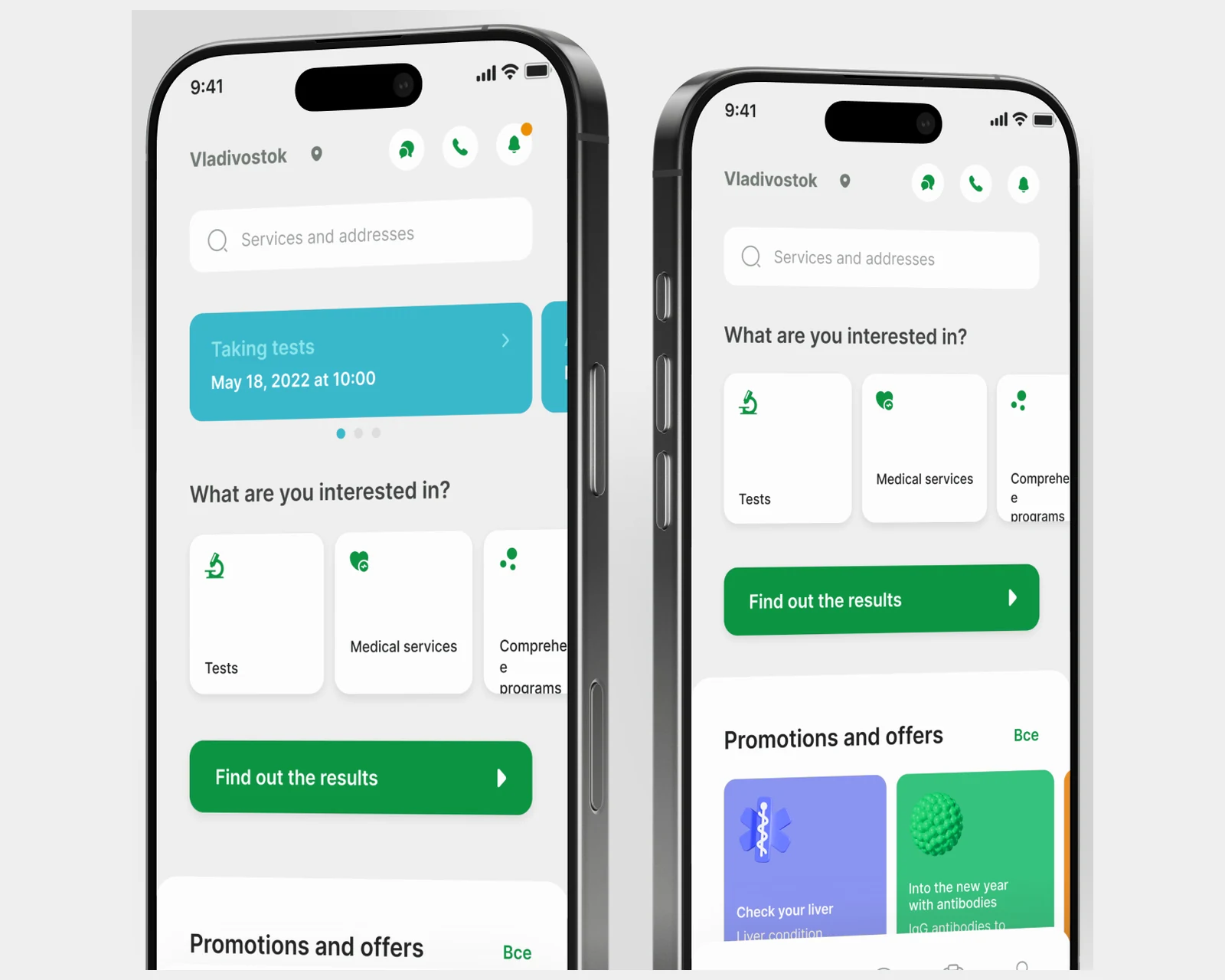
Patient-facing app for a medical-lab network — online booking, test results, and a service catalog across US & EU.
View case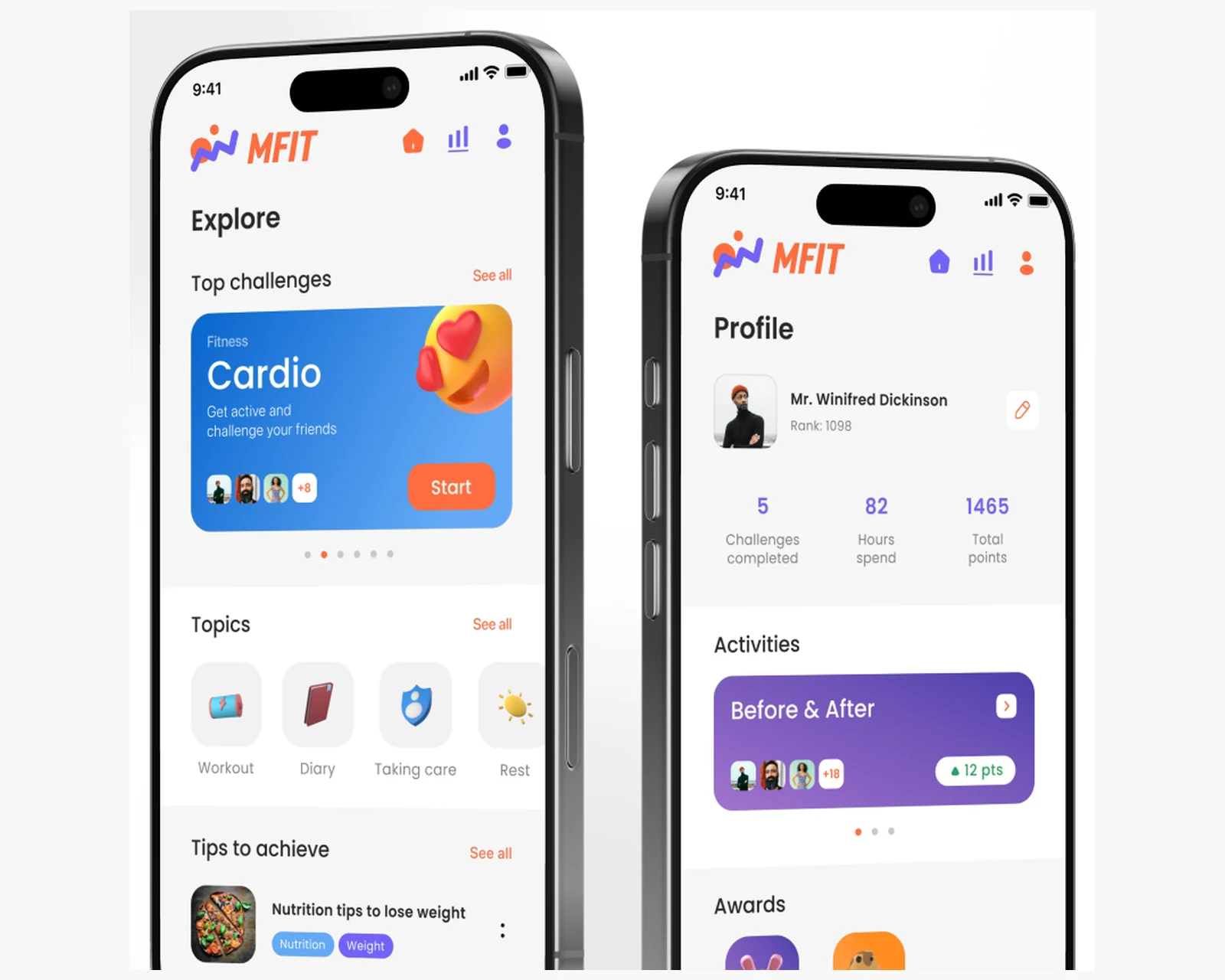
Native mobile app for workouts and activity tracking with progress history for US & EU users.
View case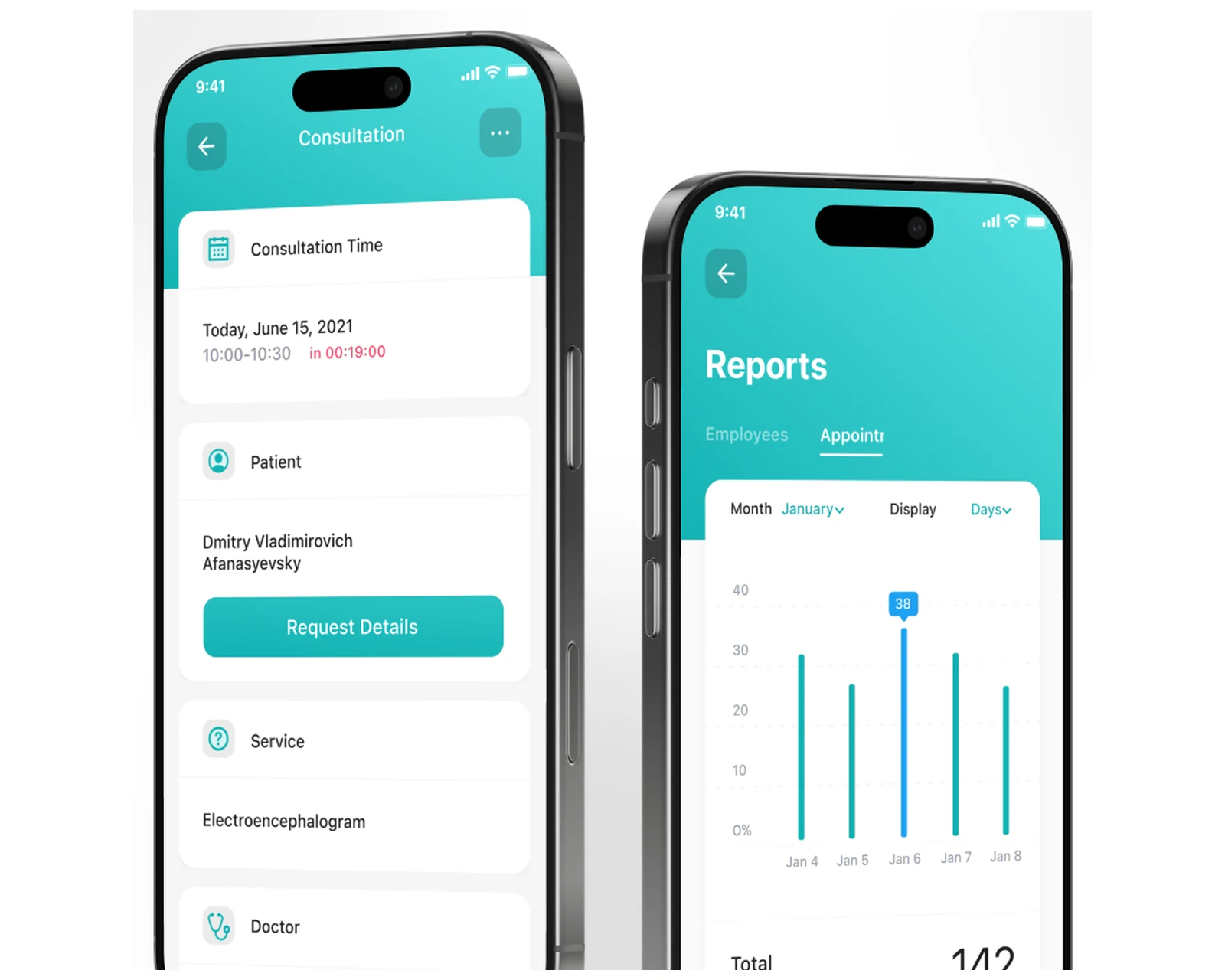
Connected service for clinics coordinating patients and staff, engineered for US & EU healthcare data posture.
View case
Native iOS, Android, and cross-platform apps with store-ready release pipelines.
Explore mobile app development
Custom platforms engineered to your business model, scaling cleanly from MVP to millions of users.
Explore custom software development
Containerized infrastructure, CI/CD pipelines, and Terraform-managed deployments across US & EU regions.
Explore cloud & DevOpsShare a few details and a senior consultant will reply within one business day.