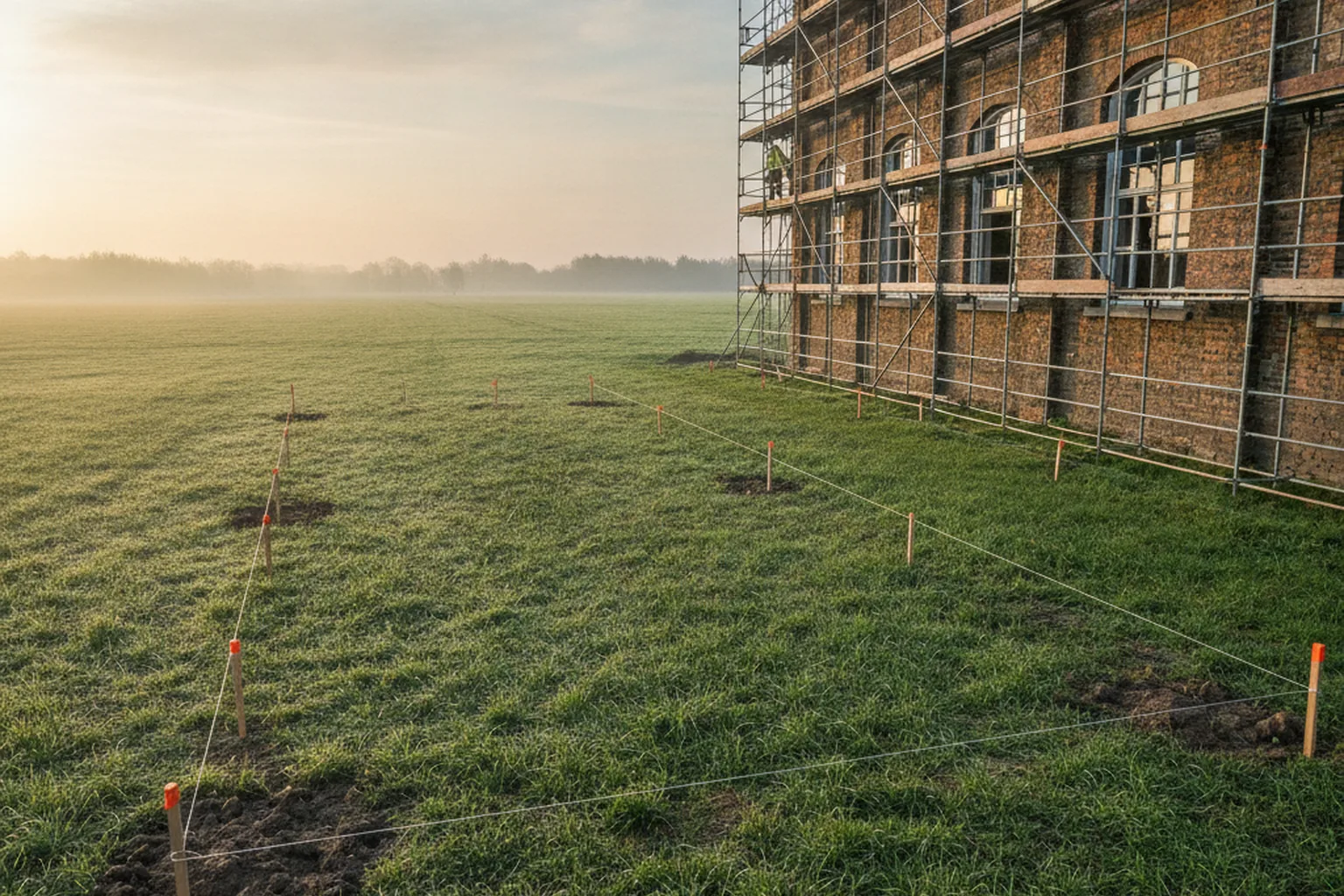

Greenfield vs brownfield software development is the first fork in almost every serious software project: do you build a new system on an empty plot, or do you build on top of the one you already run? Greenfield means starting from scratch, with no legacy code to respect. Brownfield means working inside an existing codebase, its data and its integrations, whether you are adding a module, connecting a new app or modernizing the core.
The choice sets your budget curve, your risk profile and how soon users see value. A team that picks greenfield for a system full of validated business rules can spend a year rebuilding what already worked. A team that picks brownfield for a platform nobody can maintain keeps paying interest on old decisions. When we scope a custom software development project, this question comes up in the first workshop, long before anyone talks about frameworks.
If the existing system is the real problem, the decision usually turns into a legacy software modernization plan rather than a pure rebuild. This guide covers both paths:
- what greenfield and brownfield software development mean, with typical projects, pros and cons;
- a 12-factor comparison table;
- which approach is cheaper and which is riskier, and why;
- a checklist and a scorecard for choosing;
- the hybrid path: the strangler fig pattern and the 7R modernization spectrum;
- step-by-step plans for both, how AI changes the decision in 2026, examples and common mistakes.
What is greenfield software development?
Greenfield software development is building a new software system from scratch, without existing code, data structures or architecture you have to keep. The term comes from construction, where a greenfield site is undeveloped land. In software it means the team chooses the architecture, stack, data model and processes freely, limited only by the business requirements, the budget and the integrations the new system needs.
Freedom is the point and the danger. Nothing slows you down at the start, but nothing guides you either: every decision a legacy system would have made for you now has to be made, documented and tested.
Typical greenfield projects
- a new product or MVP for a startup or a new business line;
- a SaaS platform built to replace spreadsheets and manual workflows;
- a mobile app for a service that has no digital channel yet;
- a full rebuild of a system that can no longer be maintained, once the decision to rewrite has been made;
- an internal tool designed around a new process, such as a new pricing or claims workflow.
Pros and cons of greenfield development
| Advantages | Disadvantages |
|---|---|
| Modern architecture and stack chosen for today’s needs | Highest upfront cost: everything is built and tested from zero |
| No inherited technical debt on day one | Longer time to the first release |
| Easier to design for scale, security and compliance from the start | Business rules hidden in the old process are easy to miss |
| Clean data model, clear ownership, easier hiring | Data migration and cutover are still needed if a system already exists |
| Room to rethink the user experience and the process | More decisions to make, so more ways to get the architecture wrong |
What is brownfield software development?
Brownfield software development is building new functionality inside, on top of or alongside an existing software system, so the new code has to coexist with legacy code, data and integrations. The name again comes from construction: a brownfield site already has buildings or contamination that you have to work around. In software that means the current architecture, database schema, APIs, users and contracts all set limits on what you can change and how fast.
Brownfield is the normal state of enterprise IT. Most engineering hours in established companies go into systems that already make money; the GAO maintenance figures in the cost section below show the same pattern in government IT.
Typical brownfield projects
- adding a mobile app or customer portal to an existing web platform and back office;
- integrating a CRM, ERP or payment provider into a system that already holds the data;
- migrating an on-premise application to AWS, Azure or Google Cloud;
- splitting a monolith into services, one domain at a time;
- adding AI features, such as search or document processing, to an existing product.
Pros and cons of brownfield development
| Advantages | Disadvantages |
|---|---|
| Faster value: users get new features on a system they already know | Technical debt slows every change and raises the cost of testing |
| Proven business logic and real production data are kept | Undocumented code and missing tests hide risk |
| Lower upfront cost, spread across smaller releases | Old stacks limit hiring, security patches and new features |
| No big cutover; the business keeps running | Fragile integrations can break in unexpected places |
| Existing users, contracts and compliance evidence stay valid | Long-term cost can exceed a rebuild if the core is unhealthy |

What are the key differences between greenfield and brownfield software development?
The core difference is the starting point: greenfield starts from requirements, brownfield starts from a running system. Cost curves, risk, speed, team skills and testing all follow from that. Here is how the two compare on the factors that usually decide budgets.
| Factor | Greenfield | Brownfield |
|---|---|---|
| Starting point | Requirements and a blank repository | Running code, data, users and integrations |
| Upfront cost | High: full design, build and test | Lower: only the change is built |
| Long-term cost | Lower if the architecture holds | Grows with technical debt unless it is paid down |
| Time to first release | Months | Weeks, for well-scoped changes |
| Speed over time | Fast once the foundation exists | Slows as coupling and debt grow |
| Main risk | Building the wrong thing or losing hidden business rules | Breaking what already works |
| Architecture freedom | Full | Limited by schema, APIs and contracts |
| Documentation | Written as you go | Often missing; must be recovered |
| Testing burden | New tests for new code | Regression tests around legacy behavior first |
| Team skills | Product thinking, architecture, modern stack | Code archaeology, refactoring, old and new stacks |
| Compliance | Designed in, but evidence starts from zero | Existing evidence kept; gaps are inherited too |
| Best fit | New products, new business lines, unmaintainable systems | Revenue-critical systems with sound core logic |
Which is cheaper, greenfield or brownfield?
Brownfield is almost always cheaper upfront, while greenfield is often cheaper over five years when the existing system is in poor health. The answer depends on total cost of ownership, not on the first invoice, so compare both paths over the same period with the same scope.
Upfront cost vs total cost of ownership
Greenfield concentrates spending at the start: discovery, architecture, the build, data migration and the cutover. Brownfield spreads spending over many small releases, but each release pays a tax for working around old code. When the tax is small, brownfield wins on every horizon. But if every change takes three times longer than it should, a rebuild can pay for itself within a few years.
For orientation, YuSMP Group publishes starting prices on its service pages. A new custom build starts from $1,100 for a small single-purpose app, from $2,900 for a corporate system, from $5,800 for an online store or marketplace and from $10,400 for a portal or multi-role web service.
Modernization of an existing system starts from $2,300 for an audit with quick wins, from $9,200 for systemic refactoring of the first domains and from $28,700 for a full modernization program. Final quotes depend on scope.
The hidden cost of legacy maintenance
Legacy systems cost most through maintenance, which is why brownfield decisions should start from real numbers. A few public benchmarks show the scale:
- About 79% of planned federal IT spending in fiscal 2025, roughly $83 billion, went to operating and maintaining existing systems, according to the US Government Accountability Office (GAO-25-107795, July 2025).
- The same GAO report found that the 11 most critical federal legacy systems are about 23 to 60 years old and cost around $754 million a year to run.
- CISQ estimated the cost of poor software quality in the US at $2.41 trillion and accumulated technical debt at about $1.52 trillion (2022 report).
- CIOs surveyed by McKinsey estimated technical debt at 20% to 40% of the value of their entire technology estate, and said 10% to 20% of budgets meant for new products are diverted to fixing it (2020).
- Developers spend about 17 hours a week on maintenance work such as debugging and refactoring, according to Stripe’s Developer Coefficient study, a widely cited 2018 benchmark.
A simple 5-year cost comparison model
Fill the same lines for both options with your own estimates; the option with the lower total and the lower risk-adjusted cost wins.
| Cost line | Greenfield | Brownfield |
|---|---|---|
| Discovery and architecture | Full product discovery | Code and dependency audit, test coverage review |
| Build | Entire scope | Only new features and refactoring |
| Data migration and cutover | Full migration, parallel run | Small, per change |
| Running the old system | Until cutover (double running cost) | For the whole period |
| Change cost, years 2 to 5 | Normal velocity | Velocity minus the debt tax |
| Security and compliance work | Designed in, new evidence | Patching old dependencies, closing inherited gaps |
| Hiring and retention | Modern stack, easier hiring | Scarce skills for old stacks |
| Risk reserve | Scope creep, missed business rules | Regressions, outages, unknown dependencies |
Our software project estimation guide explains how to put defensible numbers on each line.
Which is riskier, greenfield or brownfield?
Neither approach is safe by default: greenfield carries the risk of building the wrong thing, while brownfield carries the risk of breaking the right thing. Pick the one whose risks your team can actually see and control.
Greenfield risks
- Missing business rules that live only in the old code or in people’s heads.
- Over-engineering: designing for a scale the product never reaches.
- Scope creep, because a blank page invites every wish at once.
- A risky cutover, with data migration and user retraining on one date.
- Running two systems in parallel for longer than planned.
Brownfield risks
- Undocumented behavior that breaks when a nearby module changes.
- Thin or missing automated tests, so every release depends on manual checks.
- Outdated dependencies with known security vulnerabilities.
- Fragile integrations with partners, payment providers or government systems.
- Knowledge concentrated in one or two engineers who may leave.
Why big-bang rewrites fail so often
Big-bang rewrites fail because they freeze the old system, double the scope and push all the risk into one cutover. While the new system is built, the business still asks for features, so the team either changes both systems or lets the old one stagnate. The rewrite has to match years of accumulated behavior before it can replace anything. And the first real test with production data comes at the very end. Phased approaches, described below, avoid most of this by replacing the system piece by piece.
When should you choose greenfield or brownfield?
Choose greenfield when there is no system to keep or the existing one blocks the business; choose brownfield when the current system works and holds logic you cannot afford to lose. Most real decisions land in between, so use both checklists and the scorecard.
Choose greenfield if
- you are launching a new product, market or business line with no existing system;
- the current stack is out of vendor support and no one can safely change it;
- security or compliance rules changed so much that patching is no longer realistic;
- the old system models a process the business has already abandoned;
- you can afford a longer time to first release and a parallel run.
Choose brownfield if
- customers and revenue depend on the current system every day;
- the core business logic is sound and validated by years of use;
- you operate in a regulated industry and existing compliance evidence matters;
- time to value matters more than architectural purity;
- downtime or a single cutover date is not acceptable.
A quick decision scorecard
Score each question from 1 to 5. A total above 28 points toward greenfield, a total below 18 points toward brownfield, and anything in between usually means a hybrid plan.
| Question | 1 point | 5 points |
|---|---|---|
| How healthy is the existing code and architecture? | Healthy, tested | Unmaintainable |
| Is the technology stack still supported? | Fully supported | End of life |
| How much does the business process need to change? | Barely | Completely |
| How easy is it to hire engineers for the stack? | Easy | Very hard |
| How much do changes cost compared with a year ago? | Same | Several times more |
| Can the business tolerate a longer first release? | No | Yes |
| Do security or compliance gaps require deep changes? | No | Yes, at the core |
| How much of the old logic is documented or tested? | Most of it | Almost none, but it no longer matters |
A structured discovery phase is the cheapest place to answer these questions with evidence instead of opinions.
Can you combine greenfield and brownfield?
Yes: most modernization projects in 2026 are hybrid, building new components as greenfield while the existing system keeps running and shrinks over time. The business stays live. Value ships in small steps, and the team can stop at any point and still have a working system.

The strangler fig pattern
The strangler fig pattern replaces a legacy system gradually by building new functionality around it and routing traffic to the new parts one by one. Martin Fowler named it in 2004 after fig trees that grow around a host tree, and he rewrote the article in 2024.
In practice a routing layer or API gateway sits in front of the old system; each new service takes over one capability, such as billing or search, and the legacy code for it is retired once the new path is proven in production. Our monolith to microservices migration guide shows the pattern step by step.
The 7R modernization spectrum
Between keeping everything and rewriting everything there are several options, often called the Rs of modernization. Each component of a system can take a different one.
| Option | What it means | Closer to |
|---|---|---|
| Retain | Keep the component as it is and monitor it | Brownfield |
| Retire | Switch off features nobody uses | Brownfield |
| Rehost | Move to new infrastructure or the cloud without code changes | Brownfield |
| Replatform | Move with small changes, such as a managed database | Brownfield |
| Refactor | Restructure code without changing behavior | Brownfield |
| Rearchitect or rebuild | Redesign the component on a new architecture | Greenfield |
| Replace | Swap in off-the-shelf software or SaaS | Neither: a buy decision |
The replace option is worth checking before any build; our comparison of custom software vs off-the-shelf covers when buying beats building.
How to run a greenfield project: 6 steps
A greenfield project succeeds when the team narrows scope early and proves the architecture with real users before scaling it.
- Discovery. Define the users, the jobs to be done, the success metrics and the constraints. If an old system or process exists, interview the people who run it and list its hidden rules.
- Architecture and stack. Choose a simple architecture that fits the first two years, not the next ten. Record key decisions in short architecture decision records.
- MVP scope. Cut the first release to the smallest set of features that delivers value and tests the riskiest assumption.
- Build with quality gates. Automated tests, CI/CD, code review and security scanning from the first sprint, so debt does not start on day one.
- Data migration and launch. If you replace a system, rehearse the migration with production-like data and plan a parallel run or a staged rollout.
- Measure and scale. Track the success metrics, fix what users actually hit and scale the parts that carry load.
For new products, our MVP software development guide goes deeper into scoping the first release.
How to run a brownfield project: 6 steps
Brownfield work goes well when the team understands the system before changing it and builds a safety net of tests around every area it touches. These six steps cover extensions and modernization alike.
- System discovery. Map modules, data flows, integrations, dependencies and owners. Recover the missing documentation as you go; our guide to software development documentation lists what to capture.
- Risk and debt audit. Find unsupported dependencies, security issues, hot spots that change often and break often, and areas with no tests.
- Safety net. Add characterization tests that record current behavior, plus monitoring and logging, before refactoring anything.
- Modernization roadmap. Pick an R for each component, order the work by business value and risk, and define small, reversible releases.
- Incremental delivery. Ship changes behind feature flags or a routing layer, run old and new paths side by side and compare results.
- Decommission. Retire legacy code and infrastructure once the new path is proven, so the old system really shrinks.
How is AI changing the greenfield vs brownfield decision in 2026?
AI coding tools make brownfield work cheaper by speeding up code comprehension, documentation and test generation, but they don’t remove the need for engineers to verify behavior. That shifts some decisions that used to favor a rewrite back toward incremental modernization.
About 84% of developers use or plan to use AI tools in their work, according to the Stack Overflow Developer Survey 2025. In legacy projects the most useful jobs are:
- explaining unfamiliar code;
- drafting documentation for modules nobody owns;
- proposing characterization tests;
- helping translate code between languages.
A 2025 academic study on COBOL-to-Java translation reported high accuracy on its test set, but results from a single study don’t transfer automatically to your codebase.
Three rules keep AI useful on brownfield code:
- generate tests that pin down current behavior before letting AI refactor anything;
- review AI changes like any other pull request, with the same quality gates;
- keep sensitive code and data inside approved tools and environments.
On greenfield projects AI speeds up scaffolding and boilerplate, which lowers the upfront cost gap a little. Our overview of AI tools for software development compares the main options.
What do greenfield and brownfield projects look like in practice?
A new product with no existing software is greenfield, a new feature on a system that works well is brownfield, and a stable but hard-to-change core usually calls for a hybrid path. Three typical scenarios show where each approach fits.
A startup building its first product
A founder with a validated idea and no existing software is a clear greenfield case. The main risk is building too much, so the plan is an MVP with a simple architecture, then iteration based on real usage.
A distributor adding a customer portal
A distributor runs an ERP that works well and wants a self-service portal for orders and invoices. This is brownfield: the portal is new code, but it reads and writes ERP data through APIs, so integration and data quality drive the plan more than the user interface.
An insurer with a 20-year-old policy system
An insurer’s core system is stable but hard to change, and hiring engineers for its stack is getting harder. A full rewrite would freeze product launches for years, so the usual path is hybrid: rehost the system, wrap it with APIs, then rebuild one product line at a time with the strangler fig pattern until the old core can be retired. Our legacy system modernization guide covers this path in detail.
Which mistakes derail greenfield and brownfield projects?
Most failed projects on both paths share a handful of avoidable mistakes.
- Deciding by frustration. Choosing a rewrite because the team dislikes the old code, without a cost model.
- Skipping discovery. Starting either path without mapping users, data and integrations.
- Rewriting everything at once. Betting the business on one cutover date instead of phased releases.
- Ignoring the people who built the system. Losing the knowledge that explains why odd rules exist.
- Underestimating testing. Changing legacy code without tests that pin down current behavior.
- Never decommissioning. Building new services but keeping the old system alive, so costs double instead of falling.
Many of these overlap with the general risks in software development every project should plan for.
FAQ: greenfield vs brownfield software development
What is the difference between greenfield and brownfield software development?
Greenfield software development builds a new system from scratch with no legacy code, so the team chooses the architecture and stack freely. Brownfield software development extends, integrates or modernizes a system that already runs, so new code must coexist with existing code, data and integrations.
What is brownfield in software development?
Brownfield in software development means working inside an existing software environment: adding features, integrating new tools, migrating to the cloud or refactoring legacy code while the current system keeps serving users. The existing architecture, data and contracts limit what can change and how fast.
Is greenfield or brownfield development cheaper?
Brownfield is usually cheaper upfront because only the change is built. Greenfield can be cheaper over five years when the existing system is unhealthy, because every brownfield change pays a technical debt tax. Compare both with a total cost of ownership model over the same period.
Which is faster to deliver, greenfield or brownfield?
Brownfield delivers the first improvements faster, often in weeks, because users and data are already in place. Greenfield takes months to reach a first release, but once the foundation exists, new features can ship faster than on a heavily indebted legacy system.
When should you rewrite a legacy system instead of extending it?
Rewrite when the stack is out of support, no one can safely change the code, compliance or security needs deep changes, or the old system models a process the business no longer uses. Even then, a phased rebuild with the strangler fig pattern is usually safer than a big-bang rewrite.
Can a project be both greenfield and brownfield?
Yes. Most modernization projects are hybrid: new components are built as greenfield services, while the existing system keeps running and is retired piece by piece. A routing layer sends traffic to new services as they are proven in production.
Can AI tools help with brownfield software development?
Yes. AI tools help engineers understand unfamiliar code, draft missing documentation, generate characterization tests and translate code between languages. Their output still needs review and testing, so AI lowers the cost of brownfield work without removing the need for verification.
Sources: reports, studies and references
- US GAO: GAO-25-107795, federal legacy IT systems (July 2025)
- CISQ: The Cost of Poor Software Quality in the US, 2022 report
- Martin Fowler: Strangler Fig Application (updated 2024)
- McKinsey: Tech debt, reclaiming tech equity (2020)
- Stripe: The Developer Coefficient (2018)
- Stack Overflow Developer Survey 2025
- arXiv 2504.11335: AI-driven legacy modernization from COBOL to Java (2025)
Published 25 November 2026. Statistics come from the cited GAO, CISQ, McKinsey, Stripe and Stack Overflow sources and reflect the year of each study. YuSMP Group prices are starting prices published on our service pages; final quotes depend on scope. The scorecard is a planning aid, not a substitute for a technical audit.