

Vision Pro software development is the work of designing, building, testing and shipping apps for Apple Vision Pro, the headset Apple calls a spatial computer, and its operating system, visionOS. Instead of a rectangle in your hand, the app lives in the room around the user: resizable windows, 3D objects that sit on a real table, or a fully immersive environment. Users control it with their eyes, hands and voice.
For companies that already ship iPhone and iPad products, visionOS is closer than it looks. It uses the same Swift language, the same Xcode toolchain and many of the same frameworks, which is why our iOS and visionOS app development services usually start from an existing codebase rather than from zero. The hard parts are elsewhere: spatial interaction design, 3D content, performance on a device that must render at a high, stable frame rate, and finding a use case that justifies the hardware.
This guide covers what Vision Pro software development includes, whether the platform is worth it in 2026, the three app types and when porting is enough, the tech stack, spatial UX rules, the enterprise use cases that already pay back, security and privacy, what changed with visionOS 26, the M5 model and visionOS 27, a step-by-step process, team and timeline, realistic costs, KPIs and common mistakes. If you are still choosing a platform for a classic mobile app, start with our guide to iOS software development.
What is Vision Pro software development?
Vision Pro software development is the full lifecycle of a visionOS app: product discovery, spatial UX design, 3D content production, Swift engineering, back-end integration, testing on the device and release through the App Store or private enterprise distribution. It is a specialisation of Apple platform development, not a separate discipline, so iOS engineers can move into it in weeks.
What makes it different from iPhone work is the canvas. A visionOS app can show three kinds of scenes, often combined in one product:
- Windows: familiar 2D SwiftUI interfaces rendered on glass panels the user can move, resize and place anywhere in the room.
- Volumes: bounded 3D containers for models, charts or products that users can walk around and view from any angle, side by side with other apps.
- Immersive spaces: experiences that take over the surroundings partially or fully, from 3D objects placed in the real room to a complete virtual environment.
Apple Vision Pro launched in the US in February 2024 at $3,499, and an updated model with the M5 chip followed in October 2025 at the same price. The device renders around 23 million pixels across two micro-OLED displays, tracks eyes and hands with a ring of cameras and sensors, and runs most iPhone and iPad apps alongside native visionOS software.
Is Apple Vision Pro worth building for in 2026?
Apple Vision Pro is worth building for in 2026 when you target a specific business workflow, not a mass consumer audience. The installed base is still measured in hundreds of thousands of units per year, while iPhone runs into the billions, so consumer apps rarely reach a meaningful audience. Enterprise teams, by contrast, buy a few dozen devices for a known group of users and measure the return directly.
The enterprise signal has been visible since the first year. Apple CEO Tim Cook said on the company’s May 2024 earnings call that more than half of the Fortune 100 had already bought Vision Pro units, and industry reporting through 2025 suggested that most units went to business and professional buyers. Apple has followed with enterprise features in every visionOS release.
| Signal | Good fit for Vision Pro | Weak fit for Vision Pro |
|---|---|---|
| Audience | Defined group: trainees, engineers, clinicians, sales teams | Anonymous mass market |
| Content | 3D models, spatial data, large or multiple screens | Forms, feeds, short tasks |
| Session length | 10–45 minutes of focused work | All-day use or quick glances |
| Value of each session | High: an avoided error, a faster repair, a closed deal | Low and frequent |
| Existing assets | CAD, BIM, medical imaging, product 3D files | No 3D data at all |
Competition matters too. Samsung launched Galaxy XR on Android XR in October 2025 at $1,799, and Meta Quest headsets remain far cheaper. Vision Pro wins on display quality, eye and hand input and integration with Apple devices and management tools, which is why it fits organisations that already standardise on iPhone, iPad and Mac.
Which visionOS app type do you need?
The right visionOS app type depends on how much of the user’s space your product needs: a window for 2D tasks, a volume for 3D objects that live next to other apps, or an immersive space when the environment itself is the product. Choosing the smallest type that delivers the value keeps cost and risk down.
| App type | What the user sees | Typical use | Main frameworks | Relative effort |
|---|---|---|---|---|
| Compatible iPad/iPhone app | Your existing app in a flat window | Quick presence on the platform | Existing UIKit or SwiftUI code | Very low |
| Native windowed app | Glass windows, ornaments, hover effects, multiple panels | Dashboards, productivity, media, field apps | SwiftUI | Low to medium |
| Volumetric app | 3D models inside a bounded volume | Product configurators, design review, education | SwiftUI, RealityKit, Reality Composer Pro | Medium |
| Mixed immersive space | 3D content anchored to the real room | Training, maintenance guidance, spatial data | RealityKit, ARKit | High |
| Full immersive space | Complete virtual environment | Simulation, therapy, entertainment, tours | RealityKit, Metal, Unity or Unreal | Very high |
Most successful business apps combine types: a main window for navigation and data, a volume for the 3D object being discussed, and an optional immersive mode for deep work. Start with the window and volume, and add immersion only when user testing shows it helps the task.
Can you port an existing iOS or iPad app to visionOS?
Yes. Most iPhone and iPad apps already run on Vision Pro as compatible apps, displayed in a flat window, unless the developer has opted out in App Store Connect. A native visionOS build costs more but feels at home on the device and opens the door to 3D content.
A practical porting path has three levels:
- Compatibility check. Test the iPad version on the device, fix layout issues, disable features that depend on hardware Vision Pro lacks and make sure every control works with look-and-tap input.
- Native target. Add a visionOS destination in Xcode, adopt glass backgrounds, ornaments, hover effects and larger hit targets, and reuse the networking, persistence and business logic layers unchanged.
- Spatial upgrade. Add a volume or immersive space for the one part of the product where depth adds real value: the 3D product, the floor plan, the anatomy, the machine.
Apps written in SwiftUI port fastest, because the same views adapt to visionOS. Older UIKit apps can run natively too, but teams often rewrite the visible layer in SwiftUI while keeping the core. Cross-platform apps built with Flutter or React Native usually stay as compatible iPad apps, with a small native Swift module added if spatial features are needed.
Example: extending a field-service iPad app to Vision Pro
A typical first project looks like this. A manufacturer runs an iPad app that technicians use to look up equipment, follow repair checklists and log work orders. Phase one, about three weeks, makes the iPad app work well as a compatible app and fixes input issues. Phase two, six to eight weeks, adds a native visionOS target that keeps the checklist in a window and shows the machine as a 3D volume built from existing CAD files, with each step highlighting the part to remove. Phase three, only if the pilot proves value, anchors the model to the real machine in a mixed immersive space and adds remote expert calls.
Each phase has its own metric: phase one simply measures whether technicians open the app on the headset at all, phase two measures time per repair and errors against the iPad baseline, and phase three measures first-time fix rate. The business logic, API layer and offline storage stay shared across iPad and Vision Pro, so the spatial work is limited to the parts users actually see.
What tech stack does Vision Pro software development use?
Native Vision Pro software development uses Swift, SwiftUI, RealityKit and ARKit in Xcode on a Mac with Apple silicon, with Reality Composer Pro for 3D scenes and USDZ as the standard 3D file format. Unity and Unreal Engine are the main alternatives for game-style or cross-headset projects.
- Swift and SwiftUI: the language and declarative UI framework for windows, ornaments, volumes and app structure.
- RealityKit: Apple’s 3D engine with an entity-component-system design, physically based rendering, physics, animation, spatial audio and, from visionOS 27, native Gaussian splat rendering.
- ARKit: world tracking, plane and scene detection, image anchors, and hand tracking data for custom gestures (available only inside immersive spaces and with user permission).
- Reality Composer Pro: a scene editor bundled with Xcode for assembling 3D content, materials, particles and audio before code touches them.
- USDZ and the 3D pipeline: models from CAD, BIM, Blender or photogrammetry, optimised and converted to USDZ with sensible polygon and texture budgets.
- Back-end: the same APIs, authentication and cloud services your web and mobile apps use; there is nothing headset-specific about the server side.
| Approach | Best for | Strengths | Trade-offs |
|---|---|---|---|
| SwiftUI + RealityKit (native) | Business apps, iOS teams, Apple-only deployments | Best system integration, smallest app, full access to new visionOS features | Apple platforms only |
| Unity with PolySpatial | Games, simulations, teams with Unity assets, multi-headset plans | Reuse of Unity content and skills, one codebase for several headsets | Requires a paid Unity tier, new Apple features arrive later, larger builds |
| Unreal Engine | High-fidelity visualisation, automotive and AEC renders | Top-end rendering, existing Unreal pipelines | Heavier, fewer native UI conventions |
| Streaming from Mac or cloud | Very heavy CAD or simulation scenes | Desktop-class rendering on the headset | Needs fast, stable networking and more infrastructure |
For most companies we recommend the native stack: it keeps the app light, follows Apple’s interaction conventions automatically and shares code with iPhone and iPad. Unity makes sense when the product is a game or simulation, or when the same experience must ship on Meta Quest or Android XR as well.
How do you design for eyes, hands and voice?
Designing for Vision Pro means designing for indirect input: users look at a control and pinch their fingers to select it, so every interactive element needs a generous target, a clear hover state and a predictable position. Comfort is the other half of spatial UX, because a design that causes fatigue will not be used twice.
- Make targets large. Apple recommends interactive areas of at least 60 points, with space between them, so the eye can land reliably.
- Keep content in a comfortable zone. Place primary content slightly below eye level and within the natural field of view; avoid forcing users to turn their heads or look up for long.
- Respect the room. Use passthrough by default, keep immersive moments short and let people return to their surroundings at any time.
- Avoid motion that is not caused by the user. Camera movement and sudden acceleration cause discomfort; move objects, not the world.
- Use depth on purpose. Depth should explain something: stacking, scale, assembly order. Decorative depth adds visual noise.
- Pair sound with space. Spatial audio guides attention to objects outside the current view better than any arrow.
- Plan for voice and accessibility. Dictation, Siri, VoiceOver, Dwell Control and Pointer Control all work on visionOS; test with them rather than retrofitting later.
The most common design mistake is to blow up an iPad layout to room size. Good visionOS interfaces are smaller and calmer than people expect, with 3D used for the object of work and 2D used for everything else.
Which enterprise use cases pay back on Vision Pro?
The Vision Pro use cases that pay back in 2026 share one trait: each session replaces something expensive, such as a physical prototype, a flight to a site, an instructor’s time or a costly error. Training, design review, field service and data-heavy decision rooms lead adoption.
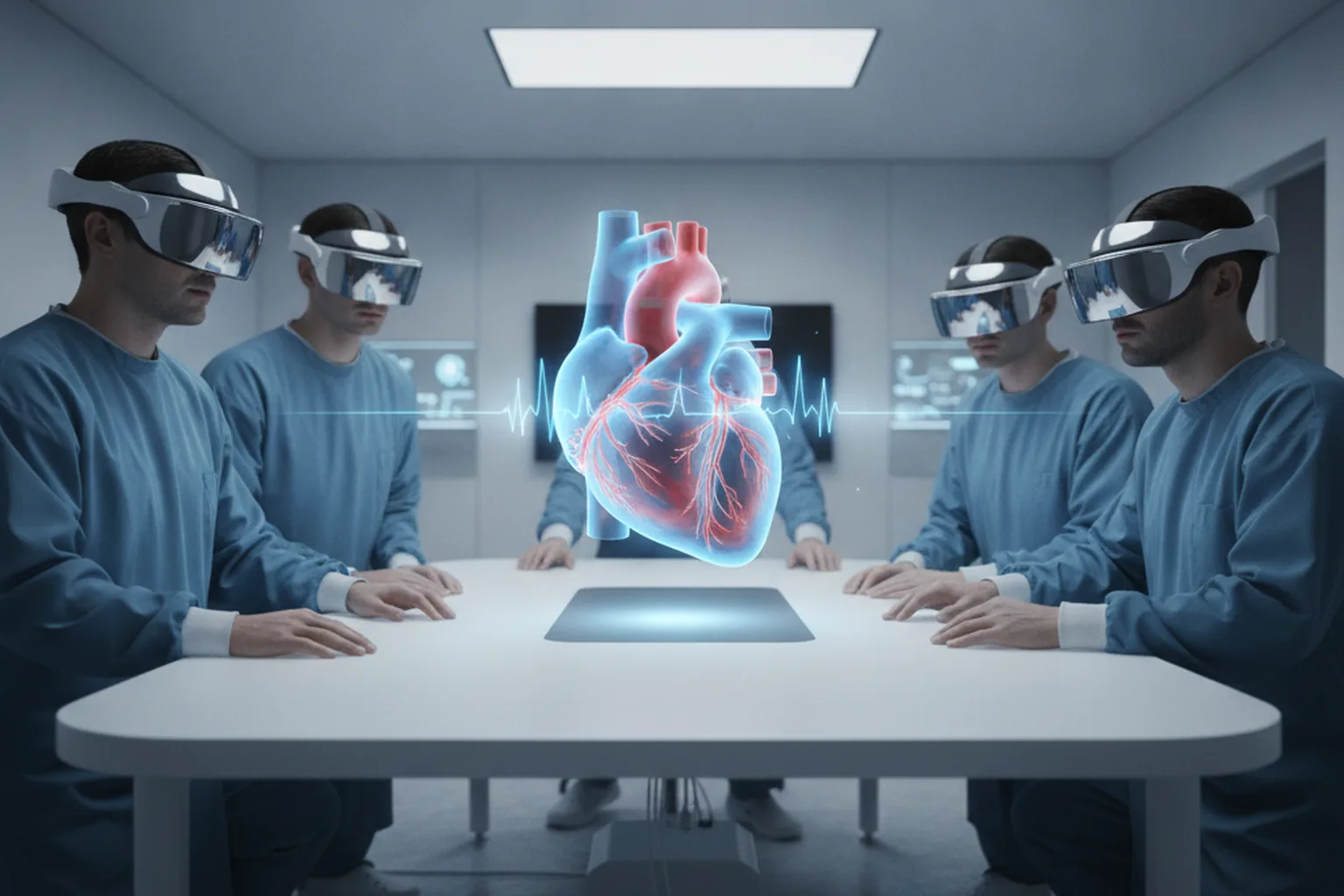
- Healthcare and life sciences. Surgical planning on patient imaging, anatomy education, procedure rehearsal and patient communication. Hospitals combine imaging data with immersive views to explain complex cases before surgery.
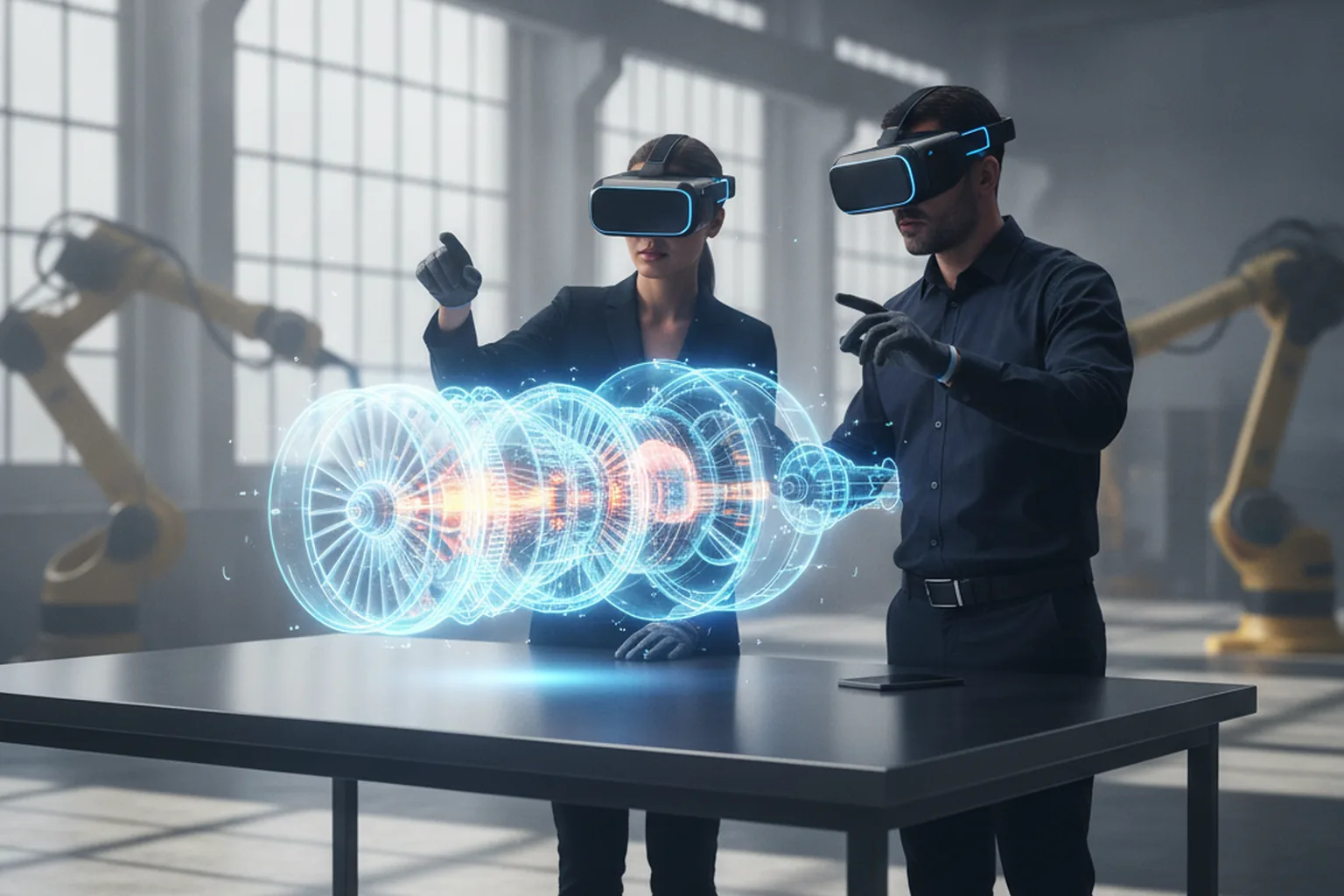
- Manufacturing and field service. Step-by-step assembly and maintenance guidance overlaid on real equipment, remote expert support and quality inspection with digital twins.
- Aviation and transport. Engine and cockpit familiarisation, maintenance training and procedure checklists without taking aircraft or vehicles out of service.
- Architecture, engineering and construction. Life-size walkthroughs of BIM models, clash reviews with stakeholders and client presentations before the first brick.
- Retail and product companies. 3D configurators, virtual showrooms and sales demos for large or expensive products such as furniture, cars and industrial machines.
- Data and operations. Multi-window control rooms, 3D visualisations of networks, warehouses or portfolios, and focused analysis without a wall of physical monitors.
- Collaboration and education. SharePlay sessions with spatial Personas, shared 3D models and immersive lessons that make abstract topics tangible.
The strongest projects reuse 3D data the company already owns: CAD files, BIM models, DICOM imaging or product renders. When that data exists, a first useful app can be ready in weeks; when it must be created from scratch, content becomes the largest line in the budget. Similar logic applies across extended reality, as our guide to virtual reality software development explains.
What enterprise APIs, security and privacy rules apply?
Vision Pro protects privacy by design: apps never receive raw eye-tracking data, camera access is limited, and enterprise features such as main camera access require a managed entitlement and an enterprise licence. Your security work focuses on data, identity and device management, the same as on iPad.
- Eye input is private. The system shows hover effects where the user looks, but apps learn only what the user taps, never where they looked. Analytics must be designed around explicit actions.
- Enterprise APIs. For in-house apps, Apple offers access to the main camera feed, barcode and QR scanning, passthrough in screen capture, extra performance headroom and other capabilities. They require an approved entitlement and cannot be used in public App Store apps.
- Protected content. visionOS 26 added a Protected Content API that hides sensitive windows from screenshots, recordings and shared views, useful for medical records or financial data.
- Device management. Vision Pro supports MDM enrolment through Apple Business Manager, managed app distribution, configuration profiles and, since visionOS 26, team device sharing where users carry their eye and hand calibration on an iPhone.
- Regulated data. HIPAA, GDPR and sector rules apply to the data the app touches, not to the headset. Encrypt data at rest and in transit, use single sign-on, keep audit logs and minimise what is stored on the device.
- Room data. Scene reconstruction and camera images can capture people and confidential spaces. Define what is stored, for how long and who can see it before deployment.
Distribution follows the usual Apple paths: the public App Store, custom apps for specific organisations through Apple Business Manager, or in-house distribution under the Apple Developer Enterprise Program for internal tools that use enterprise APIs.
What changed with visionOS 26, the M5 model and visionOS 27?
Between 2025 and 2026 Apple made Vision Pro faster, more enterprise-ready and easier to target: the M5 chip raised rendering headroom, visionOS 26 added widgets, enterprise sharing and new accessories, and visionOS 27 added native Gaussian splats, web environments and new preview tools for developers.
| Release | When | What it means for developers |
|---|---|---|
| Vision Pro with M5 | October 2025 | More GPU headroom, rendering at up to 120 Hz and slightly sharper output; the same apps run faster with fewer compromises in 3D detail |
| visionOS 26 | September 2025 | Spatial widgets, improved Personas, support for PlayStation VR2 Sense controllers and Logitech Muse, Protected Content API, team device sharing, higher memory limits for apps |
| visionOS 26.4 | March 2026 | Foveated streaming, which lets developers stream existing desktop or cloud-rendered VR content to the headset |
| visionOS 27 | Announced June 2026, released September 2026 | Native Gaussian splat rendering in RealityKit, immersive Web Environments from Safari, the Spatial Preview framework for sending content from Mac, curved window layouts |
Two conclusions follow. First, the M5 model is now the realistic performance target for new projects, although apps should still run well on the original M2 hardware many companies own. Second, Gaussian splats and streaming lower the cost of realistic 3D content: a photographed object or site can become an immersive scene without weeks of manual modelling.
How does the Vision Pro software development process work?
A Vision Pro project runs like any mobile project with two extra tracks: 3D content production and early testing on the device with real users. Skipping either is the most reliable way to build something impressive in a demo and unused in practice.
- Use-case discovery (1–3 weeks). Pick one workflow, define who uses it, how long a session lasts and which metric should improve. Audit existing 3D data, systems and security constraints.
- Spatial prototype (2–4 weeks). Build a rough interactive prototype on the device, not slides. Test comfort, scale and the core interaction with five to eight target users.
- Spatial UX and content plan. Define windows, volumes and immersive moments, interaction patterns, accessibility, and a 3D asset list with polygon and texture budgets.
- Engineering in increments. Build the app in two-week sprints in SwiftUI and RealityKit, connect APIs, authentication and offline storage, and integrate the asset pipeline from CAD or photogrammetry.
- Performance and comfort tuning. Profile frame rate, memory and thermal behaviour with Instruments and RealityKit tools; simplify scenes until rendering stays smooth during long sessions.
- Pilot. Deploy to a small group through TestFlight or MDM, run real sessions, track the target metric and collect structured feedback on comfort and usefulness.
- Release and scale. Ship to the App Store or enterprise distribution, train users, set up device sharing and support, and plan updates for each visionOS release.
The pilot is the step most teams underestimate. A two- to four-week pilot with real users shows whether people take the headset off after five minutes or ask for more, and it gives the business case real numbers before a wider rollout.
How long does it take and who do you need?
A focused Vision Pro app takes 6–12 weeks, a 3D or mixed immersive app 3–5 months and a complex immersive or multi-user enterprise product 5–12 months. Content creation, integration and user testing often take as long as coding.
| Project | Typical timeline | Core team |
|---|---|---|
| Compatibility pass for an iPad app | 2–4 weeks | 1 iOS engineer, QA |
| Native windowed visionOS app | 6–12 weeks | 1–2 Swift engineers, product designer, QA |
| App with interactive 3D volumes | 3–5 months | 2 Swift/RealityKit engineers, spatial designer, 3D artist, back-end engineer, QA |
| Immersive or multi-user enterprise app | 5–12 months | 3–5 engineers, spatial designer, 2 3D artists, back-end and DevOps, QA, product manager |
The scarce skills are spatial interaction design and real-time 3D optimisation, not Swift itself. Plan for at least two Vision Pro devices for the team and more for the pilot, and include a Mac with Apple silicon for each engineer; the visionOS simulator helps, but comfort and performance can only be judged on the headset.
How much does Vision Pro software development cost in 2026?
Vision Pro software development in 2026 costs from about $10K for a compatibility pass of an existing app to $500K or more for a fully immersive enterprise platform. Immersion level, the volume and quality of 3D content, integrations and security requirements drive the price far more than the screens themselves.
| Scope | Typical 2026 cost | What is included |
|---|---|---|
| Compatibility pass | $10K–$25K | Testing and fixing an iPad/iPhone app on Vision Pro, input and layout fixes, App Store setup |
| Native windowed app | $30K–$80K | SwiftUI visionOS target, glass UI, multiple windows, API integration, basic analytics |
| 3D volumetric app | $70K–$180K | Interactive 3D models, Reality Composer Pro scenes, asset pipeline from CAD, configurator logic |
| Immersive enterprise experience | $180K–$500K+ | Mixed or full immersion, custom gestures, multi-user SharePlay, enterprise APIs, MDM, compliance work |
The main cost drivers are:
- 3D content: often 25–50% of the budget when models must be created or heavily optimised; reusing CAD, BIM or photogrammetry data cuts this sharply.
- Immersion level: every step from window to full immersion adds design, performance and testing work.
- Integrations: ERP, PLM, EHR, CRM, single sign-on and real-time data feeds cost the same as on any platform.
- Multi-user features: SharePlay, shared anchors and Personas add synchronisation logic and testing scenarios.
- Compliance and security: HIPAA, GDPR, protected content and enterprise distribution add documentation and review effort.
- Hardware: devices for the team and the pilot, which are small next to labour but often forgotten in early budgets.
Plan 15–20% of the build cost per year for maintenance: each annual visionOS release brings new APIs and occasional breaking changes. For wider context on mobile budgets, see our mobile app development cost benchmarks for 2026.
Which KPIs show that a Vision Pro app works?
A Vision Pro app works when it improves a business metric that was measured before the pilot, and when people choose to put the headset back on. Track both the outcome and the experience.
- Outcome metrics: training time, error rate, first-time fix rate, design review cycles, sales conversion or travel avoided.
- Adoption: sessions per user per week, repeat use after the first week and voluntary versus mandated use.
- Session quality: average session length, task completion rate and the share of sessions ended early.
- Comfort: short self-reported comfort scores after each session, especially for immersive modes.
- Technical health: stable frame rate, crash-free sessions, load time of 3D scenes and battery use per session.
Set targets before the pilot starts. A training app, for example, might aim to cut time to competency by 30% or reduce errors on a first real task by half; without a baseline, even a great experience is hard to fund beyond the pilot.
What mistakes sink Vision Pro projects?
Vision Pro projects usually fail for product reasons, not technical ones: the use case is vague, sessions are too long, or the team builds a spectacular immersive demo before proving that anyone needs it. These seven mistakes cause most of the damage.
- Starting with full immersion. Immersive spaces are expensive and tiring; many workflows work better in a window and a volume.
- Scaling up an iPad UI. Huge flat panels with small controls feel awkward; redesign for look-and-pinch input.
- Ignoring 3D content cost. Unoptimised CAD models crash frame rates and budgets; plan the asset pipeline from day one.
- Testing only in the simulator. Comfort, scale and performance can only be judged on the device.
- Designing hour-long sessions. Weight and focus limit comfortable use; design for 10–45 minute sessions with natural breaks.
- Forgetting device operations. Shared devices, calibration, charging, hygiene and MDM need an owner before rollout.
- No success metric. Without a measured baseline, a pilot ends as a nice demo and never gets a second budget.
When should you not build for Vision Pro?
You should not build for Vision Pro when your audience is a broad consumer market, when the task is short and frequent, or when the product has no spatial or 3D component. In those cases an iPhone, iPad or web app reaches more people for less money.
- Consumer apps that need hundreds of thousands of active users to break even
- Workflows done many times a day for a few seconds, such as scanning or approvals
- Products where 2D charts and forms already answer every question
- Organisations without a plan to manage and support headsets
- Teams with no Apple platform experience and no budget for a learning curve
A middle path often works best: keep the main product on iPhone, iPad and web, make it run well on Vision Pro as a compatible app, and add one spatial feature for the moments where depth helps.
How does spatial computing fit into your product vision for software development?
Spatial computing fits into a product vision for software development as an extension of your existing Apple and 3D investments, not as a separate bet. Treat Vision Pro as another client of the same back-end, design system and data, so each headset feature reuses work and every investment in 3D content also pays off on iPhone, iPad and the web.
In practice this means three decisions. Build shared Swift packages for models, networking and business rules so a visionOS target is a thin layer. Keep 3D assets in a pipeline that also feeds web viewers and AR Quick Look on iPhone. And design on-device intelligence once: the same Core ML and Apple Intelligence features can serve phones and headsets, as described in our guide to on-device AI in mobile apps. Companies that also target watches and other wearables can apply the same layering, covered in our wearable app development guide.
Hardware will change: lighter Apple headsets and smart glasses are widely expected later this decade. Teams that structure code and content this way now will be able to move to new devices with an update rather than a rewrite.
How do you choose a Vision Pro development partner?
Choose a Vision Pro development partner that has shipped Apple platform apps in production, can show spatial work running on a real device, understands 3D content pipelines and treats discovery and the pilot as part of the project. Ask for evidence rather than renders.
- visionOS or RealityKit work you can try on a headset, not only videos
- Strong native iOS experience with SwiftUI, because most of the app will be standard Apple engineering
- A clear 3D pipeline: tools, polygon budgets and experience converting CAD or BIM data
- Experience with enterprise distribution, MDM and regulated data where relevant
- A short, fixed-price discovery and prototype phase before a larger commitment
- Honest advice about when a compatible iPad app or a web 3D viewer is enough
- Full transfer of code, assets and documentation
Our team builds native iPhone, iPad and visionOS apps from discovery to support. If spatial computing is part of a wider mobile roadmap, our mobile app development services cover the full product across platforms.
FAQ
What is Vision Pro software development?
Vision Pro software development is the design, engineering, testing and release of apps for Apple Vision Pro and its operating system, visionOS. Teams build windowed apps, 3D volumes or fully immersive spaces with Swift, SwiftUI, RealityKit and ARKit in Xcode, or with Unity for game-style projects, and distribute them through the App Store or privately to employees through Apple Business Manager.
How much does it cost to develop an Apple Vision Pro app in 2026?
In 2026 a compatibility pass for an existing iPad or iPhone app typically costs $10K–$25K, a native windowed visionOS app $30K–$80K, an app with 3D volumes and interactive models $70K–$180K, and a fully immersive enterprise experience $180K–$500K or more. 3D asset production, back-end integration and enterprise security work are the biggest cost drivers.
How long does Vision Pro app development take?
A compatibility pass for an existing iPad app takes 2–4 weeks, a native windowed visionOS app 6–12 weeks, an app with interactive 3D volumes 3–5 months and a fully immersive or multi-user enterprise experience 5–12 months. 3D content production and on-device testing with real users usually decide the schedule more than coding does.
Can I port my existing iOS app to Apple Vision Pro?
Yes. Most iPhone and iPad apps run on Vision Pro as compatible apps in a flat window without any changes, as long as the developer has not opted out. A native visionOS build with SwiftUI adds glass materials, hover effects, ornaments and optional 3D content, and usually reuses most of the business logic, networking and data layers of the iOS app.
Which programming language is used for visionOS apps?
Native visionOS apps are written in Swift, with SwiftUI for the interface and RealityKit for 3D content, plus ARKit for hand tracking, world tracking and scene understanding. Reality Composer Pro prepares 3D scenes and USDZ assets. Game-style projects can also use Unity with PolySpatial or Unreal Engine, which compile to visionOS.
Is Apple Vision Pro worth developing for in 2026?
Apple Vision Pro is worth developing for in 2026 when a clear business workflow benefits from depth, scale or hands-free work: surgical and technical training, design review, field service, data visualisation and high-value product demos. It is a weak choice for mass-market consumer apps, because the installed base is still small compared with iPhone and iPad.
Do Vision Pro apps work offline and with enterprise systems?
Yes. A visionOS app can store data and 3D models on the device and sync when a connection returns, and it can integrate with ERP, PLM, EHR, CRM and identity systems through standard APIs, just like an iPad app. Enterprise deployments usually add MDM, single sign-on and, for in-house apps, Apple enterprise APIs such as main camera access.
Published 31 October 2026. Sources: Apple Developer, visionOS; Apple Newsroom, visionOS 26; Apple Support, What’s new for enterprise in visionOS 26; Apple Human Interface Guidelines, Designing for visionOS; MacRumors, visionOS 27 overview; Apple Q2 FY2024 earnings call (May 2024). Cost and timeline ranges are YuSMP Group estimates for 2026.