
TL;DR: AI video analytics software development means building a pipeline that ingests camera streams, runs detection, tracking and search models on them, and turns the results into alerts, dashboards and searchable events. In 2026 a production MVP for 10–50 cameras typically costs $60K–$150K and takes 3–5 months. Edge inference, false-alarm control and EU AI Act and BIPA compliance decide whether it succeeds.
AI video analytics software development is the work of turning ordinary camera footage into structured, searchable events: a forklift entering a pedestrian zone, a queue growing past five people, a truck waiting too long at a dock, a person on a roof after hours. The discipline is not new, but 2026 is different for three reasons. Video-language models now let operators search footage in plain English, edge GPUs that can process a dozen streams fit in a box the size of a hardback book, and the market has grown up: MarketsandMarkets sizes video analytics at $14.65 billion in 2026, rising to $41.39 billion by 2031 at a 23.1% CAGR.
Most organisations already own the hardest-to-replace part of the system: hundreds of installed cameras and a video management system that records them. The fastest route to value is rarely a new camera network. It is plugging detection, tracking and search models into the cameras and VMS you already have, which is exactly what AI video analytics integration services cover. Operations teams in logistics and warehousing are usually the first to see a return, because near-misses, dock times and blocked aisles are easy to count and expensive to ignore.
I lead AI and machine learning engineering at YuSMP Group, and this guide is about the video product rather than the models inside it. If you need the fundamentals of detection, classification, OCR and model metrics, read our guide to computer vision software development first. Here we cover what sits around the models: stream ingest, multi-camera tracking, latency budgets, natural-language video search, GPU sizing, costs and the privacy rules that apply to video in 2026. Statistics cite their source and year, and cost ranges are labelled as YuSMP estimates or industry benchmarks.
What is AI video analytics software development?
AI video analytics software development is the engineering of systems that watch live or recorded video with machine learning models and turn what they see into alerts, metrics and searchable records. The industry term is intelligent video analytics (IVA); the output is data about the scene, not just stored pixels.
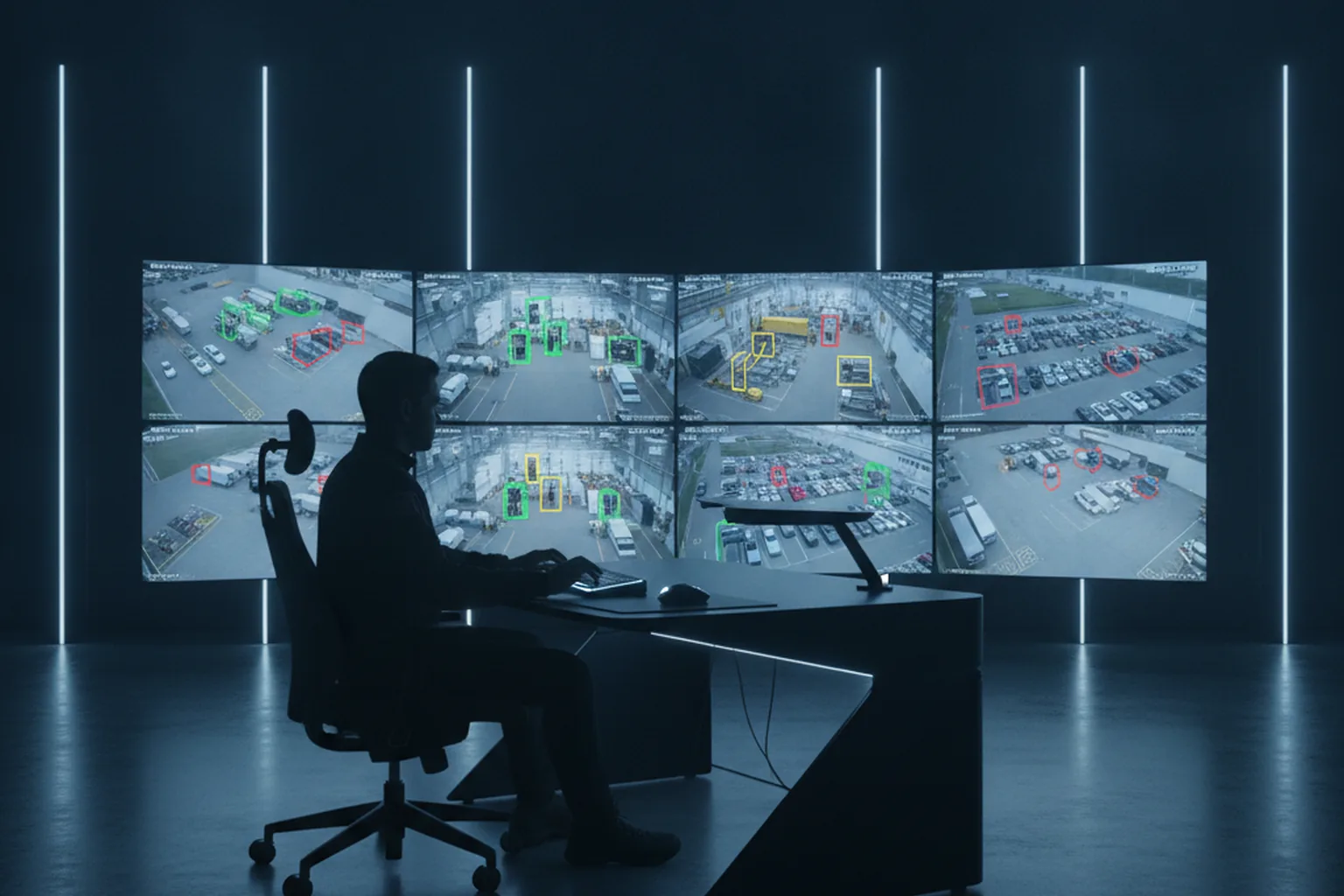
A complete AI video analytics system does four jobs. It ingests streams from IP cameras or recorders, understands each frame with detection, tracking and classification models, decides which situations matter through a rule or event engine, and delivers the result as an alert, a dashboard, a report, an API call to another system or a searchable index of events. The development work spans all four, and in practice the models are often the smallest part of the codebase.
Video is also harder than still images. A single 1080p camera at 25 frames per second produces 2.16 million frames a day, the same person must be followed across frames and cameras, and the result is only useful if it arrives in time to act on it. That is why video analytics needs its own architecture, budget and compliance plan, even when the underlying detector is the same one used for photos.
AI video analytics vs classic motion detection
AI video analytics recognises what is moving and what it is doing, while classic motion detection only notices that pixels changed. That difference is why rule-based motion alarms are notorious for false alerts from rain, shadows, headlights and swaying trees.
| Criterion | Classic motion detection | AI video analytics |
|---|---|---|
| Trigger logic | Pixel change above a threshold in a zone | Object class, behaviour and context (person, vehicle, direction, dwell time) |
| False alarms | High: weather, lighting, animals, foliage | Much lower once tuned on site footage |
| Search | By time and camera only | By object, attribute, event or natural-language description |
| Metrics | None | Counts, dwell times, heatmaps, occupancy, trends |
| Hardware | Runs on the camera or NVR CPU | Needs a GPU or AI accelerator at the edge or in the cloud |
What can AI video analytics software do? Core capabilities
AI video analytics software can detect and track people, vehicles and objects, count and measure how they move, flag rule breaches and unusual behaviour, read licence plates, and let operators search hours of footage in seconds. Most projects combine three to five of the capabilities below.
- Object, person and vehicle detection. The foundation for everything else: detectors such as the YOLO family locate and classify objects in each frame, often with attributes like vehicle type or hi-vis vest.
- Multi-object tracking and re-identification. Trackers such as ByteTrack or DeepSORT keep a stable ID for each object across frames, and re-identification (Re-ID) models link the same person or vehicle across different cameras without facial recognition.
- Counting, occupancy, dwell time and heatmaps. People and vehicle counts, queue length, time spent in a zone and movement heatmaps for stores, stations, warehouses and car parks.
- Intrusion, line crossing and loitering detection. Virtual fences and zones with schedules, so a person on a loading dock at 3 a.m. triggers an alert while daytime traffic does not.
- Licence plate recognition (ANPR/LPR). Plate reading for gate access, parking, yard management and logistics check-in.
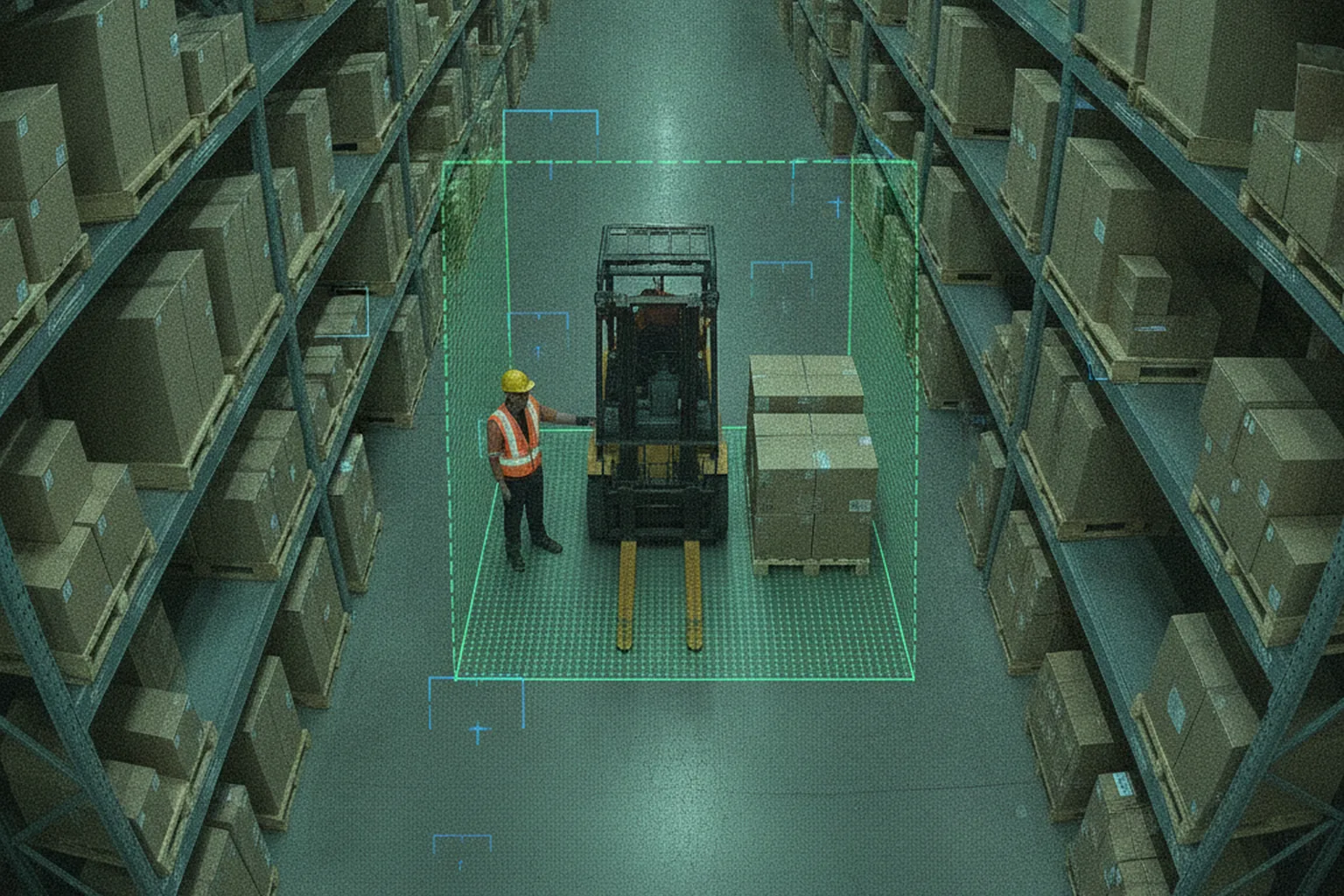
- PPE and safety events. Missing helmets or vests, people inside forklift zones, falls, smoke or fire and blocked emergency exits.
- Anomaly detection and video search. Flagging unusual patterns such as crowding or wrong-way movement, plus natural-language video search and summarisation with video-language models (VLMs), for example "white van at gate 3 yesterday afternoon".
The capabilities differ widely in difficulty. Counting vehicles on a well-lit road is close to solved; detecting a slip on a wet floor from a ceiling camera at night is a research-grade problem. A good vendor will tell you which of your events are easy and which need a pilot to prove.
Which industries use AI video analytics? Use cases with KPIs
AI video analytics pays off fastest in retail, logistics, manufacturing, transport, healthcare and education, wherever cameras already exist and an event can be tied to a measurable cost. The table pairs typical use cases with the KPI each one moves.
| Industry | Use case | Analytics | KPI moved |
|---|---|---|---|
| Retail | Queue alerts, empty shelves, self-checkout loss | Counting, dwell time, object detection | Wait time, on-shelf availability, shrink |
| Logistics and warehouses | Forklift near-misses, dock utilisation, blocked aisles | Tracking, zones, ANPR at gates | Incident rate, truck turnaround time |
| Manufacturing | PPE compliance, machine guarding zones, line stoppages | PPE detection, intrusion, anomaly detection | Lost-time injuries, downtime |
| Smart city and traffic | Traffic counts, incident detection, parking occupancy | Vehicle classification, tracking, ANPR | Incident response time, congestion |
| Healthcare | Fall detection, bed-exit alerts, restricted areas | Pose estimation, zones, privacy masking | Falls, nurse response time |
| E-commerce fulfilment | Packing verification, parcel damage, dispute evidence | Object detection, video search | Claim costs, mis-picks |
| Education and testing | Exam proctoring, campus safety | Person detection, anomaly flags (no emotion recognition in the EU) | Integrity incidents, response time |
Healthcare deserves a note of caution: cameras in patient rooms process special category data, so systems must be privacy-first by design, with on-site processing and masked output. Our healthtech practice covers how that data is handled. In e-commerce fulfilment, the quiet win is dispute evidence: searchable packing footage settles "item missing" claims in minutes instead of days.
What do AI video analytics software development services include?
AI video analytics software development services cover the whole path from camera audit to a monitored production system: discovery, data, models, the streaming pipeline, integrations, the user interface, MLOps and compliance. A vendor that offers only "model training" leaves you to build the parts that usually fail.
- Discovery and camera audit. Event definitions, success metrics, a site survey of camera positions, resolution, lighting and network, and a feasibility verdict per event.
- Data collection and annotation. Recording representative footage, including night, rain, glare and crowded scenes, labelling it and building a held-out test set that reflects your sites.
- Model selection and fine-tuning. Choosing pre-trained detectors, trackers and Re-ID models, fine-tuning them on your footage and training custom models only where needed.
- Stream pipeline engineering. Decoding, frame sampling, batching and inference at the target latency and cost, with recovery when cameras drop out.
- VMS, NVR and business-system integration. Pulling streams from the video management system and pushing events back as bookmarks, plus connections to access control, WMS, ERP, ticketing or messaging tools.
- Alerting, dashboards and search UI. Alert rules, schedules and escalation, operator review screens, analytics dashboards and event or natural-language search.
- MLOps and monitoring. Per-camera accuracy and latency monitoring, drift detection, retraining pipelines and model versioning.
- Compliance engineering. Data protection impact assessments, privacy masking, retention rules, access controls and audit logs built into the product rather than added at the end.
Ask each shortlisted vendor which of these they deliver in-house. Annotation is often outsourced and can work well with good guidelines; outsourcing the pipeline or the evaluation is a warning sign, because that is where accuracy on your cameras is won or lost.
How does an AI video analytics pipeline work? Architecture
An AI video analytics pipeline moves each stream through eight layers: capture, ingest and decode, pre-processing, inference, an event engine, storage, a search layer and the applications that people use. Each layer has its own failure modes, so a production design treats all eight as first-class components.
- Capture. IP cameras stream H.264 or H.265 video over RTSP; ONVIF handles discovery, configuration and PTZ control. Existing NVRs or VMS platforms can relay streams instead of the cameras themselves.
- Ingest and decode. GStreamer, FFmpeg or NVIDIA DeepStream pull the streams, decode them in hardware and reconnect automatically when a camera drops.
- Pre-processing and frame sampling. Frames are resized, cropped to regions of interest and sampled, for example 5–10 fps instead of 25, because most events do not need every frame.
- Inference. A detector finds objects, a tracker links them over time, and optional models add attributes, pose, plates or Re-ID embeddings. Optimised with TensorRT or OpenVINO, this is where most GPU time goes.
- Event and rule engine. Tracks are turned into events: zone entries, line crossings, dwell times, counts and anomalies, with schedules, cool-downs and confirmation logic that keeps false alarms down.
- Storage. Short event clips and thumbnails go to object storage, metadata to a relational or time-series database such as PostgreSQL with TimescaleDB, and embeddings to a vector database for search.
- Search and VLM layer. Structured queries ("red cars at gate 2") and natural-language search or summaries powered by video-language models over the stored clips and embeddings.
- Applications, alerts and APIs. Operator consoles, mobile alerts, dashboards, VMS bookmarks and webhooks into other business systems.
The quality of an AI video analytics pipeline shows under stress: a camera that reconnects every ten minutes, a network link that saturates at shift change, a GPU that overheats in a summer server room. Build health checks for each layer and alert on the pipeline itself, not only on the events it produces.
Edge vs cloud vs hybrid deployment
Run inference at the edge when latency, bandwidth or privacy matter most, in the cloud when you need elastic compute for batch analysis and heavy models, and in a hybrid setup for most production systems. The deployment choice changes cost, compliance and reliability more than any model choice.
| Criterion | Edge | Cloud | Hybrid |
|---|---|---|---|
| Latency | Lowest, well under 500 ms possible | Higher, depends on upload | Low for alerts, higher for search |
| Bandwidth | Minimal: only events leave the site | High: every stream uploaded | Low: events, metadata and clips |
| Cost profile | Hardware up front, low running cost | No hardware, ongoing GPU and egress fees | Balanced |
| Privacy | Raw video stays on site | Raw video leaves the site | Raw video on site, masked output in cloud |
| Best for | Safety alerts, remote sites, sensitive areas | Forensic search, pilots, few cameras | Multi-site production fleets |
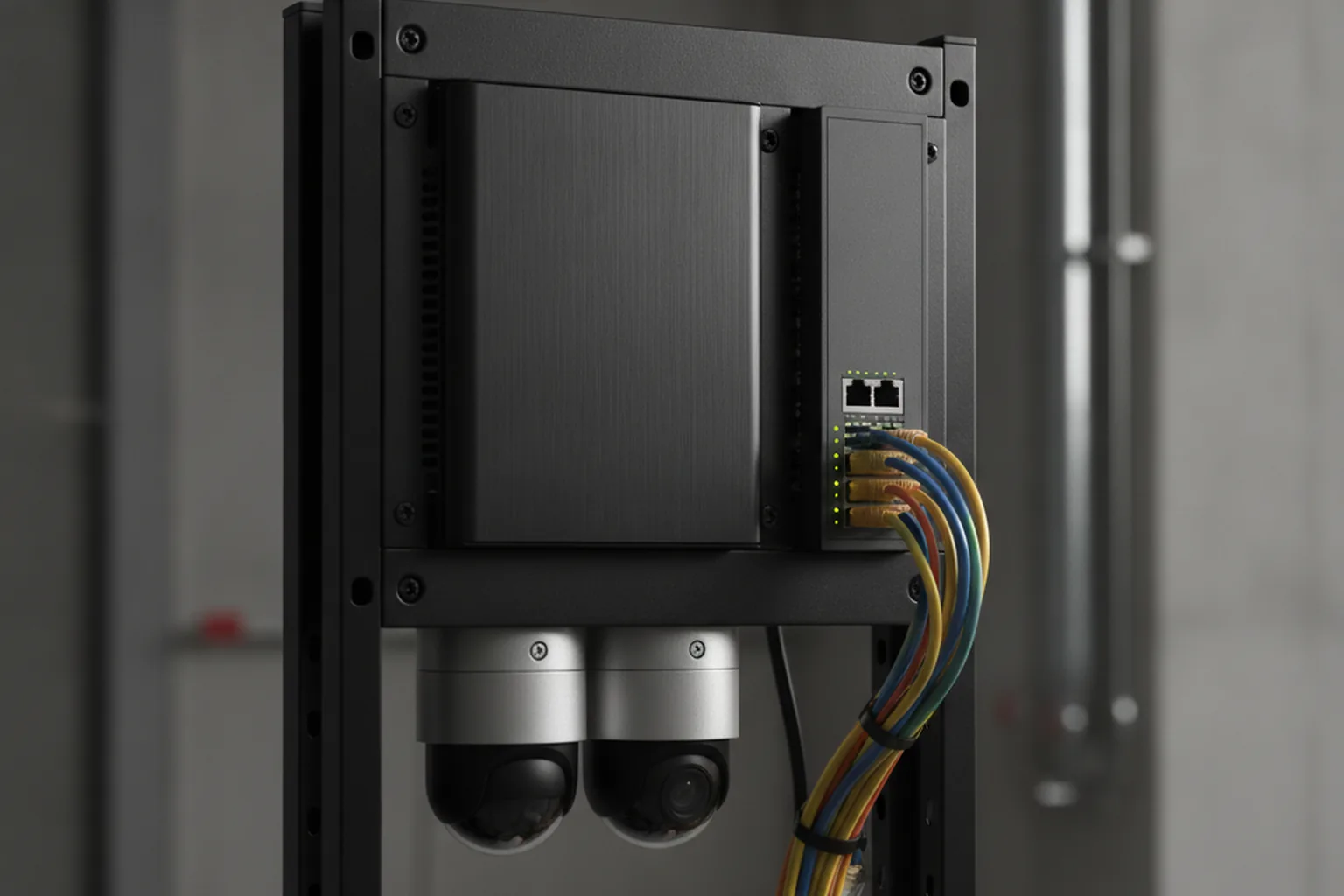
Edge devices range from NVIDIA Jetson Orin modules to compact servers with an L4-class GPU, and they have to be managed like a fleet: remote updates, health monitoring and secure boot. The same trade-offs apply on phones and wearables, as our guide to on-device AI in mobile apps explains.
Real-time vs batch: latency budgets
Decide the latency budget per event before choosing hardware, because it drives most of the cost. Industry benchmarks put true real-time analytics under 500 ms from frame to alert, near-real-time micro-batching at 2–10 seconds and batch processing at minutes to hours.
- True real-time (<500 ms): forklift–pedestrian proximity warnings, machine-zone intrusion and gate control. Needs edge inference and a lean pipeline.
- Near-real-time (2–10 s): perimeter intrusion, loitering, queue alerts and most security use cases. Allows batching across streams, which cuts GPU cost significantly.
- Batch (minutes to hours): forensic search, daily footfall reports, compliance audits and VLM summaries of long recordings. Can run overnight on cheaper cloud capacity.
Which tech stack do you need for AI video analytics in 2026?
A 2026 AI video analytics stack combines standard camera protocols, a GPU-accelerated streaming framework, pre-trained detection and tracking models, an inference optimiser, edge or cloud GPUs, a metadata and vector store, and an MLOps layer. Most of it is open standards and open-source tooling, which keeps you free to change vendors.
| Layer | Typical tools in 2026 | Why it matters |
|---|---|---|
| Cameras and VMS | ONVIF, RTSP; enterprise VMS platforms via their SDKs or event APIs | Reuses existing cameras and recording |
| Streaming | GStreamer, FFmpeg, NVIDIA DeepStream (Metropolis), WebRTC for live view | Hardware decoding and stable multi-stream handling |
| Models | YOLO-family detectors, ByteTrack, Re-ID models, pose models, open VLMs | Pre-trained starting points shorten the build |
| Optimisation | TensorRT, OpenVINO, ONNX Runtime, INT8/FP16 quantisation | More streams per GPU, lower cost per camera |
| Hardware | NVIDIA Jetson Orin at the edge; L4, T4 or A10 GPUs in servers and cloud | Sets throughput, latency and power budget |
| Data | PostgreSQL/TimescaleDB, S3-compatible object storage, a vector database | Events, clips and embeddings for search |
| Backend and APIs | Python services, message queues, REST or gRPC APIs | Event routing, integrations, user management |
| MLOps | MLflow, labelling tools, drift and accuracy monitoring per camera | Keeps accuracy stable after launch |
For the model side, including training data, evaluation metrics and serving, our guide to machine learning software development goes deeper. For video, the decisive skills are in the streaming and optimisation rows: two teams using the same detector can differ threefold in cost per camera.
How many GPUs per camera?
There is no fixed ratio: the number of cameras one GPU can serve depends on the frames per second you analyse, the input resolution, the size of the models and how well they are optimised. As a rough 2026 rule of thumb, one optimised mid-range GPU handles tens of streams with a lightweight detector and tracker at 5–10 fps, but only a handful when every stream also runs pose, Re-ID and attribute models.
A practical sizing method takes four steps. Multiply cameras by the sampled frame rate to get frames per second. Measure throughput for your model chain on the target GPU with TensorRT or OpenVINO. Add 30–40% headroom for peaks and reconnect storms. Then decide which analytics can move to micro-batching or overnight batch. Industry benchmarks put cloud GPU prices at roughly $0.53–0.59 per hour for a T4, about $0.80 for an L4 and about $1.10 for an A10, so the difference between 8 and 24 streams per GPU is the difference between a viable and an unviable business case at scale.
How to develop AI video analytics software: 7 steps
Developing AI video analytics software takes seven steps: define events and KPIs, audit the cameras, collect and annotate footage, choose and fine-tune models, build the pipeline and integrations, pilot on a few cameras, and roll out with monitoring. The pilot is the step teams most often skip and most often regret skipping.
- Define events and KPIs. Write down each event in operational terms ("person inside the 3 m forklift zone for more than one second"), who receives the alert, how fast, and which KPI it should move.
- Audit the cameras. Check pixels on target, angle, lighting at night, frame rate, codec and network for every camera in scope. Some events fail here, and moving a camera is cheaper than a better model.
- Collect and annotate footage. Record weeks, not hours, of footage from your own cameras, including night, rain, glare, crowds and occlusion, and label it for training and a separate test set.
- Choose pre-trained or custom models and fine-tune. Start from pre-trained detectors and trackers, fine-tune on site footage and build custom models only for events that pre-trained ones cannot handle.
- Build the pipeline and integrate the VMS. Implement ingest, inference, the event engine, storage and the alert interface, and connect events to the video management system and business tools.
- Pilot on 1–5 cameras. Run the system for several weeks and measure precision, recall and false alarms per camera per day against the targets agreed in step 1. Operators review every alert during the pilot.
- Roll out with MLOps and drift monitoring. Scale in waves of sites or camera groups, monitor accuracy and latency per camera, and retrain when seasons, layouts or lighting change.
False alarms per camera per day is the metric operators feel most. A system with 95% precision on 200 cameras can still send dozens of wrong alerts a day, and after a week of those people stop looking. Set an explicit ceiling in the pilot, for example fewer than one false alarm per camera per day for security alerts, and treat it as an acceptance criterion alongside recall.
Off-the-shelf analytics vs custom AI video analytics software development solutions
AI video analytics solutions come in three forms: analytics built into a VMS or camera, managed video-AI APIs priced per minute, and custom software built for your events and sites. Built-in analytics win on time to value, APIs on flexibility for small volumes, and custom AI video analytics software development solutions on accuracy, data control and cost at scale.
| Criterion | VMS or camera built-in analytics | Managed video-AI APIs | Custom build |
|---|---|---|---|
| Time to value | Days to weeks | Weeks | 6–10 weeks to a pilot, months to production |
| Cost per camera at scale | Licence per camera or channel | About $0.04–0.10 per analysed minute; grows linearly | Build cost up front, low marginal cost |
| Accuracy on your scenes | Generic, limited tuning | Generic, some custom labels | Fine-tuned on your footage and events |
| Data residency | On site | Video goes to the provider's cloud | Your choice: edge, private or public cloud |
| Lock-in | Tied to the VMS or camera vendor | Tied to the API provider | You own code, models and data if the contract says so |
The per-minute maths decides many projects. Industry benchmarks suggest self-hosting breaks even at around one million analysed minutes per month. That sounds like a lot, but 25 cameras analysed around the clock already produce about 1.08 million minutes a month. Below that volume, or for occasional forensic analysis, managed APIs are hard to beat.
A mixed approach is common and sensible: keep the VMS's built-in motion and line-crossing rules where they work, and build custom analytics only for the events that matter most to the business and that generic products miss. For a broader decision framework, see our guide to enterprise software build vs buy.
How much does AI video analytics software development cost in 2026?
A production MVP of AI video analytics software for one site with 10–50 cameras typically costs $60,000–$150,000 and takes 3–5 months in 2026, according to YuSMP estimates. Pilots start at about $25,000, and multi-site platforms with custom models and video search run from $150,000 to $300,000 and beyond.
| Tier | Scope | Budget | Timeline |
|---|---|---|---|
| Pilot / proof of concept | 1–5 cameras, 1–2 analytics with pre-trained detectors, basic alert view, accuracy report | $25K–$60K | 6–10 weeks |
| Production MVP | One site, 10–50 streams, 3–5 analytics, dashboard and alerts, VMS integration | $60K–$150K | 3–5 months |
| Multi-site / edge fleet | Several sites, edge devices, custom models, Re-ID, VLM video search | $150K–$300K | 6–12 months |
| Enterprise platform | Hundreds to thousands of streams, multi-tenant, compliance tooling, SLAs | $300K+ | 12+ months, phased |
These are YuSMP estimates for 2026, not quotes, and they cover software development only. Cameras, network upgrades and edge hardware are separate line items. For how software budgets break down in general, see our custom software development cost benchmark.
Running costs after launch
Running costs for AI video analytics are driven by compute, storage and people, and over three years they often match the build cost. Plan them before launch, not after the first cloud bill.
| Cost item | Typical 2026 range | What moves it |
|---|---|---|
| Cloud GPU | About $0.53–0.59/h (T4), $0.80/h (L4), $1.10/h (A10), industry benchmarks | Streams per GPU, fps, model size, reserved vs on-demand |
| Edge hardware | One-off per device, replaced every 3–5 years | Cameras per device, environment, redundancy |
| Managed video-AI APIs | About $0.04–0.10 per analysed minute, industry benchmarks | Minutes analysed, features used |
| Storage and retention | Low for events and metadata, high for continuous recording | Retention period, clip length, resolution |
| Annotation and retraining | Recurring, often quarterly | New sites, seasons, layout changes, new events |
| Maintenance and support | About 15–20% of build cost per year | SLA, number of integrations, compliance reviews |
What drives the price of AI video analytics software?
The price of AI video analytics software is driven mainly by the number of streams, how custom the events are and how strict the accuracy and latency targets are. These seven factors explain most differences between quotes:
- Number of streams and sites: more streams mean more hardware, more edge devices to manage and more tuning per camera.
- Custom events: events that pre-trained models cannot detect need data collection, labelling and training.
- Latency target: sub-second alerts require edge inference and a leaner, more carefully engineered pipeline.
- Accuracy and false-alarm targets: each step towards fewer false alarms costs more data and evaluation work.
- Integrations: VMS, access control, WMS, ERP and ticketing systems each add interface and testing work.
- Video search and VLM features: embeddings, vector search and language models add storage, compute and UI work.
- Compliance scope: biometric data, healthcare settings or public spaces add DPIAs, masking, audit logs and legal review.
What privacy and compliance rules apply to AI video analytics?
AI video analytics must comply with the EU AI Act, GDPR and, in the US, state biometric laws such as Illinois BIPA, and the rules tighten sharply as soon as a system identifies people by their face or body. Design for compliance from the first sprint: industry benchmarks put the cost of retrofitting it at 3–5 times the original build effort.
| Rule | What it means for video analytics | Build requirement |
|---|---|---|
| EU AI Act Art. 5 (since 2 Feb 2025) | Bans real-time remote biometric identification in publicly accessible spaces for law enforcement (narrow exceptions), emotion recognition in workplaces and education, and untargeted scraping of facial images | Exclude these functions by design; document the intended purpose |
| EU AI Act Annex III high-risk (from 2 Dec 2027) | Remote biometric identification and other biometric systems are high-risk; the Digital Omnibus, Regulation (EU) 2026/1744, moved the deadline from August 2026 | Risk management, data governance, logging, human oversight and accuracy documentation |
| GDPR Art. 9 and DPIA | Biometric data used to identify people is special category data; large-scale monitoring of public areas needs a DPIA | Legal basis, DPIA, data minimisation, subject-access process |
| Illinois BIPA | Written consent before collecting face geometry; a published retention and destruction policy; the 2024 amendment limits damages to one violation per person | Consent flows, retention schedule, no face templates without consent |
| Retention limits | Supervisory authorities expect short, justified retention for CCTV footage | Automatic deletion, separate retention for events and raw video |
The important nuance is that most operational analytics do not identify anyone. Counting people, detecting PPE or tracking a forklift with anonymous IDs is very different, legally, from matching faces against a watchlist. Keep the product on the anonymous side unless identification is the explicit, lawful purpose. Sources: EU AI Act Article 5 and the European Commission AI Act Service Desk. Our EU AI Act checklist and our guide to GDPR for US founders selling to the EU cover the wider obligations. Nothing here is legal advice.
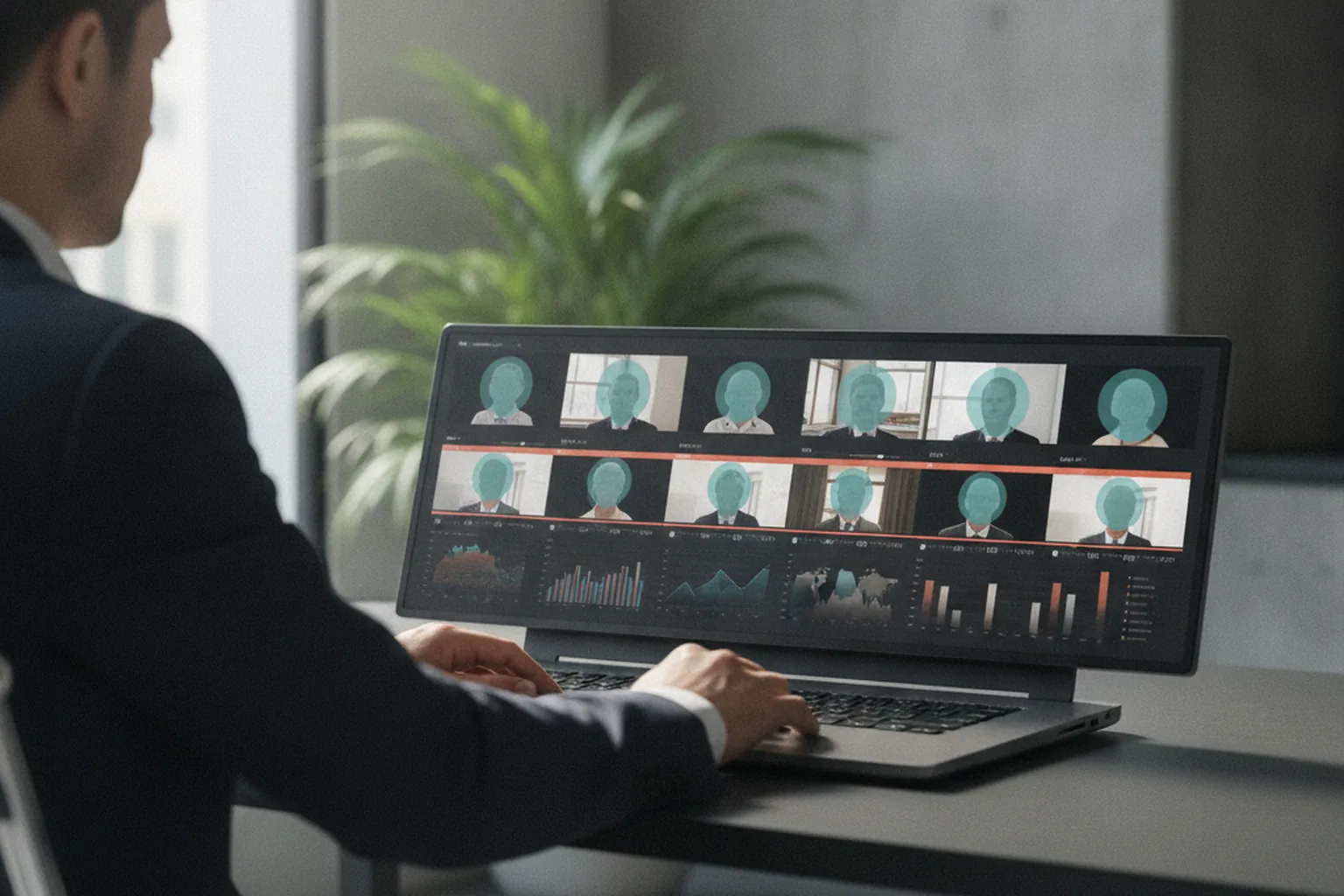
Privacy-by-design patterns for video analytics
Privacy-by-design for video analytics means processing as close to the camera as possible and exporting as little identifiable data as possible. Five patterns cover most projects:
- On-edge processing: raw video stays on site; only events and metadata leave.
- Face and plate blurring: automatic masking in exported clips, dashboards and search results, with unmasking restricted and logged.
- Metadata-only export: counts, tracks and event types instead of images wherever the use case allows.
- Role-based access: operators, analysts and administrators see different levels of detail.
- Audit logs: every search, export and unmasking is recorded for internal and regulatory review.
Common pitfalls (and when not to build yet)
Most AI video analytics projects fail for predictable reasons: accuracy that only held in the demo, alerts nobody trusts, footage that ignored night and weather, and compliance added too late. Knowing these pitfalls in advance is cheaper than discovering them on site.
- Demo accuracy is not site accuracy. Benchmark results on public datasets do not transfer to your camera angles, lenses and lighting. Only a pilot on your footage tells you the real figure.
- Alert fatigue. Too many false positives train operators to ignore the system. Budget time for confirmation logic, zones and schedules.
- Ignoring night, rain and seasons. A model trained on sunny afternoon footage degrades at dusk, in snow and when the store layout changes for the holidays.
- No drift monitoring. Accuracy decays quietly after launch. Without per-camera monitoring, nobody notices until an incident is missed.
- Compliance retrofitted late. Adding masking, retention rules and audit logs after launch costs a multiple of building them in.
- Camera problems software cannot fix. A camera pointing into the sun, mounted too high or covering too wide an area will not be rescued by a better model.
Do not build yet if your VMS vendor already offers a plug-in that covers the event with acceptable accuracy, if the event happens so rarely that a person reviewing footage is cheaper, or if nobody owns the alerts once they arrive. Software that sends alerts to an empty control room adds cost, not safety.
How to choose an AI video analytics software development company
Choose an AI video analytics software development company on evidence from video projects, a pilot on your own footage with written accuracy targets, edge and VMS experience, compliance know-how and clear ownership of models and data. The seven-point checklist below turns those criteria into questions for a first call.
- Shipped video projects, not only image models. Ask for systems running on live streams, with numbers on cameras, uptime and false alarms.
- A pilot on your footage with agreed targets. A credible vendor proposes precision, recall and false-alarm targets in writing and measures them on your cameras.
- Edge optimisation experience. Ask how many streams per device they achieved on past projects and which optimisation tools they used.
- VMS and business-system integration. Check experience with your VMS or a comparable platform and with the systems that should receive events.
- Compliance and DPIA experience. The team should know the AI Act prohibitions, GDPR requirements and BIPA, and design masking and retention from the start.
- Ownership of models and data in the contract. Make sure fine-tuned models, labelled datasets and code belong to you, so you can change vendors later.
- MLOps after launch. Agree how accuracy is monitored, who retrains models, how fast and at what cost.
For a vendor-agnostic framework covering contracts, communication and IP, read our guide on how to choose a software development company.
AI video analytics trends for 2026–2027
The biggest shift in AI video analytics for 2026–2027 is from fixed detectors to video-language models and agents that can search, summarise and verify what cameras see, while regulation and privacy push processing towards the edge.
- Natural-language video search and summarisation. Blueprints such as the NVIDIA AI Blueprint for Video Search and Summarization combine VLMs, LLMs and graph-based retrieval to answer questions about live and archived video. NVIDIA claims summarisation up to 100 times faster than watching, with an hour of video summarised in under a minute; treat that as a vendor figure to verify on your footage.
- Video agents that verify alerts. A second, larger model reviews each clip before a human is paged, cutting false alarms without lowering sensitivity. The same agent patterns appear in our guide to the enterprise AI agent stack.
- Edge-first privacy architectures. More powerful edge devices make it realistic to keep raw video on site and export only anonymous events.
- Open-vocabulary detection. Models that detect objects described in text reduce the need to label data for every new event.
- Regulatory deadlines. The EU high-risk obligations for biometric systems apply from 2 December 2027, so products that identify people need their documentation and oversight features ready in 2027.
Frequently asked questions
What is AI video analytics software development?
AI video analytics software development is the engineering of systems that ingest live or recorded camera video, run machine learning models for detection, tracking, classification and search, and turn the results into alerts, dashboards, reports and searchable events. It covers camera and VMS integration, model selection and fine-tuning, the streaming pipeline, edge or cloud deployment, the user interface, monitoring and privacy compliance.
How much do AI video analytics software development services cost?
YuSMP estimates for 2026 put a pilot on 1–5 cameras at $25,000–$60,000, a production MVP for one site with 10–50 streams at $60,000–$150,000, a multi-site edge fleet with custom models and video search at $150,000–$300,000, and an enterprise platform for hundreds or thousands of streams above $300,000. Running costs for GPUs, storage and support come on top, typically 15–20% of the build cost per year for maintenance.
How long does it take to build AI video analytics software?
A pilot that proves one or two analytics on your own cameras takes 6–10 weeks. A production MVP for a single site with VMS integration, alerts and a dashboard takes 3–5 months. A multi-site platform with custom models, re-identification and natural-language video search takes 6–12 months. Collecting and labelling footage from real conditions, such as night and rain, is usually the longest single task.
Can AI video analytics run on existing IP cameras?
Yes, in most cases. Any IP camera that exposes an RTSP stream or supports ONVIF can feed an AI video analytics pipeline, and the analytics run on an edge box, a server or in the cloud rather than on the camera itself. What matters is resolution on the target, angle, lighting and frame rate. A short camera audit shows which cameras work as they are and which need repositioning or replacement.
Should AI video analytics run at the edge or in the cloud?
Run analytics at the edge when you need sub-second alerts, have limited upload bandwidth or must keep raw video on site for privacy. Use the cloud for batch analysis, forensic search across archives and heavy video-language models. Most production systems in 2026 are hybrid: detection and tracking run on edge devices, and only events, metadata and short clips go to the cloud.
Is facial recognition in video analytics legal in the EU and the US?
It depends on who uses it and how. Since 2 February 2025 the EU AI Act bans real-time remote biometric identification in public spaces for law enforcement, except in narrow cases, and bans emotion recognition in workplaces and schools. Other biometric identification is high-risk, with obligations applying from 2 December 2027, and GDPR requires a legal basis and a DPIA. In Illinois, BIPA requires written consent before collecting face geometry.
What accuracy should I expect, and how do you reduce false alarms?
Well-tuned systems reach high precision on clear events such as line crossing or vehicle detection, but accuracy on your own cameras always drops below demo figures. Measure precision, recall and false alarms per camera per day during a pilot. Reduce false alarms with fine-tuning on site footage, zones and schedules, minimum dwell times, multi-frame confirmation and a second verification model before an alert reaches a person.
How do I choose an AI video analytics software development company?
Choose a company that has shipped video projects rather than only image models, agrees to a pilot on your own footage with written precision and recall targets, has edge optimisation and VMS integration experience, can support your DPIA and biometric compliance, gives you ownership of models and training data, and offers MLOps and drift monitoring after launch.
Last updated 27 September 2026. Market size: $14.65 billion in 2026, rising to $41.39 billion by 2031 at a 23.1% CAGR (MarketsandMarkets, Video Analytics Market report, 2026). Regulation: EU AI Act Article 5 prohibitions in force since 2 February 2025; Annex III high-risk deadline moved to 2 December 2027 by the Digital Omnibus on AI, Regulation (EU) 2026/1744. Video search figures are NVIDIA's own claims for its Video Search and Summarization blueprint. GPU prices, API prices, break-even volume, latency ranges and retrofit cost multiples are industry benchmarks published in 2026. Development cost tiers are YuSMP estimates, not quotes. Nothing here is legal advice.