

Augmented reality app development is the work of designing, building and maintaining software that overlays digital objects, labels and instructions onto a live view of the physical world. Unlike virtual reality, which replaces your surroundings, AR keeps the real environment in view and adds a layer on top of it: a sofa placed in your living room, repair steps pinned to a machine, a route drawn on the street ahead.
In practice, almost every successful AR product is first a good mobile product. The camera view is only one screen; around it sit onboarding, catalogs, accounts, payments, analytics and a backend that serves 3D models. That is why teams usually treat AR as a capability inside custom mobile app development services rather than as a standalone experiment, and why the strongest augmented reality app development company for your project is often the one that can ship the whole app, not just the 3D scene.
This guide is written for product owners, CTOs, marketing and operations leaders and founders in the US and Europe. It explains how AR apps work, the main types of AR, use cases by industry, platforms and tech stack, the AR app development process step by step, timelines, AR app development cost in 2026, common pitfalls, privacy rules and how to compare AR app development companies.
What is augmented reality app development?
Augmented reality app development is the creation of applications that understand the physical space around a device and anchor interactive digital content to it in real time. An AR app has to do three things at once: track where the device is, understand surfaces, objects or people in the scene, and render 3D content that stays convincingly in place as the user moves.
The discipline combines mobile engineering, computer vision, 3D graphics, spatial UX design and backend development. A typical AR team includes a product designer with spatial interaction experience, iOS and Android or Unity developers, a 3D artist or technical artist, a backend engineer and a QA engineer who tests on a matrix of real devices, because emulators cannot reproduce camera tracking.
AR vs VR vs MR: what is the difference?
AR adds digital content to the real world, VR replaces the real world with a fully virtual one, and mixed reality (MR) lets virtual objects interact with real surfaces and objects in a more physically aware way. The terms overlap in 2026 because headsets such as Apple Vision Pro, Meta Quest 3 and Samsung Galaxy XR support both passthrough AR and fully immersive VR. The table shows the practical differences for product planning.
| Aspect | Augmented reality (AR) | Mixed reality (MR) | Virtual reality (VR) |
|---|---|---|---|
| What the user sees | Real world plus digital overlays | Real world with virtual objects that react to it | Fully virtual environment |
| Typical device | Smartphone, tablet, browser, smart glasses | Headset with passthrough cameras | VR headset |
| Audience reach | Very wide: any modern phone | Narrow: headset owners | Narrow: headset owners |
| Best for | Commerce, marketing, field service, navigation, education | Design review, training, remote collaboration | Simulation, immersive training, games |
| Main build tools | ARKit, ARCore, Unity AR Foundation, WebXR | visionOS, Unity, OpenXR | Unity, Unreal Engine, OpenXR |
If your project is closer to fully immersive training or simulation, our guide to choosing a virtual reality software development company covers the headset side in depth.
How do AR apps work?
AR apps work by fusing camera frames with motion-sensor data to estimate the device’s position, detecting surfaces and features in the scene, and rendering 3D content from the same viewpoint about 60 times per second. Modern AR frameworks handle most of this pipeline, so product teams focus on content and interaction rather than raw computer vision. The pipeline has five stages:
- Motion tracking. Visual-inertial odometry combines the camera image with the gyroscope and accelerometer to know where the phone is and how it is oriented.
- Environment understanding. The framework detects horizontal and vertical planes, feature points, images, faces or bodies, and on LiDAR-equipped devices builds a depth mesh of the room.
- Anchoring. Digital content is attached to an anchor, such as a plane, an image, a GPS coordinate or a shared cloud anchor, so it stays in place when the user walks around.
- Light and occlusion. The app estimates real lighting and, where depth is available, hides virtual objects behind real ones so they look physically present.
- Rendering and interaction. A 3D engine draws the content, while gestures, taps, voice or gaze let the user move, scale, configure or trigger it.
The quality of each stage depends on the device. A recent iPhone Pro with LiDAR places objects instantly and handles occlusion; a budget Android phone may need more time to find a surface and struggle in low light. That device spread is one of the main reasons AR apps need real-device testing.
What are the types of AR apps?
There are six main types of AR apps, defined by how they anchor content: marker-based, markerless, location-based, face and body tracking, object recognition and WebAR. Choosing the type early matters because it decides the framework, the content pipeline and the devices you can support.
| Type | How it anchors content | Typical examples | Main tools |
|---|---|---|---|
| Marker-based (image tracking) | Recognizes a printed image, label or poster | Interactive packaging, catalog pages, museum exhibits | ARKit, ARCore, Vuforia |
| Markerless (SLAM) | Detects floors, walls and tables without any marker | Furniture placement, product try-on in a room, games | ARKit, ARCore, Unity AR Foundation |
| Location-based | Uses GPS, compass and visual positioning | City navigation, tourism, outdoor games, real estate | ARCore Geospatial API, ARKit location anchors |
| Face and body tracking | Tracks facial landmarks or body pose | Virtual makeup and eyewear try-on, fitness coaching, filters | ARKit face tracking, ARCore Augmented Faces |
| Object recognition | Recognizes a specific 3D object or machine | Maintenance guides, assembly instructions, training | Vuforia Model Targets, ARKit object detection |
| WebAR | Runs in the mobile browser, no app install | Marketing campaigns, product previews from a store page | WebXR, three.js, model-viewer, AR Quick Look |
Projection-based AR, which projects light onto real surfaces, also exists but is mostly used in industrial and retail installations rather than in app development. For most consumer and enterprise projects, markerless or object-recognition AR inside a native app, plus WebAR for top-of-funnel marketing, covers the need.
Where is augmented reality used? Use cases by industry
Augmented reality delivers the clearest return where people need to see something in context before they act: buying, assembling, repairing, learning or navigating. The industries below account for most commercial AR app projects in 2026.
- Retail and ecommerce. Virtual try-on for eyewear, cosmetics and shoes, and “view in your room” for furniture and appliances reduce uncertainty before purchase. AR product views fit naturally into ecommerce software development roadmaps alongside catalogs and checkout.
- Manufacturing and field service. Step-by-step instructions anchored to equipment, remote expert assistance with on-screen annotations and visual inspection checklists shorten training and reduce errors.
- Healthcare. Anatomy visualization for students, patient education, vein visualization aids and surgical planning on 3D models; clinical uses carry regulatory requirements that must be scoped early.
- Education and training. Interactive 3D models of molecules, planets or machines turn abstract topics into something learners can walk around, and safety training can be rehearsed without real hazards.
- Real estate and construction. Off-plan apartments, renovation previews and building information models overlaid on a site help buyers and engineers see the result before it exists.
- Logistics and warehousing. Pick-path guidance, package dimensioning and loading instructions on a phone or rugged tablet speed up repetitive tasks.
- Marketing and events. Interactive packaging, AR posters and branded experiences launched from a QR code drive engagement without an app install.

Many of these use cases depend on recognizing objects in the camera feed. When the standard AR frameworks cannot recognize your specific parts or products reliably, a custom model is needed; our guide to computer vision software development explains how those models are trained and deployed on device.
Which platforms should an AR app support?
Most AR apps in 2026 should launch on smartphones first, because phones put AR in the hands of billions of users today while headsets and glasses remain a smaller, mostly enterprise audience. The platform decision depends on who your users are and where they will use the app.
| Platform | Strengths | Limitations | Choose it when |
|---|---|---|---|
| iOS (ARKit, RealityKit) | Consistent hardware, LiDAR on Pro models, strong tracking and occlusion | Apple devices only | Your audience skews to iPhone, or quality of placement is critical |
| Android (ARCore) | Huge device base, Geospatial API, depth on many devices | Fragmented hardware, uneven camera quality | You need global reach or location-based AR |
| Cross-platform (Unity AR Foundation) | One codebase for iOS and Android, rich 3D tooling | Larger app size, extra layer to maintain | The AR scene is complex, interactive or game-like |
| WebAR (WebXR, AR Quick Look) | No install, launches from a link or QR code | Fewer features, iOS Safari support limited to AR Quick Look | Marketing, product previews, first-touch experiences |
| Headsets and smart glasses | Hands-free use, spatial interfaces | Small installed base, higher device cost | Hands-free enterprise work, design review, premium experiences |
If you are unsure which mobile platform to prioritize, our comparison of iOS vs Android for a first launch applies to AR apps too. Native iOS AR is often built in Swift with RealityKit as part of iOS app development, while ARCore apps fit into native Android app development in Kotlin.
What tech stack is used for AR app development?
The core AR stack in 2026 is ARKit and RealityKit for iOS, ARCore for Android, Unity with AR Foundation for cross-platform apps, and WebXR with three.js or model-viewer for the browser. Around that core sit 3D content tools, a backend that stores and serves models, and analytics. The table summarizes the main layers.
| Layer | Common choices | What it does |
|---|---|---|
| AR frameworks | ARKit, ARCore, Unity AR Foundation, Vuforia | Tracking, plane and image detection, anchors, light estimation |
| Rendering engines | RealityKit, SceneKit, Unity, Unreal Engine, Filament | Drawing 3D content, physics, animation |
| Web AR | WebXR Device API, three.js, Babylon.js, model-viewer | Browser-based AR without app install |
| Languages | Swift, Kotlin, C# (Unity), C++ (Unreal), JavaScript/TypeScript | App logic and AR interaction |
| 3D content | Blender, Maya, Reality Composer Pro, Substance; USDZ and glTF/GLB formats | Modeling, texturing, optimizing assets |
| Location and shared AR | ARCore Geospatial API, Cloud Anchors, ARKit location anchors | World-scale and multi-user experiences |
| Backend and cloud | Node.js, Python, AWS, Google Cloud, CDN for asset delivery | Accounts, catalogs, model storage, analytics |
| Machine learning | Core ML, TensorFlow Lite, ML Kit | Custom object recognition, pose estimation |
Two format details save weeks: Apple’s AR Quick Look and RealityKit use USDZ, while Android, the web and most engines prefer glTF or GLB. Plan a content pipeline that exports both from one master model, with polygon and texture budgets agreed before the 3D artist starts.
What features should an AR app have?
Every AR app needs reliable placement, clear onboarding and stable performance; additional features depend on the use case. The list below is a practical starting point for a feature backlog.
- Guided onboarding that tells users how to move the phone to find a surface, with fallbacks when lighting is poor.
- Accurate placement and scaling, including true-to-scale mode for products where size matters.
- Gestures to move, rotate and resize objects, plus reset and undo.
- Product configuration such as colors, materials and variants switched in place.
- Capture and share of screenshots or short videos of the AR scene.
- Content management so non-developers can add or update 3D models without an app release.
- Analytics on placement success, session length and conversion from AR view to action.
- Accessibility and non-AR fallback, such as a 3D viewer or photos for users who cannot or prefer not to use the camera.
Does your product actually need AR?
Your product needs AR when seeing digital content in real space changes a decision or speeds up a task; otherwise a good 3D viewer, video or photos will do the job for less. AR adds the most value when size, fit, placement or position matters. Five questions help decide:
- Does physical context matter? Furniture in a room, glasses on a face or instructions on a specific machine benefit from AR; a list of specifications does not.
- Will users repeat the action? Technicians and frequent shoppers justify a native AR app; one-off campaigns usually fit WebAR.
- Do you have or can you produce 3D content? Without accurate models, AR quality suffers no matter how good the code is.
- Can you measure the effect? Define the metric in advance, such as conversion from product page, return rate or task completion time.
- Do your users have suitable devices? Check analytics for the share of ARKit- and ARCore-capable phones in your audience.
If most answers are yes, plan a proof of concept. If they are mostly no, invest first in the core app experience and add AR later where data shows a clear need.
How to build an AR app: the AR app development process in 8 steps
The AR app development process runs in eight steps, and the first two decide whether the rest goes smoothly: prove the riskiest AR interaction on real devices before building anything else. Each step below is self-contained and can serve as a checklist for your project.
1. Discovery and use-case definition
Discovery defines why the AR experience exists and how its success will be measured. The team agrees on the user, the moment of use, the type of AR, target devices and two or three measurable goals, for example a higher add-to-cart rate from product pages or shorter time to complete a maintenance task. The output is a prioritized backlog and a scope for the first release.
2. Technical spike and proof of concept
A technical spike tests the hardest AR problem on real phones in real conditions, usually within two to four weeks. Typical questions are whether tracking holds on a glossy floor, whether a machine part can be recognized under factory lighting, or whether a 3D model stays smooth on a mid-range Android device. A failed spike is cheap; a failed full build is not.
3. Spatial UX and UI design
Spatial UX design decides how users find a surface, place and manipulate objects, and move between the AR view and the rest of the app. Designers prototype with simple shapes before final models exist, test with first-time users and design for one-handed use, glare, small screens and short sessions. Clear coaching messages matter more in AR than in any other interface.
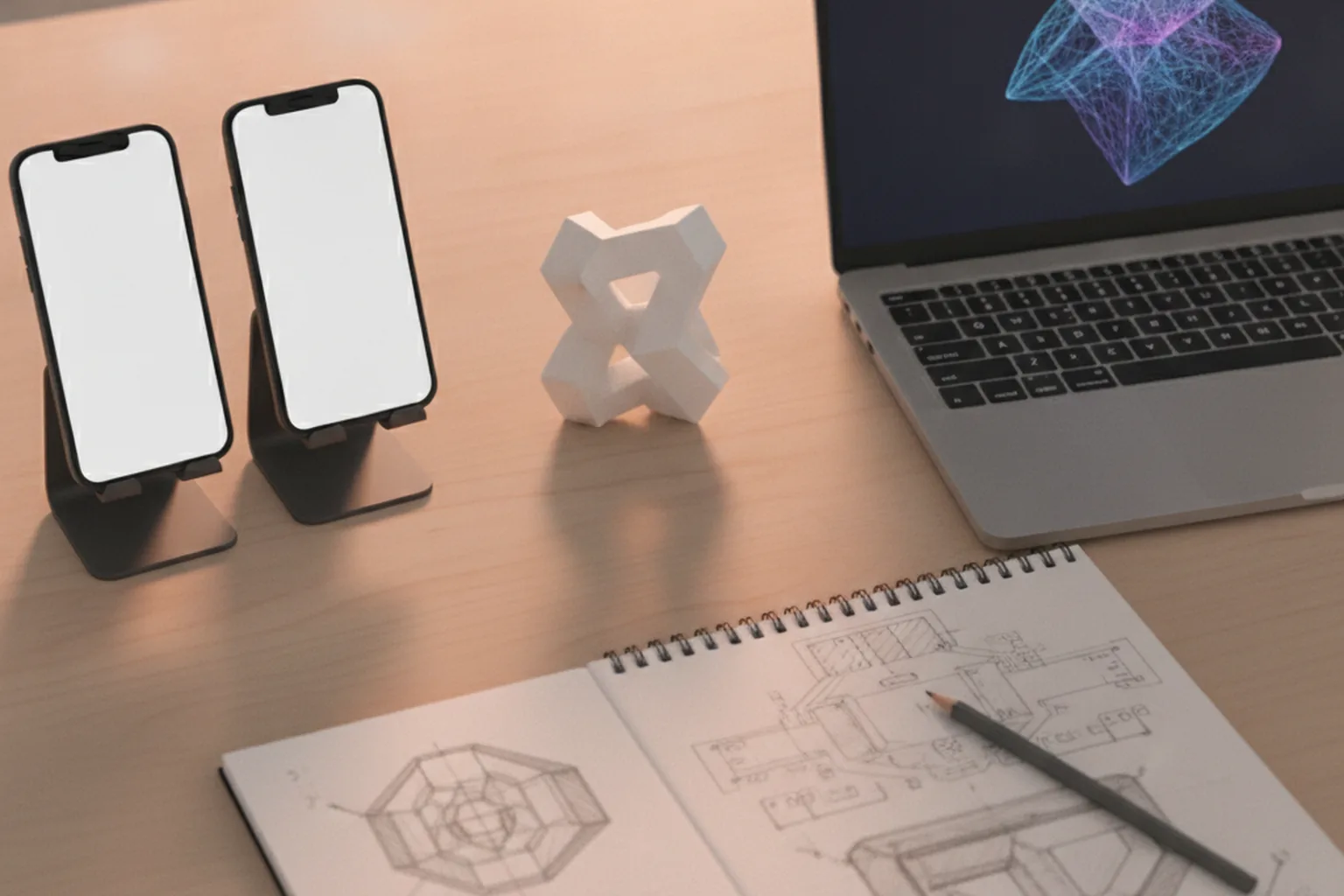
4. 3D content production
3D content production creates or converts models, textures and animations to an agreed performance budget. Existing CAD files are rarely usable as they are; they need retopology, texture baking and compression. For large catalogs, an automated pipeline that converts product data into USDZ and GLB files is usually cheaper than modeling each item by hand.
5. App development and backend
App development builds the AR experience together with everything around it: authentication, catalogs, content management, payments, push notifications and analytics. Work is delivered in two-week sprints with a fresh build installed on test devices at the end of each one, so stakeholders see the AR scene in their own rooms and offices rather than in screen recordings.
6. Testing on real devices
AR testing covers tracking stability, placement accuracy, frame rate, heat and battery drain across a matrix of devices, lighting conditions and surfaces. Testers try dark rooms, reflective floors, patterned carpets and outdoor sunlight, and measure how long it takes to place the first object. Automated tests cover business logic, but the camera experience is checked by people on hardware.
7. Store release and launch
Launch prepares store listings, privacy disclosures for camera use, and review notes that explain AR features to Apple and Google reviewers. Many teams release AR to a percentage of users first and compare conversion or task metrics with a control group before rolling it out widely.
8. Support, updates and content growth
After launch, AR apps need regular updates because iOS, Android, ARKit and ARCore change every year and new devices behave differently. Budget for OS and SDK updates, a growing 3D content library and improvements driven by analytics. Our overview of how long it takes to build a mobile app shows how these phases fit into an overall mobile roadmap.
How long does AR app development take?
AR app development takes about 4–8 weeks for a proof of concept, 2–4 months for a focused AR feature inside an existing app, and 4–9 months for a full AR product with a backend and content pipeline. The volume of 3D content and the number of target devices move the timeline more than the number of screens.
| Project type | Typical scope | Typical timeline |
|---|---|---|
| Proof of concept | One AR interaction, a few models, test build on target devices | 4–8 weeks |
| AR feature in an existing app | Product viewer or placement, catalog integration, analytics | 2–4 months |
| Standalone AR app | Several AR scenarios, accounts, CMS, backend, iOS and Android | 4–6 months |
| Enterprise or multi-user AR platform | Object recognition, shared anchors, integrations, device management | 6–9+ months |
How much does AR app development cost?
AR app development cost in 2026 depends mostly on the type of AR, the volume and quality of 3D content, the number of platforms and the backend around the AR scene. Pricing published by AR development firms this year typically places a simple AR MVP at roughly $20,000–$45,000, a business AR app at $45,000–$120,000 and enterprise AR platforms at $120,000 and more. Treat these as market orientation, not quotes.
At YuSMP Group, mobile app builds start from $3,500 for an MVP with one core flow on iOS and Android (4–8 weeks), from $5,800 for a production app, from $9,200 for a full product with roles, integrations and CI/CD, and from $11,500 for a complex app with native modules, offline sync and in-app payments. A simple AR product viewer added to an app can fit the lower tiers; custom AR scenes with object recognition, large 3D catalogs or multi-user features usually land at the upper tiers and above, depending on what discovery and the technical spike reveal.
What drives AR app development cost?
Seven factors move an AR app development estimate more than anything else:
- Type of AR. Plane-based placement is the cheapest; object recognition, location-based and multi-user AR cost more.
- 3D content volume and quality. Ten hand-made photorealistic models cost more than an automated pipeline for thousands of simple ones.
- Platforms. iOS only, iOS and Android, WebAR or headsets each add build and test effort.
- Custom computer vision. Training models to recognize your products or parts is a project of its own.
- Backend and integrations. Catalogs, PIM, ecommerce, ERP or maintenance systems connected to the AR view.
- Device coverage. Supporting older and budget Android devices increases optimization and QA time.
- Post-launch support. Annual OS and SDK updates and new content keep the app working.
For a broader view of how mobile budgets are built, see our mobile app development cost guide.
What are the common challenges in AR app development?
The most common AR challenges are unstable tracking, heavy 3D assets, device fragmentation and users who do not understand how to start the experience. All of them are predictable and can be addressed early. The table pairs each challenge with a proven mitigation.
| Challenge | Why it happens | How to address it |
|---|---|---|
| Objects drift or jump | Poor lighting, reflective or featureless surfaces | Clear coaching UI, depth APIs where available, test in real environments |
| Slow loading and overheating | Unoptimized models and textures | Polygon and texture budgets, compression, streaming assets on demand |
| Inconsistent quality across phones | Android hardware fragmentation | Defined device matrix, graceful fallback to a 3D viewer |
| Users abandon the camera view | Unclear onboarding, AR used where it adds no value | Short guided start, AR only where context matters, measure drop-off |
| Wrong scale or color | Inaccurate source models or materials | Validate models against physical products, true-to-scale mode |
| Expensive content updates | Models bundled in the app binary | Remote asset delivery and a content management system |
Privacy, safety and accessibility in AR apps
AR apps process camera images and sometimes face, body or location data, so privacy must be designed in from the first sprint. In the EU, facial geometry used to identify a person is biometric data under GDPR Article 9, and in the US, laws such as Illinois BIPA regulate biometric identifiers; apps aimed at children under 13 must also follow COPPA.
- Process on device wherever possible and avoid uploading raw camera frames.
- Ask for camera and location permission in context, with a plain explanation of why the app needs it.
- Complete store privacy disclosures, including Apple’s privacy manifest and Google Play’s data safety section.
- Design for physical safety: warn users to watch their surroundings and avoid AR flows while walking near traffic.
- Offer accessible alternatives such as a non-AR 3D viewer, captions and large touch targets.
In-house team, freelancer or AR app development company?
An AR app development company is usually the fastest route for a first AR product, while an in-house team makes sense once AR becomes a permanent part of your roadmap. The choice depends on how often you will build AR, how much 3D content you need and whether you already have mobile engineers.
| Model | Best for | Strengths | Risks |
|---|---|---|---|
| In-house team | Companies with AR at the core of the product | Deep product knowledge, full control | Slow to hire AR, 3D and Unity skills; high fixed cost |
| Freelancers | Small prototypes, single 3D assets | Flexible and affordable for narrow tasks | Rarely cover backend, QA and store release; single point of failure |
| AR app development company | First AR products, AR inside larger mobile apps, enterprise rollouts | Complete team, device lab, proven process, accountability | Higher upfront rate; quality varies, so selection matters |
A hybrid model works well for many companies: an external partner runs discovery, the technical spike and the first release, while internal developers join the team and gradually take over maintenance and new content.
How to choose an augmented reality app development company
Choose an augmented reality app development company by evidence of shipped AR apps and the ability to build the full product around them, not by demo reels alone. A short list of AR app development companies is easier to compare when every vendor answers the same questions:
- Shipped AR apps you can install. Ask for store links or test builds, not only videos.
- Native and cross-platform skills. The team should explain when it uses ARKit, ARCore, Unity or WebAR, and why.
- 3D content pipeline. In-house or partner 3D artists, optimization budgets and experience converting CAD or product data.
- Technical spike before a fixed price. A serious partner proves the riskiest interaction first.
- Full-product capability. Backend, CMS, analytics, payments and store release in the same team.
- Device testing practice. A real device lab and a written device matrix.
- Privacy and security approach. On-device processing, GDPR and store compliance.
- Ownership and support. Code, 3D source files and store accounts belong to you, with a clear update plan.
Red flags when comparing AR app development companies
Five warning signs suggest an AR proposal will cost more or deliver less than it promises:
- A fixed price with no discovery, spike or listed assumptions.
- 3D content described in one line or excluded entirely.
- Only showreels, no apps you can install and test.
- No answer to how the app behaves on mid-range Android phones.
- Vague terms on who owns the source code and 3D assets.
If you want to validate demand before a full build, an AR-focused MVP development engagement limits the first release to one high-value scenario and real usage data.
What AR app development trends matter in 2026?
The most important AR trends in 2026 are AI-assisted 3D content creation, better on-device scene understanding, lightweight smart glasses and photorealistic capture techniques. Together they lower the cost of content and widen the range of devices AR runs on.
- AI-generated and AI-assisted 3D assets shorten the path from product photos to usable models, though results still need artist review.
- Gaussian splatting and photogrammetry capture real objects and spaces with photorealistic quality for product views and real estate.
- On-device scene understanding lets apps recognize rooms, furniture and objects without sending images to the cloud.
- Smart glasses and spatial headsets, including Apple Vision Pro, Android XR devices and display glasses, push AR toward hands-free use in enterprise settings.
- WebAR for discovery remains the easiest first touch, with users moving into native apps for deeper experiences.
Wearables are part of the same shift; our guide to wearable app development covers watches and other body-worn devices that increasingly work alongside phone-based AR.
Frequently asked questions
What is augmented reality app development?
Augmented reality app development is the process of designing, building and maintaining apps that overlay interactive digital content onto a live camera view of the real world. It combines device tracking, scene understanding and real-time 3D rendering, and is usually built with ARKit for iOS, ARCore for Android, Unity AR Foundation for cross-platform apps or WebXR for browser-based AR.
How much does AR app development cost in 2026?
AR development firms published 2026 ranges of roughly $20,000–$45,000 for a simple AR MVP, $45,000–$120,000 for a business AR app and $120,000 or more for enterprise AR platforms. At YuSMP Group, mobile app builds start from $3,500 for an MVP and from $9,200–$11,500 for full and complex apps; the AR type and the volume of 3D content decide the final figure.
What is the AR app development process?
The AR app development process usually has eight steps: discovery and use-case definition, a technical spike on real devices, spatial UX and UI design, 3D content production, app and backend development, testing on a device matrix, store release and launch, and ongoing support with OS, SDK and content updates. The technical spike is the step that most reduces risk.
How long does it take to build an AR app?
A proof of concept takes about 4–8 weeks, an AR feature inside an existing app takes 2–4 months, a standalone AR app for iOS and Android takes 4–6 months, and an enterprise or multi-user AR platform takes 6–9 months or more. The volume of 3D content and the number of supported devices affect the timeline most.
Which is better for AR apps: ARKit, ARCore or Unity?
ARKit is best for high-quality AR on iPhone and iPad, especially on LiDAR devices, while ARCore is the native choice for Android and offers the Geospatial API for location-based AR. Unity with AR Foundation is better when you need one codebase for both platforms and a complex, interactive 3D scene. Many teams combine a native app with Unity or WebAR for specific features.
Can AR work without an app?
Yes. WebAR runs in the mobile browser using the WebXR Device API on Android and AR Quick Look on iPhone, so users can launch an AR view from a link or QR code without installing anything. WebAR suits marketing and product previews, while native apps offer more stable tracking, object recognition and richer features for repeated use.
How do I choose an augmented reality app development company?
Choose an augmented reality app development company by checking shipped AR apps you can install, skills in ARKit, ARCore, Unity and WebAR, a clear 3D content pipeline, a technical spike before a fixed price, the ability to build the backend and full app, a real device testing lab, privacy compliance, and full client ownership of code and 3D assets.
Published 7 November 2026. Market cost ranges summarize pricing published by AR app development firms in 2026 and are indicative only. YuSMP Group prices are starting prices for mobile app builds published on our service pages; final quotes depend on AR type, 3D content, platforms, integrations and compliance requirements. Product names such as ARKit, ARCore, Unity and Vuforia belong to their respective owners.