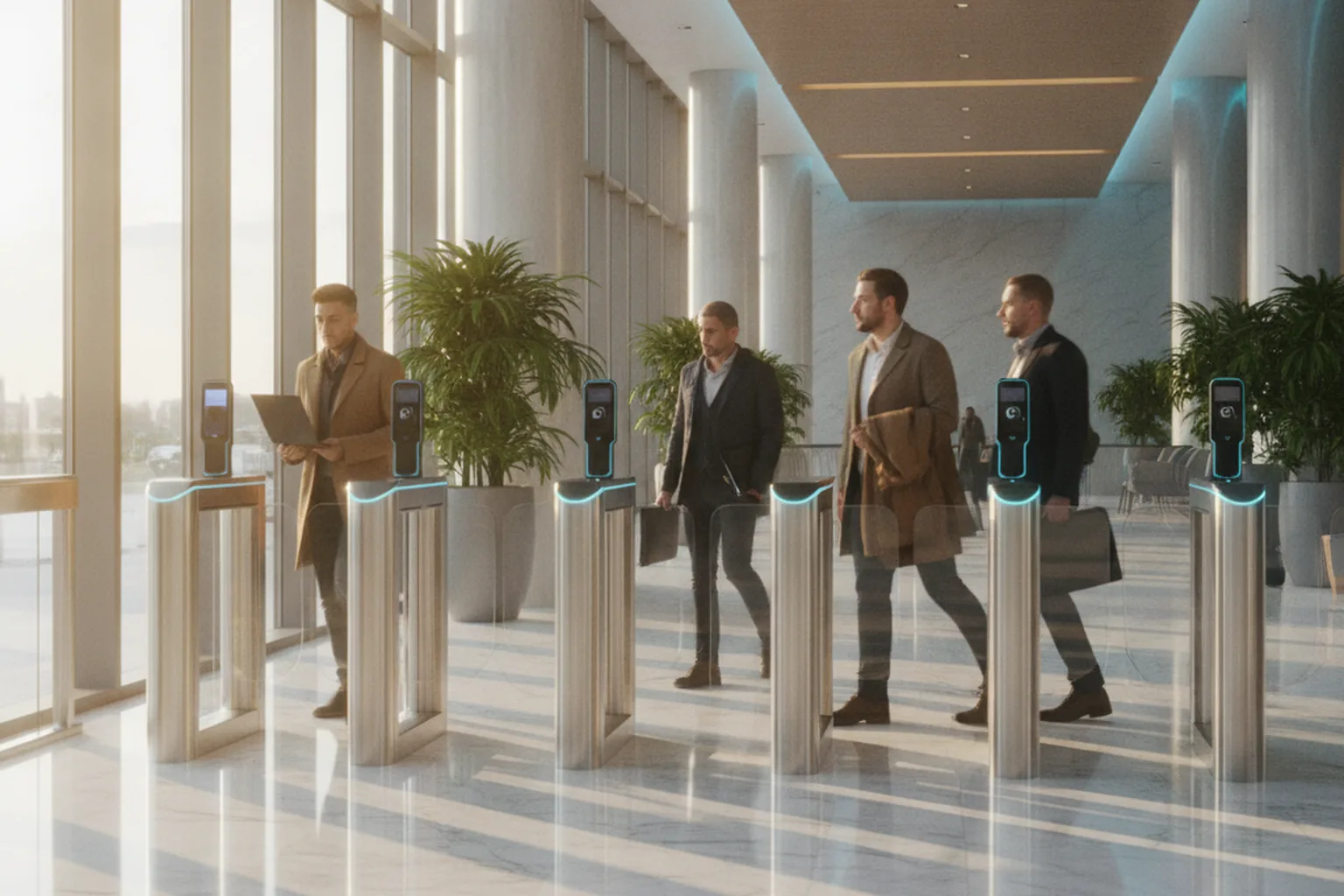

Facial recognition software development has moved from research labs into everyday products: banks verify new customers with a selfie, offices replace badges with face access, airlines board passengers at the gate and phones unlock in under a second. The core models are now good enough that accuracy is rarely the hardest problem. The hard parts are spoofing and deepfakes, demographic fairness, consent, data retention and fitting a probabilistic model into a business process where a wrong match has real consequences.
On client projects we treat a face feature as an identity system first and a machine learning model second, which is why our AI and facial recognition integration services always start with the decision the match will drive and the cost of each error type. If you already have cameras or a mobile app and need the vision pipeline itself, our computer vision development team builds and deploys the models on cloud or edge hardware.
This guide covers the full picture: how facial recognition works step by step, the difference between detection, verification and identification, use cases by industry, the API vs SDK vs custom decision, must-have features, accuracy and liveness targets, the 2026 tech stack, an eight-step development process, US and EU compliance, cost, timeline, common mistakes and how to choose a development partner.
What is facial recognition software development?
Facial recognition software development is the engineering work of building software that identifies or verifies a person from an image or video of their face and passes the result to a business system, such as a login flow, a door controller or a KYC case. It combines computer vision models, a biometric template store, liveness detection, user experience, security controls and legal compliance into one product.
Facial recognition is one modality of biometric identification. If you are still deciding between face, fingerprint, voice or passkeys, our broader guide to biometric software development compares the modalities. This article focuses only on faces, where the technology, the attack surface and the regulation differ enough to deserve their own playbook.
Market research firms put the global facial recognition market at roughly $10 billion in 2026, with forecasts of $20–30 billion by the early 2030s (MarketsandMarkets, Mordor Intelligence and others publish different ranges). Growth comes mostly from identity verification in finance, access control and travel, not from public surveillance, which is increasingly restricted by law.
How does facial recognition work, step by step?
Facial recognition works as a pipeline of seven steps: capture, detection, alignment and quality checks, liveness detection, template extraction, matching and decision. Each step can fail independently, so production systems log and monitor every stage rather than only the final match score.
- Capture. A phone camera, webcam, kiosk or CCTV camera provides an image or video frame. Resolution, lighting, angle and motion blur set the ceiling for everything that follows.
- Face detection. A detector such as RetinaFace, SCRFD or YuNet finds every face in the frame and returns a bounding box and facial landmarks (eyes, nose, mouth corners).
- Alignment and quality assessment. The face is rotated and cropped to a standard pose, then scored for sharpness, illumination, occlusion and pose. Low-quality captures are rejected with a prompt to the user instead of being matched badly.
- Liveness detection. A presentation attack detection (PAD) model checks that a real, present person is in front of the camera and not a printed photo, screen replay, mask or injected deepfake stream.
- Template extraction. A deep neural network trained with a margin-based loss such as ArcFace converts the aligned face into an embedding, typically a vector of 128 to 512 numbers. This template, not the photo, is what the system stores and compares.
- Matching. The new template is compared with one enrolled template (verification) or searched against a gallery of many templates (identification) using cosine similarity or a similar distance measure.
- Decision. The similarity score is compared with a threshold that reflects your risk appetite. Results above the threshold pass, results below fail, and a band in between can be routed to a human reviewer or a fallback method.
Two design choices follow from this pipeline. First, the threshold is a business decision, not a model property: the same model can be tuned for convenience or for security. Second, templates are biometric data in almost every jurisdiction, so they need the same protection as passwords and stronger protection than ordinary personal data.
Face detection vs verification vs identification: what are you actually building?
Most facial recognition projects are one of five tasks, and choosing the right one is the most important scoping decision because it determines accuracy requirements, legal risk and cost. Verification (1:1) is far simpler and lower-risk than identification (1:N), yet many briefs ask for identification when verification would solve the problem.
| Task | Question it answers | Typical use | Risk and complexity |
|---|---|---|---|
| Face detection | Is there a face, and where? | Camera autofocus, blurring faces for privacy, counting people | Low; usually not biometric identification |
| Verification (1:1) | Is this person who they claim to be? | Face login, selfie-to-ID document match in KYC, step-up authentication | Medium; user is cooperative and consents |
| Identification (1:N) | Who is this person, among everyone enrolled? | Badge-free access control, VIP or member recognition, duplicate account detection | High; errors scale with gallery size |
| Face analysis | What attributes does this face show? | Age estimation for age-gating, image quality checks | Medium to high; emotion inference is banned in EU workplaces and schools |
| Liveness detection | Is a real person present right now? | Anti-spoofing for any of the tasks above | Required for any remote or unattended flow |
A useful rule: if the user taps a button to start the process and you already know who they claim to be, you need verification. If the system must recognise people who did not identify themselves first, you need identification, and you should expect higher legal scrutiny, larger galleries to manage and a stronger case for human review of matches.
Where is facial recognition used in 2026?
Facial recognition delivers the most value where identity checks are frequent, friction is costly and users can give informed consent. The table below lists the use cases we see most often and the design consideration that usually decides success.
| Industry | Use case | Task | Key consideration |
|---|---|---|---|
| Fintech and banking | Remote onboarding: selfie matched to an ID document photo | 1:1 + liveness | Injection-attack defence and audit trail for regulators |
| Workplaces and buildings | Badge-free entry, visitor check-in | 1:N (small gallery) | Opt-in enrolment and an alternative for employees who decline |
| Healthcare | Patient identification at check-in, telehealth identity checks | 1:1 | HIPAA safeguards and fallback for patients with facial injuries |
| Travel and hospitality | Self-boarding, hotel self check-in | 1:1 or 1:N | Throughput at peak and clear deletion after the trip |
| Education and exams | Online proctoring, exam-hall identity checks | 1:1 | FERPA, minors and bias complaints |
| Gaming, dating and social | Age assurance, profile authenticity, account recovery | 1:1 + analysis | Deepfake profile photos and age-estimation error margins |
| Retail | Loss prevention watchlists | 1:N | Highest legal risk; FTC enforcement and state laws apply |
For regulated onboarding flows, facial verification sits inside a larger identity stack with document checks, sanctions screening and case management; our guide to KYC/AML software development shows where the face match fits. Retail watchlists deserve special caution: in December 2023 the US Federal Trade Commission banned Rite Aid from using facial recognition for surveillance for five years after its system generated false matches that disproportionately affected women and people of color.
Cloud API, SDK, custom model or hybrid: which approach fits?
Most teams should not train a face recognition model from scratch: start with a managed API or a licensed SDK and invest custom engineering in liveness, integration, fairness testing and compliance. Build custom models only when you need on-premises or offline processing, unusual capture conditions, full control over data, or lower cost at very high volume.
| Approach | Examples | Best for | Trade-offs |
|---|---|---|---|
| Cloud API | Amazon Rekognition, Azure AI Face (Limited Access for identification), Google Cloud Vision (face detection only) | Fast pilots, moderate volumes, cloud-first products | Faces leave your environment; per-call pricing; vendor policy changes |
| Identity verification platform | KYC vendors offering selfie match, document checks and certified liveness as one service | Fintech onboarding and regulated identity checks | Highest per-check cost; less control over UX and data residency |
| On-premises or on-device SDK | Commercial SDKs ranked in NIST FRTE, platform tools such as Apple Vision and Google ML Kit (detection) | Access control, kiosks, offline mobile, data residency | Licence fees per device or per user; integration work |
| Custom or fine-tuned model | Open architectures such as ArcFace or AdaFace trained on licensed data | Special conditions (masks, infrared, extreme angles), very high volume, full control | Needs large, lawfully sourced training data and a serious evaluation program |
Two practical warnings. Azure AI Face has restricted identification and verification features to approved customers since June 2022, and Google Cloud Vision detects faces but does not identify people, so check eligibility before you design around a provider. And many popular open-source pretrained face models, including the InsightFace model zoo, are licensed for non-commercial research only; using them in a commercial product without a licence is a legal risk that due diligence will find.
A hybrid design is common in production: a licensed SDK or API does the matching, while your own code handles capture guidance, quality scoring, consent, template encryption, thresholds, human review and audit logging. The same build-vs-buy logic applies to other vision features, as we explain in our guide to image recognition software development.
What features does facial recognition software need?
A production facial recognition system needs more than a match function: enrolment, liveness, consent, template security, thresholds, fallbacks, auditability and administration are what make it safe to deploy. The table lists the features we treat as must-haves in any 2026 build.
| Feature | What it does | Why it matters |
|---|---|---|
| Guided enrolment | Real-time prompts for distance, lighting, glasses and pose | Enrolment quality drives lifetime match accuracy |
| Image quality scoring | Rejects blurred, dark or occluded captures before matching | Cuts false rejections and support tickets |
| Liveness detection | Passive or active checks against photos, replays, masks and injection | Without it, a printed photo can unlock an account |
| Consent and notice flow | Written, purpose-specific consent with a link to the retention policy | Required by BIPA and GDPR Article 9 |
| Encrypted template store | Encryption at rest, key separation, no raw images by default | Limits the damage of a breach |
| Configurable thresholds | Per-flow thresholds and a review band | Lets you tune security vs convenience without retraining |
| Fallback path | PIN, document check or human review when face fails | Accessibility and fairness; required by many policies |
| Audit log | Who was matched, when, at what score and threshold | Regulator, dispute and incident evidence |
| Deletion and retention jobs | Automatic destruction when the purpose ends or on request | BIPA, GDPR and CCPA compliance |
| Admin and monitoring dashboard | Match rates, liveness rejects and drift by device and segment | Catches silent accuracy decay after launch |
How accurate is facial recognition in 2026?
The best facial recognition algorithms are extremely accurate on good-quality images: in NIST testing, leading algorithms achieve false non-match rates well below 1% at a false match rate of 1 in 100,000 or lower for frontal photos. Accuracy in your product, however, is decided by your cameras, lighting, users and threshold, so it must be measured on your own data.
The metrics to put in your specification
- False match rate (FMR) or false acceptance rate (FAR): how often the system wrongly accepts a different person. This is the security metric.
- False non-match rate (FNMR) or false rejection rate (FRR): how often a genuine user is rejected. This is the convenience metric.
- Failure-to-enrol and failure-to-acquire rates: how often the system cannot capture a usable face at all.
- False positive identification rate (FPIR): for 1:N search, how often a person who is not in the gallery is matched to someone who is. It grows with gallery size.
- Attack presentation classification error rates (APCER and BPCER): how often liveness accepts an attack, and how often it rejects a real person.
As a reference point, Apple states that the chance a random person could unlock an iPhone with Face ID is less than 1 in 1,000,000 with a single enrolled appearance. A bank onboarding flow might target FMR at 1 in 100,000 and accept a few percent FNMR with a retry and fallback, while a building turnstile might trade a slightly higher FMR for faster throughput behind a second factor.
Demographic differentials and bias
Accuracy differences across age, sex and skin tone are the most scrutinised property of facial recognition. NIST’s 2019 demographic study (NISTIR 8280) found that many algorithms produced false positives 10 to 100 times more often for some demographic groups, while the most accurate algorithms showed far smaller differences. Measure FMR and FNMR per demographic segment on a test set that reflects your real users, set thresholds so the worst segment still meets your target, and document the results; regulators and enterprise buyers increasingly ask for exactly this evidence.

Use NIST FRTE results, but test locally
NIST’s Face Recognition Technology Evaluation (FRTE, formerly FRVT) is the standard independent benchmark; vendors submit algorithms and NIST publishes 1:1 and 1:N results, including demographic analyses. Use it to shortlist vendors and to ask precise questions, then run your own evaluation on a few thousand consented images from your actual capture devices before committing.
How do you protect facial recognition from spoofing and deepfakes?
You protect facial recognition with presentation attack detection tested to ISO/IEC 30107-3, injection attack detection for remote flows, device and session signals, and a monitoring loop that learns from new attacks. In 2026, deepfake injection, where a synthetic video stream is fed directly into the app instead of the camera, is the fastest-growing attack on selfie verification.

- Presentation attacks: printed photos, screen replays, paper cut-outs and 3D masks shown to the camera. Defence: passive liveness models that analyse texture, depth cues and reflections, optionally combined with active challenges such as head turns.
- Injection attacks: virtual cameras, emulators and hooked apps that inject pre-recorded or deepfake video. Defence: camera and device integrity checks, app attestation, randomised challenges and injection attack detection aligned with CEN/TS 18099.
- Template and replay attacks: stolen templates or captured API payloads reused later. Defence: encrypted, signed payloads, nonces and server-side session binding.
Ask vendors for independent PAD test reports (for example iBeta Level 1 and Level 2 against ISO/IEC 30107-3) and for injection-attack test results, which a PAD report alone does not cover. Passive liveness usually wins on conversion because the user only takes a selfie, while active challenges add security at the cost of drop-off; many fintech flows use passive liveness by default and step up to active checks when risk signals appear.
Facial recognition tech stack in 2026
A typical 2026 facial recognition stack combines a detector, a recognition model, a liveness model, an inference runtime, a vector index for templates and standard application infrastructure. The table shows common choices per layer; the right mix depends on whether you buy the core matching or build it.
| Layer | Common choices | Notes |
|---|---|---|
| Face detection | RetinaFace, SCRFD, OpenCV YuNet, MediaPipe Face Detector | Pick for speed on your target hardware |
| Recognition model | ArcFace, AdaFace or a licensed commercial SDK; OpenCV SFace for light use | Check licences of pretrained weights |
| Liveness | Certified commercial PAD SDK or custom passive model | Independent ISO/IEC 30107-3 testing is expected |
| Training and evaluation | PyTorch, OpenCV, NumPy, custom fairness evaluation scripts | Evaluation tooling matters more than training code |
| Inference runtime | ONNX Runtime, NVIDIA TensorRT, Core ML, LiteRT (TensorFlow Lite), OpenVINO | Quantise for edge and mobile targets |
| Template search | FAISS, Milvus, pgvector, or the SDK’s own index | Encrypt at rest; partition by tenant and site |
| Backend and APIs | Python (FastAPI), Go or Node.js; gRPC or REST | Keep the matching service isolated from the main app |
| Infrastructure | AWS, Azure or GCP regions matching data residency; NVIDIA Jetson or x86 edge boxes | Key management via cloud KMS or HSM |
Python dominates the model and evaluation layers; our Python development engineers usually own that part, while the mobile and web clients follow the product’s existing stack.
Facial recognition on mobile, web and edge devices
Where the model runs decides latency, cost per check, privacy and what attacks you face. Mobile and edge processing keeps faces on the device, while web flows need the strongest injection defences because the browser camera pipeline is easiest to tamper with.
- iOS: Face ID is available to apps only as a yes/no device unlock through LocalAuthentication; apps never receive Face ID templates. For your own verification flow, use Apple Vision for detection and landmarks plus your SDK or model through Core ML, with App Attest to detect tampered clients.
- Android: BiometricPrompt gives device-level authentication; custom flows use CameraX, ML Kit face detection and a LiteRT or ONNX model, with the Play Integrity API for device attestation.
- Web: getUserMedia captures video in the browser, but virtual cameras are trivial to install, so pair a lightweight on-page quality check with server-side liveness and injection detection.
- Edge and kiosks: NVIDIA Jetson, Intel-based edge PCs or smart cameras run detection and matching locally for doors and turnstiles, sync encrypted templates from a central service and keep working when the network drops.
The broader trade-offs of running models on phones are covered in our guide to on-device AI in mobile apps.
How to develop facial recognition software in 8 steps
A facial recognition project succeeds when legal design, data and evaluation come before model work. The eight steps below are the sequence we use; steps 1–3 typically take two to four weeks and prevent most expensive rework later.
- Define the decision and the risk level. Write down which action the match triggers (login, payment, door opening, account review), whether the task is 1:1 or 1:N, and the cost of a false match vs a false rejection.
- Map the legal requirements. Identify every jurisdiction where users or cameras are located, then define consent, notice, retention, deletion and data residency rules before any data is collected. Run a data protection impact assessment for EU users.
- Choose the build approach. Shortlist APIs, SDKs or a custom model based on deployment target, volume, data residency and licensing; check NIST FRTE results and liveness certifications.
- Design a consent-first, accessible experience. Prototype capture guidance, consent screens, error messages and the fallback path; test with users who wear glasses, head coverings or have low vision.
- Build the pipeline. Implement capture, quality scoring, liveness, template extraction, encrypted storage, matching, thresholds and audit logging as separate, testable services.
- Test accuracy, fairness and attacks. Measure FMR, FNMR and failure-to-acquire per demographic segment on consented local data, then run presentation and injection attack tests, ideally with an independent lab.
- Pilot with human review. Launch to a limited group or site, route uncertain matches to trained reviewers, and tune thresholds on real traffic.
- Monitor, retrain and audit. Track match rates, liveness rejects and complaints by device and segment, review new attack patterns, re-validate after any model or camera change and run periodic compliance audits.
Facial recognition laws: BIPA, GDPR and the EU AI Act
Facial recognition is legal in most commercial settings in the US and EU, but face templates are treated as biometric data with strict consent, retention and security duties, and some uses are banned outright. Legal design must happen before data collection, because consent cannot be added retroactively to templates you already hold. This section is a summary, not legal advice.
United States: BIPA, CUBI and state privacy laws
The Illinois Biometric Information Privacy Act requires informed written consent before collecting face geometry, a public retention and destruction schedule and a ban on selling biometric data, and it lets individuals sue: $1,000 per negligent and $5,000 per intentional or reckless violation, limited since an August 2024 amendment to one recovery per person per collection method. Texas’ Capture or Use of Biometric Identifier Act is enforced by the state attorney general with penalties up to $25,000 per violation, and Meta agreed to a $1.4 billion settlement with Texas in 2024 over facial recognition. Washington, Colorado (whose biometric amendment took effect on 1 July 2025) and comprehensive state privacy laws such as California’s CCPA add notice, purpose and deletion requirements, and several cities restrict facial recognition in public places.
Federal enforcement
There is no general federal biometric law, but the FTC treats unfair or deceptive use of facial recognition as a violation of the FTC Act, as the Rite Aid order showed. Accurate marketing claims about accuracy and bias, risk assessments and vendor oversight are now expected practice.
European Union: GDPR and the AI Act
Under GDPR, facial templates used to uniquely identify a person are special-category biometric data under Article 9, which is prohibited unless an exception applies, usually explicit consent, and requires a data protection impact assessment. The EU AI Act has, since 2 February 2025, banned building facial recognition databases by untargeted scraping of images from the internet or CCTV, emotion recognition in workplaces and schools, and biometric categorisation that infers sensitive traits; real-time remote biometric identification in public spaces by law enforcement is allowed only in narrow cases. Remote biometric identification systems are high-risk under Annex III, and those obligations now apply from 2 December 2027 after the Digital Omnibus amendments that entered into force on 27 July 2026. Biometric verification whose sole purpose is confirming that a person is who they claim to be is excluded from that high-risk category. Our EU AI Act compliance checklist and our guide to GDPR for US founders selling to the EU list what to prepare.
A responsible facial recognition checklist
- Collect explicit, purpose-specific consent and offer a non-biometric alternative.
- Store templates, not photos, unless images are strictly needed; encrypt both with separate keys.
- Publish a retention schedule and delete templates automatically when the purpose ends.
- Measure and document accuracy per demographic segment before launch and after every change.
- Keep a human in the loop for any decision with legal or significant effects on a person.
- Log every match decision with score, threshold and model version for audits and disputes.
- Review vendor contracts for data use, training rights, residency and breach notification.
How much does facial recognition software development cost in 2026?
Facial recognition software development typically costs $25,000–$60,000 for a feature built on an existing API or SDK, $60,000–$150,000 for a custom app with certified liveness and integrations, and $150,000–$400,000 or more for an enterprise system with multi-site edge deployment and custom models, according to ranges published by US development firms in 2026. Running costs add roughly 12–25% of the build cost per year.
| Scope | What is included | Typical budget | Typical timeline |
|---|---|---|---|
| API or SDK feature | Face login or selfie match in one app, vendor liveness, consent flow, basic admin | $25K–$60K | 6–12 weeks |
| Custom application | Own matching service, certified liveness, fairness testing, integrations with IAM or KYC | $60K–$150K | 4–6 months |
| Enterprise or multi-site system | 1:N identification, edge devices across sites, custom or fine-tuned models, audit and compliance tooling | $150K–$400K+ | 6–12 months |
At YuSMP Group, computer vision engagements start from $2,900 for a proof of concept on your real frames (4–6 weeks, with a written go/no-go and cost projection), from $8,100 for one trained detection or recognition model, from $10,400 for an end-to-end vision pipeline deployed to one target and from $13,800 for a production system with MLOps, bias monitoring and GDPR Article 9 and BIPA safeguards. Final budgets depend on the factors below.
What drives the cost
- Task: 1:N identification costs more than 1:1 verification because of gallery management, review workflows and legal work.
- Liveness level: certified PAD plus injection detection adds licence fees or significant engineering.
- Deployment target: edge devices and offline kiosks add hardware, model optimisation and fleet management.
- Data and evaluation: collecting consented, demographically balanced test data is often 15–25% of the budget.
- Integrations: IAM, door controllers, KYC case management, HR or CRM systems.
- Compliance scope: number of jurisdictions, DPIAs, audits and documentation.
Running costs after launch
Plan for API or SDK fees, cloud inference and storage, liveness vendor charges, monitoring, periodic re-evaluation and model updates. Amazon Rekognition, for example, charges about $0.001 per image in its first pricing tier for face operations, so a million checks a month costs around $1,000 in API fees before liveness, storage and engineering; dedicated KYC verification platforms usually charge more per check because they bundle document checks and certified liveness.
How long does it take to build facial recognition software?
A focused pilot takes 6–10 weeks, an API-based production feature 2–3 months, a custom application 4–6 months and a multi-site enterprise deployment 6–12 months. The schedule is usually driven by legal review, data collection and hardware procurement rather than by coding.
- Discovery and legal design: 2–4 weeks.
- Proof of concept on local data: 4–6 weeks.
- Production build and integrations: 2–5 months, depending on scope.
- Independent attack testing and pilot: 3–8 weeks, overlapping with the build.
Common challenges and mistakes in facial recognition projects
Most failed facial recognition projects fail on scope, data or process, not on model quality. These are the mistakes we see most often and how to avoid them.
- Choosing 1:N when 1:1 would do. Identification multiplies legal risk and error rates; ask whether the user can claim an identity first.
- Testing on the wrong data. Benchmarks on celebrity datasets say little about your kiosk at dusk; evaluate on consented images from your devices and users.
- Skipping liveness or injection defence. A face match without liveness is a vulnerability, and PAD alone does not stop virtual camera attacks.
- No fallback path. Some users cannot or will not use face recognition; without a fallback you create accessibility and discrimination risk.
- Collecting first, asking later. Templates gathered without valid consent may have to be deleted, and BIPA claims can follow.
- One global threshold. Different flows carry different risks; tune thresholds per flow and check the worst demographic segment.
- No monitoring after launch. New phones, camera firmware and attack tools change performance silently.
How to choose a facial recognition development company
Choose a facial recognition development partner by evidence: shipped biometric systems, a documented evaluation and fairness method, liveness and injection testing experience, and a compliance process that starts before data collection. A strong vendor will challenge your scope and may recommend verification instead of identification.
- Ask for case studies with measured FMR, FNMR and liveness results, not only demos.
- Ask how they test accuracy per demographic segment and what they do when one segment underperforms.
- Ask which liveness certifications and injection-attack tests their proposed stack has passed.
- Check how they handle consent, retention, deletion and data residency in the architecture.
- Confirm licensing of every pretrained model and dataset in the proposal.
- Make sure they will hand over evaluation scripts, thresholds, model cards and runbooks.
Facial recognition is one application of a broader vision capability; our guides to computer vision software development and AI video analytics software development cover adjacent projects that often share the same infrastructure.
Facial recognition trends for 2026
The main 2026 trends are a shift from accuracy to trust: deepfake defence, privacy-preserving templates, on-device processing and regulation-driven design now shape products more than raw model improvements.
- Deepfake and injection defence as a product requirement, with procurement teams asking for CEN/TS 18099-aligned testing alongside ISO/IEC 30107-3 PAD reports.
- Privacy-preserving biometrics, such as cancellable templates, homomorphic matching and keeping templates on the user’s device.
- Edge-first access control, with matching on cameras and kiosks and only encrypted templates synced centrally.
- Age assurance driven by online safety laws, using face-based age estimation with documented error margins.
- Compliance by design, as EU AI Act deadlines, state biometric laws and enterprise questionnaires push teams to document data, testing and human oversight from day one.
Frequently asked questions
What is facial recognition software development?
Facial recognition software development is the process of building software that verifies or identifies people from images or video of their faces and connects the result to a business workflow such as login, onboarding or access control. It covers face detection, liveness detection, template extraction, matching, thresholds, secure template storage, consent and retention flows, integrations, testing for accuracy and bias, and ongoing monitoring after launch.
How much does custom facial recognition software development cost?
In 2026, published market ranges are about $25,000 to $60,000 for a feature built on an existing API or SDK, $60,000 to $150,000 for a custom application with certified liveness and integrations, and $150,000 to $400,000 or more for an enterprise multi-site system. YuSMP Group computer vision engagements start from $2,900 for a proof of concept. Running costs usually add 12 to 25 percent of the build cost per year.
What is the difference between face verification and face identification?
Face verification is a one-to-one comparison that checks whether a person is who they claim to be, for example matching a selfie to the photo on an ID document. Face identification is a one-to-many search that finds who a person is among everyone enrolled in a gallery. Identification is harder, because errors grow with gallery size, and it carries higher legal and ethical risk than verification.
How accurate is facial recognition software in 2026?
Leading algorithms tested by NIST achieve false non-match rates well below one percent at very low false match rates on good frontal images. Real-world accuracy depends on cameras, lighting, pose, user demographics and the chosen threshold, so it must be measured on your own consented data. Always report false match and false non-match rates per demographic segment, not only one overall accuracy number.
Can facial recognition be fooled by a photo or a deepfake?
A face match without liveness detection can be fooled by a printed photo or a screen replay. Production systems add presentation attack detection tested to ISO/IEC 30107-3 to block photos, videos and masks, and injection attack detection to block deepfake streams fed through virtual cameras or emulators. Device attestation, randomised challenges and monitoring of new attack patterns further reduce the risk.
Is facial recognition legal for businesses in the US and the EU?
Facial recognition is legal in most commercial settings but heavily regulated. In the US, Illinois BIPA requires written consent and a retention policy and allows private lawsuits, while Texas, Washington, Colorado and comprehensive state privacy laws add further duties. In the EU, face templates are special-category data under GDPR Article 9, and the AI Act bans untargeted scraping of facial images and emotion recognition at work or school. Get legal review before collecting any data.
Should I use Amazon Rekognition or build a custom facial recognition model?
Use a managed API such as Amazon Rekognition for pilots and moderate volumes when faces may be processed in the cloud. Choose a licensed on-premises SDK for offline kiosks, access control or strict data residency. Build or fine-tune a custom model only for unusual capture conditions, very high volumes or full control, and only with lawfully sourced training data, because many open-source pretrained face models are licensed for non-commercial use only.
How long does it take to develop facial recognition software?
A focused pilot typically takes six to ten weeks, an API-based production feature two to three months, a custom application four to six months and a multi-site enterprise deployment six to twelve months. Legal review, collecting consented test data, independent attack testing and hardware procurement often decide the schedule more than the coding itself.
Published 4 November 2026. Sources: NIST Face Recognition Technology Evaluation (FRTE) and NISTIR 8280 on demographic effects; Illinois Biometric Information Privacy Act (740 ILCS 14); Regulation (EU) 2024/1689 (AI Act) and the Digital Omnibus on AI (July 2026); FTC order against Rite Aid (December 2023); Texas Attorney General settlement with Meta (July 2024); Amazon Rekognition pricing (checked November 2026); Apple Face ID security documentation; MarketsandMarkets and Mordor Intelligence facial recognition market reports (2026); published 2026 cost guides from US development firms. Budget ranges are market ranges; engagement prices are YuSMP Group list prices. This article is not legal advice.