

Government software development in 2026 is as much about escaping old systems as building new ones. In its 2025 review of federal IT, GAO-25-107795, the US Government Accountability Office found that about $83 billion, or 79%, of the planned fiscal 2025 IT spending of the 24 major federal agencies was earmarked for operating and maintaining existing systems, and that agencies typically spend around 80% of their IT budgets this way. Every dollar spent keeping a decades-old system alive is a dollar not spent on the services residents actually use.
Building public software is also harder than building commercial software. The same project has to pass a security authorization, meet accessibility law, survive a procurement process, keep records for years and stand up to public scrutiny when something goes wrong. That is why agencies increasingly hand delivery to specialised GovTech software development teams that engineer for authorization and accessibility from day one instead of treating them as a final checklist.
This guide covers public sector software development across three settings: US federal agencies, US state and local government, and public bodies in the European Union. It explains what government software is, which systems agencies build, the compliance rules that apply in 2026, how federal, state, local and EU projects differ, when to build or buy, the delivery process, legacy modernization, where AI fits, realistic cost and timelines, procurement and how to choose a delivery partner.
What is government software development?
Government software development is the design, build and operation of digital systems for public bodies: citizen portals, case management, tax and benefits platforms, public safety systems and the internal tools agencies run on. It follows the same engineering practices as commercial software, but it adds four constraints that commercial teams rarely face together: formal security authorization, accessibility law, public procurement rules and long-term records and transparency obligations.
Those constraints change how the work is planned. A commercial product team can launch a beta and fix accessibility later; a state agency usually cannot, because accessibility is a legal duty from the first public release. A startup can pick any cloud region; a federal program has to run on infrastructure that holds the right authorization for its data. A private company can switch vendors with a contract notice; an agency needs a documented exit plan, data portability and, in the EU, sometimes the duty to share its solution with other public bodies.
Most government systems fall into four relationship models. The model tells you who the users are, which identity and accessibility rules apply and how much public visibility the system will have.
| Model | Who uses it | Typical systems | Main design concern |
|---|---|---|---|
| G2C (government to citizen) | Residents and visitors | Service portals, benefits applications, licensing, payments, 311 requests | Plain language, accessibility, identity proofing, mobile use |
| G2B (government to business) | Companies and contractors | Permits, e-tendering, tax filing, regulatory reporting | Bulk data exchange, APIs, auditability |
| G2G (government to government) | Other agencies and jurisdictions | Data sharing, eligibility checks, interoperability platforms | Standards, data agreements, security boundaries |
| G2E (government to employee) | Civil servants | Case work tools, HR, finance, field inspection apps | Workflow efficiency, role-based access, training |
Within these models, agencies choose between off-the-shelf products, configurable platforms and custom government agency software development. Custom work is usually reserved for processes defined by a specific statute, for systems that must talk to legacy mainframes, and for services where no authorized product fits. Standard functions such as HR, payroll and email are usually better served by authorized commercial products.
Why are agencies modernizing government software in 2026?
Agencies are modernizing in 2026 because legacy systems consume most IT budgets, several legal deadlines are close, and residents now expect public services to work as smoothly as their banking app. The pressure comes from six directions at once:
- Operations and maintenance eat the budget. GAO reported in 2025 that roughly 79% of planned FY2025 IT spending at the 24 CFO Act agencies, about $83 billion, was earmarked for operations and maintenance, leaving little for new capabilities.
- Critical systems are very old. The same GAO report found that the 11 most critical federal legacy systems are between 23 and 60 years old, and 8 of them run on outdated programming languages such as COBOL.
- Modernization plans lag. As of February 2025, GAO counted 28 of 65 planned legacy modernizations as completed, or 43%, so most agencies still carry a modernization backlog into 2026.
- Digital experience is now a legal expectation. The 21st Century Integrated Digital Experience Act (21st Century IDEA) requires federal websites and digital services to be accessible, consistent, mobile-friendly and searchable, which pushes agencies to rebuild old portals.
- Accessibility deadlines are fixed. The US Department of Justice ADA Title II rule requires state and local web content and mobile apps to meet WCAG 2.1 AA, with compliance dates in April 2027 and April 2028 after the 2026 extension.
- The EU is moving to digital identity. Under eIDAS 2.0, every EU Member State must offer a European Digital Identity (EUDI) Wallet and public administrations must accept it by 24 December 2026, so public services across Europe need wallet-ready login and document flows.
Artificial intelligence adds a seventh pressure. Agencies want AI to cut backlogs in document processing and contact centers, but they need human oversight, audit logs and bias testing that commercial teams can often skip.
What types of government software do agencies build?
Agencies build nine main types of government software, from public-facing portals to internal finance systems. Each type has a different risk profile, so the type decides the authorization level, the accessibility effort and the integration work long before any code is written.
Citizen-facing portals and digital services
Citizen portals are the front door of government: one place to apply, pay, book, track a request or update personal details. A good portal hides the organizational chart and is structured around life events such as moving house, starting a business or having a child. A key capability is a single account with saved applications and status tracking, so residents do not have to re-enter the same data for every agency. Our guide to web portal development covers architecture patterns that apply to public portals too.
Case management, permitting and licensing
Case management systems run the work behind a public decision: an application comes in, staff review it, request documents, apply rules and issue a decision. Permitting and licensing systems are a common variant for building permits, business licenses and professional certifications. The capability that matters most is configurable workflow, so rule changes after a new law or ordinance can be made without a full redevelopment.
Tax, revenue and benefits platforms
Tax, revenue and benefits platforms calculate what a person or business owes or is owed and move real money, so accuracy and auditability come first. They often hold federal tax information, which brings IRS Publication 1075 controls, or health data, which brings HIPAA. A typical capability is a rules engine that encodes eligibility and calculation logic in a testable, versioned form that auditors and policy staff can review.
Procurement and e-tendering
Procurement and e-tendering systems publish opportunities, collect bids, run evaluations and manage contracts. They must be transparent and tamper-evident, because a challenged tender can halt a program for months. Core capabilities are timestamped submissions, sealed bid handling, evaluator conflict-of-interest declarations and a full audit log of every decision.
Public safety and emergency management
Public safety software includes computer-aided dispatch, records management for police and fire, emergency alerting and incident coordination. Any system that touches criminal justice information must comply with the FBI CJIS Security Policy, which sets requirements for access control, encryption and personnel screening. Availability is the dominant requirement: these systems need tested failover and offline modes for field units.
Records, document management and FOIA
Records and document management systems capture, classify, retain and dispose of public records according to retention schedules. They also support Freedom of Information Act (FOIA) and public records requests, where speed and accurate redaction matter. A valuable capability is automated classification and redaction support, with a human reviewer approving every release.
Geospatial, GIS and smart-city platforms
Geospatial platforms power zoning maps, asset management, transport planning and emergency response, and smart-city systems add sensor data from traffic signals, utilities and environmental monitors. They combine large datasets with real-time feeds, so data architecture and open standards decide whether they scale. A common capability is a public map layer that residents can query, backed by internal layers with restricted access.
Internal ERP, HR and finance for agencies
Internal ERP, HR and finance systems manage budgets, payroll, purchasing, grants and staff. These needs are usually well served by authorized commercial products, so custom work tends to focus on integrations and on agency-specific grant or fund accounting rules. The key capability is reliable integration with the systems of record that feed reports to legislators and auditors.
Open data APIs and interoperability platforms
Open data and interoperability platforms let agencies publish datasets and exchange information with each other through documented APIs. In the EU, the Interoperable Europe Act makes interoperability a legal design concern for cross-border digital public services. A core capability is a governed API catalog with versioning, authentication, usage limits and machine-readable documentation.
What features must a government platform have?
Every government platform needs secure identity, accessible forms, payments, auditable access control and an API layer, whatever service it delivers. These capabilities are expensive to retrofit, so they belong in the first architecture decisions rather than in a later release:
- Identity and authentication. Federal services often use Login.gov, which supports identity verification at NIST Identity Assurance Level 2 (IAL2); state services may use state identity providers or commercial identity proofing; EU services must prepare for the EUDI Wallet under eIDAS 2.0. Phishing-resistant multi-factor authentication is the safe default for staff.
- Digital forms and e-signature. Smart forms that pre-fill known data, validate as the user types, save progress and accept documents from a phone camera reduce abandonment and staff rework.
- Payments and disbursements. Fee collection, refunds and benefit payments need reconciliation with finance systems, clear receipts and support for the payment methods residents actually use.
- Role-based access and audit trails. Every read and change of sensitive data should be attributable to a person and a reason, with tamper-evident logs that support investigations and records requests.
- Notifications and status tracking. Email, SMS and in-app updates on application status cut call-center volume; templates must be accessible and available in the languages the agency supports.
- Plain-language search and multilingual content. Residents search for tasks, not department names. Content written in plain language, translated for local language communities and tested with real users does more for completion rates than visual polish.
- Analytics and an API layer. Dashboards on completion rates, processing times and drop-off points guide improvement, while documented APIs let other agencies and approved partners reuse data without screen scraping.
Which compliance rules apply to government software?
Government software must meet security authorization rules such as FedRAMP, GovRAMP and FISMA, data-specific rules such as CJIS, HIPAA and IRS Publication 1075, and accessibility law such as Section 508 and ADA Title II; EU projects add GDPR, NIS2, eIDAS 2.0, the Interoperable Europe Act and the EU AI Act. Which rules apply depends on who the customer is, what data the system holds and where it is hosted. The compliance map below summarizes the frameworks most projects meet in 2026.
| Framework | Applies to | What it demands from the software | 2026 status |
|---|---|---|---|
| FedRAMP (20x, Consolidated Rules 2026) | Cloud services sold to US federal agencies | Authorization against a security baseline, continuous monitoring, increasingly automated machine-readable evidence | CR26 launched 25 June 2026; impact levels relabelled as Certification Classes A–D, according to FedRAMP |
| GovRAMP (formerly StateRAMP) | Cloud services sold to state, local, tribal and education bodies | Verified security status based on NIST SP 800-53 controls, continuous monitoring | Rebranded from StateRAMP in February 2025 |
| FISMA + NIST SP 800-53 Rev. 5 | Federal information systems and their contractors | Security categorization, selected control baseline, system security plan, authority to operate (ATO) | Rev. 5 is the current control catalog |
| NIST SP 800-171 | Non-federal systems that handle controlled unclassified information (CUI) | Protection of CUI with defined security requirements | Common in contractor and grant-funded systems |
| CJIS Security Policy | Systems that access criminal justice information | Advanced authentication, encryption, audit, personnel screening | Required for police, courts and corrections data |
| HIPAA / IRS Publication 1075 | Health agencies; systems holding federal tax information | Safeguards for protected health information or federal tax information, logging and access limits | Apply on top of the security baseline |
| Section 508 | Information and communication technology of US federal agencies | Conformance with WCAG 2.0 Level AA under the Revised 508 Standards | No update to the 508 technical standards announced for 2026 |
| ADA Title II web and mobile rule | US state and local governments | Web content and mobile apps conforming to WCAG 2.1 Level AA | Compliance dates 26 April 2027 (population 50,000+) and 26 April 2028 (smaller entities) |
| NIST SSDF (SP 800-218) + CISA secure software attestation | Software producers selling to federal agencies | Secure development practices and a signed attestation of conformance | Part of federal software supply-chain requirements |
| EU: GDPR, NIS2, eIDAS 2.0, Interoperable Europe Act, EU AI Act | EU public bodies and their suppliers | Data protection by design, cybersecurity risk management, EUDI Wallet acceptance, interoperability assessments, controls for high-risk AI | EUDI Wallet acceptance due 24 December 2026; interoperability assessments required since 12 January 2025 |

Security controls and secure development practices should be designed in, not documented after the fact. Our guide to the NIST SSDF explains how secure development practices map to the attestation that federal buyers now request from software producers.
FedRAMP 20x in plain English
FedRAMP 20x is FedRAMP’s effort to make cloud authorization faster by replacing long narrative documents with automated, machine-readable evidence and continuous validation. According to FedRAMP, the Consolidated Rules 2026 (CR26) launched on 25 June 2026 and made FedRAMP 20x widely available. The program relabelled the familiar Low, Moderate and High impact levels as Certification Classes B, C and D and added a new, time-limited Class A.
The rollout came in stages. FedRAMP reported Phase 2 pilot authorizations at the Moderate level from 6 March 2026 and opened the Class C pipeline on 31 August 2026. As of late 2026, the practical lesson for agencies and vendors is simple: build systems that can produce security evidence automatically from infrastructure as code, logs and scanners, because that is the direction of travel for both FedRAMP and agency ATOs. Always confirm current requirements on fedramp.gov before planning a submission.
FedRAMP applies to cloud services offered to federal agencies. Custom software that an agency hosts inside its own already-authorized cloud environment usually goes through the agency’s own ATO process instead, inheriting controls from the authorized platform. State and local buyers look for GovRAMP (formerly StateRAMP) status for cloud products.
Accessibility: design to WCAG 2.2 AA once
The most efficient accessibility strategy for government software is to design and test to WCAG 2.2 Level AA from the start, because that single target covers both Section 508 (WCAG 2.0 AA) and the ADA Title II rule (WCAG 2.1 AA). WCAG versions are backward compatible, so meeting 2.2 AA also meets the older versions the law references.
For state and local governments, timing changed in 2026. The US Department of Justice interim final rule published on 20 April 2026 moved the ADA Title II compliance date for entities serving a population of 50,000 or more from 24 April 2026 to 26 April 2027, and for smaller entities and special districts from 26 April 2027 to 26 April 2028. The obligations themselves did not change, so the extra year is time to fix, not a reason to wait.

Automated scanners catch only part of the problems, so plan manual testing with screen readers, keyboard-only navigation, magnification and voice control, and include people with disabilities in usability research. Our WCAG 2.2 accessibility guide lists the success criteria that most often fail in web applications. Federal buyers will also ask for an Accessibility Conformance Report based on the VPAT template, so keep test evidence as you go.
How do federal, state and local government projects differ?
Federal, state, local and EU public sector projects differ mainly in which authorization they require, which accessibility law applies, how they buy and how large the budgets are. A vendor that knows one level well can still stumble on another, so map these dimensions before you scope a project.
| Dimension | US federal | US state | US local / municipal | EU public body |
|---|---|---|---|---|
| Security authorization | FISMA ATO; FedRAMP for cloud services | State security policy; GovRAMP often required for cloud | Varies widely; GovRAMP increasingly requested | National cybersecurity rules, NIS2 for essential entities |
| Accessibility law | Section 508 (WCAG 2.0 AA) | ADA Title II (WCAG 2.1 AA), plus state laws | ADA Title II (WCAG 2.1 AA), deadline depends on population | Web Accessibility Directive and national law |
| Procurement vehicle | Federal acquisition rules, GSA schedules, IDIQs, agile BPAs | State procurement code, statewide contracts, cooperative purchasing | Local purchasing rules, cooperative contracts, RFPs | EU procurement directives: open, restricted, competitive dialogue, innovation partnership |
| Typical budget scale | Large, multi-year programs | Medium to large, often grant-funded | Small to medium, tight annual budgets | Varies from municipal to national scale |
| Hosting and data residency | FedRAMP-authorized clouds such as government regions; US-person staffing for some systems | State data centers or authorized cloud; state data residency rules | Commercial cloud or shared state services | EU data residency, GDPR transfer rules, growing demand for sovereign cloud |
| Identity | Login.gov for many public services | State identity providers | Local accounts or state identity services | National eID schemes and the EUDI Wallet |
Two practical consequences follow. First, a product built for one US state can rarely be resold to another without changes to rules, forms and integrations, so design configuration in from the start. Second, EU projects carry an explicit sharing duty: under the Interoperable Europe Act (Regulation (EU) 2024/903), since 12 January 2025 public bodies must run and publish an interoperability assessment before setting new or substantially modified binding requirements for trans-European digital public services, and must share interoperability solutions, including documented source code, with other public bodies on request.
Build, buy or customize: which fits a government agency?
Most agencies should buy authorized commercial software for standard functions, configure a low-code government platform for common case workflows, and reserve custom development for services defined by unique statute, deep legacy integration or open-source sharing duties. The right answer is usually a mix, decided service by service rather than once for the whole agency.
| Criterion | Buy (authorized SaaS / COTS) | Configure a platform (low-code government cloud) | Build custom |
|---|---|---|---|
| Time to first release | Fastest, weeks to a few months | Fast for standard workflows | Slowest, months |
| Fit to unique statute or policy | Low, you adapt the process | Medium, within platform limits | High, built to the rule |
| Authorization effort | Low if the product is already FedRAMP or GovRAMP authorized | Medium, platform authorized but your configuration still assessed | Highest, the full system needs an ATO |
| Integration with legacy systems | Limited to vendor connectors | Good for common systems | Full control, including mainframes |
| Long-term cost | Subscription grows with users | Licenses plus specialist skills | Maintenance and hosting, no per-seat fee |
| Vendor lock-in risk | High | High | Low if code and data are owned |
| Open-source sharing duty (EU) | Hard to meet | Hard to meet | Straightforward |
Custom development wins when eligibility or calculation logic is written into law and changes often, when the service depends on data locked in decades-old systems, or when the agency must publish and share the solution. Buying wins for email, HR, payroll, standard finance and other functions where processes are similar across organizations. Our build vs buy framework walks through a scoring model you can adapt for an agency portfolio.
The government software development process, step by step
The government software development process has eight steps, and the difference from commercial delivery is that security authorization and accessibility run through every step instead of waiting at the end. Each step below can be used as a checkpoint in a project plan.
- Discovery and policy mapping. The team maps the statute, regulations and policies that define the service, the current process, the data involved and the systems it touches. The output is a prioritized backlog, a list of legal constraints and measurable outcomes such as processing time or digital completion rate.
- User research, including assistive-technology users. Researchers interview and observe residents, businesses and frontline staff, including people who use screen readers, magnifiers or voice control and people with limited English. Frontline staff are often the best source of the workarounds the new system must remove.
- Architecture and security categorization. The system is categorized by the impact of a breach, for example under FIPS 199 for federal systems, which sets the control baseline. Architects choose hosting with the right authorization, design identity, logging and data flows, and decide which controls are inherited from the platform.
- Agile delivery in small increments. Work ships in two-week sprints with working software shown to stakeholders each time. A shared design system, such as the U.S. Web Design System (USWDS) for federal services, keeps interfaces consistent and accessible by default.
- Security and accessibility testing. Automated security scanning, dependency checks and penetration testing run alongside automated accessibility checks and manual testing with assistive technologies. Defects are tracked like any other bug, with severity and a fix date.
- Authorization package. The team assembles the system security plan (SSP), assessment results and plan of action and milestones (POA&M) for open risks, and supports the independent assessment. When evidence has been collected automatically since sprint one, this step takes weeks rather than months.
- Phased rollout and data migration. The new service launches to a pilot group, one region or one application type first, with legacy data migrated and reconciled in rehearsed runs. Parallel running with the old system protects residents if something goes wrong.
- Operations and continuous authorization. After launch, continuous monitoring, vulnerability management, accessibility regression tests and regular releases keep the system authorized and improving. Budget for this phase from the start; it lasts far longer than the build.
The table shows a typical 12-month roadmap for a mid-sized citizen service. It reflects a common industry pattern, not a fixed schedule; procurement, data quality and the authorization path can move every phase.
| Months | Phase | Main outputs |
|---|---|---|
| 1–2 | Discovery, research, security categorization | Backlog, policy map, architecture, control baseline |
| 3–6 | Build of the first release | Working service in staging, design system, automated tests and evidence |
| 7–8 | Testing and assessment | Penetration test, accessibility report, SSP and POA&M |
| 9–10 | Pilot launch and migration rehearsals | Live pilot, reconciled data, support processes |
| 11–12 | Full rollout | Service available to all users, legacy path retired or frozen |
| 12+ | Operations and continuous improvement | Monitoring, monthly releases, ongoing authorization |
A secure development lifecycle is what makes this pace possible without cutting corners. Our secure software development lifecycle guide details the practices behind steps 3 to 8.
How do you modernize legacy government systems without breaking services?
Legacy government systems are best modernized in stages, by wrapping them with APIs first and replacing functions one at a time, so residents never lose access to a service during the transition. Big-bang replacements of systems that pay benefits or collect taxes carry the highest risk of public failure. Four strategies cover most situations:
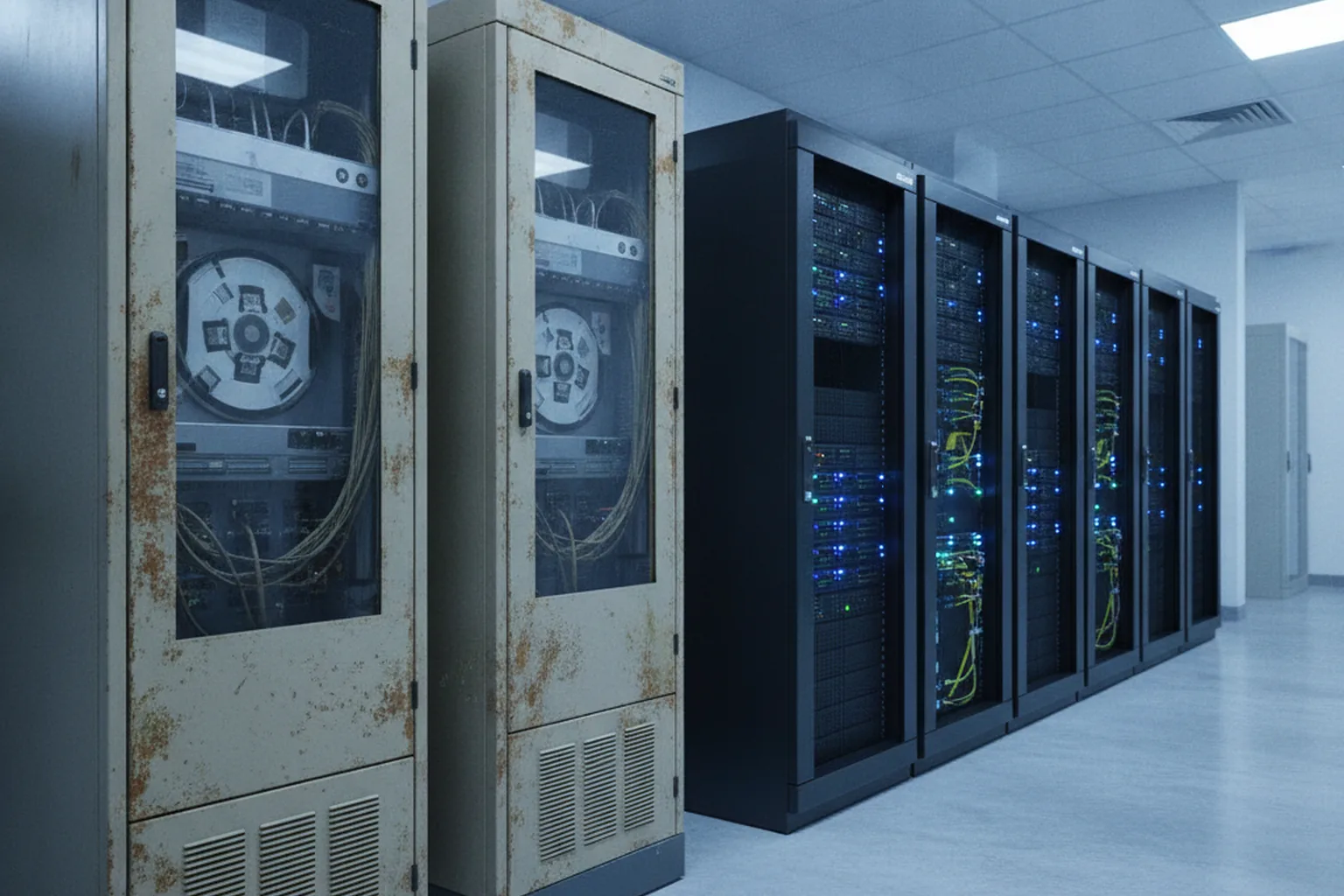
- Encapsulate with APIs. Put a modern API layer in front of the legacy system so new portals and apps can read and write data without touching the old code. Use it when the core logic works but the interface is the problem; it is the fastest way to improve resident experience.
- Rehost or replatform. Move the existing application to authorized government cloud regions, such as AWS GovCloud or Azure Government, with minimal code change, or onto a managed database or runtime. Use it when the data center is the problem, a hardware contract is ending or operating costs must fall quickly.
- Refactor with the strangler-fig pattern. Rebuild one function at a time as a new service, route traffic to it, and retire that part of the legacy system, until nothing is left. Use it for large, business-critical systems where a full rewrite would take years and carry too much risk.
- Rebuild. Design and build a new system from scratch. Use it when the old system no longer matches policy, the code cannot be understood or maintained, or the platform is out of support with no migration path.
Whichever path you choose, data is usually the hardest part. Old systems carry decades of inconsistent records, codes that only veteran staff understand and business rules hidden in batch jobs. Profile the data early, agree reconciliation rules with program owners, rehearse migrations on full copies and run old and new systems in parallel until results match. Our guide to legacy system modernization compares these strategies in more depth, and our software modernization services page shows how we phase this work for organizations that cannot afford downtime.
Where is AI useful in government software, and where is it high-risk?
AI is most useful in government software for repetitive, document-heavy and high-volume tasks where a human still makes the final decision, and it is high-risk where it influences decisions about people’s rights, benefits or liberty. Agencies that separate these two categories early can capture productivity gains without creating legal exposure.
The strongest use cases in 2026 are practical rather than futuristic:
- Intelligent document processing. Extracting data from uploaded forms, IDs and supporting documents and routing cases to the right queue.
- Contact-center and staff assistants. Drafting answers from approved policy content for agents to review, and summarizing long case histories.
- Fraud and anomaly detection. Flagging unusual claims or payments for human investigation rather than automatic denial.
- Translation and plain-language support. Producing first drafts of translations and simplified notices that qualified staff then check.
The guardrails matter as much as the model. Keep a human reviewer on any decision that affects a person, log inputs and outputs, explain the reasoning in terms a resident can challenge, and test for bias across demographic groups. Under the EU AI Act, AI systems used to evaluate eligibility for essential public benefits and many law enforcement uses are classed as high-risk and require risk management, data governance, human oversight and documentation. US federal agencies publish inventories of their AI use cases, so assume your system’s use of AI will be visible to the public. If you plan language-model features, our generative AI integration team builds them with retrieval from approved sources, audit logging and human review built in, and our EU AI Act checklist summarizes the obligations for providers.
How much does government software development cost?
Government software development cost depends mainly on scope, the number and age of systems to integrate, and the authorization and documentation effort, which can make a public sector build cost several times more than a commercial app with similar screens. Published 2026 industry ranges vary widely because they describe very different projects, from small municipal tools to statewide benefits platforms.
The table combines ranges published in 2026 by two development firms: Techanic Infotech, whose figures describe smaller municipal and SMB-scale government tools, and SISGAIN, whose figures describe larger US agency systems. Treat them as market orientation, not quotes.
| Project type | Published 2026 cost range | Typical timeline | Source |
|---|---|---|---|
| Basic government tool or simple municipal app | $8,000–$20,000 | Weeks to a few months | Techanic Infotech, 2026 |
| Enterprise-grade government application (smaller scale) | $80,000+ | Several months | Techanic Infotech, 2026 |
| Citizen portal | $80,000–$400,000 | 3–6 months | SISGAIN, 2026 |
| Case management or benefits system | $250,000–$1.5M+ | 9–18 months | SISGAIN, 2026 |
| Legacy system modernization | $200,000–$3M+ | Phased, often multi-year | SISGAIN, 2026 |
| FedRAMP or GovRAMP readiness | $100,000–$500,000+ | Runs alongside the build | SISGAIN, 2026 |
The spread between the low and high ends is not noise. A simple appointment booking tool for a small town and a statewide eligibility system both count as “government software”, but the second involves legacy integrations, federal data rules, a formal authorization and thousands of staff users. When you compare quotes, compare the scope and compliance assumptions behind them, not only the totals. For how custom software budgets are built in general, see our breakdown of custom software development cost; for an estimate on your own scope, use the form at the end of this page.
What drives the cost of government software?
Seven factors move a government software estimate more than the number of screens or features:
- Compliance and authorization. Preparing an ATO, FedRAMP or GovRAMP package, independent assessments and continuous monitoring can take a large share of the budget.
- Legacy integration. Connecting to mainframes, batch files and undocumented interfaces often takes longer than building the new user interface.
- Accessibility. Design, manual testing with assistive technologies and conformance reporting are cheaper when built in, but they always need dedicated time.
- Data migration. Cleaning, mapping, reconciling and rehearsing the move of decades of records is a project in its own right.
- Identity and access. Identity proofing, single sign-on for staff and fine-grained permissions add integration and testing work.
- Hosting in authorized environments. Government cloud regions, logging retention and security tooling cost more than standard commercial hosting.
- Procurement and documentation overhead. Proposals, contract reporting, change control and records obligations add time for both the agency and the vendor.
How do procurement, contracts and RFPs work for government software?
Government software is bought through formal procurement, and the contract type and RFP design shape the outcome as much as the vendor does. Agencies that buy in small modules with outcome-based requirements get working software sooner and keep the option to change direction.
Common contract types each suit a different level of certainty:
- Firm-fixed-price works for well-defined, stable scope such as a migration of a known system, but it pushes vendors to price in risk and resist change.
- Time-and-materials or labor-hour contracts suit discovery and agile delivery where scope will evolve, provided the agency manages the backlog actively and sets ceilings.
- Agile blanket purchase agreements and IDIQ contracts let US agencies pre-qualify several vendors and issue smaller task orders quickly, which supports iterative delivery.
- Government-wide schedules and cooperative contracts, such as federal multiple-award schedules or state cooperative purchasing agreements, shorten procurement for common services.
- EU procedures under the public procurement directives include open and restricted procedures, competitive dialogue for complex needs and the innovation partnership for solutions that do not yet exist on the market.
Modular contracting, buying a large system as a series of smaller, separately competed pieces, reduces the risk of one failed mega-contract. Write RFPs around outcomes and user needs rather than a long list of features, ask vendors to show working software or prototypes, and include technical challenge rounds where teams solve a real problem. Our guide to writing an RFP for software development includes a template, and our comparison of fixed price vs time and materials helps choose the commercial model.
Settle intellectual property early. The agency should own, or hold unrestricted rights to, custom code, data, documentation and infrastructure-as-code, with source code delivered to an agency-controlled repository throughout the project. Many public bodies now publish custom code as open source, and in the EU the Interoperable Europe Act makes sharing interoperability solutions with other public bodies a legal expectation.
How do you choose a government software development partner?
Choose a government software development partner on evidence of delivered public sector systems, real authorization experience and accessibility built into the process, not on the length of a capabilities brochure. When you compare government software development services, ask every vendor the same seven questions:
- Public sector track record. Which live government or regulated systems has the team delivered, and can you speak to a reference?
- Authorization experience. Has the team prepared SSPs, supported assessments and run continuous monitoring, and against which baselines?
- Accessibility built in. Does the vendor design to WCAG 2.2 AA, test manually with assistive technologies and provide an Accessibility Conformance Report based on the VPAT?
- Staffing and data residency. Can the vendor meet requirements such as US-person staffing, background checks or EU-only data processing where your system needs them?
- Secure development lifecycle. Can the vendor sign the secure software development attestation and show how SSDF practices run in its pipeline?
- Transparent agile reporting. Will you see working software every sprint, a shared backlog and honest velocity and risk reporting?
- Exit and handover terms. Will code, data, documentation and infrastructure live in agency-controlled accounts, with a written handover plan?
Red flags in government software proposals
Five warning signs suggest a proposal will cost more or deliver less than it promises:
- Authorization and accessibility described in one line, or priced as an optional extra.
- A fixed price for a complex service with no discovery phase or listed assumptions.
- Claims of “FedRAMP compliant” or “508 certified” without an authorization listing or a conformance report to back them up.
- Proprietary frameworks that only the vendor can maintain, or code kept in the vendor’s own repositories.
- No plan for data migration, parallel running or rollback.
Large agencies often combine a specialist GovTech team with broader enterprise software development capacity for integrations, data platforms and internal tools.
What are the common pitfalls, and which metrics prove success?
Most failed government software projects fail for predictable reasons: they launch everything at once, leave accessibility and authorization to the end, or ignore the staff who will use the system every day. The table pairs each common pitfall with a proven prevention.
| Pitfall | Prevention |
|---|---|
| Big-bang launch of a full replacement | Phased rollout by region, user group or application type, with parallel running |
| Accessibility tested only before launch | Design system and manual assistive-technology testing in every sprint |
| Authorization left to the end | Security categorization in discovery and automated evidence from sprint one |
| Vendor lock-in | Agency-owned repositories, open standards, documented APIs and exit clauses |
| Ignoring frontline staff | Staff in research and testing, training before rollout, feedback channel after launch |
| Unclear data ownership | Data agreements, a named data owner per dataset and retention rules set early |
Success should be measured in outcomes for residents and staff, not in features shipped. Five metrics work for most services:
- Digital completion rate: the share of users who start a service online and finish it without calling or visiting an office.
- Time to decision: the median time from a complete application to a decision.
- Accessibility defects: open WCAG issues by severity, trending to zero for critical ones.
- Uptime against the service level objective: availability and response time measured from the user’s side.
- Cost per transaction: total operating cost divided by completed transactions, compared with the legacy channel.
Frequently asked questions
What is government software development?
Government software development is the design, build and operation of digital systems for federal, state, local and EU public bodies, such as citizen portals, case management, tax and benefits platforms and internal agency tools. It differs from commercial work because the software must pass security authorization such as FedRAMP or GovRAMP, meet accessibility law, follow procurement rules and stay auditable for years.
How long does government software development take?
Published 2026 industry ranges put a citizen portal at about 3–6 months and a case management or benefits system at about 9–18 months, while large legacy modernization runs longer and is usually delivered in phases. Security authorization, data migration and procurement often add more time than coding, so plan the authority-to-operate work from the first sprint rather than at the end.
What is FedRAMP 20x and does my project need it?
FedRAMP 20x is the modernized FedRAMP authorization approach that, according to FedRAMP, became widely available with the Consolidated Rules 2026 launched on 25 June 2026; it relabels impact levels as Certification Classes and leans on automated, continuous evidence. You need FedRAMP when you offer a cloud service to US federal agencies; custom software hosted inside an agency's own authorized environment usually goes through that agency's ATO instead.
What is the difference between FedRAMP and GovRAMP (formerly StateRAMP)?
FedRAMP authorizes cloud services for US federal agencies, while GovRAMP, which rebranded from StateRAMP in February 2025, verifies cloud security for state, local, tribal and education bodies. Both are based on NIST SP 800-53 controls, so evidence prepared for one often helps with the other, but each has its own process, and a state buyer may require GovRAMP status even if you hold FedRAMP.
When must state and local government websites meet ADA Title II accessibility rules?
Under the US Department of Justice interim final rule of 20 April 2026, state and local entities serving a population of 50,000 or more must make web content and mobile apps conform to WCAG 2.1 AA by 26 April 2027, and smaller entities and special districts by 26 April 2028. The deadlines moved, but the obligations themselves did not change.
Is custom government agency software better than off-the-shelf?
Custom government agency software development is better when your process follows unique statute logic, must integrate deeply with legacy mainframes, or must be shared as open source with other public bodies. Off-the-shelf or SaaS products already authorized under FedRAMP or GovRAMP are faster and cheaper for standard needs such as HR, payroll, email or common permitting, so most agencies combine both.
What do public sector software development services usually include?
Public sector software development services usually include discovery and policy mapping, user research with assistive-technology users, architecture and security categorization, agile delivery, accessibility and penetration testing, preparation of the authorization package, data migration, and ongoing operations with continuous monitoring. Good government software development services also provide an accessibility conformance report and clear source-code ownership terms.
Published 8 November 2026. Regulatory dates and program details reflect public sources available at publication: GAO-25-107795 (2025), the US Department of Justice interim final rule in the Federal Register of 20 April 2026, FedRAMP announcements on FedRAMP 20x and the Consolidated Rules 2026, GovRAMP, the Revised Section 508 Standards, Regulation (EU) 2024/1183 (eIDAS 2.0) and Regulation (EU) 2024/903 (Interoperable Europe Act). Always confirm current requirements with the responsible authority. Cost ranges summarize figures published by development firms in 2026 and are indicative only; they are not YuSMP Group prices. YuSMP Group builds to FedRAMP and GovRAMP control baselines and does not claim a FedRAMP or GovRAMP authorization. Product and program names belong to their respective owners.