


60-second summary
- Collaboration tools for software teams span 5 functions: communication, issue tracking, code review, documentation, and design.
- Best-in-class 2026 picks: Slack/Teams for chat, Jira/Linear for tracking, GitHub/GitLab for code, Confluence/Notion for docs, Figma for design.
- Integration with version control is the single most important selection criterion — it determines whether context flows automatically.
- Async-first beats meeting-heavy for distributed teams; reserve real-time for decisions that genuinely need it.
- Most effective teams run 3–4 core platforms, not 8. Consolidation cuts context-switching and subscription costs.
- AI is now a layer inside these tools, not a separate app — it summarises threads, drafts tickets, and reviews code.
- Stack cost for a 10-person team: roughly $350–$500/month on standard tiers across the five core tools.
What are software development collaboration tools?
Software development collaboration tools are the apps a team uses to communicate, coordinate work and build software together across locations and time zones — spanning communication, project and issue tracking, code collaboration, documentation and design. The goal is a small, tightly integrated stack that shares context automatically, not a pile of overlapping apps.
Software development collaboration tools are the applications a software team uses to work together — to talk, plan, track, write code, review it, document decisions and design the product — especially when the people doing that work are not in the same room. They fall into a handful of functions: communication (chat, video, recorded updates), project and issue tracking (backlogs, sprints, boards), code collaboration (version control, pull requests, code review), knowledge and documentation (wikis, specs, decision records), and design collaboration (shared design files). A good set of collaboration tools for software development keeps context flowing between all of these so the team can ship without friction.
Choosing this stack well is a delivery decision, not an IT purchase — the tools shape how quickly work moves and how much of it gets lost between hand-offs, which is why teams built around dedicated development teams treat the collaboration stack as part of how a project is set up, not an afterthought bolted on later. In custom software development engagements, the tooling choices directly shape how quickly context moves between everyone involved. This guide walks through why tooling matters in 2026, the collaboration stack broken down by function, the best tools in each category, the integration property that decides whether a stack works, async versus real-time, how to avoid tool sprawl, the new AI layer, the common mistakes, and a checklist for choosing — so you can assemble a stack that fits how your team actually works.
Why Does Collaboration Tooling Matter in 2026?
Collaboration tooling matters more than ever in 2026 because software is now built by distributed teams for whom the tools are the workplace. When roughly 45% of software engineers work fully remotely — up from about 32% before the pandemic — and around 85% of remote workers rely on collaboration tools for daily check-ins, the stack a team chooses is no longer a convenience; it is the medium through which every decision, review and hand-off happens.
The stakes show up in the friction. About 42% of software managers name collaboration difficulty as their top challenge with hybrid and distributed work, and roughly 29% of remote workers say communication is their hardest problem — gaps that the right tools narrow and the wrong ones widen. Tooling is also where team structure becomes real: the boundaries and ownership you design on paper only hold if the tools carry them, which is why the collaboration stack sits so close to how a team is shaped in the first place. Our software development team structure guide covers the roles and ownership these tools have to support.
The collaboration stack by function
A software development collaboration stack is best understood as five functions, each of which needs exactly one strong tool — not five brands competing to do everything. Thinking in functions rather than products is what keeps a stack small and coherent: you are choosing a communication tool, a tracker, a code platform, a knowledge base and a design tool, and making sure they connect. The table below is the practical map.
| Function | What it does | Typical tools |
|---|---|---|
| Communication | Chat, video calls and recorded async updates | Slack, Microsoft Teams, Zoom, Google Meet, Loom |
| Project & issue tracking | Backlogs, sprints, boards, roadmaps | Jira, Linear, Asana, monday.dev |
| Code collaboration | Version control, pull requests, code review | GitHub, GitLab, Bitbucket |
| Knowledge & docs | Wikis, specs, decision records, onboarding | Confluence, Notion |
| Design collaboration | Shared, multi-user design and prototyping | Figma |
Two functions sit slightly outside this core but belong in the picture. Whiteboarding tools (Miro, FigJam) support planning, retros and architecture sketches for teams that cannot share a physical wall, and a database collaboration software development tool — a shared, review-friendly interface over the database — helps teams coordinate schema changes and queries safely. Keep both in the "add if you need it" column rather than the core: the five functions above are what every team needs, and the extras earn their place only when a real gap appears.

What Are the Best Software Development Collaboration Tools by Category?
The best software development collaboration tools in 2026 are the category leaders that integrate cleanly with the rest of your stack — so the honest answer to "what are the best collaborative software development tools?" is one strong pick per function, chosen for how well it connects, not a single app that claims to do everything. The shortlist below reflects the top software development collaboration platforms teams actually standardise on.
- Communication — Slack or Microsoft Teams, plus Zoom or Google Meet for video and Loom for recorded async updates. Teams already inside the Microsoft ecosystem tend to pick Teams; most others pick Slack for its deep developer integrations.
- Project & issue tracking — Jira, Linear, Asana or monday.dev. Jira remains the default for Agile teams managing sprints and backlogs at scale; Linear has won fast-moving product teams that want speed and a clean interface; monday.dev and Asana suit teams that want tracking to sit alongside broader work management.
- Code collaboration — GitHub or GitLab. Both give you version control, pull requests and code review in one place; GitLab bundles more of the CI/CD pipeline natively, while GitHub has the widest integration ecosystem.
- Knowledge & docs — Confluence or Notion. Confluence pairs naturally with Jira; Notion is the most widely adopted single-workspace choice among startups and mid-size teams, replacing separate wikis and trackers.
- Design collaboration — Figma. Real-time multi-user editing lets designers, product managers and engineers work in the same file at once, so design hand-off stops being a hand-off.
None of these is "best" in the abstract — the best software development collaboration solutions are the ones that fit how your team already works and connect to your version control. If you want the wider engineering toolchain beyond collaboration — IDEs, CI/CD, observability and the rest — our companion best software development tools guide covers the full build stack; this article stays deliberately focused on the tools teams use to collaborate.
How Much Do Software Development Collaboration Tools Cost?
Most leading collaboration tools price per seat per month, with a free or freemium tier for small teams. The table below shows representative 2026 pricing for the core tools — useful for budgeting before committing to a stack evaluation.
| Tool | Function | Free tier | Standard / Team | Business / Premium | Best for |
|---|---|---|---|---|---|
| Slack | Communication | Yes (90-day history) | $7.25/user/mo | $12.50/user/mo | Developer-heavy teams, non-Microsoft stack |
| Microsoft Teams | Communication | Yes (limited) | $6/user/mo (M365 Essentials) | $12.50/user/mo | Microsoft ecosystem, enterprise |
| Jira | Issue tracking | Yes (up to 10 users) | $8.15/user/mo | $16/user/mo | Large Agile programs, Atlassian stack |
| Linear | Issue tracking | Yes (250 issues) | $8/user/mo | $14/user/mo | Fast-moving product teams, clean UX |
| GitHub | Code collaboration | Yes (public repos + limited private) | $4/user/mo (Team) | $21/user/mo (Enterprise) | Widest integrations, open-source adjacent |
| GitLab | Code collaboration | Yes (SaaS + self-hosted CE) | $29/user/mo (Premium) | $99/user/mo (Ultimate) | All-in-one DevSecOps, self-hosted |
| Confluence | Documentation | Yes (up to 10 users) | $5.75/user/mo | $11/user/mo | Jira-integrated wikis, enterprise docs |
| Notion | Documentation | Yes (personal) | $10/user/mo (Plus) | $15/user/mo (Business) | Startups, combined wiki + tracker |
| Figma | Design collaboration | Yes (3 projects) | $12/editor/mo (Professional) | $45/editor/mo (Organization) | Real-time multi-user design |
For a 10-person team using the standard tiers of all five core tools (Slack Pro, Jira Standard, GitHub Team, Confluence Standard, Figma Professional), total monthly cost runs roughly $350–$500/month before enterprise discounts. Consolidation to platforms that bundle functions — such as GitLab Premium (code + CI/CD + some docs) or Notion (docs + lightweight tracking) — can cut that meaningfully for smaller teams.
Does Integration with Version Control Actually Matter?
Integration with version control is the single most important property of a collaboration stack — more decisive than any individual tool's feature list. When your tracker, chat and CI/CD are wired into GitHub or GitLab, context moves on its own: a commit can transition a ticket, a merged pull request can post to a channel, and a failing build can page exactly the right person. Nobody copies information between apps, and nothing quietly goes out of date.
The opposite is where most collaboration pain actually lives. Tools that do not connect force people to update three places by hand, so the ticket, the discussion and the code drift apart until no one trusts any of them. That is why the right way to compare two collaboration platforms is to compare their native integrations with your version control and issue tracker, not their standalone screenshots. A slightly less shiny tool that links a commit to a ticket to a conversation automatically will out-perform a beautiful one that stands alone — because the integrations are what turn a set of separate apps into one working system.
Async vs Real-Time Collaboration: Which Should Your Team Choose?
The strongest distributed stacks are async by default and real-time on purpose. Real-time (synchronous) tools — live chat, video calls, pair programming — are fast for decisions but require everyone to be available at once, which gets expensive across time zones. Async tools — issue trackers, pull-request reviews, recorded video, written docs and decision records — let people contribute on their own schedule and leave a durable trail teammates can pick up hours later, which is why about 73% of distributed teams now use async video to cut meetings and protect focus time.
The practical move is to decide, per interaction, which mode it deserves: a spec, a status update or a code review works better async and written down; a thorny design disagreement or an incident is worth a real-time call. Teams that span many time zones push this further into a follow-the-sun rhythm, where the async trail is what lets work continue after each region logs off. Our guide to follow-the-sun software development teams covers how that hand-off works in practice — and it only works if the collaboration tools capture enough context for the next region to pick up cleanly.

Tool sprawl vs consolidation
More collaboration tools rarely means more collaboration — past a point, it means more places for context to hide. The average team ran five to seven collaboration apps a few years ago; in 2026 many are deliberately consolidating to two or three core platforms to cut context-switching, close integration gaps and reduce subscription costs. The winning pattern is not "one tool for everything" but "one strong tool per function, tightly connected."
The test for whether you have too many tools is simple: does information flow between them automatically, or do people copy it by hand? If a developer has to paste the same update into the tracker, the chat and a doc, the stack is fighting the team. Consolidate by removing tools that overlap (two trackers, three chat apps), keeping the one in each function that integrates best with your version control, and being strict about adding new tools — every extra app is another surface to keep in sync. A smaller, well-wired stack almost always beats a larger, loosely connected one.
The 2026 AI layer
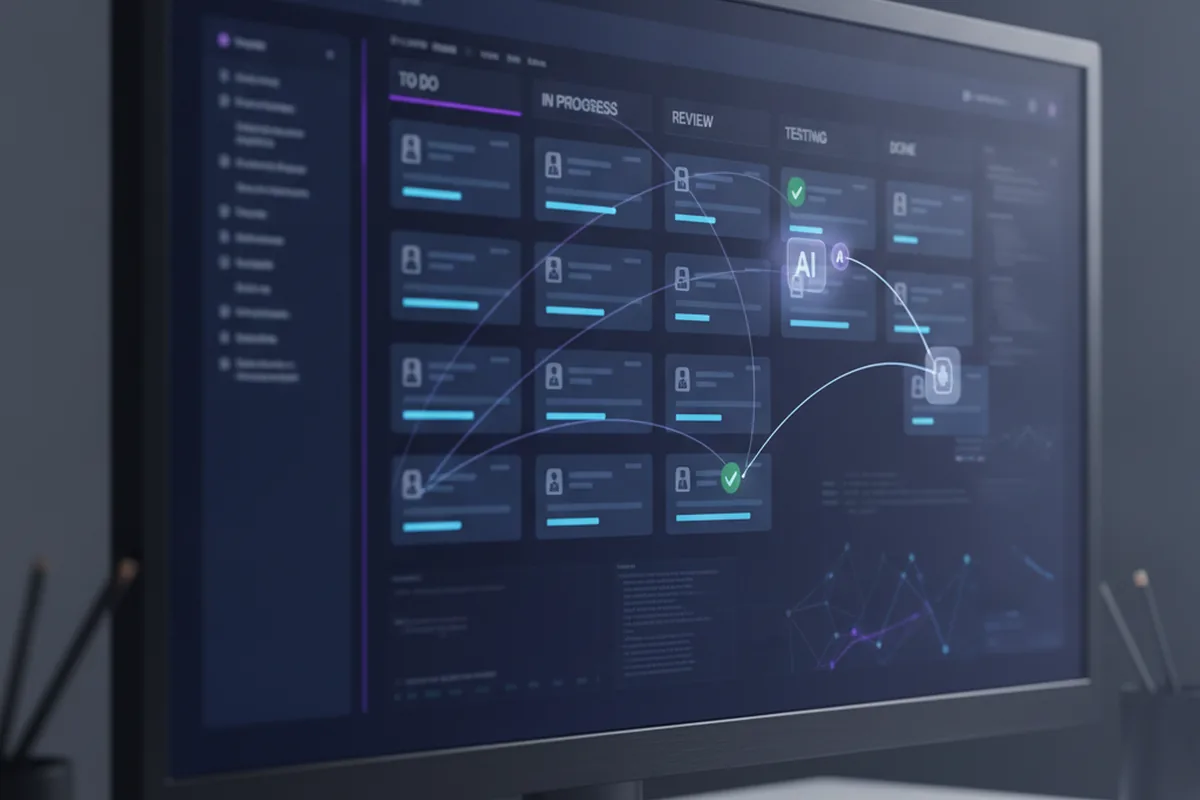
In 2026, AI has moved from a novelty into a layer inside the collaboration tools teams already use, quietly removing coordination overhead. Rather than a separate app, it now shows up where the work happens: assistants that summarise long threads and meetings, draft and triage tickets, suggest and review pull requests, answer questions from the team's own docs, and turn a rambling discussion into a clean set of action items. The effect is less time spent restating context and more spent on the work itself.
The pragmatic stance is to treat these features as accelerators for the humans, not replacements for judgment. AI-generated summaries, ticket drafts and code reviews still need a person to confirm they are right, and the same care applies to what you feed them — customer data and secrets do not belong in a tool without the right controls. Used well, the AI layer is one of the biggest 2026 gains in collaboration tooling; used carelessly, it produces confident, wrong summaries that spread faster than the truth. Turn it on where it removes toil, keep a human in the loop where correctness matters, and check the security terms before you connect it to anything sensitive.
From AI assistant to AI agent
The 2026 shift worth watching is the move from AI as an assistant that drafts and summarises to AI as an agent that acts inside the workflow on its own. Instead of suggesting a reply, an agentic feature triages an incoming bug report, assigns it to the right queue, updates its status as related commits land, and pings the owner only when a human decision is actually needed — the coordination work a junior team member used to do by hand. Jira, Linear and GitHub have all shipped early versions of this: rule-driven and model-driven agents that route tickets, close stale ones and open pull requests for well-specified fixes.
Treat agentic features the same way you would a new team member with limited context: give them a narrow, well-defined scope, review their first weeks of output closely, and keep an audit trail of what they changed and why. The tools that win this round will not be the ones with the flashiest agent demo, but the ones where an agent's actions show up in the same ticket, commit and channel history a human's would — so the stack stays auditable even as more of the routine coordination happens without a person in the loop.
Common mistakes
Most collaboration-tool problems trace back to a short list of recurring mistakes, and all of them are cheaper to avoid than to unwind. Watch for these:
- Buying overlapping tools. Two trackers or three chat apps that each do a bit of everything, so context scatters and no one knows where the source of truth is.
- Ignoring integrations. Choosing tools on features alone and discovering later they do not talk to your version control, so everything is updated by hand.
- All real-time, no async trail. Running the team on meetings and live chat with nothing written down, which breaks the moment work crosses time zones.
- Tool sprawl. Letting every team add its own apps until the company pays for a dozen overlapping subscriptions and context lives in none of them.
- No clear conventions. Great tools with no agreement on where decisions get recorded or how tickets are written, so the tools are tidy but the information is not.
- Skipping security review. Wiring a new tool — especially an AI-powered one — into your code and data without checking access controls, SSO and data handling.
How to choose your stack
Choose your collaboration stack by starting from the five functions your team needs and picking one strong, well-integrated tool for each — not by chasing the longest feature list. Map the functions first, then let integration and the way your team works decide between the candidates. The checklist below turns that into concrete decisions.
- Cover the five functions, once each. Communication, tracking, code collaboration, docs and design — one strong tool per function, and resist buying a sixth that overlaps.
- Weigh integration first. Prefer the tool that connects natively to your version control and issue tracker; the edges between tools matter more than any single tool's features.
- Match async support to your spread. The more time zones you cover, the more you should favour tools built for async — recorded video, threaded discussion, written decision records.
- Check security and access control. SSO, audit logs, granular permissions and clear data handling — non-negotiable for anything touching your code or customer data.
- Keep the stack small. Fewer, better-connected tools cut context-switching and cost; every extra app is another surface to keep in sync.
- Pilot, then standardise. Roll a new tool out to one team, confirm the integrations and conventions hold, and only then make it the standard.
Whether you assemble this in-house or bring in a partner, the aim is the same: a small, tightly integrated set of tools that carries context automatically and matches how your team actually works. That is how we set up delivery — a product engineering team with a collaboration stack wired into version control from day one, so distributed engineers share context and ship without the coordination drag that a scattered toolset quietly imposes.
FAQ
What are software development collaboration tools?
Software development collaboration tools are the applications a software team uses to communicate, coordinate work and build software together — especially when members are distributed across locations and time zones. They span a handful of functions: real-time and async communication (chat, video, recorded updates), project and issue tracking (backlogs, sprints, boards), code collaboration (version control, pull requests, code review), knowledge and documentation (wikis, specs, decision records), and design collaboration (shared design files). The goal is a small, well-integrated stack that lets the team share context and ship without friction, rather than a large pile of overlapping apps. Around 85% of remote workers now rely on collaboration tools for daily check-ins, which is why the choice of stack has become a real delivery decision.
What are the best software development collaboration tools in 2026?
The best 2026 stacks pick one strong tool per function rather than one tool for everything. Common leaders by category: for communication, Slack or Microsoft Teams for chat plus Zoom or Google Meet for video and Loom for async updates; for project and issue tracking, Jira, Linear, Asana or monday.dev; for code collaboration, GitHub or GitLab (version control, pull requests and code review); for knowledge and documentation, Confluence or Notion; and for design collaboration, Figma with real-time multi-user editing. The right choice depends less on the brand and more on how well the tools integrate with each other and with your version control — a tightly integrated set of three or four beats a loosely connected set of eight.
How do you choose collaboration tools for a software development team?
Choose collaboration tools by starting from the functions your team actually needs — communication, project tracking, code collaboration, documentation and design — and picking one strong tool for each, prioritising integration over feature count. In practice: make sure every tool integrates with your version control and issue tracker so context flows automatically; prefer async-friendly tools if the team spans time zones; check security and access control (SSO, audit logs, data residency); keep the total stack small to limit context-switching and cost; and pilot with one team before rolling out. Avoid buying overlapping tools that each do a bit of everything — that is how teams end up paying for eight apps that do the work of three.
What is the difference between async and real-time collaboration tools?
Real-time (synchronous) collaboration tools — live chat, video calls, pair-programming sessions — depend on everyone being available at the same moment, which is fast for decisions but hard across time zones. Async collaboration tools — issue trackers, pull-request reviews, recorded video updates, written docs and decision records — let people contribute on their own schedule and leave a durable trail others can catch up on. Distributed and follow-the-sun teams lean async as the default and reserve real-time for the moments that genuinely need it; about 73% of distributed teams now use async video to cut meetings and protect focus time. The strongest 2026 stacks combine both: async by default, real-time on purpose.
How many collaboration tools should a software team use?
Aim for one strong tool per collaboration function and consolidate aggressively — most effective teams run three to four core platforms, not eight. The average team used five to seven collaboration apps a few years ago, and in 2026 many are deliberately consolidating to two or three to cut context-switching, integration gaps and subscription costs. The test is not how many tools you have but whether context flows between them: a commit, a ticket and a discussion should link to each other automatically. If your team is copying information by hand between apps, you have too many tools or the wrong ones.
Do software development collaboration tools need to integrate with version control?
Yes — integration with version control is the single most important property of a software collaboration stack. When your issue tracker, chat and CI/CD are wired into GitHub or GitLab, a commit can move a ticket, a pull request can post to a channel, and a failing build can alert the right people automatically, so context flows without anyone copying it by hand. Tools that do not connect to version control force manual updates and let information drift out of date. When comparing collaboration platforms, weigh their native integrations with your version control and issue tracker as heavily as their standalone features — the integrations are what turn separate apps into one working system.
What is the difference between Jira and Linear for software teams?
Jira and Linear both track issues and sprints, but they are built for different team profiles. Jira is the default for large, enterprise Agile programs — it has deep customisation, a large plugin marketplace and integrates tightly with the Atlassian suite (Confluence, Bitbucket). Linear is built for speed: its opinionated interface removes configuration overhead and the keyboard-driven workflow suits fast-moving product teams that value simplicity over flexibility. Teams managing complex multi-team programs with many integrations tend to choose Jira; startups and scale-ups that want minimal setup and a clean developer experience tend to choose Linear. Standard pricing is comparable: Jira Standard at $8.15/user/month, Linear Standard at $8/user/month.
What is the difference between GitHub and GitLab for software collaboration?
Both GitHub and GitLab offer version control, pull requests, code review and CI/CD pipelines, but their emphasis differs. GitHub has the broadest integration ecosystem (Actions marketplace, third-party tools, open-source community), making it the default for teams that rely on a wide range of external integrations. GitLab bundles more of the DevSecOps pipeline natively — CI/CD, container registry, SAST, secret detection and more — which suits teams that want a single platform from code to deployment. Self-hosted GitLab CE is also a common choice for organisations with strict data-residency requirements. GitHub Team at $4/user/month is cheaper, but GitLab's all-in-one value case is stronger for teams paying for separate CI/CD tools on top.
How much do software development collaboration tools cost?
Most leading collaboration tools price per seat per month with a free or freemium tier. Representative 2026 standard-tier pricing: Slack Pro $7.25/user/month, Jira Standard $8.15/user/month, GitHub Team $4/user/month, Confluence Standard $5.75/user/month, Figma Professional $12/editor/month. A 10-person team using standard tiers across all five core tools spends roughly $350–$500/month before discounts. Jira and Confluence are free for teams of 10 or fewer users; GitHub is free for public repos and limited private use. Consolidation to bundled platforms like GitLab (code + CI/CD + docs) or Notion (docs + lightweight tracking) can reduce the total for smaller teams.
Can AI tools replace collaboration tools for software teams?
No — AI tools augment collaboration tools rather than replace them. In 2026, AI capabilities are embedded inside the tools teams already use: Slack AI summarises threads, GitHub Copilot suggests and reviews code, Jira AI drafts and triages tickets, and Notion AI answers questions from your team's own docs. The underlying need — to share context, coordinate work and review code across people and locations — still requires a collaboration platform; AI reduces the overhead within that platform. The practical move is to evaluate which AI features inside your existing stack remove real toil, turn them on with appropriate security controls, and not treat AI as a standalone replacement for the platform.
Last updated 25 September 2026. Adoption and remote-work figures reflect widely reported 2026 industry data and research and vary by team, region and organization. Tool names are examples of category leaders, not endorsements, and the right stack depends on your specific team and product — treat this as guidance, not a ranking.
