

Remote patient monitoring software development is the work of turning blood pressure cuffs, glucose meters, pulse oximeters and scales in patients’ homes into a service a clinical team can run every day. The devices are mostly off the shelf. The software isn’t, and it decides whether a program helps patients and pays for itself: how readings arrive, who sees them, which ones raise an alert and how the work gets documented.
That is why RPM projects sit at the center of healthcare software development in 2026. Six in ten US adults live with at least one chronic disease, according to the CDC, and hypertension, diabetes, heart failure and COPD are exactly the conditions where frequent home readings change care. Medicare has paid for RPM since 2019, and the 2026 Physician Fee Schedule added new codes that make shorter monitoring periods billable for the first time.
This guide is written for buyers who need to scope an RPM product and pick a team. It covers:
- how remote patient monitoring software works and how RPM differs from telehealth and remote therapeutic monitoring (RTM);
- the 2026 billing rules and the product requirements they create;
- core features for patients, clinicians and administrators;
- device and connectivity choices, architecture, the tech stack and EHR integration;
- HIPAA, FDA and state rules that apply to RPM software;
- an 8-step development process, build vs buy, cost ranges and a vendor checklist.
If you are building video visits, start with our telemedicine software development guide; if your product is a consumer wearable, the wearable app development guide is a better fit. This article stays on monitoring programs run by clinical teams.
What is remote patient monitoring software?
Remote patient monitoring software collects physiological data such as blood pressure, weight, glucose, oxygen saturation or heart rate from devices at the patient’s home, sends it to a secure platform, checks it against clinical thresholds and gives care teams the tools to review readings, contact patients and document the time they spend. It’s a care-delivery system, not a data viewer with a login.
A complete RPM platform usually contains five building blocks:
- Connected devices: cellular or Bluetooth blood pressure monitors, scales, glucometers, pulse oximeters, thermometers and, increasingly, continuous glucose monitors and wearable patches.
- Data ingestion: device vendor clouds, gateways or a patient app that forward readings to your backend.
- Clinical logic: thresholds, trend rules and escalation paths that decide which readings need attention.
- Applications: a clinician dashboard, a patient app or SMS flow, and an admin console for enrollment, devices and billing.
- Integrations: the EHR, scheduling, device logistics, messaging and the billing system.
Typical programs monitor hypertension, type 2 diabetes, congestive heart failure, COPD, post-surgical recovery and high-risk pregnancy. Each program needs its own device kit, thresholds and care protocol, so the software must be configurable per condition rather than built around a single disease.
RPM vs telehealth vs remote therapeutic monitoring
RPM tracks physiological data from medical devices over time, telehealth is a live visit by video or phone, and remote therapeutic monitoring (RTM) tracks non-physiological data such as therapy adherence, pain or respiratory symptoms. The difference matters because each has its own billing codes, data sources and product requirements, and many platforms end up supporting two or three of them.
| Model | What is monitored | Typical data source | 2026 Medicare billing |
|---|---|---|---|
| Remote patient monitoring (RPM) | Physiological data: blood pressure, weight, glucose, SpO2, heart rate | Devices that meet the FDA definition of a medical device | 99453, 99454, 99445, 99457, 99458, 99470 |
| Remote therapeutic monitoring (RTM) | Non-physiological data: medication or therapy adherence, musculoskeletal, respiratory and cognitive therapy response | Medical devices and software, including patient-reported data | 98975 to 98981, plus the new short-duration RTM codes for 2026 |
| Telehealth visit | Live clinical encounter by video or phone | Video platform, phone | Evaluation and management and telehealth codes |
| Chronic care management (CCM) | Care coordination for patients with two or more chronic conditions | Care plan, calls, records | CCM codes, which can be billed alongside RPM |
One rule shapes the data model: Medicare does not allow RPM and RTM to be billed for the same patient in the same period, and only one practitioner can bill RPM for a patient in a 30-day period. Your platform has to know which program each patient is in and prevent double billing across clinics.
How do the 2026 CMS billing codes shape RPM software?
The 2026 Medicare Physician Fee Schedule shapes RPM software more than any design trend, because revenue depends on counting reading days and management minutes correctly. CMS finalized two new codes from 1 January 2026: 99445 for device supply when a patient transmits on 2 to 15 days in a 30-day period, and 99470 for the first 10 minutes of treatment management in a month.
What each RPM code covers in 2026
| CPT code | What it covers | What the software must track |
|---|---|---|
| 99453 | Initial setup and patient education on the device, once per episode | Enrollment date, device assignment, education record |
| 99454 | Device supply with data transmission on 16 to 30 days in 30 days | Distinct days with readings per patient per 30-day period |
| 99445 (new in 2026) | Device supply with data transmission on 2 to 15 days in 30 days | The same day count, with the lower threshold |
| 99457 | First 20 minutes of treatment management per calendar month, with at least one live interactive communication | Timed clinical work and logged calls or video contacts |
| 99458 | Each additional 20 minutes in the same month | Cumulative minutes beyond the first 20 |
| 99470 (new in 2026) | First 10 minutes of treatment management per month, with a live interactive communication | Minutes between 10 and 20, so 99470 or 99457 is chosen correctly |
What the 2026 codes require from the product
Before 2026, a patient who sent readings on 12 days generated no device-supply payment at all. Now those days count, and CMS set 99445 at the same rate as 99454. For product teams this means three concrete requirements:
- Reading-day counter: count distinct days with at least one valid reading per device period, visible to staff before the period ends.
- Time tracking: a timer or structured log for every review, call and care-plan update, linked to the clinician and the patient.
- Interactive contact proof: a record of the live call or video contact that management codes require.
Billing rules change every year with the fee schedule, so keep thresholds and code logic in configuration rather than in code. This is general information, not billing or legal advice; confirm details with your compliance team and the current CMS rule.
What features does RPM software need?
RPM software needs features for three audiences: patients who must take readings with as little effort as possible, clinicians who must see the few readings that matter, and administrators who must enroll patients, manage devices and bill correctly. Most failed products get the charts right. They neglect enrollment, adherence and documentation.
Patient-facing features
- a simple onboarding flow with consent, device pairing (or none, for cellular devices) and plain-language instructions;
- reminders by push, SMS or automated voice call when a reading is missed;
- a readings history with clear indications of what is normal for this patient;
- secure messaging and, where the program allows it, scheduled video or phone contact;
- accessibility: large type, high contrast, screen reader support and several languages.
Clinician-facing features
- a worklist that ranks patients by risk, out-of-range readings and missing data, instead of a flat list;
- configurable thresholds per patient and per condition, with trend rules such as a weight gain of a few pounds in several days for heart failure;
- trend charts, notes, care plans and an audit trail of who reviewed what;
- one-click call or video from the patient record, with automatic time capture;
- monthly summaries that can be filed in the EHR.
Administrative and billing features
- patient enrollment and eligibility checks, including insurance information;
- device inventory, shipping, activation and returns;
- reading-day and minute counters with month-end billing reports per code;
- roles, permissions and multi-clinic tenancy for groups and RPM service providers;
- program analytics: enrollment, adherence, alerts per patient and outcomes such as blood pressure control.
How to keep alert fatigue under control
Alert fatigue is the most common reason clinicians stop trusting an RPM program, and the fix is better rules, not fewer patients. Good platforms combine absolute thresholds with personal baselines, suppress repeated alerts for the same condition, group alerts into a daily review queue unless a reading is critical, and let clinicians tune rules per patient. We track alerts per patient per month as a product metric. If it climbs, the rules need work, not the nurses.
How do you choose RPM devices and connectivity?
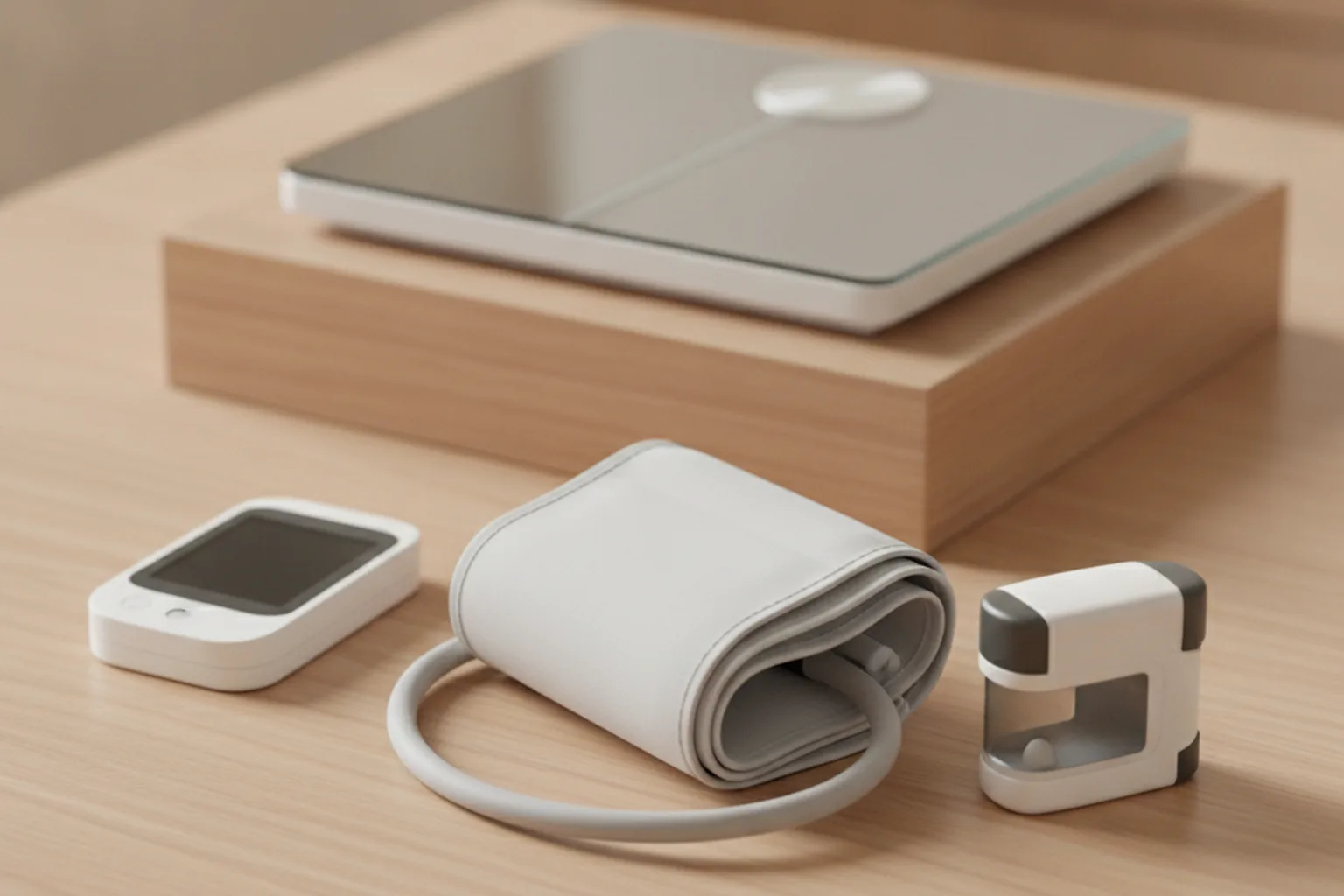
Choose cellular devices when your patients are older or not comfortable with smartphones, and Bluetooth devices with a patient app when patients already use phones and you want richer engagement. Cellular devices send readings without pairing, which usually gives better adherence; Bluetooth devices are cheaper per unit but depend on the phone, the app and the patient.
| Criterion | Cellular devices | Bluetooth devices with an app |
|---|---|---|
| Setup for the patient | Switch on and measure; no pairing | Install app, create account, pair device |
| Adherence | Usually higher, especially for elderly patients | Depends on the phone being nearby and the app working in the background |
| Unit cost | Higher, plus a data plan per device | Lower; uses the patient’s phone |
| Engagement | Limited to the device and SMS or calls | Education, messaging, questionnaires in the app |
| Integration | Usually through the device vendor’s cloud API | Bluetooth health profiles or the vendor SDK, plus Apple HealthKit or Android Health Connect |
Medical devices vs consumer wearables
For Medicare RPM billing, the device must meet the FDA definition of a medical device, so a fitness tracker that only offers wellness estimates is not enough. This distinction became more important in January 2026, when the FDA revised its general wellness guidance and said that some wearables estimating values such as blood pressure can be marketed as wellness products. Those products may be useful for engagement, but they do not replace a qualifying device in a billable program.
Device logistics are part of the product
Somebody has to ship kits, activate devices, replace batteries, handle returns and clean or retire devices between patients. Platforms that run logistics in an offline spreadsheet lose devices. And money. Model device status (in stock, shipped, active, inactive, returned) in the system and connect it to enrollment, so that a device is never billed for a patient who no longer uses it. Our article on IoT software development covers device fleet management patterns that apply here.
RPM software architecture and tech stack in 2026
A sound RPM architecture separates device ingestion, clinical processing, the clinical record and the applications, so that a burst of readings never delays the clinician dashboard and every reading can be traced from device to note. Even a first release should keep these boundaries clear, because HIPAA audits and FDA questions both depend on traceability.
Ingestion and normalization
Readings arrive from device vendor clouds through webhooks or APIs, from cellular gateways and from patient apps. An ingestion service authenticates each source, validates the payload, removes duplicates and converts every reading into one internal format with units, timestamps in UTC, device identifiers and the patient link. Mapping readings to FHIR Observation resources (FHIR is the HL7 standard for healthcare APIs) with LOINC codes, the standard vocabulary for clinical measurements, at this stage makes later EHR integration much easier.
Clinical rules and alerting
A rules engine evaluates each reading against patient-specific thresholds, trends and missing-data rules, then creates tasks in the clinician worklist or sends notifications. Keep rules versioned and auditable: when a clinician asks why an alert fired, the system should show the rule and the values that triggered it.
Storage and audit
PostgreSQL is a common default for patients, programs and billing, often with a time-series extension or a separate store for high-frequency data from wearables. Every access to protected health information (PHI) must be logged. Encrypt data at rest and in transit, keep backups encrypted and tested, and set retention rules that match your legal obligations.
Applications and infrastructure
Clinician dashboards are typically React or Angular web apps; patient apps are native Swift and Kotlin or a cross-platform framework such as Flutter or React Native, with native modules for Bluetooth. Run the platform on a cloud provider that signs a business associate agreement (BAA) and limit PHI to services covered by it. Infrastructure as code, separate environments and synthetic test data keep real PHI out of development.
| Layer | Typical choices in 2026 | What to watch |
|---|---|---|
| Device integration | Vendor cloud APIs, cellular gateways, Bluetooth health profiles, HealthKit and Health Connect | Each vendor adds mapping and test work; start with a short device list |
| Backend | Node.js, Python, Java or .NET services, message queue, rules engine | Idempotent ingestion, versioned rules |
| Data | PostgreSQL, time-series storage, FHIR server or FHIR mapping layer | PHI access logging, retention |
| Clinician app | React or Angular web dashboard | Worklist speed, accessibility, session security |
| Patient app | Swift and Kotlin, or Flutter and React Native | Bluetooth reliability, background limits, accessibility |
| Infrastructure | AWS, Azure or Google Cloud under a BAA | Only HIPAA-eligible services for PHI |
How does RPM software integrate with the EHR?
RPM software integrates with the EHR through FHIR APIs where the EHR supports them and HL7 v2 interfaces where it does not, usually exchanging patient demographics, encounters, observations and monthly summary notes. Clinicians don’t want a second system with its own login; at minimum, readings summaries and time logs should land in the chart without copy and paste.
- Launch and identity: SMART on FHIR lets the RPM dashboard open from inside the EHR with the right patient context.
- Data in: demographics, problem lists, medications and care team members pulled from the EHR keep enrollment accurate.
- Data out: observations, monthly summaries and documented minutes written back as structured data or documents.
- Billing: charges created in the practice management system, or a billing export your revenue cycle team can import.
Epic, Oracle Health, athenahealth and eClinicalWorks each have their own app programs, review steps and fees, so plan integration time per EHR, not per project. The ONC Cures Act rules have made FHIR R4 APIs widely available in certified EHRs, but write access and workflow integration still vary. Our EHR integration guide to HL7 and FHIR explains the options in more detail.
HIPAA, FDA and state rules for RPM software
RPM software that handles PHI for providers must meet the HIPAA Privacy and Security Rules, may fall under FDA oversight depending on what it does with device data, and has to respect state rules on licensing, consent and privacy. Treat compliance as a design input from the first sprint. It isn’t a certificate you add before launch.
HIPAA requirements for RPM vendors
If you build or host RPM software for covered entities, you are a business associate and need BAAs with customers and with every vendor that touches PHI. The Security Rule requires risk analysis, access controls, audit logs, integrity controls and transmission security. HHS published a proposed update to the Security Rule in January 2025 that would make measures such as encryption and multi-factor authentication explicit requirements; building them in now avoids rework. Our HIPAA software development checklist lists the controls in order.
When the FDA regulates RPM software
Software that only transfers, stores, converts or displays data from medical devices generally falls under the FDA’s medical device data systems policy and is not actively regulated. Software that analyzes readings to generate alarms for active patient monitoring, or that drives time-critical treatment decisions, can itself be a medical device. The FDA’s clinical decision support guidance, revised in January 2026, explains where that line sits. Decide your regulatory position before you design alert features, and see our medical device software development guide if your product may be software as a medical device.
State and international rules
- Licensure: clinicians generally need a license in the state where the patient is located.
- Consent: Medicare requires documented patient consent for RPM; capture it in the product with a timestamp.
- Consumer health privacy: laws such as Washington’s My Health My Data Act can apply to health data outside HIPAA, for example in direct-to-consumer apps.
- EU and UK: health data is a special category under the GDPR, and device software may fall under the EU Medical Device Regulation.
This section is general information, not legal advice; involve regulatory counsel for your markets.
How to develop remote patient monitoring software: 8 steps
The safest way to develop remote patient monitoring software is to settle the clinical program, regulatory position and device strategy first, then build the data pipeline and clinician workflow, and only then scale. The eight steps below are the order we use on healthcare projects.
- Define the clinical program. Conditions, target patients, readings per day, thresholds, escalation rules and who on the care team does what.
- Decide the regulatory and billing model. RPM, RTM or both, which codes you will bill, and whether any feature makes the software a medical device.
- Choose devices and connectivity. Cellular or Bluetooth, two or three device models at first, and the vendors’ integration options and BAAs.
- Write measurable requirements. For example: readings visible within 60 seconds, reading-day counts accurate per 30-day period, alert review queue under a set size per nurse.
- Design workflows with clinicians. Prototype the worklist, alert review and patient onboarding, and test them with nurses and patients before building.
- Build the pipeline before the polish. Device ingestion, normalization, rules, audit logging and time tracking come first, tested with recorded readings.
- Integrate and validate. EHR integration, security testing, a HIPAA risk analysis and a billing dry run on real months of data.
- Pilot, measure and scale. Start with one clinic and one condition, track enrollment, adherence, alerts per patient and staff time, then expand.
A short discovery phase before step 1 is worth it on RPM projects, because device and regulatory choices are expensive to reverse once patients are enrolled.
How do you keep patients sending readings?
Patients keep sending readings when measuring is effortless, when someone visibly responds to their data and when missed days trigger a friendly, timely nudge. Under the 2026 codes adherence is tied directly to revenue. But it matters for care first: a program with gaps in data can’t catch deterioration.
- Remove steps: cellular devices, pre-paired kits and no mandatory app for patients who do not want one.
- Close the loop: short messages that confirm a reading was seen, and regular check-ins from the same care team member.
- Escalate missed readings gently: automated reminder first, then a call from staff after a set number of missed days.
- Design for older adults: large type, simple language, caregiver access and phone-based support.
- Measure it: show adherence per patient and per clinic on the dashboard, and review it weekly.
Build, buy or white-label RPM software?
Buy an existing RPM platform when you need a standard program running quickly, white-label one when you want your brand on a proven product, and build custom remote patient monitoring software when monitoring is central to your business model, your clinical workflow is different, or per-patient platform fees would exceed the cost of owning the system. A common path is to start on a vendor platform and build once enrollment, adherence and staff time are proven.
| Option | Strengths | Limits | Best fit |
|---|---|---|---|
| Off-the-shelf RPM platform | Fast launch, devices and billing reports included | Per-patient monthly fees, limited workflow changes, vendor owns the roadmap | Practices starting a standard hypertension or diabetes program |
| White-label platform | Your brand, proven core, faster than building | Hard to differentiate, integration limits, data access depends on the vendor | RPM service providers and device distributors |
| Custom build | Own workflow, own data and IP, deep EHR and product integration | Higher upfront cost and time, you own compliance and maintenance | Digital health companies, device makers, large provider groups |
| Hybrid | Vendor device cloud plus your own clinical layer and apps | Two systems to integrate and monitor | Teams that want control without building device integrations |
So compare five-year cost, not first-year cost: platform fees grow with every enrolled patient, while a custom system’s cost is mostly fixed after launch.
How much does remote patient monitoring software development cost?
Remote patient monitoring software development typically costs from about $60,000 for a focused pilot to $400,000 or more for a multi-condition platform with several device vendors, EHR integrations and billing automation. The main cost drivers are device integrations, EHR integrations, compliance work and the number of user roles, not the dashboard itself.
| Scope | Example | Indicative budget and timeline |
|---|---|---|
| Patient app for an existing program | iOS and Android app with device pairing, reminders and messaging | From $5,800 for a production app at YuSMP; more with Bluetooth device integration and offline sync |
| Clinician and admin portal | Worklist, thresholds, notes, time tracking and billing reports | From $10,400 for a multi-role web portal at YuSMP, 14–22 weeks |
| EHR integration | FHIR or HL7 integration with one EHR | $20,000–$80,000 (YuSMP healthtech range) |
| Pilot RPM platform | One condition, two device models, dashboard, patient flow and billing counters | About $60,000–$110,000 over 3–5 months (industry range) |
| Production multi-condition platform | Several conditions and device vendors, EHR integrations, analytics, multi-clinic tenancy | About $150,000–$400,000+ over 6–12 months (industry range) |
What moves the price:
- Device vendors: each vendor adds mapping, testing and a separate agreement.
- EHR integrations: each EHR has its own program, review and fees.
- Regulatory scope: software that qualifies as a medical device needs a quality system, documentation and validation.
- Roles and tenancy: RPM service providers serving many clinics need tenant separation and per-clinic reporting.
- Running costs: device data plans, hosting under a BAA, SMS and voice reminders, security testing and annual audits.
For a wider view of healthcare budgets, see our healthcare software development cost guide. Starting prices above come from our published service and industry pages; a final quote depends on scope.
Common mistakes in RPM software projects
Most RPM software projects don’t fail on technology. They fail on workflow, adherence and billing accuracy, and these are the mistakes we see most often:
- Starting with the dashboard. Charts are easy; reliable ingestion, rules and time tracking are where projects stall.
- Supporting every device at launch. A long device list delays the pilot without improving care.
- Hard-coding billing rules. The fee schedule changes every year, as 2026 showed.
- Flooding nurses with alerts. Without baselines and grouping, clinicians stop reading alerts within weeks.
- Ignoring device logistics. Lost devices and billing for inactive patients destroy margins and create compliance risk.
- Treating compliance as paperwork. Audit logs, consent records and BAAs have to exist in the system, not just in a policy document.
- No pilot. Scaling to many clinics before adherence and staff time are measured multiplies every problem.
How to choose a patient monitoring software development company
Choose a patient monitoring software development company by testing its knowledge of devices, clinical workflow, billing rules and HIPAA in the first conversation, not only by looking at screenshots. A team that has shipped healthcare software will ask about your clinical program, device list and EHR before it gives a price.
Questions to ask
- Which device vendors and EHRs have you integrated, and what did each integration involve?
- How do you count reading days and treatment minutes for 99454, 99445, 99457 and 99470?
- How do you reduce alert fatigue, and can you show the rule configuration?
- Will you sign a BAA, and which cloud services do you use for PHI?
- How do you keep real PHI out of development and testing?
- How would you assess whether our alert features make the software a medical device?
- Who owns the code, data and integrations at the end of the project?
Red flags
- A fixed price before anyone asked about devices, EHRs or the clinical program.
- No mention of time tracking or reading-day counts.
- Development or demos with real patient data.
- Vague answers on BAAs, audit logs or data ownership.
If you plan to work with an external team, our guide to outsourcing healthcare software development covers contracts, security reviews and team models.
FAQ: remote patient monitoring software development
What is remote patient monitoring software development?
Remote patient monitoring software development is building the system that collects physiological readings from home devices, sends them to a secure platform, checks them against clinical thresholds and gives care teams a dashboard, patient communication tools, documentation and billing reports. It covers device integration, a data pipeline, clinical rules, apps and EHR integration.
How much does it cost to build remote patient monitoring software?
A focused pilot usually costs about $60,000 to $110,000 and takes 3 to 5 months, while a production platform with several conditions, device vendors and EHR integrations costs about $150,000 to $400,000 or more. At YuSMP, a production patient app starts from $5,800, a multi-role portal from $10,400 and an EHR integration runs $20,000 to $80,000.
What are the new RPM CPT codes for 2026?
From 1 January 2026, CMS added 99445 for device supply when a patient transmits data on 2 to 15 days in a 30-day period and 99470 for the first 10 minutes of treatment management in a month. They sit alongside 99453, 99454, 99457 and 99458.
How long does it take to develop RPM software?
A pilot platform for one condition typically takes 3 to 5 months. A multi-role clinician portal takes about 14 to 22 weeks, and a production platform with several device vendors, EHR integrations and analytics usually needs 6 to 12 months.
Does RPM software need FDA clearance?
Not always. Software that only transfers, stores or displays device data generally falls under the FDA medical device data systems policy. Software that analyzes readings to generate alarms for active monitoring or to drive time-critical treatment decisions can be a medical device. The devices used for Medicare RPM billing must meet the FDA definition of a medical device.
Can patients use an Apple Watch or a fitness tracker for RPM?
Consumer wearables can support engagement, but Medicare RPM billing requires a device that meets the FDA definition of a medical device. A tracker marketed as a general wellness product does not qualify on its own, even after the FDA widened its wellness policy for wearables in January 2026.
Is RPM software required to be HIPAA compliant?
Yes, when it creates, receives or stores protected health information for covered entities. The vendor is then a business associate and needs business associate agreements, risk analysis, access controls, audit logs, encryption and breach procedures.
Should we build custom RPM software or use an existing platform?
Use an existing platform for a standard program that needs to start quickly. Build custom software when monitoring is central to your business, your workflow or device mix is different, you need deep EHR or product integration, or per-patient platform fees would exceed the cost of owning the system.
Sources: regulations, billing rules and standards
- CMS: Medicare Physician Fee Schedule
- HHS Telehealth.gov: billing remote patient monitoring
- CDC: about chronic diseases
- FDA: medical device data systems guidance
- FDA: clinical decision support software guidance
- FDA: general wellness policy for low risk devices
- HHS: HIPAA Security Rule
- HL7 FHIR R4: Observation resource
Published 25 November 2026. Billing codes and regulatory positions come from the cited CMS, HHS and FDA sources and change every year; recheck them before launch. Industry cost ranges are typical market figures; YuSMP Group prices are starting prices published on our service and industry pages, and final quotes depend on scope. This article is not legal, billing or regulatory advice.