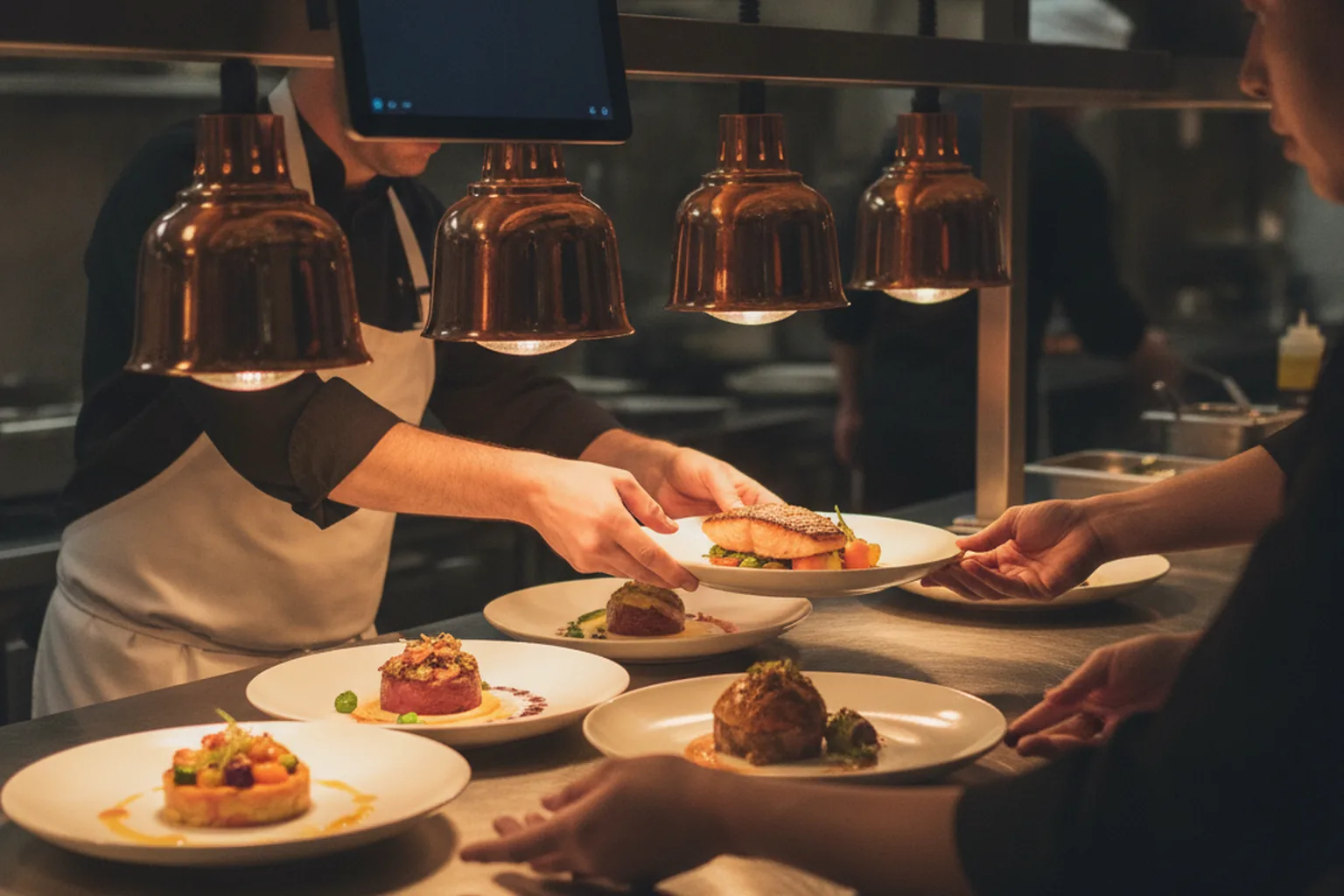

Restaurant software development is the process of designing, building and integrating software that runs a restaurant's guest experience and its operations: how orders come in, how they reach the kitchen, how tables and staff are scheduled, how stock is counted and how owners see what happened last night. Most operators start with off-the-shelf tools. Custom development becomes a serious option when those tools stop fitting the way the business actually works.
Restaurants sit inside the wider hospitality stack, next to hotels, venues and travel brands that share the same problems: peak-hour load, many sales channels, card payments and staff who need simple screens. That is why restaurant groups often work with a team that already does travel and hospitality software development rather than a generic agency. The same team can also connect a hotel restaurant to the property's booking and room-charge systems.
This guide is written for restaurant owners, operations directors, franchise teams and foodtech founders. It covers:
- the main types of restaurant software and what each one does;
- when custom software beats Toast, Square and other SaaS platforms, and when it does not;
- must-have features, integrations and what restaurant chain software development adds on top;
- PCI DSS, privacy and menu labeling rules that shape the build;
- a step-by-step development process, a tech stack, timelines and cost tiers;
- technical challenges and how to choose a development partner.
What is restaurant software development?
Restaurant software development is custom engineering of the digital systems a food business uses to take orders, serve guests, run the kitchen and manage the business. It can be a single tool, such as a branded ordering app, or a connected platform that links ordering, POS, kitchen display, inventory and reporting across many locations.
The work usually falls into three layers:
- Front of house: what guests and servers touch, such as online ordering, mobile apps, QR menus, kiosks, reservations, waitlists, payments and loyalty.
- Back of house: what the kitchen and managers use, such as kitchen display systems (KDS), recipe and menu management, inventory, purchasing, labor scheduling and food safety logs.
- Head office: what owners and franchise teams use, such as multi-location menus and pricing, consolidated reporting, accounting exports and guest data.
Restaurant software development services range from a narrow integration (connecting delivery marketplaces to an existing POS) to a full platform built from scratch. The right scope depends on where the current tools leak money or time, not on how many features a vendor brochure lists.
Why restaurants invest in custom software in 2026
Restaurants invest in software in 2026 mainly to protect thin margins: costs keep rising while demand stays strong, so every hour of labor and every percent of commission matters. The National Restaurant Association's 2026 State of the Restaurant Industry report frames the year in exactly these terms.
| Indicator (US, National Restaurant Association, 2026) | Figure | What it means for software |
|---|---|---|
| Projected restaurant and foodservice sales in 2026 | $1.55 trillion | A large market where small efficiency gains add up |
| Projected real sales growth in 2026 | 1.3% | Growth is modest, so margin protection matters more than expansion |
| Operators that were not profitable in 2025 | 42% | Software has to pay for itself quickly |
| Operators citing cost challenges | More than 9 in 10 | Labor, food and fee savings are the main business case |
| Industry employment | 15.8 million jobs | Scheduling, training and staff tools affect a huge workforce |
| Adults who consider dining out essential | 61% | Demand is resilient; guest experience still drives loyalty |
The same report notes that technology investment is highest in off-premises ordering and customer service, and that digital ordering, automation and data analytics are making operations leaner. In practice this means three priorities for most operators:
- Own the digital order. Move repeat guests from third-party marketplaces to a direct channel where the restaurant keeps the margin and the guest data.
- Cut manual work. Replace paper prep lists, spreadsheet inventory and manual schedule building with tools that do the counting.
- See the numbers daily. Give managers food cost, labor cost and sales by daypart the next morning, not at month end.
What types of restaurant software can you build?
There are about a dozen common types of restaurant software, and most operators need four or five of them working together. The table lists each type, its main users and the problem it solves.
| Software type | Main users | Problem it solves |
|---|---|---|
| Point of sale (POS) | Servers, cashiers, bartenders | Takes orders and payments, splits checks, applies modifiers and discounts |
| Online ordering and delivery | Guests, off-premises staff | Direct web and app orders for pickup, curbside and delivery without marketplace fees |
| Kitchen display system (KDS) | Line cooks, expo | Routes tickets to stations, times courses, replaces paper tickets |
| Reservations and table management | Hosts, guests | Bookings, waitlists, floor plans, table turns and no-show control |
| Self-service kiosks and QR ordering | Guests | Order and pay without waiting for staff; raises average check with upsells |
| Inventory and purchasing | Kitchen managers, buyers | Counts, par levels, recipe costing, supplier orders and waste tracking |
| Labor scheduling and time tracking | Managers, staff | Builds schedules against forecast sales, handles shift swaps and overtime rules |
| Loyalty and CRM | Marketing, guests | Points, rewards, offers and guest profiles across channels |
| Menu management | Head office, chefs | One source for items, modifiers, prices, allergens and channel availability |
| Analytics and BI | Owners, operations | Sales, food cost, labor and channel mix in one dashboard |
| Catering and events | Sales team, guests | Quotes, deposits, large orders and production planning |
Deep dives on two of these exist on our blog: a guide to POS software development and one on kiosk software development. This article looks at how the pieces fit together for a restaurant business.
Which restaurant software does each type of food business need?
Each type of food business needs a different software mix: quick-service brands live on order speed and off-premises channels, full-service restaurants on reservations and table turns, and ghost kitchens on marketplace integrations. Starting from the service model avoids building features nobody uses.
| Business type | Software priorities | Typical custom opportunity |
|---|---|---|
| Quick-service (QSR) and fast casual | Kiosks, mobile order-ahead, KDS, drive-thru timing | Branded app with loyalty and order-ahead that cuts queue time |
| Full-service and casual dining | Reservations, table management, handheld POS, pay at table | Server handhelds and table-turn analytics tied to the existing POS |
| Fine dining | Reservations with deposits, guest profiles, wine and tasting menus | Guest CRM that remembers preferences, allergies and occasions |
| Ghost kitchens and virtual brands | Marketplace aggregation, multi-brand menus, kitchen routing | One order hub that injects all marketplace orders into one KDS |
| Cafes, bakeries and coffee chains | Fast checkout, pre-orders, loyalty, wholesale orders | Pre-order app plus production planning for the morning bake |
| Bars and venues | Tabs, age checks, high-volume payments, event tickets | Tab management and event packages linked to ticketing |
| Hotel restaurants and room service | Room-charge posting, in-room ordering, PMS link | QR room-service ordering posted directly to the guest folio |
| Catering and food trucks | Quotes, deposits, mobile POS, location updates | Catering portal with deposits and a production schedule |
Franchise systems combine several of these models under one brand, which is why their requirements are covered separately in the chain section below.
Custom restaurant software vs off-the-shelf platforms
Off-the-shelf platforms such as Toast, Square for Restaurants, Lightspeed or Clover are the right choice for most single-location restaurants, because they are fast to launch and come with hardware, payments and support. Custom restaurant software makes sense when fees, data ownership, unusual workflows or multi-brand complexity cost more than building.
| Factor | Off-the-shelf SaaS | Custom restaurant software |
|---|---|---|
| Time to launch | Days to weeks | About 10 to 22 weeks for a first release |
| Upfront cost | Low; hardware and setup | Higher; design and development |
| Ongoing cost | Per-location subscriptions plus payment processing; often add-on fees | Hosting, support and processing; no per-seat license |
| Workflow fit | Standard flows; you adapt to the tool | Built around your menu logic, service model and brand |
| Guest data | Stored in the vendor's platform, export limits vary | Owned by you, in your own database |
| Integrations | Marketplace of supported apps | Any system with an API, including legacy and in-house tools |
| Multi-brand, multi-concept | Possible but often awkward | Designed in from the start |
| Vendor lock-in | High: hardware, payments and data tied together | Low: you own the code and choose providers |
A hybrid is the most common answer. Many groups keep a proven SaaS POS in the dining room and build custom software around it: a branded ordering app, a central menu service, a loyalty engine or a reporting layer. That keeps hardware and payment risk low while the custom layer captures the margin and data that matter.
Five signs a restaurant has outgrown off-the-shelf tools:
- staff re-key orders from tablets or email into the POS during service;
- marketplace commissions take a large share of off-premises revenue and guests do not know a direct channel exists;
- menu changes have to be made by hand in four or five systems;
- managers export spreadsheets every week to calculate food and labor cost;
- the group runs several concepts or franchise models that the vendor cannot represent cleanly.
Must-have features of restaurant management software
The must-have features of restaurant management software are reliable order capture, fast kitchen routing, accurate menu and price data, secure payments and daily reporting. Everything else is a growth feature to add once the core is stable.
| Area | Core features for the first release | Growth features for later releases |
|---|---|---|
| Ordering | Menu with modifiers and combos, cart, scheduled pickup, order status | Group orders, reorder, personalized recommendations |
| Payments | Tokenized card payments, wallets, tips, refunds | Split pay at table, pay-at-table on guest phones, gift cards |
| Kitchen | Station routing, ticket timers, bump and recall | Course pacing, prep forecasting, throughput analytics |
| Menu | Central item and price catalog, item availability (86 list), allergens | Daypart menus, location price tiers, A/B menu tests |
| Guests | Accounts, order history, consent management | Loyalty tiers, segmented offers, feedback loops |
| Operations | Daily sales, voids and discounts report | Inventory, recipe costing, labor forecasting |
| Admin | Roles and permissions, audit log | Multi-brand and franchise hierarchy |
Two features are easy to underestimate:
- Item availability switch. When the kitchen runs out of an item, every channel (POS, app, kiosk, marketplaces) must stop selling it within seconds.
- Offline mode. If the internet drops on a Friday night, the dining room must keep taking orders and sync later.
Restaurant chain software development: what changes at multi-location scale
Restaurant chain software development adds a central layer that one-location software never needs: one menu and price source for every location, permissions by region and franchisee, consolidated reporting and safe rollout of changes. The hard part is variation: no two locations run exactly alike.

The requirements that separate chain platforms from single-store tools:
- Central menu with local overrides. Head office owns the item catalog; regions or franchisees can change prices, hide items or add local specials within rules.
- Location hierarchy. Brand, region, district, store and sometimes franchisee, each with its own permissions and reports.
- Franchise reporting. Royalty and marketing fund calculations based on net sales, plus audit trails franchisees can trust.
- Staged rollout. Menu and software changes go to a few pilot stores first, then roll out by region, with a quick way back.
- Consolidated data. One data model for sales, labor and inventory, so a district manager can compare stores like for like.
- Different hardware generations. New locations get new terminals, older ones keep legacy devices for years; the software must support both.
Chains also need to respect local rules. In the United States, the FDA menu labeling rule requires restaurants that are part of a chain with 20 or more locations operating under the same name to show calorie information on menus and menu boards, including online menus. A central menu service is the natural place to store and publish this data consistently.
Which integrations does restaurant software need?
Restaurant software needs integrations with payments, delivery marketplaces, the POS, accounting and payroll at a minimum, and integrations are often the largest single share of the engineering effort. Plan them before any screen is designed.
| Integration | Typical systems | What to watch |
|---|---|---|
| Payments | Stripe, Adyen, Worldpay, Square, card-present terminals | Keep card data out of your servers with hosted fields and tokenization to limit PCI scope |
| Delivery marketplaces | DoorDash, Uber Eats, Grubhub (US); Deliveroo, Just Eat (EU) | Menu sync, item availability, order injection into the POS and KDS, refunds |
| Delivery fulfillment | On-demand courier APIs, own fleet | Quote, dispatch and tracking for orders from your own channel |
| POS | Toast, Square, Lightspeed, Oracle Simphony, NCR Aloha | API access level, partner program approval, rate limits |
| Accounting and ERP | QuickBooks, Xero, NetSuite, Sage | Daily sales journals, tax mapping, supplier invoices |
| Payroll and HR | ADP, Gusto, 7shifts-style schedulers | Hours, tips, overtime and local labor rules |
| Hotel PMS | Opera, Mews, Cloudbeds | Room-charge posting for hotel restaurants and room service |
| Marketing | Email and SMS platforms, review sites | Consent records, segmentation, opt-out handling |
Delivery marketplaces deserve a business decision, not only a technical one. US marketplace plans commonly charge commissions from about 15% to 30% of the order value depending on the plan and services, before promotions and other fees. A direct ordering channel, explained in our guide to last-mile delivery app development, does not replace marketplaces for new-guest discovery, but it lets repeat guests order without that cost.
How AI and automation fit into restaurant software
AI in restaurant software is most useful today for forecasting and automation behind the scenes: predicting covers and item demand, building prep lists, suggesting schedules and flagging unusual voids or refunds. Guest-facing AI such as voice ordering and chat assistants is growing, but it still needs careful testing on accents, noise and menu edge cases.
Practical AI use cases, ordered from lowest to highest risk:
- Demand forecasting: sales by daypart and item from history, weather, local events and reservations.
- Prep and purchasing suggestions: par levels and order quantities derived from the forecast and recipes.
- Labor scheduling: draft schedules matched to forecast demand and labor rules, approved by a manager.
- Loss prevention: alerts on unusual voids, discounts and refunds by employee or shift.
- Upsell recommendations: add-on suggestions in apps and kiosks based on the cart and time of day.
- Voice and chat ordering: phone or drive-thru ordering with a human fallback and order confirmation.
Each of these depends on clean data. A restaurant that cannot yet trust its item-level sales and recipe costs should fix the data layer before adding models on top of it.
Compliance and security: PCI DSS, privacy and menu labeling
Restaurant software has to comply with PCI DSS for card payments, with privacy laws for guest data and, for larger chains, with menu labeling rules. Designing for these from the first sprint is far cheaper than retrofitting them.
- PCI DSS v4.0.1. The future-dated requirements of PCI DSS 4.0 became mandatory on March 31, 2025 for all merchants and service providers that handle card data. The simplest way to reduce scope is to never let raw card numbers touch your servers: use hosted payment fields, tokenization and validated point-to-point encryption (P2PE) terminals.
- Privacy. Guest accounts, order history and loyalty data are personal data under California's CCPA/CPRA and other US state laws, and under GDPR for EU guests. You need consent records, data export and deletion flows, and clear retention rules.
- Menu labeling and allergens. US chains with 20 or more locations must show calories under the FDA rule; in the EU, Regulation (EU) No 1169/2011 requires allergen information for food served by restaurants. Store allergens and nutrition in the menu service, not as free text.
- Accessibility. Ordering websites and apps should meet WCAG 2.2 AA so guests using screen readers or keyboard navigation can order without help.
- Labor rules. Scheduling tools in cities with predictive scheduling laws need rules for advance notice and schedule-change premiums.
How to develop restaurant software: step by step
Restaurant software is best developed in seven steps, from on-site discovery to a pilot in a few locations and a staged rollout. Don't cut the pilot step to save time. It is where live service tests the software before the whole group depends on it.
- Discovery on the floor (1 to 3 weeks). Watch a lunch and a dinner service, interview servers, cooks and managers, map every order channel and every system. Output: process maps, a prioritized feature list and an integration inventory.
- Architecture and integration plan (1 to 2 weeks). Decide what you keep (often the POS), what you build and how data flows. Confirm API access with each vendor early, because partner approvals can take weeks.
- UX design and prototypes (2 to 4 weeks). Design for speed and noisy, greasy, busy conditions: large tap targets, few steps, high contrast on kitchen screens. Test clickable prototypes with real staff.
- Development of the first release (6 to 12 weeks). Build in short iterations with working software every two weeks. Start with the order path and integrations, then reporting.
- Testing under load (2 to 3 weeks). Simulate a Friday rush: concurrent orders, marketplace bursts, network loss and printer failures. Include a PCI and security review.
- Pilot in 1 to 3 locations (2 to 4 weeks). Run live service with the team on site, collect feedback daily and fix the friction staff report.
- Rollout and support. Roll out by region with training material, monitoring and an on-call plan for peak hours. Then plan the next release from real usage data.
Adding the phases together, a focused first release for one restaurant group usually lands in about 10 to 22 weeks. A chain-wide platform that replaces several systems is a multi-release program measured in quarters.
Recommended tech stack for restaurant software
A modern restaurant software stack is cloud-based with offline-capable clients: a web and mobile front end for guests, tablet apps for staff and kitchen, and an API back end with an event stream that keeps every channel in sync. Choose mainstream technologies so the system is easy to staff and maintain.
| Layer | Common choices | Why |
|---|---|---|
| Guest web ordering | React or Next.js | Fast pages, good SEO for menus, shared components with admin tools |
| Guest and staff mobile apps | Flutter, React Native, or native Swift and Kotlin | One codebase for iOS and Android, or native when hardware access is critical |
| Kitchen and POS tablets | Android tablets with Kotlin or Flutter, local database | Durable hardware, kiosk mode, offline queue |
| Back end and APIs | Node.js, Python or .NET; REST and webhooks | Mature integration libraries for payments and marketplaces |
| Real-time sync | WebSockets, message queues (Kafka, RabbitMQ, cloud pub/sub) | Orders and item availability reach every screen in seconds |
| Data | PostgreSQL, Redis cache, data warehouse for analytics | Transactional integrity plus fast dashboards |
| Cloud and DevOps | AWS, Azure or GCP with CI/CD and monitoring | Auto-scaling for peaks, staged releases by location |
Teams that build guest apps often combine this stack with dedicated mobile app development for the ordering and loyalty experience, while the platform core stays in a shared back end.
How much does restaurant software development cost?
Restaurant software development cost depends mostly on the number of integrations, the number of user roles and whether you need offline-capable staff apps. At YuSMP Group, fixed-scope pricing starts at $2,900 for an internal tool, $5,800 for an online ordering store and $10,400 for a multi-role portal or web service.
| Restaurant project | Closest YuSMP tier | Starting price | Typical timeline |
|---|---|---|---|
| Menu site or catering landing page | Landing / small build | from $1,100 | 2 to 4 weeks |
| Back-office tool: inventory counts, prep lists or scheduling for one group | Corporate system | from $2,900 | 6 to 10 weeks |
| Branded online ordering with payments and admin | Online store / marketplace | from $5,800 | 10 to 16 weeks |
| Multi-location platform: central menu, franchise portal, reporting | Portal / web service | from $10,400 | 14 to 22 weeks |
These are starting prices for a defined scope, published on our custom software development page.
A full replacement of a chain's POS is a different class of project with hardware, certification and payment work; our POS guide gives directional budgets for that case.
The main cost drivers, from largest to smallest:
- Integrations: each POS, marketplace, accounting or payroll connection adds design, testing and maintenance.
- Payments and PCI scope: hosted payment fields are cheap; handling card-present terminals and P2PE adds certification work.
- Offline and hardware support: tablets, printers and kitchen screens that must work without internet multiply test cases.
- Number of roles and locations: guest, server, cook, manager, franchisee and head office each need their own screens and permissions.
- Reporting depth: a daily sales report is simple; food cost by recipe across 50 stores needs a data model and warehouse.
Also budget for running costs: cloud hosting, monitoring, app store accounts, payment processing and a support retainer, especially for the peak hours when a failure costs the most.
Common technical challenges in restaurant software projects
The hardest problems in restaurant software are not the screens but the conditions they run in: peak-hour load, unreliable networks, mixed hardware and menu logic with many exceptions.
| Challenge | Why it hurts | How to handle it |
|---|---|---|
| Peak-hour load | Most orders arrive in a few hours; a slow screen stalls the whole kitchen | Load tests at several times normal peak, queue-based order intake, auto-scaling |
| Network outages | Wi-Fi and internet fail during service | Local-first apps, offline order queue, idempotent sync on reconnect |
| Menu complexity | Modifiers, combos, half-and-half, dayparts and location prices multiply edge cases | A single menu service with a tested rules engine; no prices hard-coded in apps |
| Hardware variety | Printers, cash drawers, terminals and tablets from different generations | Hardware abstraction layer, device certification list, remote device management |
| Data silos | Sales, labor and inventory live in different vendors' systems | Central data model and nightly or real-time pipelines into one warehouse |
| Staff turnover | New staff must learn the system in one shift | Simple flows, in-app tips, training mode that does not post real orders |
| Third-party API changes | Marketplaces and POS vendors change APIs and rate limits | Adapter per vendor, contract tests, monitoring of order injection failures |
Inventory accuracy needs a separate look. Recipe-level costing only works if counts, units and supplier prices are right, which is why we wrote a separate guide to inventory management software development.
How to choose a restaurant software development company
Choose a restaurant software development company that has shipped hospitality or retail systems with payments and integrations, that will watch your service before quoting and that gives you a fixed scope, clear IP ownership and a support plan for peak hours. A portfolio of pretty apps is not enough.
A short checklist for vendor calls:
- Hospitality experience: ask for projects with POS, marketplace or PMS integrations and what broke in production.
- Discovery approach: a good partner wants to see a service and talk to staff before fixing scope.
- Integration plan: they should name the APIs, partner programs and approval timelines for your vendors.
- Security and PCI: they should explain how card data stays out of scope and who signs off on it.
- Pricing model: prefer a fixed scope for the first release with a clear change process, not open-ended hours.
- Ownership: source code, data and cloud accounts should belong to you.
- Support: agree response times for Friday and Saturday nights, not only office hours.
Red flags to watch for:
- a quote without any questions about your POS;
- a promise to "replace everything at once";
- no pilot phase in the plan.
If you operate restaurants inside hotels, resorts or venues, also look at our guide on travel software development, because the booking side and the food and beverage side share guests and payments.
Frequently asked questions
What is restaurant software development?
Restaurant software development is the design and engineering of custom software for food businesses: online ordering, POS, kitchen display systems, reservations, inventory, labor scheduling, loyalty and analytics. It can be a single branded app or a connected platform that links ordering, kitchen and reporting across many locations.
How much does it cost to build restaurant software?
Restaurant software costs depend on integrations, roles and offline needs. At YuSMP Group, fixed-scope starting prices are $2,900 for an internal back-office tool, $5,800 for branded online ordering and $10,400 for a multi-location portal or web service. Full chain-wide POS replacement is a larger, multi-release program.
How long does restaurant software development take?
A focused first release usually takes about 10 to 22 weeks, including discovery, design, development, load testing and a pilot in one to three locations. Simple back-office tools can ship in 6 to 10 weeks, while a platform replacing several systems across a chain runs over several quarters.
Is custom restaurant software better than Toast or Square?
Not for every restaurant. Toast, Square and similar platforms are faster and cheaper for most single locations. Custom software pays off when subscription and commission costs grow with locations, when guest data ownership matters or when multi-brand and franchise workflows do not fit the vendor. Many groups combine a SaaS POS with custom ordering, menu and reporting layers.
What does restaurant chain software development include?
Restaurant chain software development adds a central menu and price service with local overrides, a brand-region-store permission hierarchy, franchise and royalty reporting, consolidated sales, labor and inventory data and staged rollout of changes to pilot stores before the whole chain.
Does restaurant software need to be PCI compliant?
Yes. Any restaurant that accepts card payments must comply with PCI DSS, now version 4.0.1, whose future-dated requirements became mandatory on March 31, 2025. Using hosted payment fields, tokenization and validated P2PE terminals keeps raw card data off your servers and reduces the compliance scope.
Which integrations matter most for restaurant software?
The most important integrations are payments, the POS, delivery marketplaces such as DoorDash and Uber Eats, accounting and payroll. Hotel restaurants also need a PMS link for room charges. Integrations typically take a large share of the engineering effort, so they should be planned before design starts.
Sources: restaurant industry data and compliance rules
- National Restaurant Association: Persistent cost increases and enduring demand will shape the restaurant industry in 2026
- National Restaurant Association: 2026 State of the Restaurant Industry, executive summary
- PCI Security Standards Council: PCI DSS v4.0.1 document library
- US FDA: Menu labeling requirements
- EUR-Lex: Regulation (EU) No 1169/2011 on food information to consumers
- W3C: Web Content Accessibility Guidelines (WCAG) 2.2
Published 15 November 2026. Industry figures come from the cited sources; delivery commission ranges vary by marketplace, plan and city. YuSMP Group prices are starting prices published on our service pages; final quotes depend on scope.