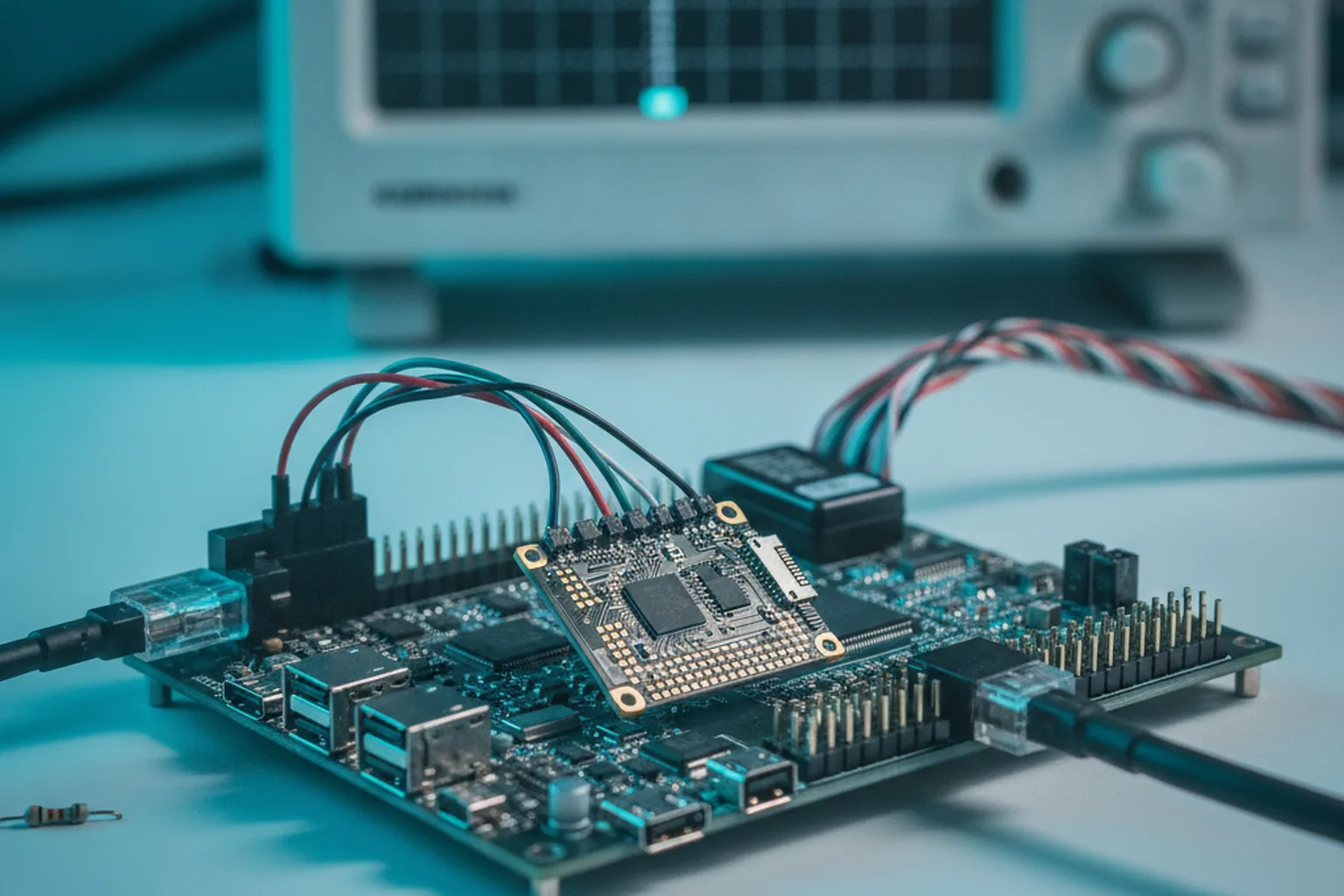

Embedded Linux software development is the work of turning a general-purpose open-source operating system into a small, reliable and secure platform for one specific product: an industrial gateway, a patient monitor, a vehicle telematics unit or a smart camera. It matters most to OEMs, hardware startups and industrial or medical device makers whose products need networking, a graphical interface or local computing power. Linux is the most widely used operating system in this field: in the Eclipse Foundation 2024 IoT & Embedded Developer Survey, 46% of respondents reported using it, ahead of FreeRTOS at 29% and Zephyr at 21%.
The code you write is only half of the job. A Linux device has to boot reliably for ten years or more, take security patches over the air and meet new rules such as the EU Cyber Resilience Act, which is why companies buying embedded Linux and firmware development services usually look for one partner that owns the whole stack, from the board support package to the update server.
This guide is about Linux only: the five layers of a Linux image, Yocto versus Buildroot, which kernel and distribution versions to target in 2026, real-time with PREEMPT_RT, OTA updates, security duties, cost and partner selection. If you are still choosing between bare-metal code, an RTOS and Linux, start with our general embedded software development guide. For devices that live on the factory floor, our overview of manufacturing software shows how they connect to MES, maintenance and quality systems.
What is embedded Linux software development?
Embedded Linux software development is building and maintaining a purpose-built Linux distribution for one device, together with the drivers and applications that run on it. Unlike desktop or server Linux, the image is assembled for one board, cross-compiled on a separate build machine and kept as small and locked-down as the product allows.
Five differences set it apart from installing Linux on a PC or a cloud server:
- Custom image. Nobody downloads a ready-made distribution. The team selects every package, configures the kernel and produces one reproducible firmware image.
- Cross-compilation. Code is compiled on an x86 workstation or CI server for an ARM64, ARM or RISC-V target, using a dedicated toolchain and SDK.
- Constrained hardware. RAM, flash, power and thermal budgets are fixed by the bill of materials, so every megabyte and every second of boot time counts.
- Long lifecycle. Industrial and medical products stay in the field for ten years or more, far longer than a consumer laptop.
- No administrator on site. Nobody logs in to run updates, so patching, recovery and rollback have to be automatic and safe.
A typical embedded Linux team combines a BSP and kernel engineer, a build and integration engineer who owns Yocto or Buildroot, application developers, and a test engineer with access to real hardware. On small products one person may cover two of these roles, but each skill still has to be present somewhere on the team.
How an embedded Linux system is built: the five layers
Every embedded Linux system is a stack of five layers, from the bootloader that starts the hardware to the application and update agent at the top. The build system assembles all five into one image, and each layer has its own owner, update cadence and failure modes.
| Layer | What it does | Typical components |
|---|---|---|
| 1. Bootloader | Initializes clocks and RAM, verifies and loads the kernel, selects the active system slot | U-Boot, SoC vendor first-stage loaders |
| 2. Kernel, device tree and drivers | Manages CPU, memory and peripherals; the device tree describes the exact board | Linux LTS kernel, device tree, kernel drivers for displays, sensors, radios |
| 3. Root filesystem | Base userspace: init system, libraries, shell, configuration | BusyBox or systemd, glibc or musl, read-only rootfs plus a data partition |
| 4. Middleware | Graphics, media, networking, messaging and security libraries | Qt, GStreamer, MQTT client, OpenSSL, network managers |
| 5. Application and update agent | Product logic, user interface, cloud connection and OTA client | C, C++, Rust or Python applications; Mender, SWUpdate or RAUC client |
Problems usually appear at the borders between layers. A display that works in the vendor demo but flickers in the product image, for example, is often a device tree or driver mismatch rather than an application bug, which is why bring-up and integration skills matter as much as application code.
Embedded Linux vs RTOS: when does Linux make sense?
Embedded Linux makes sense when the processor has a memory management unit (Cortex-A, ARM64, RISC-V application cores or x86) and the product needs full networking, a rich user interface, a file system or third-party software. An RTOS such as Zephyr or FreeRTOS fits microcontrollers with tight timing, small memory and low power budgets.
| Criterion | Embedded Linux | RTOS (Zephyr, FreeRTOS) | Bare-metal |
|---|---|---|---|
| Hardware | MMU-class application processor, external RAM and flash | Microcontroller with on-chip RAM and flash | Smallest microcontrollers |
| Boot time | Seconds, can be tuned down | Milliseconds | Milliseconds |
| Determinism | Soft real-time by default, much better with PREEMPT_RT | Hard real-time | Hard real-time in simple loops |
| Networking and UI | Full TCP/IP, Wi-Fi, Bluetooth, Qt, web runtimes | Lightweight stacks, simple GUIs | Minimal |
| Ecosystem | Thousands of open-source packages | Growing, plus vendor HALs | Vendor SDK only |
| Safety certification effort | High, large codebase | Lower, smaller codebase | Lowest code size |
| Update model | Full image or A/B OTA with rollback | Firmware image via bootloader | Firmware image |
The Eclipse Foundation 2024 survey reflects this split: Linux leads at 46%, while FreeRTOS (29%), Zephyr (21%) and ThreadX (13%) cover the microcontroller side. Many modern products use both worlds on one chip, with Linux on the application cores and an RTOS on a companion microcontroller core.
Signs Linux is the wrong choice
Linux is usually the wrong choice when the hardware or power budget cannot carry it. Watch for these signals early, before the board is designed:
- The device must run for years on a small battery and sleep most of the time.
- It must respond almost instantly after power-on, with no time for a kernel to boot.
- The whole software stack needs high-level functional safety certification on a tight budget.
- The unit price only allows a microcontroller, not an application processor with external memory.
- The product does one simple job with no networking, display or file storage.
The embedded Linux development process, step by step
An embedded Linux project moves through eight steps, from choosing the processor to maintaining the fleet after launch. The order matters: decisions made in the first three steps fix most of the cost and risk for the rest of the product's life.
- Hardware and SoC selection. Pick the processor and, often, a system-on-module (SoM) with an existing vendor BSP. Check the vendor's kernel support, how close it is to mainline and how long the chip will be produced.
- BSP bring-up. Get U-Boot, the kernel and the device tree running on your carrier board: memory, storage, display, networking, USB and every custom peripheral. Decide early whether to stay on the vendor kernel or move toward mainline.
- Build system and distribution. Set up Yocto or Buildroot with a clean layer or configuration structure, so the vendor BSP, your distribution policy and your product code stay separate.
- Kernel configuration and drivers. Trim the kernel to what the product needs, write or adapt drivers for custom hardware and decide on real-time requirements.
- Root filesystem, application and SDK. Define the userspace (BusyBox or systemd), build the application, and publish a cross-compilation SDK so application developers can work without rebuilding the whole image.
- Optimization. Tune boot time, memory and flash footprint, and power consumption. Remove unused services, compress images and measure on real hardware.
- Security hardening and OTA. Add secure boot, a read-only root filesystem, least-privilege services and a signed A/B update mechanism with rollback.
- Testing, release and maintenance. Automate tests on emulators and real boards, release signed images, generate an SBOM and keep patching CVEs and rebasing to new LTS versions for years.
Steps 2 and 3 are where projects most often slip. A SoM whose vendor ships a maintained Yocto BSP close to a current LTS kernel can save weeks of bring-up, while an exotic chip with an old vendor kernel can lock the product into expensive custom maintenance.
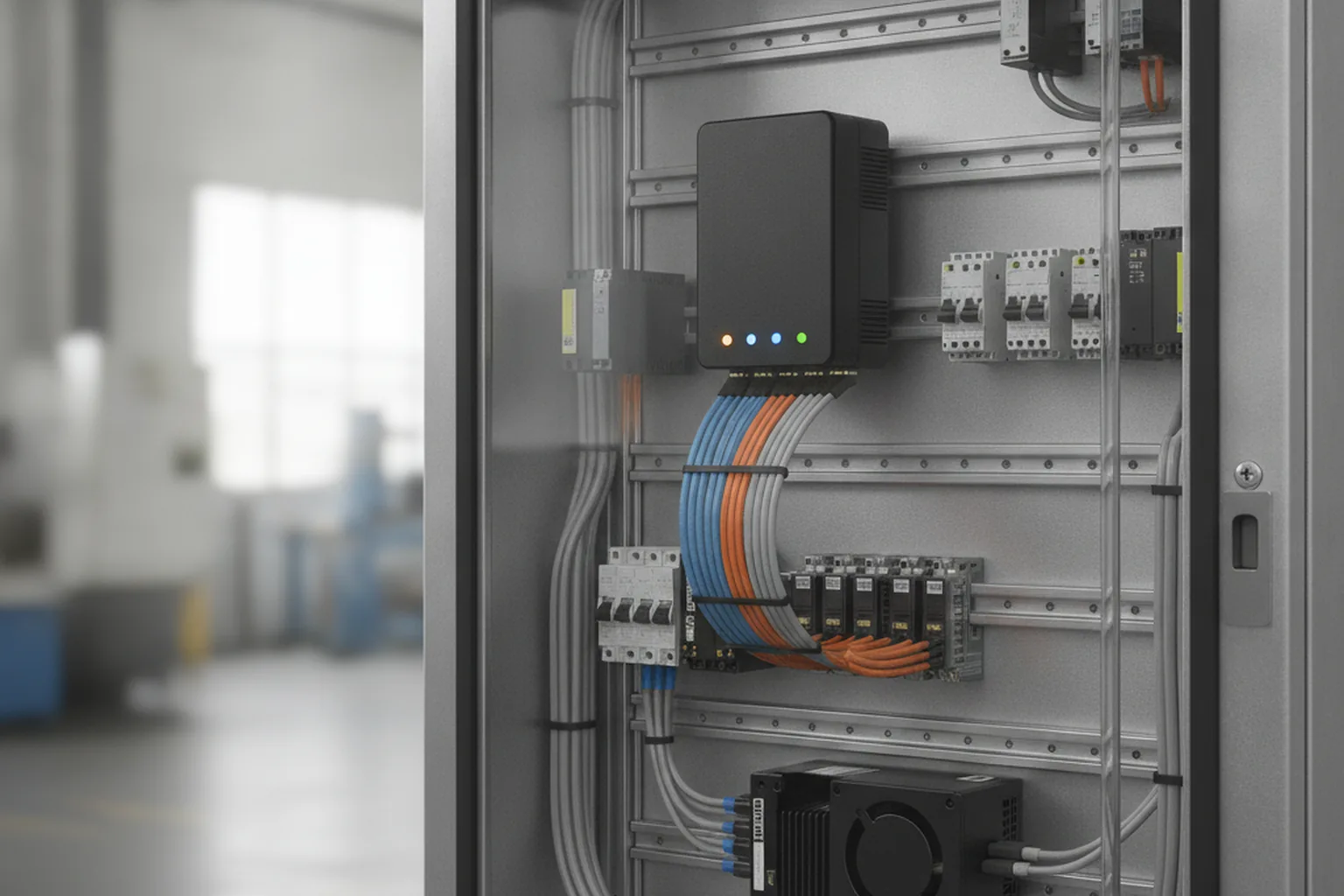
Yocto vs Buildroot: which build system should you choose?
Buildroot is usually the better choice for a single product, a small team and a simple image; Yocto is usually the better choice for product families, several boards, long maintenance windows and SoC vendors that deliver their BSP as Yocto layers. Both produce a complete, reproducible Linux image from source.
| Criterion | Yocto Project | Buildroot |
|---|---|---|
| Learning curve | Steep: BitBake, recipes, layers and classes | Gentle: Kconfig menus and Makefiles |
| Flexibility | Meta-layers separate vendor BSP, distribution and product code | One configuration per image, simple to read |
| Package management | Can produce package feeds for incremental installs | No runtime package manager; the full image is rebuilt |
| Build time | Long first build; shared-state cache speeds up rebuilds | Fast for small images, full rebuilds are common |
| Licensing and SBOM | License manifests and SBOM output built into the tooling | License reports; CycloneDX SBOM generation improved in 2026.02 |
| LTS policy | LTS releases planned for 4 years (Wrynose 6.0 to April 2030) | First release of each odd-numbered year is LTS for 3 years (2025.02) |
| Best fit | Product families, many boards, long-lived and regulated devices | Single products, small teams, fast iteration, minimal images |
In practice the SoC vendor often makes the decision for you. If the chip maker publishes and maintains a Yocto BSP layer, building on Yocto keeps you close to vendor updates. If you own the board support code yourself and the image is small, Buildroot gets you to a working system with far less overhead.
Linux embedded software development tools beyond the build system
Linux embedded software development needs a small set of tools around the build system: a cross toolchain, an SDK, debuggers, tracing tools and a CI setup that can test on emulated and real hardware. Most of them are open source and well documented.
- Toolchains and SDKs: GCC or Clang cross-compilers produced by the build system, plus an installable SDK for application developers.
- Debugging: gdb with gdbserver on the target for userspace, and JTAG probes for the bootloader and early kernel bring-up.
- Tracing and profiling: perf and ftrace to find latency spikes, CPU hot spots and slow boot stages.
- Emulation: QEMU to boot images in CI without a physical board.
- Test automation: LAVA or similar board farms that flash real hardware and run test suites on every build.
For compilers, IDEs, static analysis and RTOS tooling on the microcontroller side, see our list of embedded software development tools.
Which versions to target in 2026: kernel LTS, Yocto and Buildroot
A new device in 2026 should start on Linux kernel 6.12 or 6.18 (both projected to be supported until December 2028), Yocto Wrynose 6.0 (LTS to April 2030) or Scarthgap 5.0 (to April 2028), or Buildroot 2025.02 LTS. Products still running kernel 5.10 or 5.15 lose upstream support in December 2026.
| Component | Version | Support until | What it means for you |
|---|---|---|---|
| Linux kernel LTS | 6.18 (November 2025) | December 2028 | Newest LTS; good default for new designs |
| Linux kernel LTS | 6.12 | December 2028 | First mainline kernel with PREEMPT_RT built in |
| Linux kernel LTS | 6.6 and 6.1 | December 2027 | Fine for shipping products; plan the next rebase |
| Linux kernel LTS | 5.15 and 5.10 | December 2026 | End of life this year: migrate now |
| Yocto Project | Wrynose 6.0 (April 2026) | April 2030 | Longest window for new products |
| Yocto Project | Scarthgap 5.0 (April 2024) | April 2028 | Mature, widely supported by SoC vendors |
| Yocto Project | Kirkstone 4.0 | End of life (last release 4.0.33, February 2026) | No more community fixes: move up |
| Buildroot | 2025.02 LTS | About early 2028 | Current LTS branch |
| Buildroot | 2026.02 | Regular release, not LTS | Better CycloneDX SBOM output; use for features, not long support |
Action point: according to kernel.org, new LTS kernels start with a projected end-of-life two years out, which can be extended later. Treat these dates as the minimum window, and if your product is still on 5.10 or 5.15, budget the migration to a 6.x LTS kernel before December 2026, together with a matching Yocto or Buildroot release.
Real-time Linux with PREEMPT_RT
Real-time Linux no longer needs out-of-tree patches: PREEMPT_RT was merged into mainline Linux 6.12 in September 2024, after about 20 years outside the main tree, for ARM64, RISC-V and x86 (Phoronix, 2024). Since 6.12 is also an LTS kernel supported until December 2028, it is a natural base for real-time products.
PREEMPT_RT makes almost all kernel code preemptible, so a high-priority task can interrupt lower-priority work with a much smaller and more predictable delay. That gives soft and firm real-time behaviour that is good enough for many industrial controllers, audio systems, robotics and test equipment. It does not turn Linux into a certified hard real-time system: the kernel is still large, drivers can still misbehave, and worst-case latency has to be measured under realistic load on the real hardware.
Add a microcontroller core or co-processor running an RTOS when a control loop must never miss a deadline, when the loop runs at very high frequency (motor control, power electronics) or when a safety function has to keep working even if Linux crashes. Many current application processors combine Cortex-A cores for Linux with a Cortex-M core for Zephyr or FreeRTOS, and the two sides exchange messages over shared memory.
Drivers, device tree and board bring-up
Board bring-up is the work of making the bootloader, kernel and device tree match the actual hardware, so that every chip on the board is detected and works reliably. It is the first engineering milestone of any embedded Linux project and the one that most often slips.
The biggest bring-up decision is which kernel to start from:
- Vendor kernel: fastest route to a working board, because the SoC maker has already added drivers. The risk is that vendor trees can lag behind current LTS releases and carry many patches that never reach mainline.
- Mainline LTS kernel: slower at first if some drivers are missing, but security fixes and rebases are much cheaper over a ten-year product life.
- Upstreaming: sending your own driver changes to the mainline kernel takes effort up front and pays back every time you move to a new LTS version.
Device tree files deserve the same review discipline as code, because a wrong pin, clock or interrupt setting can cause intermittent faults that look like software bugs. On the language side, Rust in the kernel is no longer experimental after the 2025 Kernel Maintainers Summit (DevClass, December 2025).
Security and EU Cyber Resilience Act obligations
Securing an embedded Linux device means building a chain of trust from the bootloader to the application, keeping the system read-only and minimal, knowing exactly which components ship (SBOM), and patching vulnerabilities for years. In the EU this is now a legal duty under the Cyber Resilience Act, not only good practice.
A practical security baseline covers seven items:
- Secure boot and chain of trust: the SoC verifies the bootloader, the bootloader verifies the kernel, and the kernel verifies the root filesystem.
- Integrity of the root filesystem: a read-only rootfs protected by dm-verity, with writable data on a separate partition.
- Least privilege: services run as dedicated users with only the capabilities they need, and nothing listens on the network without a reason.
- No debug back doors: no default passwords, and serial consoles and JTAG locked or disabled on production units.
- SBOM: a machine-readable list of every component and version, generated by the build system (Buildroot 2026.02 improved its CycloneDX output).
- CVE monitoring: regular checks of the SBOM against new vulnerabilities, with a defined process to patch and release.
- Signed OTA updates: only signed images are accepted, and a failed update rolls back automatically.
Many teams still have gaps here. In the Eclipse Foundation 2024 survey, only 32% of respondents named OTA updates and 19% named secure boot among their security strategies, which leaves plenty of devices without a reliable way to fix vulnerabilities in the field.
| CRA milestone | Date | What applies |
|---|---|---|
| Entry into force | 10 December 2024 | Regulation adopted; transition period starts |
| Reporting obligations | 11 September 2026 | For actively exploited vulnerabilities: early warning within 24 hours, notification within 72 hours, final report within 14 days after a fix is available; Single Reporting Platform live |
| Full application | 11 December 2027 | Essential cybersecurity requirements and CE marking apply to products placed on the EU market |
Because the reporting duties already apply, a manufacturer needs a working vulnerability-handling process today, not in 2027. Industrial devices often follow IEC 62443 on top of the CRA, and teams building medical device software also need an IEC 62304 software lifecycle, which shapes how the Linux image, its updates and its SOUP components are documented.
OTA updates: Mender vs SWUpdate vs RAUC
Mender, SWUpdate and RAUC are the three most common open-source OTA frameworks for embedded Linux, and all three support A/B (dual-copy) updates, atomic installation and signed update artifacts. The real differences are in the backend, the integration effort and the licensing model.
| Framework | Update model | Backend | Model and fit |
|---|---|---|---|
| Mender | A/B with rollback, signed artifacts | Mender fleet server | Open-source client plus a commercial fleet server; quickest path to a complete product |
| SWUpdate | A/B with rollback, signed images | Commonly paired with Eclipse hawkBit | Open source and highly configurable; suits teams that want full control |
| RAUC | A/B with rollback, signed bundles | Brings no fleet server of its own; pair with a backend of your choice | Open source, with Yocto integration; clean fit for Yocto-based products |
Whichever framework you choose, the partition layout decides how safe updates are. A proven pattern uses two root filesystem slots, a separate data partition that survives updates, and a bootloader boot counter. The new slot is booted once, the device runs a health check, and only then is the update committed; if the check fails or the device resets repeatedly, the bootloader falls back to the previous slot. Plan the flash size for two full system copies from the start, because adding it after the hardware is frozen is rarely possible.
HMI and graphics on embedded Linux
Embedded Linux devices with a screen usually run Qt (Qt Quick or Qt Widgets) on a Wayland compositor, a web user interface in a kiosk browser, or GTK on simpler panels. The choice depends on GPU support in the BSP, licensing, the skills of the team and how much the interface will change after launch.
Qt is the most common choice for industrial and medical panels because of its mature tooling and hardware acceleration. A web UI in a kiosk browser makes sense when the same screens also run on tablets or in a remote dashboard. Whatever the framework, test the interface on the real GPU and display early, because driver issues show up there first. Our guide to HMI software development covers operator screen design, ISA-101 principles and PLC integration in detail.
Testing, CI and long-term maintenance
Embedded Linux testing combines automated builds, emulator tests in QEMU and hardware-in-the-loop (HIL) tests on real boards, and it continues for the whole life of the product. Maintenance is where most of the long-term cost sits: security patches, LTS rebases and hardware changes all need new, tested images.
- Every commit: build the image, run unit tests and boot it in QEMU in a CI/CD pipeline.
- Nightly: flash real boards in a HIL rack and run functional, performance and update tests, including power-loss during an OTA install.
- Monthly: merge LTS kernel point releases and security fixes, compare the SBOM against new CVEs, and release if needed.
- Every few years: rebase to the next kernel LTS and the matching Yocto or Buildroot release before the old one reaches end of life.
Products that already run an old kernel such as 5.4, 5.10 or 5.15 face a larger one-time migration: drivers, device trees and applications all need porting and retesting. Treat it as a planned project with its own budget, much like any other legacy system modernization, rather than a background task for the team.
Where embedded Linux is used
Embedded Linux runs in most connected devices that need more than a microcontroller can offer: industrial gateways and panels, medical equipment, vehicles, consumer products, edge gateways, robots and smart cameras.
| Industry | Typical devices | What matters most |
|---|---|---|
| Industrial automation | Edge gateways, PLC and HMI panels, condition monitoring units | Long lifecycle, IEC 62443, real-time behaviour |
| Medical devices | Patient monitors, infusion systems, diagnostic equipment | IEC 62304 process, validated updates, cybersecurity documentation |
| Automotive | Infotainment (IVI), telematics units, fleet devices | Boot time, connectivity, secure OTA; see our guide to automotive software |
| Smart home and consumer | Hubs, media devices, appliances with displays | Unit cost, user experience, update reliability |
| IoT edge | Gateways that collect sensor data and talk to the cloud over MQTT | Fleet management, telemetry; see IoT software development |
| Drones and robotics | Companion computers, navigation and vision units | Real-time control, power, sensor fusion |
| Edge AI | Smart cameras and vision sensors | Accelerator drivers, thermal budget, model updates over OTA |
MQTT is the common thread in many of these devices: 56% of respondents in the Eclipse Foundation 2024 survey reported using it, which makes it the default choice for sending telemetry from Linux gateways to cloud platforms.
How much does embedded Linux software development cost, and how long does it take?
The cost of embedded Linux software development depends mainly on the quality of the SoC vendor's BSP, the number of custom drivers, compliance requirements, the OTA backend and how many years of maintenance you plan. At YuSMP, embedded and IoT engagements start from $3,500 for a first working device and from $11,500 for a full multi-device platform.
The main cost drivers are:
- BSP quality: a maintained vendor BSP close to a current LTS kernel is far cheaper than an old or patchy one.
- Custom hardware: every custom peripheral needs driver and device tree work, plus testing.
- Compliance: CRA, IEC 62443 or IEC 62304 add documentation, process and verification work.
- OTA and fleet backend: self-hosted or commercial update servers, device identity and monitoring.
- Maintenance years: CVE patching and LTS rebases for the full support period.
| YuSMP package | From (all-in, USD) | Typical scope |
|---|---|---|
| IoT MVP | $3,500 | First working connected device with one core function and basic connectivity |
| Device management | $5,800 | Fleet-ready firmware: signed A/B OTA with rollback, provisioning and identity, remote configuration |
| Telemetry + dashboard | $9,200 | Telemetry pipeline, cloud backend, monitoring dashboard and alerts |
| IoT platform | $11,500 | Multi-device management, roles, integrations and CI on real hardware |
Prices are all-in, and intellectual property is assigned to the client before kickoff. Timelines vary with the hardware: bringing up Linux on a vendor-supported SoM often takes weeks, a custom carrier board with custom drivers and a hardened OTA-ready image usually takes several months, and regulated medical or industrial products typically take many months because of documentation and verification. A short discovery phase turns these ranges into a fixed estimate for your device.
How to choose an embedded Linux development partner
Choose an embedded Linux partner by checking real kernel and Yocto work, a written LTS and CVE plan, OTA references, a hardware test setup and clear IP ownership. A good partner can show you how they will maintain the product in year five, not only how they will ship it.
| Criterion | What to ask | Red flag |
|---|---|---|
| Mainline and upstream experience | Which kernel or driver patches have you sent upstream? | Only vendor-kernel experience, no idea of mainline status |
| Yocto or Buildroot hygiene | How do you structure layers and pin versions? | Edits inside vendor layers, no reproducible builds |
| LTS plan | Which kernel and distro versions, and when is the next rebase? | Starting a new product on a kernel that is about to reach end of life |
| CRA and SBOM process | How do you generate SBOMs and handle vulnerability reports? | No SBOM, no defined reporting process |
| OTA references | Which update framework have you shipped, and how is rollback tested? | Updates by USB stick or manual SSH |
| Hardware test lab | Do you run HIL tests on real boards in CI? | Testing only in emulators |
| IP ownership | Who owns the source, build scripts and signing keys? | Vendor keeps keys or build system |
| Post-launch maintenance | What is included after launch and for how many years? | Support ends at delivery |
Ask for one example of a device the team has maintained through at least one kernel LTS rebase. That single question shows more about long-term quality than a list of technologies on a website.
Embedded Linux software development: FAQ
What is embedded Linux software development?
Embedded Linux software development is building a custom Linux operating system image and the software on top of it for one specific device. It covers the bootloader, the Linux kernel with its device tree and drivers, the root filesystem, middleware, the product application and the over-the-air update path, plus security patching for the life of the product.
Is embedded Linux real-time?
Standard Linux gives soft real-time behaviour. Since kernel 6.12, the PREEMPT_RT patches are part of mainline Linux for ARM64, RISC-V and x86, which makes worst-case latency much more predictable. For hard real-time control loops with strict safety requirements, teams still often pair Linux with a microcontroller core running an RTOS such as Zephyr or FreeRTOS.
Yocto or Buildroot: which is better for a new product?
Buildroot is usually better for a single product with a small team and a simple image, because it is quick to learn and fast to build. Yocto is usually better for product families, several boards, long maintenance windows and SoC vendors that ship their BSP as Yocto layers. Yocto LTS releases are planned for 4 years; Buildroot LTS releases last 3 years.
How much RAM and flash does embedded Linux need?
Embedded Linux needs a processor with a memory management unit and external RAM and flash, typically measured in tens of megabytes at the low end and much more for devices with graphics, video or Edge AI. The real figure depends on the kernel configuration, the root filesystem, the user interface and whether the device keeps two copies of the system for safe updates.
Which Linux kernel version should a new device use in 2026?
A new device in 2026 should start on a long-term support kernel with the longest remaining window, such as 6.12 or 6.18, both projected to be supported until December 2028 according to kernel.org. Kernels 5.10 and 5.15 reach end of life in December 2026, so products still on them should plan a migration now.
What does the Cyber Resilience Act mean for embedded Linux devices?
The EU Cyber Resilience Act applies to connected products sold in the EU, including Linux-based devices. Since 11 September 2026, manufacturers must report actively exploited vulnerabilities: an early warning within 24 hours, a notification within 72 hours and a final report within 14 days after a fix is available. From 11 December 2027, products need to meet the essential security requirements to carry CE marking.
How long does it take to build an embedded Linux product?
Bringing up Linux on a vendor-supported system-on-module often takes weeks, while a custom carrier board, custom drivers, a hardened image and an OTA backend usually take several months. Regulated medical or industrial products typically take many months because of documentation, verification and certification work. A short discovery phase gives a reliable estimate for a specific device.
Sources
- kernel.org, Linux kernel releases and longterm support dates
- Yocto Project, Yocto Project releases and support windows
- Buildroot, Buildroot long-term support policy
- Buildroot, Buildroot release news (2026.02)
- European Commission, Cyber Resilience Act: reporting obligations
- Eclipse Foundation, 2024 IoT & Embedded Developer Survey results
- Phoronix, Linux 6.12 merges PREEMPT_RT real-time support (2024)
- DevClass, Rust boosted by permanent adoption for Linux kernel code (December 2025)