Job sites
Address, status, progress, photos and crew
Construction · Field Service · iOS + Android + Web
A two-part product for a construction company. The crew mobile app covers job sites, tasks with statuses, photo reports and shift tracking. The web admin for supervisors and the office covers job sites, a task kanban, staff and timesheets with CSV export. We designed both parts and built a connected clickable prototype.
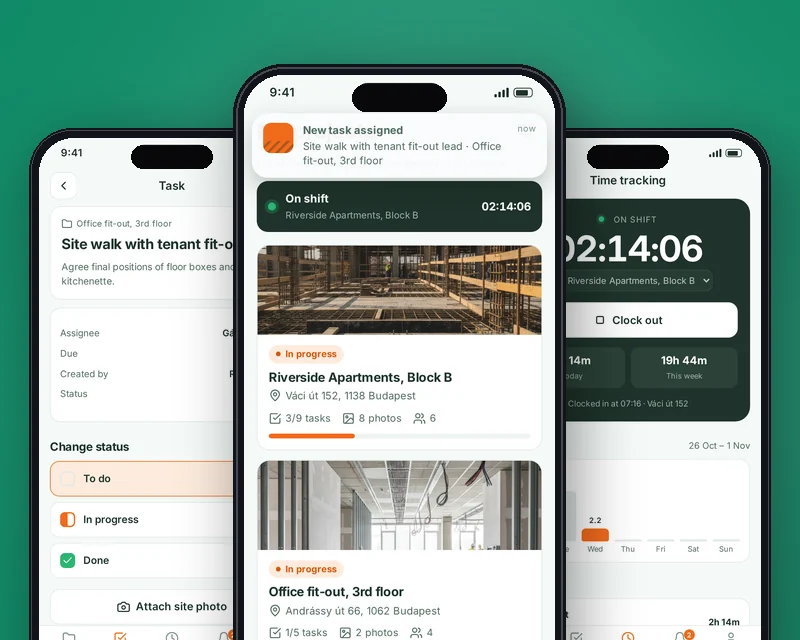
In short: what the product is and who we built it for.
Sitewise is a concept product for a construction and renovation company running several job sites at once with crews of different trades. Tasks are handed out in messaging apps, photos get lost in chats, and hours are collected by hand at the end of the week.
We designed a mobile app for crews paired with a web admin for supervisors and the office, and built a clickable prototype of both. A switcher at the top of the prototype lets you go through the flows of a worker on site and of a manager at a desk.
The company needed all job site work in one place: who does what, what status each task is in, what the photos show and how many hours were worked. Management needed a view across all sites without calling crew leads.
The worker app had to be simple: large controls, minimal text, usable with gloves and on the move. The admin, by contrast, is data-dense: lists, filters, a kanban board and timesheets.
Job sites. A list of sites with address, status, task progress, photo count and crew. In the admin, sites are filtered by status, created and assigned to crews.
Tasks. Workers see their tasks by job site, move them from To Do to In Progress to Done and attach photos from the site. In the admin, tasks are laid out on a kanban board.
Time tracking. Start and end a shift in one tap with a job site selected, with daily and weekly totals. The admin has timesheets by employee and job site and CSV export for payroll.
Notifications. New tasks, site assignments and deadlines arrive in the app, so the crew never misses a change.
We defined the roles — worker, crew lead, supervisor, office — and built a set of flows for each. The mobile part is large and high-contrast, the web part is dense with tables and cards, and both share one design system with a common palette and statuses.
The prototype opens via a link in the browser. For the MVP we recommend Flutter for the mobile app, React for the web admin and a Laravel backend with PostgreSQL; photos are kept in object storage, and timesheets are exported to the accounting or ERP system.
 FlutterRecommended stack for the mobile app
 ReactRecommended stack for the web admin
 LaravelRecommended backend: tasks, shifts, timesheets
The product's value shows up where roles meet: a worker marks a task done and attaches a photo, and the supervisor sees it in the admin right away. That is why we built both parts into one prototype, connected by shared data — the same job sites, tasks and people.
This lets the client check the whole process end to end, from a task on site to a timesheet in payroll, and agree on the MVP scope before development.
Key capabilities that solved the business problem.
Address, status, progress, photos and crew
Statuses and photos from the site
Tasks from all sites on one board
Clock in / clock out per job site
By employee and job site, CSV export
Roles, contacts and workload
New tasks and deadlines
Key prototype screens, step by step.
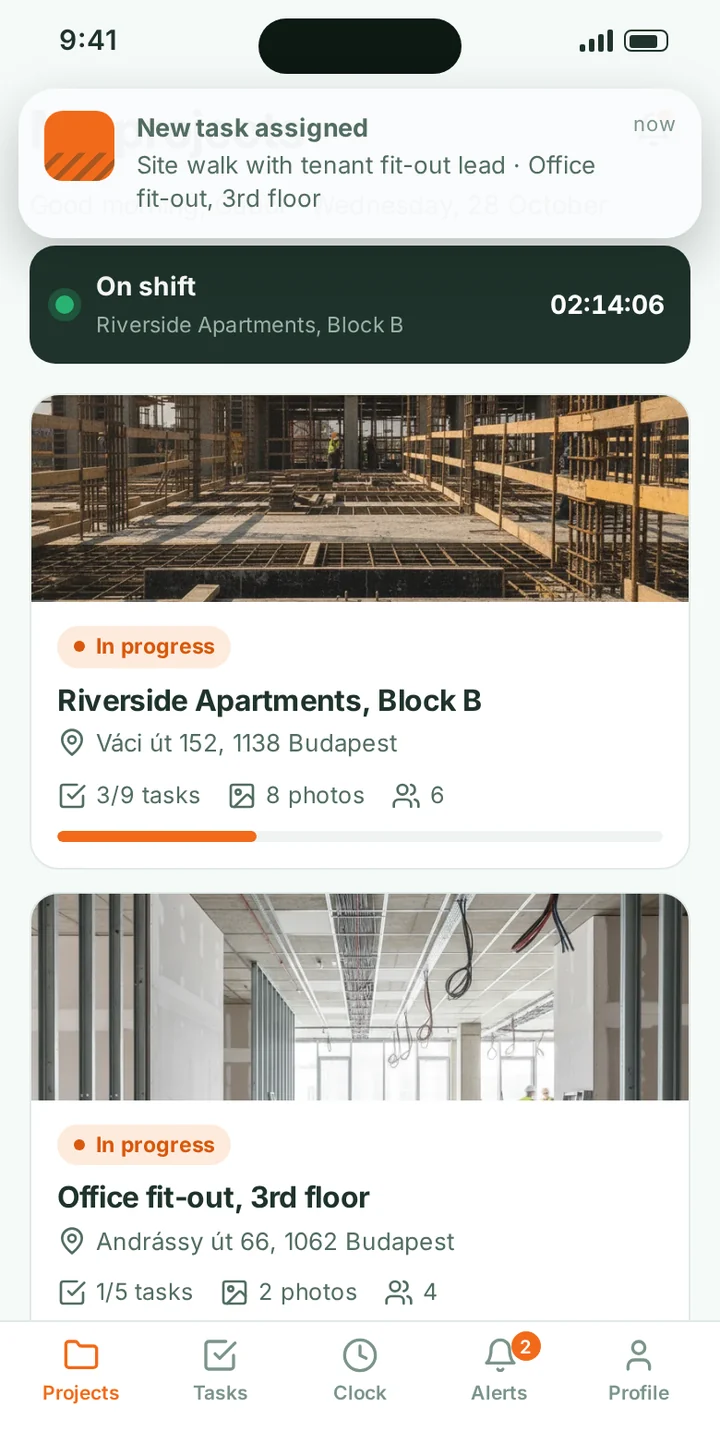
Workers see the sites they are assigned to: a site photo, address, task progress, number of photo reports and people. At the top is the current shift banner with a timer.
The site card leads to tasks and the photo gallery, so everything about a site is in one place.
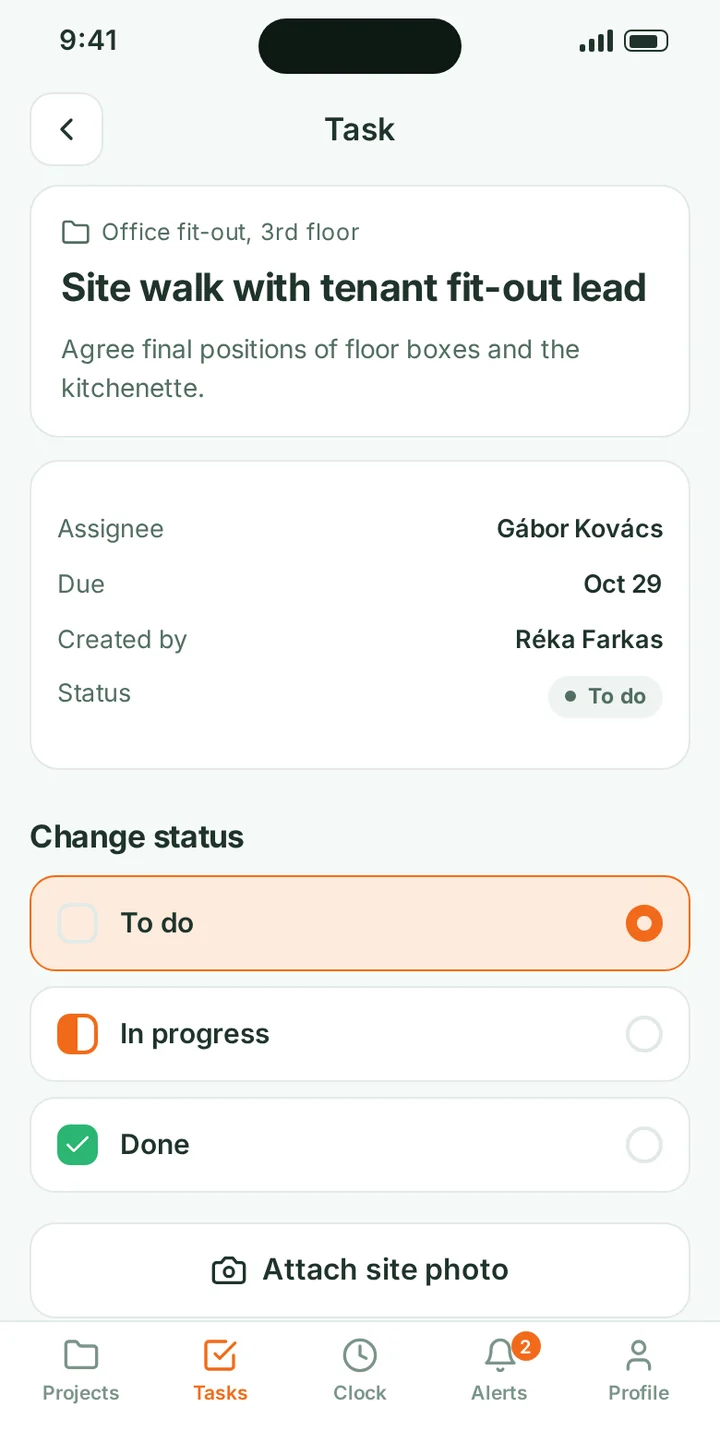
The task screen shows the assignee, due date, author and current status. The worker changes the status in one tap and attaches photos from the site.
Changes appear instantly for the supervisor in the web admin, with no calls or messages needed.
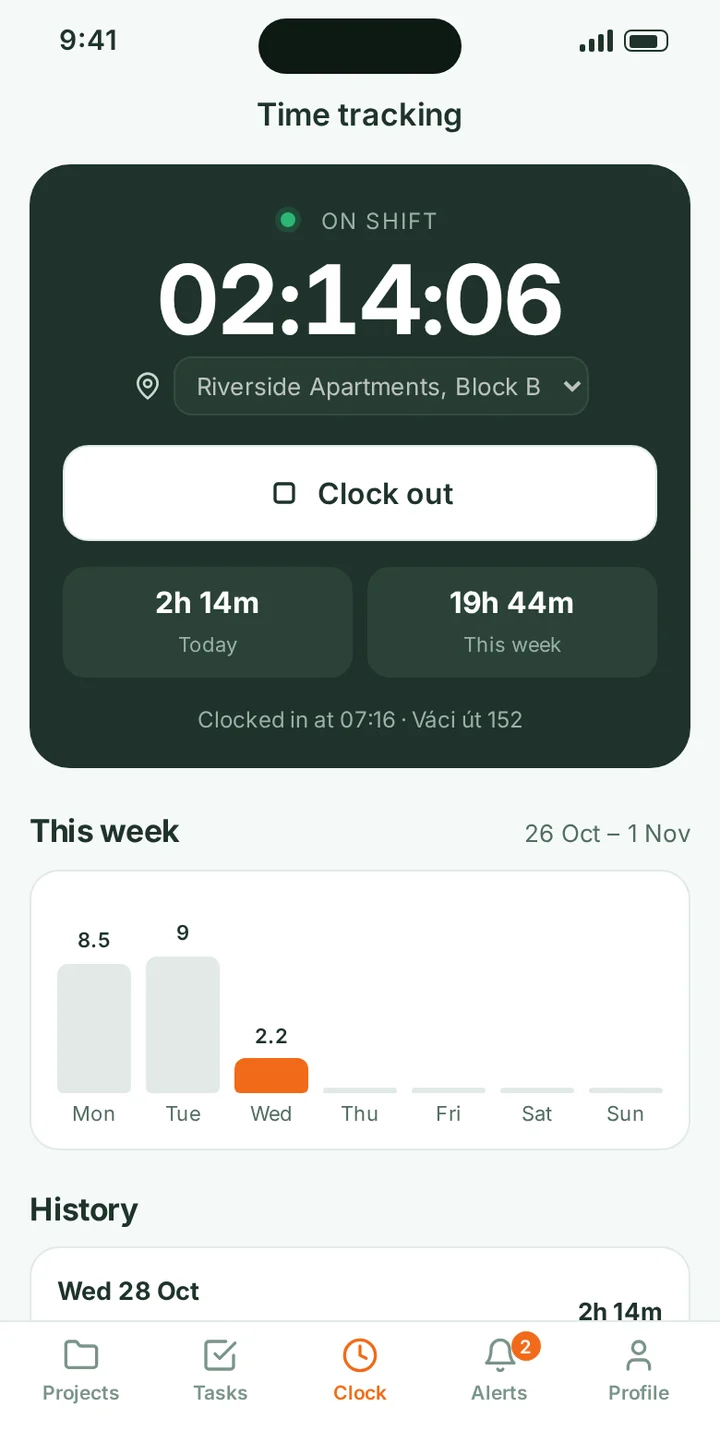
Start and end a shift in one tap with a job site selected. Below are today's and this week's hours, a daily chart and shift history.
This data feeds the timesheets the office sees in the admin.
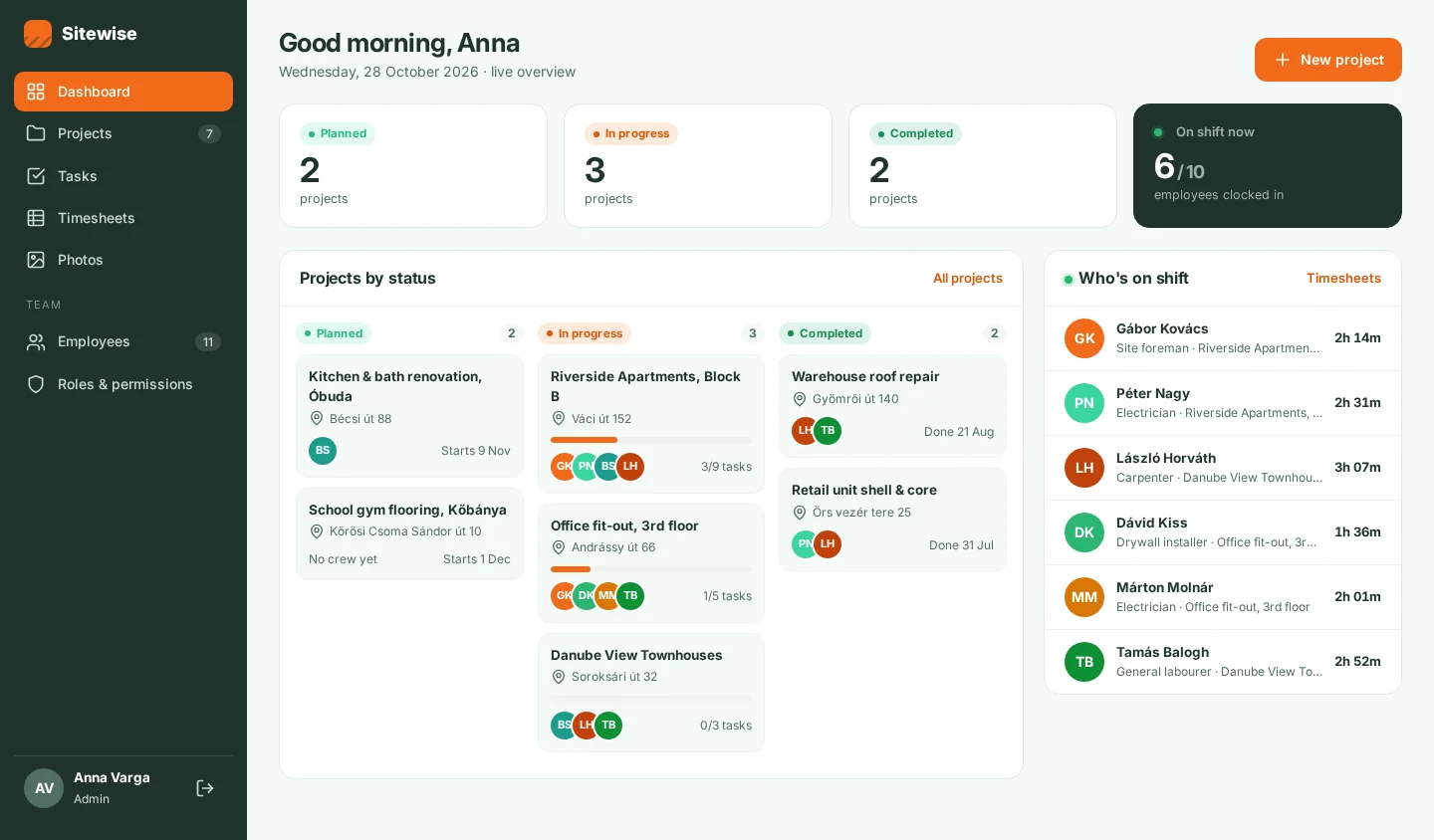
An overview of all job sites: how much is planned, in progress and done, sites by status with task progress, and a list of who is on shift right now.
The supervisor sees where work is moving and where it has stalled, without calling crew leads.
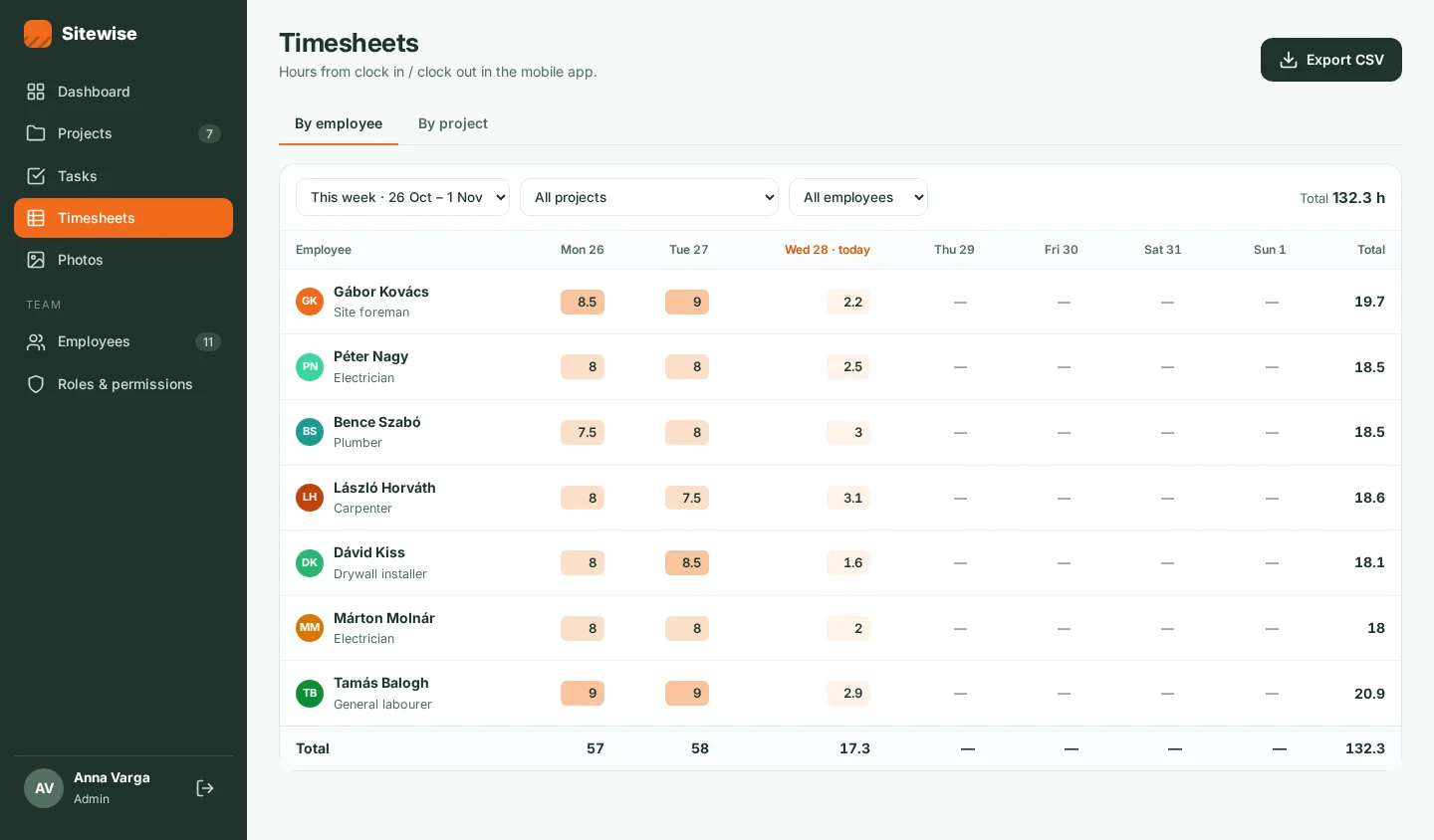
Hours from mobile shift tracking roll up into timesheets by employee or by job site, filtered by week, site and people.
Timesheets export to CSV for payroll.
The prototype opens in your browser, no install needed. Walk through the flows yourself: screens are linked, and buttons, fields, sheets and error states all work. It is best viewed on a phone; on a desktop it is shown inside a device frame.
The product stores employee data, working hours and job site photos. Access is role-based: workers see only their own sites and tasks, supervisors see their sites, and the office sees everything.
In development, personal data processing follows the client's jurisdiction — GDPR in the EU and applicable US state privacy laws — and photos and timesheets are stored on the company's servers or in the cloud of its choice.
A connected clickable prototype of the mobile app and web admin.
Job sites with progress, tasks, photos and crew.
Task status updates and photo reports from the site.
Shift tracking with job site selection and history.
Task kanban, staff and CSV timesheet export in the admin.
The prototype opens via a link in the browser.
Construction, renovation and installation companies with several job sites and crews, and any field service business that needs to assign tasks, collect photo reports and track working hours.
Yes. The prototype link is on this page, and it runs in the browser.
Yes. The prototype shows CSV export; in development, timesheets can be sent to your accounting or ERP system via API.
For the MVP we recommend an offline mode: tasks and shifts are saved on the phone and sync once a connection is available.
Based on a finished prototype, we estimate MVP timeline and budget within 1–2 business days. Cost depends on the number of roles, integrations and offline flows.
Companies from retail, medtech, logistics and e-commerce that we helped build digital products.






The full spectrum of development — from native mobile apps to web platforms, AI and cloud. Pick a direction or order a turnkey project.
Native iOS & Android plus cross-platform Flutter and React Native — from MVPs to apps with millions of installs.
Learn moreNative Swift / SwiftUI iOS apps — with Apple Pay, Sign in with Apple, App Store Connect deployment pipelines.
Learn moreNative Kotlin / Jetpack Compose Android apps — Material 3, Google Play release pipelines, Firebase integration.
Learn moreSingle Dart codebase across iOS, Android, web and desktop — with native modules where needed.
Learn moreProduction web apps on React, Next.js, Vue and Node — SaaS dashboards, B2B portals, marketing-conversion stacks.
Learn moreREST, GraphQL and gRPC APIs — designed for partners, mobile clients and internal microservices.
Learn moreBespoke platforms for mid-market and enterprise teams — internal tools, vertical SaaS, mission-critical backends. Discovery to launch in 12–36 weeks.
Learn moreFocused MVPs in 12–20 weeks — one or two integrations, real users on day one, telemetry built-in.
Learn moreEnd-to-end ownership of a digital product — design, build, ship and continuous evolution.
Learn moreTool-using agents that plan, retrieve, act and self-evaluate — in customer service, ops automation, internal copilots.
Learn moreAWS, Azure and GCP architecture, Kubernetes, Terraform/Pulumi, CI/CD and observability — SRE-grade operations for product teams.
Learn moreTechnical SEO, Core Web Vitals, structured data, internal-link architecture — built into your engineering process.
Learn moreRelated cases
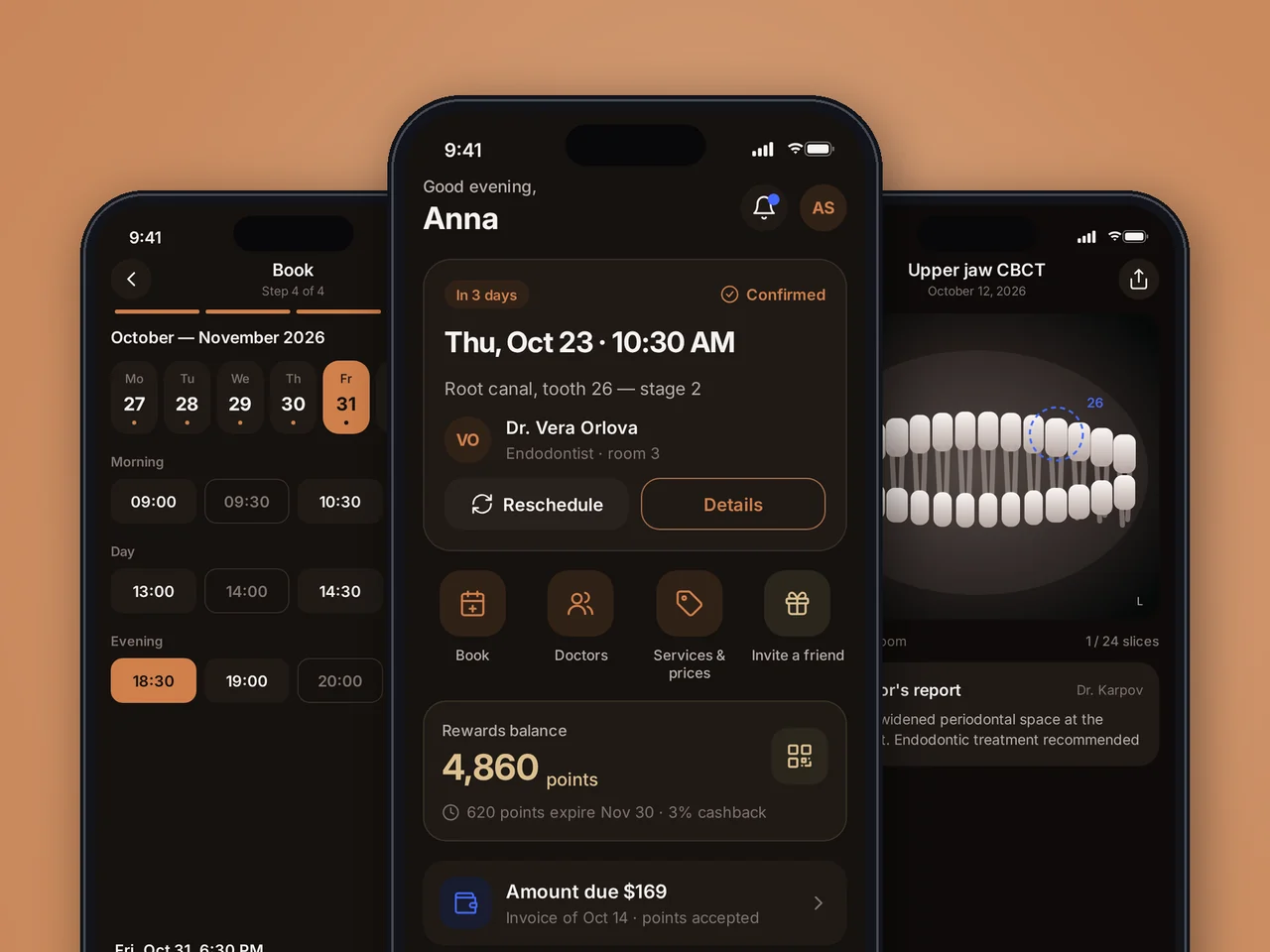
Dental patient app: online booking, medical records with scans, paying with points. Clickable MVP prototype, 73 screens.
View case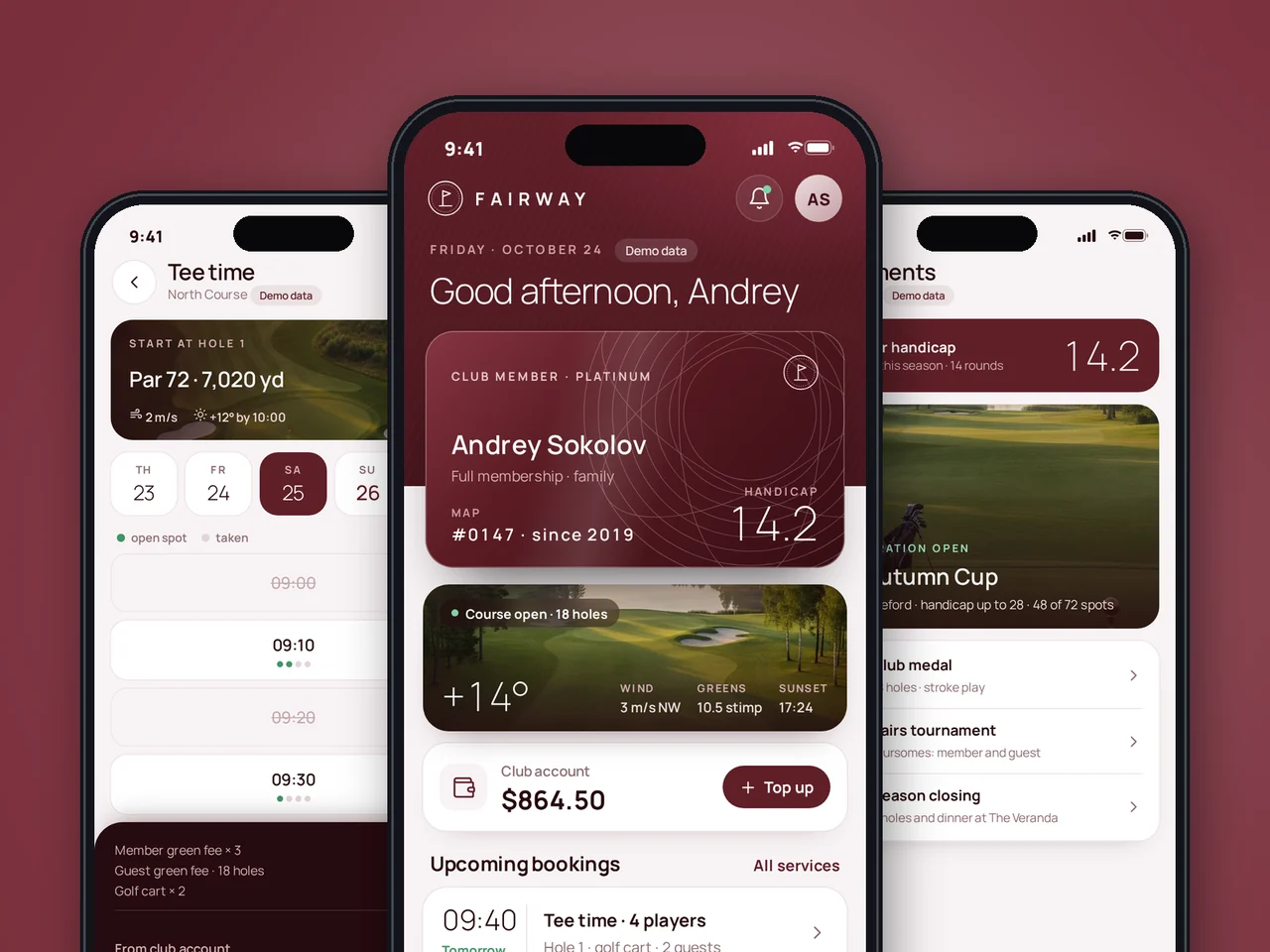
Golf club member app: tee time booking, guest passes, spa, dining and tournaments. Clickable MVP prototype.
View case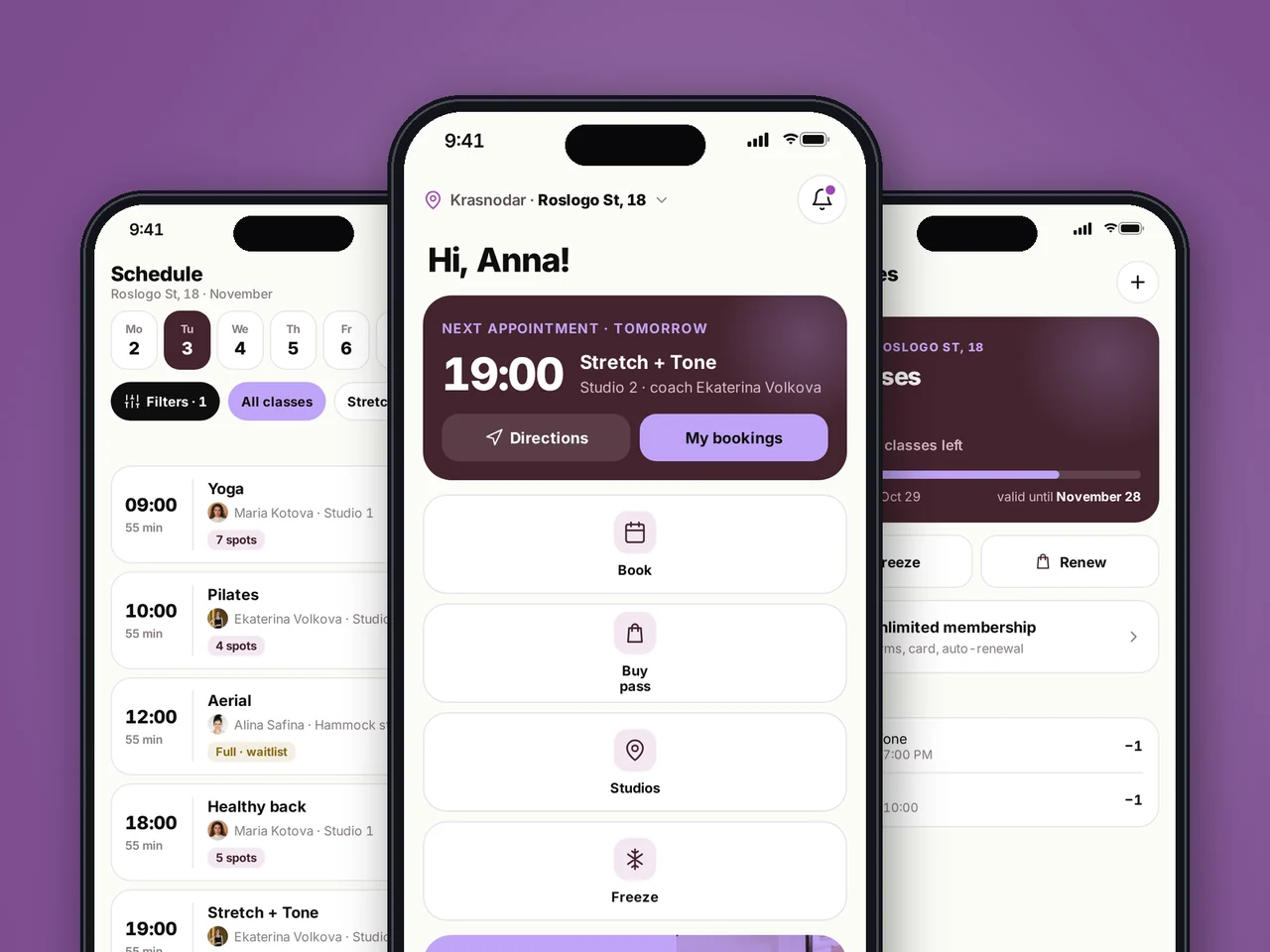
Stretching studio chain app: schedule, booking and waitlist, memberships and freezes. Clickable MVP prototype.
View case20 articles across 5 categories — engineering-led guides on AI, SaaS, MVP, compliance and mobile for US and EU product teams.

Performance-tested comparison of RN (New Architecture) and Flutter (Impeller) across hiring, time-to-market and EU/US compliance.
Read article
Real cost ranges by region (US onshore, Western EU, EU nearshore), team and feature scope. With a worked fintech example.
Read article
Data-driven framework for choosing iOS-first or Android-first in 2026 — US & EU market share, ARPU, review timelines, EU DMA.
Read articleSend us your idea: we will map the key user flows, build a clickable prototype and estimate the MVP timeline and budget within 1–2 business days.
Share a few details and a senior consultant will reply within one business day.
Email: sales@yusmpgroup.com
Phone: +374 44 871 811
Offices: KAMAR Business Center, Vazgen Sargsyan St. 2, Yerevan, Armenia · Remote — East-Coast US overlap (9 AM–1 PM ET)